Page 130 of 503

128
uuOperating the Switches Around the Steering Wheel uIgnition Switch and Power Mode Comparison
Controls
Ignition Switch and Power Mode Comparison
*1 : Except U.S. models with continuously variable transmission
Ignition Switch
Position
Without Smart
Entry System●Engine is turned off and
power is shut down.
●The steering wheel is
locked.
●No electrical components
can be used.
●Engine is turned off.●Some electrical
components such as the
audio system and the
accessory power socket
can be operated.
●Normal key position
while driving.
●All electrical components
can be used.
●Use this position to start
the engine.
●The ignition switch
returns to ON
(w when
you release the key.
Power Mode
With Smart Entry
System and
ENGINE START/
STOP ButtonIndicator-Off●Engine is turned off and
power is shut down.
●The steering wheel is
locked.*1
●No electrical components
can be used.
Indicator-On or blinking●Engine is turned off.●Some electrical
components such as the
audio system and the
accessory power socket
can be operated.
Indicator-
On (engine is turned off)
Off (engine is running)
●All electrical components
can be used.
Indicator-Off●The mode automatically
returns to ON after the
engine starts.
LOCK ( 0
(with/without
the key)
ACCESSORY (qON (wSTART (e
VEHICLE OFF
(LOCK)ACCESSORY ON
Indicator is: On Off
START
18 HR-V-31T7A6200.book 128 ページ 2017年6月30日 金曜日 午後1時23分
Page 131 of 503
129
uuOperating the Switches Around the Steering Wheel uTurn Signals
Continued
Controls
Turn Signals
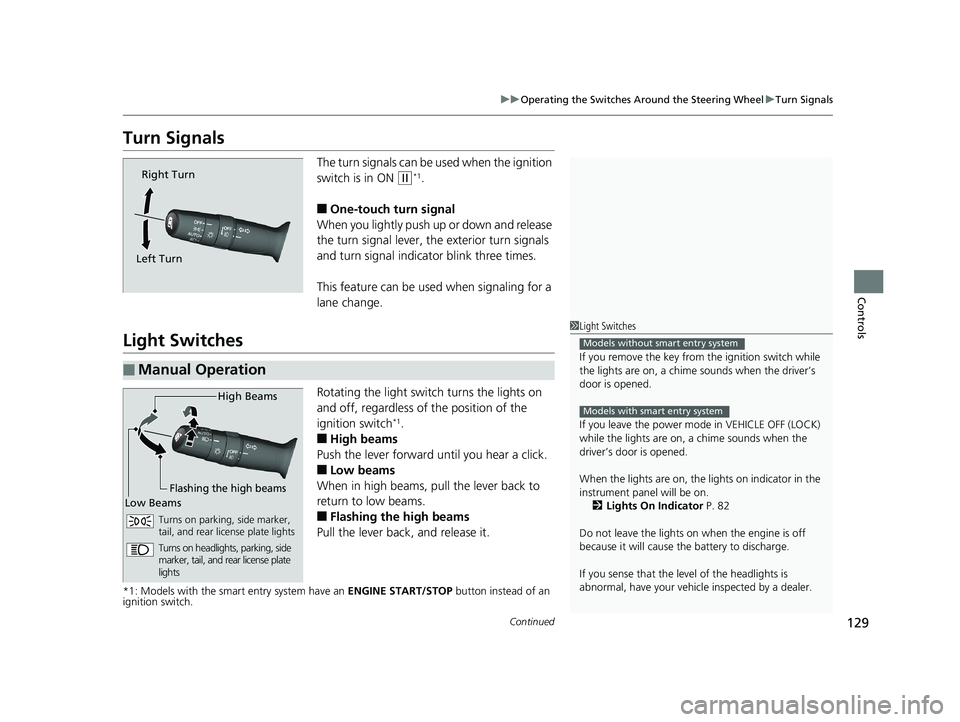
The turn signals can be used when the ignition
switch is in ON
(w*1.
■One-touch turn signal
When you lightly push up or down and release
the turn signal lever, th e exterior turn signals
and turn signal indicator blink three times.
This feature can be used when signaling for a
lane change.
Light Switches
Rotating the light switch turns the lights on
and off, regardless of the position of the
ignition switch
*1.
■High beams
Push the lever forward until you hear a click.
■Low beams
When in high beams, pull the lever back to
return to low beams.
■Flashing the high beams
Pull the lever back, and release it.
*1: Models with the smart entry system have an ENGINE START/STOP button instead of an
ignition switch.
Right Turn
Left Turn
■Manual Operation
1 Light Switches
If you remove the key from the ignition switch while
the lights are on, a chime sounds when the driver’s
door is opened.
If you leave the power mode in VEHICLE OFF (LOCK)
while the lights are on, a chime sounds when the
driver’s door is opened.
When the lights are on, the lights on indicator in the
instrument pane l will be on.
2 Lights On Indicator P. 82
Do not leave the lights on when the engine is off
because it will cause the battery to discharge.
If you sense that the le vel of the headlights is
abnormal, have your vehicle inspected by a dealer.
Models without smart entry system
Models with smart entry system
High Beams
Flashing the high beams
Low Beams
Turns on parking, side marker,
tail, and rear license plate lights
Turns on headlights, parking, side
marker, tail, and rear license plate
lights
18 HR-V-31T7A6200.book 129 ページ 2017年6月30日 金曜日 午後1時23分
Page 133 of 503

131
uuOperating the Switches Around the Steering Wheel uLight Switches
Controls
The headlights automatically come on when the wipers are used several times within
a number of certain intervals with the headlight switch in AUTO.
The headlights automatically go off a few mi nutes later if the wipers are stopped.
The headlights, all other exterior lights, and the instrument panel lights turn off 15
seconds after you remove the key or set the power mode to VEHICLE OFF (LOCK),
take the remote with you, and close the driver's door.
If you turn the igniti on switch to LOCK
(0*1 with the headlight switch on, but do
not open the door, the lights tu rn off after 10 minutes (3 minutes, if the switch is in
the AUTO position).
The lights turn on again when you unlock or open the driver's door. If you unlock
the door, but do not open it within 15 seconds, the lights go off. If you open the
driver's door, you will hear a lights on reminder chime.
*1: Models with the smart entry system have an ENGINE START/STOP button instead of an
ignition switch.
■Headlight Integration with Wipers*
■Automatic Lighting Off Feature
1 Headlight Integration with Wipers*
This feature activates while the headlights are off in
AUTO .
The instrument panel br ightness does not change
when the headlights come on.
At dark ambient light leve ls, the automatic lighting
control feature turns on the headlights, regardless of
the number of wiper sweeps.
* Not available on all models
18 HR-V-31T7A6200.book 131 ページ 2017年6月30日 金曜日 午後1時23分
Page 135 of 503

133
uuOperating the Switches Around the Steering Wheel uDaytime Running Lights
Controls
Daytime Running Lights
The headlights come on slightly dimmer th an normal when the following conditions
have been met:
• The ignition switch is in ON
(w*1.
• The headlight switch is off, or in .
• The parking brake is released.
The lights remain on even if you set th e parking brake. Turning off the ignition
switch or setting the power mode to VEHI CLE OFF will turn off the daytime running
lights.
The daytime running lights are off once the h eadlight switch is turned on, or when
the head light switch is in AUTO
* and it is getting darker outside.
*1: Models with the smart entry system have an ENGINE START/STOP button instead of an
ignition switch.
1 Daytime Running Lights
The daytime running lights come on dimmer when
the headlight switch is in than when it is in
AUTO
*. In AUTO*, if the ambient brightness is dark,
the low beam headlights come on.
* Not available on all models
18 HR-V-31T7A6200.book 133 ページ 2017年6月30日 金曜日 午後1時23分
Page 139 of 503

137
uuOperating the Switches Around the Steering Wheel uDefogger/Heated Door Mirror*/Heated Windshield*
Continued
Controls
Defogger/Heated Door Mirror*/Heated Windshield*
Press the rear defogger button or touch the
icon to defog the rear window and mirrors
when the ignition switch is in ON
(w*1.
The rear defogger and heated door mirrors
automatically switch of f after 10-30 minutes
depending on the outside temperature.
However, if the outsid e temperature is 32°F
(0°C) or below, they do not automatically
switch off.
*1: Models with the smart entry system have an ENGINE START/STOP button instead of an
ignition switch.
■Rear Defogger/Heated Door Mirror* Button1 Rear Defogger/Heated Door Mirror* Button
NOTICE
When cleaning the inside of the rear window, be
careful not to damage the heating wires.
It is critical to wipe the window from side to side
along the defogger heating wires.
This system consumes a lot of power, so turn it off
when the window has been defogged.
Also, do not use the system for a long time while the
engine is idling. This may weaken the battery, making
it difficult to start the engine.Models with heating and cooling system
Models with climate control system
Models with climate control system
* Not available on all models
18 HR-V-31T7A6200.book 137 ページ 2017年6月30日 金曜日 午後1時23分
Page 140 of 503
uuOperating the Switches Around the Steering Wheel uDefogger/Heated Door Mirror*/Heated Windshield*
138
Controls
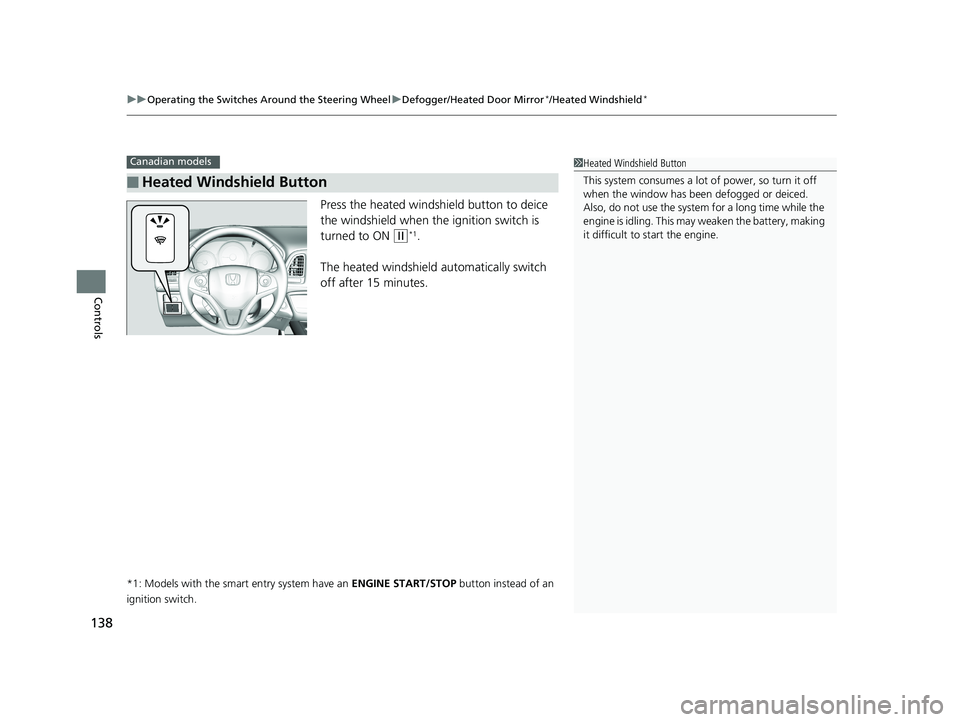
Press the heated windshield button to deice
the windshield when the ignition switch is
turned to ON
(w*1.
The heated windshield automatically switch
off after 15 minutes.
*1: Models with the smart entry system have an ENGINE START/STOP button instead of an
ignition switch.
■Heated Windshield Button
Canadian models1 Heated Windshield Button
This system consumes a lot of power, so turn it off
when the window has been defogged or deiced.
Also, do not use the system for a long time while the
engine is idling. This may weaken the battery, making
it difficult to start the engine.
18 HR-V-31T7A6200.book 138 ページ 2017年6月30日 金曜日 午後1時23分
Page 336 of 503

334
uuTowing a Trailer uTowing Your Vehicle
Driving
Towing Your Vehicle
Your vehicle is not designed to be towed be hind a motorhome. If your vehicle needs
to be towed in an emergency, refe r to the emergency towing information.
2Emergency Towing P. 475
Your vehicle can be towed behind a motorhome.
Perform the following procedure before towing your vehicle.
1. Shift to
(N.
2. Release the parking brake.
3. Turn the ignition sw itch to ACCESSORY
(q*1.
u Make sure the steering wheel does not lock.
4. Turn off all the electric devices. Do not use any accessory power sockets.
u This can prevent the battery from running down.
*1: Models with the smart entry system have an ENGINE START/STOP button instead of an
ignition switch.
■When Your Vehicle is Towed Behind a Motorhome
1 Towing Your Vehicle
Do not exceed 65 mph (100 km/h).
Consult your towing parts sales or rental agency if
any other items are recommended or required for
your towing situation.
Manual transmission models
Continuously variable transmission models
Manual transmission models
Manual transmission models
18 HR-V-31T7A6200.book 334 ページ 2017年6月30日 金曜日 午後1時23分
Page 337 of 503
Continued335
uuTowing a Trailer uTowing Your Vehicle
Driving
■Extended towing
If you tow more than eight hours in one day, you should repeat the “When Your
Vehicle is Towed Behind a Motorhome” at least every eight hours.
You also need to perform the following procedure to prevent the battery from
running down.
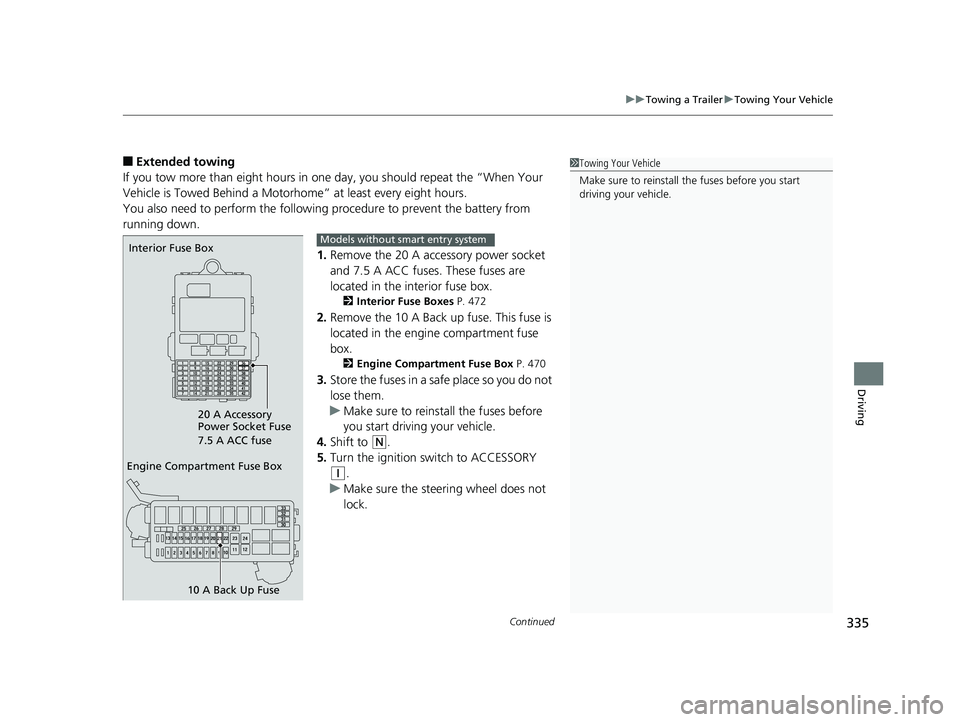
1.Remove the 20 A accessory power socket
and 7.5 A ACC fuses. These fuses are
located in the interior fuse box.
2 Interior Fuse Boxes P. 472
2.Remove the 10 A Back up fuse. This fuse is
located in the engine compartment fuse
box.
2 Engine Compartment Fuse Box P. 470
3.Store the fuses in a safe place so you do not
lose them.
u Make sure to reinstall the fuses before
you start driving your vehicle.
4. Shift to
(N.
5. Turn the ignition switch to ACCESSORY
(q.
u Make sure the steering wheel does not
lock.
1Towing Your Vehicle
Make sure to reinstall th e fuses before you start
driving your vehicle.
Engine Compartment Fuse Box
10 A Back Up Fuse
Interior Fuse Box
20 A Accessory
Power Socket Fuse
7.5 A ACC fuseModels without smart entry system
18 HR-V-31T7A6200.book 335 ページ 2017年6月30日 金曜日 午後1時23分