Page 153 of 263
151
uuPlaying an iPoduSong By VoiceTM (SBV)
Continued
Audio
Song By VoiceTM (SBV)
Use SBV to search for and play music from your iPod or USB flash drive using voice
commands.
1.Set the Song by Voice setting to
On.
2Voice Recognition Settings
P. 69
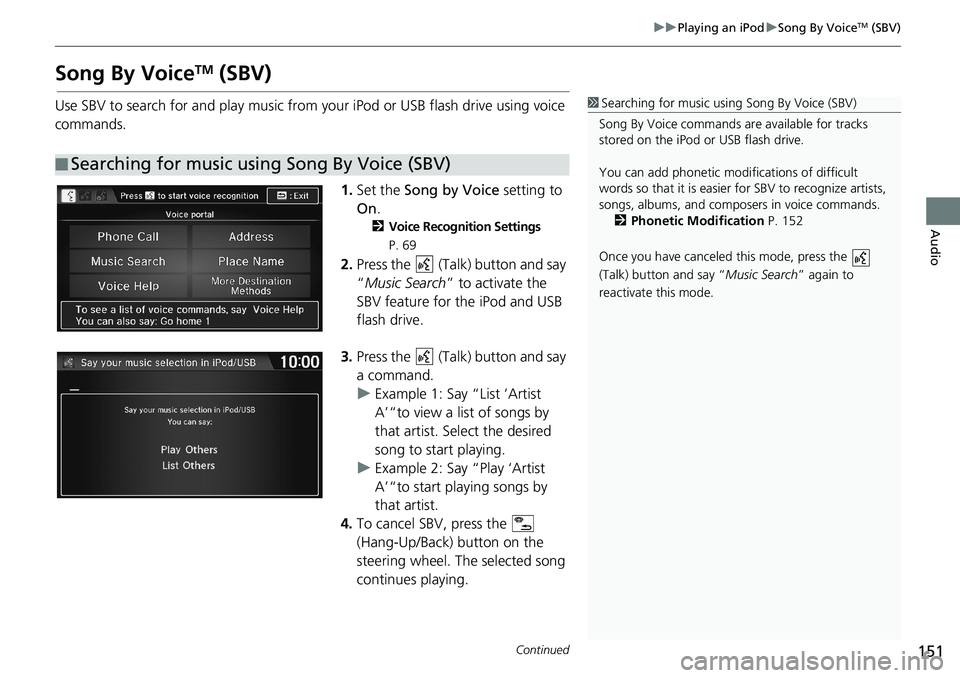
2.Press the (Talk) button and say
“Music Search” to activate the
SBV feature for the iPod and USB
flash drive.
3.Press the (Talk) button and say
a command.
uExample 1: Say “List ‘Artist
A’“to view a list of songs by
that artist. Select the desired
song to start playing.
uExample 2: Say “Play ‘Artist
A’“to start playing songs by
that artist.
4.To cancel SBV, press the
(Hang-Up/Back) button on the
steering wheel. The selected song
continues playing.
■Searching for music using Song By Voice (SBV)
1Searching for music using Song By Voice (SBV)
Song By Voice commands are available for tracks
stored on the iPod or USB flash drive.
You can add phonetic modifications of difficult
words so that it is easier for SBV to recognize artists,
songs, albums, and composers in voice commands.
2Phonetic Modification P. 152
Once you have canceled this mode, press the
(Talk) button and say “Music Search” again to
reactivate this mode.
Page 164 of 263
162
uuPlaying Bluetooth® AudiouSwitching to HFL Mode
Audio
Switching to HFL Mode
1.If you receive a call when
Bluetooth Audio is playing, press
the (Pick-Up) button on the
steering wheel to answer the call.
2Bluetooth® HandsFreeLink®
P. 168
2.Press the (Hang-Up/Back)
button to end the call, and
Bluetooth® Audio is resumed.
1Switching to HFL Mode
You can also select Answer or Hang Up on the
screen to receive or end a call. (Pick-Up) button
(Hang-Up/Back) button
Page 171 of 263
169
uuBluetooth® HandsFreeLink®u
Bluetooth® HandsFreeLink®
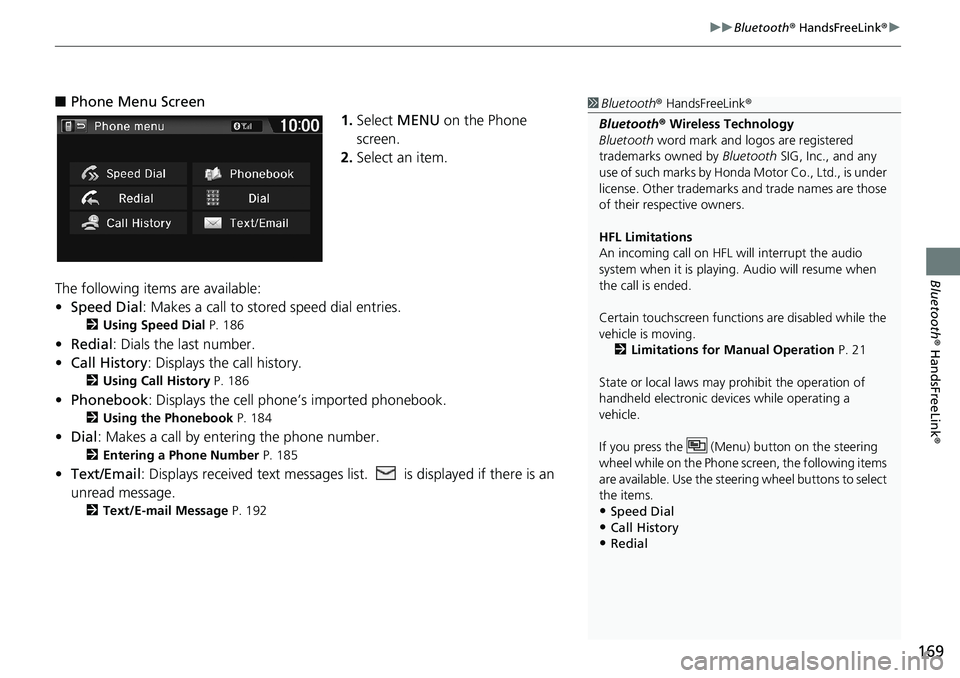
■Phone Menu Screen
1.Select MENU on the Phone
screen.
2.Select an item.
The following items are available:
•Speed Dial: Makes a call to stored speed dial entries.
2Using Speed Dial P. 186
•Redial: Dials the last number.
•Call History: Displays the call history.
2Using Call History P. 186
•Phonebook: Displays the cell phone’s imported phonebook.
2Using the Phonebook P. 184
•Dial: Makes a call by entering the phone number.
2Entering a Phone Number P. 185
•Text/Email: Displays received text messages list. is displayed if there is an
unread message.
2Text/E-mail Message P. 192
1Bluetooth® HandsFreeLink®
Bluetooth® Wireless Technology
Bluetooth word mark and logos are registered
trademarks owned by Bluetooth SIG, Inc., and any
use of such marks by Honda Motor Co., Ltd., is under
license. Other trademarks and trade names are those
of their respective owners.
HFL Limitations
An incoming call on HFL will interrupt the audio
system when it is playing. Audio will resume when
the call is ended.
Certain touchscreen functions are disabled while the
vehicle is moving.
2Limitations for Manual Operation P. 21
State or local laws may prohibit the operation of
handheld electronic devices while operating a
vehicle.
If you press the (Menu) button on the steering
wheel while on the Phone screen, the following items
are available. Use the steering wheel buttons to select
the items.
•Speed Dial
•Call History•Redial
Page 189 of 263
187
uuBluetooth® HandsFreeLink®uReceiving a Call
Bluetooth® HandsFreeLink®
Receiving a Call
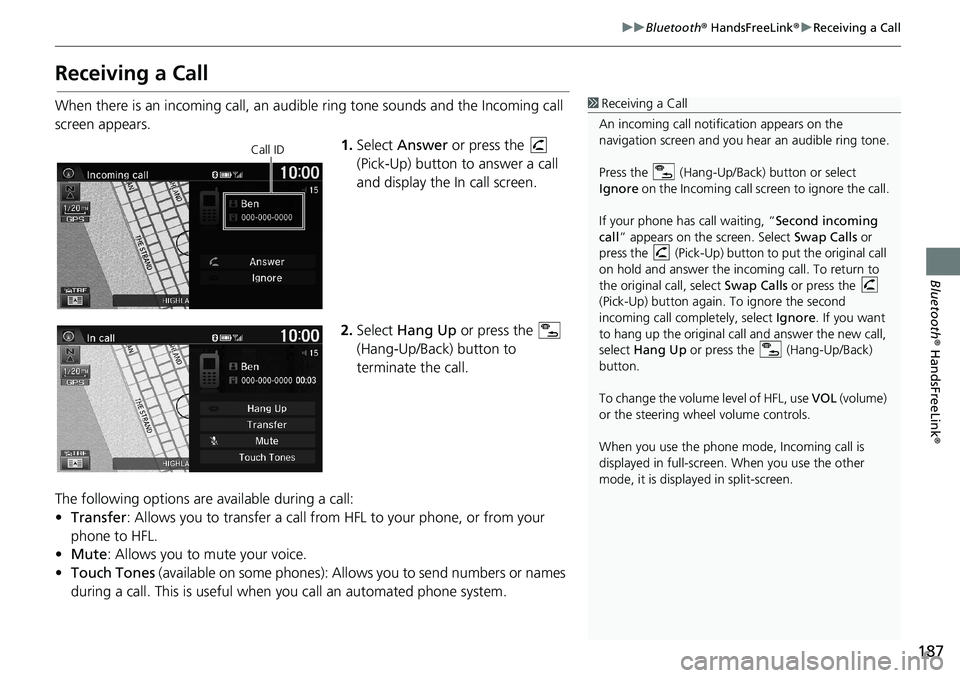
When there is an incoming call, an audible ring tone sounds and the Incoming call
screen appears.
1.Select Answer or press the
(Pick-Up) button to answer a call
and display the In call screen.
2.Select Hang Up or press the
(Hang-Up/Back) button to
terminate the call.
The following options are available during a call:
•Transfer: Allows you to transfer a call from HFL to your phone, or from your
phone to HFL.
•Mute: Allows you to mute your voice.
•Touch Tones (available on some phones): Allows you to send numbers or names
during a call. This is useful when you call an automated phone system.1Receiving a Call
An incoming call notification appears on the
navigation screen and you hear an audible ring tone.
Press the (Hang-Up/Back) button or select
Ignore on the Incoming call screen to ignore the call.
If your phone has call waiting, “Second incoming
call” appears on the screen. Select Swap Calls or
press the (Pick-Up) button to put the original call
on hold and answer the incoming call. To return to
the original call, select Swap Calls or press the
(Pick-Up) button again. To ignore the second
incoming call completely, select Ignore. If you want
to hang up the original call and answer the new call,
select Hang Up or press the (Hang-Up/Back)
button.
To change the volume level of HFL, use VOL (volume)
or the steering wheel volume controls.
When you use the phone mode, Incoming call is
displayed in full-screen. When you use the other
mode, it is displayed in split-screen.
Call ID
Page 205 of 263
203
uuMulti-View Rear Camerau
Other Features
HHOMEuSettingsuCamerauRear Camera
The following items are available:
•Fixed Guideline:
–On (factory default): Guidelines appear when you shift into Reverse.
–Off: Guidelines do not appear.
•Dynamic Guideline:
–On (factory default): Guidelines move according to the steering wheel direction.
–Off: Guidelines do not move.
■Rear Camera Setting1Rear Camera Setting
The dynamic guidelines are displayed only on the
wide view mode or the normal view mode.
You can also change the rear camera setting by
selecting MENU on the rear camera screen. When
you select MENU, the following items are available in
additional:
•Display: Adjusts the screen preference of the rear
camera screen.
–Display tab: Adjusts Brightness, Contrast, and
Black Level of the rear camera screen.
–Color tab: Adjusts Color and Tint of the rear
camera screen.
Canadian models