2018 HONDA CLARITY FUEL CELL heating
[x] Cancel search: heatingPage 7 of 551
Contents
Child Safety P. 70Safety Labels P. 83
Opening and Closing the Trunk P. 146 Security System P. 149 Opening and Closing the Windows P. 152
Adjusting the Mirrors P. 170 Adjusting the Seats P. 172
Climate Control System P. 188
Audio Error Messages P. 277 General Information on the Audio System P. 281
Bluetooth ® HandsFreeLink ® P. 329
When Driving P. 370 Braking P. 424Parking Your Vehicle P. 440
Fuel Economy P. 447
Maintenance Under the Hood P. 457 Replacing Light Bulbs P. 463
Checking and Maintaining Tires P. 468 12-Volt Battery P. 477 Remote Transmitter Care P. 479
Accessories and Modifications P. 487
Power System Won’t Start P. 503 Jump Starting P. 506 Overheating P. 509
Fuses P. 518 Emergency Towing P. 526
When You Cannot Open the Trunk P. 528
Devices that Emit Radio Waves P. 533 Reporting Safety Defects P. 534
Customer Service Information P. 538
Quick Reference GuideP. 6
Safe DrivingP. 43
Instrument PanelP. 85
ControlsP. 131
FeaturesP. 197
DrivingP. 363
MaintenanceP. 449
Handling the UnexpectedP. 489
InformationP. 529
IndexP. 540
18 CLARITY FUEL CELL PPO-31TRT6100.book 5 ページ 2017年11月21日 火曜日 午後3時3分
Page 40 of 551
38
Quick Reference Guide
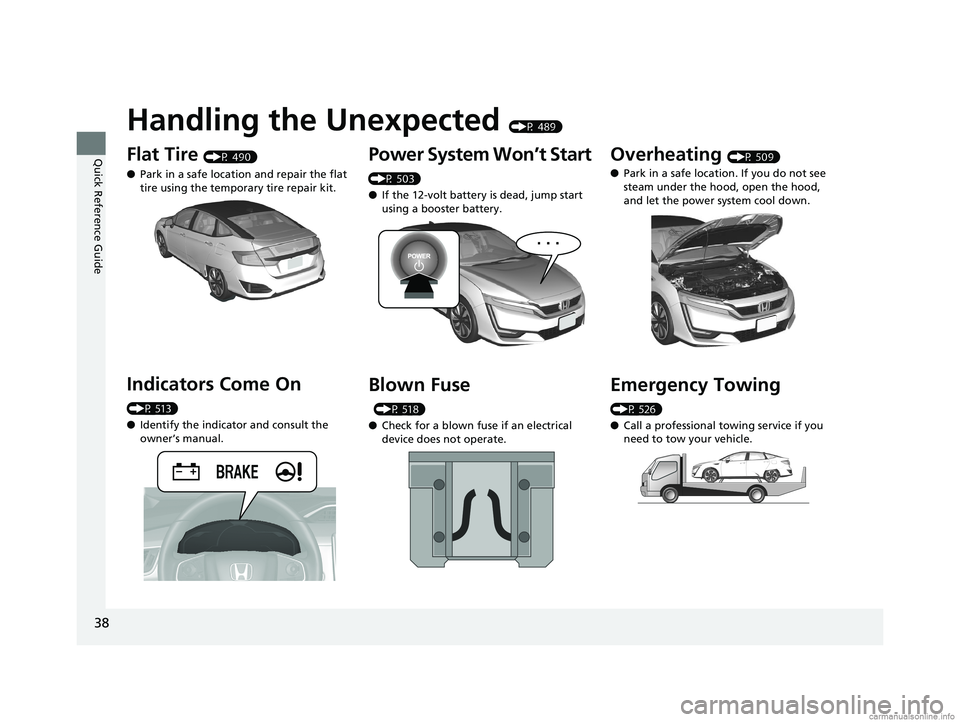
Handling the Unexpected (P 489)
Flat Tire (P 490)
● Park in a safe location and repair the flat
tire using the temporary tire repair kit.
Indicators Come On
(P 513)
●Identify the indicator and consult the
owner’s manual.
Power System Won’t Start
(P 503)
● If the 12-volt battery is dead, jump start
using a booster battery.
Blown Fuse
(P 518)
● Check for a blown fuse if an electrical
device does not operate.
Overheating (P 509)
● Park in a safe location. If you do not see
steam under the hood, open the hood,
and let the power system cool down.
Emergency Towing
(P 526)
●Call a professional towing service if you
need to tow your vehicle.
18 CLARITY FUEL CELL PPO-31TRT6100.book 38 ページ 2017年11月21日 火曜日 午後3時3分
Page 91 of 551
89
uuIndicators u
Continued
Instrument Panel
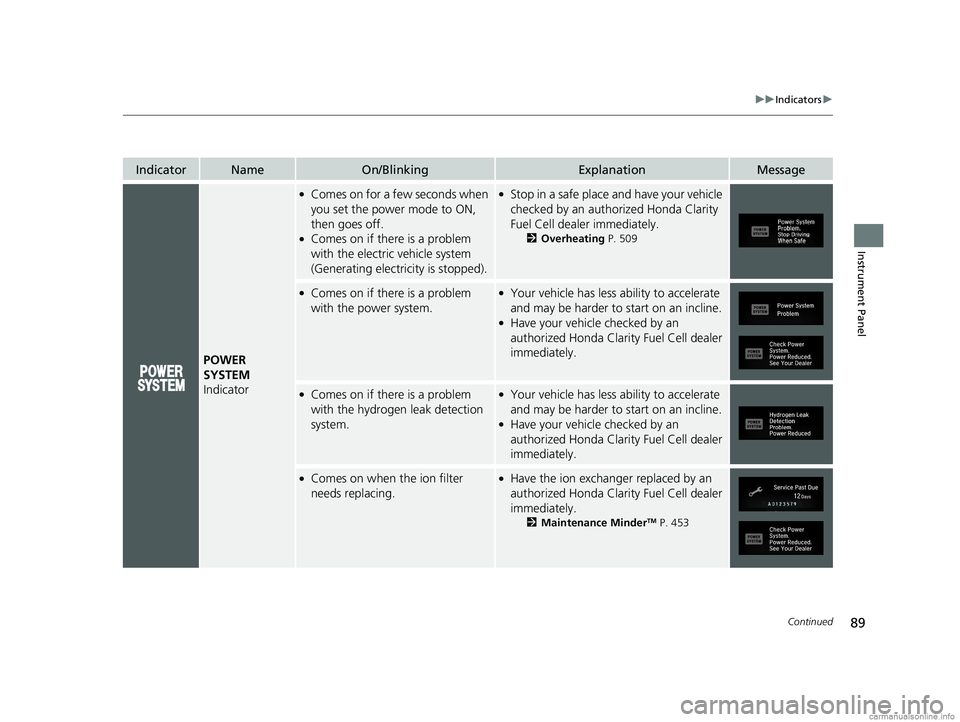
IndicatorNameOn/BlinkingExplanationMessage
POWER
SYSTEM
Indicator
●Comes on for a fe w seconds when
you set the power mode to ON,
then goes off.
●Comes on if there is a problem
with the electric vehicle system
(Generating electricity is stopped).
●Stop in a safe place and have your vehicle
checked by an authorized Honda Clarity
Fuel Cell dealer immediately.
2 Overheating P. 509
●Comes on if there is a problem
with the power system.●Your vehicle has less ability to accelerate
and may be harder to start on an incline.
●Have your vehicle checked by an
authorized Honda Clarity Fuel Cell dealer
immediately.
●Comes on if there is a problem
with the hydrogen leak detection
system.●Your vehicle has less ability to accelerate
and may be harder to start on an incline.
●Have your vehicle checked by an
authorized Honda Clarity Fuel Cell dealer
immediately.
●Comes on when the ion filter
needs replacing.●Have the ion exchange r replaced by an
authorized Honda Clarity Fuel Cell dealer
immediately.
2 Maintenance MinderTM P. 453
18 CLARITY FUEL CELL PPO-31TRT6100.book 89 ページ 2017年11月21日 火曜日 午後3時3分
Page 168 of 551
166
uuOperating the Switches Around the Steering Wheel uRear Defogger Button
Controls
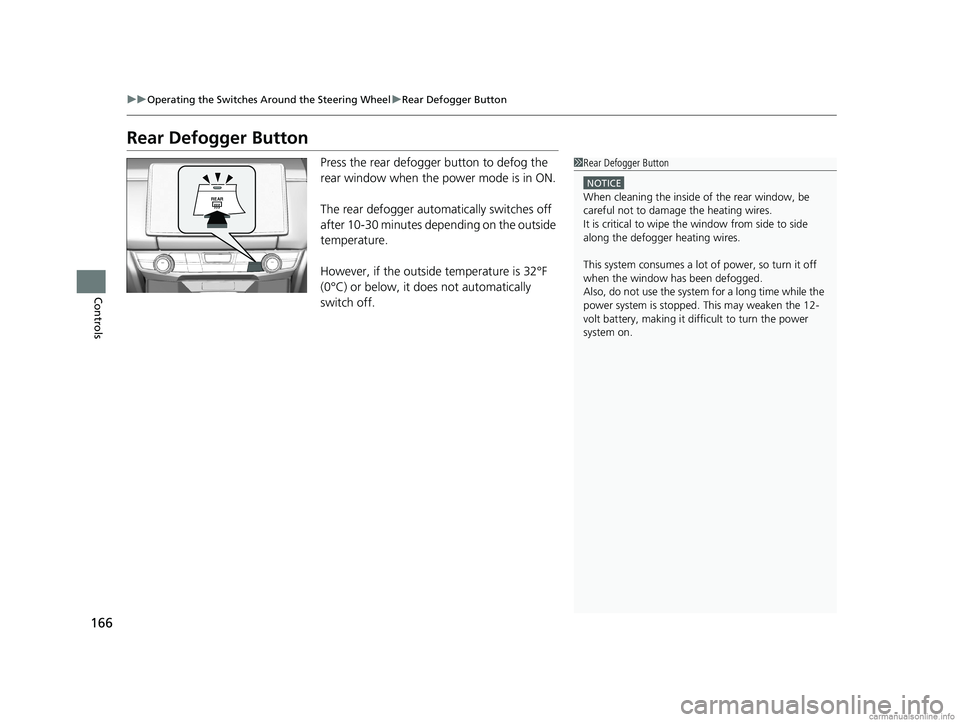
Rear Defogger Button
Press the rear defogger button to defog the
rear window when the power mode is in ON.
The rear defogger automatically switches off
after 10-30 minutes depending on the outside
temperature.
However, if the outside temperature is 32°F
(0°C) or below, it does not automatically
switch off.1Rear Defogger Button
NOTICE
When cleaning the inside of the rear window, be
careful not to damage the heating wires.
It is critical to wipe the window from side to side
along the defogger heating wires.
This system consumes a lot of power, so turn it off
when the window has been defogged.
Also, do not use the system for a long time while the
power system is stopped. This may weaken the 12-
volt battery, making it di fficult to turn the power
system on.
18 CLARITY FUEL CELL PPO-31TRT6100.book 166 ページ 2017年11月21日 火曜日 午後3時3分
Page 470 of 551
468
Maintenance
Checking and Maintaining Tires
Checking Tires
To safely operate your vehicle, your tires must be of the proper type and size, in
good condition with adequate tread, and properly inflated.
■Inflation guidelines
Properly inflated tires provide the best combination of handling, tread life, and comfort.
Refer to the driver’s doorjamb label or spec ifications page for the specified pressure.
Underinflated tires wear unevenly, adversely affect handling and fuel economy, and
are more likely to fail from overheating.
Overinflated tires make your vehicle ride harshly, are more prone to road hazards,
and wear unevenly.
Every day before you drive, look at each of the tires. If one looks lower than the
others, check the pressure with a tire gauge.
At least once a month or before long trips, use a gauge to measure the pressure in
all tires. Even tires in good condition ca n lose 1–2 psi (10–20 kPa, 0.1–0.2 kgf/cm
2)
per month.
■Inspection guidelines
Every time you check inflation, also examine the tires and valve stems.
Look for:
• Bumps or bulges on the side or in the tread. Replace the tire if you find any cuts,
splits, or cracks in the si de of the tire. Replace it if you see fabric or cord.
• Remove any foreign objects and inspect for air leaks.
• Uneven tread wear. Have an authorized Honda Clarity Fuel Cell dealer check the
wheel alignment.
• Excessive tread wear.
2 Wear Indicators P. 473
•Cracks or other damage around valve stem.
1Checking Tires
Measure the air pressure when tires are cold. This
means the vehicle has been parked for at least three
hours, or driven less than 1 mile (1.6 km). If
necessary, add or releas e air until the specified
pressure is reached.
If checked when hot, tire pressure can be as much as
4–6 psi (30–40 kPa, 0.3–0.4 kgf/cm
2) higher than if
checked when cold.
Whenever tire pressure is adjusted, you must
calibrate the TPMS. 2 TPMS Calibration P. 415
Have an authorized Honda Clarity Fuel Cell dealer
check the tires if you feel a consistent vibration while
driving. New tire s and any that have been removed
and reinstalled should be properly balanced.
3WARNING
Using tires that are excessively worn or
improperly inflated can cause a crash in
which you can be seriously hurt or killed.
Follow all instruction s in this owner’s
manual regarding ti re inflation and
maintenance.
18 CLARITY FUEL CELL PPO-31TRT6100.book 468 ページ 2017年11月21日 火曜日 午後3時3分
Page 491 of 551
489
Handling the Unexpected
This chapter explains how to handle unexpected troubles.
If a Tire Goes FlatTemporarily Repairi ng a Flat Tire....... 490
Handling of the Jack ......................... 502
Power System Won’t Start Checking the Procedure ................... 503
If the Smart Entry Remote Battery is Weak .......................................... 504
Emergency Power System Off........... 505
Jump Starting .................................... 506
Overheating How to Handle Overheating ............. 509
If Hydrogen Gas is Leaking .............. 511Indicator, Coming On/Blinking
If the 12-Volt Battery Charging System Indicator Comes On ....................... 513
If the Brake System Indicator (Red) Comes On or Blinks ....................................... 514
If the Electric Power Steering (EPS) System Indicator Comes On ........................... 514If the Brake System Indicator (Red) Comes On or Blinks at the Same Time
When the Brake System Indicator
(Amber) Comes On ...................... 515
If the Low Tire Pressure/TPMS Indicator
Comes On or Blinks ....................... 516
If the Transmission System Indicator Blinks along with the Warning Message .... 517
Fuses Fuse Locations ................................. 518
Inspecting and Changing Fuses ........ 525
Emergency Towing ........................... 526
When You Cannot Unlock the Hydrogen Fuel Lid .............................................. 527
When You Cannot Open the Trunk .. 528
18 CLARITY FUEL CELL PPO-31TRT6100.book 489 ページ 2017年11月21日 火曜日 午後3時3分
Page 511 of 551
509Continued
Handling the Unexpected
Overheating
How to Handle Overheating
If you notice any of the following signs, it is possible that the vehicle is overheating.
•The power system warning indicator has come on and the message Power
System Problem. Stop Driving When Safe has appeared in the driver
information interface.
• Steam is coming out from the motor room.
■First thing to do
1. Immediately park the vehicle in a safe place.
u Change the gear position to
(P and set the parking brake.
2. Turn off all accessories and turn on the hazard warning lights.
u No steam or spray present : Turn off the power system, then open the hood.
u Steam or spray is present : Turn off the power system and wait until it
subsides. Then open the hood.
1 How to Handle Overheating
3WARNING
Steam and spray from an overheated
power system can seriously scald you.
Do not open the hood if steam is coming
out.
18 CLARITY FUEL CELL PPO-31TRT6100.book 509 ページ 2017年11月21日 火曜日 午後3時3分
Page 512 of 551
uuOverheating uHow to Handle Overheating
510
Handling the Unexpected
■Next thing to do
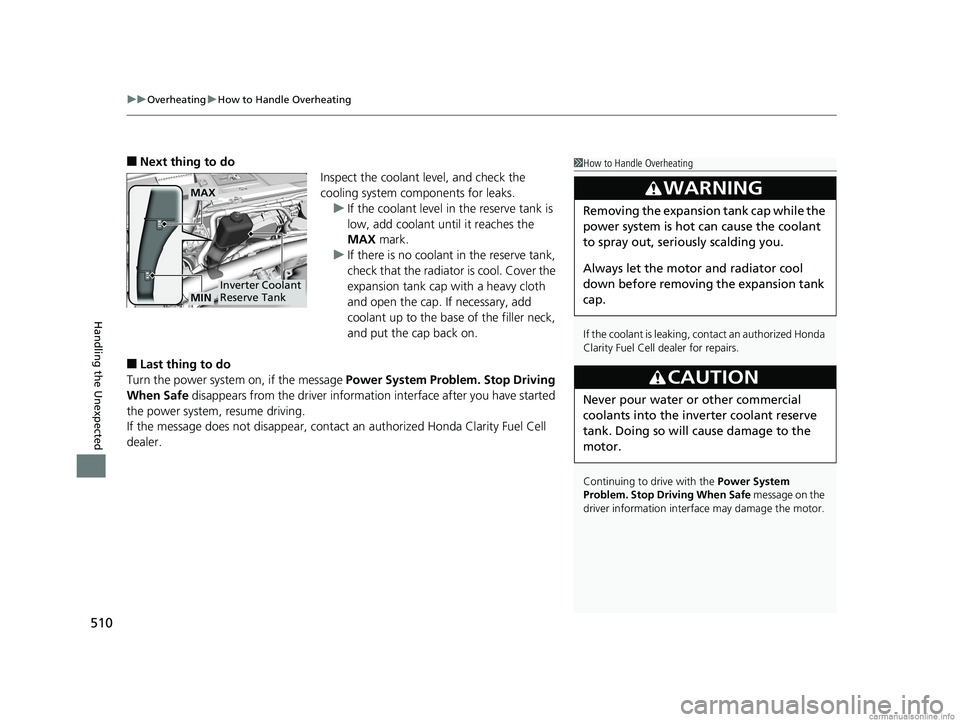
Inspect the coolant level, and check the
cooling system components for leaks.u If the coolant level in the reserve tank is
low, add coolant until it reaches the
MAX mark.
u If there is no coolan t in the reserve tank,
check that the radiator is cool. Cover the
expansion tank cap with a heavy cloth
and open the cap. If necessary, add
coolant up to the base of the filler neck,
and put the cap back on.
■Last thing to do
Turn the power system on, if the message Power System Problem. Stop Driving
When Safe disappears from the driver informatio n interface after you have started
the power system, resume driving.
If the message does not disappear, contact an authorized Honda Clarity Fuel Cell
dealer.
1 How to Handle Overheating
If the coolant is leaking, contact an authorized Honda
Clarity Fuel Cell dealer for repairs.
Continuing to drive with the Power System
Problem. Stop Driving When Safe message on the
driver information interface may damage the motor.
3WARNING
Removing the expansion tank cap while the
power system is hot can cause the coolant
to spray out, seri ously scalding you.
Always let the motor and radiator cool
down before removing the expansion tank
cap.
3CAUTION
Never pour water or other commercial
coolants into the inve rter coolant reserve
tank. Doing so will cause damage to the
motor.
MAX
Inverter Coolant
Reserve TankMIN
18 CLARITY FUEL CELL PPO-31TRT6100.book 510 ページ 2017年11月21日 火曜日 午後3時3分