2018 FORD TRANSIT service
[x] Cancel search: servicePage 93 of 521
POWER WINDOWS
WARNING: To avoid risk of injury, do
not leave children or pets unattended in
your vehicle. WARNING: When closing the power
windows, you should verify they are free
of obstructions and make sure that
children and pets are not in the proximity
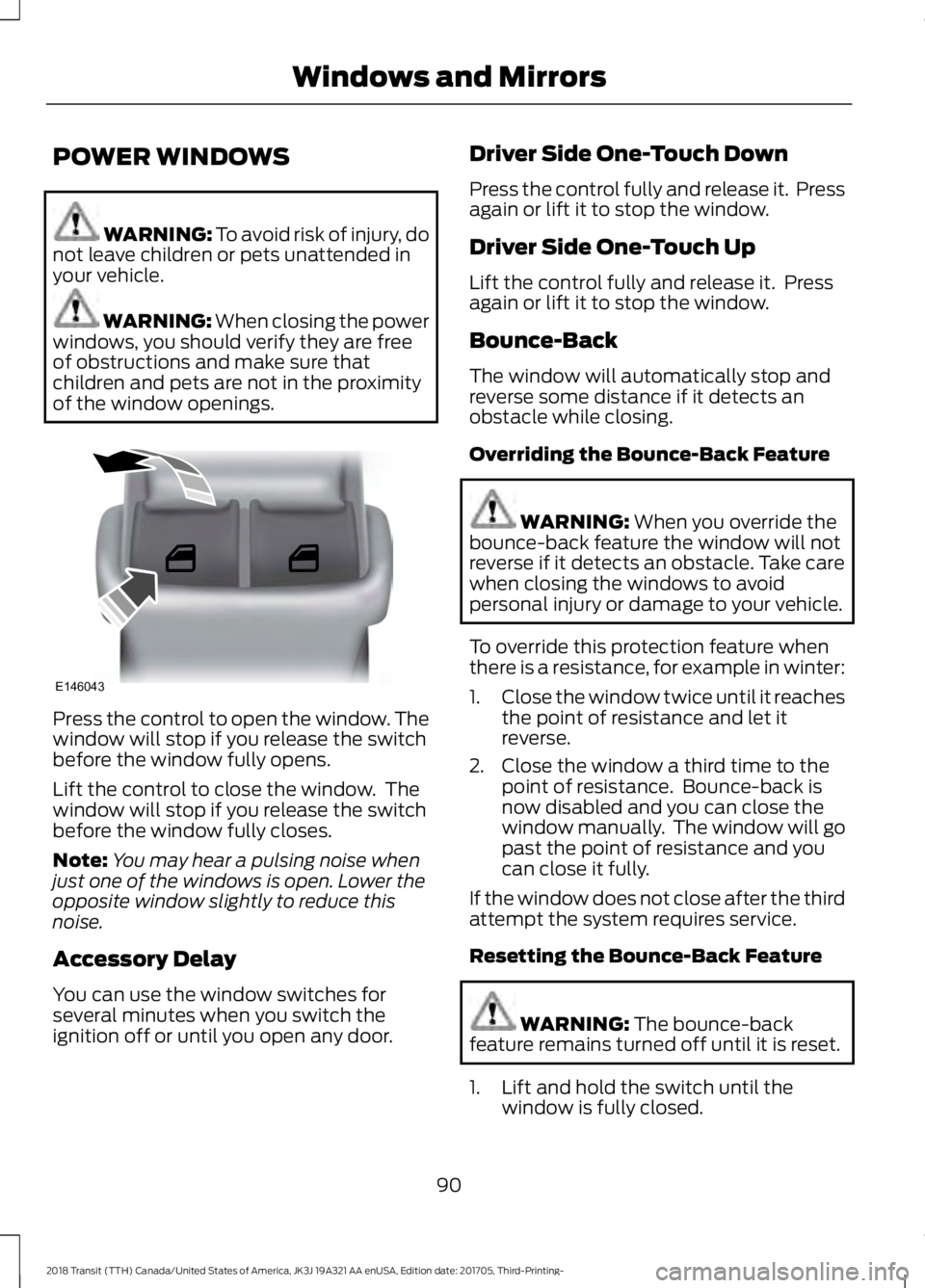
of the window openings. Press the control to open the window. The
window will stop if you release the switch
before the window fully opens.
Lift the control to close the window. The
window will stop if you release the switch
before the window fully closes.
Note:
You may hear a pulsing noise when
just one of the windows is open. Lower the
opposite window slightly to reduce this
noise.
Accessory Delay
You can use the window switches for
several minutes when you switch the
ignition off or until you open any door. Driver Side One-Touch Down
Press the control fully and release it. Press
again or lift it to stop the window.
Driver Side One-Touch Up
Lift the control fully and release it. Press
again or lift it to stop the window.
Bounce-Back
The window will automatically stop and
reverse some distance if it detects an
obstacle while closing.
Overriding the Bounce-Back Feature
WARNING:
When you override the
bounce-back feature the window will not
reverse if it detects an obstacle. Take care
when closing the windows to avoid
personal injury or damage to your vehicle.
To override this protection feature when
there is a resistance, for example in winter:
1. Close the window twice until it reaches
the point of resistance and let it
reverse.
2. Close the window a third time to the point of resistance. Bounce-back is
now disabled and you can close the
window manually. The window will go
past the point of resistance and you
can close it fully.
If the window does not close after the third
attempt the system requires service.
Resetting the Bounce-Back Feature WARNING:
The bounce-back
feature remains turned off until it is reset.
1. Lift and hold the switch until the window is fully closed.
90
2018 Transit (TTH) Canada/United States of America, JK3J 19A321 AA enUSA, Edition date: 201705, Third-Printing- Windows and MirrorsE146043
Page 97 of 521

If the needle enters the red section, the
engine is overheating. Stop your vehicle as
soon as it is safe to do so and switch the
engine off. Determine the cause once the
engine has cooled down. See Engine
Coolant Check (page 236).
Note: Do not restart the engine until the
cause of overheating has been determined
and resolved.
Tripmeter Reset and Distance to
Empty
(If Equipped)
Press the button to change between the
tripmeter and distance to empty
information. Press and hold the button to
reset the tripmeter.
Fuel Gauge
Note: The fuel gauge may vary slightly
when your vehicle is moving or on a gradient.
Switch the ignition on. The fuel gauge will
indicate approximately how much fuel is
in the fuel tank. The arrow adjacent to the
fuel pump symbol indicates on which side
of your vehicle the fuel filler door is located. The needle should move toward F when
you refuel your vehicle. If the needle points
to E after adding fuel, this indicates your
vehicle needs service soon.
After refueling some variability in needle
position is normal:
•
It may take a short time for the needle
to reach F after leaving the gas station.
This is normal and depends upon the
slope of pavement at the gas station.
• The fuel amount dispensed into the
tank is a little less or more than the
gauge indicated. This is normal and
depends upon the slope of pavement
at the gas station.
• If the gas station nozzle shuts off
before the tank is full, try a different
gas pump nozzle.
Low Fuel Reminder
A low fuel reminder triggers when the fuel
gauge needle is at 1/16th.
Variations: Distance-to-empty
Fuel gauge position
Driving type (fuel economy
conditions)
35 miles to 80 miles (56 kmto 129 km)
1/16th
Highway driving
35 miles (56km)
1/16th
Severe duty driving (trailer
towing, extended idle)
94
2018 Transit (TTH) Canada/United States of America, JK3J 19A321 AA enUSA, Edition date: 201705, Third-Printing- Instrument Cluster
Page 99 of 521

Glow Plug Indicator
If it illuminates, wait until it turns
off before starting.
Water In Fuel Warning Lamp If it illuminates when the engine
is running this indicates there is
excess water in the fuel filter.
This occurs when approximately 7 fl oz
(200 ml) of water accumulates in the fuel
filter water trap. Have your vehicle
checked as soon as possible.
Alternatively you may be able to drain the
fuel filter water trap.
See
Draining the Fuel Filter Water Trap
(page 242).
Note: If it illuminates when the engine is
running after draining the fuel filter water
trap, this indicates a fuel filter service is
required. Have your vehicle checked as soon
as possible.
Direction Indicator It illuminates when you switch a
direction indicator or the hazard
flashers on. Flashes during
operation. An increase in the rate of
flashing warns of a failed indicator bulb.
Note: An increase in the rate of flashing
could also indicate that the trailer tow
system has detected a fault that requires
service. Have your vehicle checked as soon
as possible.
Door Ajar It illuminates when you switch
the ignition on and remains on if
any door or the hood is open. Engine Coolant Temperature
Warning Lamp If it illuminates when your vehicle
is moving, this indicates that the
engine is overheating. Stop your
vehicle as soon as it is safe to do so and
switch the engine off. Have your vehicle
checked as soon as possible.
Engine Warning Lamps Powertrain Warning Lamp
If it illuminates when the engine is running
this indicates a malfunction. Drive in a
moderate fashion (avoid heavy
acceleration and deceleration). Continuing
to drive your vehicle may cause reduced
power or the engine to stop. Switch the
ignition off and attempt to restart the
engine. Have your vehicle checked as soon
as possible. Malfunction Indicator Lamp
If it illuminates when the engine is running
this indicates a malfunction. The On Board
Diagnostics system has detected a
malfunction of the vehicle emission control
system.
If it flashes, engine misfire may be
occurring. Increased exhaust gas
temperatures could damage the catalytic
converter or other vehicle components.
Drive in a moderate fashion (avoid heavy
acceleration and deceleration) and have
your vehicle immediately serviced.
It illuminates when you switch the ignition
on prior to engine start to check the bulb
and to indicate whether your vehicle is
ready for Inspection and Maintenance
(I/M) testing.
96
2018 Transit (TTH) Canada/United States of America, JK3J 19A321 AA enUSA, Edition date: 201705, Third-Printing- Instrument Cluster
Page 100 of 521

Normally, it illuminates until the engine is
cranked and automatically turns off if no
malfunctions are present. However, if after
15 seconds it flashes eight times, this
indicates that your vehicle is not ready for
Inspection and Maintenance (I/M) testing.
See Engine Emission Control (page 141).
Fasten Seatbelt Warning Lamp
It illuminates and a chime
sounds until you fasten the
seatbelts.
Headlamp High Beam Indicator It illuminates when you switch
the headlamp high beam on.
Lamps on Indicator It illuminates when you switch
the headlamp low beam or the
side and rear lamps on.
Lane Departure Warning Indicator It illuminates when you switch
the system off.
It illuminates when the system
is not available and may indicate that the
system requires service. Have your vehicle
checked as soon as possible.
Low Fuel Level Warning Lamp If it illuminates when you are
driving, refuel as soon as
possible.
Low Tire Pressure Warning Lamp
(If Equipped) It illuminates if the tire pressure
in one or more tires is below the
correct tire pressure. If it does not illuminate when you switch
the ignition on, or flashes when the engine
is running, this indicates a malfunction.
Have your vehicle checked as soon as
possible. See Tire Pressure Monitoring
System (page 287).
Low Washer Fluid Level Warning
Lamp It illuminates when the washer
fluid is low.
Message Center Indicator It illuminates when a new
message is stored in the
information display.
The indicator is red or amber depending
on the severity of the condition and it
remains on until the condition is resolved.
See
Information Messages (page 103).
Oil Pressure Warning Lamp WARNING: If it illuminates when you
are driving do not continue your journey,
even if the oil level is correct. Have your
vehicle checked. If it illuminates when the engine
is running this indicates a
malfunction. Stop your vehicle
as soon as it is safe to do so and switch the
engine off.
Check the engine oil level. If the oil level is
sufficient, this indicates a system
malfunction. Have your vehicle
immediately checked.
97
2018 Transit (TTH) Canada/United States of America, JK3J 19A321 AA enUSA, Edition date: 201705, Third-Printing- Instrument ClusterE71880 E132353
Page 101 of 521
Stability Control and Traction
Control Indicator
Flashes during operation.
If it does not illuminate when you
switch the ignition on, or remains
on when the engine is running, this
indicates a malfunction. Have your vehicle
checked as soon as possible.
Note: The system automatically turns off
if there is a malfunction.
See Stability Control (page 161). See
Traction Control (page 160).
Stability Control and Traction
Control Off Warning Lamp It illuminates when you switch
the system off.
Tow/Haul Warning Lamp It illuminates when you switch
the system on.
If it flashes when the engine is
running this indicates a malfunction and
could lead to transmission damage that
may not be covered by the vehicle
Warranty. Have your vehicle checked as
soon as possible.
AUDIBLE WARNINGS AND
INDICATORS
Airbag Secondary Warning
Sounds when the airbag system and the
airbag warning lamp requires service.
Door Ajar
Sounds when a door is not fully closed and
your vehicle is moving. Exterior Lamps On
Sounds when you open the driver door and
the exterior lamps are on.
Transmission Selector Lever Not
in park (P)
Sounds when you open the driver door and
the transmission is not in park (P).
Key in Ignition
Sounds when the driver door is open and
the key is in the ignition.
Parking Brake On
Sounds when the parking brake is on and
your vehicle is moving. If the warning
chime remains on after you have released
the parking brake, the system has detected
a fault that requires service. Have your
vehicle immediately checked.
Seatbelt Reminder
WARNING:
Do not sit on top of a
fastened seatbelt to prevent the seatbelt
reminder from coming on. The occupant
protection system will only provide
optimum protection when you use the
seatbelt properly.
Sounds when a seatbelt is unfastened in
an occupied seat and your vehicle is
moving.
98
2018 Transit (TTH) Canada/United States of America, JK3J 19A321 AA enUSA, Edition date: 201705, Third-Printing- Instrument ClusterE138639 E130458 E161509
Page 106 of 521
To swap between imperial and metric units, scroll to:
Action and Description
Message
Press the OK button.
Display
Choose your applicable setting. Press the
OK button.
Measure unit
Swapping between imperial and metric units will affect the
following displays:
•Average fuel consumption.
• Distance to empty.
• Odometer.
• Outside temperature units.
• Trip odometer.
• Digital Speedometer.
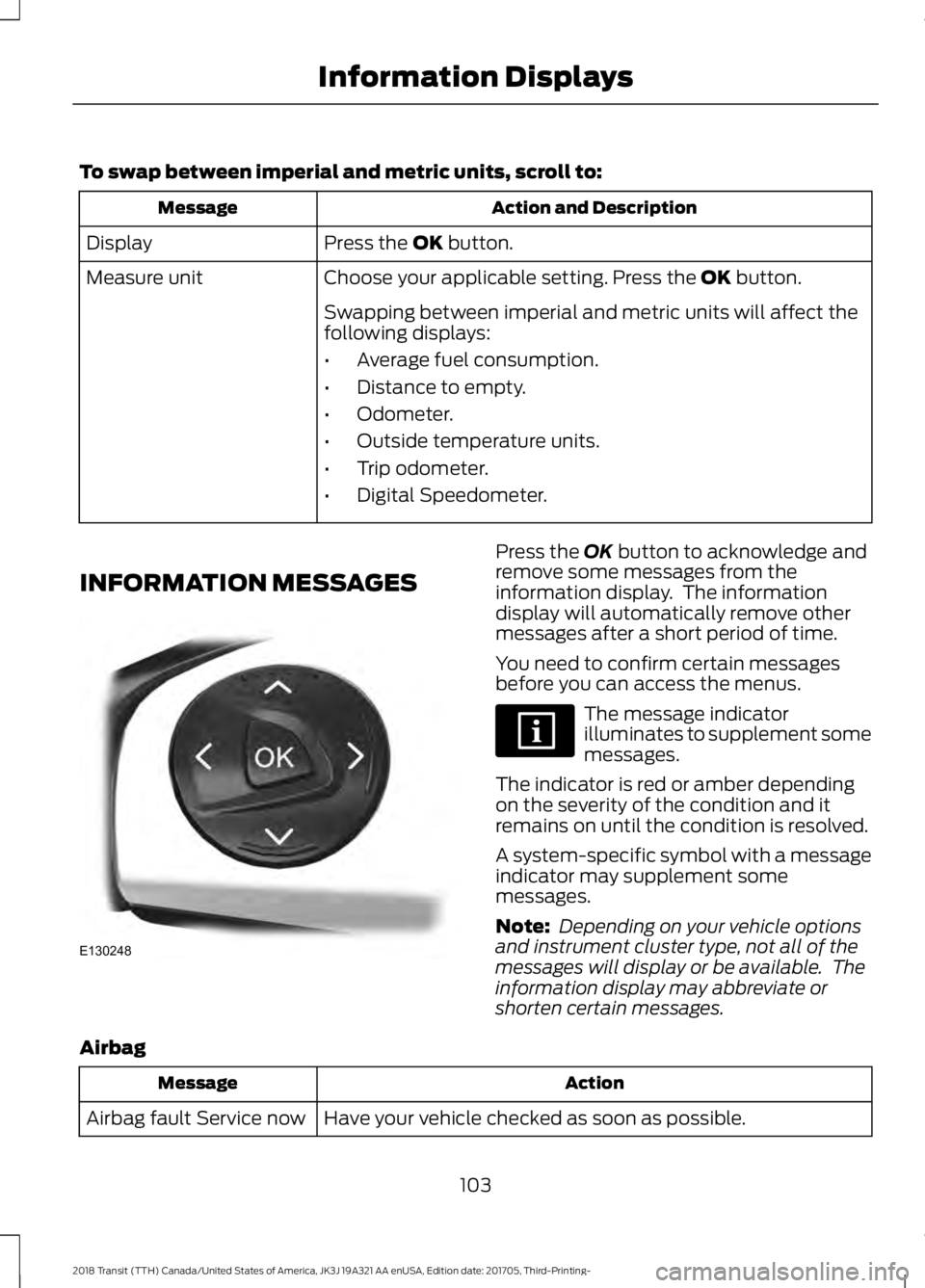
INFORMATION MESSAGES Press the
OK button to acknowledge and
remove some messages from the
information display. The information
display will automatically remove other
messages after a short period of time.
You need to confirm certain messages
before you can access the menus. The message indicator
illuminates to supplement some
messages.
The indicator is red or amber depending
on the severity of the condition and it
remains on until the condition is resolved.
A system-specific symbol with a message
indicator may supplement some
messages.
Note: Depending on your vehicle options
and instrument cluster type, not all of the
messages will display or be available. The
information display may abbreviate or
shorten certain messages.
Airbag Action
Message
Have your vehicle checked as soon as possible.
Airbag fault Service now
103
2018 Transit (TTH) Canada/United States of America, JK3J 19A321 AA enUSA, Edition date: 201705, Third-Printing- Information DisplaysE130248
Page 108 of 521

Action
Message
The system has detected a fault that requires service. Have
your vehicle checked as soon as possible.
Indicates that your vehicle speed is restricted.
DEF fault Speed limited
to YY MPH The system has detected a fault that requires service. Have
your vehicle checked as soon as possible.
Indicates that the engine will soon be restricted to idle oper-
ation.
DEF fault Engine idled
soon
The system has detected a fault that requires service. Have
your vehicle checked as soon as possible.
Indicates that the engine is restricted to idle operation.
DEF fault Engine idled
See manual The system has detected a fault that requires service. Have
your vehicle checked as soon as possible.
Indicates that your vehicle speed will be restricted when you
restart your vehicle.
DEF level empty YY MPH
max Upon restart
The system has detected a fault that requires service. Have
your vehicle checked as soon as possible.
Door Open Action
Message
Stop your vehicle as soon as it is safe to do so, shift into park
(P), apply the parking brake and close the door.
Driver door ajar
Stop your vehicle as soon as it is safe to do so, shift into park
(P), apply the parking brake and close the door.
Driver side rear door ajar
Stop your vehicle as soon as it is safe to do so, shift into park
(P), apply the parking brake and close the door.
Passenger door ajar
Stop your vehicle as soon as it is safe to do so, shift into park
(P), apply the parking brake and close the door.
Passenger side rear door
ajar
Stop your vehicle as soon as it is safe to do so, shift into park
(P), apply the parking brake and close the hood.
Hood open
Stop your vehicle as soon as it is safe to do so, shift into park
(P), apply the parking brake and close the door.
Rear load compartment
door ajar
105
2018 Transit (TTH) Canada/United States of America, JK3J 19A321 AA enUSA, Edition date: 201705, Third-Printing- Information Displays
Page 109 of 521

Engine
Action
Message
Have your vehicle checked as soon as possible.
Engine fault Service now
Displays when the engine temperature is too high. Stop your
vehicle as soon as it is safe to do so, switch the engine off
and allow it to cool. If the problem persists, have your vehicle
checked as soon as possible.
High engine temperature
Stop safely
See Engine Coolant Check (page 236).
Lighting Action
Message
Displays if a brake lamp bulb fails.
Brake lamp Bulb fault
See
Lighting (page 85).
Displays if a low beam bulb fails.
Low beam Bulb fault
See
Lighting (page 85).
Displays if an electrical malfunction occurs with the headlamp
system. Have your vehicle checked as soon as possible.
Headlamp fault Service
required
Maintenance Action
Message
Displays when the engine oil life is depleted and your vehicle
requires an oil change.
Oil change required
See
Engine Oil Check (page 234).
Displays if the system detects there is excess water in the
fuel filter.
Water detected in fuel
Service required
See
Draining the Fuel Filter Water Trap (page 242).
Displays if the brake fluid level is low or if there is a brake
system fault. Have your vehicle checked immediately.
Brake fluid level low
Service now
See
Brake Fluid Check (page 241).
Displays when the washer fluid is low and needs to be refilled.
Washer fluid level low
See
Washer Fluid Check (page 242).
106
2018 Transit (TTH) Canada/United States of America, JK3J 19A321 AA enUSA, Edition date: 201705, Third-Printing- Information Displays