2018 FORD FUSION ENERGI lights
[x] Cancel search: lightsPage 99 of 538

Stability Control
Flashes when the system isactive. If it stays lit or does notlight when you switch on theignition, this indicates a malfunction.During a malfunction the system willswitch off. Have an authorized dealercheck the system immediately. See UsingStability Control (page 186).
Stability Control Off
Lights when you switch thesystem off. It will go out whenyou switch the system back onor when you switch off the ignition. SeeUsing Stability Control (page 186).
Stop Safely
Lights if your vehicle has anelectrical component fault orfailure that will cause yourvehicle to shutdown or enter into a limitedoperating mode. You may also see amessage.
Trunk Ajar
Lights when the ignition is on andthe trunk is not completelyclosed.
Vehicle Plugged in (If Equipped)
Lights when the vehicle isplugged in. A correspondingmessage may display afterattempting to start the vehicle.
AUDIBLE WARNINGS AND
INDICATORS
Keyless Warning Alert
The horn will sound twice when you exityour vehicle with the intelligent access keyand your vehicle is in RUN, indicating yourvehicle is still on.
Headlamps On Warning Chime
Sounds when you remove the key from theignition and open the driver's door and youhave left the headlamps or parking lampson.
Parking Brake On Warning Chime
Sounds when you have left the parkingbrake on and drive your vehicle. If thewarning chime remains on after you havereleased the parking brake, have thesystem checked by your authorized dealerimmediately.
96
Fusion Energi / Fusion Hybrid (CC7) Hybrid Electric Vehicle (HEV)/Plug-In Hybrid Electric Vehicle (PHEV), Canada/United States of America, enUSA, Edition date: 201705, Second Printing
Instrument ClusterE138639 E130458 E144693 E159323 E144694
Page 103 of 538

MyView
You can choose what to display in thisview. Selecting Change MyView in theoptions menu allows you to scroll throughtwo columns of content choices.
•Press the up or down arrow to viewcontent.
•Press OK to save your selectedcontent.
•You must select content in bothcolumns before you can save your newMyView.
Unique content available in MyView:
•Vehicle Range (Energi vehicles only) –Indicates the estimated distance yourvehicle will travel with the energycurrently onboard. Separately displaysrange available in Hybrid Mode fueledby gasoline, electric range available inPlug-in Power Mode, and total range.Gasoline range and electric range arealso shown on the bottom of the rightinformation display. Changes in drivingpattern and climate control use willcause the values to vary.
•Accessory Power— Indicates electricalpower demands from your vehicle’saccessory systems. Accessories usepower but do not contribute topropelling your vehicle. The gaugeseparately displays power demand inkilowatts (kW) for climate and otheraccessories. Climate includes thepower being used by high voltageclimate control components such asthe electric A/C compressor and theelectric heater (Energi vehicles only).Other includes all power being used bythe low voltage accessories (cabinfans, headlights, heated seats, etc.).
•Coolant Temp – Indicates enginecoolant temperature. At normaloperating temperature, the levelindicator will be white and will be in thenormal range (between H and C). If theengine coolant temperature exceedsthe normal range, the level indicatorwill change to red to indicate that theengine is overheating. Stop your vehicleas soon as safely possible, turn yourvehicle off and let the engine cool.
•Tach rpm x 1000 — When the gasolineengine is running, the tachometergauge displays the engine speed inrevolutions per minute (RPM). Whenyour vehicle is operating on batterypower only with the engine off, EVdisplays and the tachometer is greyedout.
Note:The trip data, and average fueleconomy cannot be reset in MyView.
Miles (or km)/Full Charge (Energi only)
In Hybrid Mode the display changes to FuelEconomy. Miles or Kilometers per FullCharge is an estimate of your EV Rangewith a fully charged battery.
This display is only available in Plug-inPower Mode.
Average Miles or Kilometers per FullCharge is provided along with anInstantaneous gauge. This information isbased on your energy usage while driving.Energy usage is affected by your drivingstyle and route, climate control use,outside temperature and other factors. Formore information refer to Next Full Charge.See Gauges (page 89).
When you select EV Now operation thisscreen will automatically be shown. Youcan press OK to enable the engine whenviewing this screen during EV Nowoperation. See Plug-In Hybrid VehicleOperation (page 152).
100
Fusion Energi / Fusion Hybrid (CC7) Hybrid Electric Vehicle (HEV)/Plug-In Hybrid Electric Vehicle (PHEV), Canada/United States of America, enUSA, Edition date: 201705, Second Printing
Information Displays
Page 105 of 538

Settings
Menu level 6Menu level 5Menu level 4Menu level 3Menu level 2
—On or OffTraction CtrlDriver Assist
—On or OffBlindspot
—On or OffCross Traffic
—Adaptive orNormalCruise Control
—On or OffECO Cruise*
—On or OffDriver Alert
—On or OffHill StartAssist
Alert only, Aid only or Alert + AidModeLane KeepingSysHigh, Normal or LowIntensity
High, Normal or LowAlert SensitivityPre-Collision
—On or OffFront Park Aid
—On or OffRear Park Aid
Hold OK to ResetTire Monitor
—On or OffAuto EngineOffVehicle
—On or OffEasy Entry /Exit
On or OffAuto HighbeamLighting
Select time intervalAutolamp Delay
On or OffDaytime Lights
On or OffAutolockLocks
On or OffAutounlock
On or OffMislock
All doors or Driver doorRemote Unlocking
Set to XXX % - Hold OK to ResetOil Life Reset
102
Fusion Energi / Fusion Hybrid (CC7) Hybrid Electric Vehicle (HEV)/Plug-In Hybrid Electric Vehicle (PHEV), Canada/United States of America, enUSA, Edition date: 201705, Second Printing
Information Displays
Page 138 of 538
HEATED SEATS (If Equipped)
WARNING
People who are unable to feel painto their skin because of advancedage, chronic illness, diabetes, spinalcord injury, medication, alcohol use,exhaustion or other physical conditions,must exercise care when using the heatedseat. The heated seat may cause burnseven at low temperatures, especially ifused for long periods of time. Do not placeanything on the seat that insulates againstheat, such as a blanket or cushion. Thismay cause the heated seat to overheat.Do not puncture the seat with pins, needlesor other pointed objects. This may damagethe heating element which may cause theheated seat to overheat. An overheatedseat may cause serious personal injury.
Do not do the following:
•Place heavy objects on the seat.
•Operate the heated seat if water or anyother liquid is spilled on the seat. Allowthe seat to dry thoroughly.
•Operate the heated seats unless theengine is running. Doing so can causethe battery to lose charge.
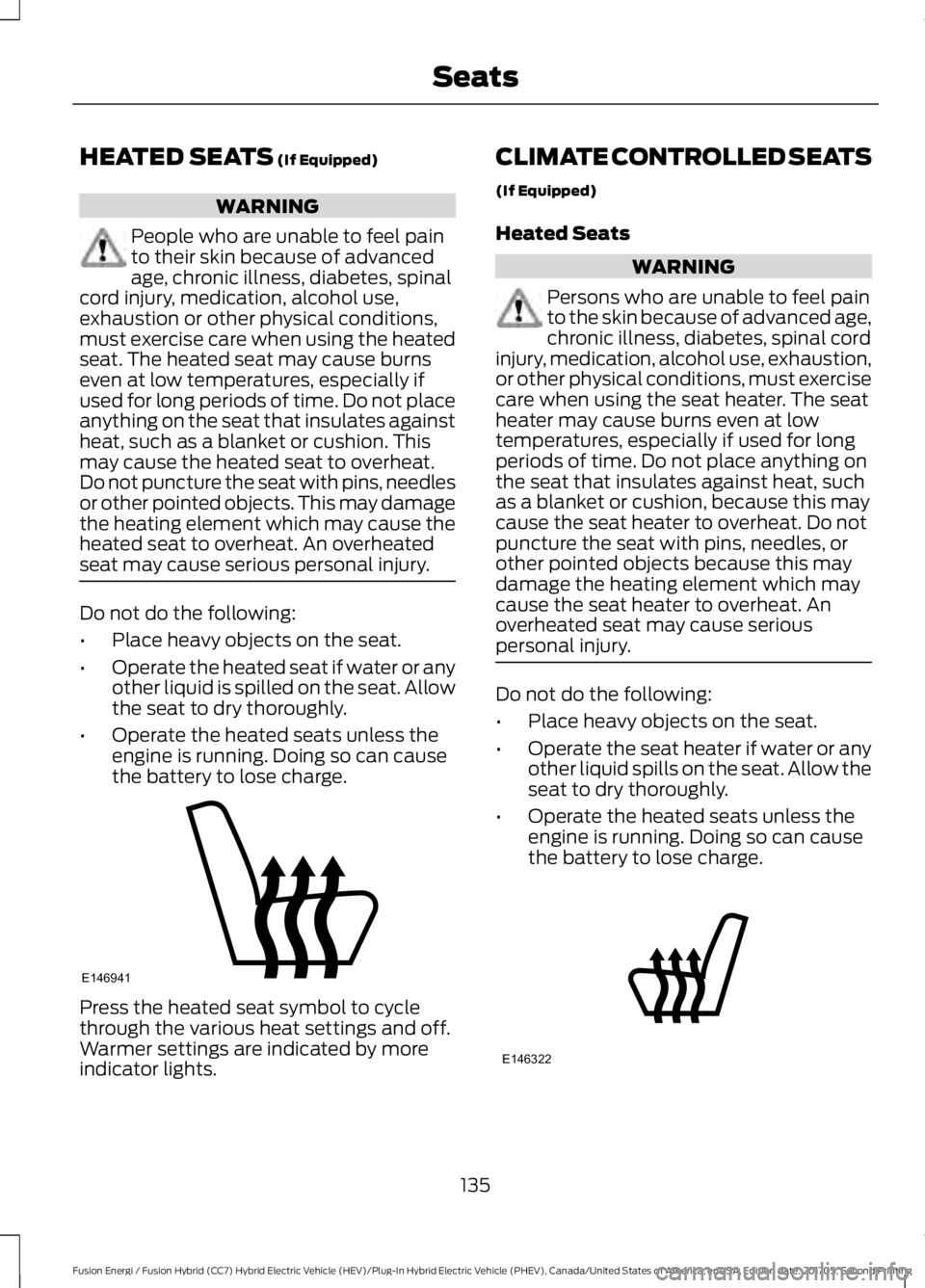
Press the heated seat symbol to cyclethrough the various heat settings and off.Warmer settings are indicated by moreindicator lights.
CLIMATE CONTROLLED SEATS
(If Equipped)
Heated Seats
WARNING
Persons who are unable to feel painto the skin because of advanced age,chronic illness, diabetes, spinal cordinjury, medication, alcohol use, exhaustion,or other physical conditions, must exercisecare when using the seat heater. The seatheater may cause burns even at lowtemperatures, especially if used for longperiods of time. Do not place anything onthe seat that insulates against heat, suchas a blanket or cushion, because this maycause the seat heater to overheat. Do notpuncture the seat with pins, needles, orother pointed objects because this maydamage the heating element which maycause the seat heater to overheat. Anoverheated seat may cause seriouspersonal injury.
Do not do the following:
•Place heavy objects on the seat.
•Operate the seat heater if water or anyother liquid spills on the seat. Allow theseat to dry thoroughly.
•Operate the heated seats unless theengine is running. Doing so can causethe battery to lose charge.
135
Fusion Energi / Fusion Hybrid (CC7) Hybrid Electric Vehicle (HEV)/Plug-In Hybrid Electric Vehicle (PHEV), Canada/United States of America, enUSA, Edition date: 201705, Second Printing
SeatsE146941 E146322
Page 139 of 538
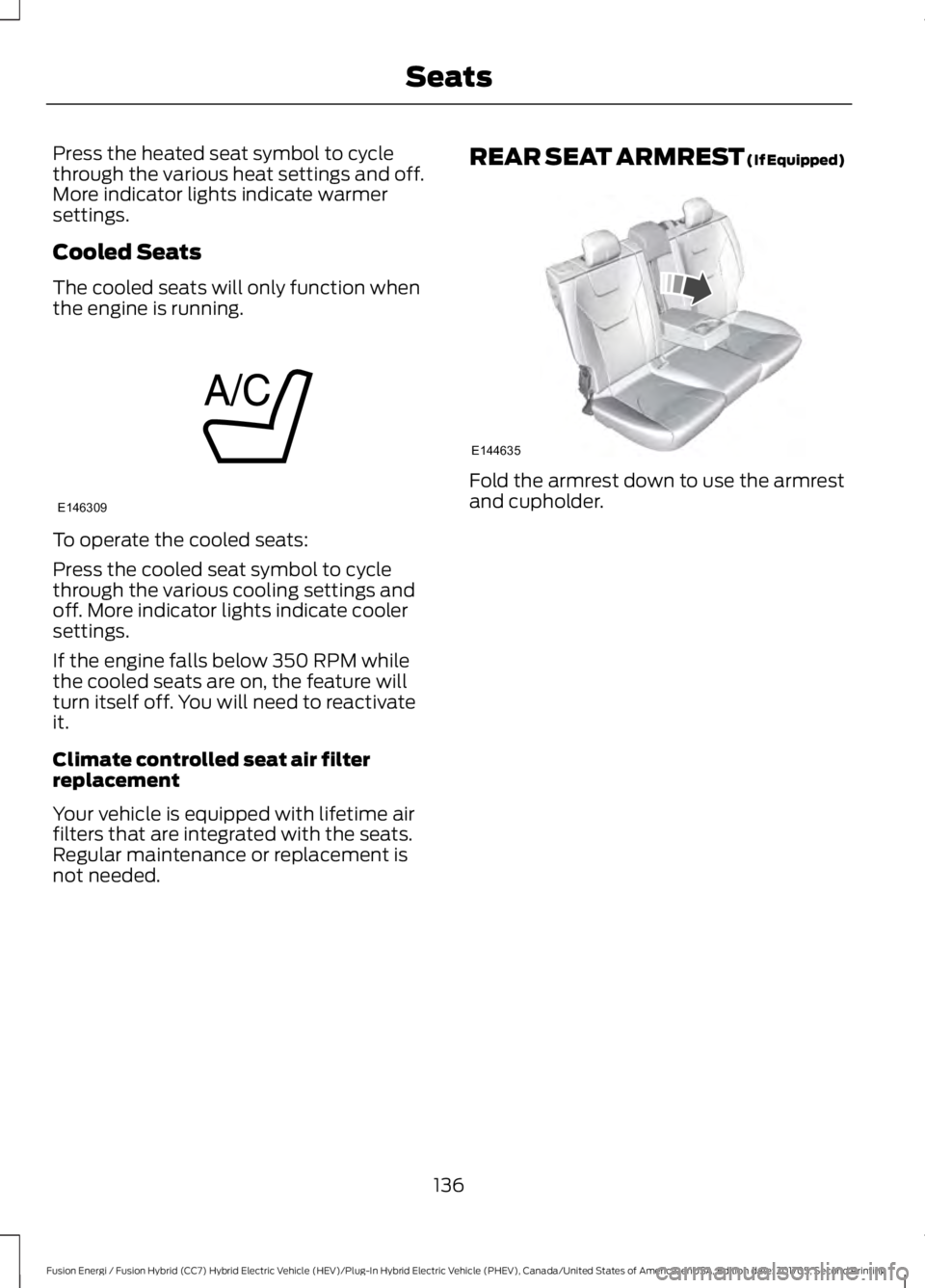
Press the heated seat symbol to cyclethrough the various heat settings and off.More indicator lights indicate warmersettings.
Cooled Seats
The cooled seats will only function whenthe engine is running.
To operate the cooled seats:
Press the cooled seat symbol to cyclethrough the various cooling settings andoff. More indicator lights indicate coolersettings.
If the engine falls below 350 RPM whilethe cooled seats are on, the feature willturn itself off. You will need to reactivateit.
Climate controlled seat air filterreplacement
Your vehicle is equipped with lifetime airfilters that are integrated with the seats.Regular maintenance or replacement isnot needed.
REAR SEAT ARMREST (If Equipped)
Fold the armrest down to use the armrestand cupholder.
136
Fusion Energi / Fusion Hybrid (CC7) Hybrid Electric Vehicle (HEV)/Plug-In Hybrid Electric Vehicle (PHEV), Canada/United States of America, enUSA, Edition date: 201705, Second Printing
SeatsE146309 E144635
Page 142 of 538
Gate Operator / CanadianProgramming
Canadian radio-frequency laws requiretransmitter signals to “time-out” (or quit)after several seconds of transmission –which may not be long enough forHomeLink to pick up the signal duringprogramming. Similar to this Canadian law,some U.S. gate operators are designed to“time-out” in the same manner.
Note:If programming a garage door openeror gate operator, it is advised to unplug thedevice during the “cycling” process toprevent possible overheating.
1. Press and hold the HomeLink buttonwhile you press and release,every twoseconds, your hand-held transmitteruntil the HomeLink indicator lightchanges from a slow to a rapidlyblinking light.
2. Release both the HomeLink andhand-held transmitter buttons.
3. Continue programing HomeLink. SeeIn-Vehicle Programming.
Erasing the Function Button Codes
Note:You cannot erase individual buttons.
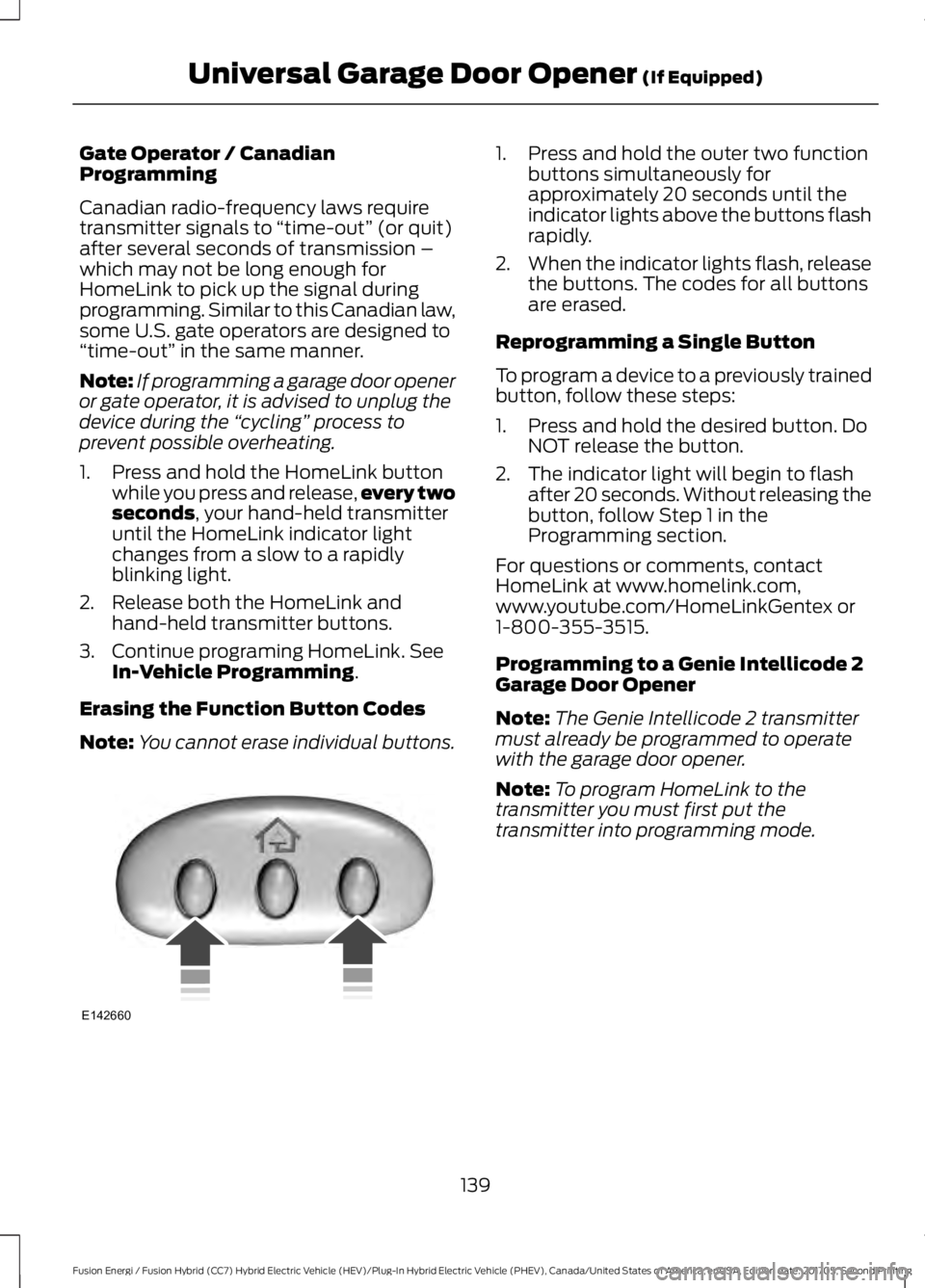
1. Press and hold the outer two functionbuttons simultaneously forapproximately 20 seconds until theindicator lights above the buttons flashrapidly.
2.When the indicator lights flash, releasethe buttons. The codes for all buttonsare erased.
Reprogramming a Single Button
To program a device to a previously trainedbutton, follow these steps:
1. Press and hold the desired button. DoNOT release the button.
2. The indicator light will begin to flashafter 20 seconds. Without releasing thebutton, follow Step 1 in theProgramming section.
For questions or comments, contactHomeLink at www.homelink.com,www.youtube.com/HomeLinkGentex or1-800-355-3515.
Programming to a Genie Intellicode 2Garage Door Opener
Note:The Genie Intellicode 2 transmittermust already be programmed to operatewith the garage door opener.
Note:To program HomeLink to thetransmitter you must first put thetransmitter into programming mode.
139
Fusion Energi / Fusion Hybrid (CC7) Hybrid Electric Vehicle (HEV)/Plug-In Hybrid Electric Vehicle (PHEV), Canada/United States of America, enUSA, Edition date: 201705, Second Printing
Universal Garage Door Opener (If Equipped)E142660
Page 143 of 538

Red indicator lightA.
Green indicator lightB.
1. Press and hold one of the buttons onthe hand-held transmitter for 10seconds. The indicator light will changefrom green to red and green.
2.Press the same button twice to confirmthe change to programming mode. Ifdone properly the indicator light willappear red.
3. Hold the transmitter within 1–3 inches(2–8 centimeters) of the button on thevisor you want to program.
4. Press and hold both the programmedGenie button on the hand-heldtransmitter and the button you wantto program. The indicator light on thevisor will flash rapidly when theprogramming is successful.
Note:The Genie transmitter will transmitfor up to 30 seconds. If HomeLink does notprogram within 30 seconds the Genietransmitter will need to be pressed again. Ifthe Genie transmitter indicator light displaysgreen and red, release the button until theindicator light turns off before pressing thebutton again.
Once HomeLink has been programmedsuccessfully, the Genie transmitter mustbe changed out of program mode. To dothis:
1. Press and hold the previouslyprogrammed Genie button on thehand-held transmitter for 10 seconds.The indicator light will change from redto red and green.
2.Press the same button twice to confirmthe change. If done correctly theindicator light will turn green.
Programming HomeLink to the GenieIntellicode Garage Door Opener Motor
Note:You may need a ladder to access thegarage door opener motor.
1. Press and hold the program button onthe garage door opener motor untilboth blue indicator lights turn on.
2. Release the program button. Only thesmaller round indicator light should beon.
3.Press and release the program button.The larger purple indicator light willflash.
Note:The next two steps must becompleted in 30 seconds.
4.Press and release the Genie Intellicode2 hand-held transmitter’s previouslyprogrammed button. Both indicatorlights on the garage door opener motorunit should now flash purple.
140
Fusion Energi / Fusion Hybrid (CC7) Hybrid Electric Vehicle (HEV)/Plug-In Hybrid Electric Vehicle (PHEV), Canada/United States of America, enUSA, Edition date: 201705, Second Printing
Universal Garage Door Opener (If Equipped)BAE142661 E142662
Page 174 of 538
Note: The electrical source must meetcertain requirements for the high-voltagebatteries to charge. The AC outlet must bea three-prong 110-120 volt AC outlet that isproperly grounded, 15–20 amps (or greater)and in good condition. You must use adedicated line, which means you cannothave other appliances connected to thesame circuit. If you do not use a dedicatedcircuit, the circuit breaker could trip or open.If you do not have a dedicated circuit,contact a licensed professional electricianfor proper installation.
Make sure that the 120 volt conveniencecord is completely unwound beforecharging. Always plug the cord into the ACoutlet before connecting the chargingcoupler into the charge port on yourvehicle.
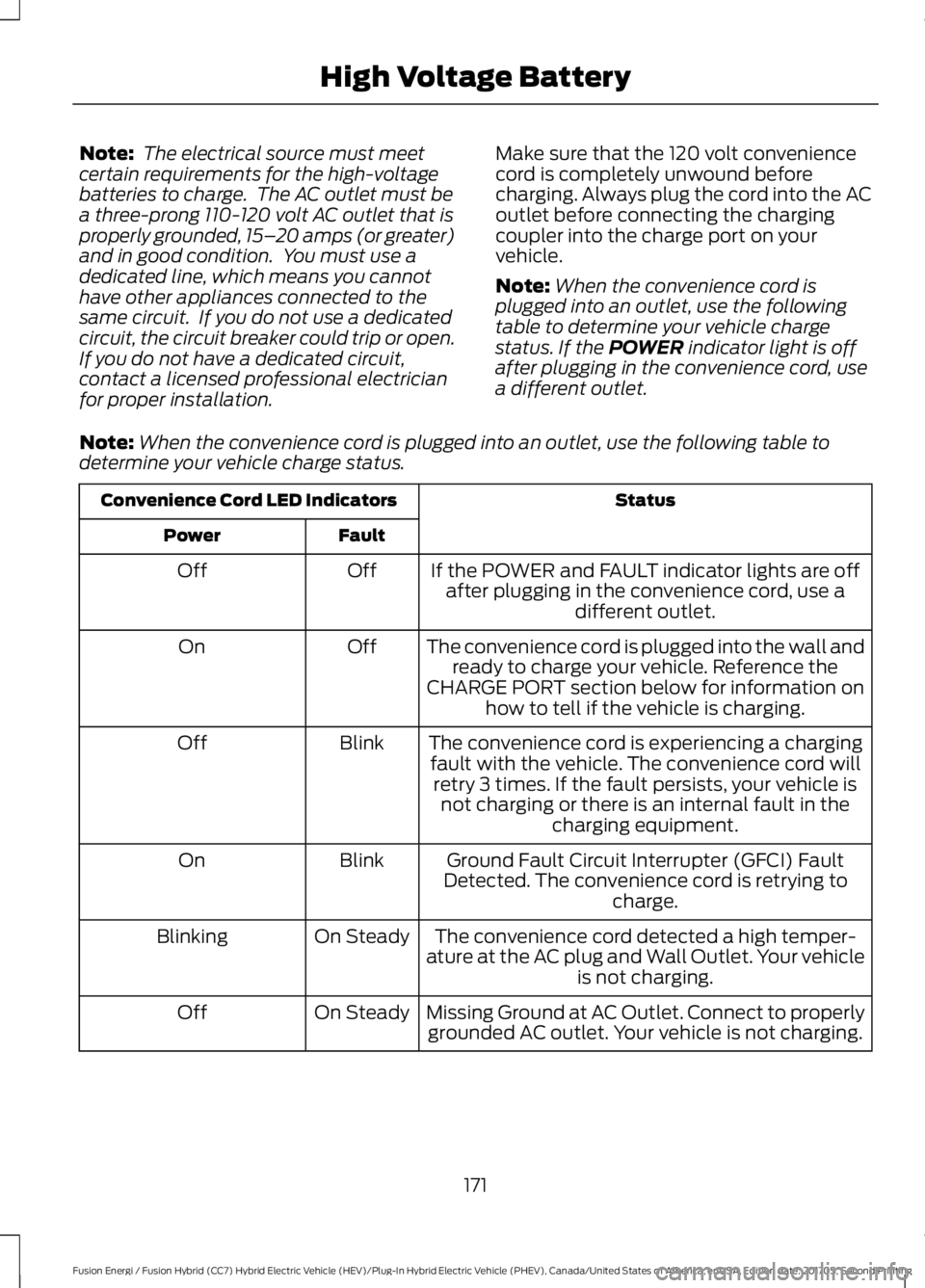
Note:When the convenience cord isplugged into an outlet, use the followingtable to determine your vehicle chargestatus. If the POWER indicator light is offafter plugging in the convenience cord, usea different outlet.
Note:When the convenience cord is plugged into an outlet, use the following table todetermine your vehicle charge status.
StatusConvenience Cord LED Indicators
FaultPower
If the POWER and FAULT indicator lights are offafter plugging in the convenience cord, use adifferent outlet.
OffOff
The convenience cord is plugged into the wall andready to charge your vehicle. Reference theCHARGE PORT section below for information onhow to tell if the vehicle is charging.
OffOn
The convenience cord is experiencing a chargingfault with the vehicle. The convenience cord willretry 3 times. If the fault persists, your vehicle isnot charging or there is an internal fault in thecharging equipment.
BlinkOff
Ground Fault Circuit Interrupter (GFCI) FaultDetected. The convenience cord is retrying tocharge.
BlinkOn
The convenience cord detected a high temper-ature at the AC plug and Wall Outlet. Your vehicleis not charging.
On SteadyBlinking
Missing Ground at AC Outlet. Connect to properlygrounded AC outlet. Your vehicle is not charging.On SteadyOff
171
Fusion Energi / Fusion Hybrid (CC7) Hybrid Electric Vehicle (HEV)/Plug-In Hybrid Electric Vehicle (PHEV), Canada/United States of America, enUSA, Edition date: 201705, Second Printing
High Voltage Battery