2018 FORD FOCUS battery
[x] Cancel search: batteryPage 56 of 473

Note:Do not wipe off any grease on thebattery terminals or on the back surface ofthe circuit board.
Note: Replacing the battery does notdelete the transmitter from your vehicle.The transmitter should operate normally.
Locating Your Vehicle
Press the lock button on the key twicewithin three seconds. The horn sounds andthe direction indicators flash. Werecommend you use this method to locateyour vehicle, rather than using the panicalarm.
The horn sounds twice and the directionindicators do not flash if:
•Locking was not successful.
•Any door or the liftgate is open.
•The hood is open on vehicles with ananti-theft alarm or remote start.
Sounding the Panic Alarm (If Equipped)
Press the button to activate thealarm. Press the button again orswitch the ignition on todeactivate it.
Note:The panic alarm only operates whenthe ignition is off.
Remote Start
WARNING
To prevent drawing exhaust fumesinto your vehicle, do not use remotestart if your vehicle is parked indoorsor areas that are not well ventilated.
The remote start button is on thetransmitter.
This feature allows you to start yourvehicle from the outside. The transmitterhas an extended operating range.
Vehicles with automatic climate controlcan be configured to operate when yourvehicle is remote started. See AutomaticClimate Control (page 105).
Many states and provinces haverestrictions for the use of remote start.Check your local and state or provinciallaws for specific requirements regardingremote start systems.
Note:Do not use remote start if your vehicleis low on fuel.
The remote start system does not work ifany of the following occur:
•The ignition is on.
•The alarm system activates.
•You turn off the feature.
•The hood is open.
•The transmission is not in park (P).
•Your vehicle battery has no charge.
•The powertrain fault indicator was onthe last time you drove your vehicle.
Remote Starting your Vehicle
Note: You must press each button withinthree seconds of each other. If you do notfollow this sequence, your vehicle does notstart remotely, the direction indicators donot flash twice and the horn does not sound.
The label on your transmitter details thestarting procedure.
To remote start your vehicle:
532018 Focus (CDH) Canada/United States of America, JM5J 19A321 AA enUSA, Edition date: 201706, Second PrintingKeys and Remote ControlsE138624 E138625 E138626
Page 64 of 473
Mislock
If any door or the liftgate or luggagecompartment is open, or if the hood isopen on vehicles with an anti-theft alarmor remote start, the horn will sound twiceand the direction indicators will not flash.
Opening the Liftgate or LuggageCompartment
Press twice within three secondsto unlatch the liftgate or luggagecompartment.
Make sure to close and latch the liftgateor luggage compartment before drivingyour vehicle. An unlatched liftgate orluggage compartment may cause objectsto fall out or block your view.
Closing the Liftgate or LuggageCompartment
The liftgate or luggage compartment willnot fully close if an intelligent access keyis located inside the luggage compartmentwith the doors locked.
Note:If a second intelligent access key islocated within the liftgate or luggagecompartment detection range, the liftgateor luggage compartment can be fully closed.
Activating Intelligent Access (If
Equipped)
The system will not function if:
•Your vehicle battery has no charge.
•The intelligent access key battery hasno charge.
•The intelligent access key frequenciesare jammed.
Note:If the system does not function, usethe key blade to lock and unlock yourvehicle. See Keys and Remote Controls(page 47).
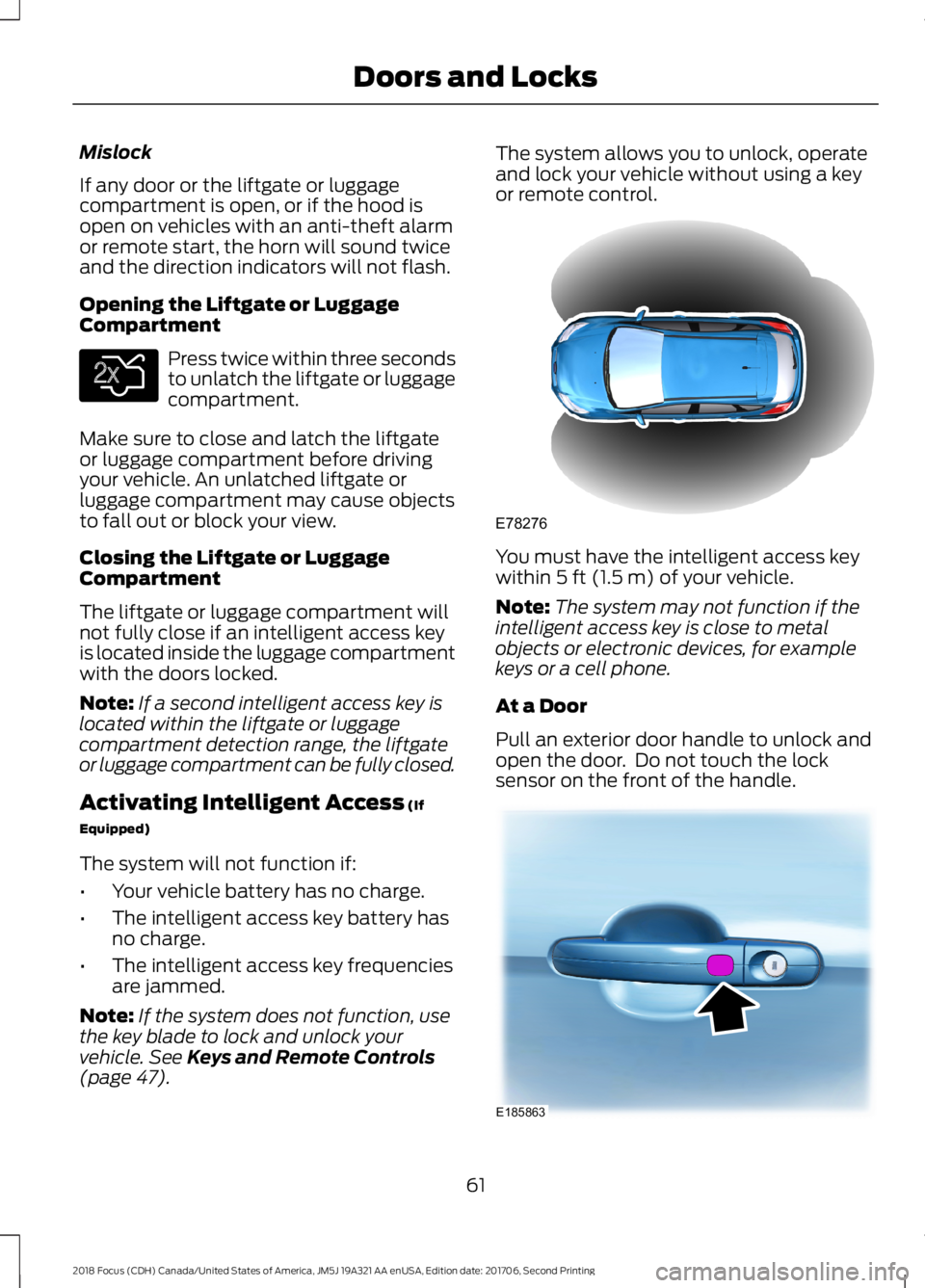
The system allows you to unlock, operateand lock your vehicle without using a keyor remote control.
You must have the intelligent access keywithin 5 ft (1.5 m) of your vehicle.
Note:The system may not function if theintelligent access key is close to metalobjects or electronic devices, for examplekeys or a cell phone.
At a Door
Pull an exterior door handle to unlock andopen the door. Do not touch the locksensor on the front of the handle.
612018 Focus (CDH) Canada/United States of America, JM5J 19A321 AA enUSA, Edition date: 201706, Second PrintingDoors and LocksE138630 E78276 E185863
Page 66 of 473
Autounlock
Autounlock unlocks all the doors when allof the following occur:
•The ignition is on, all the doors areclosed and your vehicle has been inmotion at a speed greater than 4 mph(7 km/h).
•Your vehicle comes to a stop and youswitch the ignition off or to accessory.
•You open the driver door within 10minutes of switching the ignition off orto accessory.
Note:If you electronically lock your vehicleafter you switch the ignition off with thedriver door closed, the doors will notautounlock.
To enable or disable autounlock, do thefollowing:
1.Switch the ignition on.
2.Press the power door unlock controlthree times.
3.Switch the ignition off.
4.Press the power door unlock controlthree times.
5.Switch the ignition on. The hornsounds indicating your vehicle is inprogramming mode.
6.Press the power door lock control andwithin five seconds, press the powerdoor unlock control. The horn soundsonce if disabled or twice if enabled.
7.Switch the ignition off. The horn soundsindicating programming is complete.
Illuminated Entry
The interior lamps and select exteriorlamps illuminate when you unlock thedoors with the remote entry system.
The lamps turn off if:
•The ignition is on.
•You press the remote control lockbutton.
•25 seconds have elapsed.
The lamps will not turn off if:
•You switch them on with the lightingcontrol.
•Any door is open.
Illuminated Exit
For vehicles with an integrated keyheadtransmitter, the interior lamps and selectexterior lamps illuminate when you closeall the doors, you switch the ignition offand you remove the key from the ignition.
The lamps turn off if all the doors remainclosed and:
•25 seconds have elapsed.
•You insert the key in the ignition(integrated keyhead transmitter only).
•You press the START/STOP button(intelligent access key only).
Battery Saver
If you leave the courtesy lamps, domelamps or headlamps on, the battery saverwill turn them off 10 minutes after youswitch the ignition off.
Accessory Mode Battery Saver forIntelligent Access Keys (If Equipped)
If you leave the ignition switched on andthe engine is not running, the battery saverwill turn the ignition off when it detects acertain amount of battery drain, or after45 minutes have elapsed.
632018 Focus (CDH) Canada/United States of America, JM5J 19A321 AA enUSA, Edition date: 201706, Second PrintingDoors and Locks
Page 79 of 473
GENERAL INFORMATION
Condensation in the Exterior FrontLamps and Rear Lamps
Exterior front lamps and rear lamps havevents to accommodate normal changesin air pressure.
Condensation can be a natural by-productof this design. When moist air enters thelamp assembly through the vents, there isa possibility that condensation can occurwhen the temperature is cold. Whennormal condensation occurs, a fine mistcan form on the interior of the lens. Thefine mist eventually clears and exitsthrough the vents during normal operation.
Clearing time may take as long as 48 hoursunder dry weather conditions.
Examples of acceptable condensation are:
•The presence of a fine mist (no streaks,drip marks or large droplets).
•A fine mist covers less than 50% of thelens.
Examples of unacceptable condensationare:
•A water puddle inside the lamp.
•Streaks, drip marks or large dropletspresent on the interior of the lens.
If you see any unacceptable condensation,have your vehicle checked by an authorizeddealer.
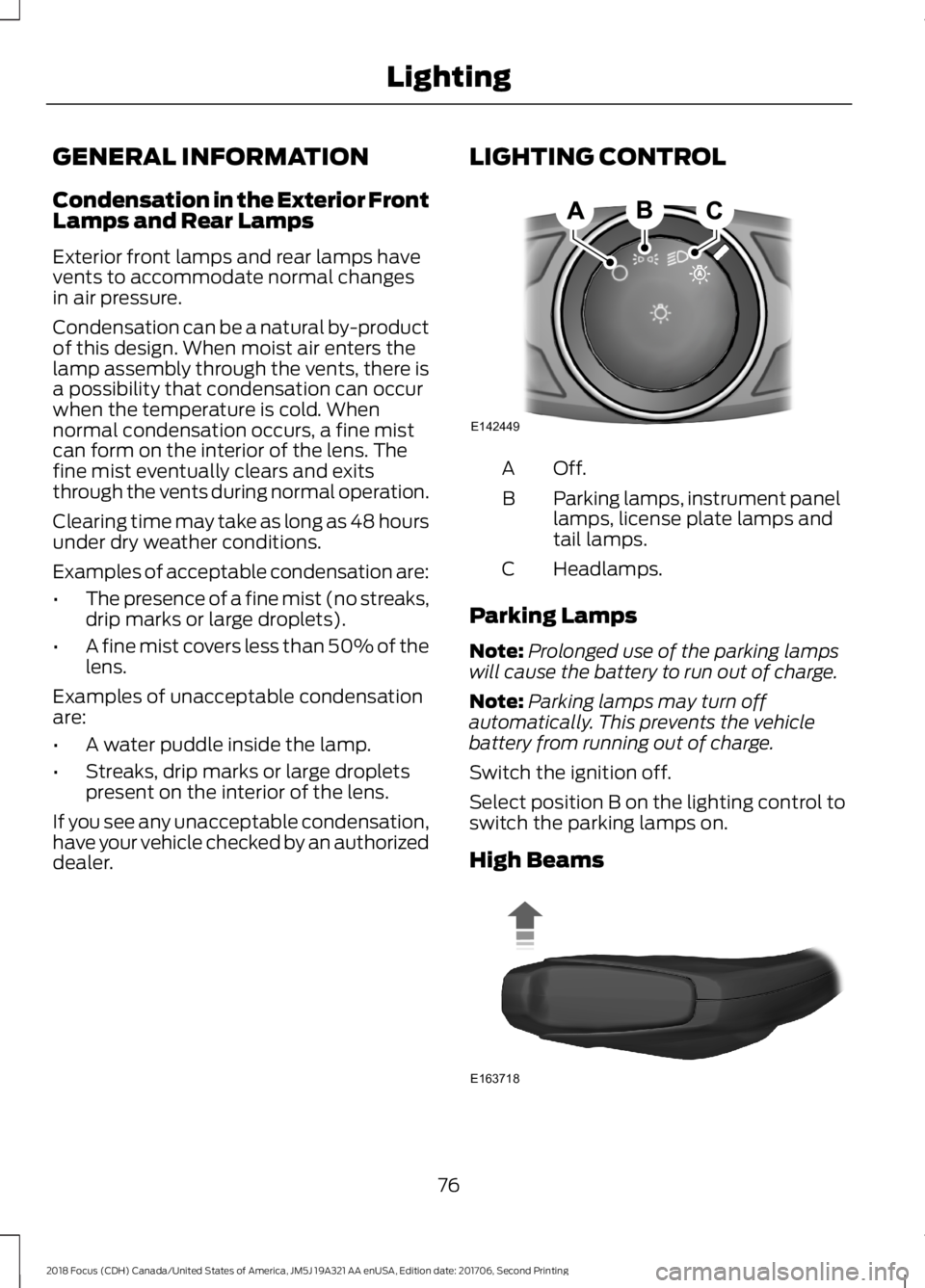
LIGHTING CONTROL
Off.A
Parking lamps, instrument panellamps, license plate lamps andtail lamps.
B
Headlamps.C
Parking Lamps
Note:Prolonged use of the parking lampswill cause the battery to run out of charge.
Note:Parking lamps may turn offautomatically. This prevents the vehiclebattery from running out of charge.
Switch the ignition off.
Select position B on the lighting control toswitch the parking lamps on.
High Beams
762018 Focus (CDH) Canada/United States of America, JM5J 19A321 AA enUSA, Edition date: 201706, Second PrintingLightingE142449 E163718
Page 81 of 473
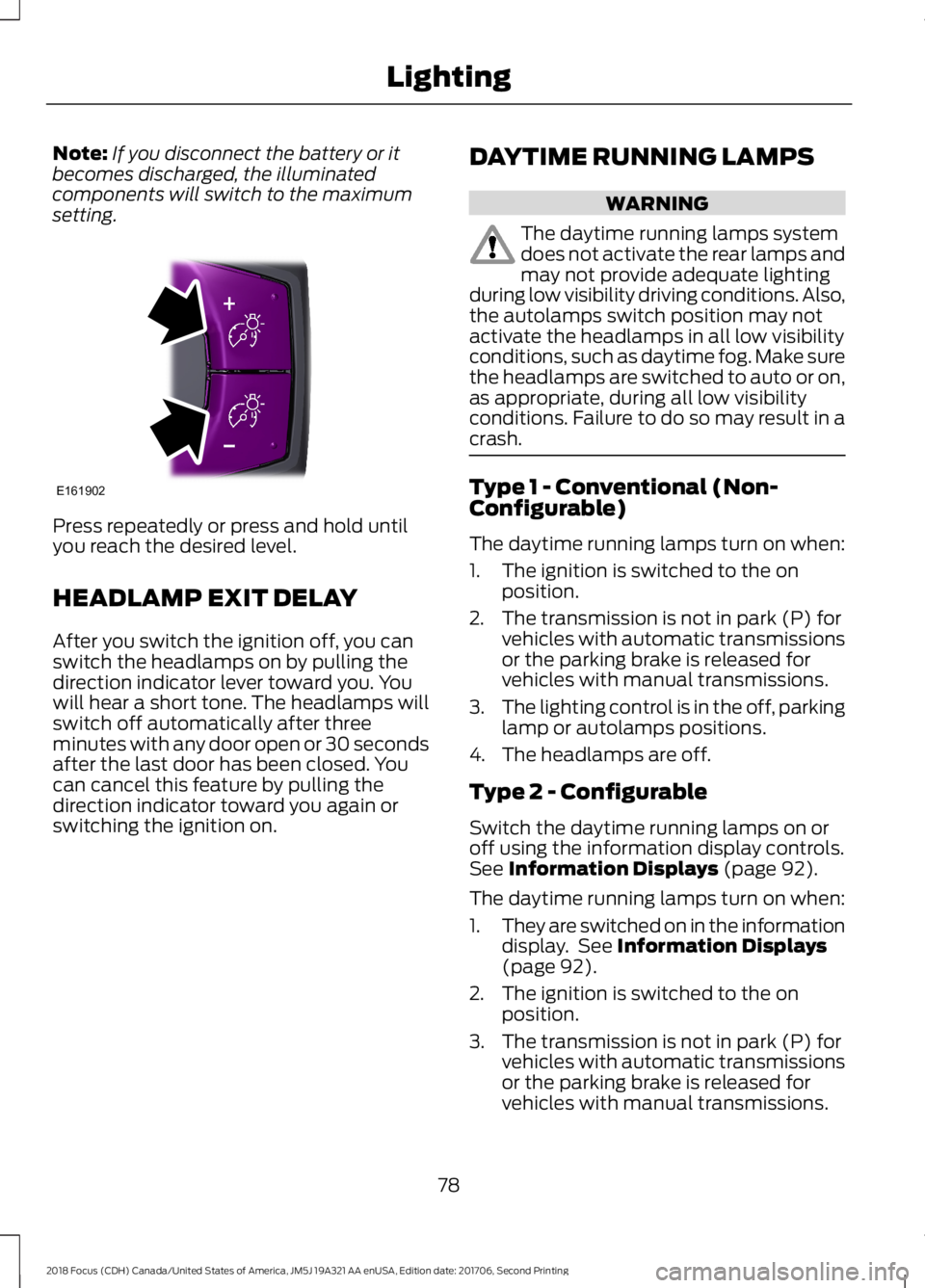
Note:If you disconnect the battery or itbecomes discharged, the illuminatedcomponents will switch to the maximumsetting.
Press repeatedly or press and hold untilyou reach the desired level.
HEADLAMP EXIT DELAY
After you switch the ignition off, you canswitch the headlamps on by pulling thedirection indicator lever toward you. Youwill hear a short tone. The headlamps willswitch off automatically after threeminutes with any door open or 30 secondsafter the last door has been closed. Youcan cancel this feature by pulling thedirection indicator toward you again orswitching the ignition on.
DAYTIME RUNNING LAMPS
WARNING
The daytime running lamps systemdoes not activate the rear lamps andmay not provide adequate lightingduring low visibility driving conditions. Also,the autolamps switch position may notactivate the headlamps in all low visibilityconditions, such as daytime fog. Make surethe headlamps are switched to auto or on,as appropriate, during all low visibilityconditions. Failure to do so may result in acrash.
Type 1 - Conventional (Non-Configurable)
The daytime running lamps turn on when:
1.The ignition is switched to the onposition.
2.The transmission is not in park (P) forvehicles with automatic transmissionsor the parking brake is released forvehicles with manual transmissions.
3.The lighting control is in the off, parkinglamp or autolamps positions.
4.The headlamps are off.
Type 2 - Configurable
Switch the daytime running lamps on oroff using the information display controls.See Information Displays (page 92).
The daytime running lamps turn on when:
1.They are switched on in the informationdisplay. See Information Displays(page 92).
2.The ignition is switched to the onposition.
3.The transmission is not in park (P) forvehicles with automatic transmissionsor the parking brake is released forvehicles with manual transmissions.
782018 Focus (CDH) Canada/United States of America, JM5J 19A321 AA enUSA, Edition date: 201706, Second PrintingLightingE161902
Page 85 of 473
POWER WINDOWS
WARNINGS
Do not leave children unattended inyour vehicle and do not let them playwith the power windows. Failure tofollow this instruction could result inpersonal injury.
When closing the power windows,verify they are free of obstruction andmake sure that children and pets arenot in the proximity of the windowopenings.
Press the control to open thewindow. Lift the control to closethe window.
To reduce wind noise or pulsing noise whenjust one window is open, slightly open theopposite window.
One-Touch Open (If Equipped)
Fully press the control and release it. Pressagain or lift it to stop the window.
One-Touch Close (If Equipped)
Fully lift the control and release it. Pressagain or lift it to stop the window.
Rear Window Lock
Press the control to lock orunlock the rear window controls.It illuminates when you lock therear window controls.
Bounce-Back (If Equipped)
The window stops and reverses if it detectsan obstruction.
Overriding Bounce-Back
WARNING
If you override bounce-back, thewindow does not reverse if it detectsan obstacle. Take care when closingthe windows to avoid personal injury ordamage to your vehicle.
Proceed as follows to override thisprotection feature when there is aresistance, for example in winter:
1.Close the window twice until it reachesthe point of resistance and let itreverse.
2.Close the window a third time to thepoint of resistance. You disabled thebounce-back feature and you can nowclose the window manually. Thewindow goes past the point ofresistance and you can fully close it.
Note:If the window does not close, haveyour vehicle checked as soon as possible.
Resetting Bounce-Back
WARNING
Bounce-back is off until you reset thememory. Take care when closing thewindows to avoid personal injury ordamage to your vehicle.
If you have disconnected the battery, youmust reset the bounce-back memoryseparately for each window.
1.Lift and hold the switch until thewindow is fully closed.
2.Release the switch.
3.Lift and hold the switch again for a fewseconds.
4.Release the switch.
5.Lift and hold the switch again for a fewseconds.
822018 Focus (CDH) Canada/United States of America, JM5J 19A321 AA enUSA, Edition date: 201706, Second PrintingWindows and Mirrors
Page 91 of 473

It also momentarily illuminates when youswitch the ignition on to confirm the lampis functional. If it does not illuminate whenyou switch the ignition on, or begins toflash at any time, have the system checkedby an authorized dealer.
Auto-Start-Stop Indicator
It illuminates when the enginehas automatically stopped. Itflashes to inform you when theengine needs to restart. Theindicator is shown with astrikethrough if the system is notavailable.
See Auto-Start-Stop (page 127).
Battery Charging ConditionWarning Lamp
It illuminates when you switchthe ignition on.
If it illuminates when the engineis running this indicates a malfunction.Have your vehicle checked as soon aspossible.
Blind Spot Information SystemIndicator (If Equipped)
It illuminates when you switchthe system off.
See Blind Spot InformationSystem (page 169).
Brake System Warning Lamp
WARNING
Driving your vehicle with the warninglamp on is dangerous. A significantdecrease in braking performancemay occur. It may take you longer to stopyour vehicle. Have your vehicle checked assoon as possible. Driving extendeddistances with the parking brake engagedcan cause brake failure and the risk ofpersonal injury.
It illuminates when you engagethe parking brake and theignition is on.
If it illuminates when your vehicle ismoving, make sure the parking brake isdisengaged. If the parking brake isdisengaged, this indicates low brake fluidlevel or a brake system fault. Have yourvehicle immediately checked.
It also momentarily illuminates when youswitch the ignition on to confirm the lampis functional. If it does not illuminate whenyou switch the ignition on, or begins toflash at any time, have the system checkedby an authorized dealer.
Cruise Control Indicator
It illuminates when you switchthe system on.
See Using Cruise Control(page 162).
Direction Indicator
It illuminates when you switch adirection indicator or the hazardflashers on. Flashes duringoperation. An increase in the rate offlashing warns of a failed indicator bulb.
882018 Focus (CDH) Canada/United States of America, JM5J 19A321 AA enUSA, Edition date: 201706, Second PrintingInstrument Cluster E146361 E249861E249861 E138644 E71340
Page 100 of 473

Automatic Engine Shutdown
ActionMessage
Displays if the engine is going to automatically turn off.Engine Shuts Off In{seconds to shut off:#0}Seconds
Displays if the engine automatically turns off to improve fueleconomy.Engine Shut Off For FuelEconomy
Displays if the engine is going to automatically turn off. Pressand hold the OK button to override the system.Engine Shuts Off in{time:#0} Seconds OKto Override
Auto-Start-Stop
ActionMessage
Switch the ignition off before leaving your vehicle if the systemhas shut down the engine.Auto StartStop SwitchIgnition OffSee Auto-Start-Stop (page 127).
Have your vehicle checked as soon as possible.Auto StartStop FaultService Required
Press the brake or clutch pedal. The engine requires restartingmanually.Auto StartStop Press aPedal to Start EngineSee Auto-Start-Stop (page 127).
Displays as a reminder to shift into neutral (N). The enginerequires restarting manually.Auto StartStop SelectNeutral to Start EngineSee Auto-Start-Stop (page 127).
The system is not functioning and the engine requiresrestarting manually.Auto StartStop ManualRestart Required
Battery and Charging System
ActionMessage
Stop your vehicle as soon as it is safe to do so and switch theengine off. Have your vehicle checked as soon as possible.Electrical System Over-voltage Stop Safely
Displays if the battery is low or has no charge.Battery Low See ManualHave your vehicle checked as soon as possible.
972018 Focus (CDH) Canada/United States of America, JM5J 19A321 AA enUSA, Edition date: 201706, Second PrintingInformation Displays