2018 FORD FOCUS ELECTRIC ignition
[x] Cancel search: ignitionPage 53 of 375
Note:
You can clear or change your MyKey
settings at any time during the same key
cycle as you created the MyKey. Once you
have switched the vehicle off, however, you
will need an admin key to change or clear
your MyKey settings.
Note: When you make any changes to your
MyKey settings, you change the settings for
every MyKey. You cannot make individual
changes to apply to certain MyKeys. CLEARING ALL MYKEYS
You can clear or change your MyKey
settings using the information display
control on the steering wheel. See
Information Displays (page 80).
Switch the ignition on using an admin key.
To clear all MyKeys of all MyKey settings, press the left arrow button to access
the main menu and scroll to: Action and Description
Message
Press the
OK button or the right arrow button.
Settings
Press the
OK button or the right arrow button.
MyKey
Press and hold the
OK button until the instrument cluster
displays the following message.
Clear MyKey
All MyKeys
Cleared
Note: When you clear your MyKeys, you remove all restrictions and return all MyKeys to
their original admin key status.
50
2018 Focus (CDH) Battery Electric Vehicle (BEV), Canada/United States of America, JM5J 19A321 RA enUSA, Edition date: 201706, First Printing MyKey
™
Page 68 of 375
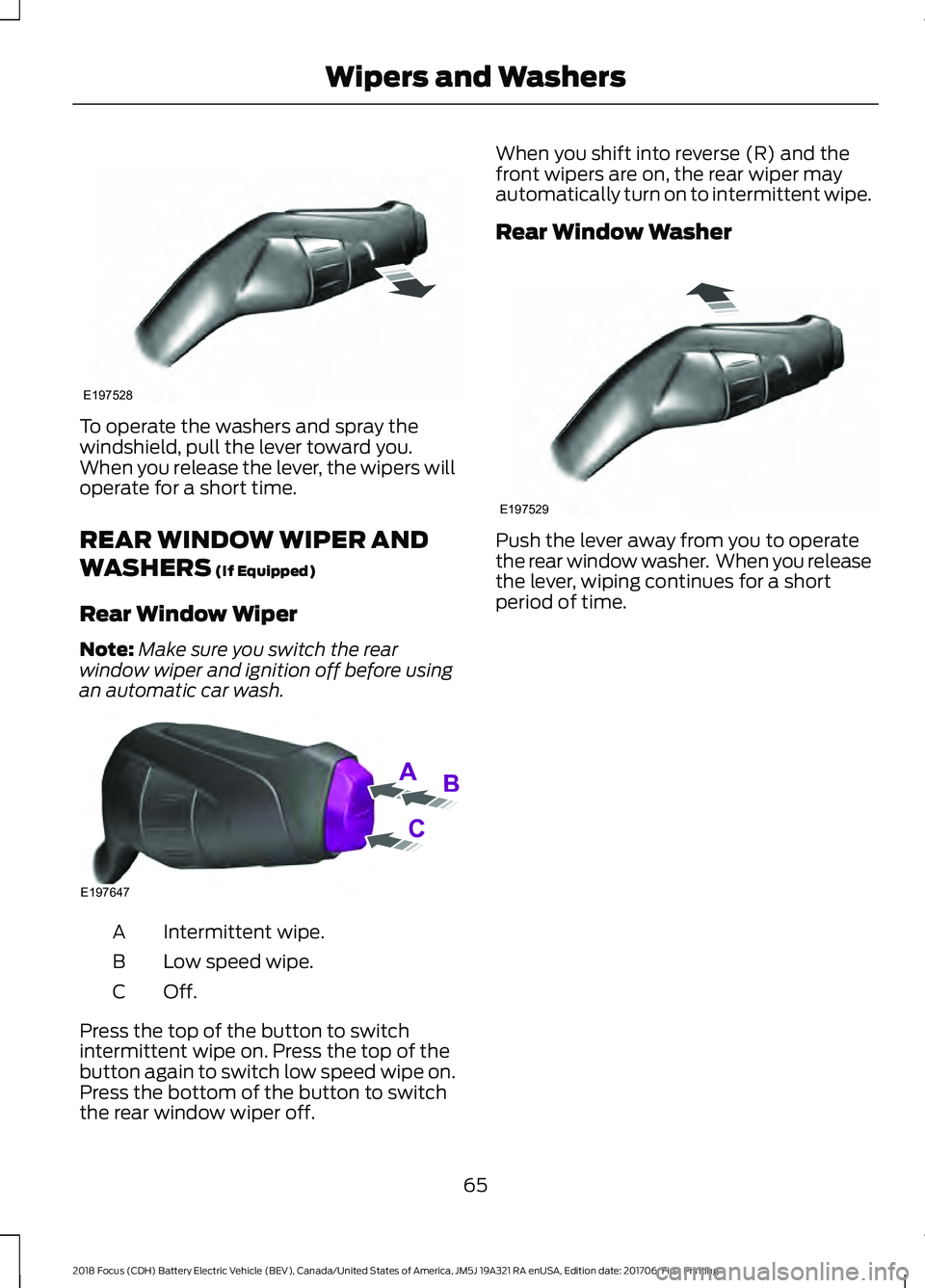
To operate the washers and spray the
windshield, pull the lever toward you.
When you release the lever, the wipers will
operate for a short time.
REAR WINDOW WIPER AND
WASHERS (If Equipped)
Rear Window Wiper
Note: Make sure you switch the rear
window wiper and ignition off before using
an automatic car wash. Intermittent wipe.
A
Low speed wipe.
B
Off.C
Press the top of the button to switch
intermittent wipe on. Press the top of the
button again to switch low speed wipe on.
Press the bottom of the button to switch
the rear window wiper off. When you shift into reverse (R) and the
front wipers are on, the rear wiper may
automatically turn on to intermittent wipe.
Rear Window Washer
Push the lever away from you to operate
the rear window washer. When you release
the lever, wiping continues for a short
period of time.
65
2018 Focus (CDH) Battery Electric Vehicle (BEV), Canada/United States of America, JM5J 19A321 RA enUSA, Edition date: 201706, First Printing Wipers and WashersE197528 E197647 E197529
Page 69 of 375
GENERAL INFORMATION
Condensation in the Exterior Front
Lamps and Rear Lamps
Exterior front lamps and rear lamps have
vents to accommodate normal changes
in air pressure.
Condensation can be a natural by-product
of this design. When moist air enters the
lamp assembly through the vents, there is
a possibility that condensation can occur
when the temperature is cold. When
normal condensation occurs, a fine mist
can form on the interior of the lens. The
fine mist eventually clears and exits
through the vents during normal operation.
Clearing time may take as long as 48 hours
under dry weather conditions.
Examples of acceptable condensation are:
•
The presence of a fine mist (no streaks,
drip marks or large droplets).
• A fine mist covers less than 50% of the
lens.
Examples of unacceptable condensation
are:
• A water puddle inside the lamp.
• Streaks, drip marks or large droplets
present on the interior of the lens.
If you see any unacceptable condensation,
have your vehicle checked by an authorized
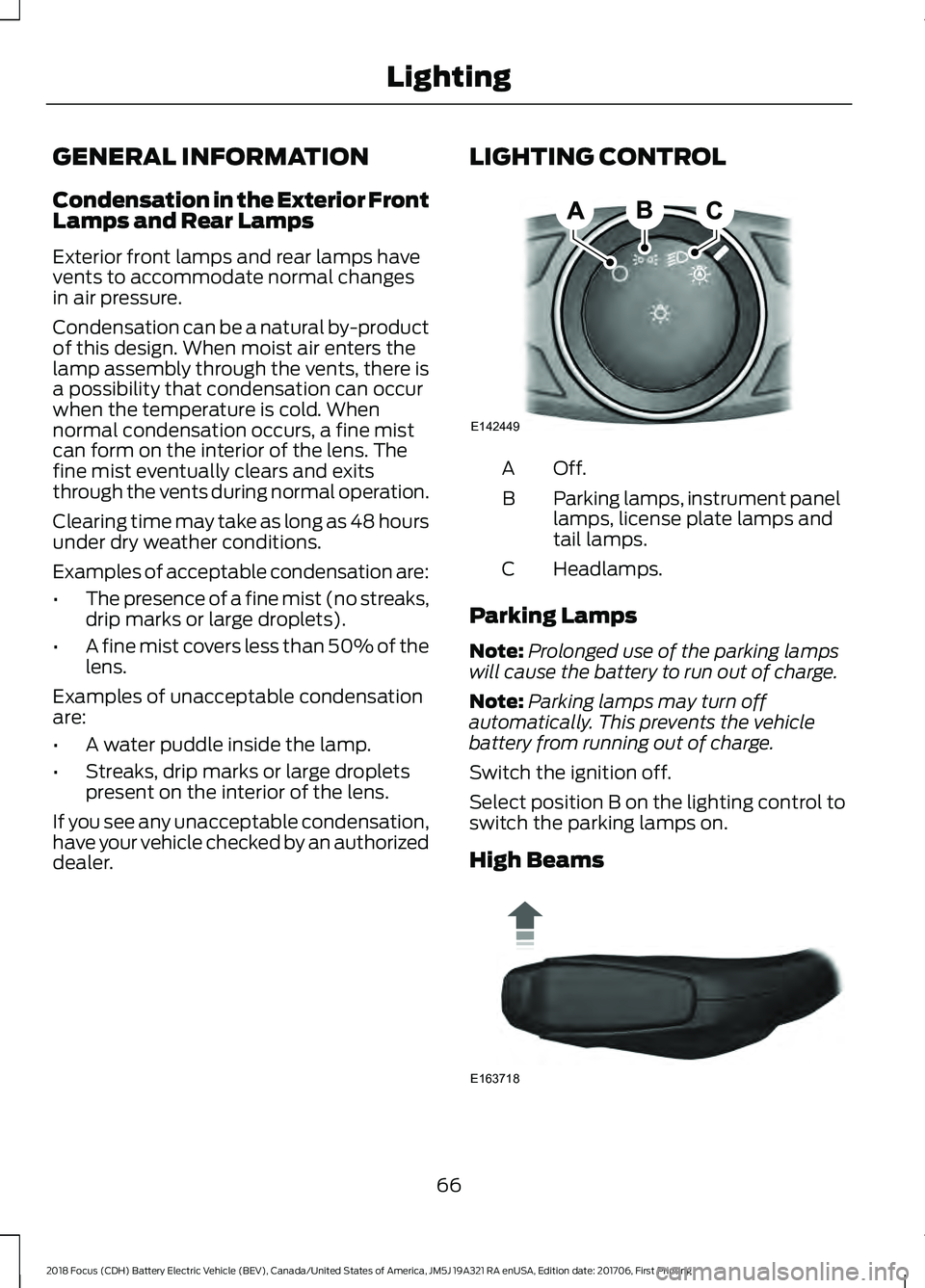
dealer. LIGHTING CONTROL Off.A
Parking lamps, instrument panel
lamps, license plate lamps and
tail lamps.
B
Headlamps.
C
Parking Lamps
Note: Prolonged use of the parking lamps
will cause the battery to run out of charge.
Note: Parking lamps may turn off
automatically. This prevents the vehicle
battery from running out of charge.
Switch the ignition off.
Select position B on the lighting control to
switch the parking lamps on.
High Beams 66
2018 Focus (CDH) Battery Electric Vehicle (BEV), Canada/United States of America, JM5J 19A321 RA enUSA, Edition date: 201706, First Printing LightingE142449 E163718
Page 71 of 375
INSTRUMENT LIGHTING
DIMMER
Note:
You disable the manual dimmer
when you adjust the setting to Auto
Dimming in the information display. See
Information Displays (page 80).
Note: If you disconnect the battery or it
becomes discharged, the illuminated
components will switch to the maximum
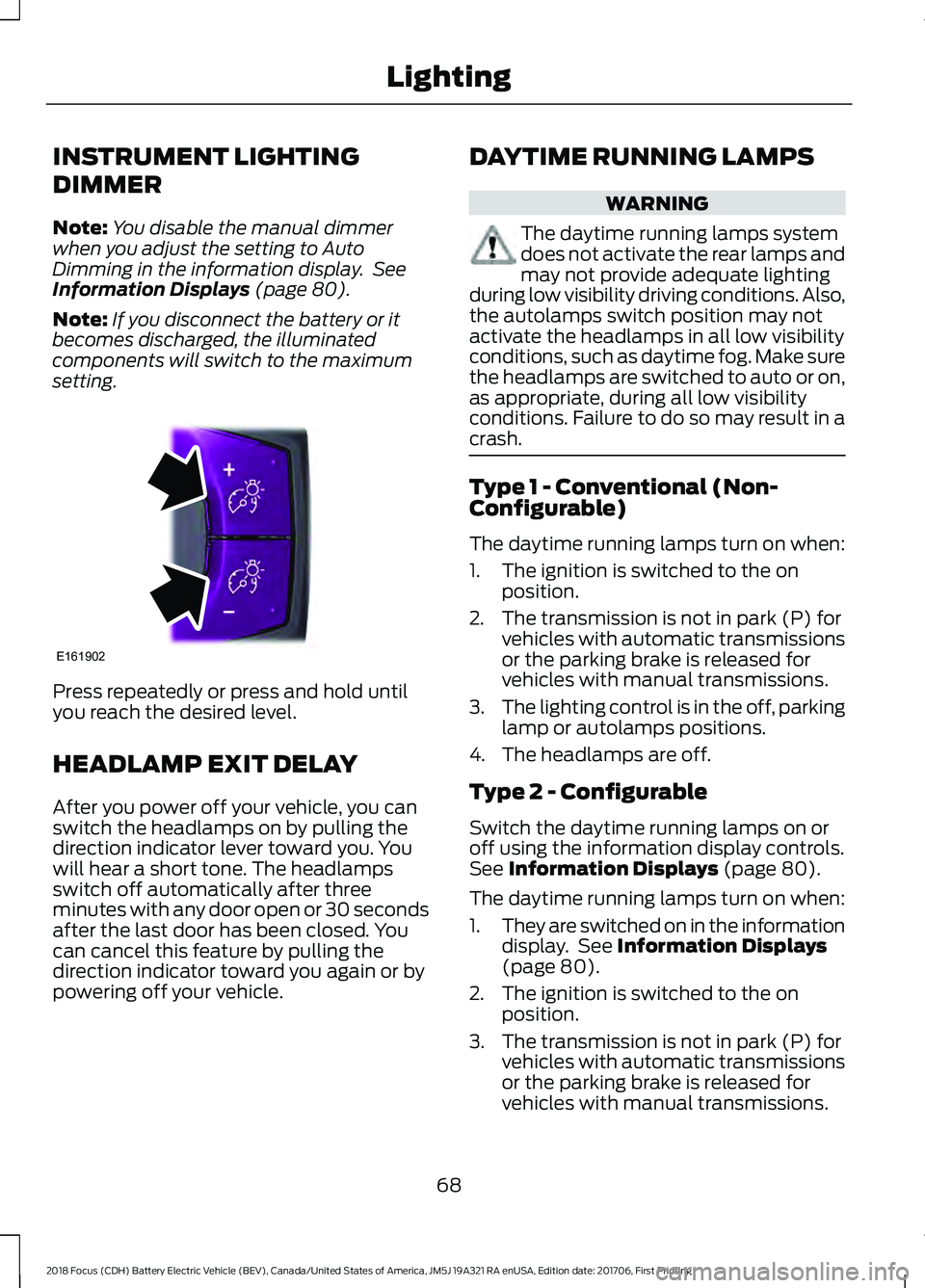
setting. Press repeatedly or press and hold until
you reach the desired level.
HEADLAMP EXIT DELAY
After you power off your vehicle, you can
switch the headlamps on by pulling the
direction indicator lever toward you. You
will hear a short tone. The headlamps
switch off automatically after three
minutes with any door open or 30 seconds
after the last door has been closed. You
can cancel this feature by pulling the
direction indicator toward you again or by
powering off your vehicle. DAYTIME RUNNING LAMPS WARNING
The daytime running lamps system
does not activate the rear lamps and
may not provide adequate lighting
during low visibility driving conditions. Also,
the autolamps switch position may not
activate the headlamps in all low visibility
conditions, such as daytime fog. Make sure
the headlamps are switched to auto or on,
as appropriate, during all low visibility
conditions. Failure to do so may result in a
crash. Type 1 - Conventional (Non-
Configurable)
The daytime running lamps turn on when:
1. The ignition is switched to the on
position.
2. The transmission is not in park (P) for vehicles with automatic transmissions
or the parking brake is released for
vehicles with manual transmissions.
3. The lighting control is in the off, parking
lamp or autolamps positions.
4. The headlamps are off.
Type 2 - Configurable
Switch the daytime running lamps on or
off using the information display controls.
See
Information Displays (page 80).
The daytime running lamps turn on when:
1. They are switched on in the information
display. See
Information Displays
(page 80).
2. The ignition is switched to the on position.
3. The transmission is not in park (P) for vehicles with automatic transmissions
or the parking brake is released for
vehicles with manual transmissions.
68
2018 Focus (CDH) Battery Electric Vehicle (BEV), Canada/United States of America, JM5J 19A321 RA enUSA, Edition date: 201706, First Printing LightingE161902
Page 75 of 375
1.
Close the window twice until it reaches
the point of resistance and let it
reverse.
2. Close the window a third time to the point of resistance. You disabled the
bounce-back feature and you can now
close the window manually. The
window travels past the point of
resistance and you can close it fully.
Contact an authorized dealer as soon as
possible if the window does not close after
the third attempt.
Resetting the Bounce-Back Feature WARNING
The bounce-back feature remains
turned off until you reset the
memory.
If you have disconnected the battery, you
must reset the bounce-back memory
separately for each window.
1. Lift and hold the control until the
window is fully closed.
2. Release the control.
3. Lift and hold the control again for a few
seconds.
4. Release the control.
5. Lift and hold the control again for a few
seconds.
6. Release the control.
7. Press and hold the control until the window is fully open.
8. Lift and hold the control until the window is fully closed.
9. Release the control.
10. Open the window and then try to close it automatically.
11. Repeat the procedure if the window does not close automatically. Accessory Delay (If Equipped)
You can use the window controls for
several minutes after switching off the
ignition or until opening either front door.
EXTERIOR MIRRORS
Power Exterior Mirrors WARNING
Do not adjust the mirrors when your
vehicle is moving.
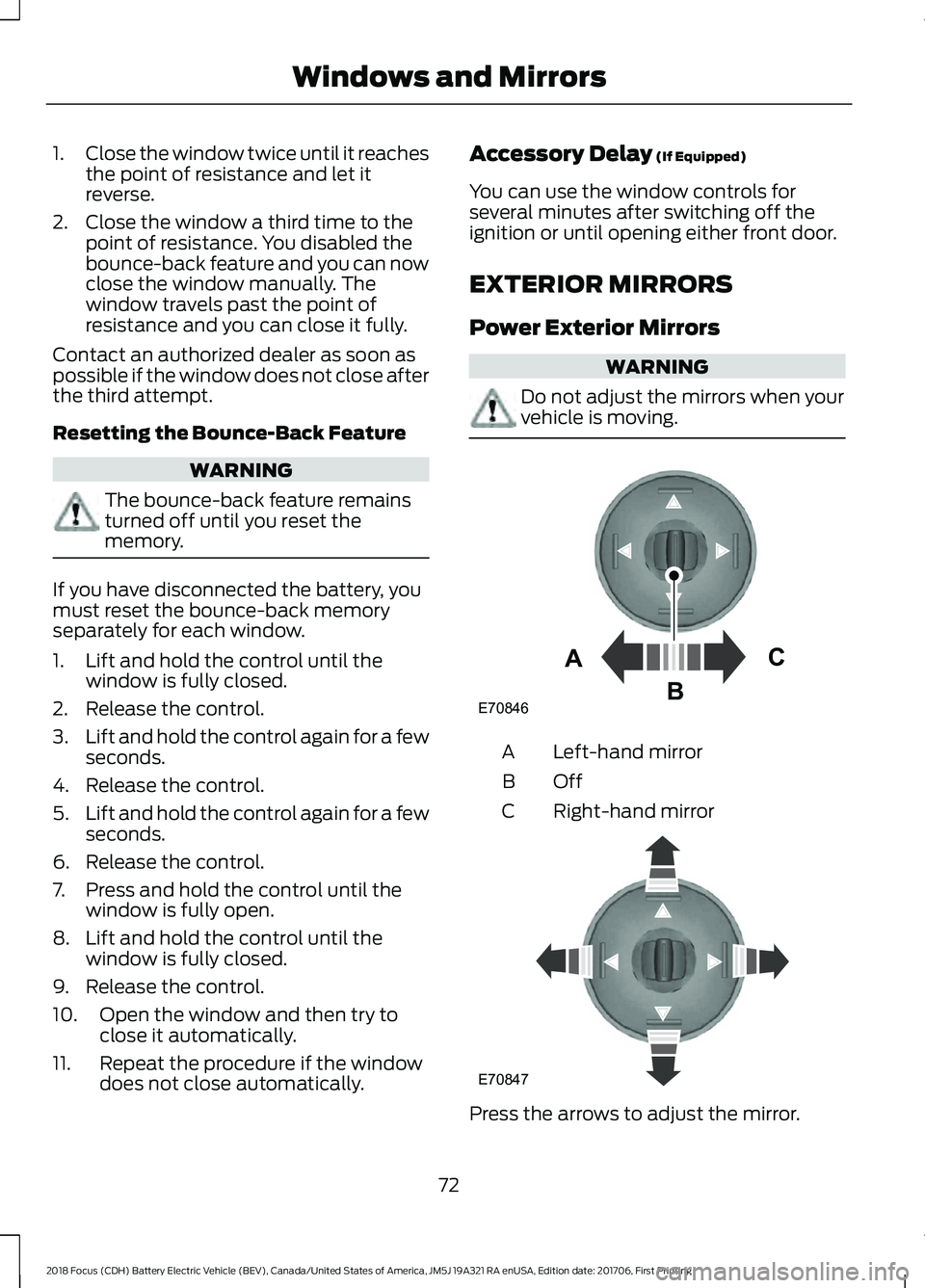
Left-hand mirror
A
OffB
Right-hand mirror
C Press the arrows to adjust the mirror.
72
2018 Focus (CDH) Battery Electric Vehicle (BEV), Canada/United States of America, JM5J 19A321 RA enUSA, Edition date: 201706, First Printing Windows and MirrorsE70846A
C
B E70847
Page 80 of 375
Charging Status Screen
When you enter or switch off the vehicle,
on your right information display you have
the opportunity to view charging status,
charge start and end times as well as the
charging mode. You can also switch your
charging mode between Value Charge and
Charge Now. See Electric Vehicle
Information in your SYNC information.
WARNING LAMPS AND
INDICATORS
The following warning lamps and
indicators alert you to a vehicle condition
that may become serious. Some lamps
illuminate when you start your vehicle to
make sure they work. If any lamps remain
on after starting your vehicle, refer to the
respective system warning lamp for further
information.
Note:
Some warning indicators appear in
the information display and operate the
same as a warning lamp but do not
illuminate when you start your vehicle
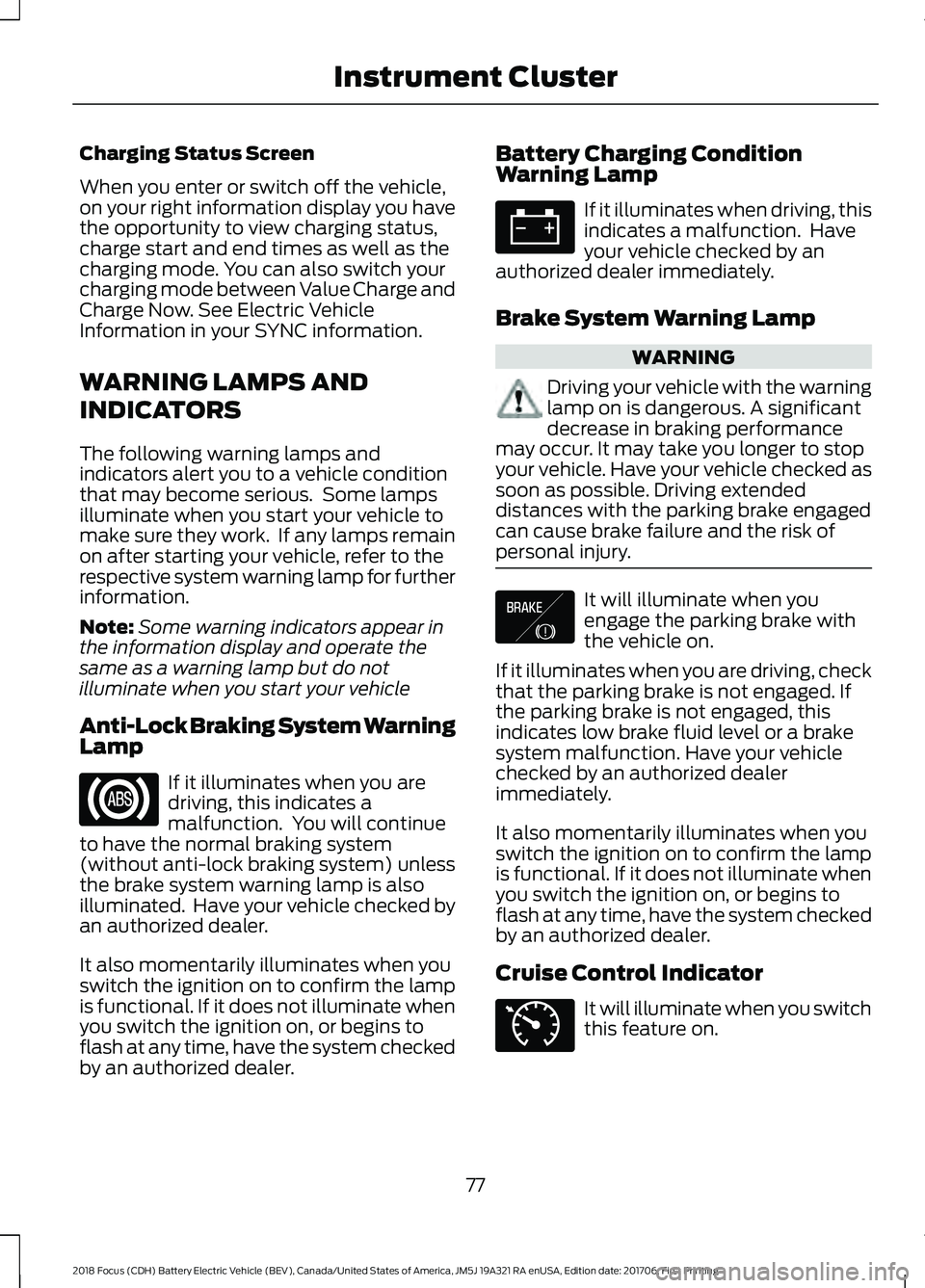
Anti-Lock Braking System Warning
Lamp If it illuminates when you are
driving, this indicates a
malfunction. You will continue
to have the normal braking system
(without anti-lock braking system) unless
the brake system warning lamp is also
illuminated. Have your vehicle checked by
an authorized dealer.
It also momentarily illuminates when you
switch the ignition on to confirm the lamp
is functional. If it does not illuminate when
you switch the ignition on, or begins to
flash at any time, have the system checked
by an authorized dealer. Battery Charging Condition
Warning Lamp If it illuminates when driving, this
indicates a malfunction. Have
your vehicle checked by an
authorized dealer immediately.
Brake System Warning Lamp WARNING
Driving your vehicle with the warning
lamp on is dangerous. A significant
decrease in braking performance
may occur. It may take you longer to stop
your vehicle. Have your vehicle checked as
soon as possible. Driving extended
distances with the parking brake engaged
can cause brake failure and the risk of
personal injury. It will illuminate when you
engage the parking brake with
the vehicle on.
If it illuminates when you are driving, check
that the parking brake is not engaged. If
the parking brake is not engaged, this
indicates low brake fluid level or a brake
system malfunction. Have your vehicle
checked by an authorized dealer
immediately.
It also momentarily illuminates when you
switch the ignition on to confirm the lamp
is functional. If it does not illuminate when
you switch the ignition on, or begins to
flash at any time, have the system checked
by an authorized dealer.
Cruise Control Indicator It will illuminate when you switch
this feature on.
77
2018 Focus (CDH) Battery Electric Vehicle (BEV), Canada/United States of America, JM5J 19A321 RA enUSA, Edition date: 201706, First Printing Instrument Cluster E138644 E71340
Page 82 of 375
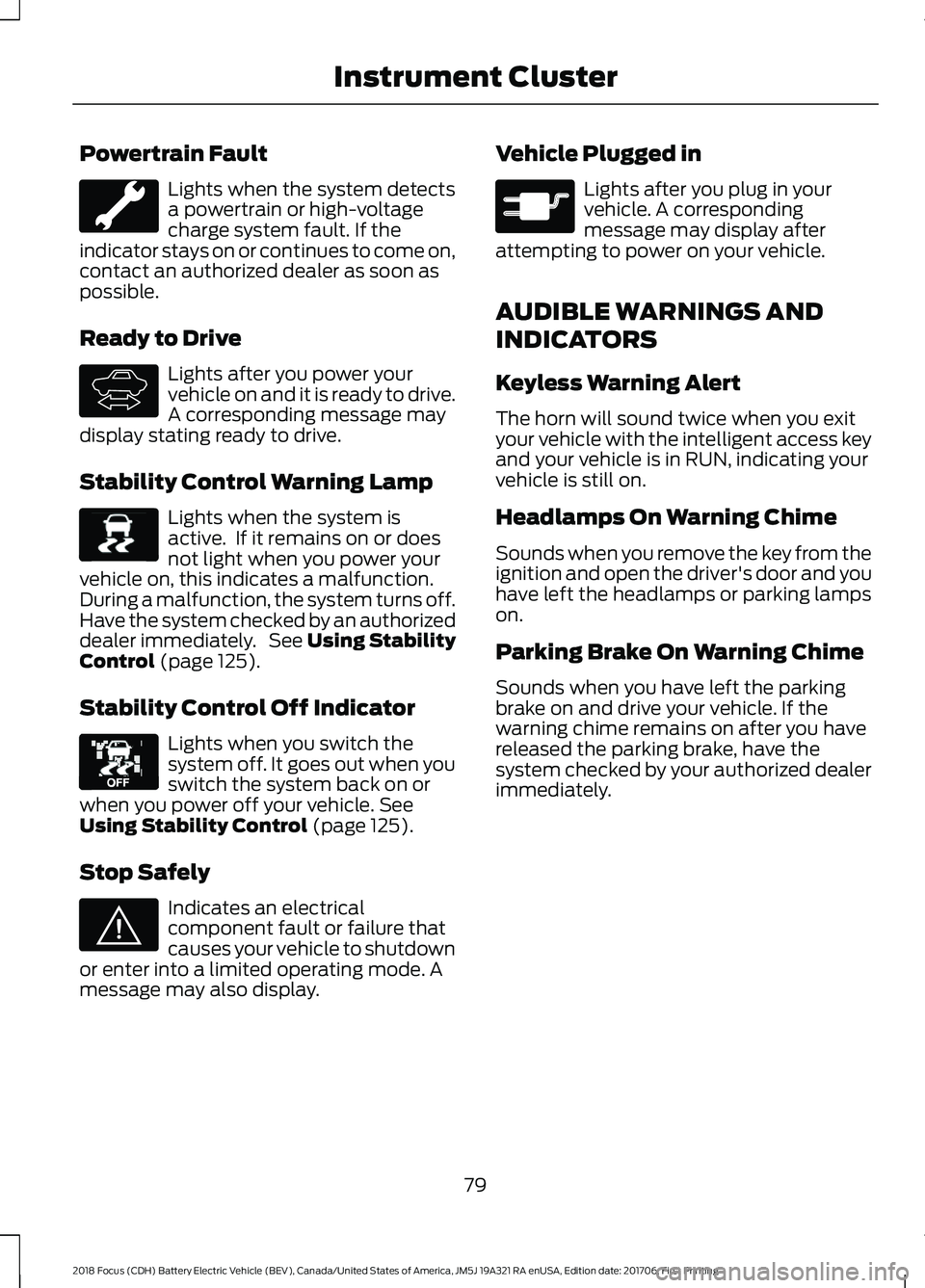
Powertrain Fault
Lights when the system detects
a powertrain or high-voltage
charge system fault. If the
indicator stays on or continues to come on,
contact an authorized dealer as soon as
possible.
Ready to Drive Lights after you power your
vehicle on and it is ready to drive.
A corresponding message may
display stating ready to drive.
Stability Control Warning Lamp Lights when the system is
active. If it remains on or does
not light when you power your
vehicle on, this indicates a malfunction.
During a malfunction, the system turns off.
Have the system checked by an authorized
dealer immediately. See Using Stability
Control (page 125).
Stability Control Off Indicator Lights when you switch the
system off. It goes out when you
switch the system back on or
when you power off your vehicle.
See
Using Stability Control (page 125).
Stop Safely Indicates an electrical
component fault or failure that
causes your vehicle to shutdown
or enter into a limited operating mode. A
message may also display. Vehicle Plugged in Lights after you plug in your
vehicle. A corresponding
message may display after
attempting to power on your vehicle.
AUDIBLE WARNINGS AND
INDICATORS
Keyless Warning Alert
The horn will sound twice when you exit
your vehicle with the intelligent access key
and your vehicle is in RUN, indicating your
vehicle is still on.
Headlamps On Warning Chime
Sounds when you remove the key from the
ignition and open the driver's door and you
have left the headlamps or parking lamps
on.
Parking Brake On Warning Chime
Sounds when you have left the parking
brake on and drive your vehicle. If the
warning chime remains on after you have
released the parking brake, have the
system checked by your authorized dealer
immediately.
79
2018 Focus (CDH) Battery Electric Vehicle (BEV), Canada/United States of America, JM5J 19A321 RA enUSA, Edition date: 201706, First Printing Instrument Cluster E144692 E138639 E130458 E144693 E144694
Page 93 of 375
Hill Start Assist
Action
Message
Displays when hill start assist is not available. Contact an
authorized dealer. See Hill Start Assist (page 122).
Hill Start Assist Not
Available
Keys and Intelligent Access Action
Message
This message is displayed when there is a problem with your
vehicle’s starting system. See your authorized dealer for
service.
Starting System Fault
Displays to remind you that the key is in the luggage
compartment. See
Starting the Electric Motor (page 107).
Key Inside vehicle
Displayed when a valid key is not detected within the vehicle.
See
Starting the Electric Motor (page 107).
Key Not Inside vehicle
Displayed if the key is not detected by the system. See
Starting the Electric Motor
(page 107).
No Key Detected
Displayed when your vehicle is in the Accessory ignition state.
Accessory Power is
Active
Displayed as a reminder to press the brake while starting the
vehicle.
To START Press Brake
Displayed as needed by the system for proper function.
Place Key in Backup
Location
Lighting Action
Message
Displays when the brake lamp bulb has burned out. Contact
an authorized dealer.
Brake lamp Bulb fault
Displays when the low beam headlamp bulb has burned out.
Contact an authorized dealer.
Low beam Bulb fault
Displays when an electrical system problem occurs with the
headlamp system. Contact an authorized dealer.
Headlamp fault Service
req'd
90
2018 Focus (CDH) Battery Electric Vehicle (BEV), Canada/United States of America, JM5J 19A321 RA enUSA, Edition date: 201706, First Printing Information Displays