Page 453 of 553
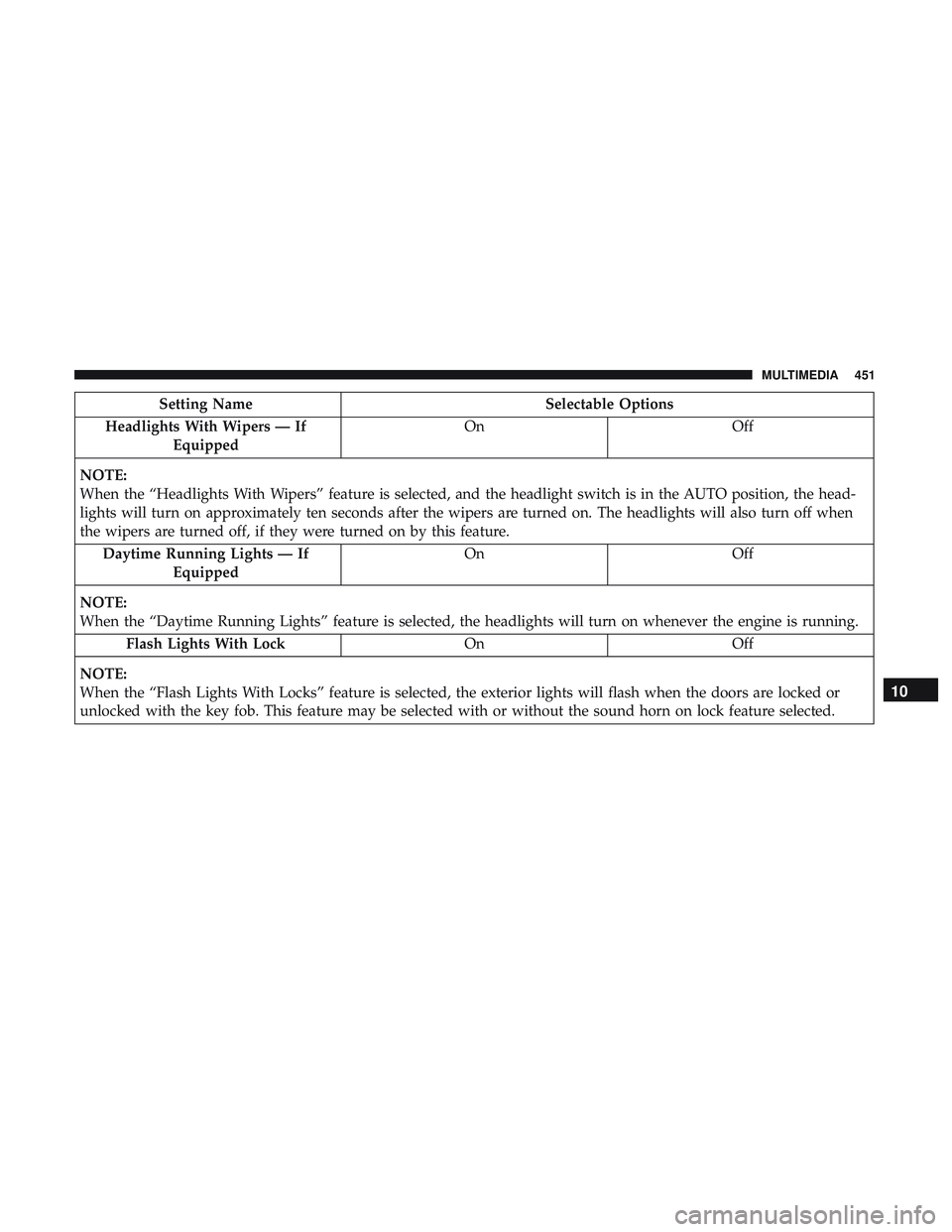
Setting NameSelectable Options
Headlights With Wipers — If Equipped On
Off
NOTE:
When the “Headlights With Wipers” feature is selected, and the headlight switch is in the AUTO position, the head-
lights will turn on approximately ten seconds after the wipers are turned on. The headlights will also turn off when
the wipers are turned off, if they were turned on by this feature. Daytime Running Lights — If Equipped On
Off
NOTE:
When the “Daytime Running Lights” feature is selected, the headlights will turn on whenever the engine is running. Flash Lights With Lock OnOff
NOTE:
When the “Flash Lights With Locks” feature is selected, the exterior lights will flash when the doors are locked or
unlocked with the key fob. This feature may be selected with or without the sound horn on lock feature selected.
10
MULTIMEDIA 451
Page 466 of 553
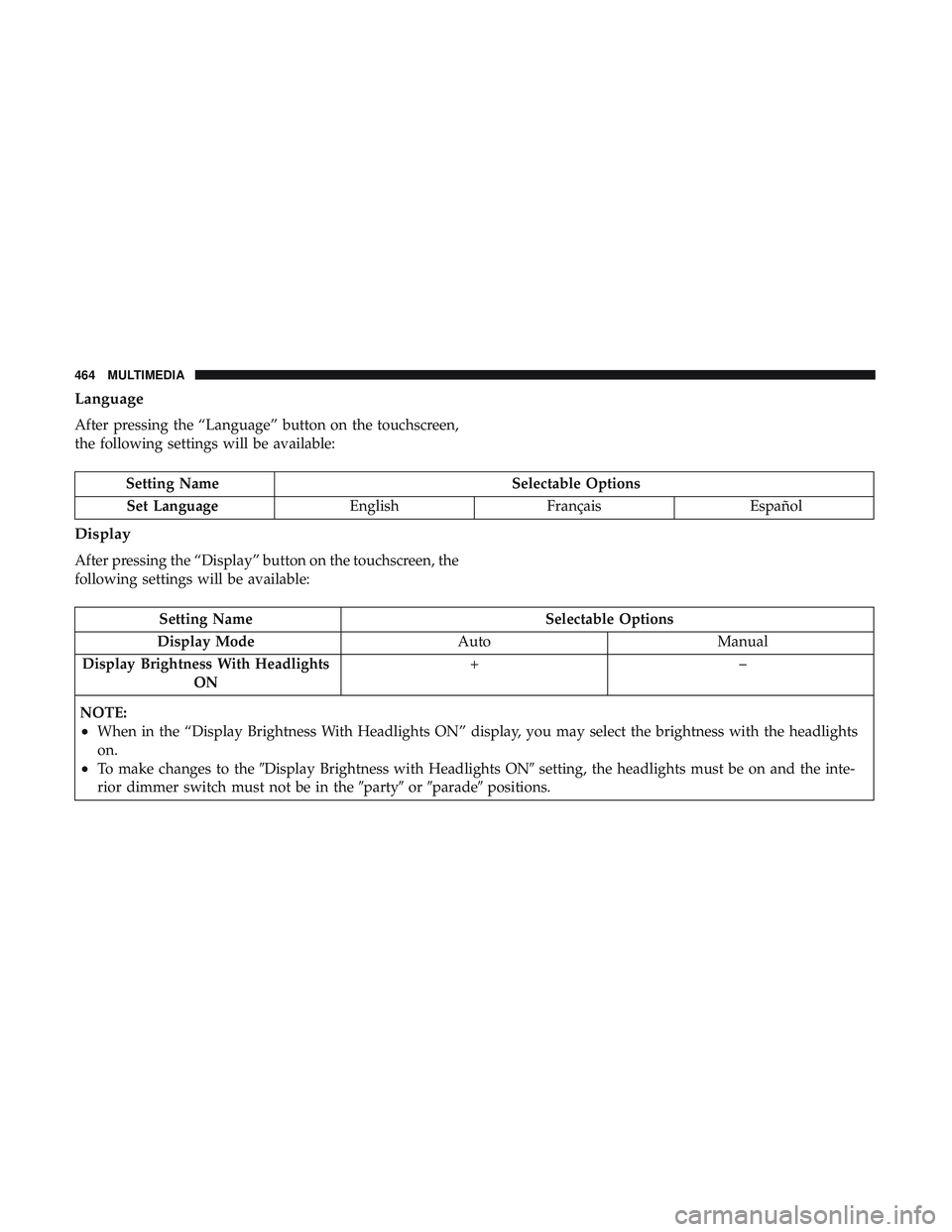
Language
After pressing the “Language” button on the touchscreen,
the following settings will be available:
Setting NameSelectable Options
Set Language EnglishFrançais Español
Display
After pressing the “Display” button on the touchscreen, the
following settings will be available:
Setting Name Selectable Options
Display Mode AutoManual
Display Brightness With Headlights ON +–
NOTE:
•When in the “Display Brightness With Headlights ON” display, you may select the brightness with the headlights
on.
•To make changes to the �Display Brightness with Headlights ON� setting, the headlights must be on and the inte-
rior dimmer switch must not be in the �party�or�parade� positions.
464 MULTIMEDIA
Page 467 of 553
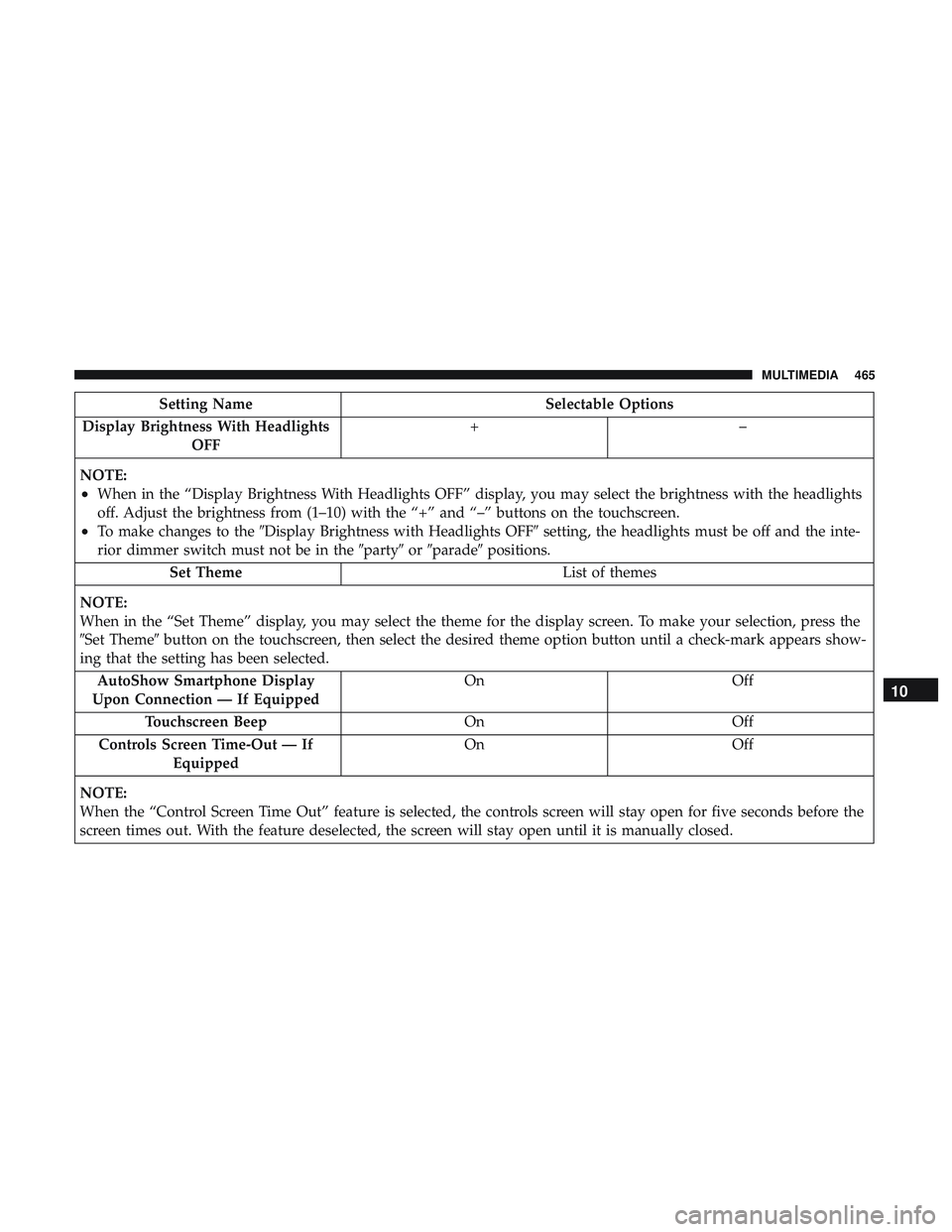
Setting NameSelectable Options
Display Brightness With Headlights OFF +–
NOTE:
•When in the “Display Brightness With Headlights OFF” display, you may select the brightness with the headlights
off. Adjust the brightness from (1–10) with the “+” and “–” buttons on the touchscreen.
•To make changes to the �Display Brightness with Headlights OFF� setting, the headlights must be off and the inte-
rior dimmer switch must not be in the �party�or�parade� positions.
Set Theme List of themes
NOTE:
When in the “Set Theme” display, you may select the theme for the display screen. To make your selection, press the
�Set Theme� button on the touchscreen, then select the desired theme option button until a check-mark appears show-
ing that the setting has been selected.
AutoShow Smartphone Display
Upon Connection — If Equipped On
Off
Touchscreen Beep OnOff
Controls Screen Time-Out — If Equipped On
Off
NOTE:
When the “Control Screen Time Out” feature is selected, the controls screen will stay open for five seconds before the
screen times out. With the feature deselected, the screen will stay open until it is manually closed.
10
MULTIMEDIA 465
Page 476 of 553
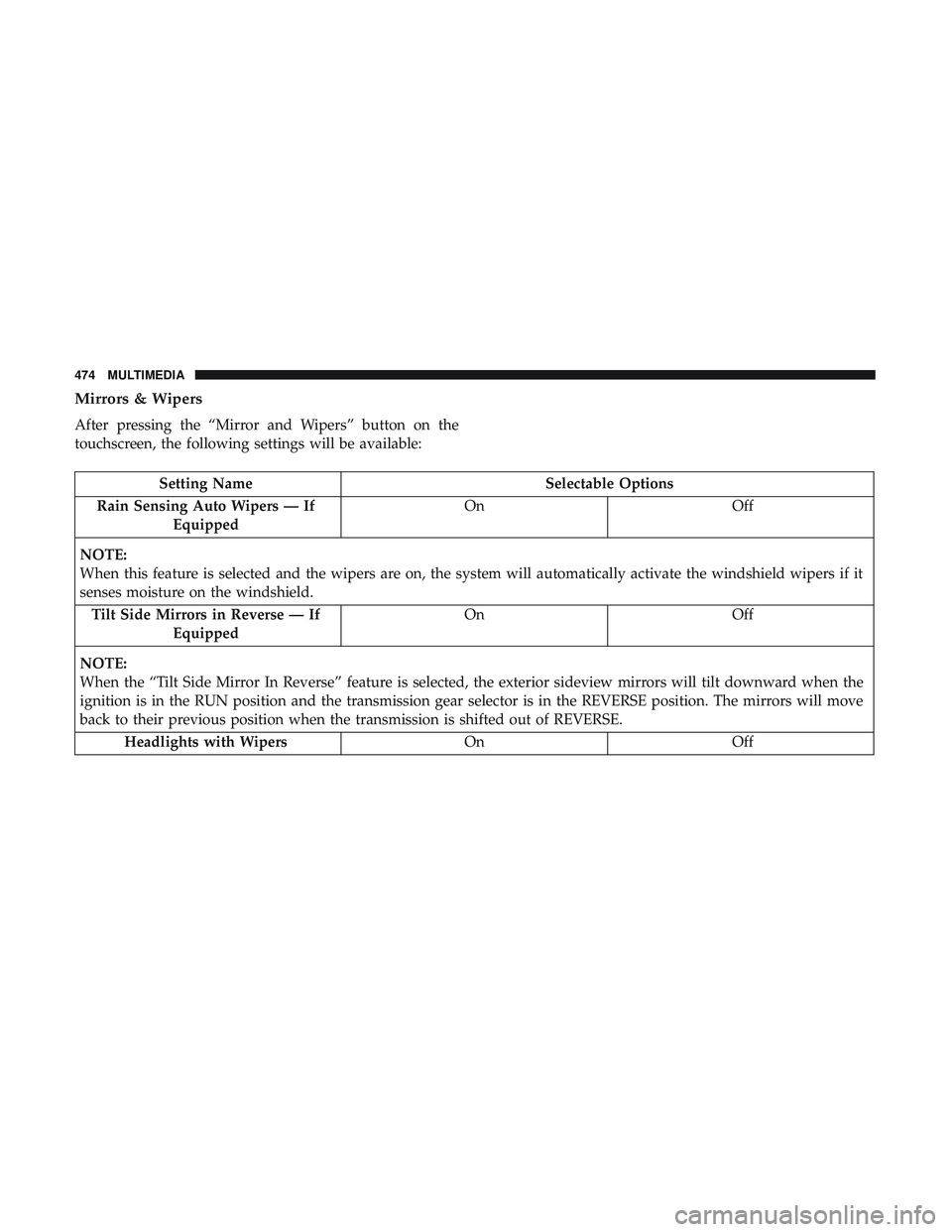
Mirrors & Wipers
After pressing the “Mirror and Wipers” button on the
touchscreen, the following settings will be available:
Setting NameSelectable Options
Rain Sensing Auto Wipers — If Equipped On
Off
NOTE:
When this feature is selected and the wipers are on, the system will automatically activate the windshield wipers if it
senses moisture on the windshield. Tilt Side Mirrors in Reverse — If Equipped On
Off
NOTE:
When the “Tilt Side Mirror In Reverse” feature is selected, the exterior sideview mirrors will tilt downward when the
ignition is in the RUN position and the transmission gear selector is in the REVERSE position. The mirrors will move
back to their previous position when the transmission is shifted out of REVERSE. Headlights with Wipers OnOff
474 MULTIMEDIA
Page 477 of 553
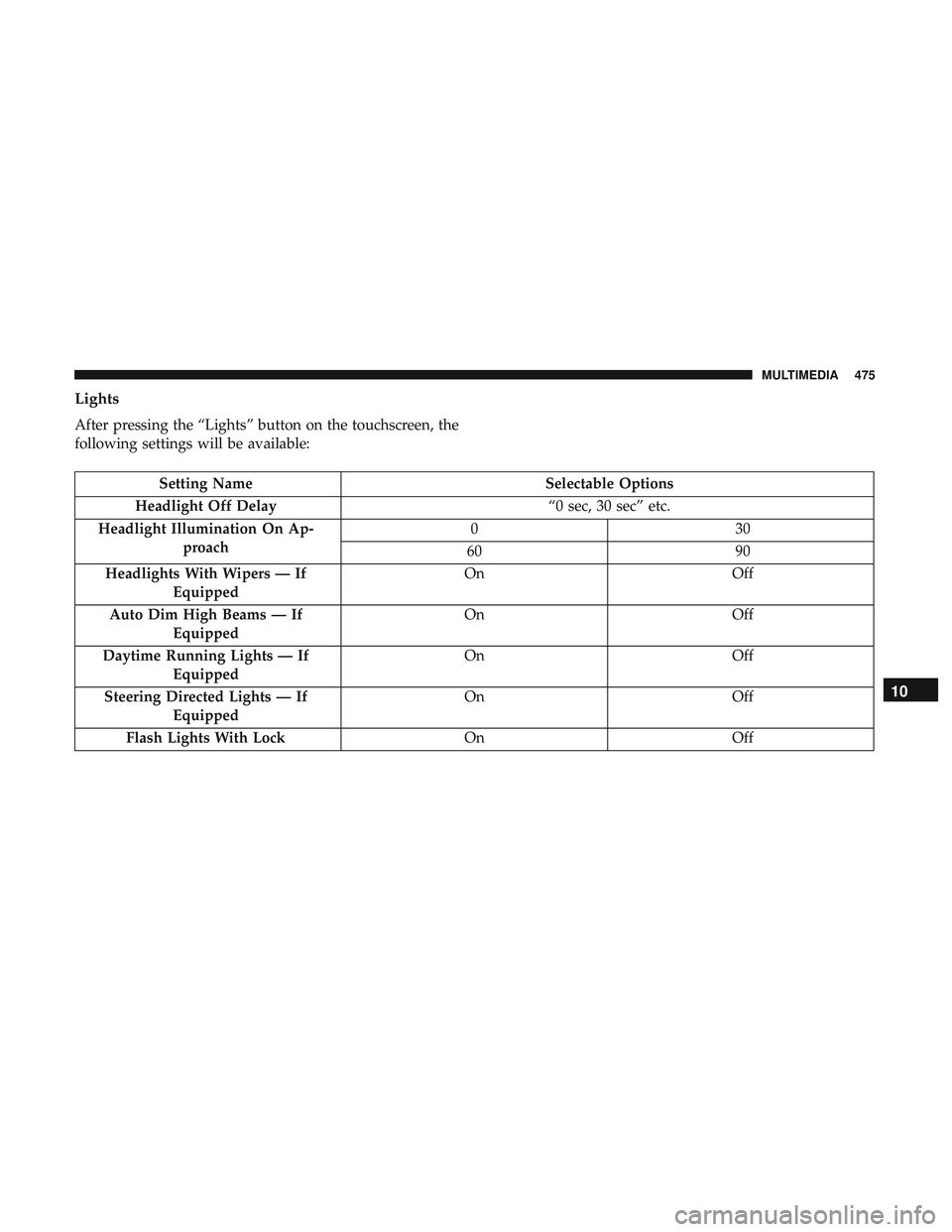
Lights
After pressing the “Lights” button on the touchscreen, the
following settings will be available:
Setting NameSelectable Options
Headlight Off Delay “0 sec, 30 sec” etc.
Headlight Illumination On Ap- proach 03
0
60 90
Headlights With Wipers — If Equipped On
Off
Auto Dim High Beams — If Equipped On
Off
Daytime Running Lights — If Equipped On
Off
Steering Directed Lights — If Equipped On
Off
Flash Lights With Lock OnOff
10
MULTIMEDIA 475
Page 482 of 553
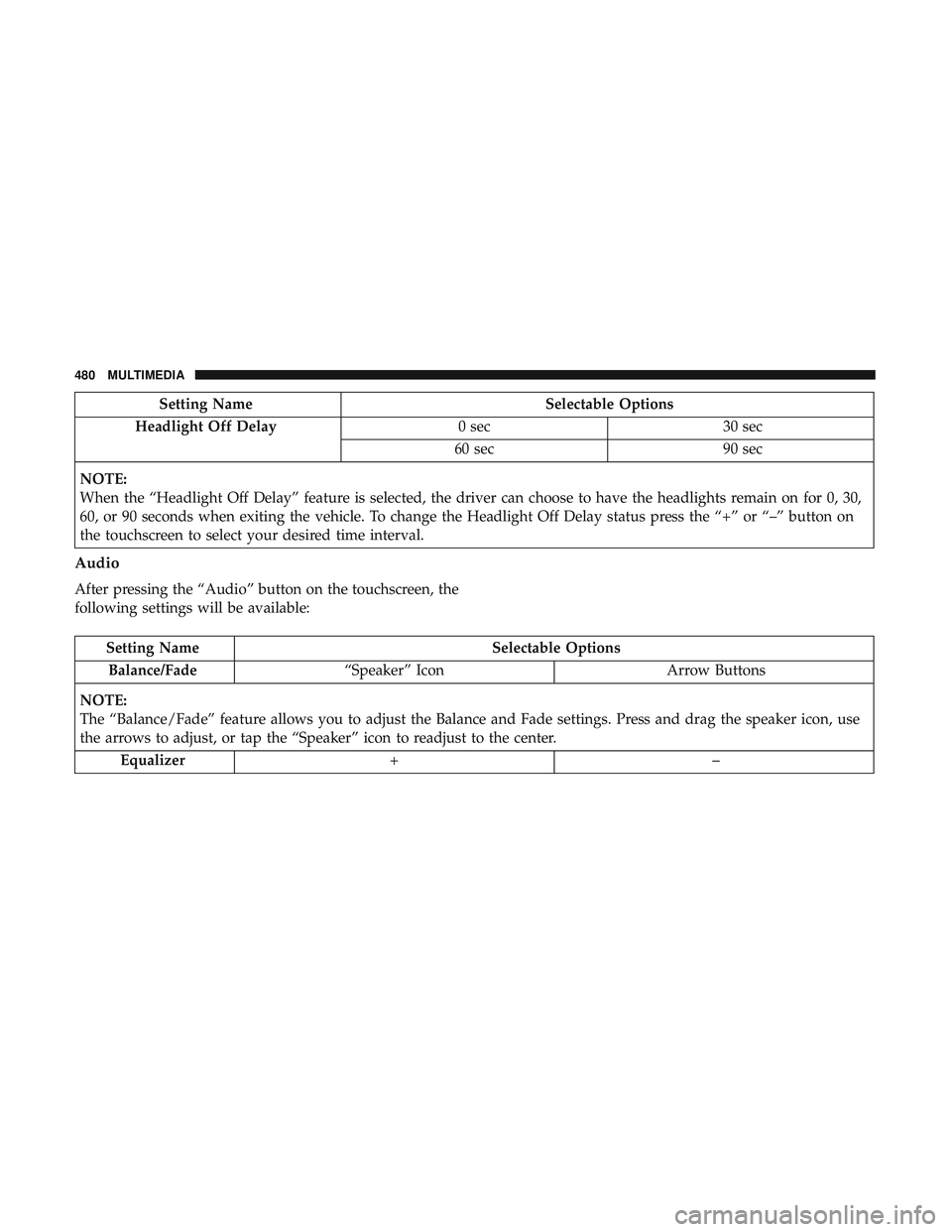
Setting NameSelectable Options
Headlight Off Delay 0 sec30 sec
60 sec 90 sec
NOTE:
When the “Headlight Off Delay” feature is selected, the driver can choose to have the headlights remain on for 0, 30,
60, or 90 seconds when exiting the vehicle. To change the Headlight Off Delay status press the “+” or “–” button on
the touchscreen to select your desired time interval.
Audio
After pressing the “Audio” button on the touchscreen, the
following settings will be available:
Setting Name Selectable Options
Balance/Fade “Speaker” Icon Arrow Buttons
NOTE:
The “Balance/Fade” feature allows you to adjust the Balance and Fade settings. Press and drag the speaker icon, use
the arrows to adjust, or tap the “Speaker” icon to readjust to the center. Equalizer +–
480 MULTIMEDIA
Page 537 of 553
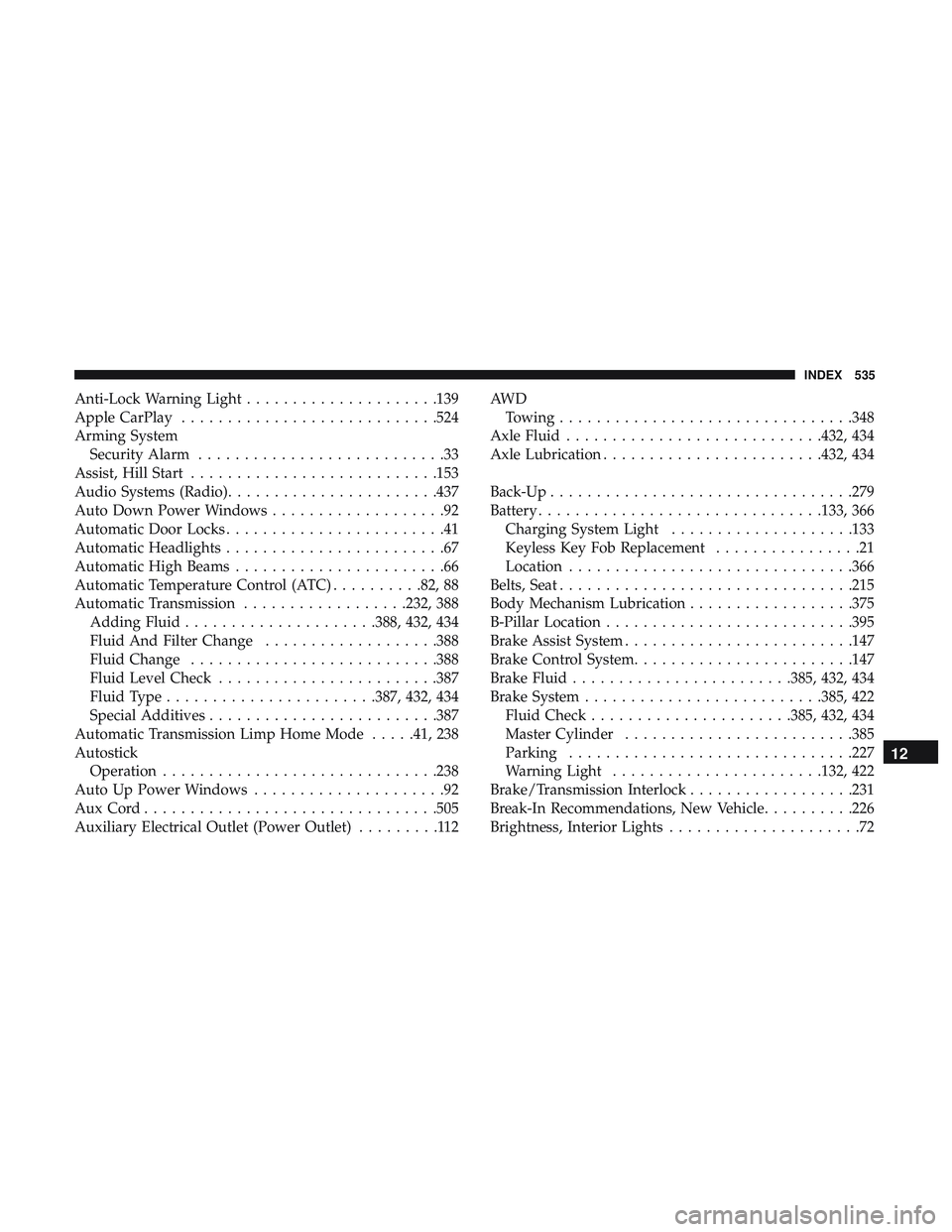
Anti-Lock Warning Light.....................139
Apple CarPlay ............................524
Arming System Security Alarm ...........................33
Assist, Hill Start .......................... .153
Audio Systems (Radio) .......................437
Auto Down Power Windows ...................92
Automatic Door Locks ........................41
Automatic Headlights ........................67
Automatic High Beams .......................66
Automatic Temperature Control (ATC) ..........82, 88
Automatic Transmission ..................232, 388
Adding Fluid .....................388, 432, 434
Fluid And Filter Change ...................388
Fluid Change .......................... .388
Fluid Level Check ........................387
Fluid Type .......................387, 432, 434
Special Additives ........................ .387
Automatic Transmission Limp Home Mode .....41, 238
Autostick Operation ............................. .238
Auto Up Power Windows .....................92
AuxCord............................... .505
Auxiliary Electrical Outlet (Power Outlet) .........112AW D
Towing ............................... .348
Axle Fluid ............................432, 434
Axle Lubrication ........................432, 434
Back-Up .................................279
Battery ...............................133, 366
Charging System Light ....................133
Keyless Key Fob Replacement ................21
Location ...............................366
Belts, Seat ............................... .215
Body Mechanism Lubrication ..................375
B-Pillar Location .......................... .395
Brake Assist System ........................ .147
Brake Control System ........................147
Brake Fluid ....................... .385, 432, 434
Brake System ..........................385,
422
Fluid Check ..................... .385, 432, 434
Master Cylinder ........................ .385
Parking ...............................227
Warning Light .......................132, 422
Brake/Transmission Interlock ..................231
Break-In Recommendations, New Vehicle ..........226
Brightness, Interior Lights .....................72
12
INDEX 535
Page 542 of 553
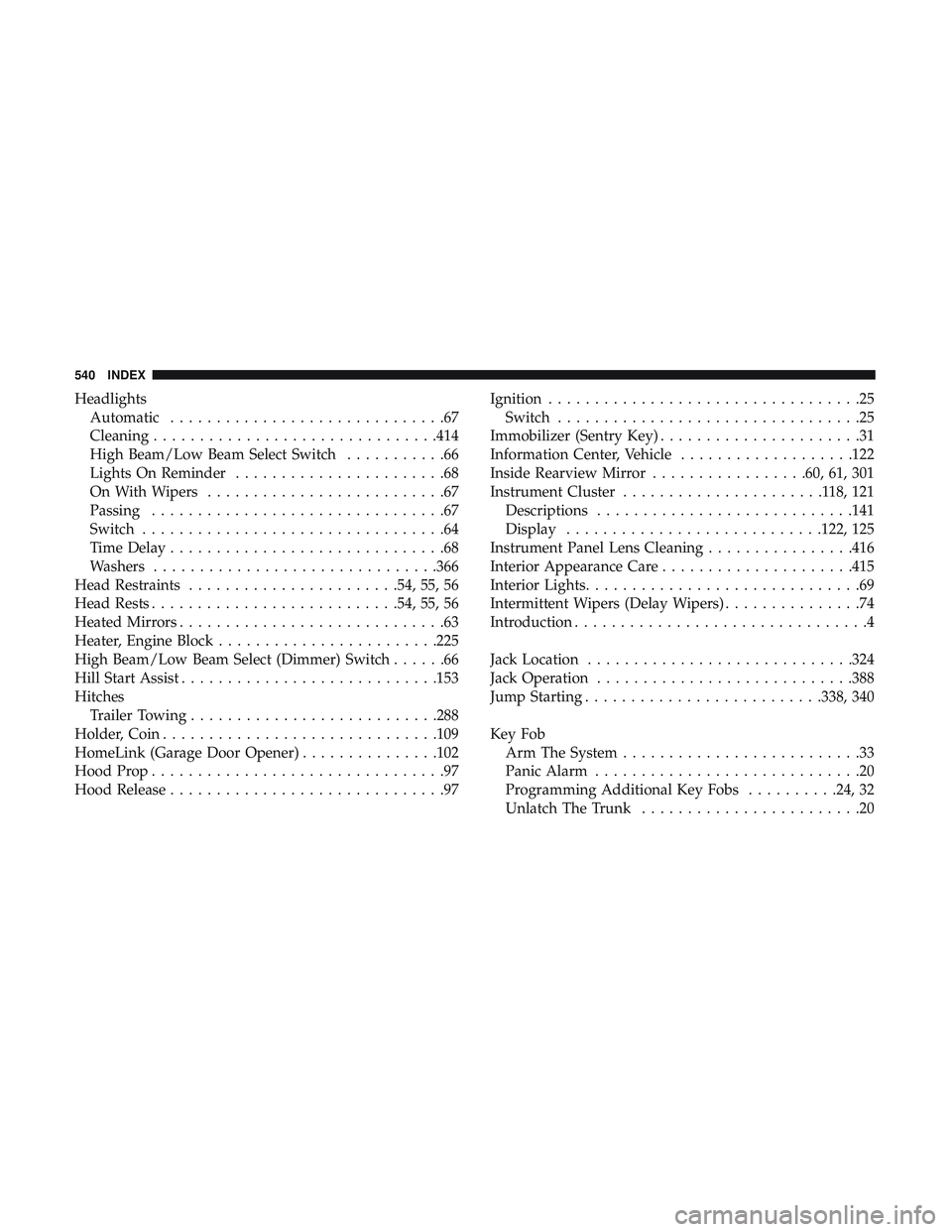
HeadlightsAutomatic ..............................67
Cleaning ...............................414
High Beam/Low Beam Select Switch ...........66
Lights On Reminder .......................68
On With Wipers ..........................67
Passing ................................67
Switch .................................64
Time Delay ..............................68
Washers ...............................366
Head Restraints .......................54, 55, 56
Head Rests .......................... .54, 55, 56
Heated Mirrors .............................63
Heater, Engine Block ........................225
High Beam/Low Beam Select (Dimmer) Switch ......66
Hill Start Assist ............................153
Hitches Trailer Towing .......................... .288
Holder, Coin ............................. .109
HomeLink (Garage Door Opener) ...............102
Hood Prop ................................97
Hood Release ..............................97 Ignition
..................................25
Switch .................................25
Immobilizer (Sentry Key) ......................31
Information Center, Vehicle ...................122
Inside Rearview Mirror .................60, 61, 301
Instrument Cluster ......................118,121
Descriptions ............................141
Display ............................122, 125
Instrument Panel Lens Cleaning ................416
Interior Appearance Care .....................415
Interior Lights ..............................69
Intermittent Wipers (Delay Wipers) ...............74
Introduction ................................4
Jack Location ............................ .324
Jack Operation ............................388
Jump Starting ..........................338, 340
Key Fob Arm The System ..........................33
Panic Alarm .............................20
Programming Additional Key Fobs ..........24, 32
Unlatch The Trunk ........................20
540 INDEX