Page 418 of 516
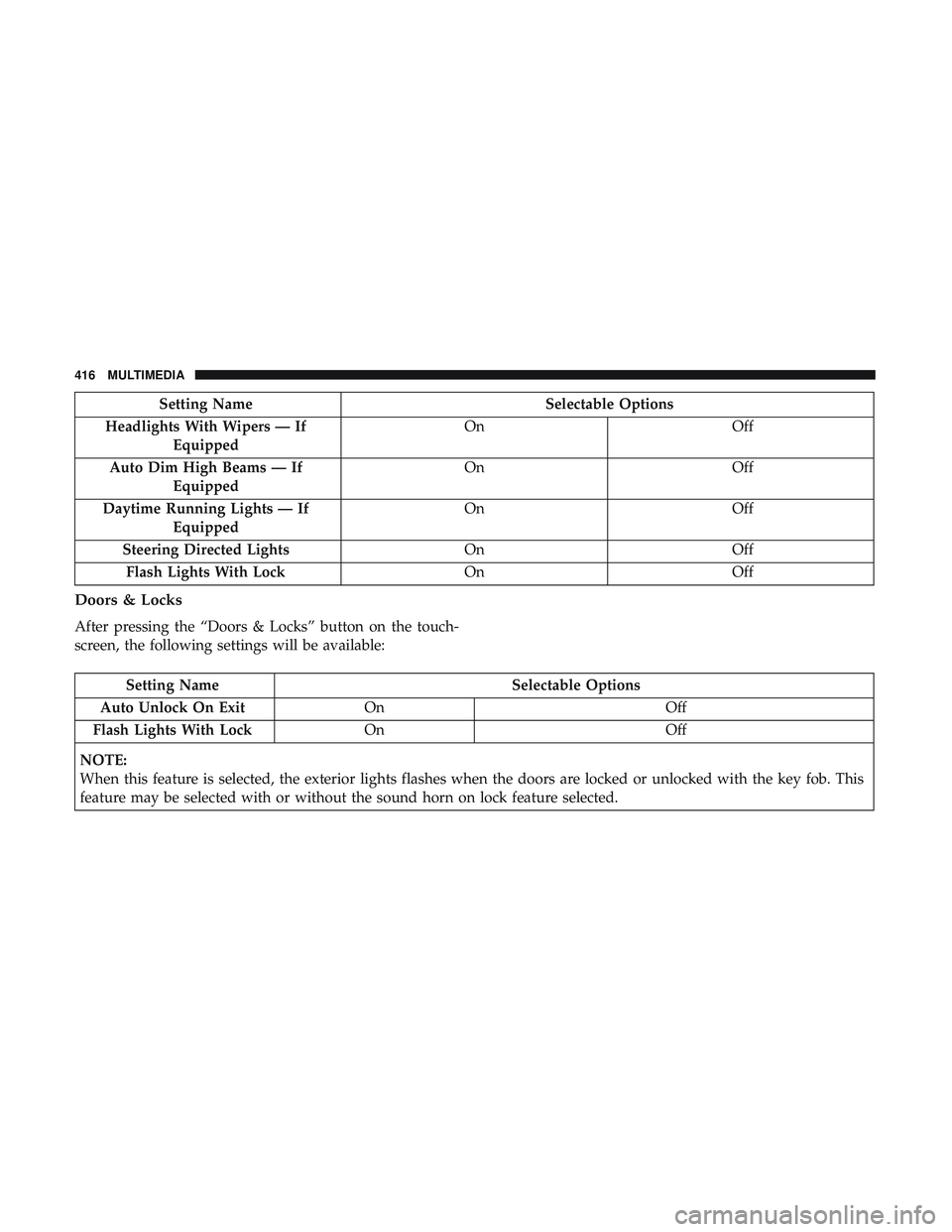
Setting NameSelectable Options
Headlights With Wipers — If Equipped On
Off
Auto Dim High Beams — If Equipped On
Off
Daytime Running Lights — If Equipped On
Off
Steering Directed Lights OnOff
Flash Lights With Lock OnOff
Doors & Locks
After pressing the “Doors & Locks” button on the touch-
screen, the following settings will be available:
Setting Name Selectable Options
Auto Unlock On Exit On Off
Flash Lights With Lock On Off
NOTE:
When this feature is selected, the exterior lights flashes when the doors are locked or unlocked with the key fob. This
feature may be selected with or without the sound horn on lock feature selected.
416 MULTIMEDIA
Page 420 of 516
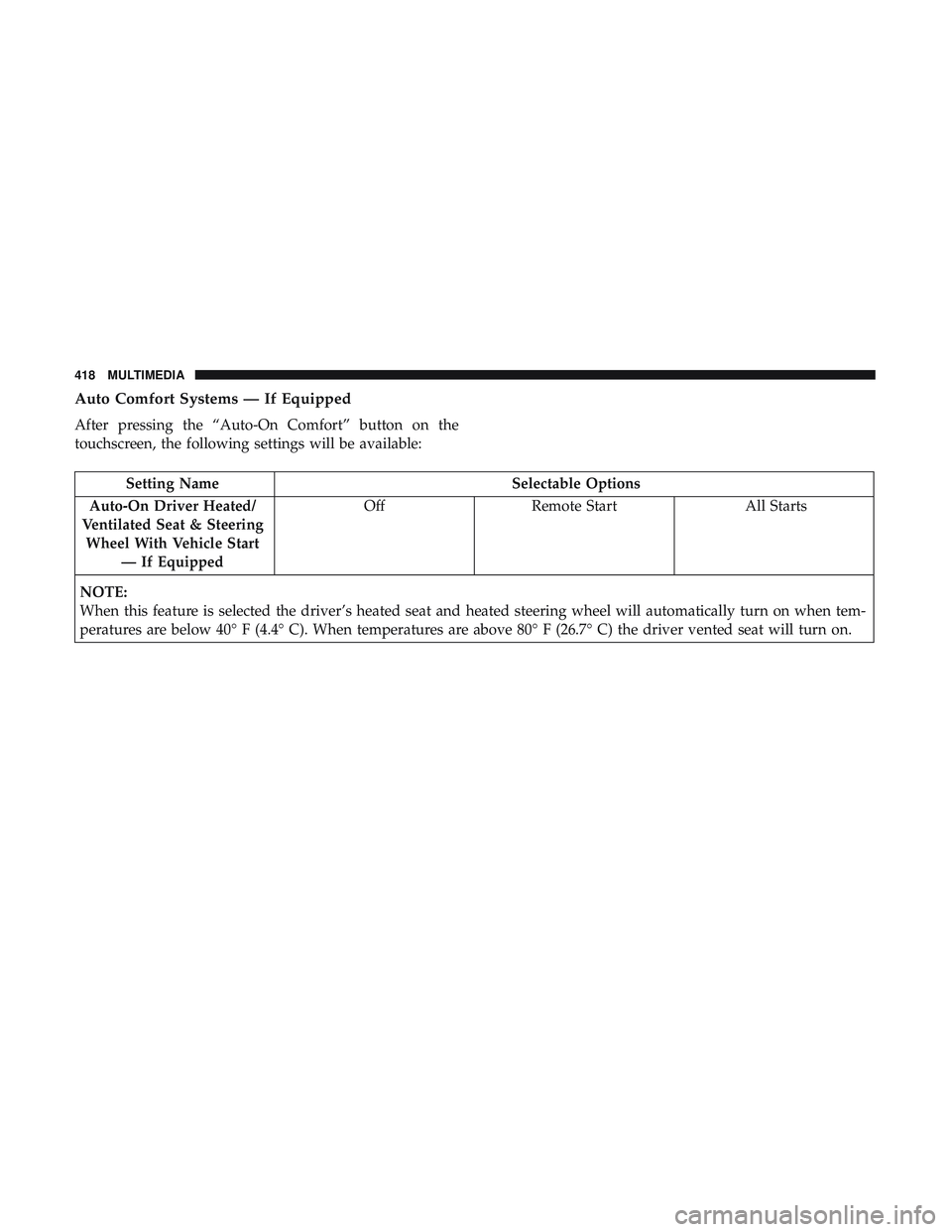
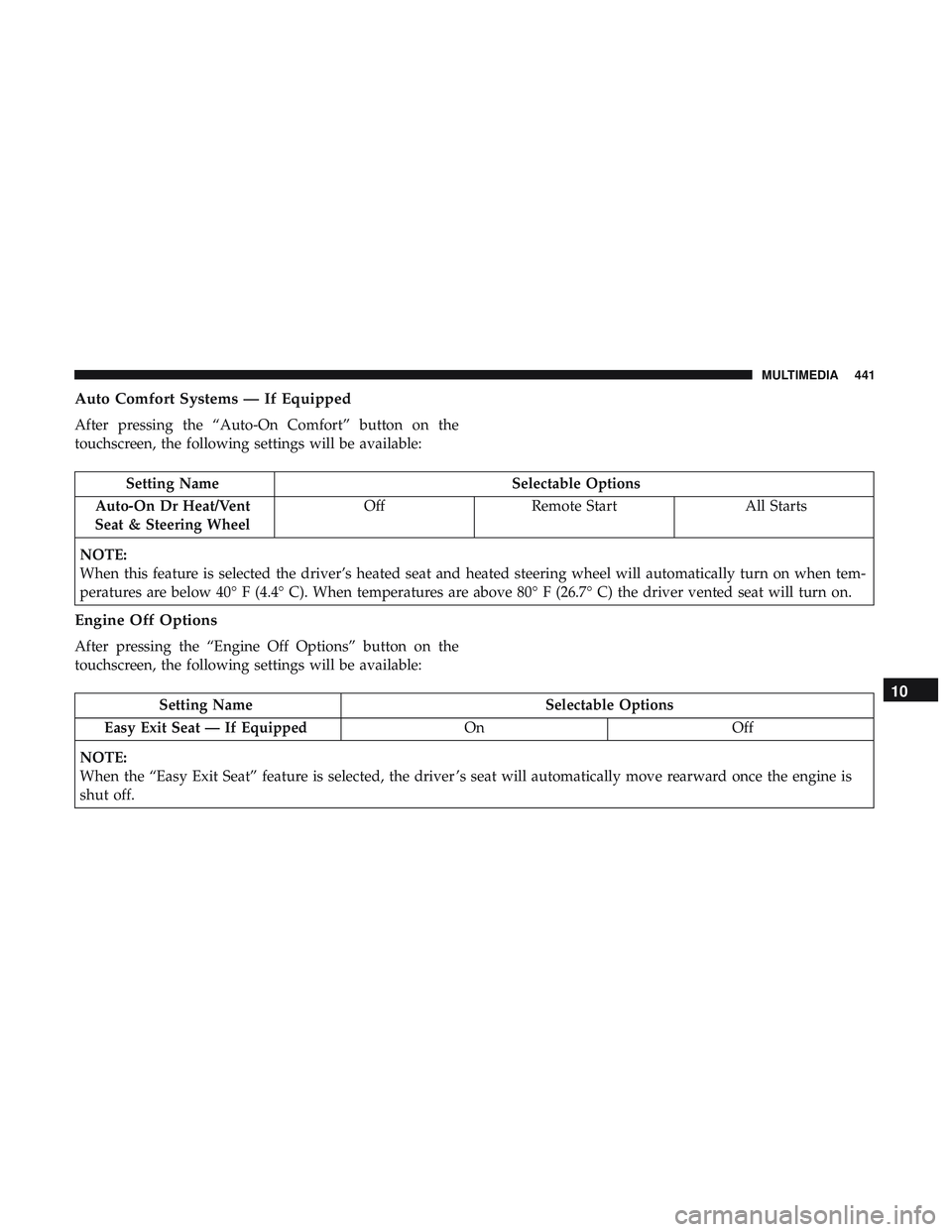
Auto Comfort Systems — If Equipped
After pressing the “Auto-On Comfort” button on the
touchscreen, the following settings will be available:
Setting NameSelectable Options
Auto-On Driver Heated/
Ventilated Seat & Steering Wheel With Vehicle Start — If Equipped Off
Remote Start All Starts
NOTE:
When this feature is selected the driver’s heated seat and heated steering wheel will automatically turn on when tem-
peratures are below 40° F (4.4° C). When temperatures are above 80° F (26.7° C) the driver vented seat will turn on.
418 MULTIMEDIA
Page 435 of 516
Setting NameSelectable Options
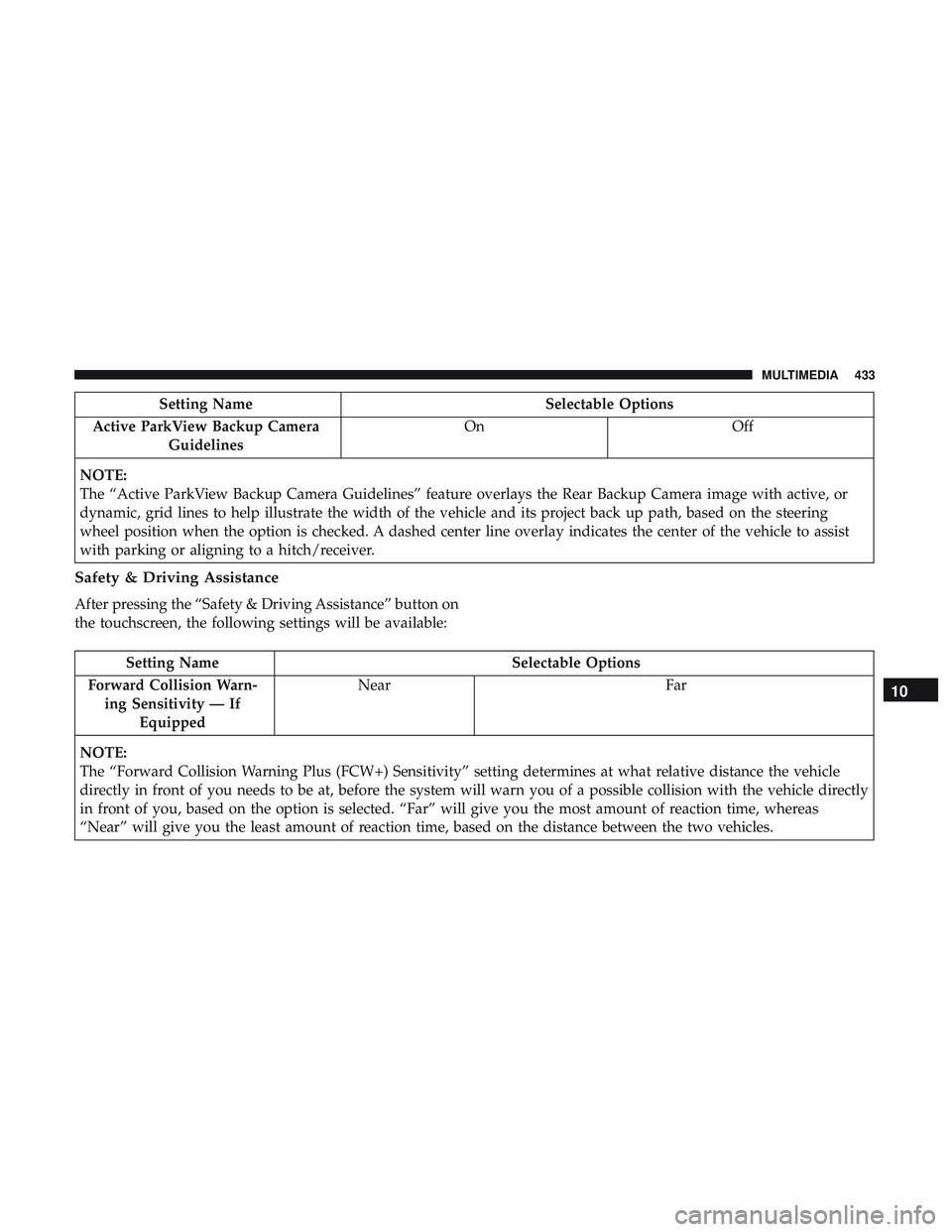
Active ParkView Backup Camera Guidelines On
Off
NOTE:
The “Active ParkView Backup Camera Guidelines” feature overlays the Rear Backup Camera image with active, or
dynamic, grid lines to help illustrate the width of the vehicle and its project back up path, based on the steering
wheel position when the option is checked. A dashed center line overlay indicates the center of the vehicle to assist
with parking or aligning to a hitch/receiver.
Safety & Driving Assistance
After pressing the “Safety & Driving Assistance” button on
the touchscreen, the following settings will be available:
Setting Name Selectable Options
Forward Collision Warn- ing Sensitivity — If Equipped Near
Far
NOTE:
The “Forward Collision Warning Plus (FCW+) Sensitivity” setting determines at what relative distance the vehicle
directly in front of you needs to be at, before the system will warn you of a possible collision with the vehicle directly
in front of you, based on the option is selected. “Far” will give you the most amount of reaction time, whereas
“Near” will give you the least amount of reaction time, based on the distance between the two vehicles.
10
MULTIMEDIA 433
Page 436 of 516
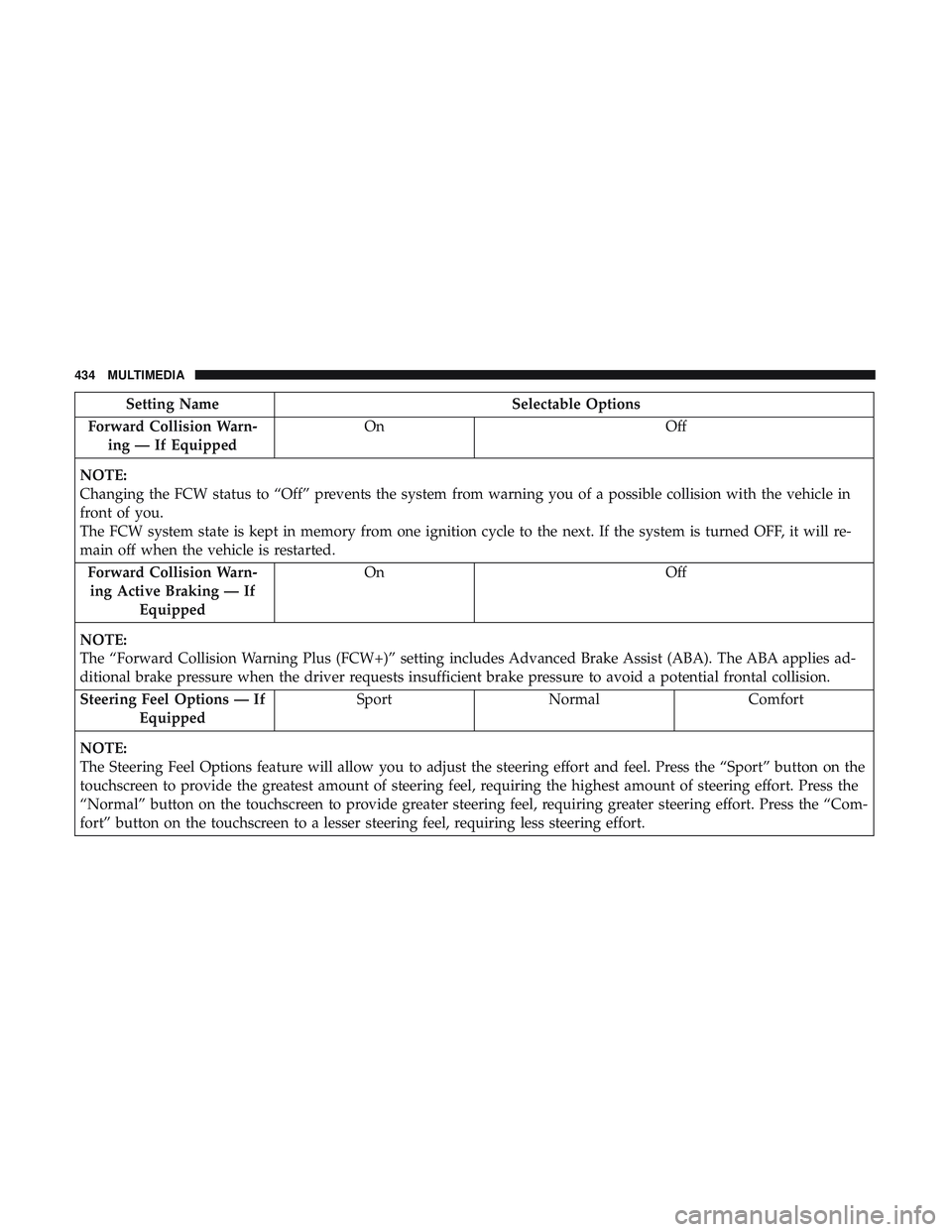
Setting NameSelectable Options
Forward Collision Warn- ing — If Equipped On
Off
NOTE:
Changing the FCW status to “Off” prevents the system from warning you of a possible collision with the vehicle in
front of you.
The FCW system state is kept in memory from one ignition cycle to the next. If the system is turned OFF, it will re-
main off when the vehicle is restarted. Forward Collision Warn-ing Active Braking — If Equipped On
Off
NOTE:
The “Forward Collision Warning Plus (FCW+)” setting includes Advanced Brake Assist (ABA). The ABA applies ad-
ditional brake pressure when the driver requests insufficient brake pressure to avoid a potential frontal collision. Steering Feel Options — If Equipped Sport
Normal Comfort
NOTE:
The Steering Feel Options feature will allow you to adjust the steering effort and feel. Press the “Sport” button on the
touchscreen to provide the greatest amount of steering feel, requiring the highest amount of steering effort. Press the
“Normal” button on the touchscreen to provide greater steering feel, requiring greater steering effort. Press the “Com-
fort” button on the touchscreen to a lesser steering feel, requiring less steering effort.
434 MULTIMEDIA
Page 438 of 516

Setting NameSelectable Options
Blind Spot Alert — If Equipped Off
LightsLights & Chime
NOTE:
•When this feature is selected, the Blind Spot Alert feature Provides alerts, visual and/or audible, to indicate objects
in your blind spot. The Blind Spot Alert feature can be activated in “Lights” mode. When this mode is selected, the
Blind Spot Monitor (BSM) system is activated and will only show a visual alert in the exterior mirrors. When
“Lights & Chime” mode is activated, the Blind Spot Monitor (BSM) will show a visual alert in the exterior mirrors
as well as an audible alert when the turn signal is on. When “Off” is selected, the Blind Spot Monitor (BSM) sys-
tem is deactivated.
•If your vehicle has experienced any damage in the area where the sensor is located, even if the fascia is not dam-
aged, the sensor may have become misaligned. Take your vehicle to an authorized dealer to verify sensor align-
ment. Having a sensor that is misaligned will result in the BSM not operating to specification. Hill Start Assist — If Equipped On Off
NOTE:
When this feature is selected, the Hill Start Assist (HSA) system is active. Power Steering Default NormalSportComfort
436 MULTIMEDIA
Page 440 of 516
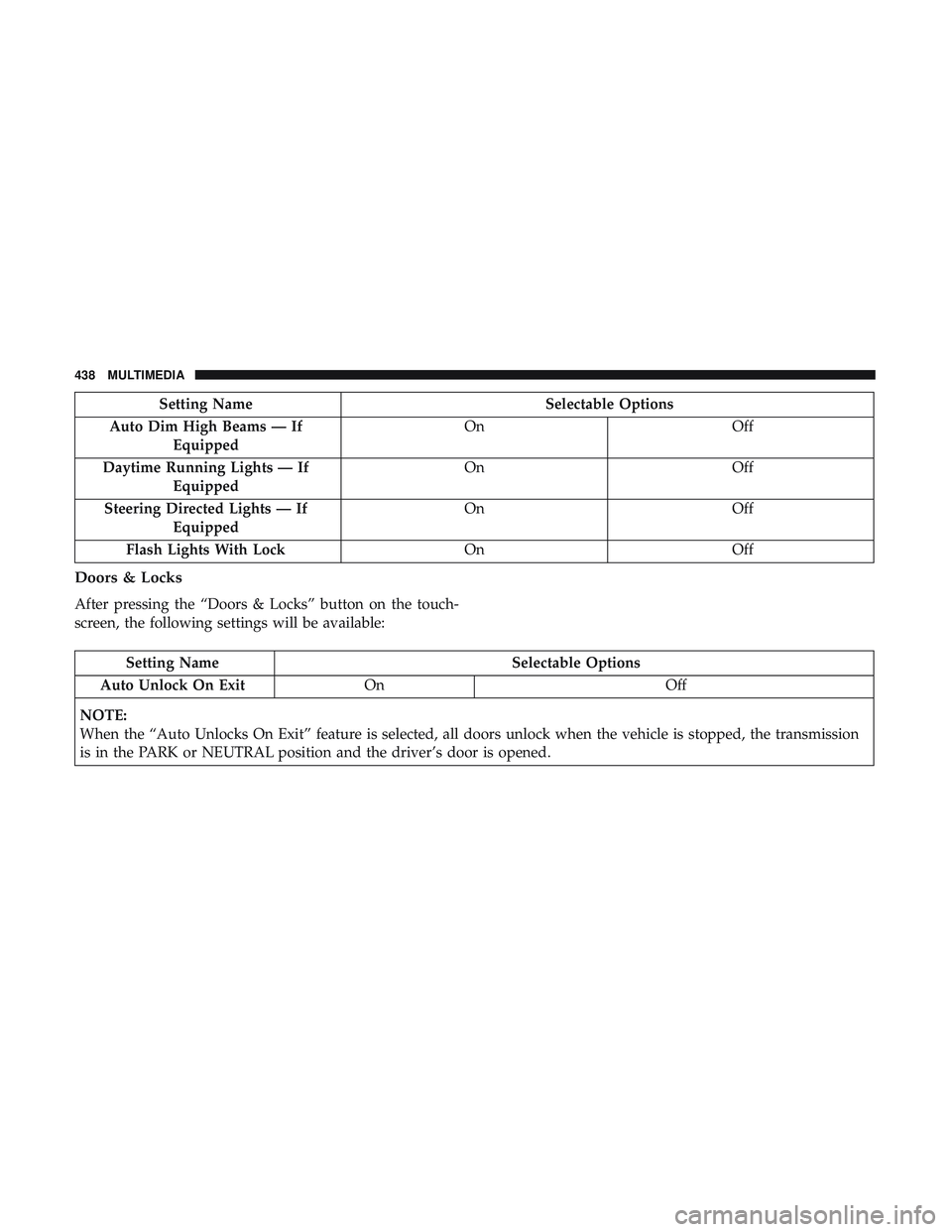
Setting NameSelectable Options
Auto Dim High Beams — If Equipped On
Off
Daytime Running Lights — If Equipped On
Off
Steering Directed Lights — If Equipped On
Off
Flash Lights With Lock OnOff
Doors & Locks
After pressing the “Doors & Locks” button on the touch-
screen, the following settings will be available:
Setting Name Selectable Options
Auto Unlock On Exit On Off
NOTE:
When the “Auto Unlocks On Exit” feature is selected, all doors unlock when the vehicle is stopped, the transmission
is in the PARK or NEUTRAL position and the driver’s door is opened.
438 MULTIMEDIA
Page 442 of 516
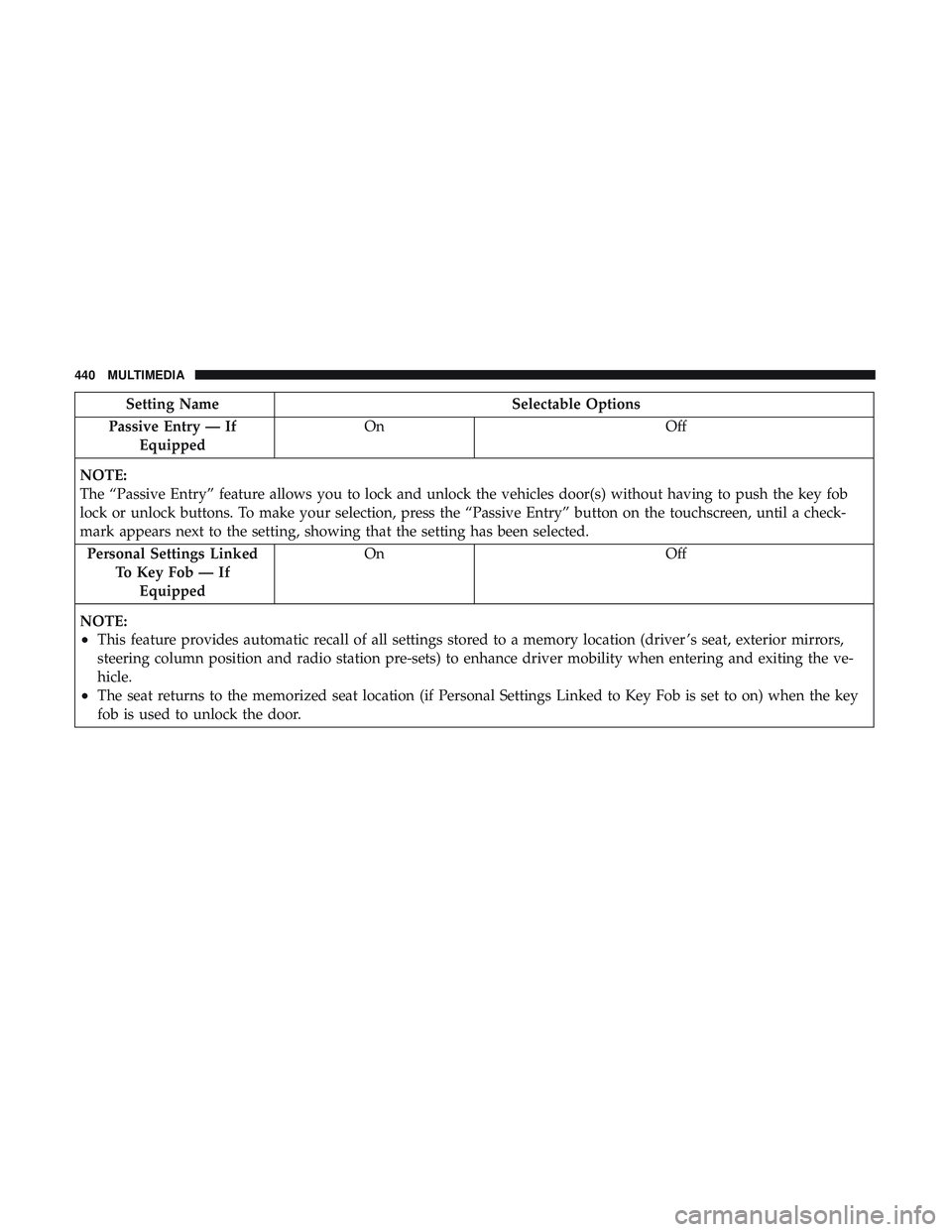
Setting NameSelectable Options
Passive Entry — If Equipped On
Off
NOTE:
The “Passive Entry” feature allows you to lock and unlock the vehicles door(s) without having to push the key fob
lock or unlock buttons. To make your selection, press the “Passive Entry” button on the touchscreen, until a check-
mark appears next to the setting, showing that the setting has been selected. Personal Settings Linked To Key Fob — IfEquipped On
Off
NOTE:
•This feature provides automatic recall of all settings stored to a memory location (driver ’s seat, exterior mirrors,
steering column position and radio station pre-sets) to enhance driver mobility when entering and exiting the ve-
hicle.
•The seat returns to the memorized seat location (if Personal Settings Linked to Key Fob is set to on) when the key
fob is used to unlock the door.
440 MULTIMEDIA
Page 443 of 516
Auto Comfort Systems — If Equipped
After pressing the “Auto-On Comfort” button on the
touchscreen, the following settings will be available:
Setting NameSelectable Options
Auto-On Dr Heat/Vent
Seat & Steering Wheel Off
Remote Start All Starts
NOTE:
When this feature is selected the driver’s heated seat and heated steering wheel will automatically turn on when tem-
peratures are below 40° F (4.4° C). When temperatures are above 80° F (26.7° C) the driver vented seat will turn on.
Engine Off Options
After pressing the “Engine Off Options” button on the
touchscreen, the following settings will be available:
Setting Name Selectable Options
Easy Exit Seat — If Equipped OnOff
NOTE:
When the “Easy Exit Seat” feature is selected, the driver ’s seat will automatically move rearward once the engine is
shut off.10
MULTIMEDIA 441