Page 102 of 696
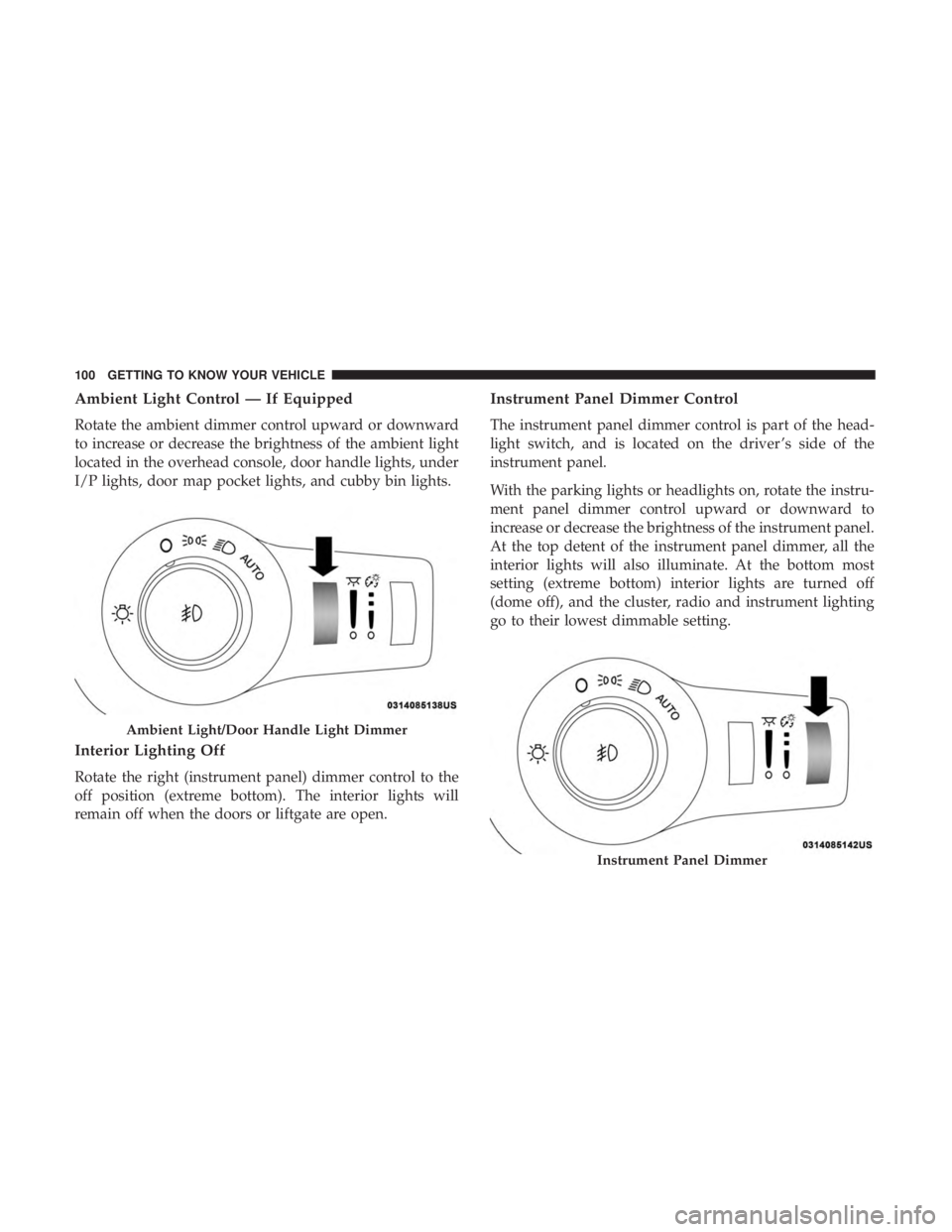
Ambient Light Control — If Equipped
Rotate the ambient dimmer control upward or downward
to increase or decrease the brightness of the ambient light
located in the overhead console, door handle lights, under
I/P lights, door map pocket lights, and cubby bin lights.
Interior Lighting Off
Rotate the right (instrument panel) dimmer control to the
off position (extreme bottom). The interior lights will
remain off when the doors or liftgate are open.
Instrument Panel Dimmer Control
The instrument panel dimmer control is part of the head-
light switch, and is located on the driver ’s side of the
instrument panel.
With the parking lights or headlights on, rotate the instru-
ment panel dimmer control upward or downward to
increase or decrease the brightness of the instrument panel.
At the top detent of the instrument panel dimmer, all the
interior lights will also illuminate. At the bottom most
setting (extreme bottom) interior lights are turned off
(dome off), and the cluster, radio and instrument lighting
go to their lowest dimmable setting.
Ambient Light/Door Handle Light Dimmer
Instrument Panel Dimmer
100 GETTING TO KNOW YOUR VEHICLE
Page 103 of 696

Parade Mode (Daytime Brightness Feature)
Rotate the instrument panel dimmer control upward to the
first detent. This feature brightens all text displays such as
the odometer, instrument cluster display, and radio when
the position lights or headlights are on.
WINDSHIELD WIPER AND WASHERS
Windshield Wiper Operation
The wipers and washers are operated by a switch within
the wiper lever. Rotate the end of the lever upward, to the
first detent past the intermittent settings for low-speed
wiper operation. Rotate the end of the lever upward to the
second detent past the intermittent settings for high-speed
wiper operation.NOTE:
Always remove any buildup of snow that prevents
the windshield wiper blades from returning to the off
position. If the windshield wiper switch is turned off and
the blades cannot return to the off position, damage to the
wiper motor may occur.
WARNING!
Sudden loss of visibility through the windshield could
lead to a collision. You might not see other vehicles or
other obstacles. To avoid sudden icing of the windshield
during freezing weather, warm the windshield with the
defroster before and during windshield washer use.
Washer And Wiper Controls
3
GETTING TO KNOW YOUR VEHICLE 101
Page 111 of 696
IconDescription
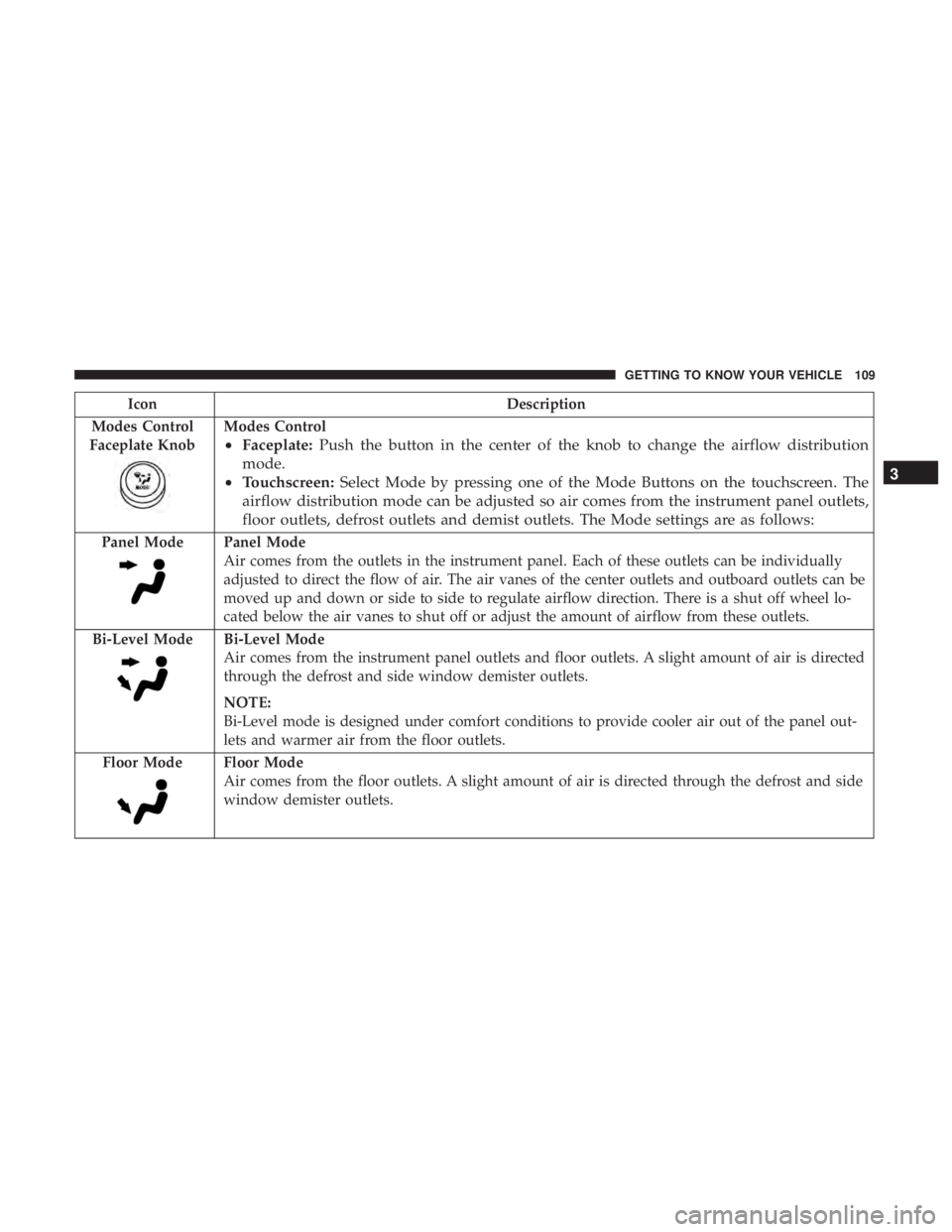
Modes Control
Faceplate Knob
Modes Control
• Faceplate: Push the button in the center of the knob to change the airflow distribution
mode.
• Touchscreen: Select Mode by pressing one of the Mode Buttons on the touchscreen. The
airflow distribution mode can be adjusted so air comes from the instrument panel outlets,
floor outlets, defrost outlets and demist outlets. The Mode settings are as follows:
Panel ModePanel Mode
Air comes from the outlets in the instrument panel. Each of these outlets can be individually
adjusted to direct the flow of air. The air vanes of the center outlets and outboard outlets can be
moved up and down or side to side to regulate airflow direction. There is a shut off wheel lo-
cated below the air vanes to shut off or adjust the amount of airflow from these outlets.
Bi-Level Mode
Bi-Level Mode
Air comes from the instrument panel outlets and floor outlets. A slight amount of air is directed
through the defrost and side window demister outlets.
NOTE:
Bi-Level mode is designed under comfort conditions to provide cooler air out of the panel out-
lets and warmer air from the floor outlets.
Floor Mode
Floor Mode
Air comes from the floor outlets. A slight amount of air is directed through the defrost and side
window demister outlets.
3
GETTING TO KNOW YOUR VEHICLE 109
Page 115 of 696
IconDescription
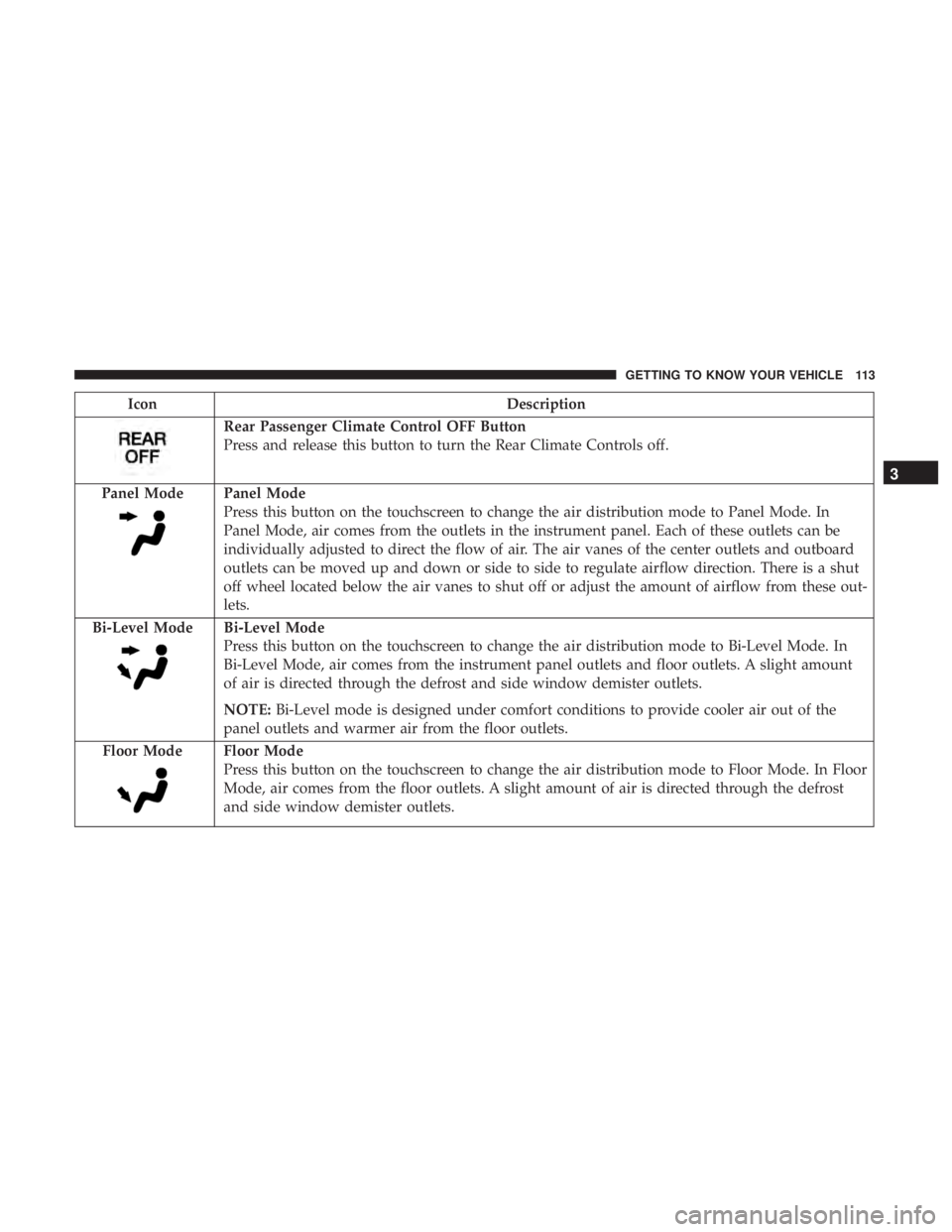
Rear Passenger Climate Control OFF Button
Press and release this button to turn the Rear Climate Controls off.
Panel Mode
Panel Mode
Press this button on the touchscreen to change the air distribution mode to Panel Mode. In
Panel Mode, air comes from the outlets in the instrument panel. Each of these outlets can be
individually adjusted to direct the flow of air. The air vanes of the center outlets and outboard
outlets can be moved up and down or side to side to regulate airflow direction. There is a shut
off wheel located below the air vanes to shut off or adjust the amount of airflow from these out-
lets.
Bi-Level Mode
Bi-Level Mode
Press this button on the touchscreen to change the air distribution mode to Bi-Level Mode. In
Bi-Level Mode, air comes from the instrument panel outlets and floor outlets. A slight amount
of air is directed through the defrost and side window demister outlets.
NOTE: Bi-Level mode is designed under comfort conditions to provide cooler air out of the
panel outlets and warmer air from the floor outlets.
Floor Mode
Floor Mode
Press this button on the touchscreen to change the air distribution mode to Floor Mode. In Floor
Mode, air comes from the floor outlets. A slight amount of air is directed through the defrost
and side window demister outlets.
3
GETTING TO KNOW YOUR VEHICLE 113
Page 123 of 696

IconDescription
SYNC Button
Press the Sync button on the touchscreen to toggle the Sync feature On/Off. The Sync indicator
is illuminated when this feature is enabled. SYNC is used to synchronize the front and rear pas-
senger temperature settings. Changing the front or rear passenger temperature setting while in
SYNC will automatically exit this feature.
NOTE:The SYNC setting is only available on the touchscreen.
Faceplate Knob
Touchscreen Buttons
Blower Control
Blower Control is used to regulate the amount of air forced through the climate system. There
are seven blower speeds available. The speeds can be selected using either the blower control
knob on the faceplate or the buttons on the touchscreen.
• Faceplate: The blower speed increases as you turn the blower control knob clockwise from
the lowest blower setting. The blower speed decreases as you turn the blower control knob
counterclockwise.
• Touchscreen: Use the small blower icon to reduce the blower setting and the large blower
icon to increase the blower setting. Blower speed can also be selected by pressing the blower
bar area between the icons.
Modes Control
The airflow distribution mode can be adjusted so air comes from the instrument panel outlets,
floor outlets, defrost outlets and demist outlets. The Mode settings are as follows:
Faceplate: Push the button in the center of the knob to change the airflow distribution mode.
Touchscreen: Select Mode by pressing one of the Mode Buttons on the touchscreen.
3
GETTING TO KNOW YOUR VEHICLE 121
Page 124 of 696
IconDescription
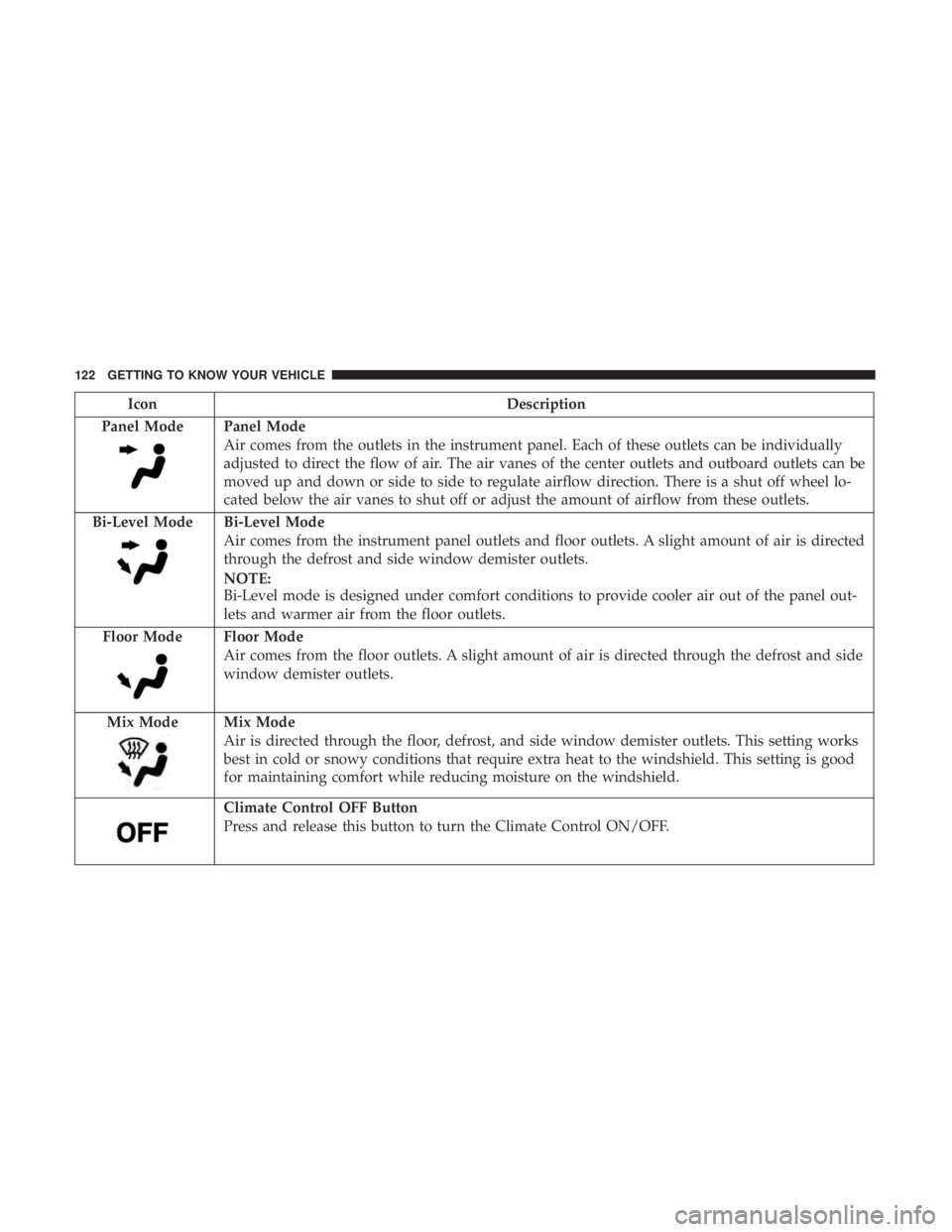
Panel Mode
Panel Mode
Air comes from the outlets in the instrument panel. Each of these outlets can be individually
adjusted to direct the flow of air. The air vanes of the center outlets and outboard outlets can be
moved up and down or side to side to regulate airflow direction. There is a shut off wheel lo-
cated below the air vanes to shut off or adjust the amount of airflow from these outlets.
Bi-Level Mode
Bi-Level Mode
Air comes from the instrument panel outlets and floor outlets. A slight amount of air is directed
through the defrost and side window demister outlets.
NOTE:
Bi-Level mode is designed under comfort conditions to provide cooler air out of the panel out-
lets and warmer air from the floor outlets.
Floor Mode
Floor Mode
Air comes from the floor outlets. A slight amount of air is directed through the defrost and side
window demister outlets.
Mix Mode
Mix Mode
Air is directed through the floor, defrost, and side window demister outlets. This setting works
best in cold or snowy conditions that require extra heat to the windshield. This setting is good
for maintaining comfort while reducing moisture on the windshield.
Climate Control OFF Button
Press and release this button to turn the Climate Control ON/OFF.
122 GETTING TO KNOW YOUR VEHICLE
Page 141 of 696
Sunroof Maintenance
Use only a non-abrasive cleaner and a soft cloth to clean the
glass panel.
Ignition Off Operation
The power sunroof switch will remain active for up to
approximately 10 minutes after the ignition switch is
turned to the OFF/LOCK position. Opening either front
door will cancel this feature.
NOTE:Ignition Off time is programmable through the
Uconnect System. Refer to “Uconnect Settings” in “Multi-
media” for further information.
HOOD
Opening
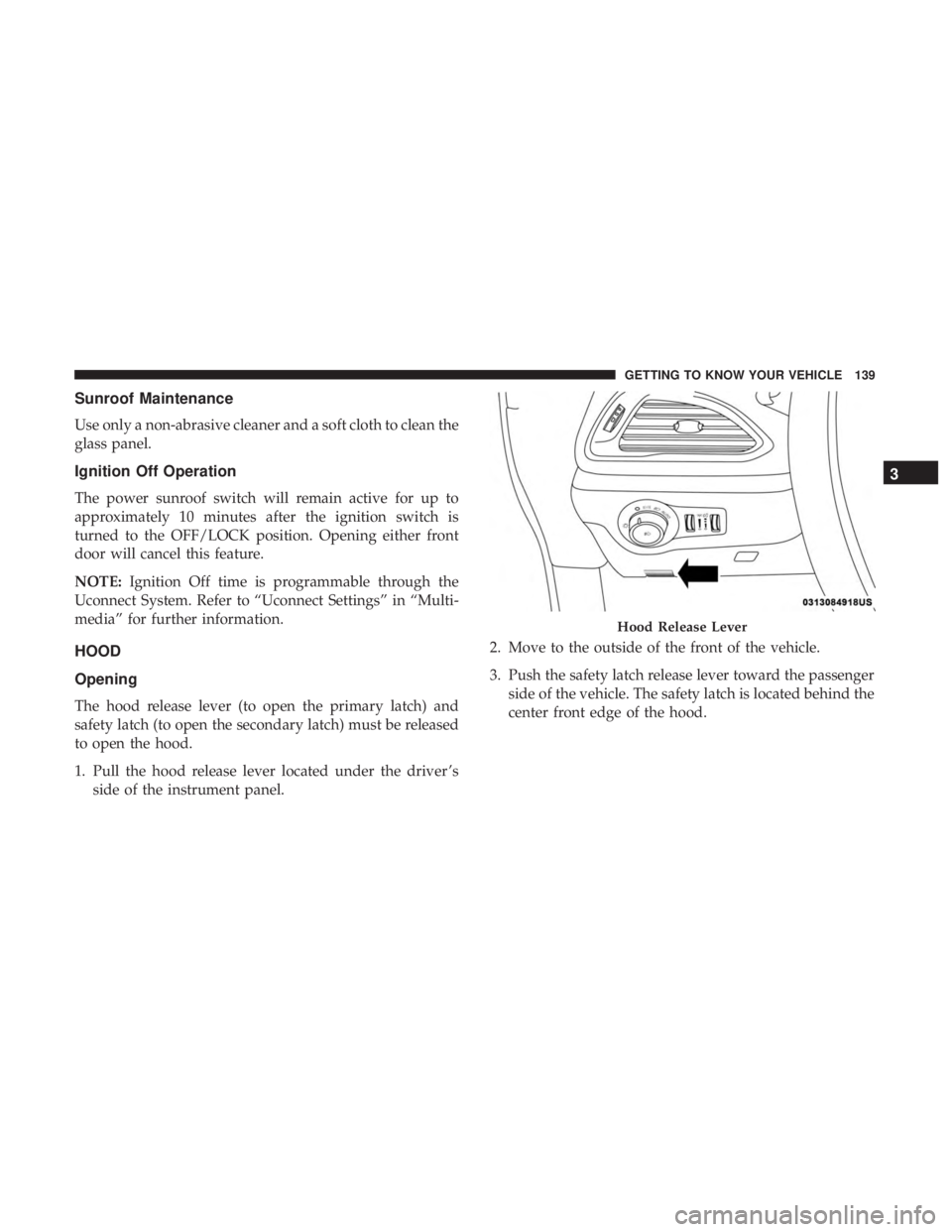
The hood release lever (to open the primary latch) and
safety latch (to open the secondary latch) must be released
to open the hood.
1. Pull the hood release lever located under the driver ’s side of the instrument panel. 2. Move to the outside of the front of the vehicle.
3. Push the safety latch release lever toward the passenger
side of the vehicle. The safety latch is located behind the
center front edge of the hood.
Hood Release Lever
3
GETTING TO KNOW YOUR VEHICLE 139
Page 163 of 696
INTERNAL EQUIPMENT
Storage
Glove Compartment
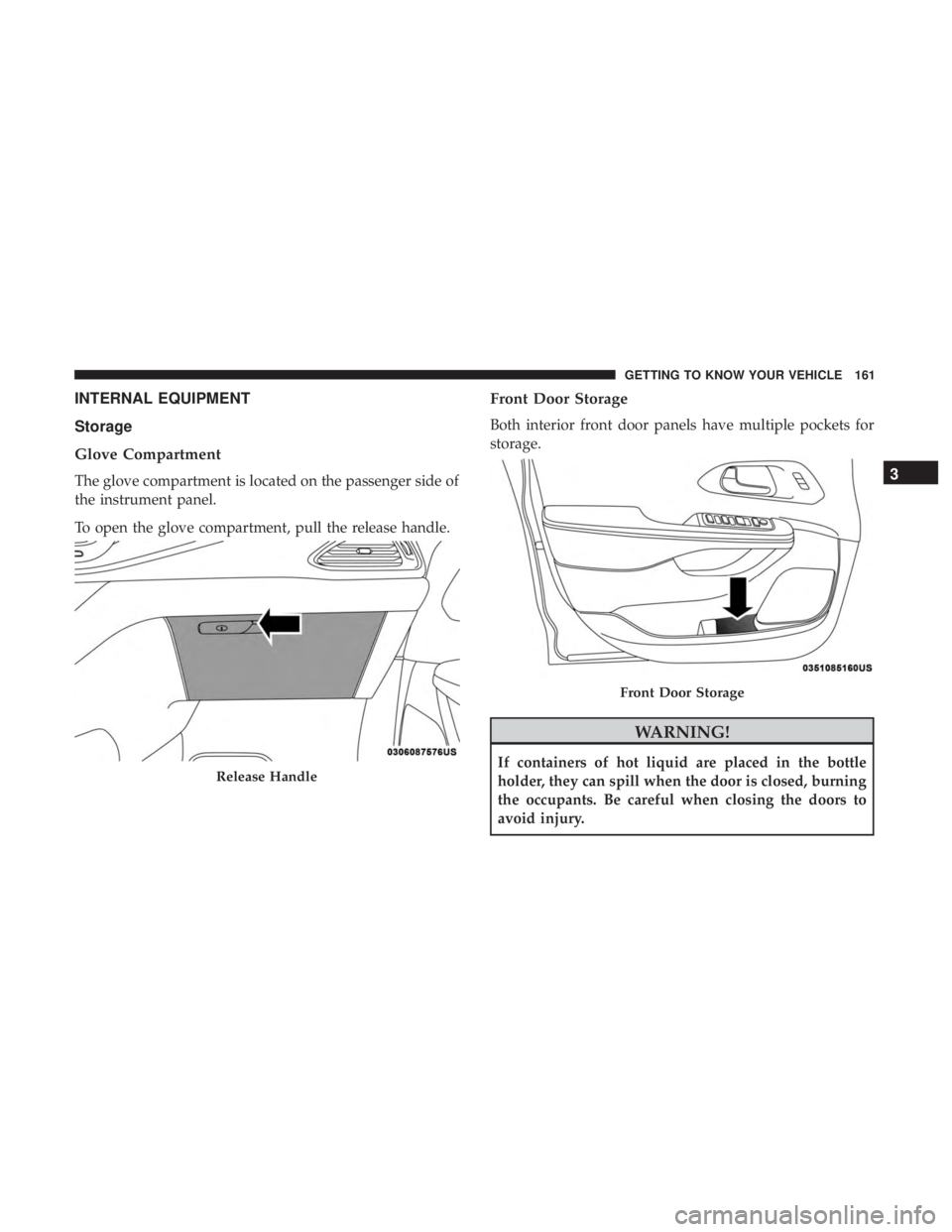
The glove compartment is located on the passenger side of
the instrument panel.
To open the glove compartment, pull the release handle.
Front Door Storage
Both interior front door panels have multiple pockets for
storage.
WARNING!
If containers of hot liquid are placed in the bottle
holder, they can spill when the door is closed, burning
the occupants. Be careful when closing the doors to
avoid injury.Release Handle
Front Door Storage
3
GETTING TO KNOW YOUR VEHICLE 161