Page 523 of 696
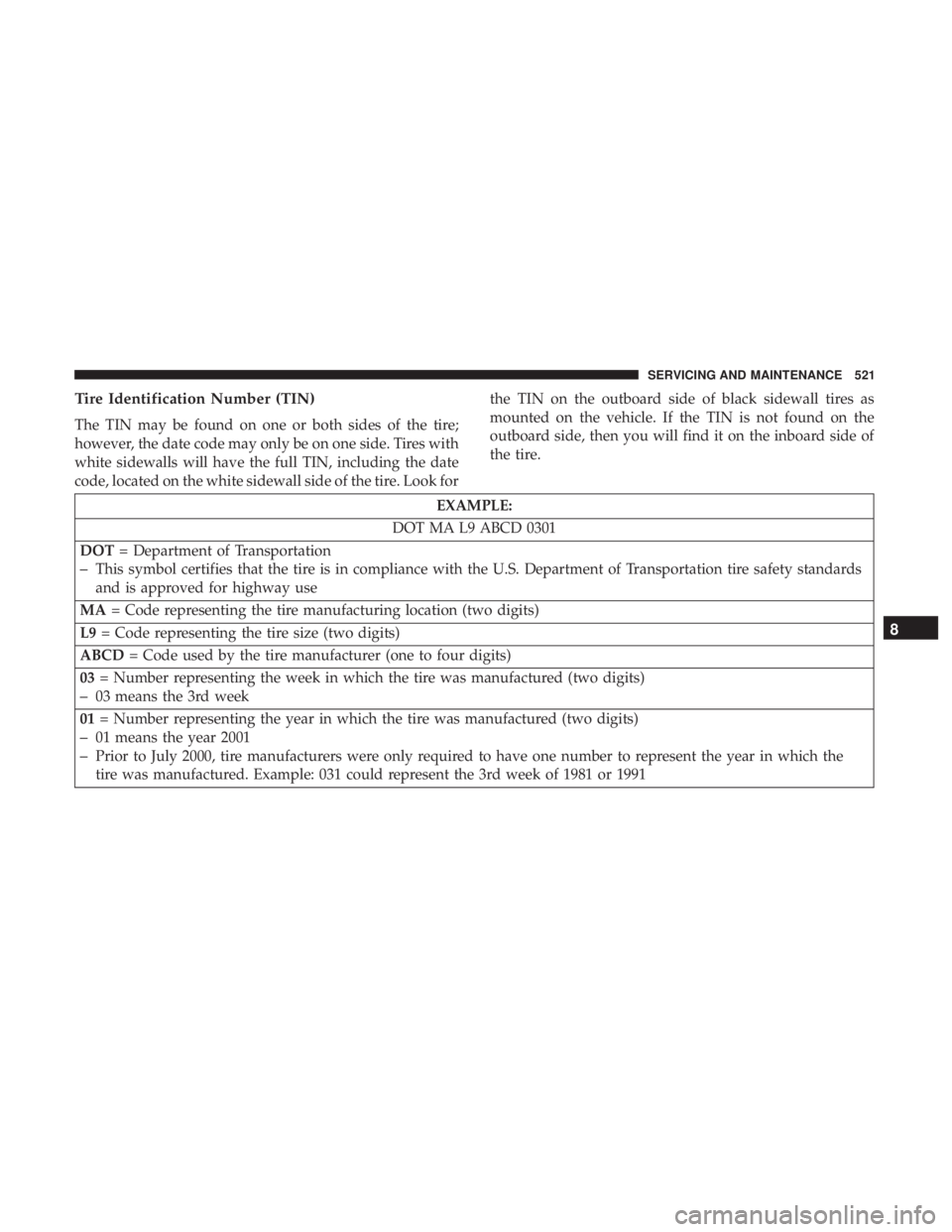
Tire Identification Number (TIN)
The TIN may be found on one or both sides of the tire;
however, the date code may only be on one side. Tires with
white sidewalls will have the full TIN, including the date
code, located on the white sidewall side of the tire. Look forthe TIN on the outboard side of black sidewall tires as
mounted on the vehicle. If the TIN is not found on the
outboard side, then you will find it on the inboard side of
the tire.
EXAMPLE:
DOT MA L9 ABCD 0301
DOT = Department of Transportation
–This symbol certifies that the tire is in compliance with the U.S. Department of Transportation tire safety standards
and is approved for highway use
MA = Code representing the tire manufacturing location (two digits)
L9 = Code representing the tire size (two digits)
ABCD = Code used by the tire manufacturer (one to four digits)
03 = Number representing the week in which the tire was manufactured (two digits)
–03 means the 3rd week
01 = Number representing the year in which the tire was manufactured (two digits)
–01 means the year 2001
–Prior to July 2000, tire manufacturers were only required to have one number to represent the year in which the
tire was manufactured. Example: 031 could represent the 3rd week of 1981 or 1991
8
SERVICING AND MAINTENANCE 521
Page 562 of 696

▫Uconnect Theater Apps ...................631
▫ Using The Rear Video USB Port .............633
▫ Play Video Games ..................... .633
▫ Headphones Operation ...................634
▫ Display Settings ........................637
▫ Listening To Audio With The Screen Closed . . . .638
▫ Rear Climate Controls....................638
▫ Accessibility — If Equipped ...............640
▫ Wireless Streaming — If Equipped ...........640
▫ BD And DVD Region Codes ...............643
▫ Product Agreement .....................645
▫ General Information .....................648
▫ FCC/IC Regulatory Notices ...............649
� RADIO OPERATION AND MOBILE PHONES . . .650
▫ Regulatory And Safety Information ..........650
� UCONNECT VOICE RECOGNITION
QUICK TIPS .......................... .651▫
Introducing Uconnect ....................651
▫ Get Started .......................... .652
▫ Basic Voice Commands ...................653
▫ Radio ...............................653
▫ Media ...............................654
▫ Phone ...............................656
▫ Voice Text Reply .......................657
▫ Climate ............................. .658
▫ Navigation (4C NAV) ....................660
▫ SiriusXM Guardian (4C/4C NAV)—
If Equipped .......................... .661
▫ Register (4C/4C
NAV) ...................661
▫ Vehicle Health Report/Alert (4C/4C NAV) .....662
▫ Mobile App (4C/4C NAV) ................662
▫ SiriusXM Travel Link (4C NAV) .............663
▫ Siri Eyes Free — If Equipped ..............663
▫ Using Do Not Disturb ...................665
560 MULTIMEDIA
Page 644 of 696
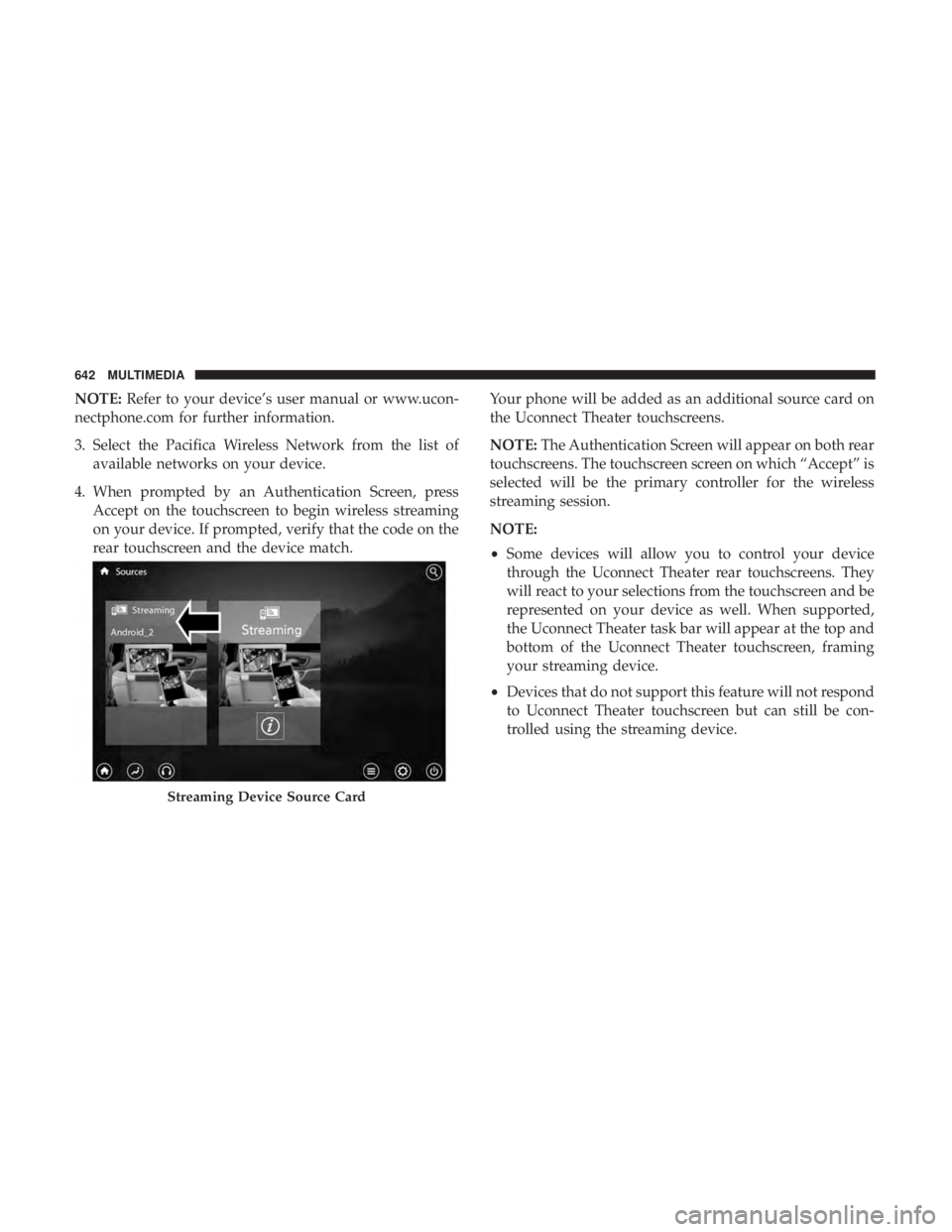
NOTE:Refer to your device’s user manual or www.ucon-
nectphone.com for further information.
3. Select the Pacifica Wireless Network from the list of available networks on your device.
4. When prompted by an Authentication Screen, press Accept on the touchscreen to begin wireless streaming
on your device. If prompted, verify that the code on the
rear touchscreen and the device match. Your phone will be added as an additional source card on
the Uconnect Theater touchscreens.
NOTE:
The Authentication Screen will appear on both rear
touchscreens. The touchscreen screen on which “Accept” is
selected will be the primary controller for the wireless
streaming session.
NOTE:
• Some devices will allow you to control your device
through the Uconnect Theater rear touchscreens. They
will react to your selections from the touchscreen and be
represented on your device as well. When supported,
the Uconnect Theater task bar will appear at the top and
bottom of the Uconnect Theater touchscreen, framing
your streaming device.
• Devices that do not support this feature will not respond
to Uconnect Theater touchscreen but can still be con-
trolled using the streaming device.
Streaming Device Source Card
642 MULTIMEDIA
Page 645 of 696
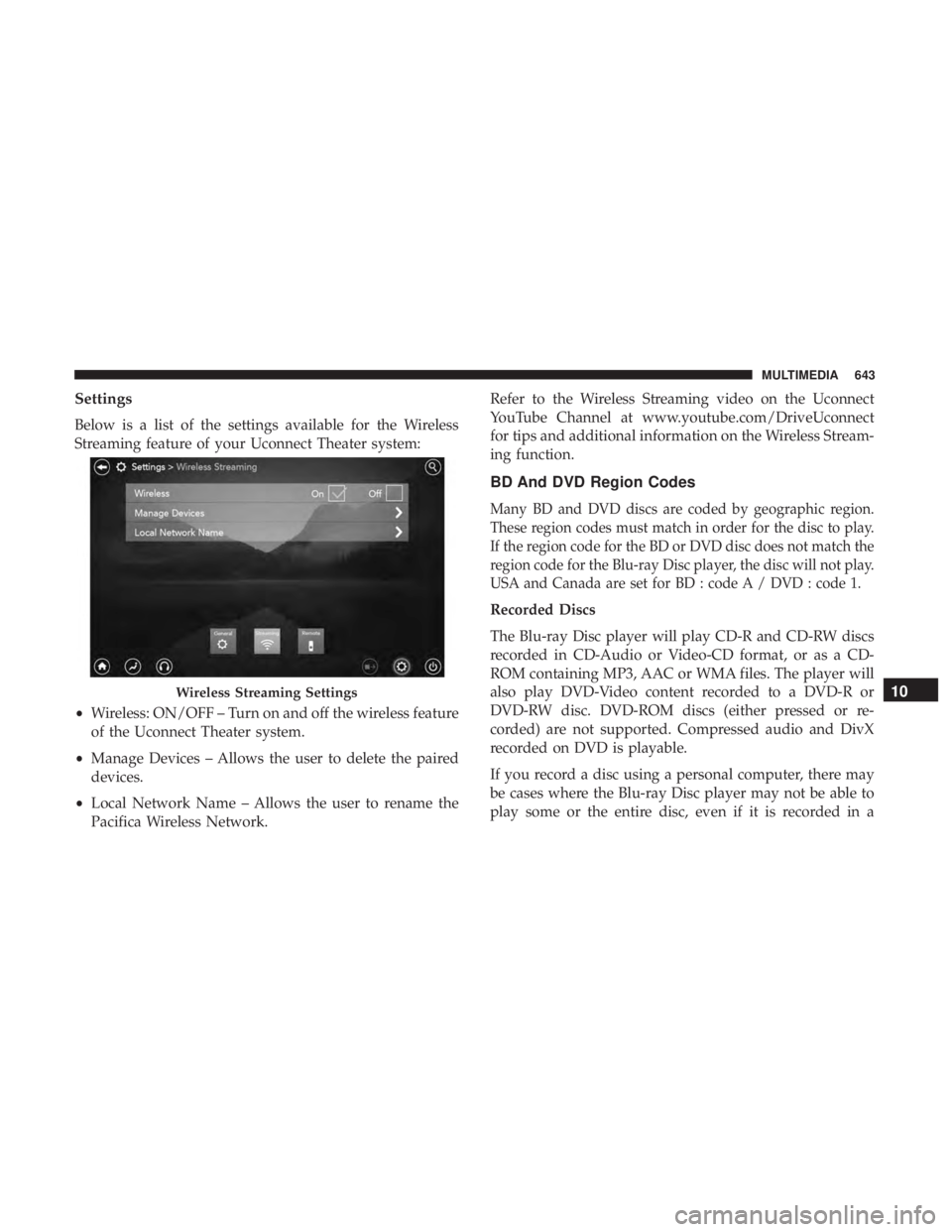
Settings
Below is a list of the settings available for the Wireless
Streaming feature of your Uconnect Theater system:
•Wireless: ON/OFF – Turn on and off the wireless feature
of the Uconnect Theater system.
• Manage Devices – Allows the user to delete the paired
devices.
• Local Network Name – Allows the user to rename the
Pacifica Wireless Network. Refer to the Wireless Streaming video on the Uconnect
YouTube Channel at www.youtube.com/DriveUconnect
for tips and additional information on the Wireless Stream-
ing function.
BD And DVD Region Codes
Many BD and DVD discs are coded by geographic region.
These region codes must match in order for the disc to play.
If the region code for the BD or DVD disc does not match the
region code for the Blu-ray Disc player, the disc will not play.
USA and Canada are set for BD : code A / DVD : code 1.
Recorded Discs
The Blu-ray Disc player will play CD-R and CD-RW discs
recorded in CD-Audio or Video-CD format, or as a CD-
ROM containing MP3, AAC or WMA files. The player will
also play DVD-Video content recorded to a DVD-R or
DVD-RW disc. DVD-ROM discs (either pressed or re-
corded) are not supported. Compressed audio and DivX
recorded on DVD is playable.
If you record a disc using a personal computer, there may
be cases where the Blu-ray Disc player may not be able to
play some or the entire disc, even if it is recorded in a
Wireless Streaming Settings10
MULTIMEDIA 643
Page 648 of 696

•The licensed software for our company is based on GNU
LESSER GENERAL PUBLIC LICENSE V2.1 (�LGPL�).
• The software which has the copyrights of a third party
and is distributed as free software.
Please refer the contract details which are disclosed in the
following websites, for example, concerning these above
software. http://www.gnu.org/licenses/old-licenses/gpl-
2.0-standalone.html, http://www.gnu.org/licenses/lgpl-
2.1-standalone.html, http://www.freetype.org/FTL.TXT.
You have the right of acquisition, modification, and distri-
bution of the source code of the GPL/LGPL software. These are distributed in the hope that it will be useful by
itself. However, including the absence of an implied war-
ranty on the
�suitability for a particular purpose� or�mer-
chantability�, the warranty of any kind will not be made.
You may download Source Code from the indicating URL
by the pressed button of “Open Source Software” on the
Setup Menu. Also, please refrain from contact about the
contents of the source code of open source. The source code
of the software in which there are the copyrights of our
company or third parties, is not subject to distribution.
kernel 2.6.16.29 FreeType 2 2.2.1 gcc sh4eb 3.4.5 glibc 2.3.5boot_loader sh-ipl +g
1.00
libgcc_s-3.4.5 bash-3.0-31busybox 1.00 MAKE DEV 1.1.0 module-init-tools 3.1.0
libtermcap 2.0.8 mtd-utils 20050619 initscripts 8.11.1-1 libstdc+ +3.4.5-10 libiconv 1.11
coreutils 6.9 dosfstools 2.10-3 directfb 1.0.0-rc1 kxml 1.21 binutils-sh4eb
2.16.91.0.2
v2lin 0.1 --- -
646 MULTIMEDIA
Page 649 of 696
Dolby
Manufactured under license from Dolby Laboratories.
Dolby and the double-D symbol are trademarks of Dolby
Laboratories.
DTS
For DTS patents, see http://dts.com/patents. Manufac-
tured under license from DTS Licensing Limited. DTS, the
Symbol, & DTS and the Symbol together are registered
trademarks, and DTS 2.0 Channel is a trademark of DTS,
Inc. © DTS, Inc. All Rights Reserved.
DVD
�The DVD logo” is a trademark of DVD Format/Logo
Licensing Corporation.�or�DVD logo is a trademark of
DVD Format/Logo Licensing Corporation registered in the
U.S., Japan and other countries.�
BDA
“Blu-ray Disc, Blu-ray, BD-Live, BONUSVIEW, AVCREC
and the logos are trademarks of the Blu-ray Disc Associa-
tion.”
AVCHD
�AVCHD� and the�AVCHD� logo are trademarks of Pana-
sonic Corporation and Sony Corporation. BD-J
Java is a registered trademark of Oracle and/or its affili-
ates.
MPEG
THIS PRODUCT IS LICENSED UNDER THE AVC PAT-
ENT PORTFOLIO LICENSE FOR THE PERSONAL AND
NON-COMMERCIAL USE OF A CONSUMER TO (i) EN-
CODE VIDEO IN COMPLIANCE WITH THE AVC STAN-
DARD (�AVC VIDEO�) AND/OR (ii) DECODE AVC
VIDEO THAT WAS ENCODED BY A CONSUMER EN-
GAGED IN A PERSONAL AND NON-COMMERCIAL
ACTIVITY AND/OR WAS OBTAINED FROM A VIDEO
PROVIDER LICENSED TO PROVIDE AVC VIDEO. NO
LICENSE IS GRANTED OR SHALL BE IMPLIED FOR
ANY OTHER USE. ADDITIONAL INFORMATION MAY
BE OBTAINED FROM MPEG LA, L.L.C. SEE HTTP://
WWW.MPEGLA.
DivX
This DivX Certified device has passed rigorous testing to
ensure it plays DivX video. To play purchased DivX movies,
first register your device at http://www.divx.com/en/vod.
Find your registration code in the DivX VOD section of your
10
MULTIMEDIA 647