Page 617 of 696
STEERING WHEEL AUDIO CONTROLS
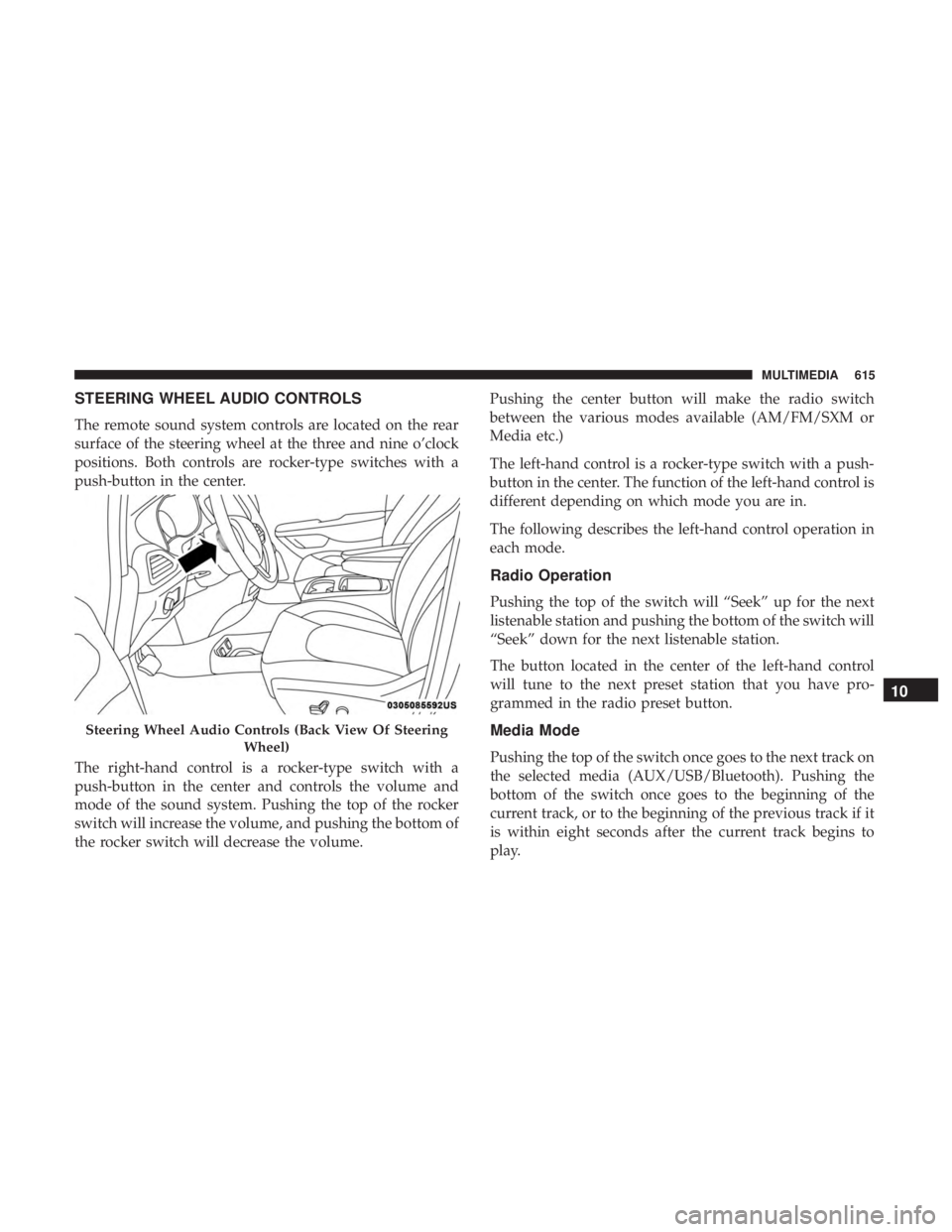
The remote sound system controls are located on the rear
surface of the steering wheel at the three and nine o’clock
positions. Both controls are rocker-type switches with a
push-button in the center.
The right-hand control is a rocker-type switch with a
push-button in the center and controls the volume and
mode of the sound system. Pushing the top of the rocker
switch will increase the volume, and pushing the bottom of
the rocker switch will decrease the volume.Pushing the center button will make the radio switch
between the various modes available (AM/FM/SXM or
Media etc.)
The left-hand control is a rocker-type switch with a push-
button in the center. The function of the left-hand control is
different depending on which mode you are in.
The following describes the left-hand control operation in
each mode.
Radio Operation
Pushing the top of the switch will “Seek” up for the next
listenable station and pushing the bottom of the switch will
“Seek” down for the next listenable station.
The button located in the center of the left-hand control
will tune to the next preset station that you have pro-
grammed in the radio preset button.
Media Mode
Pushing the top of the switch once goes to the next track on
the selected media (AUX/USB/Bluetooth). Pushing the
bottom of the switch once goes to the beginning of the
current track, or to the beginning of the previous track if it
is within eight seconds after the current track begins to
play.
Steering Wheel Audio Controls (Back View Of Steering
Wheel)
10
MULTIMEDIA 615
Page 618 of 696
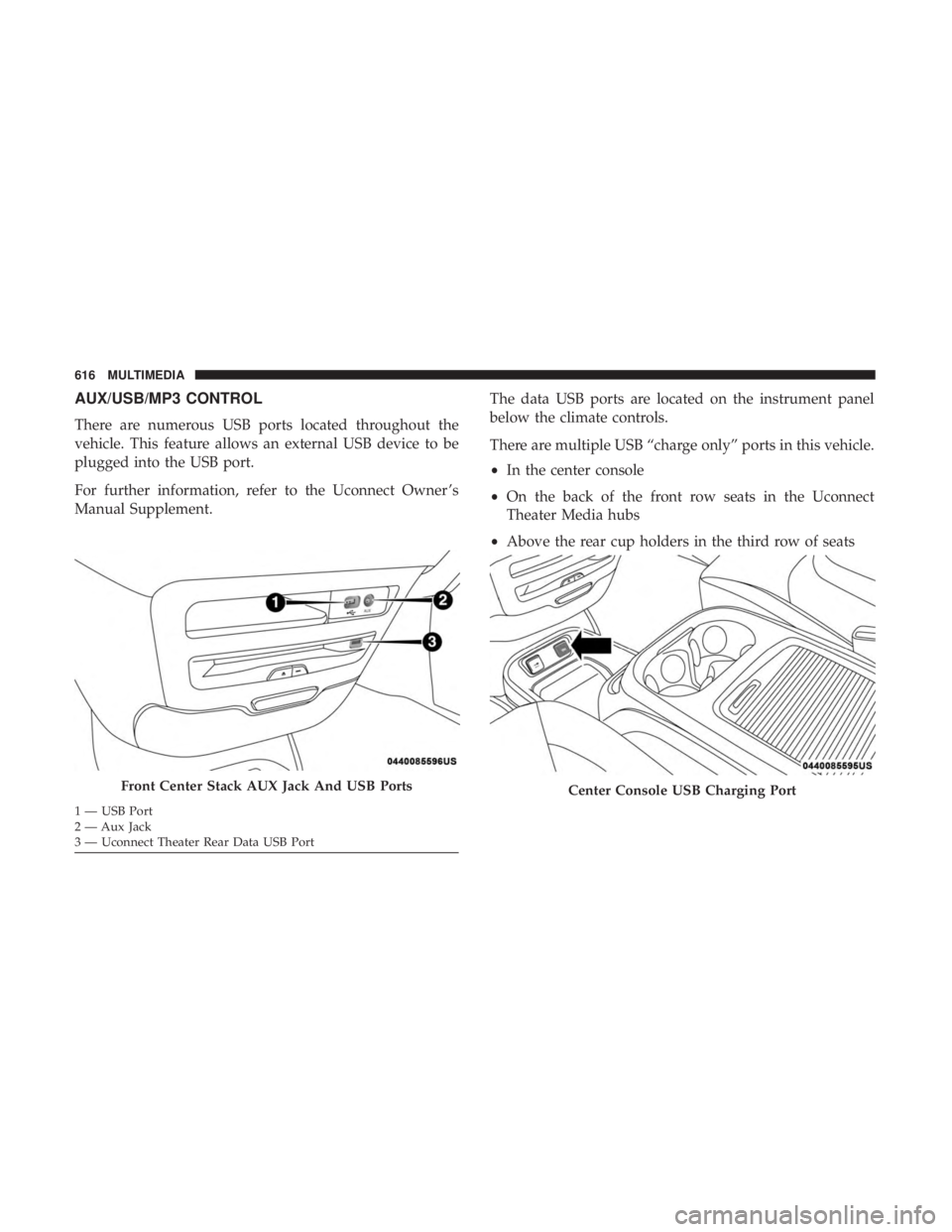
AUX/USB/MP3 CONTROL
There are numerous USB ports located throughout the
vehicle. This feature allows an external USB device to be
plugged into the USB port.
For further information, refer to the Uconnect Owner ’s
Manual Supplement.The data USB ports are located on the instrument panel
below the climate controls.
There are multiple USB “charge only” ports in this vehicle.
•
In the center console
• On the back of the front row seats in the Uconnect
Theater Media hubs
• Above the rear cup holders in the third row of seats
Front Center Stack AUX Jack And USB Ports
1 — USB Port
2 — Aux Jack
3 — Uconnect Theater Rear Data USB Port
Center Console USB Charging Port
616 MULTIMEDIA
Page 636 of 696
NOTE:Certain high-end video games will exceed the
power limit of the vehicle’s Power Inverter. Refer to
“Power Inverter” in “Getting To Know Your Vehicle” in
this guide for further information.
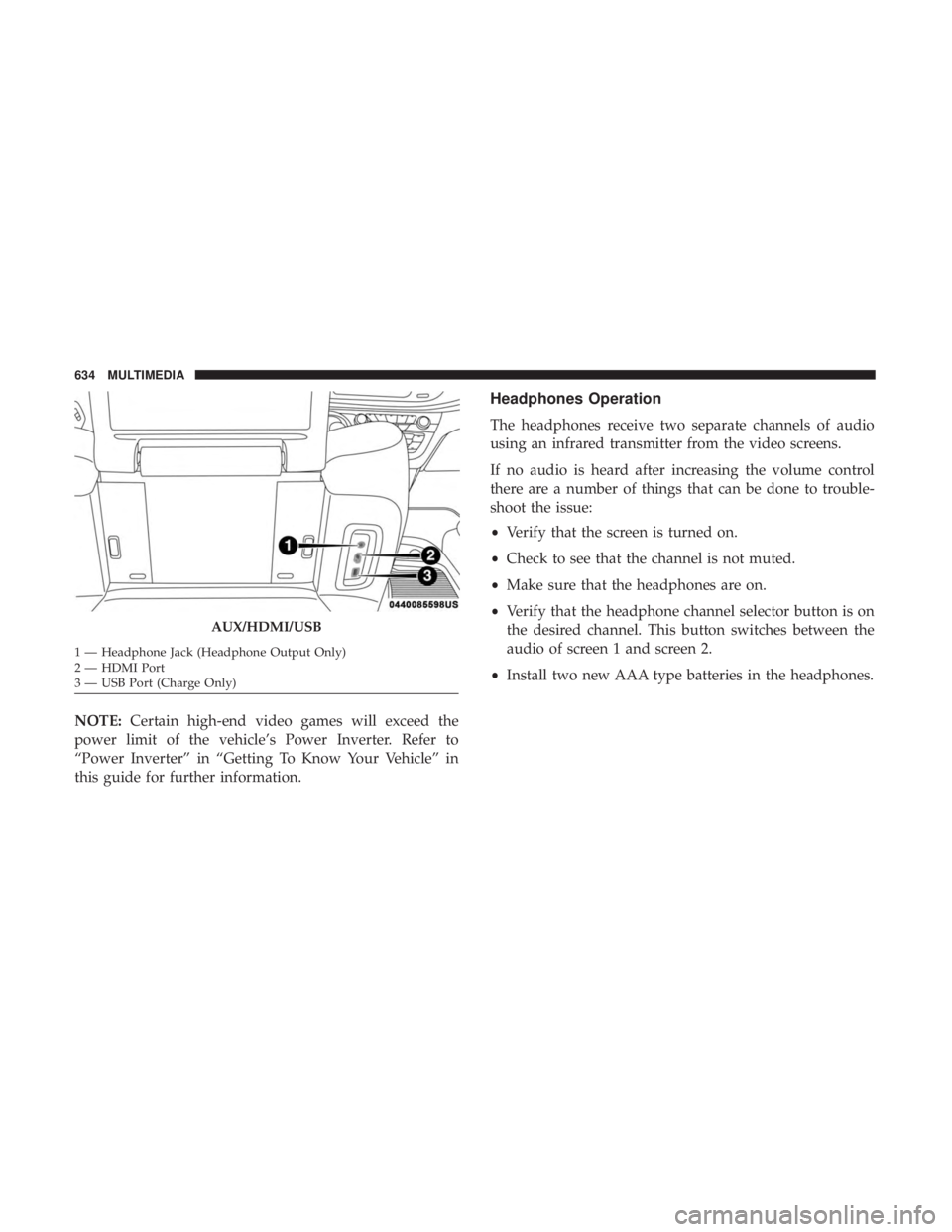
Headphones Operation
The headphones receive two separate channels of audio
using an infrared transmitter from the video screens.
If no audio is heard after increasing the volume control
there are a number of things that can be done to trouble-
shoot the issue:
• Verify that the screen is turned on.
• Check to see that the channel is not muted.
• Make sure that the headphones are on.
• Verify that the headphone channel selector button is on
the desired channel. This button switches between the
audio of screen 1 and screen 2.
• Install two new AAA type batteries in the headphones.
AUX/HDMI/USB
1 — Headphone Jack (Headphone Output Only)
2 — HDMI Port
3 — USB Port (Charge Only) 634 MULTIMEDIA
Page 656 of 696
TIP:At any time, if you are not sure of what to say or want
to learn a Voice Command, push the VR button
and say,
“ Help.” The system provides you with a list of com-
mands.
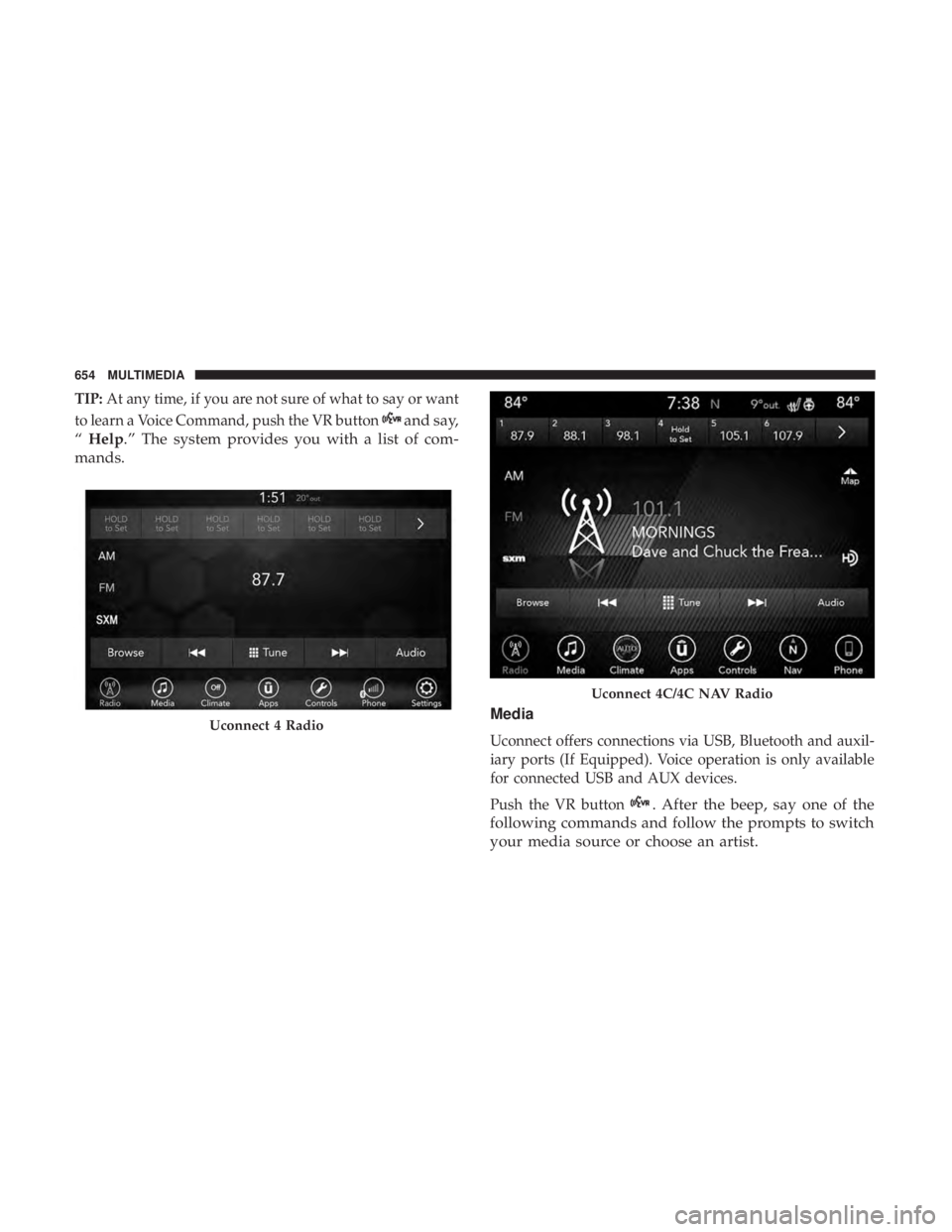
Media
Uconnect offers connections via USB, Bluetooth and auxil-
iary ports (If Equipped). Voice operation is only available
for connected USB and AUX devices.
Push the VR button
. After the beep, say one of the
following commands and follow the prompts to switch
your media source or choose an artist.
Uconnect 4 Radio
Uconnect 4C/4C NAV Radio
654 MULTIMEDIA
Page 657 of 696
•“Change source to Bluetooth”
• “Change source to AUX”
• “Change source to USB”
• “Play artist Beethoven”; “ Play albumGreatest Hits”; “
Play song Moonlight Sonata”; “ Play genreClassical”
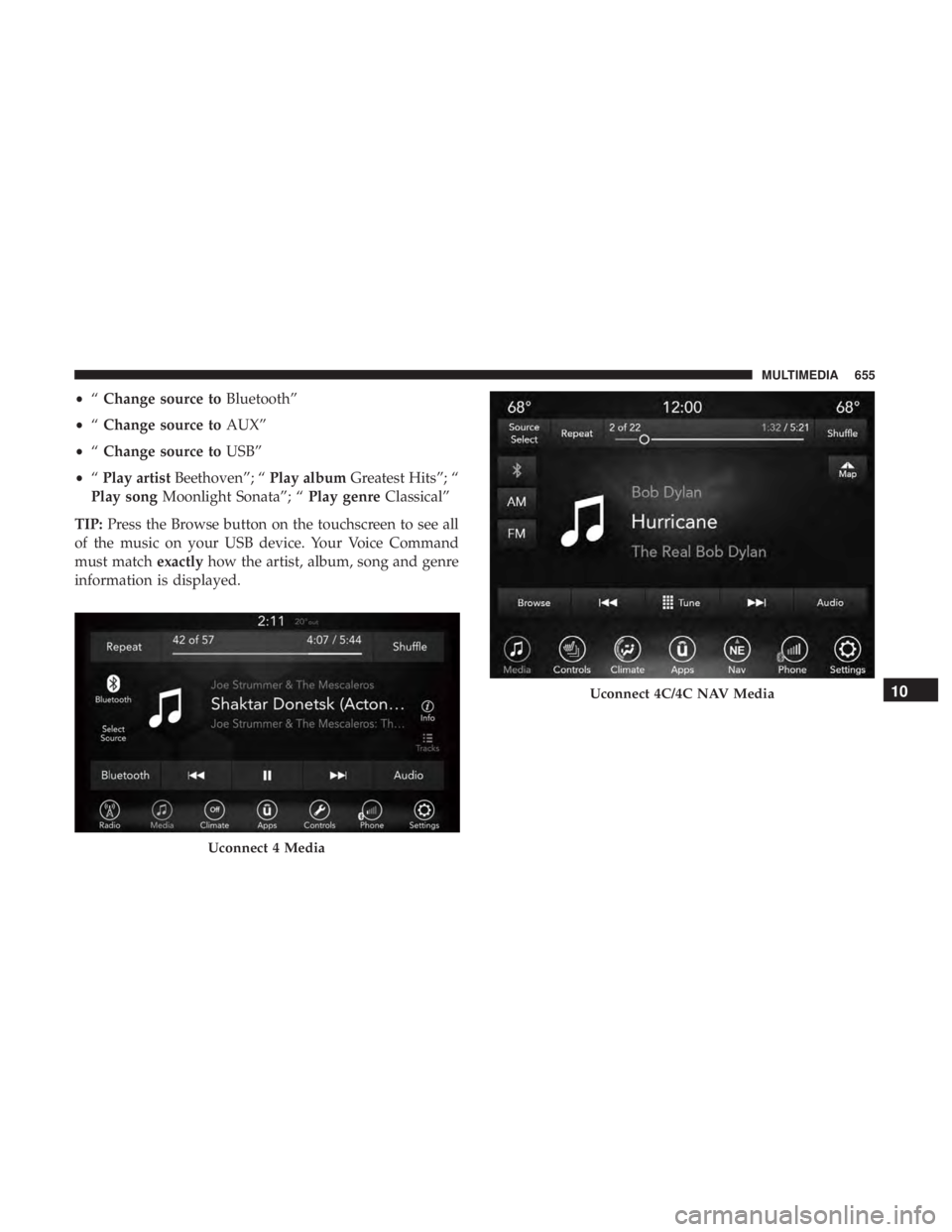
TIP: Press the Browse button on the touchscreen to see all
of the music on your USB device. Your Voice Command
must match exactlyhow the artist, album, song and genre
information is displayed.
Uconnect 4 Media
Uconnect 4C/4C NAV Media10
MULTIMEDIA 655
Page 681 of 696
Automatic Temperature Control (ATC)...........130
Automatic Transaxle ........................317
Automatic Transmission ..................... .319
Adding Fluid ........................517, 557
Fluid And Filter Change ...................517
Fluid Change .......................... .517
Fluid Level Check ........................516
Fluid Type ..........................516, 557
Special Additives ........................ .516
AuxCord............................... .616
Auxiliary Electrical Outlet (Power Outlet) .........168
Axle Lubrication .......................... .557
Back-Up Camera .......................... .399
Battery ...............................200, 495
Charging System Light ....................200
Jump Starting .......................... .475
Keyless Key Fob Replacement ................22
Battery Saver Feature .........................98
Belts, Seat ............................... .301
Blind Spot Monitoring .......................223
Body Mechanism Lubrication ..................503
B-Pillar Location .......................... .523
Brake Assist System ........................ .216
Brake Control System, Electronic ................215Brake Fluid
...............................557
Brake System ..........................514, 548
Anti-Lock (ABS) ........................ .548
Fluid Check ........................ .515, 557
Master Cylinder ........................ .515
Parking ...............................313
Warning Light .......................... .198
Brake/Transmission Interlock ..................319
Brightness, Interior Lights ....................100
Bulb Replacement .......................431, 435
Bulbs, Light ....................... .303, 431, 435
Camera .................................399
Camera, Rear..........................399,
401
Capacities, Fluid .......................... .555
Caps, Filler Fuel ...............................404, 478
Oil (Engine) ............................493
Radiator (Coolant Pressure) .................513
Carbon Monoxide Warning ................301, 554
Cargo Vehicle Loading ..........................146
Cargo Area Cover ..........................146
Cargo Compartment Luggage Carrier ........................ .173
12
INDEX 679
Page 689 of 696
PowerBrakes ............................... .548
Inverter ...............................171
Mirrors ................................91
Outlet (Auxiliary Electrical Outlet) ............168
Seats ............................... .51, 53
Steering ...............................325
Power Seats Down .................................52
Forward ................................52
Rearward ...............................52
Up....................................52
Power Sliding Door On / Off Switch .......................42, 142
Pregnant Women And Seat Belts ................252
Preparation For Jacking ..................... .448
Pretensioners Seat Belts ............................. .252
Radial Ply Tires ............................529
Radiator Cap (Coolant Pressure Cap) .............513
Radio Frequency General Information ................26, 31, 32, 41
Radio Operation .......................... .650
Rear Air Conditioning ....................114,126 Rear Camera
............................. .401
Rear Cross Path ............................228
Rear ParkSense System ...................351, 360
Rear Seat Removal ..........................77
Rear View ................................89
Reclining Front Seats .........................49
Recreational Towing ........................ .418
Reformulated Gasoline .......................551
Refrigerant ...............................500
Release, Hood ............................ .139
Reminder, Lights On .........................94
Reminder, Seat Belt ........................ .241
Remote Control Starting System ...........................28
Remote Keyless Entry Arm The Alarm ..........................33
Disarm The Alarm ........................34
Programming Additional Key Fobs ..........24, 32
Remote Starting Exit Remote Start Mode .....................30
Uconnect Customer Programmable Features ......3
1
Uconnect Settings .........................31
Remote Starting System .......................28
Replacement Bulbs ........................ .431
Replacement Keys ...........................32
12
INDEX 687