Deactivation
The system can be deactivated in the following conditions:
•The speed of the vehicle reaches greater than 8 mph
(13 km/h).
• The vehicle shifted into PARK from a different gear.
• If the vehicle is in any gear other than REVERSE, press
the “X” button.
• The camera delay system is turned off manually through
the Uconnect settings menu. Refer to “Uconnect Set-
tings” in “Multimedia” for further information.
NOTE:
• If snow, ice, mud, or any foreign substance builds up on
the camera lenses, clean the lenses, rinse with water, and
dry with a soft cloth. Do not cover the lenses.
• If a malfunction with the system has occurred, see your
nearest authorized dealer.WARNING!
Drivers must be careful when backing up even when
using the Surround View Camera. Always check care-
fully behind your vehicle, and be sure to check for
pedestrians, animals, other vehicles, obstructions, or
blind spots before backing up. You are responsible for
the safety of your surroundings and must continue to
pay attention while backing up. Failure to do so can
result in serious injury or death.
CAUTION!
• To avoid vehicle damage, Surround View should
only be used as a parking aid. The Surround View
camera is unable to view every obstacle or object in
your drive path.
• To avoid vehicle damage, the vehicle must be driven
slowly when using Surround View to be able to stop
in time when an obstacle is seen. It is recommended
that the driver look frequently over his/her shoulder
when using Surround View.
366 STARTING AND OPERATING
REFUELING THE VEHICLE
1. Put the vehicle in the PARK postion.
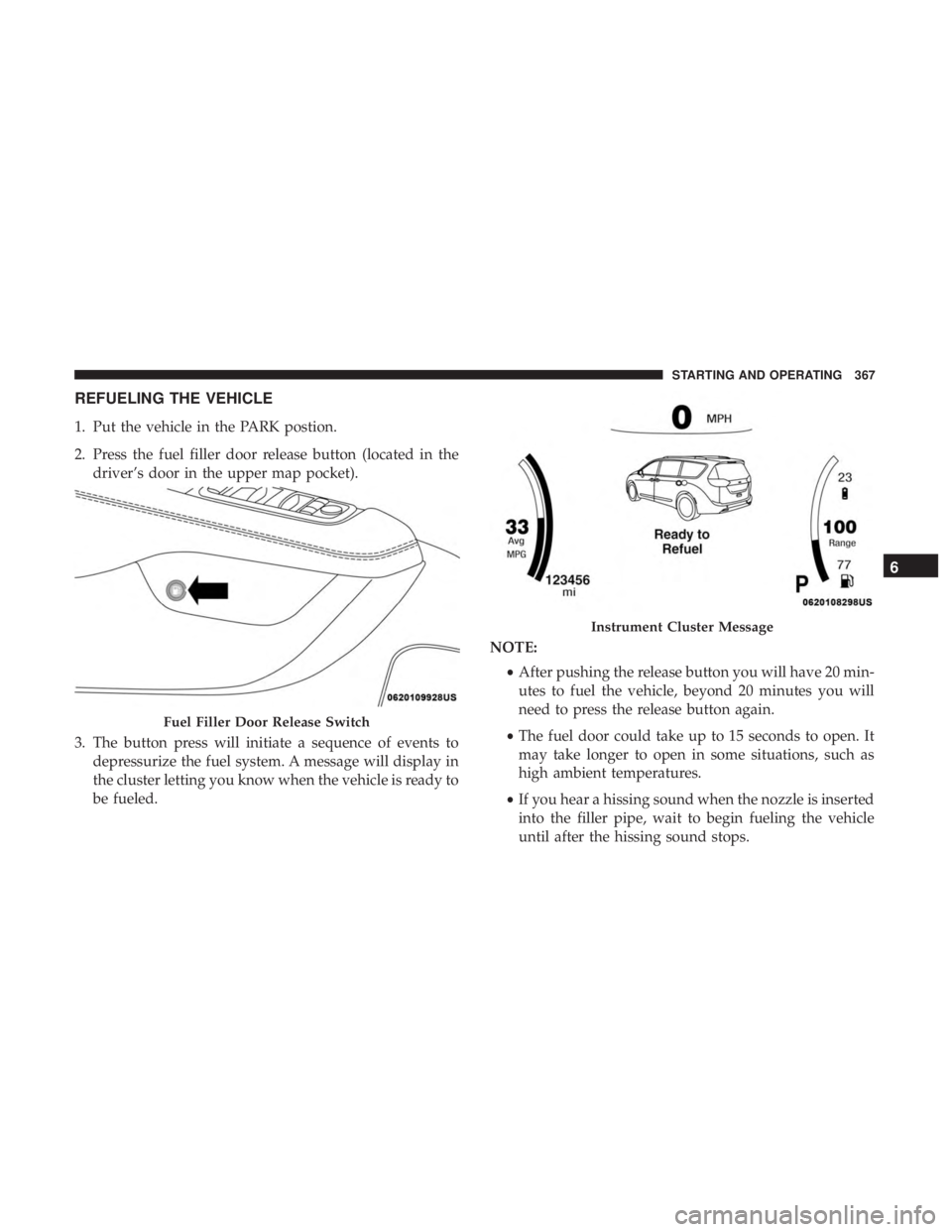
2. Press the fuel filler door release button (located in thedriver’s door in the upper map pocket).
3. The button press will initiate a sequence of events to depressurize the fuel system. A message will display in
the cluster letting you know when the vehicle is ready to
be fueled. NOTE:
•After pushing the release button you will have 20 min-
utes to fuel the vehicle, beyond 20 minutes you will
need to press the release button again.
• The fuel door could take up to 15 seconds to open. It
may take longer to open in some situations, such as
high ambient temperatures.
• If you hear a hissing sound when the nozzle is inserted
into the filler pipe, wait to begin fueling the vehicle
until after the hissing sound stops.
Fuel Filler Door Release Switch
Instrument Cluster Message
6
STARTING AND OPERATING 367
Doors & Locks
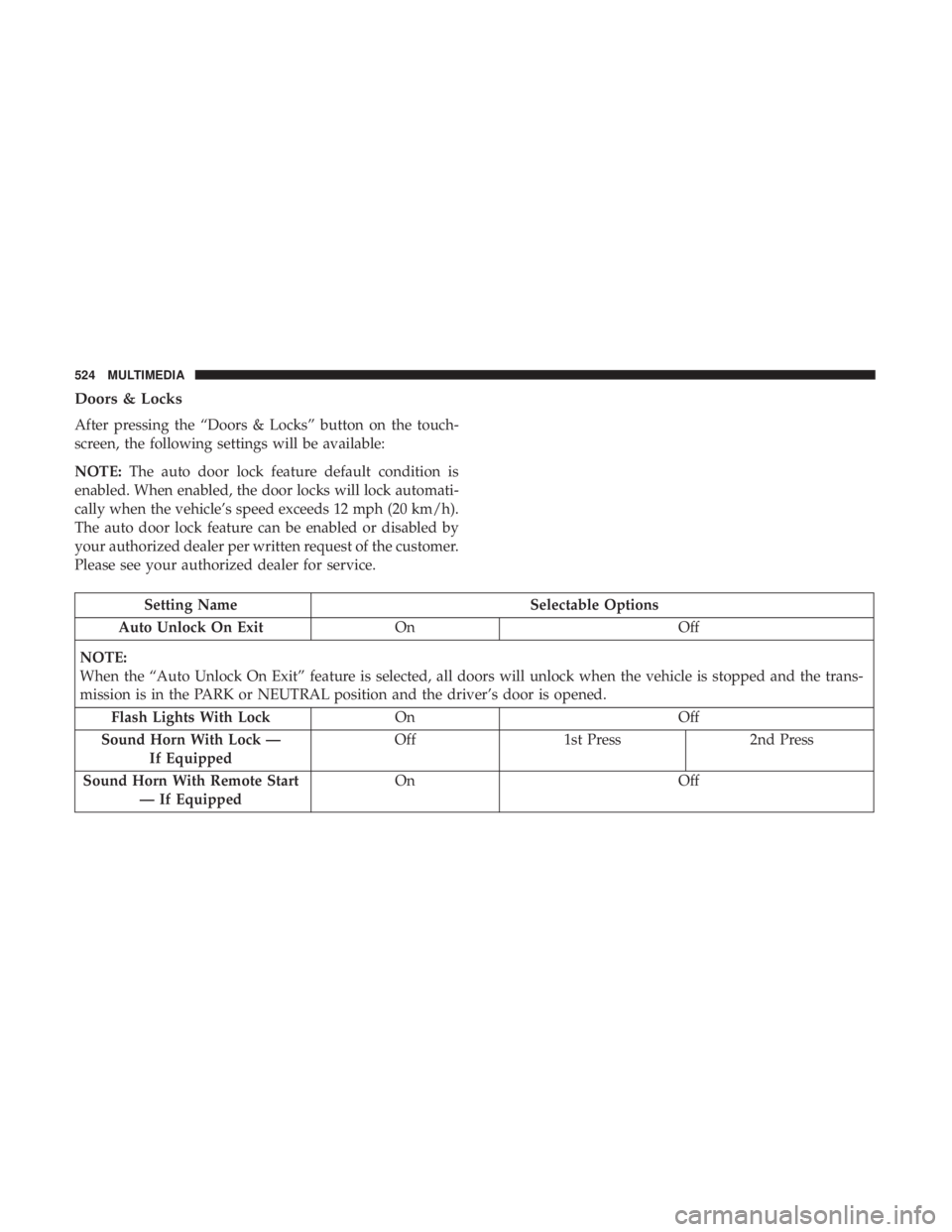
After pressing the “Doors & Locks” button on the touch-
screen, the following settings will be available:
NOTE:The auto door lock feature default condition is
enabled. When enabled, the door locks will lock automati-
cally when the vehicle’s speed exceeds 12 mph (20 km/h).
The auto door lock feature can be enabled or disabled by
your authorized dealer per written request of the customer.
Please see your authorized dealer for service.
Setting Name Selectable Options
Auto Unlock On Exit On Off
NOTE:
When the “Auto Unlock On Exit” feature is selected, all doors will unlock when the vehicle is stopped and the trans-
mission is in the PARK or NEUTRAL position and the driver’s door is opened. Flash Lights With Lock OnOff
Sound Horn With Lock — If Equipped Off
1st Press 2nd Press
Sound Horn With Remote Start — If Equipped On
Off
524 MULTIMEDIA