Page 396 of 492
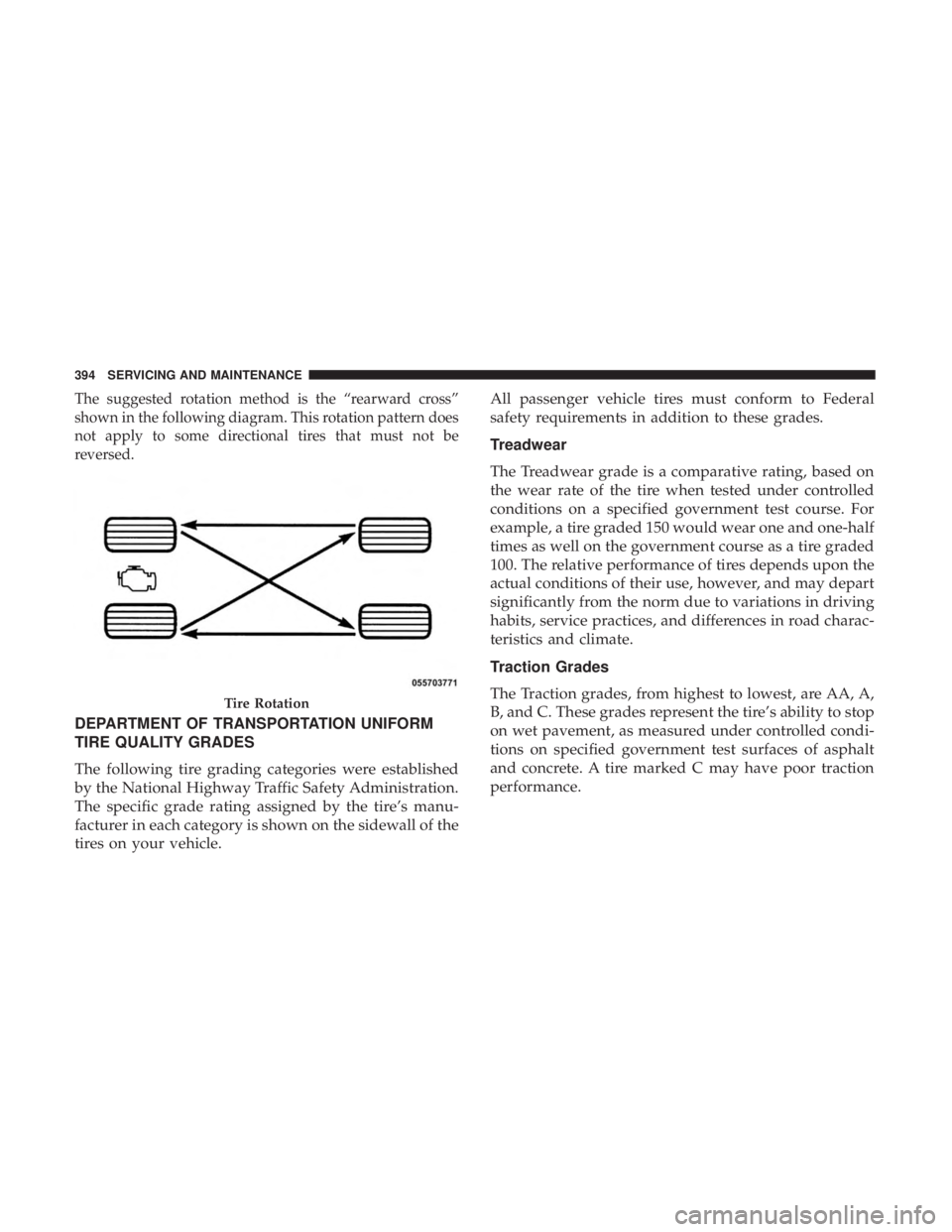
The suggested rotation method is the “rearward cross”
shown in the following diagram. This rotation pattern does
not apply to some directional tires that must not be
reversed.
DEPARTMENT OF TRANSPORTATION UNIFORM
TIRE QUALITY GRADES
The following tire grading categories were established
by the National Highway Traffic Safety Administration.
The specific grade rating assigned by the tire’s manu-
facturer in each category is shown on the sidewall of the
tires on your vehicle.All passenger vehicle tires must conform to Federal
safety requirements in addition to these grades.
Treadwear
The Treadwear grade is a comparative rating, based on
the wear rate of the tire when tested under controlled
conditions on a specified government test course. For
example, a tire graded 150 would wear one and one-half
times as well on the government course as a tire graded
100. The relative performance of tires depends upon the
actual conditions of their use, however, and may depart
significantly from the norm due to variations in driving
habits, service practices, and differences in road charac-
teristics and climate.
Traction Grades
The Traction grades, from highest to lowest, are AA, A,
B, and C. These grades represent the tire’s ability to stop
on wet pavement, as measured under controlled condi-
tions on specified government test surfaces of asphalt
and concrete. A tire marked C may have poor traction
performance.
Tire Rotation
394 SERVICING AND MAINTENANCE
Page 419 of 492

MULTIMEDIA
CONTENTS
�UCONNECT SYSTEMS ...................419
� DRAG & DROP MENU BAR ................419
� CYBERSECURITY ...................... .420
� UCONNECT SETTINGS ...................421
▫ Customer Programmable Features — Uconnect
4C/4C NAV Settings ....................422
� STEERING WHEEL AUDIO CONTROLS .......445
▫ Radio Operation ....................... .446
▫ Media Mode ......................... .446
� AUX/USB/MP3 CONTROL ................447
� RADIO OPERATION AND MOBILE PHONES . . .447
▫ Regulatory And Safety Information ..........448
� UCONNECT VOICE RECOGNITION
QUICK TIPS .......................... .449
▫ Introducing Uconnect ....................449 ▫
Get Started .......................... .450
▫ Basic Voice Commands ...................451
▫ Radio .............................. .451
▫ Media .............................. .452
▫ Phone .............................. .453
▫ Voice Text Reply ...................... .453
▫ Climate ............................. .455
▫ Navigation (4C NAV) ....................456
▫ SiriusXM Guardian (4C/4C NAV)— If Equipped.457
▫ Register (4C/4C NAV) ...................457
▫ Vehicle Health Report/Alert (4C/4C NAV) .....458
▫ Mobile App (4C/4C NAV) ................458
▫ SiriusXM Travel Link (4C NAV) .............459
▫ Siri
Eyes Free — If Equipped ..............459
10
Page 452 of 492

NOTE:If you see the NAV icon on the bottom bar, or in the
Apps menus, of your touchscreen, you have the Uconnect
4C NAV system. If not, you have a Uconnect 4C system.
Get Started
All you need to control your Uconnect system with your
voice are the buttons on your steering wheel.
Helpful hints for using Voice Recognition:
1. Visit UconnectPhone.com to check mobile device and feature compatibility and to find phone pairing instruc-
tions.
2. Reduce background noise. Wind and passenger conver- sations are examples of noise that may impact recogni-
tion.
3. Speak clearly at a normal pace and volume while facing straight ahead. The microphone is positioned on the
rearview mirror and aimed at the driver.
4. Each time you give a Voice Command, you must first push either the Voice Recognition (VR) or Phone button,
wait until afterthe beep, then say your Voice Command. 5. You can interrupt the help message or system prompts
by pushing the VR or Phone button and saying a Voice
Command from current category.
Uconnect Voice Command Buttons
1 — Push To Initiate Or To Answer A Phone Call, Send Or Receive
A Text
2 — For All Radios: Push To Begin Radio, Media, or Climate Func-
tions. For 8.4–inch System Only: Push To Begin Navigation Function
3 — Push To End Call
450 MULTIMEDIA
Page 457 of 492
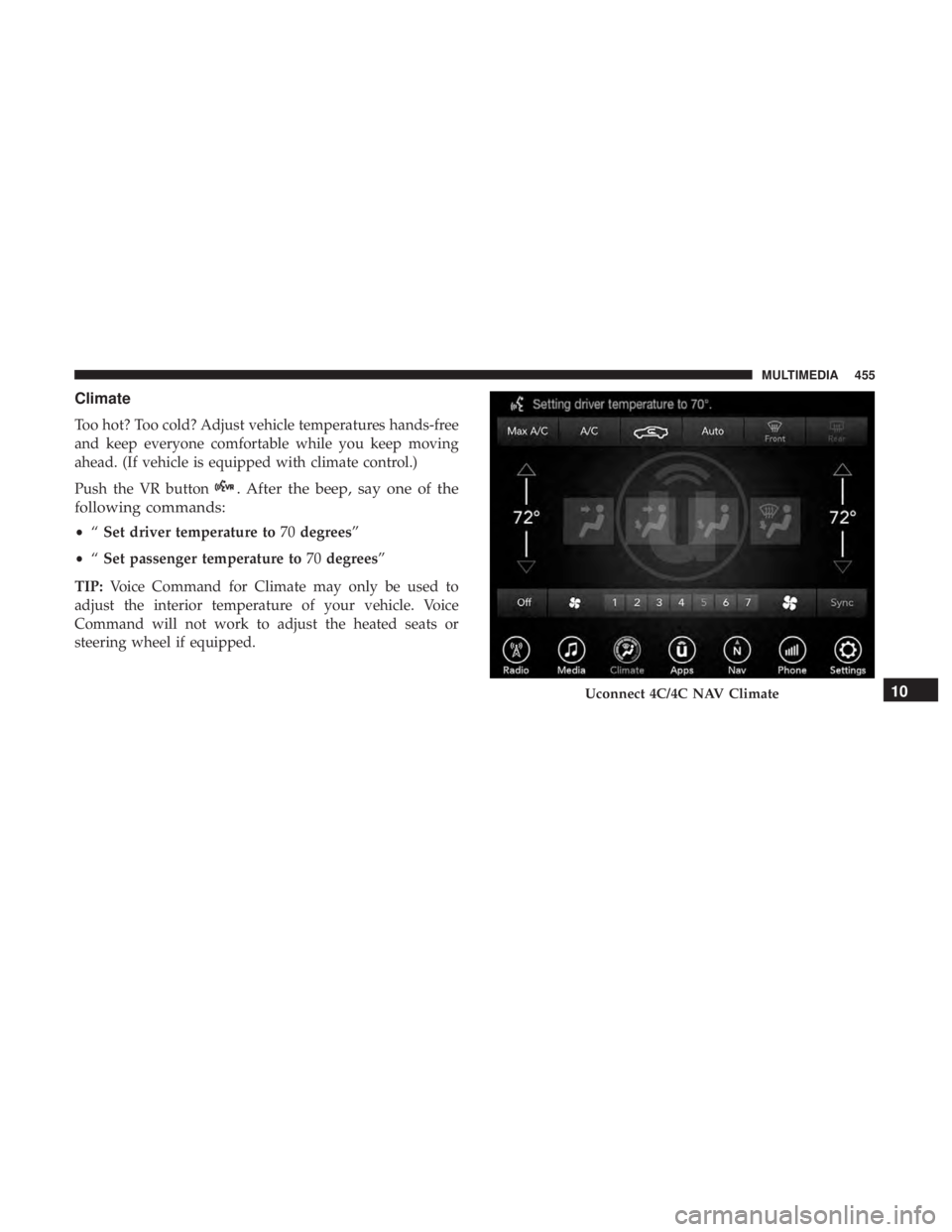
Climate
Too hot? Too cold? Adjust vehicle temperatures hands-free
and keep everyone comfortable while you keep moving
ahead. (If vehicle is equipped with climate control.)
Push the VR button
. After the beep, say one of the
following commands:
• “Set driver temperature to 70degrees”
• “Set passenger temperature to 70degrees”
TIP: Voice Command for Climate may only be used to
adjust the interior temperature of your vehicle. Voice
Command will not work to adjust the heated seats or
steering wheel if equipped.
Uconnect 4C/4C NAV Climate10
MULTIMEDIA 455
Page 476 of 492

Brightness, Interior Lights.....................70
Bulb Replacement ......................... .304
Bulbs, Light .......................... .212, 304
Camera, Rear ............................ .277
Capacities, Fluid .......................... .412
Caps, Filler Oil (Engine) ........................ .346, 352
Radiator (Coolant Pressure) .................365
Carbon Monoxide Warning ................209, 409
Cargo Vehicle Loading ......................... .281
Cargo Area Cover ...........................93
Cargo Compartment .........................93
Car Washes .............................. .397
Cellular Phone ........................... .447
Certification Label ......................... .281
Chains, Tire ............................. .392
Changing A Flat Tire ....................... .371
Chart, Tire Sizing .......................... .373
Check Engine Light (Malfunction Indicator Light). . . .137
Checking Your Vehicle For Safety ...............208
Checks, Safety ............................ .208
Child Restraint ........................... .191Child Restraints
Booster Seats ........................... .195
Child Seat Installation .....................205
How To Stow An unused ALR Seat Belt ........202
Infant And Child Restraints .................193
Lower Anchors And Tethers For Children .......197
Older Children And Child Restraints ...........194
Seating Positions ........................ .196
Child Safety Locks ..........................39
Clean Air Gasoline ........................ .406
Cleaning Wheels ............................... .391
Climate Control ............................75
Automatic ..............................75
Coin Holder ............................. .103
Cold Weather Operation ..................... .220
Compact
Disc (CD) Maintenance ................464
Compact Spare Tire ........................ .389
Console, Floor ............................ .103
Contract, Service .......................... .468
Cooling Pressure Cap (Radiator Cap) ............365
Cooling System ........................... .362
Adding Coolant (Antifreeze) .................364
Coolant Capacity ........................ .412
Coolant Level ....................... .363, 366
474 INDEX
Page:
< prev 1-8 9-16 17-24