Page 80 of 492
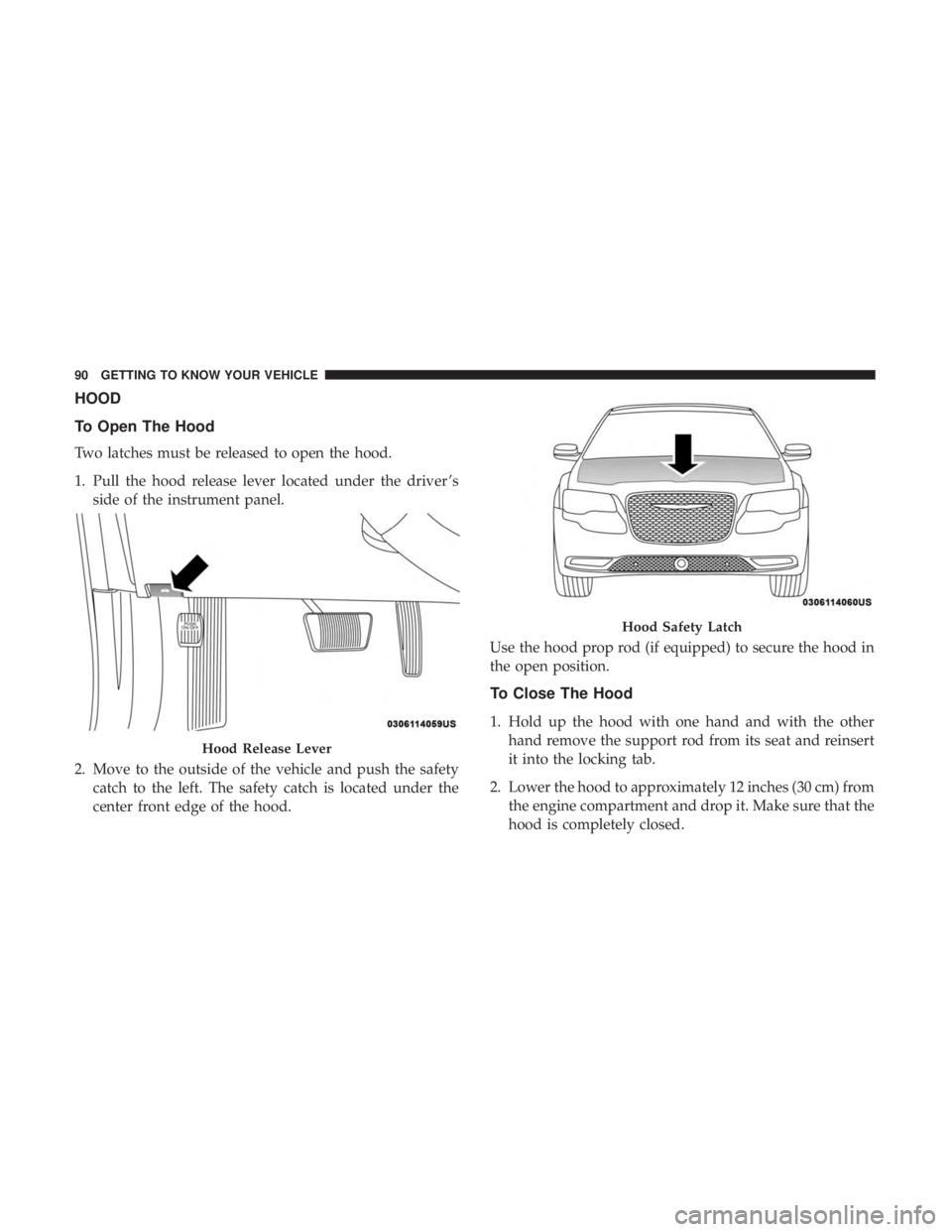
IconDescription
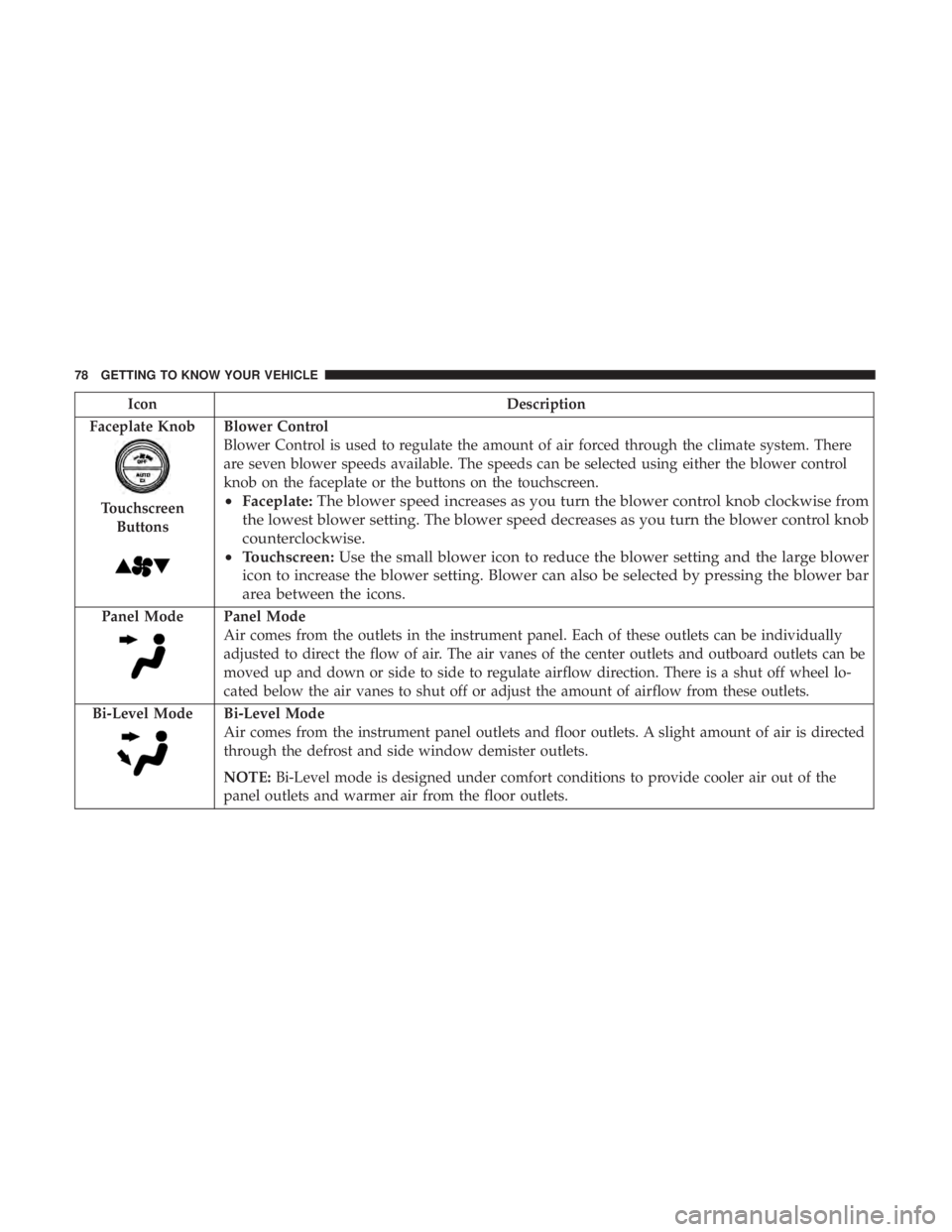
Faceplate Knob
Touchscreen Buttons
Blower Control
Blower Control is used to regulate the amount of air forced through the climate system. There
are seven blower speeds available. The speeds can be selected using either the blower control
knob on the faceplate or the buttons on the touchscreen.
• Faceplate: The blower speed increases as you turn the blower control knob clockwise from
the lowest blower setting. The blower speed decreases as you turn the blower control knob
counterclockwise.
• Touchscreen: Use the small blower icon to reduce the blower setting and the large blower
icon to increase the blower setting. Blower can also be selected by pressing the blower bar
area between the icons.
Panel ModePanel Mode
Air comes from the outlets in the instrument panel. Each of these outlets can be individually
adjusted to direct the flow of air. The air vanes of the center outlets and outboard outlets can be
moved up and down or side to side to regulate airflow direction. There is a shut off wheel lo-
cated below the air vanes to shut off or adjust the amount of airflow from these outlets.
Bi-Level Mode
Bi-Level Mode
Air comes from the instrument panel outlets and floor outlets. A slight amount of air is directed
through the defrost and side window demister outlets.
NOTE: Bi-Level mode is designed under comfort conditions to provide cooler air out of the
panel outlets and warmer air from the floor outlets.
78 GETTING TO KNOW YOUR VEHICLE
Page 92 of 492
HOOD
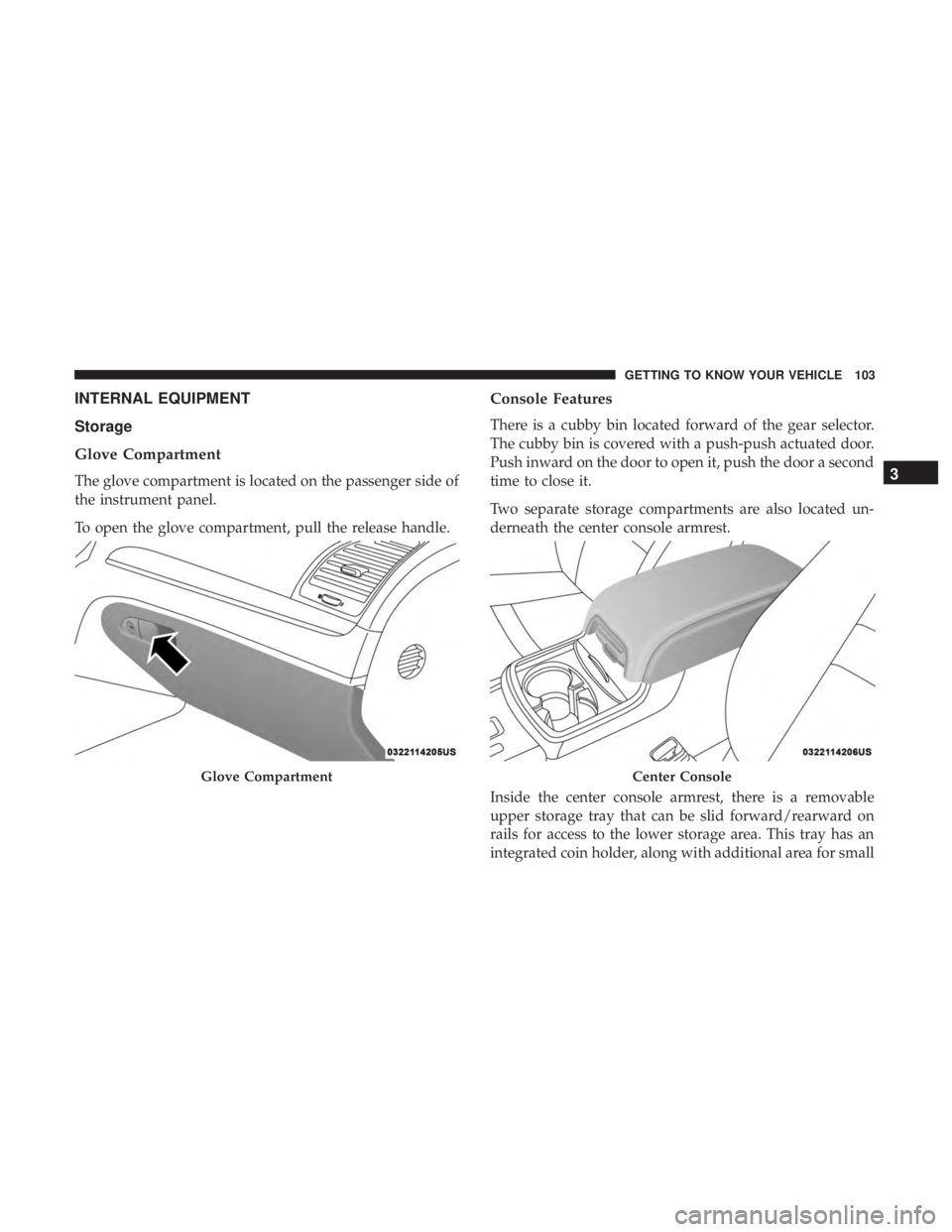
To Open The Hood
Two latches must be released to open the hood.
1. Pull the hood release lever located under the driver ’sside of the instrument panel.
2. Move to the outside of the vehicle and push the safety catch to the left. The safety catch is located under the
center front edge of the hood. Use the hood prop rod (if equipped) to secure the hood in
the open position.
To Close The Hood
1. Hold up the hood with one hand and with the other
hand remove the support rod from its seat and reinsert
it into the locking tab.
2. Lower the hood to approximately 12 inches (30 cm) from the engine compartment and drop it. Make sure that the
hood is completely closed.
Hood Release Lever
Hood Safety Latch
90 GETTING TO KNOW YOUR VEHICLE
Page 93 of 492
WARNING!
Be sure the hood is fully latched before driving your
vehicle. If the hood is not fully latched, it could open
when the vehicle is in motion and block your vision.
Failure to follow this warning could result in serious
injury or death.
CAUTION!
To prevent possible damage, do not slam the hood to
close it. Lower hood to approximately 12 inches (30 cm)
and drop the hood to close. Make sure hood is fully
closed for both latches. Never drive vehicle unless
hood is fully closed, with both latches engaged.
TRUNK
Opening
The trunk can be opened from inside the vehicle using the
power trunk button located on the instrument panel to the
left of the steering wheel.
The trunk lid can be released from outside the vehicle by
pushing the trunk button on the key fob twice within five
seconds or by using the external release switch located onthe underside of the decklid overhang. The release feature
will function only when the vehicle is in the unlock
condition.
With the ignition in the ON/RUN position, the trunk open
symbol will display in the instrument cluster indicating
that the trunk is open. The odometer display will reappear
once the trunk is closed.
With the ignition in the OFF position, the trunk open
symbol will display until the trunk is closed.
NOTE:
Refer to “Keyless Enter-N-Go — Passive Entry” in
”Doors” in “Getting To Know Your Vehicle” for further
information on trunk operation with the Passive Entry
feature.
Opening From Inside The Vehicle
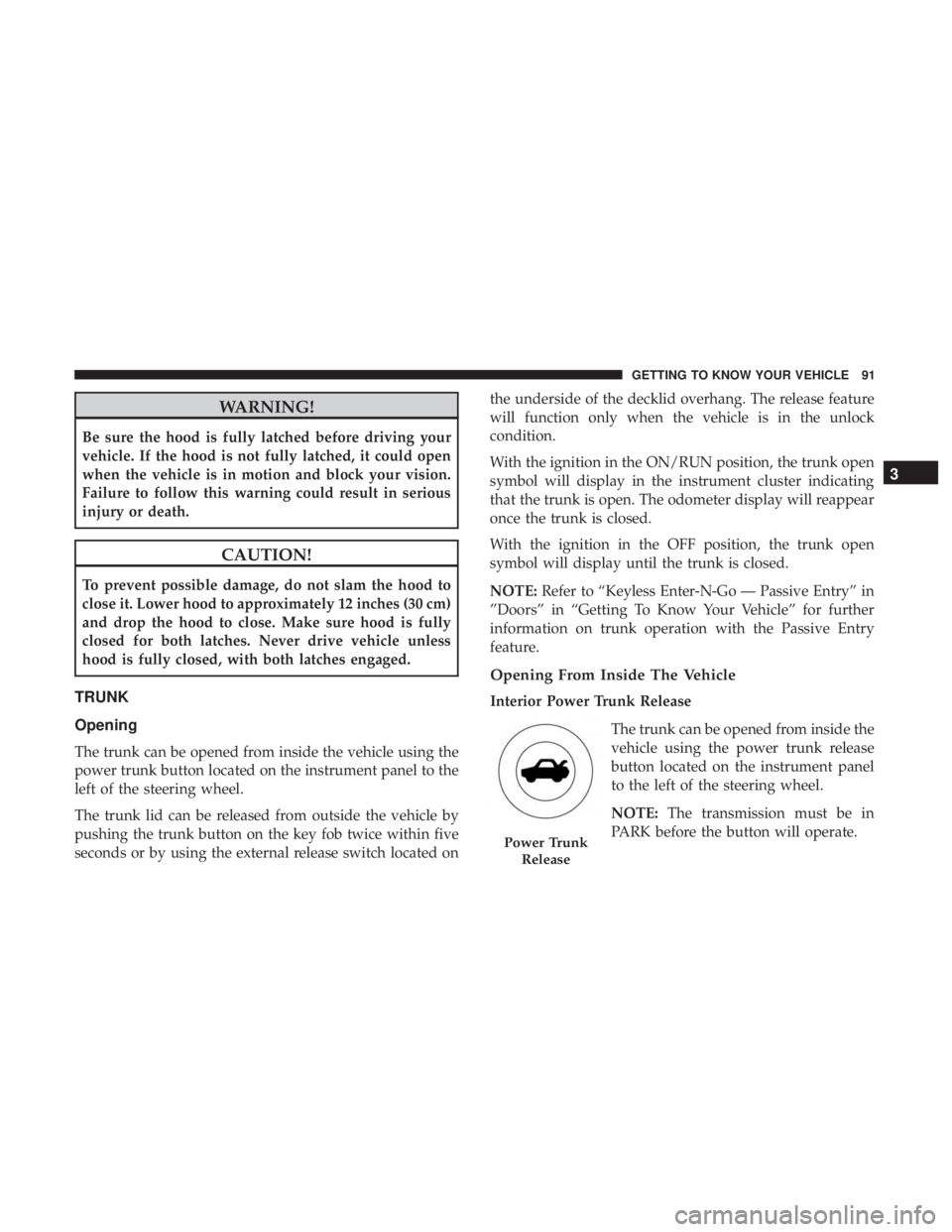
Interior Power Trunk Release
The trunk can be opened from inside the
vehicle using the power trunk release
button located on the instrument panel
to the left of the steering wheel.
NOTE:The transmission must be in
PARK before the button will operate.
Power Trunk
Release
3
GETTING TO KNOW YOUR VEHICLE 91
Page 105 of 492
INTERNAL EQUIPMENT
Storage
Glove Compartment
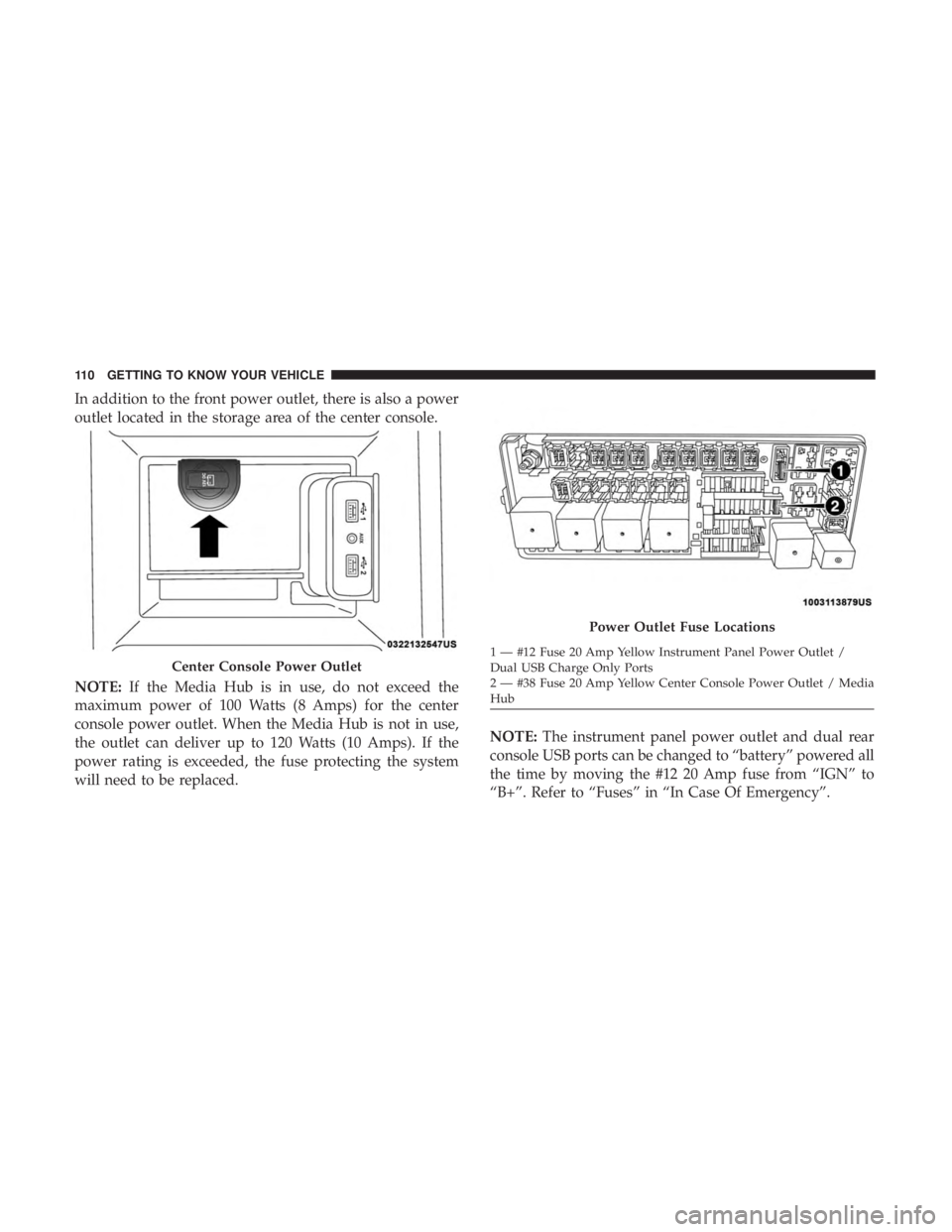
The glove compartment is located on the passenger side of
the instrument panel.
To open the glove compartment, pull the release handle.
Console Features
There is a cubby bin located forward of the gear selector.
The cubby bin is covered with a push-push actuated door.
Push inward on the door to open it, push the door a second
time to close it.
Two separate storage compartments are also located un-
derneath the center console armrest.
Inside the center console armrest, there is a removable
upper storage tray that can be slid forward/rearward on
rails for access to the lower storage area. This tray has an
integrated coin holder, along with additional area for small
Glove CompartmentCenter Console
3
GETTING TO KNOW YOUR VEHICLE 103
Page 111 of 492

Electrical Power Outlets
Your vehicle is equipped with one 12 Volt (13 Amp) power
outlet on the instrument panel and one 12 Volt (13 Amp)
power outlet in the center console that can be used to
power cellular phones, small electronics and other low
powered electrical accessories. The power outlets are la-
beled with either a “key” or a “battery” symbol to indicate
how the outlet is powered. Power outlets labeled with a
“key” are powered when the ignition switch is in the ON or
ACC position, while the outlets labeled with a “battery”
are connected directly to the battery and powered at all
times.
NOTE:
•All accessories connected to the “battery” powered
outlets should be removed or turned off when the
vehicle is not in use to protect the battery against
discharge.
The front power outlet is located inside the storage area on
the center stack of the instrument panel.
WARNING!
Do not place ashes inside the cubby bin located on the
center console on vehicles not equipped with the ash
receiver tray. A fire leading to bodily injury could
result.
Front Power Outlet
3
GETTING TO KNOW YOUR VEHICLE 109
Page 112 of 492
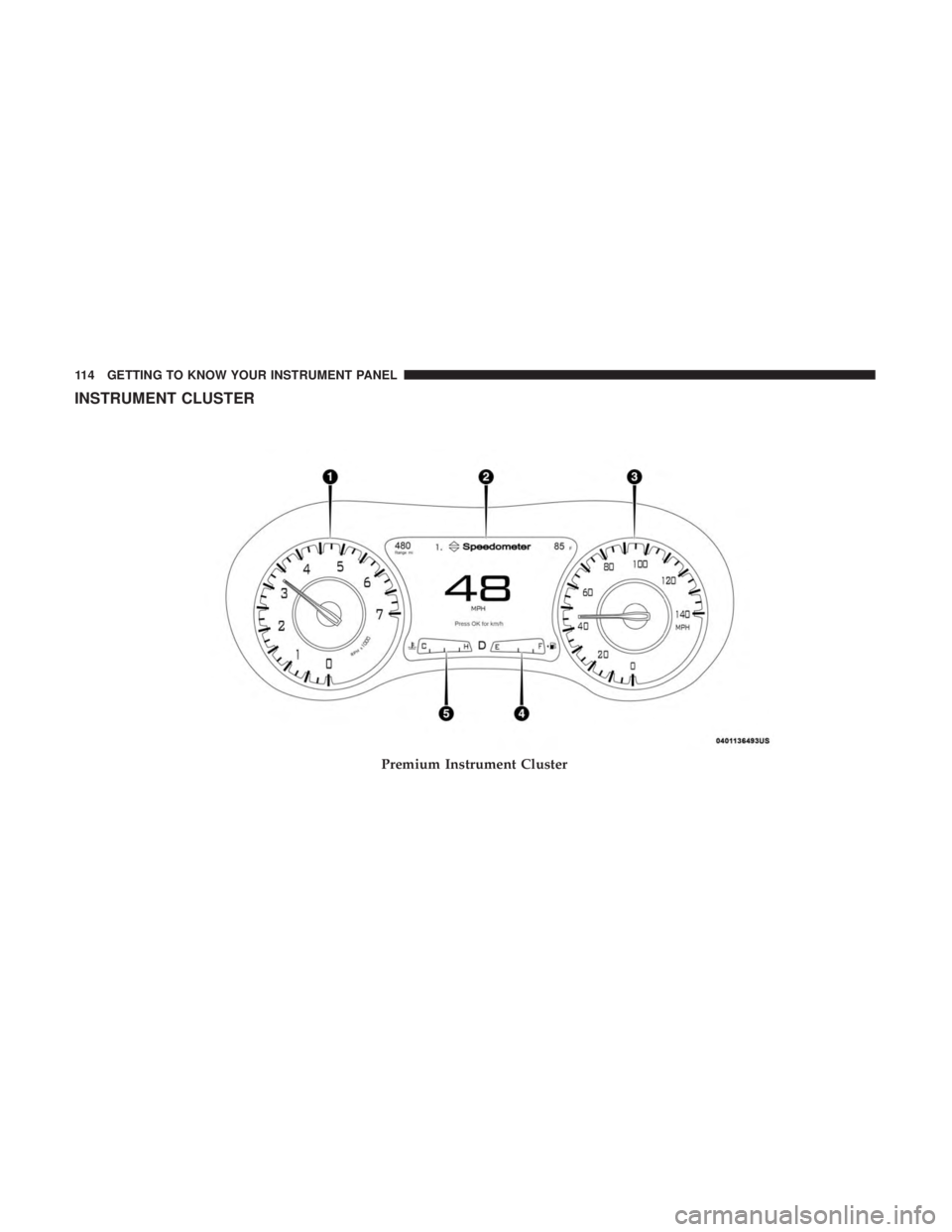
In addition to the front power outlet, there is also a power
outlet located in the storage area of the center console.
NOTE:If the Media Hub is in use, do not exceed the
maximum power of 100 Watts (8 Amps) for the center
console power outlet. When the Media Hub is not in use,
the outlet can deliver up to 120 Watts (10 Amps). If the
power rating is exceeded, the fuse protecting the system
will need to be replaced. NOTE:
The instrument panel power outlet and dual rear
console USB ports can be changed to “battery” powered all
the time by moving the #12 20 Amp fuse from “IGN” to
“B+”. Refer to “Fuses” in “In Case Of Emergency”.
Center Console Power Outlet
Power Outlet Fuse Locations
1 — #12 Fuse 20 Amp Yellow Instrument Panel Power Outlet /
Dual USB Charge Only Ports
2 — #38 Fuse 20 Amp Yellow Center Console Power Outlet / Media
Hub
110 GETTING TO KNOW YOUR VEHICLE
Page 115 of 492

GETTING TO KNOW YOUR INSTRUMENT PANEL
CONTENTS
�INSTRUMENT CLUSTER ..................114
▫ Instrument Cluster Descriptions ............115
� INSTRUMENT CLUSTER DISPLAY ...........116
▫ Location And Controls ...................116
▫ Engine Oil Life Reset ....................118
▫ Instrument Cluster Display Selectable Menu
Items ...............................119
▫ Battery Saver On/Battery Saver Mode Message —
Electrical Load Reduction Actions — If
Equipped ........................... .123
� WARNING LIGHTS AND MESSAGES .........125
▫ Red Warning Lights .....................125 ▫
Yellow Warning Lights ...................129
▫ Yellow Indicator Lights ...................134
▫ Green Indicator Lights ...................134
▫ White Indicator Lights ...................135
▫ Blue Indicator Lights ....................136
� ONBOARD DIAGNOSTIC SYSTEM — OBD II . . .136
▫ Onboard Diagnostic System (OBD II)
Cybersecurity ........................ .137
� EMISSIONS INSPECTION AND MAINTENANCE
PROGRAMS .......................... .1374
Page 116 of 492
INSTRUMENT CLUSTER
Premium Instrument Cluster
114 GETTING TO KNOW YOUR INSTRUMENT PANEL