2018 CHEVROLET BOLT EV battery
[x] Cancel search: batteryPage 141 of 370
Chevrolet BOLT EV Owner Manual (GMNA-Localizing-U.S./Canada/Mexico-
11434431) - 2018 - crc - 2/14/18
140 Instruments and Controls
Energy Settings
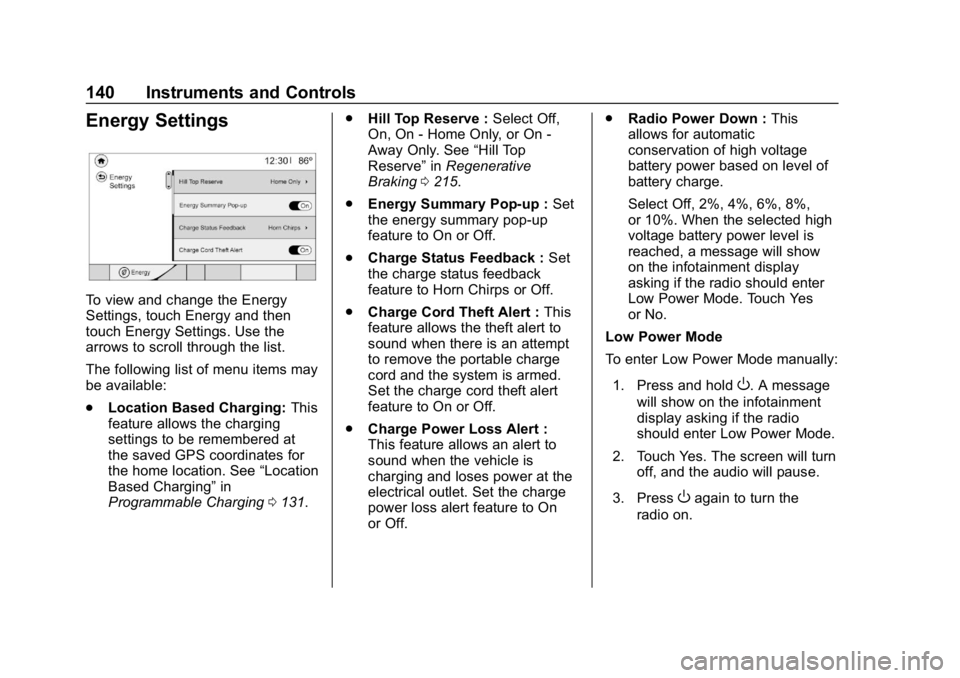
To view and change the Energy
Settings, touch Energy and then
touch Energy Settings. Use the
arrows to scroll through the list.
The following list of menu items may
be available:
.Location Based Charging: This
feature allows the charging
settings to be remembered at
the saved GPS coordinates for
the home location. See “Location
Based Charging” in
Programmable Charging 0131. .
Hill Top Reserve : Select Off,
On, On - Home Only, or On -
Away Only. See “Hill Top
Reserve” inRegenerative
Braking 0215.
. Energy Summary Pop-up : Set
the energy summary pop-up
feature to On or Off.
. Charge Status Feedback : Set
the charge status feedback
feature to Horn Chirps or Off.
. Charge Cord Theft Alert : This
feature allows the theft alert to
sound when there is an attempt
to remove the portable charge
cord and the system is armed.
Set the charge cord theft alert
feature to On or Off.
. Charge Power Loss Alert :
This feature allows an alert to
sound when the vehicle is
charging and loses power at the
electrical outlet. Set the charge
power loss alert feature to On
or Off. .
Radio Power Down : This
allows for automatic
conservation of high voltage
battery power based on level of
battery charge.
Select Off, 2%, 4%, 6%, 8%,
or 10%. When the selected high
voltage battery power level is
reached, a message will show
on the infotainment display
asking if the radio should enter
Low Power Mode. Touch Yes
or No.
Low Power Mode
To enter Low Power Mode manually:
1. Press and hold
O. A message
will show on the infotainment
display asking if the radio
should enter Low Power Mode.
2. Touch Yes. The screen will turn off, and the audio will pause.
3. Press
Oagain to turn the
radio on.
Page 144 of 370
Chevrolet BOLT EV Owner Manual (GMNA-Localizing-U.S./Canada/Mexico-
11434431) - 2018 - crc - 2/14/18
Instruments and Controls 143
.Brakes
. Ride Control Systems
. Driver Assistance Systems
. Cruise Control
. Lighting and Bulb Replacement
. Wiper/Washer Systems
. Doors and Windows
. Seat Belts
. Airbag Systems
. Engine and Transmission
. Tire Pressure
. Battery
Propulsion Power
Messages
PROPULSION POWER IS
REDUCED
This message displays when the
vehicle's propulsion power is
reduced. Reduced propulsion power
can affect the vehicle's ability to
accelerate. If this message is on,
but there is no observed reduction
in performance, proceed to your destination. The performance may
be reduced the next time the vehicle
is driven. The vehicle may be driven
while this message is on, but
maximum acceleration and speed
may be reduced. Anytime this
message stays on, or displays
repeatedly, the vehicle should be
taken to your dealer for service as
soon as possible.
Vehicle Speed Messages
SPEED LIMITED TO
XXX KM/H (MPH)
This message shows that the
vehicle speed has been limited to
the speed displayed. The limited
speed is a protection for various
propulsion and vehicle systems,
such as lubrication, thermal,
suspension, Teen Driver if
equipped, or tires.
Vehicle
Personalization
Use the audio system controls to
access the personalization menus
for customizing vehicle features.
The following are all possible
personalization features. Depending
on the vehicle, some may not be
available.
{:
Press to access the
Home Page.
T: Touch to access the Icon view.
Y: Drag the scroll bar to navigate
the list.
0 :Touch to exit or return to the
previous screen or menu.
To access the menu:
1. Touch
T.
2. Touch Settings.
3. Touch the menu item to select it.
Each of the menus is detailed in the
following information.
Page 151 of 370
Chevrolet BOLT EV Owner Manual (GMNA-Localizing-U.S./Canada/Mexico-
11434431) - 2018 - crc - 2/14/18
150 Lighting
Lighting
Exterior Lighting
Exterior Lamp Controls . . . . . . . 150
Exterior Lamps OffReminder . . . . . . . . . . . . . . . . . . . 152
Headlamp High/Low-Beam Changer . . . . . . . . . . . . . . . . . . . . 152
Flash-to-Pass . . . . . . . . . . . . . . . . 152
Daytime Running Lamps (DRL) . . . . . . . . . . . . . . . 152
Automatic Headlamp System . . . . . . . . . . . . . . . . . . . . . . 153
Hazard Warning Flashers . . . . . 153
Turn and Lane-Change Signals . . . . . . . . . . . . . . . . . . . . . . 154
Interior Lighting
Instrument Panel IlluminationControl . . . . . . . . . . . . . . . . . . . . . . 154
Courtesy Lamps . . . . . . . . . . . . . . 155
Dome Lamps . . . . . . . . . . . . . . . . . 155
Reading Lamps . . . . . . . . . . . . . . 155
Lighting Features
Entry Lighting . . . . . . . . . . . . . . . . 156
Exit Lighting . . . . . . . . . . . . . . . . . . 156
Battery Power Protection . . . . . 156
Exterior Lighting Battery Saver . . . . . . . . . . . . . . . . . . . . . . . 156Exterior Lighting
Exterior Lamp Controls
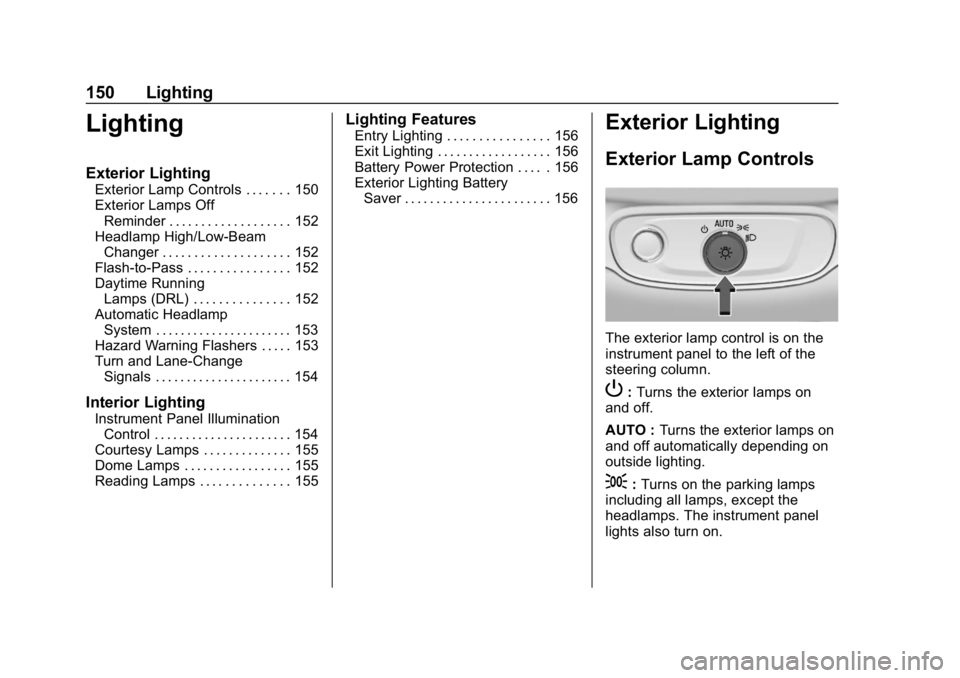
The exterior lamp control is on the
instrument panel to the left of the
steering column.
P: Turns the exterior lamps on
and off.
AUTO : Turns the exterior lamps on
and off automatically depending on
outside lighting.
;: Turns on the parking lamps
including all lamps, except the
headlamps. The instrument panel
lights also turn on.
Page 157 of 370
Chevrolet BOLT EV Owner Manual (GMNA-Localizing-U.S./Canada/Mexico-
11434431) - 2018 - crc - 2/14/18
156 Lighting
Lighting Features
Entry Lighting
Some exterior lamps and the interior
lamps turn on briefly at night when
the Remote Keyless Entry (RKE)
transmitter
Kis pressed. See
Remote Keyless Entry (RKE)
System Operation 033. The lights
turn off immediately when the
vehicle is started or automatically
after a brief period.
This feature can be turned on or off.
See “Vehicle Locator Lights” under
Vehicle Personalization 0143.
Exit Lighting
Some exterior lamps come on at
night when the vehicle is turned off
and the driver door is opened.
Some interior lamps also come on
when the vehicle is turned off. The
exterior lamps and interior lamps
remain on after the door is closed
for a brief period and then turn off.
This feature can be turned on or off.
See Vehicle Personalization 0143.
Battery Power Protection
The battery saver feature is
designed to protect the vehicle's
12-volt battery.
If some interior lamps and/or the
headlamps are left on and the
vehicle is turned off, the battery
rundown protection system
automatically turns the lamp off after
some time.
Exterior Lighting Battery
Saver
The exterior lamps turn off about
10 minutes after the ignition is
turned off, if the parking lamps or
headlamps have been manually left
on. This protects against draining
the battery. To restart the 10-minute
timer, turn the exterior lamp control
to the off position and then back to
the parking lamp or headlamp
position.
To keep the lamps on for more than
10 minutes, the ignition must be on
or in ACC/ACCESSORY.
Page 194 of 370
Chevrolet BOLT EV Owner Manual (GMNA-Localizing-U.S./Canada/Mexico-
11434431) - 2018 - crc - 2/14/18
Driving and Operating 193
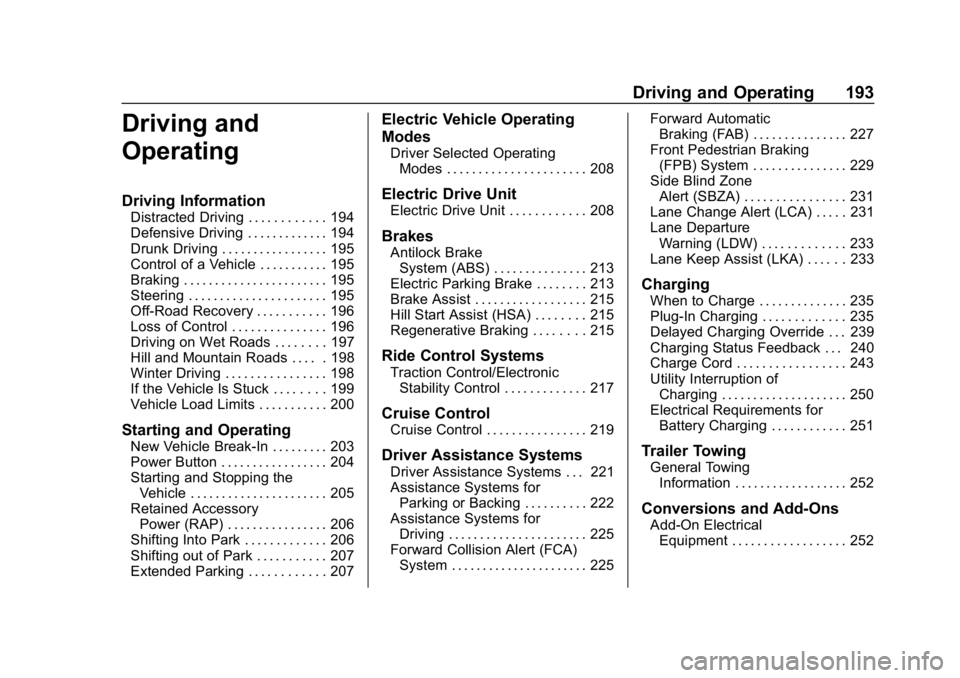
Driving and
Operating
Driving Information
Distracted Driving . . . . . . . . . . . . 194
Defensive Driving . . . . . . . . . . . . . 194
Drunk Driving . . . . . . . . . . . . . . . . . 195
Control of a Vehicle . . . . . . . . . . . 195
Braking . . . . . . . . . . . . . . . . . . . . . . . 195
Steering . . . . . . . . . . . . . . . . . . . . . . 195
Off-Road Recovery . . . . . . . . . . . 196
Loss of Control . . . . . . . . . . . . . . . 196
Driving on Wet Roads . . . . . . . . 197
Hill and Mountain Roads . . . . . 198
Winter Driving . . . . . . . . . . . . . . . . 198
If the Vehicle Is Stuck . . . . . . . . 199
Vehicle Load Limits . . . . . . . . . . . 200
Starting and Operating
New Vehicle Break-In . . . . . . . . . 203
Power Button . . . . . . . . . . . . . . . . . 204
Starting and Stopping theVehicle . . . . . . . . . . . . . . . . . . . . . . 205
Retained Accessory Power (RAP) . . . . . . . . . . . . . . . . 206
Shifting Into Park . . . . . . . . . . . . . 206
Shifting out of Park . . . . . . . . . . . 207
Extended Parking . . . . . . . . . . . . 207
Electric Vehicle Operating
Modes
Driver Selected Operating Modes . . . . . . . . . . . . . . . . . . . . . . 208
Electric Drive Unit
Electric Drive Unit . . . . . . . . . . . . 208
Brakes
Antilock BrakeSystem (ABS) . . . . . . . . . . . . . . . 213
Electric Parking Brake . . . . . . . . 213
Brake Assist . . . . . . . . . . . . . . . . . . 215
Hill Start Assist (HSA) . . . . . . . . 215
Regenerative Braking . . . . . . . . 215
Ride Control Systems
Traction Control/Electronic Stability Control . . . . . . . . . . . . . 217
Cruise Control
Cruise Control . . . . . . . . . . . . . . . . 219
Driver Assistance Systems
Driver Assistance Systems . . . 221
Assistance Systems forParking or Backing . . . . . . . . . . 222
Assistance Systems for Driving . . . . . . . . . . . . . . . . . . . . . . 225
Forward Collision Alert (FCA) System . . . . . . . . . . . . . . . . . . . . . . 225 Forward Automatic
Braking (FAB) . . . . . . . . . . . . . . . 227
Front Pedestrian Braking (FPB) System . . . . . . . . . . . . . . . 229
Side Blind Zone
Alert (SBZA) . . . . . . . . . . . . . . . . 231
Lane Change Alert (LCA) . . . . . 231
Lane Departure Warning (LDW) . . . . . . . . . . . . . 233
Lane Keep Assist (LKA) . . . . . . 233
Charging
When to Charge . . . . . . . . . . . . . . 235
Plug-In Charging . . . . . . . . . . . . . 235
Delayed Charging Override . . . 239
Charging Status Feedback . . . 240
Charge Cord . . . . . . . . . . . . . . . . . 243
Utility Interruption of Charging . . . . . . . . . . . . . . . . . . . . 250
Electrical Requirements for Battery Charging . . . . . . . . . . . . 251
Trailer Towing
General TowingInformation . . . . . . . . . . . . . . . . . . 252
Conversions and Add-Ons
Add-On ElectricalEquipment . . . . . . . . . . . . . . . . . . 252
Page 205 of 370
Chevrolet BOLT EV Owner Manual (GMNA-Localizing-U.S./Canada/Mexico-
11434431) - 2018 - crc - 2/14/18
204 Driving and Operating
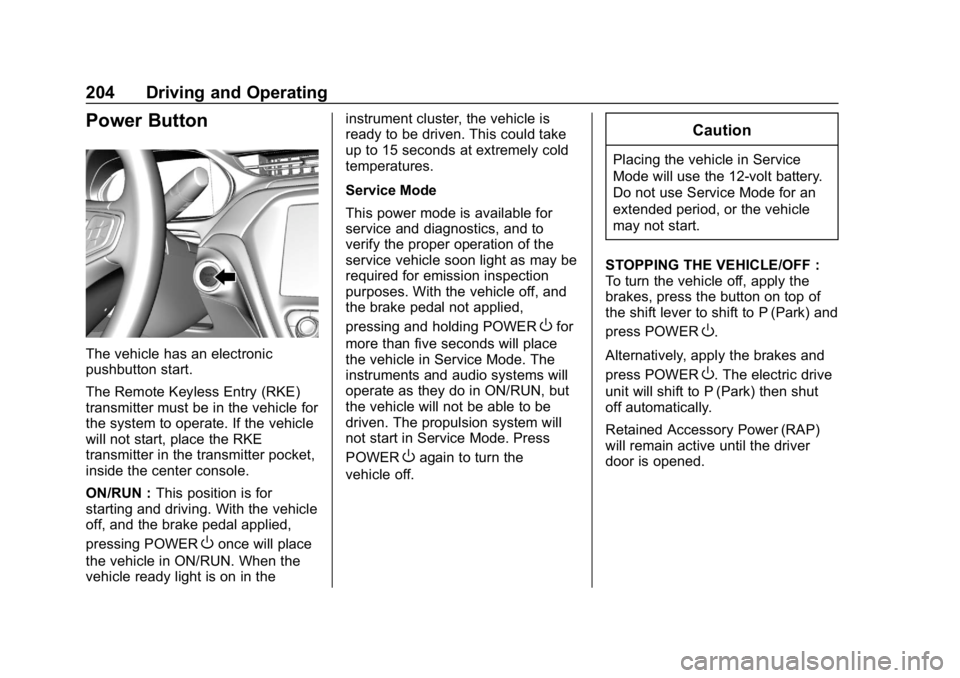
Power Button
The vehicle has an electronic
pushbutton start.
The Remote Keyless Entry (RKE)
transmitter must be in the vehicle for
the system to operate. If the vehicle
will not start, place the RKE
transmitter in the transmitter pocket,
inside the center console.
ON/RUN :This position is for
starting and driving. With the vehicle
off, and the brake pedal applied,
pressing POWER
Oonce will place
the vehicle in ON/RUN. When the
vehicle ready light is on in the instrument cluster, the vehicle is
ready to be driven. This could take
up to 15 seconds at extremely cold
temperatures.
Service Mode
This power mode is available for
service and diagnostics, and to
verify the proper operation of the
service vehicle soon light as may be
required for emission inspection
purposes. With the vehicle off, and
the brake pedal not applied,
pressing and holding POWER
Ofor
more than five seconds will place
the vehicle in Service Mode. The
instruments and audio systems will
operate as they do in ON/RUN, but
the vehicle will not be able to be
driven. The propulsion system will
not start in Service Mode. Press
POWER
Oagain to turn the
vehicle off.
Caution
Placing the vehicle in Service
Mode will use the 12-volt battery.
Do not use Service Mode for an
extended period, or the vehicle
may not start.
STOPPING THE VEHICLE/OFF :
To turn the vehicle off, apply the
brakes, press the button on top of
the shift lever to shift to P (Park) and
press POWER
O.
Alternatively, apply the brakes and
press POWER
O. The electric drive
unit will shift to P (Park) then shut
off automatically.
Retained Accessory Power (RAP)
will remain active until the driver
door is opened.
Page 206 of 370
Chevrolet BOLT EV Owner Manual (GMNA-Localizing-U.S./Canada/Mexico-
11434431) - 2018 - crc - 2/14/18
Driving and Operating 205
If the vehicle must be shut off in an
emergency:1. Brake using a firm and steady pressure. Do not pump the
brakes repeatedly. This may
deplete power assist, requiring
increased brake pedal force.
2. Shift the vehicle to N (Neutral). This can be done while the
vehicle is moving. After shifting
to N (Neutral), firmly apply the
brakes and steer the vehicle to
a safe location.
3. Come to a complete stop, shift to P (Park), and turn the vehicle
off by pressing POWER
O.
4. Set the parking brake.
{Warning
Turning off the vehicle while
moving may disable the airbags.
While driving, only shut the
propulsion system off in an
emergency. If the vehicle cannot be pulled over,
and must be shut off while driving,
press and hold POWER
Ofor
longer than two seconds, or press
twice in five seconds.
Starting and Stopping the
Vehicle
Starting Procedure
Press the P (Park) button on the
shift lever, or move the shift lever
into N (Neutral). The propulsion
system will not start in any other
position.
Caution
Do not try to shift to P (Park) if the
vehicle is moving or the electric
drive unit could be damaged.
Shift to P (Park) only when the
vehicle is stopped.
Caution
If you add electrical parts or
accessories, you could change
the way the vehicle operates. Any
resulting damage would not be
covered by the vehicle warranty.
The Remote Keyless Entry (RKE)
transmitter must be in the vehicle.
Press the brake pedal, then press
and release POWER
O.
If the RKE transmitter is not in the
vehicle or something is interfering
with the transmitter, a message
displays in the Driver Information
Center (DIC).
If the vehicle will not start due to a
low RKE transmitter battery, the
vehicle can still be driven. See
Remote Keyless Entry (RKE)
System Operation 033.
Page 207 of 370
Chevrolet BOLT EV Owner Manual (GMNA-Localizing-U.S./Canada/Mexico-
11434431) - 2018 - crc - 2/14/18
206 Driving and Operating
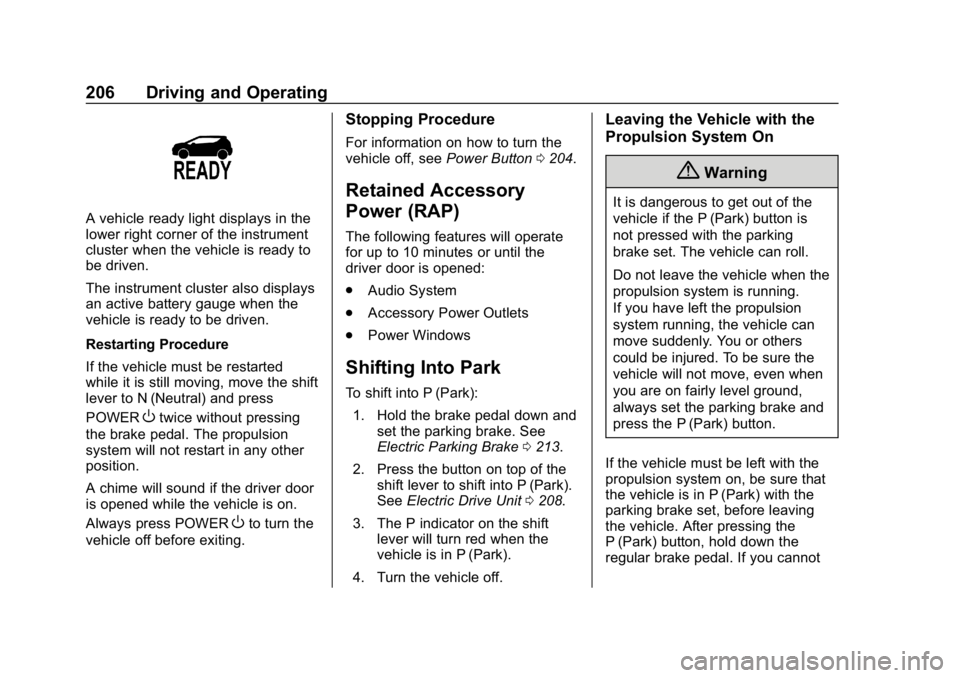
A vehicle ready light displays in the
lower right corner of the instrument
cluster when the vehicle is ready to
be driven.
The instrument cluster also displays
an active battery gauge when the
vehicle is ready to be driven.
Restarting Procedure
If the vehicle must be restarted
while it is still moving, move the shift
lever to N (Neutral) and press
POWER
Otwice without pressing
the brake pedal. The propulsion
system will not restart in any other
position.
A chime will sound if the driver door
is opened while the vehicle is on.
Always press POWER
Oto turn the
vehicle off before exiting.
Stopping Procedure
For information on how to turn the
vehicle off, see Power Button0204.
Retained Accessory
Power (RAP)
The following features will operate
for up to 10 minutes or until the
driver door is opened:
.
Audio System
. Accessory Power Outlets
. Power Windows
Shifting Into Park
To shift into P (Park):
1. Hold the brake pedal down and set the parking brake. See
Electric Parking Brake 0213.
2. Press the button on top of the shift lever to shift into P (Park).
See Electric Drive Unit 0208.
3. The P indicator on the shift lever will turn red when the
vehicle is in P (Park).
4. Turn the vehicle off.
Leaving the Vehicle with the
Propulsion System On
{Warning
It is dangerous to get out of the
vehicle if the P (Park) button is
not pressed with the parking
brake set. The vehicle can roll.
Do not leave the vehicle when the
propulsion system is running.
If you have left the propulsion
system running, the vehicle can
move suddenly. You or others
could be injured. To be sure the
vehicle will not move, even when
you are on fairly level ground,
always set the parking brake and
press the P (Park) button.
If the vehicle must be left with the
propulsion system on, be sure that
the vehicle is in P (Park) with the
parking brake set, before leaving
the vehicle. After pressing the
P (Park) button, hold down the
regular brake pedal. If you cannot