2018 CHEVROLET BOLT EV battery
[x] Cancel search: batteryPage 123 of 370
Chevrolet BOLT EV Owner Manual (GMNA-Localizing-U.S./Canada/Mexico-
11434431) - 2018 - crc - 2/14/18
122 Instruments and Controls
Battery Gauge (High
Voltage)
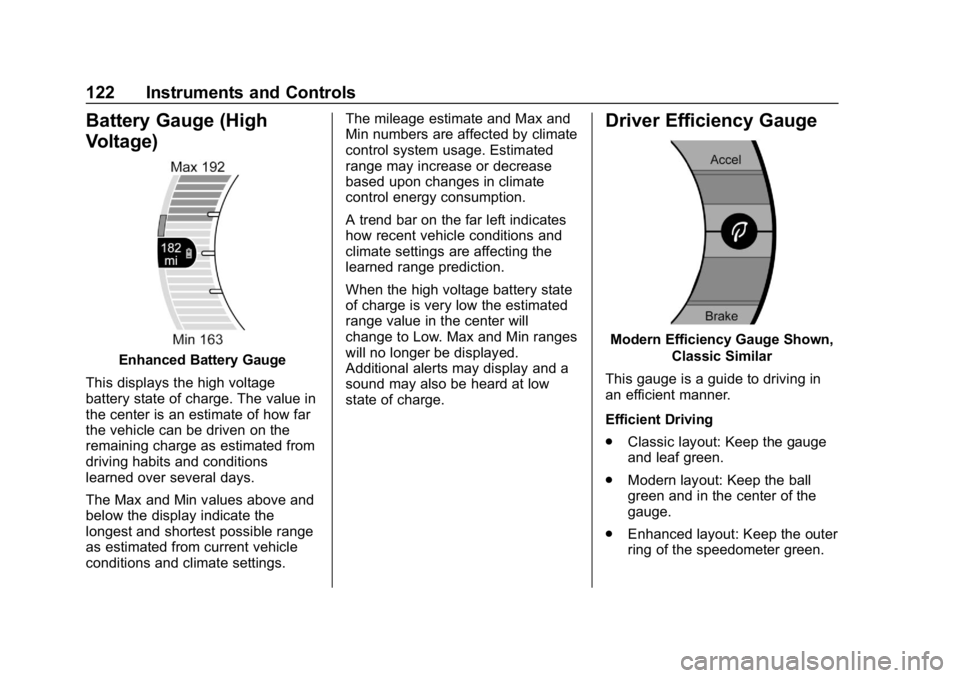
Enhanced Battery Gauge
This displays the high voltage
battery state of charge. The value in
the center is an estimate of how far
the vehicle can be driven on the
remaining charge as estimated from
driving habits and conditions
learned over several days.
The Max and Min values above and
below the display indicate the
longest and shortest possible range
as estimated from current vehicle
conditions and climate settings. The mileage estimate and Max and
Min numbers are affected by climate
control system usage. Estimated
range may increase or decrease
based upon changes in climate
control energy consumption.
A trend bar on the far left indicates
how recent vehicle conditions and
climate settings are affecting the
learned range prediction.
When the high voltage battery state
of charge is very low the estimated
range value in the center will
change to Low. Max and Min ranges
will no longer be displayed.
Additional alerts may display and a
sound may also be heard at low
state of charge.
Driver Efficiency Gauge
Modern Efficiency Gauge Shown,
Classic Similar
This gauge is a guide to driving in
an efficient manner.
Efficient Driving
. Classic layout: Keep the gauge
and leaf green.
. Modern layout: Keep the ball
green and in the center of the
gauge.
. Enhanced layout: Keep the outer
ring of the speedometer green.
Page 124 of 370
Chevrolet BOLT EV Owner Manual (GMNA-Localizing-U.S./Canada/Mexico-
11434431) - 2018 - crc - 2/14/18
Instruments and Controls 123
Inefficient Driving
.Classic layout: The gauge and
leaf turn yellow.
. Modern layout: The ball turns
yellow and moves above the
center of the gauge.
. Enhanced layout: The outer ring
of the speedometer turns yellow.
Aggressive Braking
. Classic layout: The gauge and
leaf turn yellow.
. Modern layout: The ball turns
yellow and moves below the
center of the gauge.
. Enhanced layout: The outer ring
of the speedometer turns yellow.Power Indicator Gauge
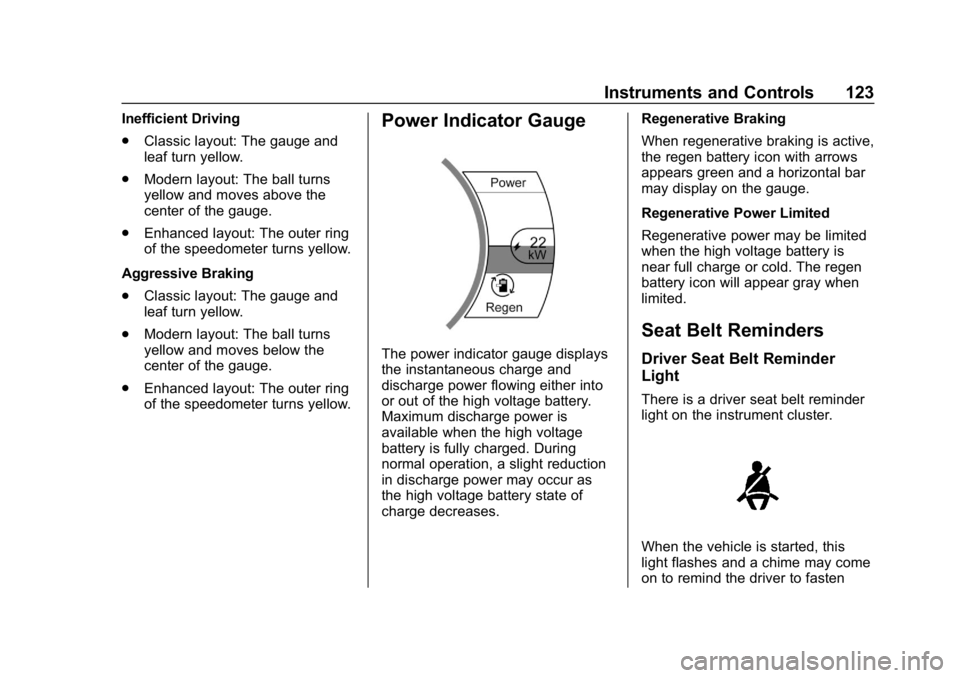
The power indicator gauge displays
the instantaneous charge and
discharge power flowing either into
or out of the high voltage battery.
Maximum discharge power is
available when the high voltage
battery is fully charged. During
normal operation, a slight reduction
in discharge power may occur as
the high voltage battery state of
charge decreases. Regenerative Braking
When regenerative braking is active,
the regen battery icon with arrows
appears green and a horizontal bar
may display on the gauge.
Regenerative Power Limited
Regenerative power may be limited
when the high voltage battery is
near full charge or cold. The regen
battery icon will appear gray when
limited.
Seat Belt Reminders
Driver Seat Belt Reminder
Light
There is a driver seat belt reminder
light on the instrument cluster.
When the vehicle is started, this
light flashes and a chime may come
on to remind the driver to fasten
Page 126 of 370
Chevrolet BOLT EV Owner Manual (GMNA-Localizing-U.S./Canada/Mexico-
11434431) - 2018 - crc - 2/14/18
Instruments and Controls 125
Passenger Airbag Status
Indicator
The vehicle has a passenger
sensing system. SeePassenger
Sensing System 077 for important
safety information. The overhead
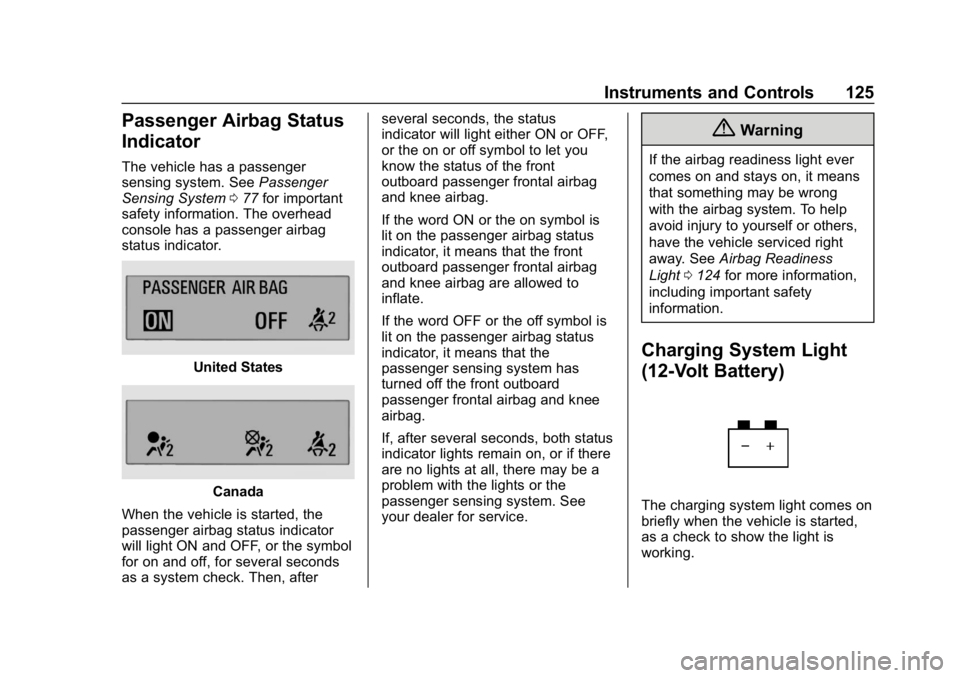
console has a passenger airbag
status indicator.
United States
Canada
When the vehicle is started, the
passenger airbag status indicator
will light ON and OFF, or the symbol
for on and off, for several seconds
as a system check. Then, after several seconds, the status
indicator will light either ON or OFF,
or the on or off symbol to let you
know the status of the front
outboard passenger frontal airbag
and knee airbag.
If the word ON or the on symbol is
lit on the passenger airbag status
indicator, it means that the front
outboard passenger frontal airbag
and knee airbag are allowed to
inflate.
If the word OFF or the off symbol is
lit on the passenger airbag status
indicator, it means that the
passenger sensing system has
turned off the front outboard
passenger frontal airbag and knee
airbag.
If, after several seconds, both status
indicator lights remain on, or if there
are no lights at all, there may be a
problem with the lights or the
passenger sensing system. See
your dealer for service.
{Warning
If the airbag readiness light ever
comes on and stays on, it means
that something may be wrong
with the airbag system. To help
avoid injury to yourself or others,
have the vehicle serviced right
away. See
Airbag Readiness
Light 0124 for more information,
including important safety
information.
Charging System Light
(12-Volt Battery)
The charging system light comes on
briefly when the vehicle is started,
as a check to show the light is
working.
Page 127 of 370
Chevrolet BOLT EV Owner Manual (GMNA-Localizing-U.S./Canada/Mexico-
11434431) - 2018 - crc - 2/14/18
126 Instruments and Controls
If the light stays on, or comes on
while driving, there could be a
problem with the electrical charging
system. Have it checked by your
dealer. Driving while this light is on
could drain the 12-volt battery.
If a short distance must be driven
with the light on, be sure to turn off
all accessories, such as the radio.
Service Vehicle Soon
Light
This light comes on if a condition
exists that may require the vehicle
to be taken in for service.
If the light comes on, take the
vehicle to your dealer for service as
soon as possible.
Brake System Warning
Light
The vehicle brake system consists
of two hydraulic circuits. If one
circuit is not working, the remaining
circuit can still work to stop the
vehicle. For normal braking
performance, both circuits need to
be working.
If the warning light comes on, there
is a brake problem. Have the brake
system inspected right away.
{Warning
The brake system might not be
working properly if the brake
system warning light is on.
Driving with the brake system
warning light on can lead to a
crash. If the light is still on after
the vehicle has been pulled off
the road and carefully stopped,
have the vehicle towed for
service.
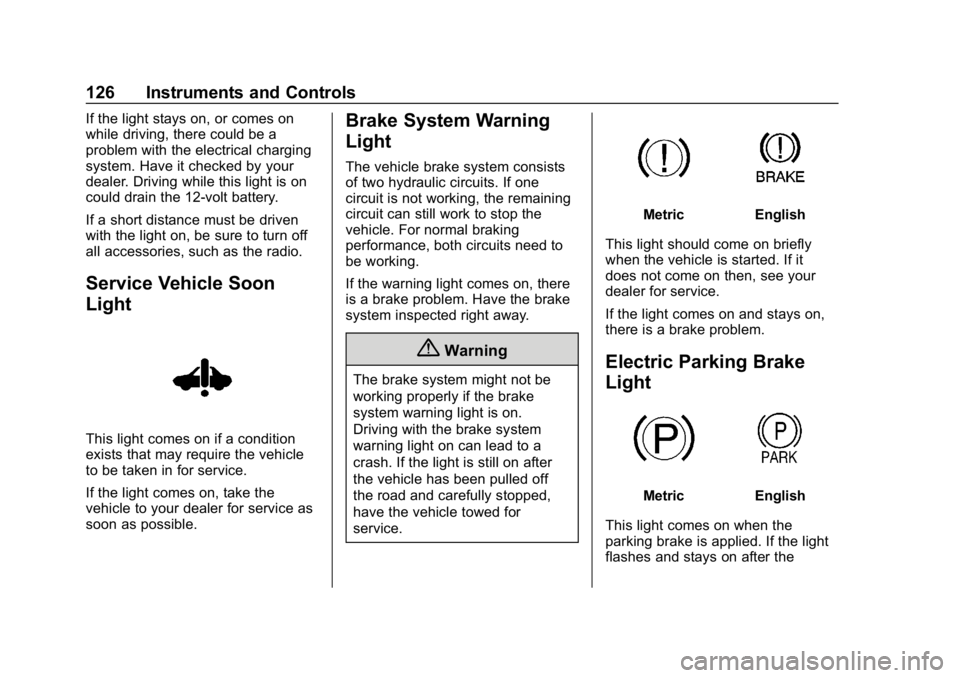
MetricEnglish
This light should come on briefly
when the vehicle is started. If it
does not come on then, see your
dealer for service.
If the light comes on and stays on,
there is a brake problem.
Electric Parking Brake
Light
MetricEnglish
This light comes on when the
parking brake is applied. If the light
flashes and stays on after the
Page 132 of 370
Chevrolet BOLT EV Owner Manual (GMNA-Localizing-U.S./Canada/Mexico-
11434431) - 2018 - crc - 2/14/18
Instruments and Controls 131
Door Ajar Light
This light comes on when a door is
open or not securely latched.
Information Displays
Power Flows
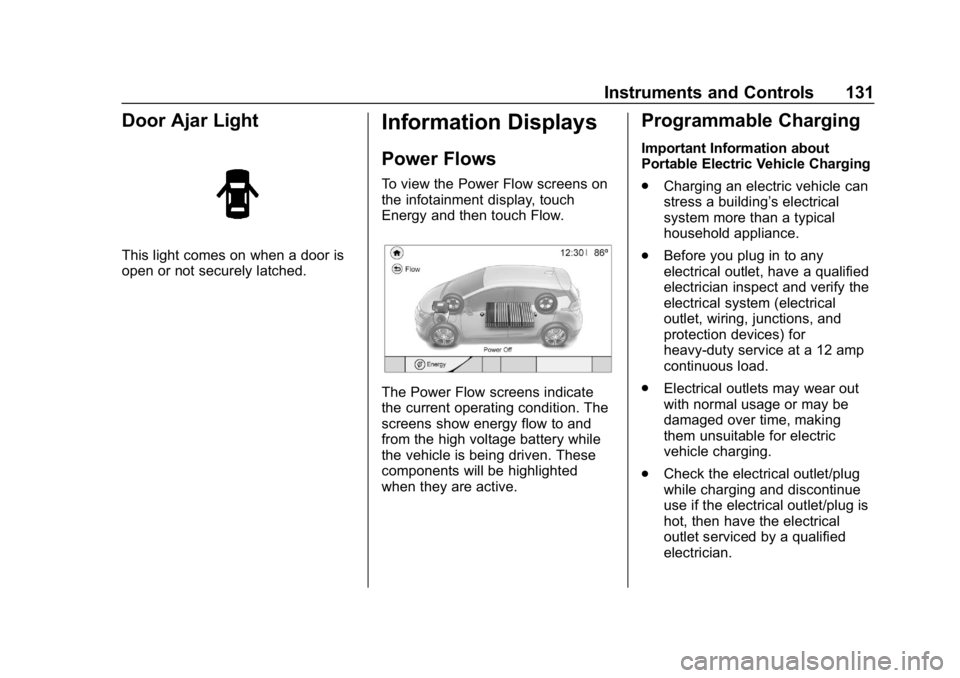
To view the Power Flow screens on
the infotainment display, touch
Energy and then touch Flow.
The Power Flow screens indicate
the current operating condition. The
screens show energy flow to and
from the high voltage battery while
the vehicle is being driven. These
components will be highlighted
when they are active.
Programmable Charging
Important Information about
Portable Electric Vehicle Charging
.Charging an electric vehicle can
stress a building’ s electrical
system more than a typical
household appliance.
. Before you plug in to any
electrical outlet, have a qualified
electrician inspect and verify the
electrical system (electrical
outlet, wiring, junctions, and
protection devices) for
heavy-duty service at a 12 amp
continuous load.
. Electrical outlets may wear out
with normal usage or may be
damaged over time, making
them unsuitable for electric
vehicle charging.
. Check the electrical outlet/plug
while charging and discontinue
use if the electrical outlet/plug is
hot, then have the electrical
outlet serviced by a qualified
electrician.
Page 135 of 370
Chevrolet BOLT EV Owner Manual (GMNA-Localizing-U.S./Canada/Mexico-
11434431) - 2018 - crc - 2/14/18
134 Instruments and Controls
Warning (Continued)
lowest charge level if the
electrical circuit or electrical outlet
capacity is not known.
Electric Rate Preference
The vehicle estimates the charging
start time based on the utility rate
schedule, utility rate preference, and
programmed departure time for the
current day of the week. The vehicle
will charge during the least
expensive rate periods to achieve a
full battery charge by the departure
time. Electrical rate information from
the utility company for the charging
location is required for this mode.
If the selected charge mode is
Departure, then electric rate
preference selection will display.
Electric Rate Preference Selection
From the Charge Mode tab on the
Charging screen with Departure
charge mode selected, touch More
to select the Electric Rate
Preference.
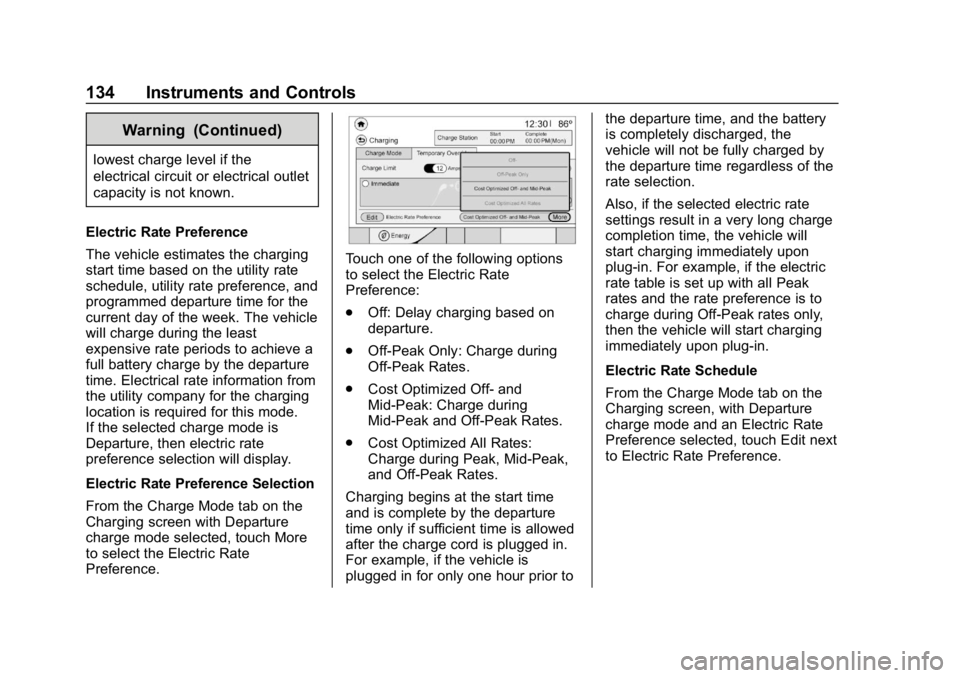
Touch one of the following options
to select the Electric Rate
Preference:
. Off: Delay charging based on
departure.
. Off-Peak Only: Charge during
Off-Peak Rates.
. Cost Optimized Off- and
Mid-Peak: Charge during
Mid-Peak and Off-Peak Rates.
. Cost Optimized All Rates:
Charge during Peak, Mid-Peak,
and Off-Peak Rates.
Charging begins at the start time
and is complete by the departure
time only if sufficient time is allowed
after the charge cord is plugged in.
For example, if the vehicle is
plugged in for only one hour prior to the departure time, and the battery
is completely discharged, the
vehicle will not be fully charged by
the departure time regardless of the
rate selection.
Also, if the selected electric rate
settings result in a very long charge
completion time, the vehicle will
start charging immediately upon
plug-in. For example, if the electric
rate table is set up with all Peak
rates and the rate preference is to
charge during Off-Peak rates only,
then the vehicle will start charging
immediately upon plug-in.
Electric Rate Schedule
From the Charge Mode tab on the
Charging screen, with Departure
charge mode and an Electric Rate
Preference selected, touch Edit next
to Electric Rate Preference.
Page 137 of 370
Chevrolet BOLT EV Owner Manual (GMNA-Localizing-U.S./Canada/Mexico-
11434431) - 2018 - crc - 2/14/18
136 Instruments and Controls
Yearly Shown, Summer/WinterSimilar
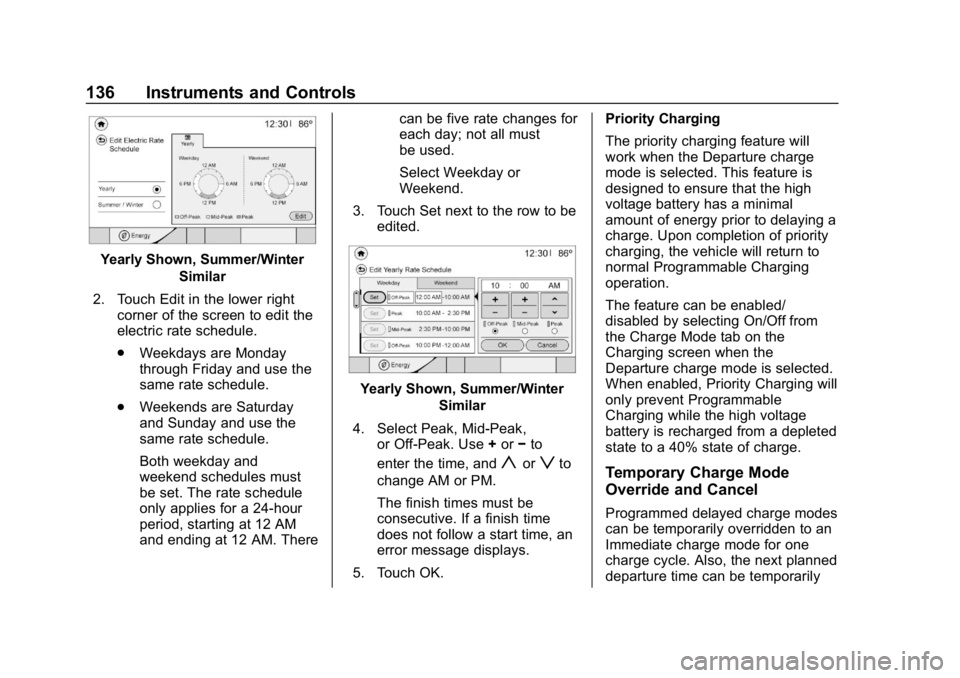
2. Touch Edit in the lower right corner of the screen to edit the
electric rate schedule.
.Weekdays are Monday
through Friday and use the
same rate schedule.
. Weekends are Saturday
and Sunday and use the
same rate schedule.
Both weekday and
weekend schedules must
be set. The rate schedule
only applies for a 24-hour
period, starting at 12 AM
and ending at 12 AM. There can be five rate changes for
each day; not all must
be used.
Select Weekday or
Weekend.
3. Touch Set next to the row to be edited.
Yearly Shown, Summer/Winter
Similar
4. Select Peak, Mid-Peak, or Off-Peak. Use +or −to
enter the time, and
yorzto
change AM or PM.
The finish times must be
consecutive. If a finish time
does not follow a start time, an
error message displays.
5. Touch OK. Priority Charging
The priority charging feature will
work when the Departure charge
mode is selected. This feature is
designed to ensure that the high
voltage battery has a minimal
amount of energy prior to delaying a
charge. Upon completion of priority
charging, the vehicle will return to
normal Programmable Charging
operation.
The feature can be enabled/
disabled by selecting On/Off from
the Charge Mode tab on the
Charging screen when the
Departure charge mode is selected.
When enabled, Priority Charging will
only prevent Programmable
Charging while the high voltage
battery is recharged from a depleted
state to a 40% state of charge.Temporary Charge Mode
Override and Cancel
Programmed delayed charge modes
can be temporarily overridden to an
Immediate charge mode for one
charge cycle. Also, the next planned
departure time can be temporarily
Page 140 of 370
Chevrolet BOLT EV Owner Manual (GMNA-Localizing-U.S./Canada/Mexico-
11434431) - 2018 - crc - 2/14/18
Instruments and Controls 139
This screen displays how energy is
being used since the last time the
high voltage battery was fully
charged. It includes Driving and
Accessories, Climate Settings, and
Battery Conditioning. The circle
graph displays these percentages.
Energy Used and Distance Traveled
are also displayed on the screen.
Energy Usage Score
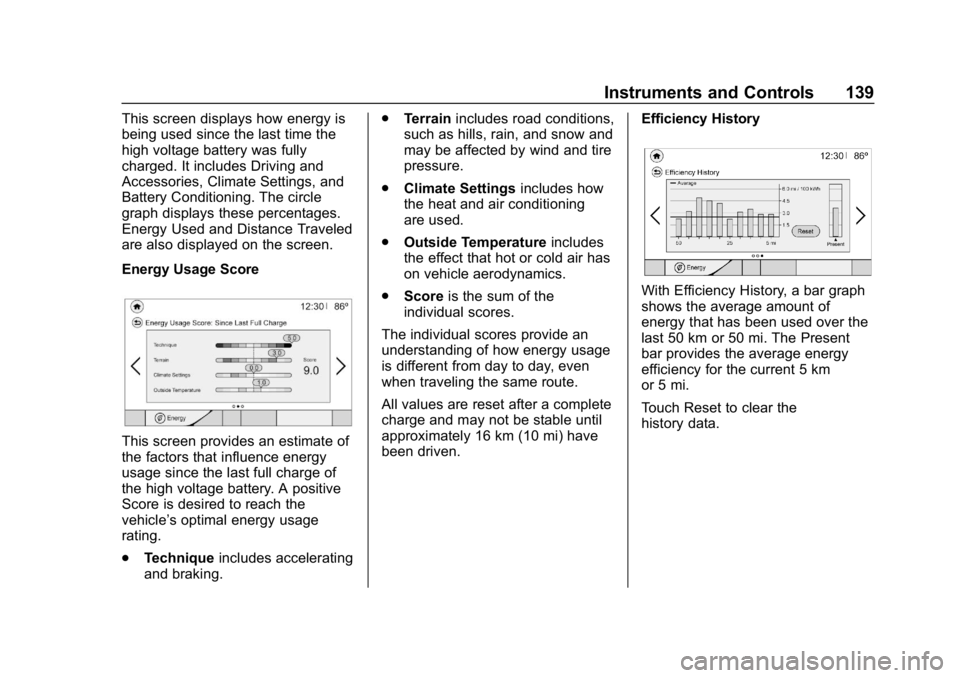
This screen provides an estimate of
the factors that influence energy
usage since the last full charge of
the high voltage battery. A positive
Score is desired to reach the
vehicle’s optimal energy usage
rating.
.Technique includes accelerating
and braking. .
Terrain includes road conditions,
such as hills, rain, and snow and
may be affected by wind and tire
pressure.
. Climate Settings includes how
the heat and air conditioning
are used.
. Outside Temperature includes
the effect that hot or cold air has
on vehicle aerodynamics.
. Score is the sum of the
individual scores.
The individual scores provide an
understanding of how energy usage
is different from day to day, even
when traveling the same route.
All values are reset after a complete
charge and may not be stable until
approximately 16 km (10 mi) have
been driven. Efficiency History
With Efficiency History, a bar graph
shows the average amount of
energy that has been used over the
last 50 km or 50 mi. The Present
bar provides the average energy
efficiency for the current 5 km
or 5 mi.
Touch Reset to clear the
history data.