2018 CHEVROLET BOLT EV infotainment
[x] Cancel search: infotainmentPage 48 of 370
Chevrolet BOLT EV Owner Manual (GMNA-Localizing-U.S./Canada/Mexico-
11434431) - 2018 - crc - 2/14/18
Keys, Doors, and Windows 47
7. The infotainment displayprovides confirmation that the
pairing process was completed
successfully.
Deleting a Paired Smartphone 1. Select Settings from the Home Page on the infotainment
display.
2. Select KeyPass.
3. Select Manage KeyPass Devices.
4. Touch Delete next to the smartphone to be deleted, and
follow the prompts.Doors
Liftgate
Caution
To avoid damage to the liftgate or
liftgate glass, make sure the area
above and behind the liftgate is
clear before opening it.
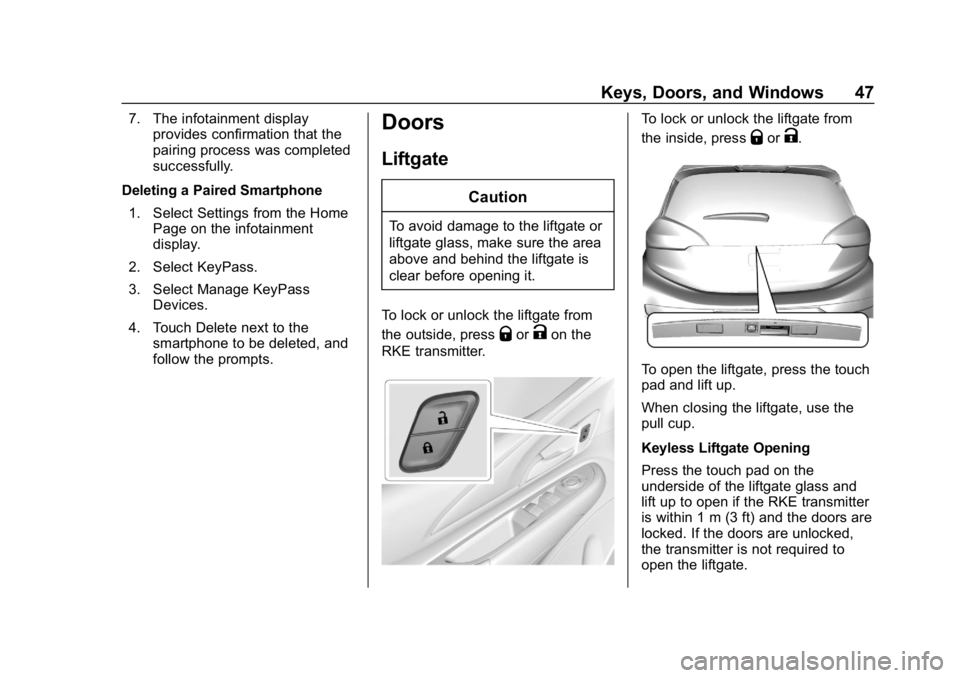
To lock or unlock the liftgate from
the outside, press
QorKon the
RKE transmitter.
To lock or unlock the liftgate from
the inside, press
QorK.
To open the liftgate, press the touch
pad and lift up.
When closing the liftgate, use the
pull cup.
Keyless Liftgate Opening
Press the touch pad on the
underside of the liftgate glass and
lift up to open if the RKE transmitter
is within 1 m (3 ft) and the doors are
locked. If the doors are unlocked,
the transmitter is not required to
open the liftgate.
Page 62 of 370
Chevrolet BOLT EV Owner Manual (GMNA-Localizing-U.S./Canada/Mexico-
11434431) - 2018 - crc - 2/14/18
Seats and Restraints 61
Warning (Continued)
heat, such as a blanket, cushion,
cover, or similar item. This may
cause the seat heater to
overheat. An overheated seat
heater may cause a burn or may
damage the seat.
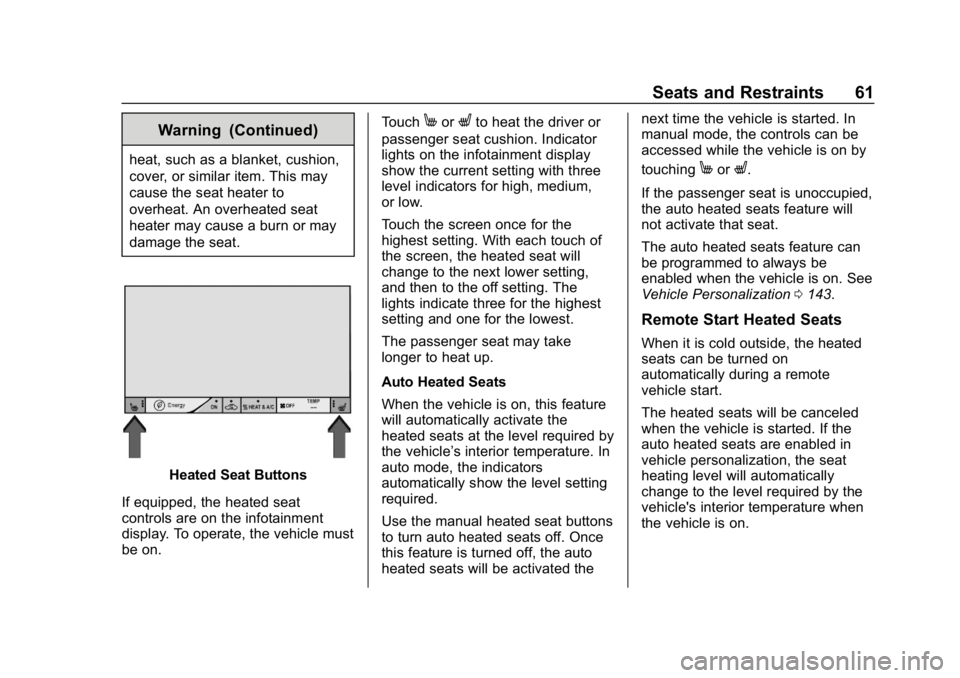
Heated Seat Buttons
If equipped, the heated seat
controls are on the infotainment
display. To operate, the vehicle must
be on. Touch
MorLto heat the driver or
passenger seat cushion. Indicator
lights on the infotainment display
show the current setting with three
level indicators for high, medium,
or low.
Touch the screen once for the
highest setting. With each touch of
the screen, the heated seat will
change to the next lower setting,
and then to the off setting. The
lights indicate three for the highest
setting and one for the lowest.
The passenger seat may take
longer to heat up.
Auto Heated Seats
When the vehicle is on, this feature
will automatically activate the
heated seats at the level required by
the vehicle’ s interior temperature. In
auto mode, the indicators
automatically show the level setting
required.
Use the manual heated seat buttons
to turn auto heated seats off. Once
this feature is turned off, the auto
heated seats will be activated the next time the vehicle is started. In
manual mode, the controls can be
accessed while the vehicle is on by
touching
MorL.
If the passenger seat is unoccupied,
the auto heated seats feature will
not activate that seat.
The auto heated seats feature can
be programmed to always be
enabled when the vehicle is on. See
Vehicle Personalization 0143.
Remote Start Heated Seats
When it is cold outside, the heated
seats can be turned on
automatically during a remote
vehicle start.
The heated seats will be canceled
when the vehicle is started. If the
auto heated seats are enabled in
vehicle personalization, the seat
heating level will automatically
change to the level required by the
vehicle's interior temperature when
the vehicle is on.
Page 110 of 370
Chevrolet BOLT EV Owner Manual (GMNA-Localizing-U.S./Canada/Mexico-
11434431) - 2018 - crc - 2/14/18
Instruments and Controls 109
Controls
Steering Wheel
Adjustment
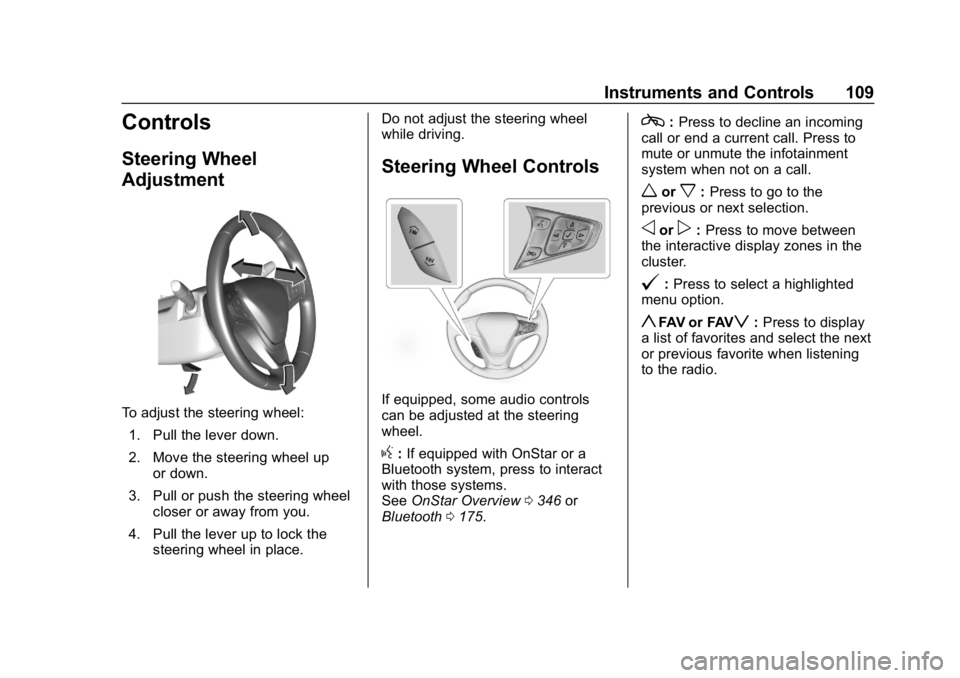
To adjust the steering wheel:1. Pull the lever down.
2. Move the steering wheel up or down.
3. Pull or push the steering wheel closer or away from you.
4. Pull the lever up to lock the steering wheel in place. Do not adjust the steering wheel
while driving.
Steering Wheel Controls
If equipped, some audio controls
can be adjusted at the steering
wheel.
g:
If equipped with OnStar or a
Bluetooth system, press to interact
with those systems.
See OnStar Overview 0346 or
Bluetooth 0175.
c:Press to decline an incoming
call or end a current call. Press to
mute or unmute the infotainment
system when not on a call.
worx: Press to go to the
previous or next selection.
oorp: Press to move between
the interactive display zones in the
cluster.
@: Press to select a highlighted
menu option.
yFAV or FAVz: Press to display
a list of favorites and select the next
or previous favorite when listening
to the radio.
Page 115 of 370
Chevrolet BOLT EV Owner Manual (GMNA-Localizing-U.S./Canada/Mexico-
11434431) - 2018 - crc - 2/14/18
114 Instruments and Controls
Clock
The infotainment system controls
are used to access the time and
date settings through the menu.
This can also be changed by
touching the clock, then touch
8to
go to the Time and Date
Settings menu.
D: Press to access the
Home Page.
T: Touch to access the Icon View.
Y: Drag the scroll bar to navigate
the list.
RorQ: Touch to set up
items.
0: Touch to exit or return to the
previous screen or menu.
Setting the Time
When Auto Set is enabled, the time
cannot be manually set.
1. Press
D, then touchT.
2. Touch Settings.
3. Touch Time and Date, then touch Set Time. 4. Touch + or
−to adjust the
value.
5. Touch
RorQto adjust
AM or PM for 12 hour format.
6. Touch
0.
Setting the Date
1. PressD, then touchT.
2. Touch Settings.
3. Touch Time and Date, then touch Set Date.
4. Touch + or −to adjust the
value.
5. Touch
0.
Auto Set
1. PressD, then touchT.
2. Touch Settings.
3. Touch Time and Date, then touch Auto Set.
4. Select from the available options.
5. Touch
0.
Setting the 12/24 Hour Format
1. PressD, then touchT.
2. Touch Settings.
3. Touch Time and Date, then touch Set Time.
4. Select 12 hr or 24 hr format.
5. Touch
0.
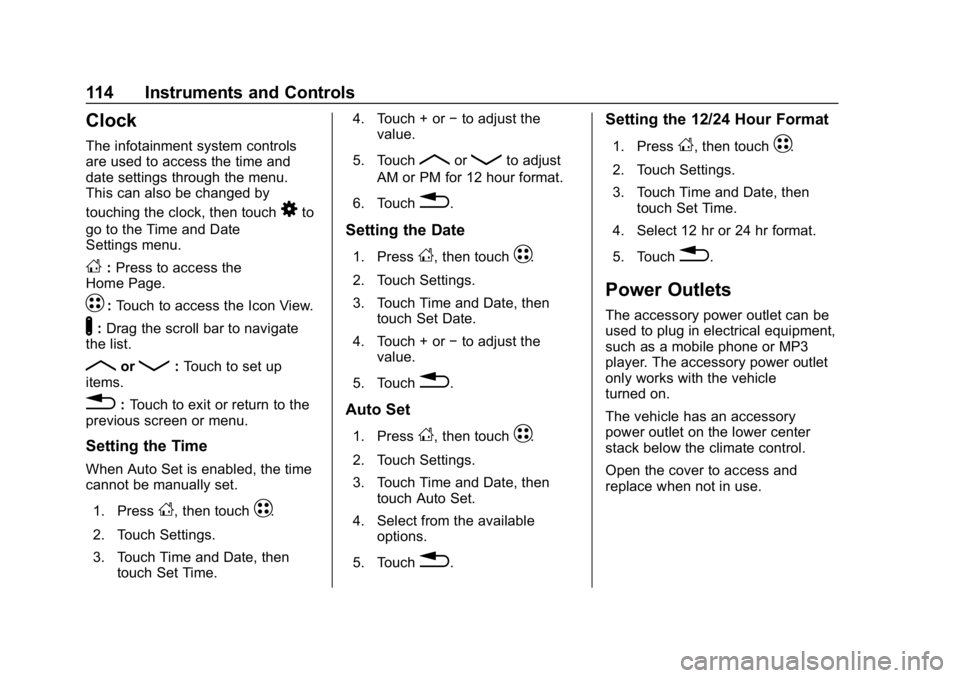
Power Outlets
The accessory power outlet can be
used to plug in electrical equipment,
such as a mobile phone or MP3
player. The accessory power outlet
only works with the vehicle
turned on.
The vehicle has an accessory
power outlet on the lower center
stack below the climate control.
Open the cover to access and
replace when not in use.
Page 117 of 370
Chevrolet BOLT EV Owner Manual (GMNA-Localizing-U.S./Canada/Mexico-
11434431) - 2018 - crc - 2/14/18
116 Instruments and Controls
{Warning
Remove all objects from the
charging pocket before charging
your mobile phone. Objects, such
as coins, keys, rings, paper clips,
or cards, between the mobile
phone and the charger will
become very hot. On the rare
occasion that the charging system
does not detect an object, and the
object gets wedged between the
mobile phone and the charger,
remove the mobile phone and
allow the object to cool before
removing it from the charging
pocket, to prevent burns.
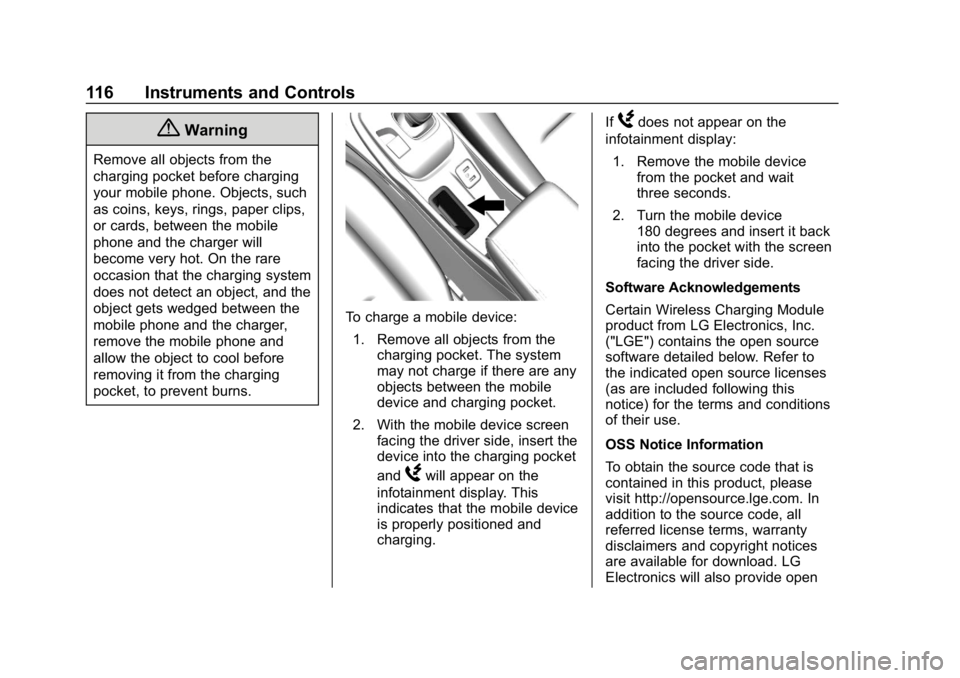
To charge a mobile device:1. Remove all objects from the charging pocket. The system
may not charge if there are any
objects between the mobile
device and charging pocket.
2. With the mobile device screen facing the driver side, insert the
device into the charging pocket
and
Wwill appear on the
infotainment display. This
indicates that the mobile device
is properly positioned and
charging. If
Wdoes not appear on the
infotainment display:
1. Remove the mobile device from the pocket and wait
three seconds.
2. Turn the mobile device 180 degrees and insert it back
into the pocket with the screen
facing the driver side.
Software Acknowledgements
Certain Wireless Charging Module
product from LG Electronics, Inc.
("LGE") contains the open source
software detailed below. Refer to
the indicated open source licenses
(as are included following this
notice) for the terms and conditions
of their use.
OSS Notice Information
To obtain the source code that is
contained in this product, please
visit http://opensource.lge.com. In
addition to the source code, all
referred license terms, warranty
disclaimers and copyright notices
are available for download. LG
Electronics will also provide open
Page 132 of 370
Chevrolet BOLT EV Owner Manual (GMNA-Localizing-U.S./Canada/Mexico-
11434431) - 2018 - crc - 2/14/18
Instruments and Controls 131
Door Ajar Light
This light comes on when a door is
open or not securely latched.
Information Displays
Power Flows
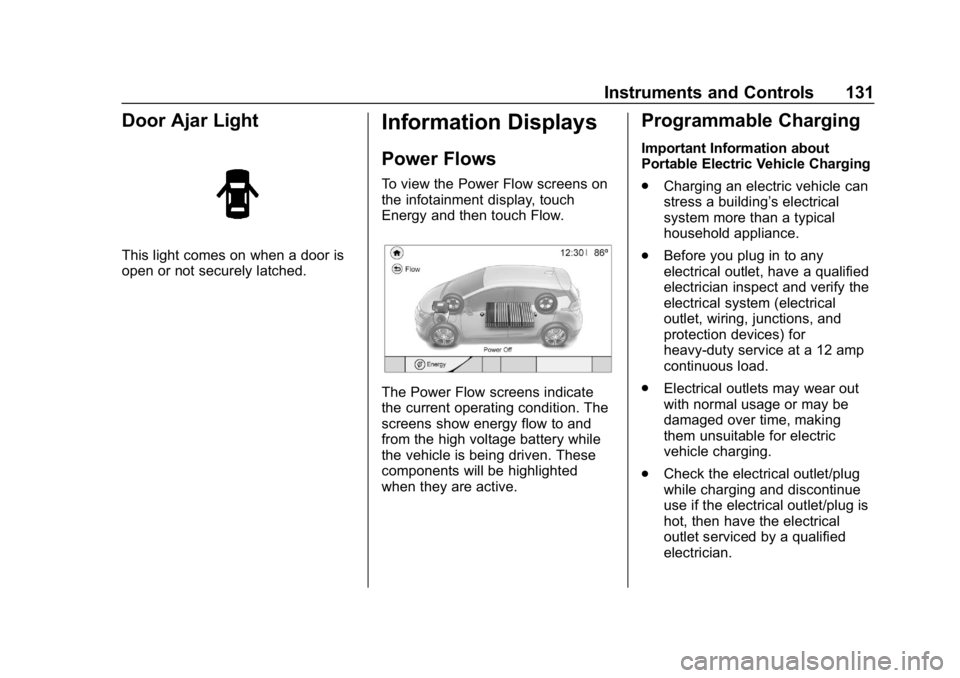
To view the Power Flow screens on
the infotainment display, touch
Energy and then touch Flow.
The Power Flow screens indicate
the current operating condition. The
screens show energy flow to and
from the high voltage battery while
the vehicle is being driven. These
components will be highlighted
when they are active.
Programmable Charging
Important Information about
Portable Electric Vehicle Charging
.Charging an electric vehicle can
stress a building’ s electrical
system more than a typical
household appliance.
. Before you plug in to any
electrical outlet, have a qualified
electrician inspect and verify the
electrical system (electrical
outlet, wiring, junctions, and
protection devices) for
heavy-duty service at a 12 amp
continuous load.
. Electrical outlets may wear out
with normal usage or may be
damaged over time, making
them unsuitable for electric
vehicle charging.
. Check the electrical outlet/plug
while charging and discontinue
use if the electrical outlet/plug is
hot, then have the electrical
outlet serviced by a qualified
electrician.
Page 133 of 370
Chevrolet BOLT EV Owner Manual (GMNA-Localizing-U.S./Canada/Mexico-
11434431) - 2018 - crc - 2/14/18
132 Instruments and Controls
.When outdoors, plug into an
electrical outlet that is
weatherproof while in use.
. Mount the charge cord to reduce
strain on the electrical
outlet/plug.
. Do not place the charge cord in
a position where it is expected to
be submerged in water.
{Danger
Improper use of portable electric
vehicle charge cords may cause
a fire, electrical shock, or burns,
and may result in damage to
property, serious injury, or death.
. Do not use extension cords,
multi-outlet power strips,
splitters, grounding
adaptors, surge protectors,
or similar devices.
. Do not use an electrical
outlet that is worn or
damaged, or will not hold
the plug firmly in place.
(Continued)
Danger (Continued)
.Do not use an electrical
outlet that is not properly
grounded.
. Do not use an electrical
outlet that is on a circuit with
other electrical loads.
See Charge Cord 0243.
Programmable Charging
Modes
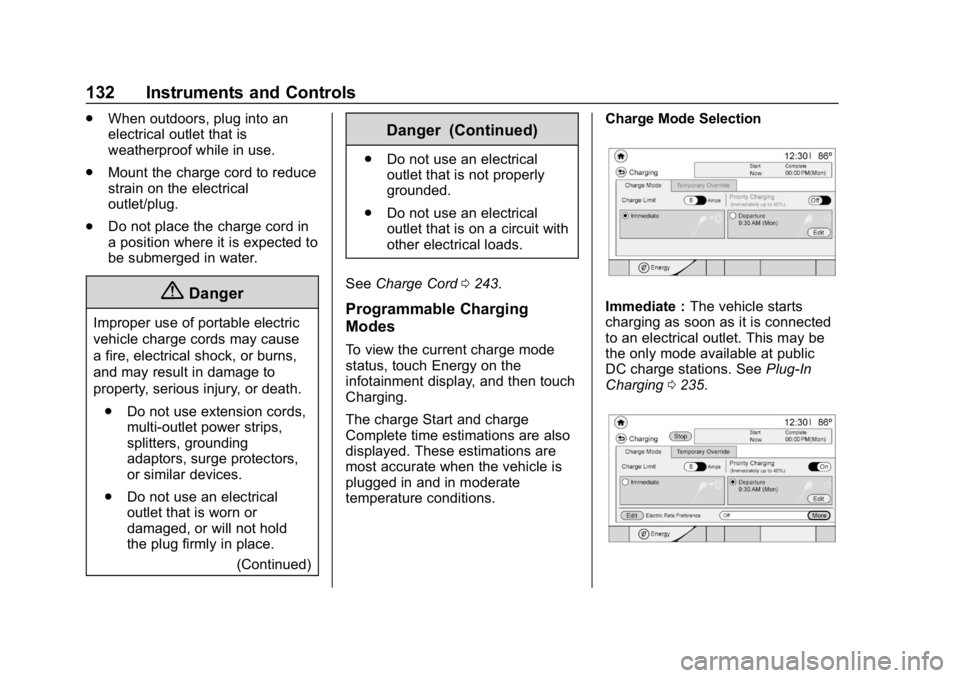
To view the current charge mode
status, touch Energy on the
infotainment display, and then touch
Charging.
The charge Start and charge
Complete time estimations are also
displayed. These estimations are
most accurate when the vehicle is
plugged in and in moderate
temperature conditions. Charge Mode Selection
Immediate :
The vehicle starts
charging as soon as it is connected
to an electrical outlet. This may be
the only mode available at public
DC charge stations. See Plug-In
Charging 0235.
Page 139 of 370
Chevrolet BOLT EV Owner Manual (GMNA-Localizing-U.S./Canada/Mexico-
11434431) - 2018 - crc - 2/14/18
138 Instruments and Controls
3. Touch Set Home Location[.
4. Touch OK.
5. Touch On to enable Location Based Charging.
To change the stored home location:
1. Touch Update Home Location
[on the Location Based
Charging screen.
2. Touch Update, then OK to set the new home location.
.Touch Cancel to make no
changes.
. Touch Remove to clear the
location and turn Location
Based Charging off.
Charging Interrupted or
Overridden Pop-Up
The Charging Interrupted or
Overridden pop-up will appear if any
of the following conditions occur:
.The charging options have been
updated through the mobile app.
See KeyPass 045.
. The charge process was
interrupted by the utility
company.
. There was an unintended loss of
AC power during the plug-in
charge event. For example,
there was a power outage or the
charge cord was unplugged from
the wall. See
Utility Interruption of Charging
0 250.
Programmable Charging
Disabled
When the Programmable Charging
system is disabled, the Unable to
Charge screen will display.
Energy Information
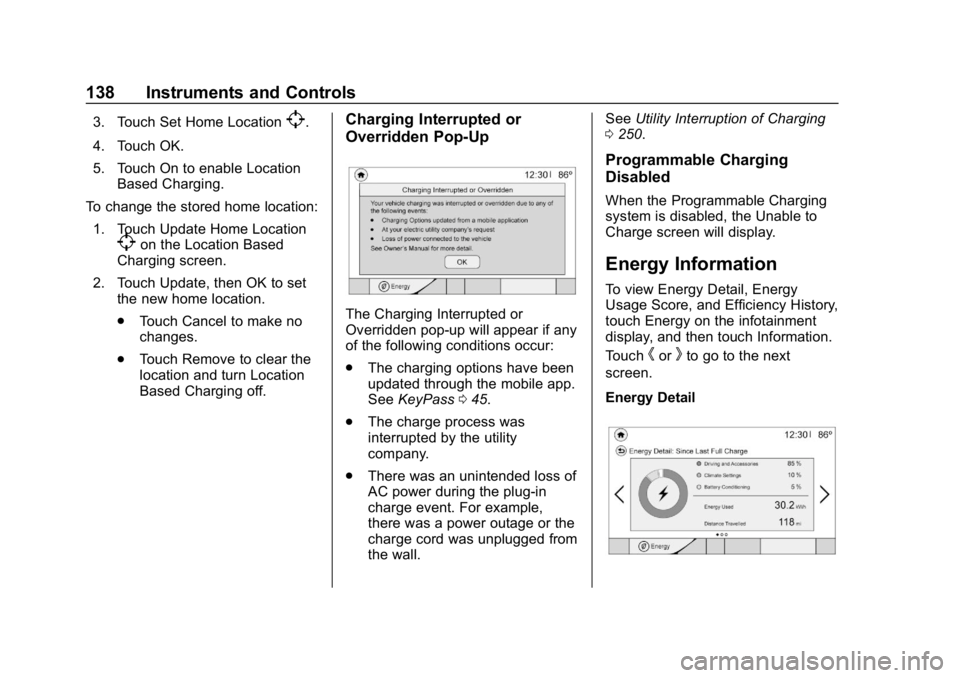
To view Energy Detail, Energy
Usage Score, and Efficiency History,
touch Energy on the infotainment
display, and then touch Information.
Touch
horkto go to the next
screen.
Energy Detail