2018 CADILLAC ESCALADE center console
[x] Cancel search: center consolePage 96 of 399

Cadillac Escalade Owner Manual (GMNA-Localizing-U.S./Canada/Mexico-
11349344) - 2018 - crc - 11/7/17
SEATS AND RESTRAINTS 95
console, front sensors, side impact
sensors, airbag wiring, or front center
console.
Your dealer and the service manual
have information about the location of
the airbag sensors, sensing and
diagnostic module, and airbag wiring.
In addition, the vehicle has a
passenger sensing system for the front
outboard passenger position, which
includes sensors that are part of the
passenger's seat. The passenger
sensing system may not operate
properly if the original seat trim is
replaced with non-GM covers,
upholstery, or trim, or with GM
covers, upholstery, or trim designed
for a different vehicle. Any object,
such as an aftermarket seat heater or
a comfort enhancing pad or device,
installed under or on top of the seat
fabric, could also interfere with the
operation of the passenger sensing
system. This could either prevent
proper deployment of the passenger
airbag(s) or prevent the passenger
sensing system from properly turning
off the passenger airbag(s). See
Passenger Sensing System090. If the vehicle has rollover roof-rail
airbags, see
Different Size Tires and
Wheels 0315 for additional important
information.
If you have to modify your vehicle
because you have a disability and you
have questions about whether the
modifications will affect the vehicle's
airbag system, or if you have
questions about whether the airbag
system will be affected if the vehicle is
modified for any other reason, call
Customer Assistance. See Customer
Assistance Offices 0364.
Airbag System Check
The airbag system does not need
regularly scheduled maintenance or
replacement. Make sure the airbag
readiness light is working. See Airbag
Readiness Light 0135.
Caution
If an airbag covering is damaged,
opened, or broken, the airbag may
not work properly. Do not open or
(Continued)
Caution (Continued)
break the airbag coverings. If there
are any opened or broken airbag
coverings, have the airbag covering
and/or airbag module replaced. For
the location of the airbags, see
Where Are the Airbags?086. See
your dealer for service.
Replacing Airbag System
Parts after a Crash
{Warning
A crash can damage the airbag
systems in the vehicle. A damaged
airbag system may not properly
protect you and your passenger(s)
in a crash, resulting in serious
injury or even death. To help make
sure the airbag systems are working
properly after a crash, have them
inspected and any necessary
replacements made as soon as
possible.
Page 117 of 399

Cadillac Escalade Owner Manual (GMNA-Localizing-U.S./Canada/Mexico-
11349344) - 2018 - crc - 11/7/17
116 STORAGE
Storage
Storage Compartments
Storage Compartments . . . . . . . . . . 116
Instrument Panel Storage . . . . . . . . 116
Glove Box . . . . . . . . . . . . . . . . . . . . . . . . . 116
Cupholders . . . . . . . . . . . . . . . . . . . . . . . . 117
Sunglasses Storage . . . . . . . . . . . . . . . 117
Armrest Storage . . . . . . . . . . . . . . . . . . 117
Rear Storage . . . . . . . . . . . . . . . . . . . . . . 117
Center Console Storage . . . . . . . . . . 118
Additional Storage Features
Cargo Tie-Downs . . . . . . . . . . . . . . . . . 118
Convenience Net . . . . . . . . . . . . . . . . . 118
Roof Rack System
Roof Rack System . . . . . . . . . . . . . . . . 119
Storage Compartments
{Warning
Do not store heavy or sharp objects
in storage compartments. In a
crash, these objects may cause the
cover to open and could result in
injury.
Instrument Panel Storage
Touch the bottom of the climate
control system panel until the door
automatically starts to open. The
storage area may contain a USB port.
See the infotainment manual.
Keep the storage area door closed
while driving.
Touch the bottom of the climate
control system again until the door
automatically starts to close.
Glove Box
To open, press the button. Close the
glove box manually.
Page 119 of 399

Cadillac Escalade Owner Manual (GMNA-Localizing-U.S./Canada/Mexico-
11349344) - 2018 - crc - 11/7/17
118 STORAGE
Center Console Storage
Pull the handle and lift to access.
There are auxiliary jacks, USB ports,
an accessory power outlet, a tote
compartment, and a device holder
inside.
On the rear of the console there are
auxiliary jacks, a power outlet, and a
storage area.
SeePower Outlets 0125 and the
infotainment manual.
If equipped, press to turn on the
cooled compartment inside the center
console storage.
The cooled compartment will help
keep cold liquids cold, but is not
intended to chill warm liquids. Do not
use for items that need to be
refrigerated.
Additional Storage
Features
Cargo Tie-Downs
There are four cargo tie-downs in the
rear cargo area. These can be used to
strap cargo down and keep it from
moving inside the vehicle.
Convenience Net
Use the convenience net, located in
the rear, to store small loads as far
forward as possible. The net should
not be used to store heavy loads.
Page 126 of 399
Cadillac Escalade Owner Manual (GMNA-Localizing-U.S./Canada/Mexico-
11349344) - 2018 - crc - 11/7/17
INSTRUMENTS AND CONTROLS 125
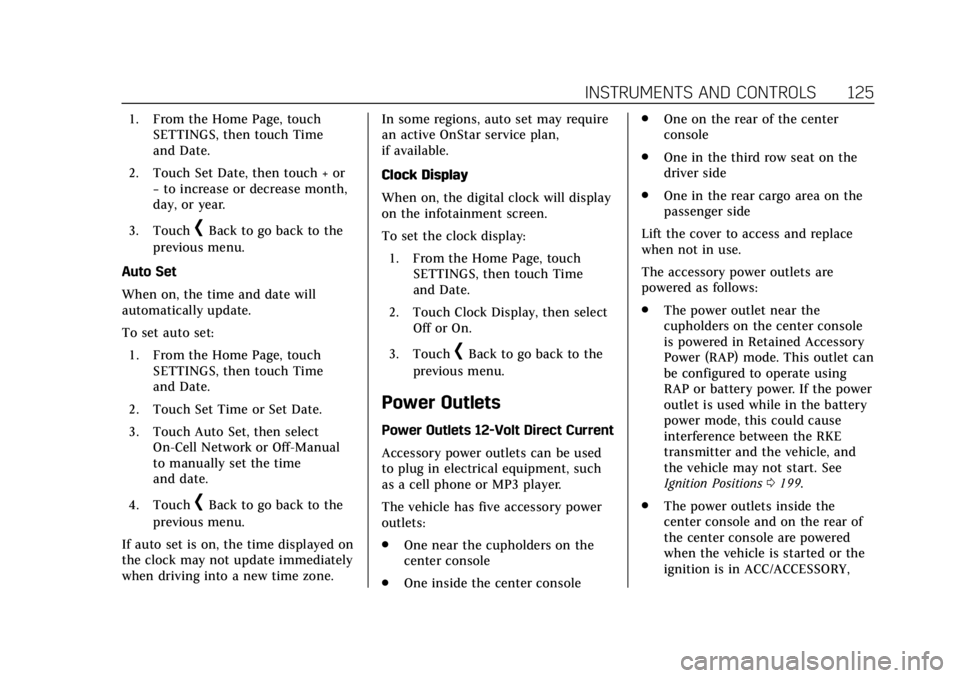
1. From the Home Page, touchSETTINGS, then touch Time
and Date.
2. Touch Set Date, then touch + or −to increase or decrease month,
day, or year.
3. Touch
[Back to go back to the
previous menu.
Auto Set
When on, the time and date will
automatically update.
To set auto set: 1. From the Home Page, touch SETTINGS, then touch Time
and Date.
2. Touch Set Time or Set Date.
3. Touch Auto Set, then select On-Cell Network or Off-Manual
to manually set the time
and date.
4. Touch
[Back to go back to the
previous menu.
If auto set is on, the time displayed on
the clock may not update immediately
when driving into a new time zone. In some regions, auto set may require
an active OnStar service plan,
if available.
Clock Display
When on, the digital clock will display
on the infotainment screen.
To set the clock display:
1. From the Home Page, touch SETTINGS, then touch Time
and Date.
2. Touch Clock Display, then select Off or On.
3. Touch
[Back to go back to the
previous menu.
Power Outlets
Power Outlets 12-Volt Direct Current
Accessory power outlets can be used
to plug in electrical equipment, such
as a cell phone or MP3 player.
The vehicle has five accessory power
outlets:
. One near the cupholders on the
center console
. One inside the center console .
One on the rear of the center
console
. One in the third row seat on the
driver side
. One in the rear cargo area on the
passenger side
Lift the cover to access and replace
when not in use.
The accessory power outlets are
powered as follows:
. The power outlet near the
cupholders on the center console
is powered in Retained Accessory
Power (RAP) mode. This outlet can
be configured to operate using
RAP or battery power. If the power
outlet is used while in the battery
power mode, this could cause
interference between the RKE
transmitter and the vehicle, and
the vehicle may not start. See
Ignition Positions 0199.
. The power outlets inside the
center console and on the rear of
the center console are powered
when the vehicle is started or the
ignition is in ACC/ACCESSORY,
Page 127 of 399

Cadillac Escalade Owner Manual (GMNA-Localizing-U.S./Canada/Mexico-
11349344) - 2018 - crc - 11/7/17
126 INSTRUMENTS AND CONTROLS
or until the driver door is opened
within 10 minutes of turning off
the vehicle. SeeRetained Accessory
Power (RAP) 0203.
. The power outlets in the third row
seat and in the rear cargo area are
powered at all times.
{Warning
Power is always supplied to the
outlets. Do not leave electrical
equipment plugged in when the
vehicle is not in use because the
vehicle could catch fire and cause
injury or death.
Caution
Leaving electrical equipment
plugged in for an extended period
of time while the vehicle is off will
drain the battery. Always unplug
electrical equipment when not in
use and do not plug in equipment
that exceeds the maximum 15 amp
rating. Certain power accessory plugs may
not be compatible with the accessory
power outlet and could overload
vehicle or adapter fuses. If a problem
is experienced, see your dealer.
When adding electrical equipment, be
sure to follow the proper installation
instructions included with the
equipment. See
Add-On Electrical
Equipment 0262.
Caution
Hanging heavy equipment from the
power outlet can cause damage not
covered by the vehicle warranty.
The power outlets are designed for
accessory power plugs only, such as
cell phone charge cords.
Power Outlet 110/120 Volt
Alternating Current
This power outlet can be used to plug
in electrical equipment that uses a
maximum limit of 150 watts.
The 110/120 volt power outlet is on
the rear of the center console. An indicator light on the outlet turns
on to show it is in use. The light
comes on when the vehicle is started,
equipment requiring less than 150
watts is plugged into the outlet, and
no system fault is detected.
The indicator light does not come on
when the ignition is off or if the
equipment is not fully seated into the
outlet.
If equipment is connected using more
than 150 watts or a system fault is
detected, a protection circuit shuts off
the power supply and the indicator
light turns off. To reset the circuit,
unplug the item and plug it back in or
turn the ignition off and then back to
on. The power restarts when
equipment using 150 watts or less is
plugged into the outlet and a system
fault is not detected.
The power outlet is not designed for
the following, and may not work
properly if they are plugged in:
.
Equipment with high initial peak
wattage, such as
compressor-driven refrigerators
and electric power tools
Page 128 of 399

Cadillac Escalade Owner Manual (GMNA-Localizing-U.S./Canada/Mexico-
11349344) - 2018 - crc - 11/7/17
INSTRUMENTS AND CONTROLS 127
.Other equipment requiring an
extremely stable power supply,
such as microcomputer-controlled
electric blankets and touch sensor
lamps
. Medical equipment.
Wireless Charging
The vehicle may have wireless
charging on top of the center console.
See Center Console Storage 0118. The
system operates at 145 kHz and
wirelessly charges one Qi compatible
mobile device. The power output of
the system is capable of charging at a
rate up to 1 amp (5W), as requested
by the compatible mobile device. See
Radio Frequency Statement 0372.
To check for phone or other device
compatibility:
. In the U.S., see my.cadillac.com/
learn.
. In Canada, see gmtotalconnect.ca.
. Or, see your dealer for details.
{Warning
Wireless charging can affect the
operation of an implanted
pacemaker or other medical devices.
If you have one, it is recommended
to consult with your doctor before
using the wireless charging system.
The vehicle must be on, in ACC/
ACCESSORY, or Retained Accessory
Power (RAP) must be active. The
wireless charging feature may not
correctly indicate charging when the
vehicle is in RAP. See Retained
Accessory Power (RAP) 0203.
The operating temperature is −20 °C
(−4 °F) to 60 °C (140 °F) for the
charging system and 0 °C (32 °F) to
35 °C (95 °F) for the phone.
{Warning
Remove all objects from the
charging pad before charging your
mobile device. Objects, such as
(Continued)
Warning (Continued)
coins, keys, rings, paper clips,
or cards, between the phone and
charging pad will become very hot.
On the rare occasion that the
charging system does not detect an
object, and the object gets wedged
between the phone and charger,
remove the phone and allow the
object to cool before removing it
from the charging pad, to prevent
burns.
To charge a mobile device:
Page 130 of 399

Cadillac Escalade Owner Manual (GMNA-Localizing-U.S./Canada/Mexico-
11349344) - 2018 - crc - 11/7/17
INSTRUMENTS AND CONTROLS 129
AND ON ANY THEORY OF LIABILITY,
WHETHER IN CONTRACT, STRICT
LIABILITY, OR TORT (INCLUDING
NEGLIGENCE OR OTHERWISE)
ARISING IN ANY WAY OUT OF THE
USE OF THIS SOFTWARE, EVEN IF
ADVISED OF THE POSSIBILITY OF
SUCH DAMAGE.
Cigarette Lighter
If equipped with a cigarette lighter, it
is in the center console near the
cupholders. Press on the access door
to open it and use the lighter.
To use the cigarette lighter, push it in,
and let go. When it is ready, it will
pop back out by itself.
Caution
Holding a cigarette lighter in while
it is heating does not let the lighter
back away from the heating
element when it is hot. Damage
from overheating can occur to the
lighter or heating element, or a fuse(Continued)
Caution (Continued)
could be blown. Do not hold a
cigarette lighter in while it is
heating.
Ashtrays
If equipped, the ashtray is in the
center console cupholder.
Caution
If papers, pins, or other flammable
items are put in the ashtray, hot
cigarettes or other smoking
materials could ignite them and
possibly damage the vehicle. Never
put flammable items in the ashtray.
To remove the ashtray, pull it from
the cupholder. Push it back down to
be sure it is secure.
Warning Lights, Gauges,
and Indicators
Warning lights and gauges can signal
that something is wrong before it
becomes serious enough to cause an
expensive repair or replacement.
Paying attention to the warning lights
and gauges could prevent injury.
Some warning lights come on briefly
when the engine is started to indicate
they are working. When one of the
warning lights comes on and stays on
while driving, or when one of the
gauges shows there may be a problem,
check the section that explains what
to do. Waiting to do repairs can be
costly and even dangerous.
Page 136 of 399

Cadillac Escalade Owner Manual (GMNA-Localizing-U.S./Canada/Mexico-
11349344) - 2018 - crc - 11/7/17
INSTRUMENTS AND CONTROLS 135
When the vehicle is started, this light
flashes and a chime may come on to
remind passengers to fasten their seat
belt. Then the light stays on solid
until the belt is buckled. This cycle
continues several times if the
passenger remains or becomes
unbuckled while the vehicle is moving.
If the passenger seat belt is buckled,
neither the chime nor the light
comes on.
The front passenger seat belt reminder
light and chime may turn on if an
object is put on the seat such as a
briefcase, handbag, grocery bag,
laptop, or other electronic device. To
turn off the reminder light and/or
chime, remove the object from the
seat or buckle the seat belt.
Airbag Readiness Light
This light shows if there is an
electrical problem with the airbag
system. The system check includes
the airbag sensor(s), the passenger
sensing system, the pretensioners, the
airbag modules, the wiring, and the
crash sensing and diagnostic module.
For more information on the airbag
system, seeAirbag System 084.
The airbag readiness light comes on
for several seconds when the vehicle is
started. If the light does not come on
then, have it fixed immediately.
{Warning
If the airbag readiness light stays
on after the vehicle is started or
comes on while driving, it means
the airbag system might not be
working properly. The airbags in the
vehicle might not inflate in a crash,
or they could even inflate without a
crash. To help avoid injury, have
the vehicle serviced right away.
If there is a problem with the airbag
system, a Driver Information Center
(DIC) message may also come on.
Passenger Airbag Status
Indicator
The vehicle has a passenger sensing
system. See Passenger Sensing System
0 90 for important safety information.
The passenger airbag status indicator
is in the overhead console.