2018 BUICK LACROSSE wheel
[x] Cancel search: wheelPage 122 of 362

Buick LaCrosse Owner Manual (GMNA-Localizing-U.S./Canada-10999169) -
2018 - crc - 3/28/17
Instruments and Controls 121
This light is amber and flashes as a
Lane Departure Warning (LDW)
alert, to indicate that the lane
marking has been crossed.
SeeLane Keep Assist (LKA) 0216.
Vehicle Ahead Indicator
If equipped, this indicator will
display green when a vehicle is
detected ahead and amber when
you are following a vehicle ahead
much too closely.
See Forward Collision Alert (FCA)
System 0208.
Traction Off Light
This light comes on briefly while
starting the engine. If it does not,
have the vehicle serviced by your
dealer. If the system is working
normally, the indicator light then
turns off.
The traction off light comes on when
the Traction Control System (TCS)
has been turned off by pressing and
releasing the TCS/StabiliTrak
button.
This light and the StabiliTrak OFF
light come on when StabiliTrak is
turned off.
If the TCS is off, wheel spin is not
limited. Adjust driving accordingly.
See Traction Control/Electronic
Stability Control 0190.
StabiliTrak OFF Light
This light comes on briefly while
starting the engine. If it does not,
have the vehicle serviced by your
dealer.
This light comes on when the
StabiliTrak system is turned off.
If StabiliTrak is off, the Traction
Control System (TCS) is also off.
If StabiliTrak and TCS are off, the
system does not assist in controlling
the vehicle. Turn on the TCS and
the StabiliTrak systems, and the
warning light turns off.
See Traction Control/Electronic
Stability Control 0190.
Page 127 of 362

Buick LaCrosse Owner Manual (GMNA-Localizing-U.S./Canada-10999169) -
2018 - crc - 3/28/17
126 Instruments and Controls
Energy Information
(eAssist)
To view the Consumption History
screen on the infotainment display,
touch
[on the Home page or on
the Application Tray on the top of
the infotainment display. Then touch
INFO at the bottom of the display.
Consumption History
The consumption history graph
shows the average fuel economy
over the last 50 km or 50 mi. The
Present bar provides the average
fuel economy for the present 5 km
or 5 mi.
Touch Reset to clear the
history data.
Driver Information
Center (DIC)
The DIC displays are shown in the
center of the instrument cluster in
the Info App. See Instrument Cluster
0 110. The Info App is only available
when the vehicle is on. The displays
show the status of many vehicle
systems. The controls for the DIC
are on the right steering wheel
control.
yorz: Press to move up or
down in a list.
SorT: PressSto open
application menus on the left. Press
Tto open interaction menus on the
right.
V: Press to open a menu or select
a menu item. Press and hold to
reset values on certain screens.
DIC Info Page Options
The info pages on the DIC can be
turned on or off through the
Options app.
1. Press
Sto access the cluster
applications.
2. Press
yorzto scroll to the
Options application.
3. Press
Vto select the
Options app.
4. Press
yorzto scroll to Info
Pages and press
T.
5. Select Edit List or press
T.
6. Press
yorzto move
through the list of possible
information displays.
Page 131 of 362

Buick LaCrosse Owner Manual (GMNA-Localizing-U.S./Canada-10999169) -
2018 - crc - 3/28/17
130 Instruments and Controls
Some vehicle messages or alerts
displayed in the HUD may be
cleared by using the steering wheel
controls. SeeVehicle Messages
0 132.
The HUD control is to the left of the
steering wheel.
To adjust the HUD image:
1. Adjust the driver seat to a comfortable position.
2. Start the engine.
3. Use the following settings to adjust the HUD.
$:Press down or lift up to center
the HUD image. The HUD image
can only be adjusted up and down,
not side to side.
!: Press to select the display
view. Each press will change the
display view.
D: Lift up and hold to brighten the
display. Press down and hold to dim
the display. Hold down to turn the
display off.
The HUD image will automatically
dim and brighten to compensate for
outside lighting. The HUD
brightness control can also be
adjusted as needed.
The HUD image can temporarily
light up depending on the angle and
position of sunlight on the HUD
display. This is normal.
Polarized sunglasses could make
the HUD image harder to see.
HUD Views
There are four views in the HUD.
Some vehicle information and
vehicle messages or alerts may be
displayed in any view.
Metric
English
Speed View : This display gives the
speedometer reading (in English or
metric units), Adaptive Cruise
Control speed, Lane Departure
Warning, and vehicle ahead
indicator. Some information only
appears on vehicles that have these
features, and when they are active.
Page 132 of 362

Buick LaCrosse Owner Manual (GMNA-Localizing-U.S./Canada-10999169) -
2018 - crc - 3/28/17
Instruments and Controls 131
Metric
English
Audio/Phone View : This display
includes the information in speed
view along with audio/phone
information. The current radio
station, media type, and incoming
calls will be displayed.
All HUD views may briefly display
audio information when the steering
wheel controls are used to adjust
the audio settings appearing in the
instrument cluster.
Incoming phone calls appearing in
the instrument cluster may also
display in any HUD view.
Metric
English
Navigation View : This display
includes the information in speed
view along with Turn-by-Turn
Navigation information. The
compass heading is displayed when
navigation routing is not active.
Navigation Turn-by-Turn Alerts
shown in the instrument cluster may
also be displayed in any HUD view.
Metric
English
Performance View : This display
gives the speedometer reading (in
English or metric units), rpm
reading, transmission positions, and
gear shift indicator.
Care of the HUD
Clean the inside of the windshield
as needed to remove any dirt or film
that could reduce the sharpness or
clarity of the HUD image.
Clean the HUD lens with a soft cloth
sprayed with glass cleaner. Wipe
the lens gently, then dry it.
Page 137 of 362

Buick LaCrosse Owner Manual (GMNA-Localizing-U.S./Canada-10999169) -
2018 - crc - 3/28/17
136 Instruments and Controls
.Extended Hill Start Assist
Auto Memory Recall
This feature automatically recalls
the current driver ’s previously stored
1 or 2 button positions when the
ignition is turned on. See Memory
Seats 055.
Select Off or On.
Easy Exit Options
This feature automatically recalls
the previously stored Exit button
position when exiting the vehicle.
See Memory Seats 055.
Select Off or On.
Chime Volume
This allows the selection of the
chime volume level.
Touch + or −to adjust the volume.
Reverse Tilt Mirror
When on, both the driver and
passenger outside mirrors will tilt
downward when the vehicle is
shifted to R (Reverse) to improve
visibility of the ground near the rear
wheels. They will return to their previous driving position when the
vehicle is shifted out of R (Reverse)
or the engine is turned off.
Select Off, On - Driver and
Passenger, On - Driver, or On -
Passenger.
Extended Hill Start Assist
This allows the duration of the Hill
Start Assist to be changed.
Select Extended Hold or
Standard Hold.
Lighting
Select and the following may be
displayed:
.
Vehicle Locator Lights
. Exit Lighting
Vehicle Locator Lights
This feature will flash the exterior
lamps when
Kon the Remote
Keyless Entry (RKE) transmitter is
pressed to locate the vehicle.
Select Off or On. Exit Lighting
This allows the selection of how
long the exterior lamps stay on
when leaving the vehicle when it is
dark outside.
Select Off, 30 Seconds, 60
Seconds, or 120 Seconds.
Power Door Locks
Select and the following may be
displayed:
.
Unlocked Door Anti Lock Out
. Auto Door Unlock
. Delayed Door Lock
Unlocked Door Anti Lock Out
When on, this feature will keep the
driver door from locking when the
door is open. If Off is selected, the
Delayed Door Lock menu will be
available.
Select Off or On.
Auto Door Unlock
This allows selection of which of the
doors will automatically unlock when
the vehicle is shifted into P (Park).
Select Off, All Doors, or Driver Door.
Page 148 of 362

Buick LaCrosse Owner Manual (GMNA-Localizing-U.S./Canada-10999169) -
2018 - crc - 3/28/17
Lighting 147
Turn and Lane-Change
Signals
Move the lever all the way up or
down to signal a turn.
An arrow on the instrument cluster
flashes in the direction of the turn or
lane change.
Raise or lower the lever until the
arrow starts to flash to signal a lane
change. Hold it there until the lane
change is completed. If the lever is
briefly pressed and released, the
turn signal flashes three times.
The turn and lane-change signal
can be turned off manually by
moving the lever back to its original
position.If after signaling a turn or lane
change the arrow flashes rapidly or
does not come on, a signal bulb
might be burned out.
Have any burned out bulbs
replaced. If the bulb is not burned
out, check the fuse. See
Fuses and
Circuit Breakers 0253.
Fog Lamps
The fog lamps button is on the
instrument panel to left of the
steering wheel.
To turn on the fog lamps, the ignition
and the headlamps or parking lamps
must be on. If the fog lamps are turned on while
the exterior lamp control is in the
AUTO position, the headlamps
come on automatically.
9:
Press to turn on or off. An
indicator light on the instrument
cluster comes on when the fog
lamps are on.
Page 149 of 362

Buick LaCrosse Owner Manual (GMNA-Localizing-U.S./Canada-10999169) -
2018 - crc - 3/28/17
148 Lighting
Interior Lighting
Instrument Panel
Illumination Control
The brightness of the instrument
cluster display, infotainment display
and controls, steering wheel
controls, and all other illuminated
controls, as well as feature status
indicators can be adjusted.
The knob for this feature is on the
instrument panel beside the steering
column.
Press to extend the knob, then turn
it clockwise or counterclockwise to
brighten or dim the lights.
Dome Lamps
The dome lamp controls are in the
overhead console.
To operate, press the following
buttons:
jOFF :Press to turn off the
dome lamps when a door is open.
An indicator light on the button will
turn on when the dome lamp
override is activated. Press
j
OFF again to deactivate this feature
and the indicator light will turn off.
The dome lamps will come on when
doors are opened. +
ON/OFF : Press to turn the dome
lamps on manually.
Reading Lamps
There are reading lamps on the
overhead console and over the rear
passenger doors.
Front Reading Lamps
Press the lamp lenses to turn the
front reading lamps on or off.
Page 160 of 362
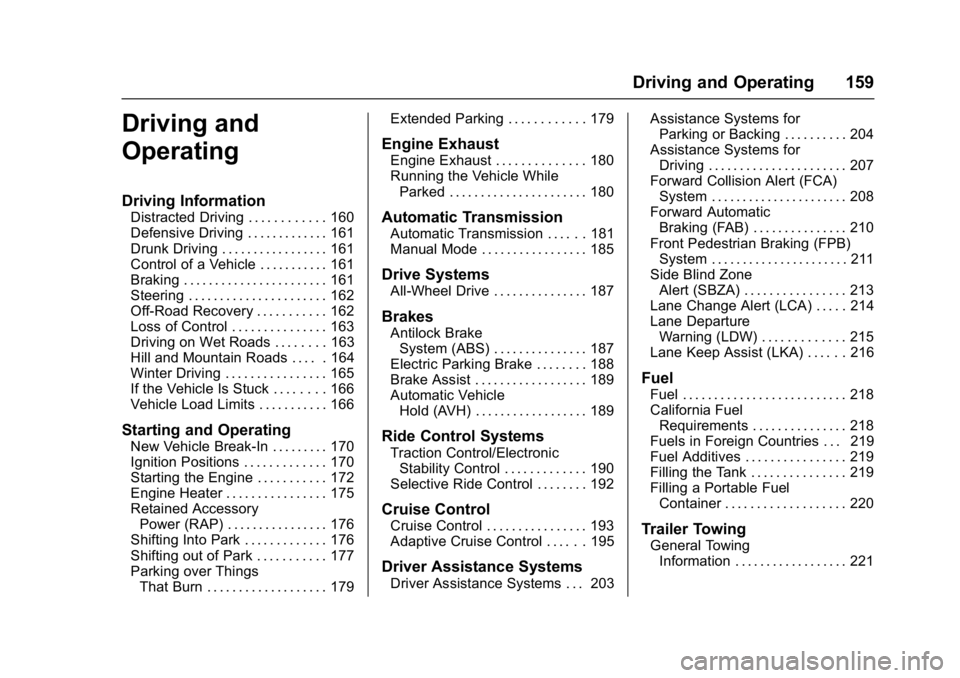
Buick LaCrosse Owner Manual (GMNA-Localizing-U.S./Canada-10999169) -
2018 - crc - 3/28/17
Driving and Operating 159
Driving and
Operating
Driving Information
Distracted Driving . . . . . . . . . . . . 160
Defensive Driving . . . . . . . . . . . . . 161
Drunk Driving . . . . . . . . . . . . . . . . . 161
Control of a Vehicle . . . . . . . . . . . 161
Braking . . . . . . . . . . . . . . . . . . . . . . . 161
Steering . . . . . . . . . . . . . . . . . . . . . . 162
Off-Road Recovery . . . . . . . . . . . 162
Loss of Control . . . . . . . . . . . . . . . 163
Driving on Wet Roads . . . . . . . . 163
Hill and Mountain Roads . . . . . 164
Winter Driving . . . . . . . . . . . . . . . . 165
If the Vehicle Is Stuck . . . . . . . . 166
Vehicle Load Limits . . . . . . . . . . . 166
Starting and Operating
New Vehicle Break-In . . . . . . . . . 170
Ignition Positions . . . . . . . . . . . . . 170
Starting the Engine . . . . . . . . . . . 172
Engine Heater . . . . . . . . . . . . . . . . 175
Retained AccessoryPower (RAP) . . . . . . . . . . . . . . . . 176
Shifting Into Park . . . . . . . . . . . . . 176
Shifting out of Park . . . . . . . . . . . 177
Parking over Things That Burn . . . . . . . . . . . . . . . . . . . 179 Extended Parking . . . . . . . . . . . . 179
Engine Exhaust
Engine Exhaust . . . . . . . . . . . . . . 180
Running the Vehicle While
Parked . . . . . . . . . . . . . . . . . . . . . . 180
Automatic Transmission
Automatic Transmission . . . . . . 181
Manual Mode . . . . . . . . . . . . . . . . . 185
Drive Systems
All-Wheel Drive . . . . . . . . . . . . . . . 187
Brakes
Antilock BrakeSystem (ABS) . . . . . . . . . . . . . . . 187
Electric Parking Brake . . . . . . . . 188
Brake Assist . . . . . . . . . . . . . . . . . . 189
Automatic Vehicle Hold (AVH) . . . . . . . . . . . . . . . . . . 189
Ride Control Systems
Traction Control/ElectronicStability Control . . . . . . . . . . . . . 190
Selective Ride Control . . . . . . . . 192
Cruise Control
Cruise Control . . . . . . . . . . . . . . . . 193
Adaptive Cruise Control . . . . . . 195
Driver Assistance Systems
Driver Assistance Systems . . . 203 Assistance Systems for
Parking or Backing . . . . . . . . . . 204
Assistance Systems for Driving . . . . . . . . . . . . . . . . . . . . . . 207
Forward Collision Alert (FCA)
System . . . . . . . . . . . . . . . . . . . . . . 208
Forward Automatic Braking (FAB) . . . . . . . . . . . . . . . 210
Front Pedestrian Braking (FPB) System . . . . . . . . . . . . . . . . . . . . . . 211
Side Blind Zone Alert (SBZA) . . . . . . . . . . . . . . . . 213
Lane Change Alert (LCA) . . . . . 214
Lane Departure Warning (LDW) . . . . . . . . . . . . . 215
Lane Keep Assist (LKA) . . . . . . 216
Fuel
Fuel . . . . . . . . . . . . . . . . . . . . . . . . . . 218
California Fuel Requirements . . . . . . . . . . . . . . . 218
Fuels in Foreign Countries . . . 219
Fuel Additives . . . . . . . . . . . . . . . . 219
Filling the Tank . . . . . . . . . . . . . . . 219
Filling a Portable Fuel Container . . . . . . . . . . . . . . . . . . . 220
Trailer Towing
General TowingInformation . . . . . . . . . . . . . . . . . . 221