2018 AUDI A3 SEDAN infotainment
[x] Cancel search: infotainmentPage 196 of 404

Audi conn ect (Infotainment)
- Navigation with satellite map1> r::!>page 213.
- Po in t o f Inter est (PO I) online se a rc h with
v o ic e re co gni tion
(such as restaurants): plan
route g uidance using the MMI control panel
¢ page 204 and the voice recognition system
¢page 170.
-Set up destinations in your MMI using your
m yAudi acco unt or the sa tellite m ap vie w l)
¢ page 213.
- Online traffic informat ion : receive up-to-the
minute traffic information about accidents,
road construction and other incidents
¢page 216.
- Map updat e: import navigat ion map updates
directly to your vehicle using an SD card or as
an online update
¢page 214.
(D Tips
-For the map update Audi connect Infotain
ment service via SD card, check the current
software vers ion in your vehicle and then
check www.aud iusa .com/myaudi to see if a
newer ve rsion is ava ilable. You can a lso have
the new navigation data insta lled by an A udi
dealer, w hich can be done for an add itional
cha rge.
- You can find add itiona l information abo ut
the
map upda te on line a t
www.audiusa.com/myaud i.
Audi connect (Infotainment) in Media
menu
Applies to vehicles with Audi connect (Infotainment)
.,. Se lect : IMENUI button> Audi connect > right
control button >
Ente rtainment .
- Online medi a and Internet r adio :
offers access
to different online media services as well as In
ternet rad io and operat ion through the MMI us
ing the
Audi MMI conne ct app.
Applies to: vehicles with Wi-Fi audio player
-Wi-Fi audi o player : you can access t he media
center through a Wi -Fi connected media player
(such as a smartphone)
¢ page 22 7.
ll AU DI AG provides access to services fro m third party pro
v iders . Pe rma nent availabil ity can not be guaran teed , be
c a use that depen ds on the th ird party provider.
194
A WARNING
It is only safe to use tablets, laptops, mobile
devices and other similar devices whe n the ve
hi cle is stationary because, like all loose ob
jects, they could be thrown around the inside of the vehicle in a cras h and cause se rious in
j ur ies . Store these types of devices sec urely
while driv ing.
((D} Note
A lways fo llow the information found in r::!> 0 in
Wi -Fi hotspot on page 195.
(D Tips
- Also see the chapter r::!> page 196, Audi con
nect (Infotainment) general information.
- For more informat ion on the W i-F i aud io
player and suppo rted devices, contact an
autho rized A ud i dealer o r autho riz ed Aud i
Serv ice Facility.
Additional options
Applies to vehicles with Audi connect (Infotainment)
.,. Select: IMENUI b utton> Audi conn ect > right
control button.
The following opt ions are available in the Aud i
connect I nfota inment serv ices overv iew :
About Audi conn ect
Here you w ill find legal information for Audi con
nect (Infota inment) usage .
Lo g in *
See ¢ page 190, Logging into myAudi in the vehi
cle.
Connection manager
Seer::!> page 244.
Licens e subscription
The validity and exp iration date of your licenses
a re disp layed. W hen the fu nction is sw itched on
1111-
Page 197 of 404
u. 00 .-< N l' N .-< 0 N > 00
10, the message Warning befo re sub scripti on
e x pire s
will display to warn you that your license
is about to expire.
Refresh
The content of the selected A udi connect Info
tainment service o r the entire Audi connect (Info
tainment) list is updated .
Data privacy
Requirement: the ign it ion must be switched on.
Locat ion and personal data are transmitted when
using Aud i connect Infotainment services . If you
do not want this information to be transm itted,
activate data p rivacy .
-Acti vate pri vacy: the data connection is switch
ed off. Some Audi connect Infotainment serv
ices are not available.
- Deacti vate data priv acy : if the data connection
is switched off, you can switch on the data con
nect ion for the use of all Audi connect Infota in
ment services. Select and confirm
A cti vate d ata
conn ection.
Wi-Fi hotspot
A ppl ies to: ve hicles with Wi-F i hotspot
You can use the MMI as a Wi-Fi hotspot to con
nect up to eight Wi-Fi devices to the Internet.
While driving, restricted use of unsecured, light,
small wireless devi ces is only possible from the
rear of the vehicle.
Requirement: the ign ition must be switched on.
"' Select : I MENU I button> Telephone > right con-
trol button >
W i-Fi settings.
The fo llow ing settings can be selected:
Wi-Fi
The MM I Wi -Fi hotspot is deactivated at the fac
tory. Switch the Wi-Fi hotspot to
Hot spot before
establishing a connection between your vehicle
and your Wi -Fi device.
- On : the MMI Wi -Fi hotspot is active and visib le
to ot her devices. You can connect your Wi -Fi
device to the MMI and use the Internet connec
t ion if necessary.
Audi conn ect (Inf otainment )
-Off : the M MI Wi-Fi hotspot is deactivated. An
Internet connection for Wi -Fi devices is not
possible .
A WARNING
= -
- To reduce the r isk of an accident, use the
Aud i connect Infotainment services with a
W i- F i hotspot only in the rear seat when the
ve hicle is in mot io n, or only when the vehi
cle is stat ionary .
- It is o nly safe to use tablets, laptops, mo
b ile dev ices and other sim ilar devices when
the vehicle is stat ionary because, li ke all
loose objects, they co uld b e thrown around
t he inside o f th e ve hicl e in a c rash and ca use
serio us inj uries . Store these types of devices
secure ly while driving .
- D o not use any wireless dev ices on the front
seats within range of the airbags whi le driv
ing . A lso read the warnings in the chapter
¢ page 2 73, Front airbags .
-As the driver, do not allow usage of the Wi
F i hotspot to distract yo u from driving, as
this cou ld increase the r isk of an accident.
@ Note
- Under some conditions, ce rtain mobile devi
ces and operating systems may automati
cally switch from your vehicle's Wi -Fi hot
spot to the device's mobi le data connection.
In that event, standa rd text and data usage
rates would apply wh ile the device's mobile
data connect ion is in use. Please refer to
documentation prov ided by your mob ile de
vice's manufacture a nd you r data carrier for
details , rela ted te rms an d pr iva cy sta te
ment.
- Yo u ar e respons ib le for all precautions ta k
en for d ata prote ct io n, a nti -vir us p rotec tion
and protec tion agains t loss of data on mo
bile devices t hat are used to access the In
ternet through the Wi -Fi hotspot.
(D Tips
- In ve hicl es w it h out Audi con nect (I nfota in
ment)*, the use of the Wi -Fi hotspot is on ly
possible fo r the Wi -Fi audio player *. A data
.,.
195
Page 198 of 404
Audi conn ect (Infotainment)
connection to the Internet cannot be
established.
- F or additional in format io n about t he Aud i
connect Infotainment services, visit
www.audiusa.com/myaudi .
Configuring the data
connection
A pp lies to ve hicles wi th A ud i co nn ect (I nfotainment)
The data connection for Audi connect Infotain
ment services is pre-configured at the factory .
However, if a configuration should be necessary,
you can adjust the following settings.
.,.. Select: IMENUI button> right control button>
Conn ection man ager.
.,.. Se lect : rig ht contro l butto n > Online se tt ing s>
Da ta co nn ection setting s.
Using the D ata c onnection settings menu, you
can set when an Internet con nection should be
made . T he Inte rnet connect ion disconnects auto
matica lly once the requested Audi connect Info
tainment service no longer requires any data .
The fo llow ing settings can be selected:
Audi connect (MMI )
With the Audi conn ect ( MMI) function, you can
Allo w or Deny the use of Audi connect Infota in
ment services if the connect io n is set to
No re
quest or With reque st .
Wi-Fi de vices*
Using the Wi-Fi d evices function, you can Allo w
or Deny a connection to the Internet.
A WARNING
- As the dr iver, do not allow usage of the Wi
Fi hotspot to distract you from d riving, as
t hi s could inc rease the risk of an acc ident.
- It is only safe to use tablets, laptops, mo
bile devices and other s imilar dev ices when
the veh icle is stationa ry because, like all
loose objects, they could be th row n aro u nd
the inside of the vehicle in a crash an d cause
serious injuries . Store t hese types of devices
sec urely whi le driving.
196
- Do not use any wire less devices on the front
seats within range of the airbags while dr iv
ing. Also read the warnings in the chapter
¢ page 2 73 , Front airbags .
@ Note
Always fo llow the information fo und in¢(!) in
Wi -Fi hotspot on page 195.
Audi connect
(Infotainment) general
information
Audi connect Infotainment services
App lies to vehicles w it h Audi connect (I nfotai nme nt)
(D Tips
- You can only use serv ices supported by Aud i
connect (Infota inment) if yo u have the op
t ional MMI Navigation plus eq uipment w it h
M MI touch* and A udi connect (Infotai n
ment).
- Use of the LT E* mobile ne twork standard is
not ava ilab le i n every country . Contact an
authorized A udi dealer or authorized Audi
Service Facility or your cell phone service
prov ider for add itiona l information .
- Usage of Audi connect Infotainment serv
ices depends on the avai labi lity of services
through third party providers.
- Audi connect Infotainment services are on ly
availab le w ith in the cell phone network cov
erage from your cell phone service provider.
- Audi connect Infotainment services are
available in the USA . Audi connect Infota in
ment serv ices are currently not availab le in
Canada or in Mexico.
- Also read the info rmation in the chapter
¢page 177, Telephone.
- Availability, scope, prov iders, screen display
and costs of services may vary depending on
the country, model, model year, end device
and rates . For add itiona l information, v is it
www .aud iusa .com .
- An initial registration/act ivat ion on the
myAud i platform at www .audiusa .com/
Page 199 of 404

u. 00 .-< N l' N .-< 0 N > 00
myaudi is required to use individual serv
ices . You can contact an authorized Audi
dealer or Audi connect (Infotainment) cus
tomer service at (877) SOS-AUDI (2834) to receive information on options for expand
i ng your usage and any costs that may re
sult .
- The Audi connect Infotainment services are
a W i-F i/lnternet-based system . If the sys
tem does not function co rrectly even
though all of the requirements a re met,
please try again later or contact Audi con
ne ct (Infota inment) customer service a t
(8 77) SOS -AU DI (2834) .
- Fo r detailed information on Audi connect
(Infotainment) and the Terms of Use, refer
to www .audiusa .com .
Data protection
Applies to vehicles with Aud i connect (Infotainment)
(D Tips
- Your privacy is important to us.
-AUDI AG collects, processes, shares and
transmits your persona l information in ac
cordance with legal regulations in order to
ensure proper function and availability of
the individual Audi connect Infota inment
services . You can view the complete, current
and val id Audi connect (Infotainment) data
prote ction poli cy in your MMI. The myAudi
platfo rm is available fo r to yo u to activate
additional Audi connect Infotainment serv
ices and to transfer data to your vehicle,
among other services. A one-time registra
tion is required to establish a connection to
your vehicle. For this purpose, AUDI AG col
l ects, processes, transmits and uses your re
quired personal informat ion as requ ired for
you to use the services provided by AUDI
AG. Your information is not dist ributed to
th ird parties. Us ing you r ce ll phone with Audi conn
ect (Inf otainment )
your myAudi p latform allows you to trans
mit data for your Audi connect Infotain
ment serv ices functions to your vehicle and
you can allow specific vehicle data to be transmitted from your vehicle.
- By activating special information services that are part of your Aud i connect (Infotain
ment) portfolio, you can use these functions
directly in your vehicle by entering data to
confirm you r identity (to use soc ial net
works, for example). To do this, the ident ifi
cat ion info rmation you provided is forward
ed with the request to the respec tive service
prov ider. Then you can access yo ur persona l
content using a sec ure connection . This con
tent is displayed in the vehicle for your use .
Your personal content is not stored w ith in
Audi AG. The necessary connection informa tion is processed and used for prov iding
serv ices and the proper funct ion of the serv
ices in accordance with applicable legal
guide lines.
- You can find additional info rmation in your
MMI in the options menu for the selected
Audi connect Infotainment service and a lso
online at www.a udiusa.com.
- By p roviding Aud i connect Infotainment
serv ices, Audi of Ameri ca is au thori zed to
c ollec t, p rocess, transmi t and transfer info r
mation about you and your vehicle . Addi
tional information can also be found in your
MMI in the options menu for the selected
Audi connect Infotainment service.
- Information on o ur data protection meas
ures in conjunct ion with the mob ile Audi
connect (Infotainment) app lication can be
found in the applicat ion's privacy policy. For
add itiona l information about the
www.aud iusa.com/myaudi webs ite or other
applications, websites or on line services
connected to Audi, v is it www.aud iusa.com/
pr ivacy.
197
Page 200 of 404
Audi connect (Infotainment)
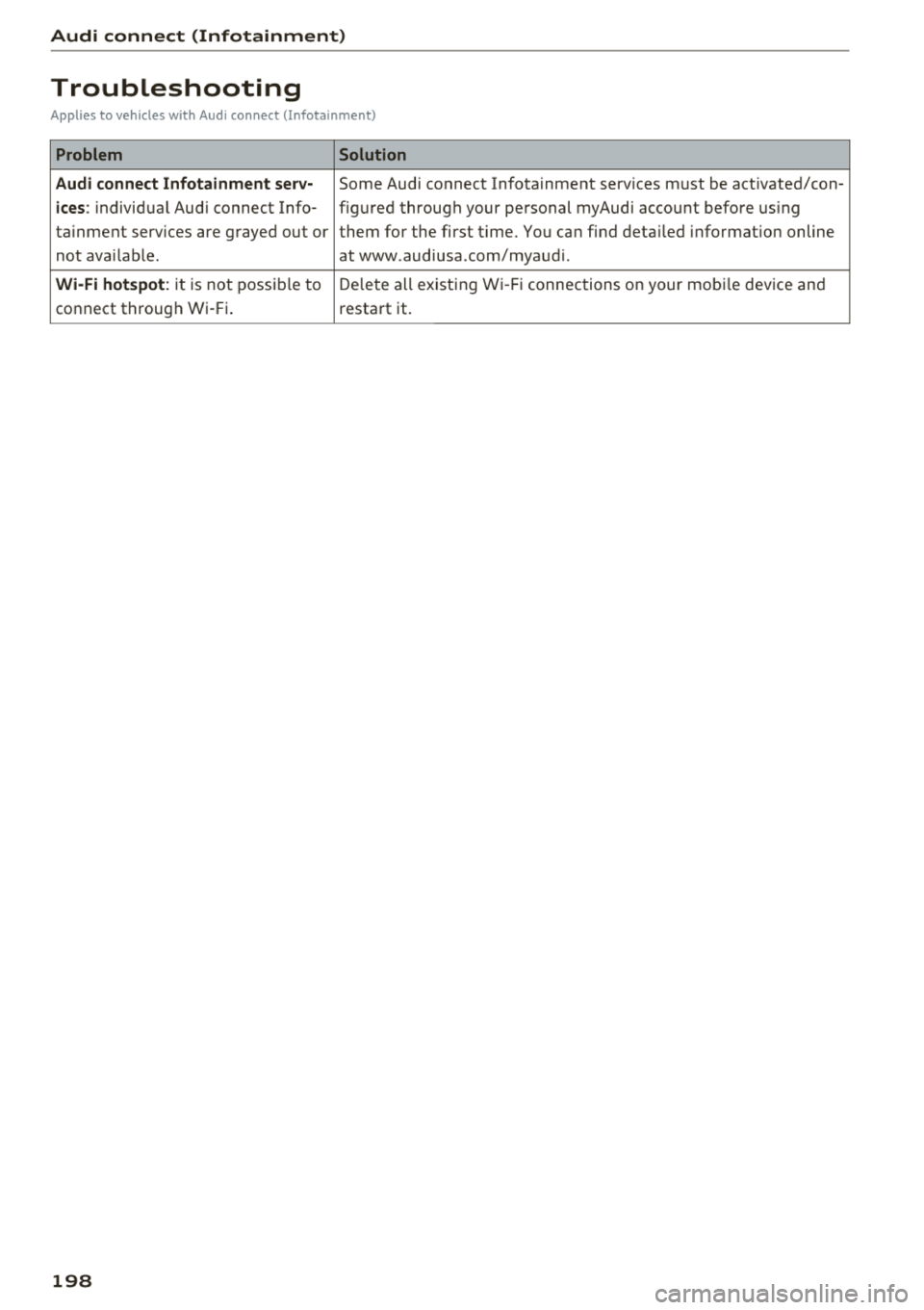
Troubleshooting
Applies to vehicles with Audi connect (Infotainment)
Problem Solution
Audi connect Infotainment serv·
Some Audi connect Infotainment services must be activated/con-
ices: individual Audi connect Info- figured through your personal myAudi account before using
ta inment serv ices are grayed out or them for the first time. You can find deta iled information on line
not available . atwww.audiusa.com/myaudi.
Wi-Fi hotspot : it is not possible to Delete all existing Wi-Fi connections on your mobi le device and
connect through Wi-Fi. restart it.
198
Page 203 of 404

u. 00 .-< N l' N .-< 0 N > 00
Navigation
Opening navigation
Applies to: vehicles with navigation system
The navigation system directs you to your desti
nation, around traffic incidents and on alterna tive routes, if desired.
Fig. 182 D iagram: Enter dest ination menu
.,. Press the I NAV/MAPI button.
The
Ente r de stin ati on menu is displayed after
opening navigation. The following information
can be displayed in the Infotainment system dis
p lay:
(D I nput field for free text searc h 201
@ Home address . . . . . . . . . . . . . . . . 203
@ Last dest inatio ns . . . . . . . . . . . . . . 202
© Stored favorites . . . . . . . . . . . . . . . 203
I f yo u have connec ted a ce ll phone to the
M MI,
your di rectory contacts wi ll also be listed i f they
have navigation data assigned to them .
The
Favori tes@¢ fig. 182 men u item as we ll as
the directory con ta cts are only shown in t he
En
ter destination
menu if you have entered one or
more characters using the input field.
Swi tching betwe en d estination en try and th e
m ap :
- Press the I NAV/MAPI button repeated ly until
the map is d isp layed.
Or : select the left contro l
button
> Switch to map .
_& WARNING
- The dem ands of t raff ic re quir e your full at
tention . Always read t he chapter
¢ page 249, Driving safety .
- Obey all tra ffic laws when d riving .
-
Na vigation
- The route calculated by the navigation sys
tem is a recommendation fo r reaching your
destination. Obey traffic lig hts, stopp ing re
strictions, one-way streets, lane change re
str ictions, etc .
@ Note
- If the driving directions conflict with t raffic
laws, obey the traffic laws.
- To red uce the risk of an accident, adjust the
vol ume of the nav igat ion system so that sig
nals from outs ide the ve hicle , such as police
and fire s irens, can be heard easi ly at all
t imes .
(D Tips
-Snow and obstruct ions on the GPS antenna
or interference caused by trees and large
buildi ngs can impair satell ite recept io n and
affect the sys tem's ability to dete rm ine the
veh icle pos it io n. Severa l de activated o r ma l
functioning sa tell ites can also in ter rup t G PS
recept ion and affect the system 's ability to
determine the vehicle pos ition.
- B eca u se street names somet imes c hange,
t he names sto red in the MMI may i n rare
cases differ from the actual street name.
Entering a destination
Free text search for destinations
Applies to: vehicles with navigation system
With the free text search, you can enter the navi
gation destination data all at once in any order using the MMI touch control
pad* or the letter/
number speller (for example, 20 Main St., Los
Angeles). Likewise, you can search for points of
intere st, contacts, previous destinations or fa
vorites to navigate to the desired address .
Press t he I N AV/MAPI button repeated ly until the
En ter de stination me nu is displayed ¢ page 201,
fig. 182 .
.,. Push the contro l knob up . The input f ield is dis
p layed @¢ page 201, fig . 182.
- Enter one or more searc h terms into the input
fie ld .
.,.
201
Page 207 of 404

LL co ..... N
" N ..... 0 N > co
(D Tips
Always read the chapter¢ page 196, Audi
connect (Infotainment) general information .
Accessing destinations from myAudi
account
Applies to: veh icles with a navigation system and Audi con
nect (Infotainment)
Import individual destinations from your myAudi
account into the
MMI.
Req uirement:
The requ iremen ts for Aud i connect (Infotain
ment) must be met
¢ page 190 .
You must have a registered myAudi account at
www .audiusa .com/myaudi . You must have
ave
hicle assigned to your myAudi account and yo u
must have sto red one or mo re destinations .
... Press the I NAV/MAPI button repeatedly until
the
Ent er destination menu is displayed
¢ page 201, fig . 182 .
... Select: left cont rol button > myAudi contacts .
... If necessary, enter your myAudi user data o r
yo ur myAud i PIN¢
page 190 . The contacts
stored in myAudi are d isp layed.
- Se lect and confir m a conta ct.
- Se lect and confirm a priva te or b usiness desti-
nation .
- Select and co nfirm
Start route guidance .
(D Tips
-You only need to enter the myAud i user data
one time.
- You can receive your myA udi PIN if you have
set up a myAudi account.
- Fo r additional informat ion, visit
www.audiusa.com .
Entering a destination using geo
coordinates
App lies to: vehicles with navigation system
... Press the I N AV/MAPI but ton repeated ly un til
t h e
Enter de stination menu is dis played
¢page 201 , fig . 182.
Na viga tion
... Sele ct: left control button > Geographi cal coor
dinates .
-Sele ct Latitude /Longitude .
-Press the cont ro l knob to set the individ ual va l-
ue s.
- Tur n the control knob to the left/ right to
change the selected va lue.
- Select and confirm
Start route guidance .
Adding a stopover
Applies to: vehicles with navigation system
You can enter an additional destination when
route guidance is active .
Fig. 184 Example: act ive route gu ida nce w it h stopover
Requireme nt: route guidance must already be ac
t ive.
... Press the ! NAV/MAP I button repeatedly unti l
the
Enter destination menu is displayed
¢ page 201 , fig.182 .
Entering a destination as a stopove r
-Enter a destination in the input line
¢ page 201 .
-Select an d confirm a destinat ion from the re -
sults list .
- Select and confirm
Add as stopover.
Deleting a stopover
- Push the contro l knob up. Fre e tex t sea rc h and
ac tive route g uidance are disp laye d.
Or : turn
t he co ntro l knob to t he left un til the act ive
route guid ance is shown.
- Sele ct and confirm
Delete stopover @
¢ fig. 184 .
-The stopove r is deleted .
205
Page 208 of 404

Navigation Cancel route guidance
App lies to: vehicles with navigation system
Requirement: route guidance must be active.
.,. Press the I NAV/MAPI button repeatedly until
the
Enter destination menu is displayed
c:::> page201, fig .182 .
.,. Turn the control knob to the left until the active
route gui dance is shown
c:::> page 205, fig. 184 .
.,. Select and confirm Cancel route guidance (D
c:::> page 205, fig. 184 . The destination is delet
ed.
Or : select the right control button > Cancel
route guidance .
Additional options when entering a
destination
Applies to: vehicles with navigation system
.,. Press the right control button .
Depending on the selected function, the follow
ing options may be available when entering a
destination:
Cancel route guidance : Requirement: route guid
ance must be active. Route guidance is canceled. For addit ional information, see
c:::> page 206 .
Country information: you can d isp lay the appli
cable urban and rural speed limits for any coun
try/state. If this function is activated, the infor
mat ion will be automatically shown to you in the
route information
(z) c:::> page 210, fig . 189 when
the speed limit is exceeded
c:::> page 212 .
Country/state selection: see c::> page 202, Nar
rowing the search area.
Route criteria: see c:::> page 209, Route criteria.
Show location on map : Requirement: you must
have se lected a destination from the results list.
The destination entered is displayed on the map .
Parking at this lo cation *: Requirement: you
m ust have selected a destination from the re
sults list . All parking options near the selected
location are displayed in the Infotainment sys
tem .
Delete : th e selected en try is deleted. You can de
lete individua l entries or all entries (for example,
favorites or last destinations).
206
Audi connect at this location* : Requirement: yo u
must have se lected a destination from the re
su lts list. A llows you to search for items in the v i
cinity of the selected location, such as
Travel in
formation.
Online traffic data *:
the on line traffic informa
tion
c:::> page 216 can be sw itched on or off .
Add destination to contact: see c:::> page 208.
Store as favorite: see c:::> page 208 .
Voice guidance : see c:::> page 210.
Navigation settings: see c:::> page 209.
(D Tips
Information on on line traff ic data* can also
be found on line at www.audiusa .com .
Personal route
assistance
Applies to: vehicles with navigation system and personal
ro ute assistance
Your MMI con learn the routes that you drive fre
quently and, depending on the current vehicle
position, suggest route guidance (for example,
your daily commute to work and back).
Fig. 185 E xample : personal route disp lay
Fig. 186 Info rmation o n personal route