2018.5 OPEL AMPERA E hold
[x] Cancel search: holdPage 124 of 273
122Infotainment systemThe Infotainment system stores these
stations, sorted by programme type in
the corresponding category list.
Note
The categories list item is only
available for the FM and the DAB
wavebands.
To search for a programme type
determined by the stations, select
Menu and then select the Browse
audio tab. Select FM categories or
DAB categories .
A list of programme types currently
available is displayed.
Select the desired programme type. A
list of stations is displayed
transmitting a programme of the
selected type.
Select the desired station.
Update station lists
If the stations stored in the waveband-
specific station list are no longer
received, the station lists must be
updated.Select Menu and then select the
Browse audio tab. Depending on the
waveband, select Update FM
stations , Update DAB stations or
Update AM stations .
Note
If a waveband-specific station list is
updated, the corresponding
category list is also updated.
A station search is started and a
corresponding message is displayed. Once the search is finished, the
respective station list is displayed.
Favourites
Favourites of all audio sources can be stored manually in the favourites list.The favourites list contains up to
15 favourites.
Storing a station
Activate the desired waveband and
station.
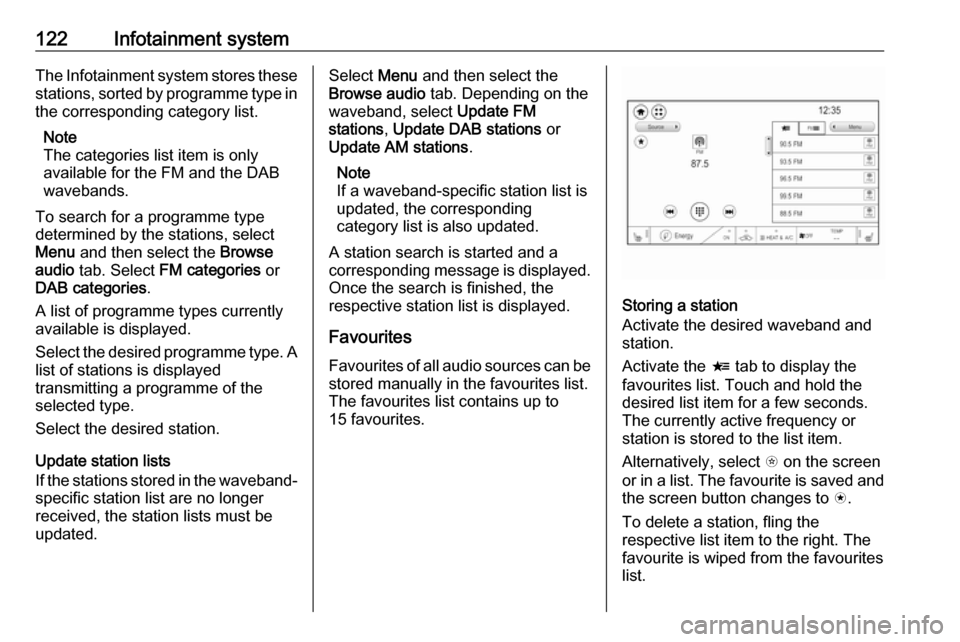
Activate the < tab to display the
favourites list. Touch and hold the
desired list item for a few seconds.
The currently active frequency or
station is stored to the list item.
Alternatively, select t on the screen
or in a list. The favourite is saved and
the screen button changes to s.
To delete a station, fling the
respective list item to the right. The
favourite is wiped from the favourites
list.
Page 131 of 273

Infotainment system129Returning to the beginning of the
current track
Touch t after a few seconds of the
track playing.
Fast forwarding and rewinding
Touch and hold t or v. Release to
return to normal playback mode.
Playing tracks randomly
Touch n to play the tracks in random
order. The screen button changes to
o .
Touch o again to deactivate the
shuffle function and go back to the
normal playback mode.
Playing tracks repeatedly
Touch } and then select one of the
options in the drop-down menu.
Repeat all : All available files are
played repeatedly.
Repeat song : The song currently
playing is played repeatedly.
Repeat off : The repeat function is
deactivated.Browse audio function
Select Menu to display the respective
audio menu and then select the
Browse audio tab.
Different categories, in which the
songs are sorted, are displayed, e.g.
Playlists , Artists or Albums .
Select the desired category and
subcategory (if available). The
selected files are added to the
playlist.
Select the track to start playback.
To return from the audio menu to the audio main screen, select Now
playing .
Songs list
The songs list contains songs stored
on the active media source.
Depending on prior selections, songs of an album or playlist are displayed.If no selection has been made, all
songs are displayed in alphabetical
order.
Activate the = tab to display the
songs list. Select the desired song.
Favourites
Favourites of all audio sources can be stored manually in the favourites list.
The favourites list contains up to
15 favourites.
Storing a song
Activate the desired media source
and song.
Activate the < tab to display the
favourites list. Touch and hold the
desired list item for a few seconds.
The currently playing song is stored
to the list item.
Alternatively, select t on the screen
or in a list. The favourite is saved and
the screen button changes to s.
Page 134 of 273
132Infotainment systemInterrupting and resuming playback
Touch = to interrupt playback. The
screen button changes to l.
Touch l to resume playback.
Playing the next or previous track
Touch v to play the next movie file.
Touch t within the first seconds of
the movie playing to return to the
previous movie file.
Returning to the beginning of the
current movie
Touch t after a few seconds of the
movie playing.
Fast forwarding and rewinding
Touch and hold t or v. Release to
return to normal playback mode.
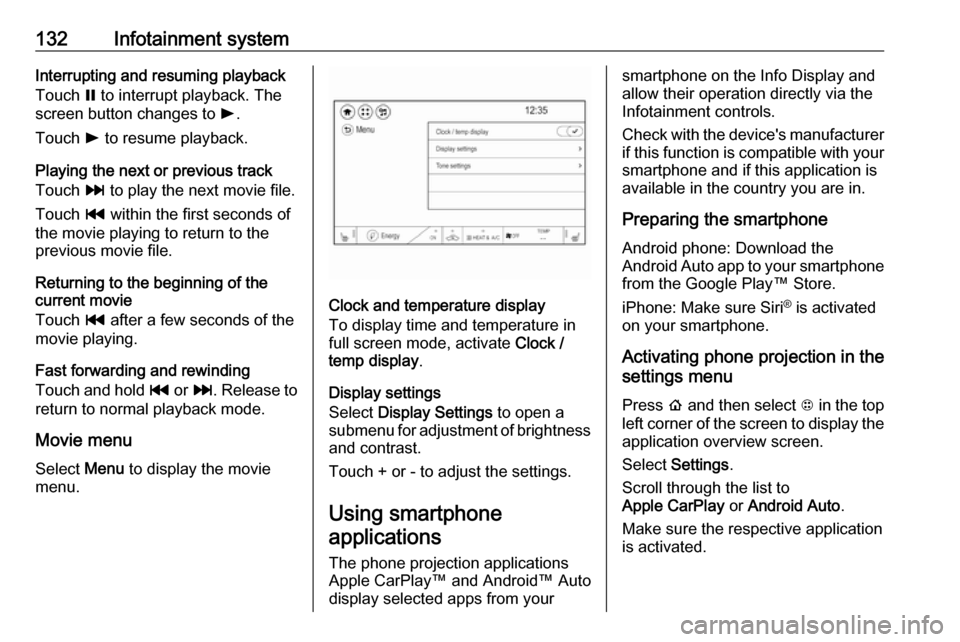
Movie menu
Select Menu to display the movie
menu.
Clock and temperature display
To display time and temperature in
full screen mode, activate Clock /
temp display .
Display settings
Select Display Settings to open a
submenu for adjustment of brightness and contrast.
Touch + or - to adjust the settings.
Using smartphone
applications
The phone projection applications
Apple CarPlay™ and Android™ Auto
display selected apps from your
smartphone on the Info Display and
allow their operation directly via the
Infotainment controls.
Check with the device's manufacturer
if this function is compatible with your
smartphone and if this application is
available in the country you are in.
Preparing the smartphone
Android phone: Download the
Android Auto app to your smartphone from the Google Play™ Store.
iPhone: Make sure Siri ®
is activated
on your smartphone.
Activating phone projection in the
settings menu
Press p and then select 1 in the top
left corner of the screen to display the application overview screen.
Select Settings .
Scroll through the list to
Apple CarPlay or Android Auto .
Make sure the respective application
is activated.
Page 135 of 273

Infotainment system133Connecting the mobile phoneConnect the smartphone to the USB
port 3 126.
When first connecting a device, a
privacy consent message may be
displayed. Confirm the message to
continue the connection procedure.
Starting phone projection Press p and then select 1 in the top
left corner of the screen to display the
application overview screen.
To start the phone projection function, select Projection .
Note
If the application is recognised by
the Infotainment system, the
application icon may change to
Apple CarPlay or Android Auto .
Alternatively, press and hold p.
The phone projection screen
displayed depends on your
smartphone and software version.
Returning to the home screen
Press p.Speech recognition
General information
The voice pass-thru application of the Infotainment system allows access to
the speech recognition commands on your smartphone. See your
smartphone manufacturer's
operating instructions to find out
whether your smartphone supports this feature.
In order to use the voice pass-thru
application, the smartphone must be
connected to the Infotainment system
via USB cable 3 126 or via Bluetooth
3 134.
Usage
Activating speech recognition Press and hold w on the steering
wheel to start a speech recognition
session. A voice command message
is displayed on the screen.As soon as a beep is heard, you can
say a command. For information on
the commands supported, see the
operating instructions for your
smartphone.
Adjusting the volume of voice
prompts
Turn m on the control panel or press
the volume buttons behind the
steering wheel to increase or
decrease the volume of voice
prompts.
Deactivating speech recognition
Press n on the steering wheel. The
voice command message disappears
and the speech recognition session is ended.
Page 140 of 273
138Infotainment systemInitiating a phone call
Entering a phone number
Press p and then select 1 in the top
left corner of the screen to display the application overview screen.
Select Phone.
Enter a telephone number using the keypad in the phone main menu.
To delete one or more entered
characters, touch or touch and hold
{ .
Touch ? on the screen to start
dialling.
Phone book
When pairing a mobile phone with the
Infotainment system via Bluetooth,
the phone book of the mobile phone
is downloaded automatically 3 134.
Press p and then select 1 in the top
left corner of the screen to display the application overview screen.
Select Phone.
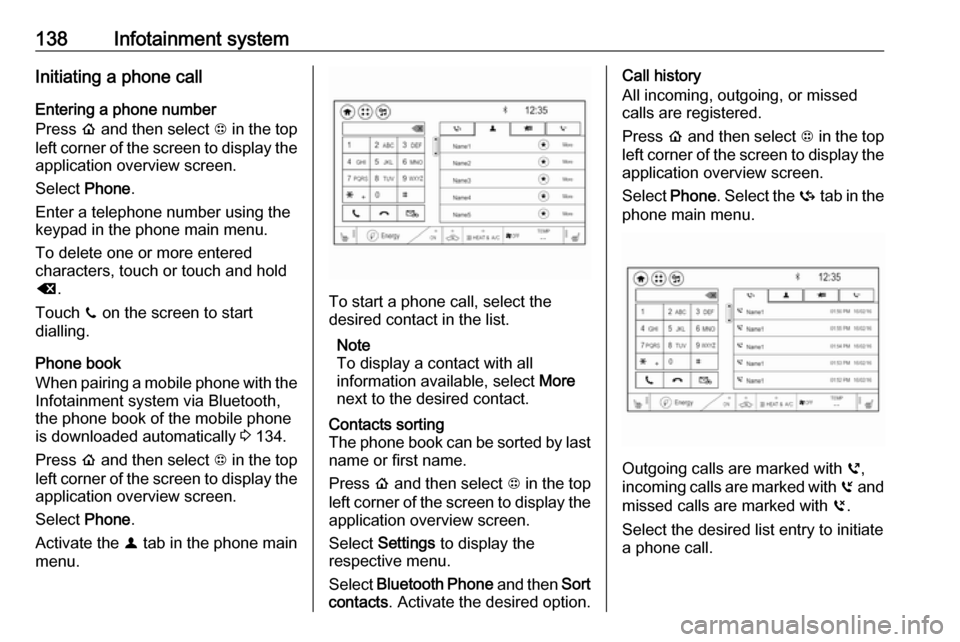
Activate the ^ tab in the phone main
menu.
To start a phone call, select the
desired contact in the list.
Note
To display a contact with all
information available, select More
next to the desired contact.
Contacts sorting
The phone book can be sorted by last
name or first name.
Press p and then select 1 in the top
left corner of the screen to display the application overview screen.
Select Settings to display the
respective menu.
Select Bluetooth Phone and then Sort
contacts . Activate the desired option.Call history
All incoming, outgoing, or missed
calls are registered.
Press p and then select 1 in the top
left corner of the screen to display the
application overview screen.
Select Phone. Select the Y tab in the
phone main menu.
Outgoing calls are marked with ],
incoming calls are marked with [ and
missed calls are marked with \.
Select the desired list entry to initiate
a phone call.
Page 141 of 273

Infotainment system139Favourites
Contact favourites can be stored in
the phone favourites list.Storing favourites
Press p and then select 1 in the top
left corner of the screen to display the application overview screen.
Select Phone. Select the ^ tab in the
phone main menu.
Select t next to the contact you want
to store as favourite. The icon
changes to s and the contact
appears in the favourites list.
Select s again to delete the contact
from the favourites list. The icon
changes to t.
Note
The favourites list is not
synchronised with the phone
favourites. The favourites have to be added to the favourites list on the
Infotainment system.Retrieving favourites
Press p and then select 1 in the top
left corner of the screen to display the application overview screen.Select Phone. Select the < tab in the
phone main menu.
Select the desired favourite to initiate a phone call.
Redialling a number
The last dialled phone number can be
redialled.
Press p and then select 1 in the top
left corner of the screen to display the application overview screen.
Select Phone and then ? on the
screen.
Using speed dial numbers
Speed dial numbers that are stored
on the mobile phone can also be
dialled using the keypad of the phone
main menu.
Press p and then select 1 in the top
left corner of the screen to display the application overview screen.
Select Phone.
Touch and hold the respective digit on the keypad to initiate the call. For two-
digit speed dial numbers, select the
first digit and then touch and hold the second digit.Incoming phone call
Taking a call
If an audio mode, e.g. the radio or
USB mode, is active at the moment a call comes in the audio source is
muted and stays muted until the call
ends.
To answer the call, select v in the
message on top of the screen or
press w on the steering wheel.
The Z tab is activated displaying
information on the call.
Rejecting a call
To reject the call, select @ in the
message on top of the screen or
press n on the steering wheel.
Privacy settings
When a call comes in, a message is displayed on the Info Display
indicating the name and number of
the person calling (if available). If
Privacy is activated, information on
the caller is only shown in the cluster
display.
Page 142 of 273

140Infotainment systemPress p and then select 1 in the top
left corner of the screen to display the application overview screen.
Select Settings and then Bluetooth
Phone . Activate or deactivate
Privacy .
Functions during a call
During an ongoing phone call the
phone main menu is displayed.
Deactivating the hands-free mode
temporarily
To continue the conversation on the
mobile phone, activate m.
To return to the hands-free mode,
deactivate m.
Deactivating the microphone
temporarily
To mute the microphone, activate n.
To reactivate the microphone,
deactivate n.
Setting a call on hold
During an active phone call, the t
screen button changes to Hold.
Select Hold to set the call on hold.Ending a phone call
Select @ to end the call.
Voice mail box You may operate your voice mail boxvia the Infotainment system.
Voice mail number
To check the voice mail number of the
phone currently connected, press p
and then select 1 in the top left corner
of the screen.
Select Settings and then Bluetooth
Phone .
If available, the voice mail number is
displayed under My Number.
Calling the voice mail box
Press p and then select 1 in the top
left corner of the screen to display the application overview screen.
Select Phone to display the phone
main screen.
Select t on the keypad to call the
mailbox.
Alternatively, enter the voice mail
number via the phone keypad.Mobile phones and CB radio
equipment
Installation instructions and
operating guidelines
The vehicle specific installation
instructions and the operating
guidelines of the mobile phone and
hands-free manufacturer must be
observed when installing and
operating a mobile telephone. Failure to do so could invalidate the vehicleoperating permit (EU directive 95/54/
EC).
Recommendations for fault-free
operation:
● Professionally installed exterior antenna to obtain the maximum
range possible
● Maximum transmission power 10 W
● Installation of the phone in a suitable spot, consider relevant
Note in the Owner's Manual
3 45
Page 143 of 273

Infotainment system141Seek advice on predetermined
installation points for the external
antenna or equipment holder and
ways of using devices with a
transmission power exceeding 10 W.
Use of a hands-free attachment
without external antenna with mobile
telephone standards GSM
900/1800/1900 and UMTS is only
permitted if the maximum
transmission power of the mobile
telephone is 2 W for GSM 900 or
1 W for the other types.
For reasons of safety, do not use the
phone while driving. Even use of a hands-free set can be a distraction
while driving.9 Warning
Operation of radio equipment and
mobile telephones which fail to
meet above mentioned mobile
telephone standards is only
permitted using an antenna
located outside of the vehicle.
Caution
Mobile telephones and radio
equipment may lead to
malfunctions in the vehicle
electronics when operated inside
the vehicle with no exterior
antenna, unless the above
mentioned regulations are
observed.