Page 178 of 580

||
INSTRUMENTS AND CONTROLS
* Option/accessory.
176
Outboard seats
1. Pull the handle on the side of the seat
upward.
2. Adjust backrest tilt forward/rearward by decreasing/increasing pressure on it.
3. Release the handle to lock the backrest in the new position and press the backrest until its lock engages.
WARNING
Check that all backrests are securely locked in place after changing the tilt angle.
Related information
• Rear seats (p. 173)
• Moving the second row seats forward/rear- ward (p. 175)
• Folding the second row backrests (p. 176) •
Seat belts (p. 64)
Folding the second row backrests
The second row of seats has three individual seating positions whose backrests can befolded down separately.
CAUTION
• To help avoid damage to the seat uphols- tery, before a rear seat backrest is foldeddown, remove any objects from the seatand ensure that the seat belts are notbuckled.
• The integrated booster cushion
* in the
center position must be stowed (foldeddown) before the backrest is foldeddown.
• The center seating position armrest mustbe folded up before the backrest isfolded down.
NOTE
•It may be necessary to adjust the front seat backrests and/or move these seatsforward in order to fold down the rearseat backrests completely.
• It may also be necessary to move thesecond row of seats rearward.
Page 194 of 580

CLIMATE
* Option/accessory.
192
Starting and stopping preconditioning
Preconditioning heats/cools the passenger com- partment prior to driving. Please note that thecharging cable must be connected.
Starting/stopping from the centerdisplay
The preconditioning button in the Parking climate tab
in Climate view.
1. Open Climate view in the center display. 2. Tap
Parking climate.
The window for seat/steering wheel heating in Climate view's Parking climate tab
3. Tap the boxes to select if seat/steering
wheel heating is to be activated/deactivated when preconditioning starts.
4. Tap
Preconditioning.
> Preconditioning starts/stops and the indi- cator lights in the buttons will be on/off.
NOTE
Full preconditioning is only possible when the vehicle's charging cable is connected. In other cases, the passenger compartment can be cooled for 3 minutes in warm weather. This function is started from the
Parking
climate tab in the center display's Climate
view.
The vehicle's doors and windows should be closed during preconditioning.
Starting from a cell phone *Starting preconditioning and checking the cur-rent settings can be done from a cell phone withthe Volvo On Call mobile app. Preconditioningheats the passenger compartment to a comforta-ble temperature or cools the compartment to thecurrent ambient temperature. If the vehicle is equipped with the optional Engine Remote Start (ERS), the air conditioningcan be used to pre-cool the passenger compart-ment to a comfortable temperature.
Related information
•Setting the parking climate (preconditioning)timer (p. 190)
• Activating/deactivating the parking climatetimer (p. 189)
• Hybrid battery charging cable (p. 394)
Page 195 of 580
CLIMATE
193
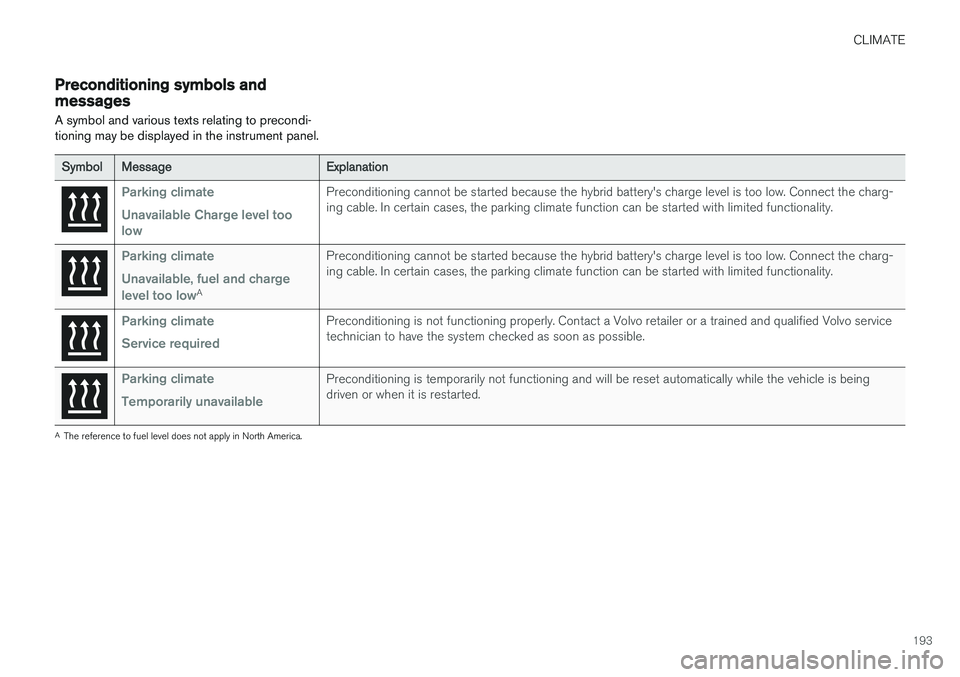
Preconditioning symbols and messages
A symbol and various texts relating to precondi- tioning may be displayed in the instrument panel.
Symbol Message Explanation
Parking climate Unavailable Charge level too lowPreconditioning cannot be started because the hybrid battery's charge level is too low. Connect the charg- ing cable. In certain cases, the parking climate function can be started with limited functionality.
Parking climate Unavailable, fuel and charge level too low
APreconditioning cannot be started because the hybrid battery's charge level is too low. Connect the charg- ing cable. In certain cases, the parking climate function can be started with limited functionality.
Parking climate Service requiredPreconditioning is not functioning properly. Contact a Volvo retailer or a trained and qualified Volvo service technician to have the system checked as soon as possible.
Parking climate Temporarily unavailablePreconditioning is temporarily not functioning and will be reset automatically while the vehicle is being driven or when it is restarted.
A
The reference to fuel level does not apply in North America.
Page 220 of 580

||
LOADING AND STORAGE
* Option/accessory.
218 •
Place heavier cargo at the bottom of the load.
• Secure the cargo correctly with appropriatetie-down equipment.
• Check periodically that the load carriers andload are properly secured.
• Remember that the vehicle's center of gravityand handling change when you carry a loadon the roof.
• The vehicle's wind resistance and fuel con-sumption will increase with the size of theload.
• Drive smoothly. Avoid rapid starts, fast cor-nering and hard braking.
CAUTION
The optional panoramic roof should not be opened while load carriers are installed onthe vehicle.
See the article "Weights" for information about the maximum permissible load that can be trans-ported on the roof.
Related information
•
Folding the second row backrests (p. 176)
• Folding the third row backrests (p. 178)
• Weights (p. 557)
• Cargo net (p. 221) •
Cargo compartment cover
* (p. 225)
• Steel cargo grid
* (p. 223)
• Load anchoring eyelets (p. 224)
• Whiplash protection system (p. 63)
• Locking/unlocking the tailgate (p. 246)
Passenger compartment storage spaces
The following is an overview of the passenger compartment and its storage spaces.
Front seats
Storage spaces in the door panel, near the steering wheel, the glove compartment and the sun visors
Page 227 of 580

LOADING AND STORAGE
}}
* Option/accessory.225
Cargo compartment cover *
The cover can be used to conceal objects in the cargo compartment.
Installing the cover 2
With the cover retracted, press the end piece on one side of the cargo area cover into theretaining bracket in the side panel of thecargo area.
Do the same on the opposite side.
Press both sides of the cover, one at a time, until they click into place.
> The red mark will no longer be visible.
Check that both ends of the cover are securely locked in place.
Using the coverThe cover can be used in two positions: fullyopen to completely cover the cargo compartmentor partially retracted to make it easier to reachfarther into the cargo compartment.
Fully open
7-seat models 1.
Third row seats: hang the seat belt latches in the hooks provided in the side panels.
Grasp the handle and pull out the cover above the side panels in the cargo compart-ment as far as possible.
With the cover completely open, press the attaching pins on the rear corners of thecover into the grooves in the side panels andrelease the cover slightly while pressing thehandle lightly downward.
> The cover is now fixed in the fully openposition.
5-seat models
2 XC90 Excellence only: the cover is permanently mounted and cannot be retracted or removed.
Page 231 of 580

LOADING AND STORAGE
}}
229
trained and qualified Volvo service techni- cian.
Failure to follow the points above could result in electrical shock and/or serious injury.Status indication
An LED (Light Emitting Diode) on the socket indicates its status:
Status indicator light Socket status Action
Steady green light The socket is providing current to a connected device. None.
Flashing orange light The socket's voltage converter is too hot (the connected device draws too much current, etc. or the temperature in the passenger compartment is very high). Unplug the device, let the converter cool down and plug in the device again.
The connected device draws too much current (constantly or currently) or is notfunctioning properly. None. The device should not be plugged into thesocket.
Indicator light off The socket has not detected a plugged in device. Be sure the device is correctly plugged into the socket.
The socket is not active. Put the vehicle's ignition in at least mode I.
The socket has been active but has been deactivated. Start the engine and/or charge the start battery.
If a problem persists, have the socket checked by a trained and qualified Volvo service technician.
Page 349 of 580
DRIVER SUPPORT
* Option/accessory.347
Park assist symbols and messages
A number of messages relating to Park Assist will appear in the instrument panel.
The following table provides some examples.
Message Explanation
Park Assist System Unavailable Service requiredThe system is not functioning properly. Contact a trained and qualified Volvo service technician.
Park Assist System Sensors blocked, cleaning neededOne or more of the system's sensors are blocked. Check and clean the sensors as soon as possible.
A text message can be erased by briefly pressing the O button on the right-side steering wheel
keypad. If the message recurs, contact a trained and authorized Volvo service technician orretailer.
Related information
• Park Assist limitations (p. 346)
• Park Assist
* (p. 344)
• Activating/deactivating Park Assist (p. 345)
Page 359 of 580
DRIVER SUPPORT
}}
357
2: Backing into the parking space
Parallel parking
Perpendicular parking
When the vehicle is backing up, PAP will steer it into the parking space. Do as follows:
1. Check that the area behind the vehicle isclear and put the gear selector in R.
2. Back up slowly without moving the steering wheel. The vehicle's speed must be below approximately 4 mph (7 km/h).
3. Keep an eye on the instrument panel and be prepared to stop the vehicle when you areinstructed by PAP to do so.
NOTE
• Release the wheel while PAP is steering the vehicle.
• The steering wheel must be able to turnfreely.
• For PAP to function optimally, wait untilthe steering wheel is no longer turningbefore beginning the next phase of theparking procedure.
3: Adjusting the vehicle's position
Parallel
Perpendicular
After the vehicle has backed into the parking space, its position in the space has to be

