Page 183 of 588

1834-2. Driving procedures
4
Driving
■When the steering lock cannot be released
■ Key reminder function
A buzzer sounds if the driver’s door is opened while the engine switch is in
the “ACC” or “LOCK” position to remind you to remove the key. When starting the engine, the engine
switch may seem stuck in the “LOCK”
position. To free it, turn the key while turn-
ing the steering wheel slightly left and
right.
CAUTION
■When starting the engine
Always start the engine while sitting in the driver’s seat. Do not depress the
accelerator pedal while starting the engine under any circumstances.
Doing so may cause an accident resulting in death or serious injury.
■ Caution while driving
Do not turn the engine switch to the “LOCK” position while driving. If, in an
emergency, you must turn the engine off while the vehicle is moving, turn
the engine switch only to the “ACC” position to stop the engine. An accident
may result if the engine is stopped while driving. ( →P. 467)
NOTICE
■To prevent battery discharge
Do not leave the engine switch in the “ACC” or “ON” position for long peri-
ods of time without the engine running.
■ When starting the engine
● Do not crank the engine for more than 30 seconds at a time. This may
overheat the starter and wiring system.
● Do not race a cold engine.
● If the engine becomes difficult to start or stalls frequently, have your vehi-
cle checked by your Toyota dealer immediately.
Page 185 of 588
1854-2. Driving procedures
4
Driving
Column shift typeWhile the engine switch is in the “ON” position, move the shift
lever with the brake pedal depressed.
When shifting the shift lever between P and D, make sure that the vehi-
cle is completely stopped.
*1: To improve fuel efficiency and reduce noises, set the shift lever in the Dposition for normal driving.
*2: Selecting shift ranges using S mode restricts the upper limit of the possiblegear ranges, controls engine braking forces, and prevents unnecessary
upshifting.
Shift position purpose
Shift positionFunction
PParking the vehicle/starting the engine
RReversing
NNeutral
DNormal driving*1
SS mode driving*2 ( →P. 186)
Page 234 of 588
2344-5. Using the driving support systems
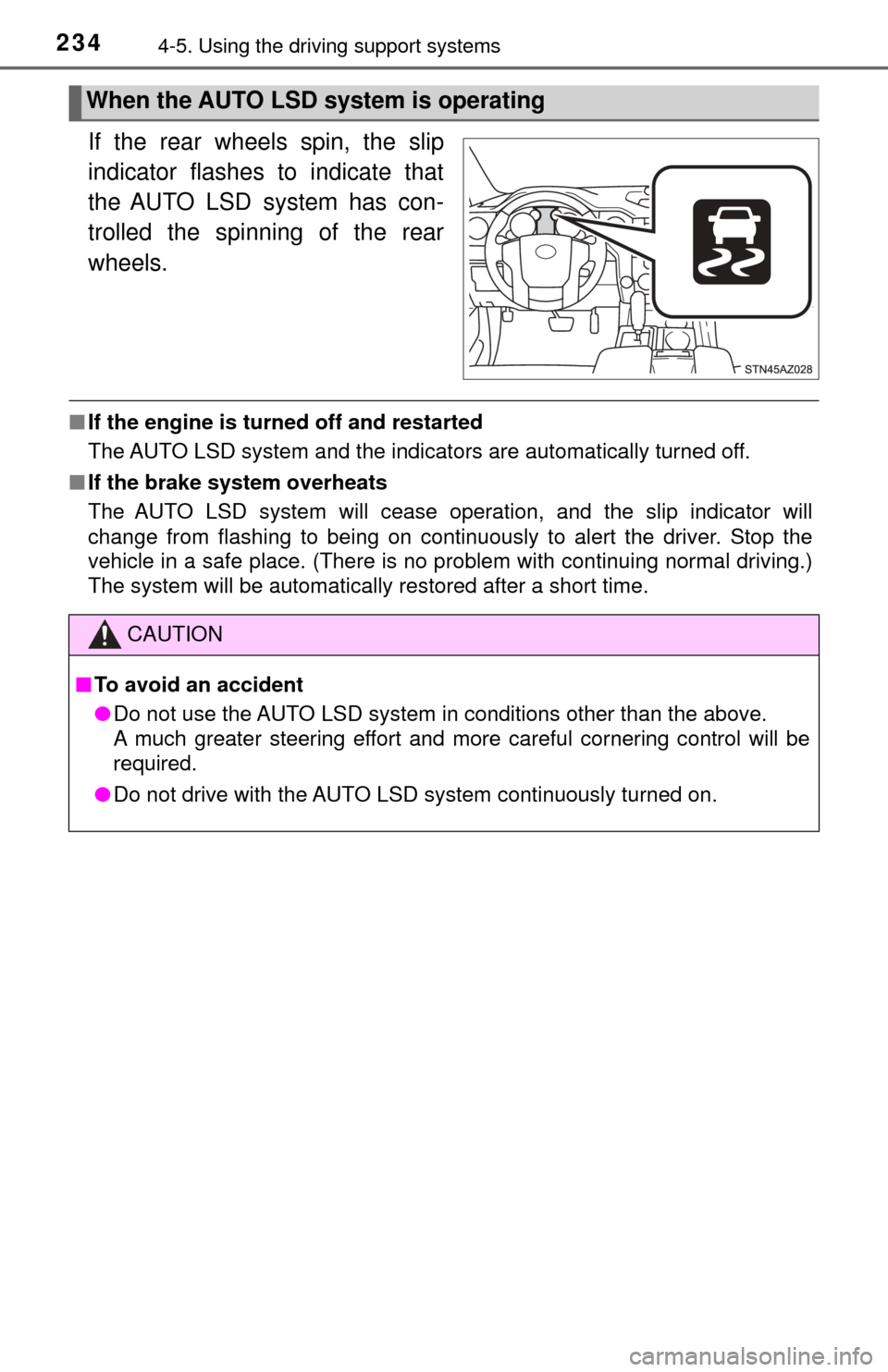
If the rear wheels spin, the slip
indicator flashes to indicate that
the AUTO LSD system has con-
trolled the spinning of the rear
wheels.
■If the engine is turned off and restarted
The AUTO LSD system and the indicators are automatically turned off.
■ If the brake system overheats
The AUTO LSD system will cease operation, and the slip indicator will
change from flashing to being on continuously to alert the driver. Stop the
vehicle in a safe place. (There is no problem with continuing normal driving.)
The system will be automatically restored after a short time.
When the AUTO LSD system is operating
CAUTION
■To avoid an accident
● Do not use the AUTO LSD system in conditions other than the above.
A much greater steering effort and more careful cornering control will be
required.
● Do not drive with the AUTO LSD system continuously turned on.
Page 235 of 588

2354-5. Using the driving support systems
4
Driving
Driving assist systems
◆ABS (Anti-lock Brake System)
Helps to prevent wheel lock when the brakes are applied suddenly,
or if the brakes are applied while driving on a slippery road surface
◆Brake assist
Generates an increased level of braking force after the brake pedal
is depressed when the system detects a panic stop situation
◆VSC (Vehicle Stability Control)
Helps the driver to control skidding when swerving suddenly or
turning on slippery road surfaces
◆Trailer Sway Control
Helps the driver to control trailer sway by selectively applying brake
pressure for individual wheels and reducing engine torque when
trailer sway is detected.
Trailer Sway Control is part of the VSC system and will not operate if
VSC system is turned off or experiences a malfunction.
◆TRAC (Traction Control) for 2WD models and 2WD mode on
4WD models
Helps to maintain drive power and prevent the drive wheels from
spinning when starting the vehicle or accelerating on slippery roads
◆A-TRAC (Active Traction Control) for 4WD mode on 4WD mod-
els
Maintains drive power and prevents all wheels from spinning when
starting the vehicle or accelerating on slippery roads.
To help enhance driving safety and performance, the following
systems operate automatically in response to various driving
situations. Be aware, however, that these systems are supple-
mentary and should not be relied upon too heavily when operat-
ing the vehicle.
Page 239 of 588

2394-5. Using the driving support systems
4
Driving
If the vehicle gets stuck in fresh snow or mud, A-TRAC system may
reduce power from the engine to the wheels. You may need to turn
the system off to enable you to rock the vehicle in order to free it.Stop the vehicle completely,
and press the VSC off switch
for more than 3 seconds.
The “TRACTION CONTROL
OFF” will be shown on the dis-
play.
Press the switch again to turn
the system back on.
■When the “TRAC OFF” indicator light comes on or the message is dis-
played on the multi-information disp lay showing that “TRACTION CON-
TROL OFF” has been disabled even if the VSC off switch has not been
pressed
TRAC cannot be operated. Contact your Toyota dealer.
■ Sounds and vibrations caused by the ABS, brake assist, VSC, TRAC, A-
TRAC and Trailer Sway Control systems
●A sound may be heard from the engine compartment when the brake pedal
is depressed repeatedly, when the engine is started or just after the vehicle
begins to move. This sound does not indicate that a malfunction has
occurred in any of these systems.
● Any of the following conditions may occur when the above systems are
operating. None of these indicates that a malfunction has occurred.
• Vibrations may be felt through the vehicle body and steering.
• A motor sound may be heard after the vehicle comes to a stop.
• The brake pedal may pulsate slightly after the ABS is activated.
• The brake pedal may move down slightly after the ABS is activated.
Disabling the A-TRAC system (4L mode on 4WD models)
Page 333 of 588
3335-9. Bluetooth® phone
5
Multimedia
In other situations
Even though all conceivable measures have been taken, the symptom sta-
tus does not change.
The cellular phone is not close enough to this system.
→Bring the cellular phone closer to this system.
The cellular phone is the most likely cause of the symptom.
→Turn the cellular phone off, remo ve and reinstall the battery pack,
and then restart the cellular phone.
→ Enable the cellular phone’s Bluetooth
® connection.
→ Stop the cellular phone’s security software and close all applica-
tions.
→ Before using an appli cation installed on the cellular phone, care-
fully check its source and how its operation might affect this sys-
tem.
Page 359 of 588

3596-1. Using the air conditioning system
6
Interior features
■Ventilation and air conditioning odors
●To let fresh air in, set the air conditioning system to the outside air m\
ode.
● During use, various odors from inside and outside the vehicle may enter into
and accumulate in the air conditioning system. This may then cause odor to
be emitted from the vents.
● To reduce potential odors from occurring:
• It is recommended that the air conditioning system be set to outside air
mode prior to turning the vehicle off.
• The start timing of the blower may be delayed for a short period of time immediately after the air conditioning system is started in automatic
mode.
■ Air conditioning filter
→P. 440
CAUTION
■To prevent the windshield from fogging up
● Do not use
during cool air operation in extremely humid weather.
The difference between the temperature of the outside air and that of the
windshield can cause the outer surface of the windshield to fog up, block-
ing your vision.
■ To prevent burns (vehicles with rear view mirror defoggers and wind-
shield wiper de-icer)
● Do not touch the rear view mirror surfaces when the outside rear view mir-
ror defoggers are on.
● Do not touch the glass at lower part of the windshield or to the side of the
front pillars, when the windshield wiper de-icer is on.
NOTICE
■To prevent battery discharge
Do not leave the air conditioning system on longer than necessary when the
engine is stopped.
● Do not place anything on the instrument
panel which may cover the air outlets.
Otherwise, air flow may be obstructed,
preventing the windshield defoggers to
defog.
Page 465 of 588
465
8When trouble arises
8-1. Essential informationEmergency flashers .......... 466
If your vehicle has to be stopped in
an emergency ................. 467 8-2. Steps to take in an emergency
If your vehicle needs to be towed ......................... 468
If you think something is wrong .............................. 473
Fuel pump shut off system ............................ 474
If a warning light turns on or a warning buzzer
sounds ............................ 475
If a warning message is displayed......................... 482
If you have a flat tire.......... 486
If the engine will not start ................................. 501
If the vehicle battery is discharged ...................... 502
If your vehicle overheats ... 505
If the vehicle becomes stuck ............................... 507