Page 239 of 640

2394-5. Using the driving support systems
4
Driving
BSM (Blind Spot Monitor)∗
The Blind Spot Monitor is a system that has 2 functions;
● The Blind Spot Monitor function
Assists the driver in making t he decision when changing lanes
● The Rear Cross Traffic Alert function
Assists the driver when backing up
These functions use same sensors.
BSM main switch
Pressing the switch turns the system on or off. When the switch is set to
on, the switch’s indicator illuminates and the buzzer sounds. Common
switch for Blind Spot Monitor function and Rear Cross Traffic Alert func-
tion.
Outside rear view mirror indicators
Blind Spot Monitor function:
When a vehicle is detected in a blind spot of the outside rear view mir-
rors or approaching rapidly from behind into a blind spot, the outside
rear view mirror indicator on the detected side will illuminate. If the turn
signal lever is operated toward the detected side, the outside rear view
mirror indicator will flash.
Rear Cross Traffic Alert function:
When a vehicle approaching from the right or left at the rear of the vehi-
cle is detected, both outside rear vi ew mirror indicators will flash.
∗: If equipped
Summary of the Blind Spot Monitor
1
2
Page 240 of 640

2404-5. Using the driving support systems
Rear Cross Traffic Alert buzzer (R ear Cross Traffic Alert function
only)
When a vehicle approaching from the right or left rear of the vehicle is
detected, a buzzer sounds from behind the left-hand rear pillar.
■ The outside rear view mi rror indicators visibility
When under strong sunlight, the outside rear view mirror indicator may be dif-
ficult to see.
■ Rear Cross Traffic Alert buzzer hearing
Rear Cross Traffic Alert function may be difficult to hear over noises such as
high audio volume.
■ When there is a malfunction in the Blind Spot Monitor system
If a system malfunction is detected due to any of the following reasons,\
warn-
ing light will be turned on (vehicles without a multi-information display) or
messages will be displayed (vehicles with a multi-information display):
( →P. 517, 530)
● There is a malfunction with the sensors
● The sensors have become dirty
● The outside temperature is extremely high or low
● The sensor voltage has become abnormal
■ Certification for the B lind Spot Monitor system
For vehicles sold in the U.S.A.
FCC ID: OAYSRR2A
This device complies with part 15 of the FCC Rules. Operation is subject to
the following two conditions:
(1) This device may not cause harmful interference, and
(2) this device must accept any interference received, including interference
that may cause undesired operation.
FCC Warning
Changes or modifications not expressly approved by the party responsible for
compliance could void the user’s authority to operate the equipment.
For vehicles sold in Canada
Applicable law: Canada 310
This device complies with Industry Canada licence-exempt RSS standard(s).
Operation is subject to the following two conditions: (1) this device may not
cause interference, and (2) this device must accept any interference, includ-
ing interference that may cause undesired operation of the device.
Frequency bands: 24.05 – 24.25 GHz
Output power: less than 20 milliwatts
3
Page 241 of 640

2414-5. Using the driving support systems
4
Driving
Droit applicable : Canada 310
Le présent appareil est conforme aux CNR d’Industrie Canada applicables
aux appareils radio exempts de licence. L’exploitation est autorisée aux deux
conditions suivantes : (1) I’appareil ne doit pas produire de brouillage, et (2)
I’utilisateur de I’appareil doit accepter tout brouillage radioélectrique subi,
même si le brouillage est susceptible d’en compromettre le founctionnement.
Bandes de fréquences : 24.05 – 24.25 GHz
Puissance émise : Moins de 20 milliwatts
The Blind Spot Monitor function uses radar sensors to detect vehicles
that are traveling in an adjacent lane in the area that is not reflected in
the outside rear view mirror (the b lind spot), and advises the driver of
the vehicles existence via the outside rear view mirror indicator.
WARNING
■Handling the radar sensor
One Blind Spot Monitor sensor is installed inside the left and right side of
the vehicle rear bumper respectively. Observe the following to ensure the
Blind Spot Monitor system can function correctly.
● Do not subject the sensor or surrounding area on the bumper to a strong
impact. If the sensor moves even slightly off position, the system may mal-
function and vehicles that enter the detection area may not be detected.\
If
the sensor or surrounding area is subject to a strong impact, always have
the area inspected by your Toyota dealer.
● Do not disassemble the sensor.
● Do not attach accessories or stickers to the sensor or surrounding area on
the bumper.
● Do not modify the sensor or surrounding area on the bumper.
● Do not paint the rear bumper any color other than an official Toyota color.
The Blind Spot Monitor function
●Keep the sensor and its surrounding
area on the bumper clean at all times.
Page 244 of 640
2444-5. Using the driving support systems
●Instances of the Blind Spot Monitor function unnecessarily detecting a vehi-
cle and/or object may increase under the following conditions:
• When there is only a short distance between your vehicle and a guardrail,
wall, etc.
• When there is only a short distance between your vehicle and a following
vehicle
• When vehicle lanes are narrow and a vehicle driving 2 lanes across from your vehicle enters the detection area
• When items such as a bicycle carrier are installed on the rear of the vehi- cle
The Rear Cross Traffic Alert functions when your vehicle is in reverse.
It can detect other vehicles approaching from the right or left rear of
the vehicle. It uses radar sensors to alert the driver of the other vehi-
cle’s existence through fl ashing the outside rear view mirror indicators
and sounding a buzzer.
The Rear Cross Traffic Alert function
Approaching vehicles Detection areas12
Page 375 of 640
3756-1. Using the air conditioning system
6
Interior features
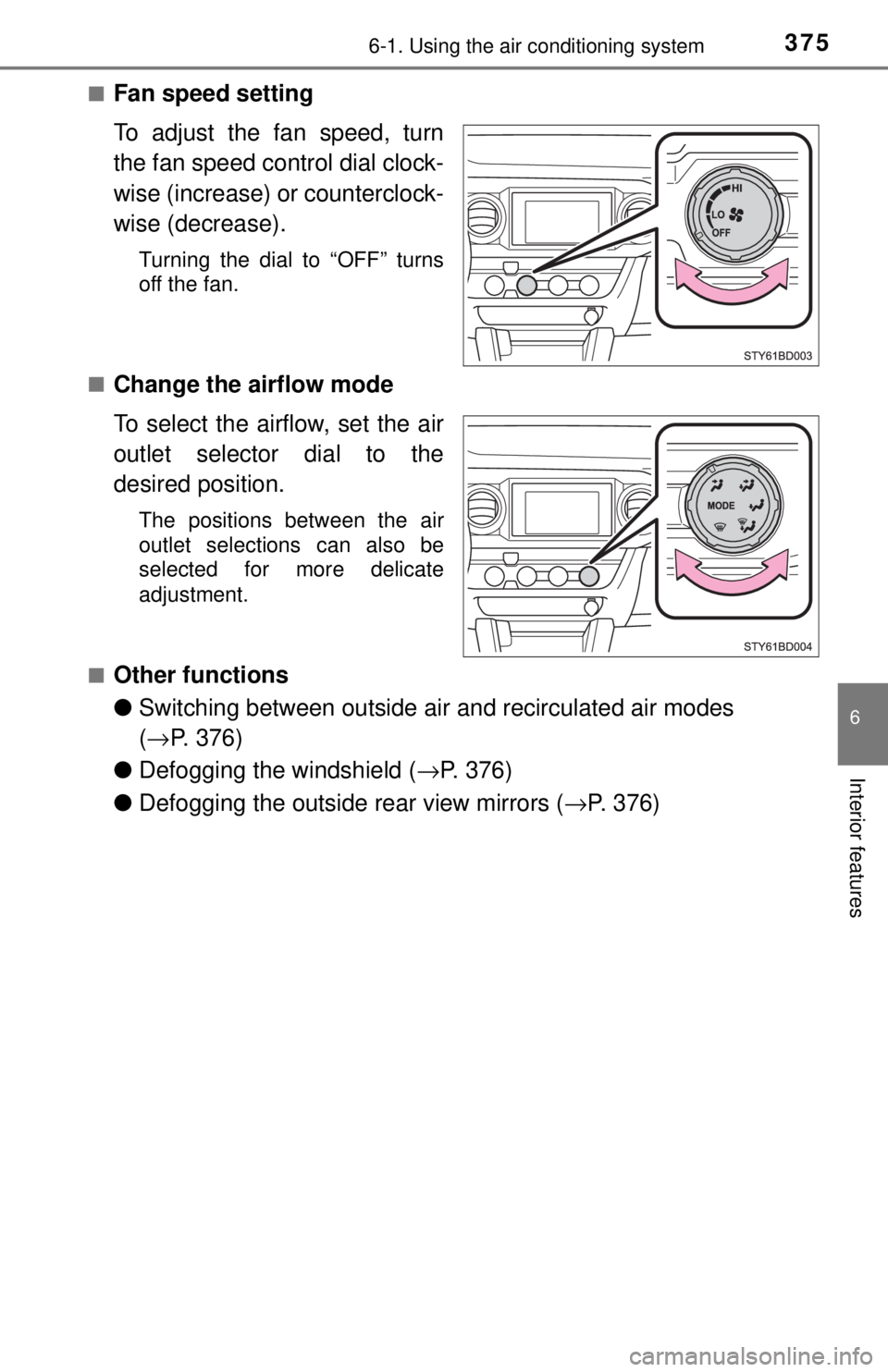
■Fan speed setting
To adjust the fan speed, turn
the fan speed control dial clock-
wise (increase) or counterclock-
wise (decrease).
Turning the dial to “OFF” turns
off the fan.
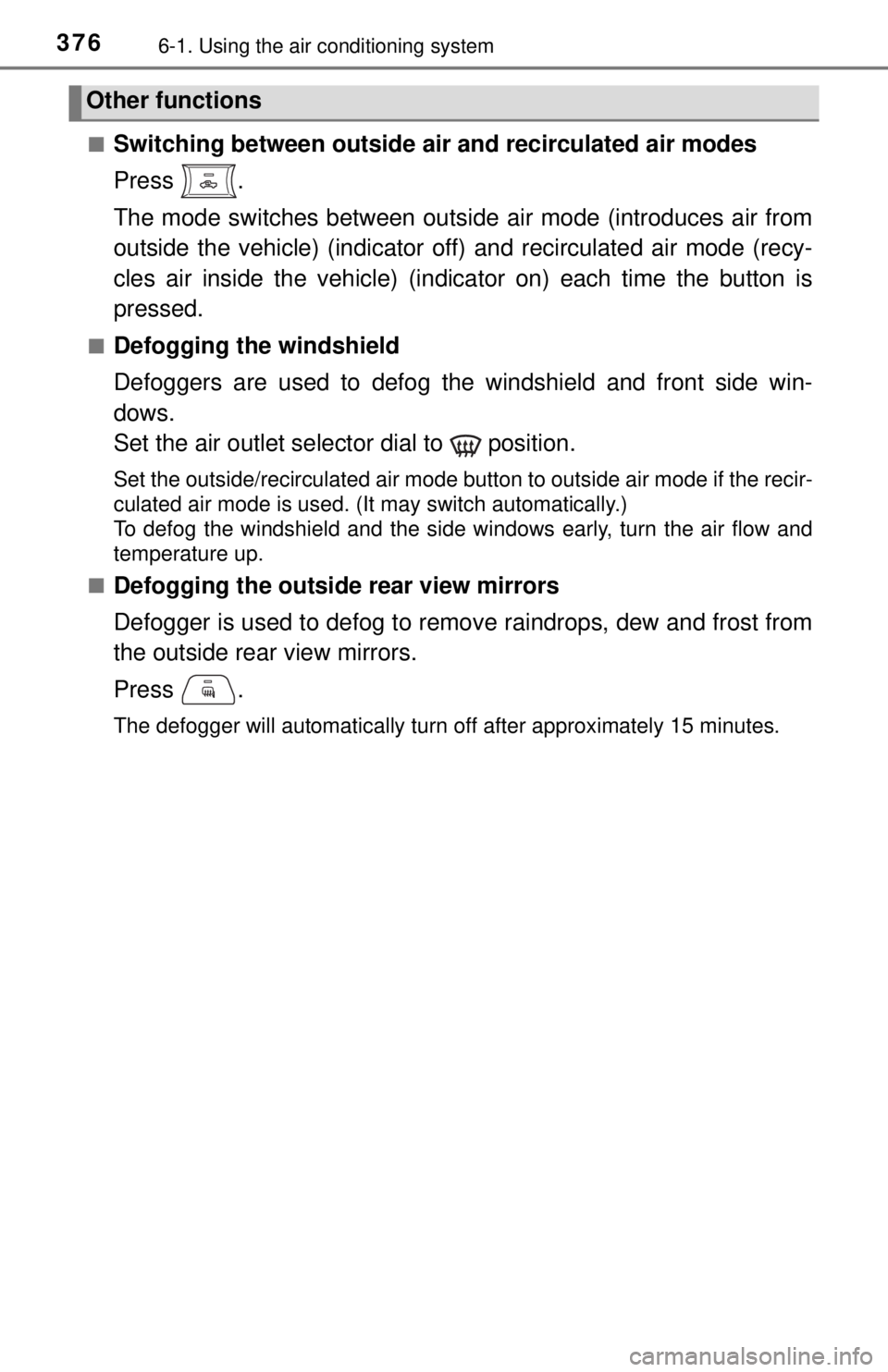
■
Change the airflow mode
To select the airflow, set the air
outlet selector dial to the
desired position.
The positions between the air
outlet selections can also be
selected for more delicate
adjustment.
■
Other functions
● Switching between outside ai r and recirculated air modes
( → P. 376)
● Defogging the windshield ( →P. 376)
● Defogging the outside rear view mirrors ( →P. 376)
Page 376 of 640
3766-1. Using the air conditioning system
■Switching between outside air and recirculated air modes
Press .
The mode switches between outsi de air mode (introduces air from
outside the vehicle) (indicator of f) and recirculated air mode (recy-
cles air inside the vehicle) (indicator on) each time the button is
pressed.
■Defogging the windshield
Defoggers are used to defog the windshield and front side win-
dows.
Set the air outlet selector dial to position.
Set the outside/recirculated air mode button to outside air mode if the recir-
culated air mode is used. (It may switch automatically.)
To defog the windshield and the side windows early, turn the air flow and
temperature up.
■
Defogging the outside rear view mirrors
Defogger is used to defog to remove raindrops, dew and frost from
the outside rear view mirrors.
Press .
The defogger will automatically turn off after approximately 15 minutes.
Other functions
Page 379 of 640
3796-1. Using the air conditioning system
6
Interior features
WARNING
■To prevent the windshield from fogging up
● Do not use
during cool air operation in extremely humid weather. The
difference between the temperature of the outside air and that of the wind-
shield can cause the outer surface of the windshield to fog up, blocking
your vision.
■ To prevent burns
Do not touch the rear view mirror surf aces when the outside rear view mirror
defoggers are on.
NOTICE
■ To prevent battery discharge
Do not leave the air conditioning system on longer than necessary when the
engine is stopped.
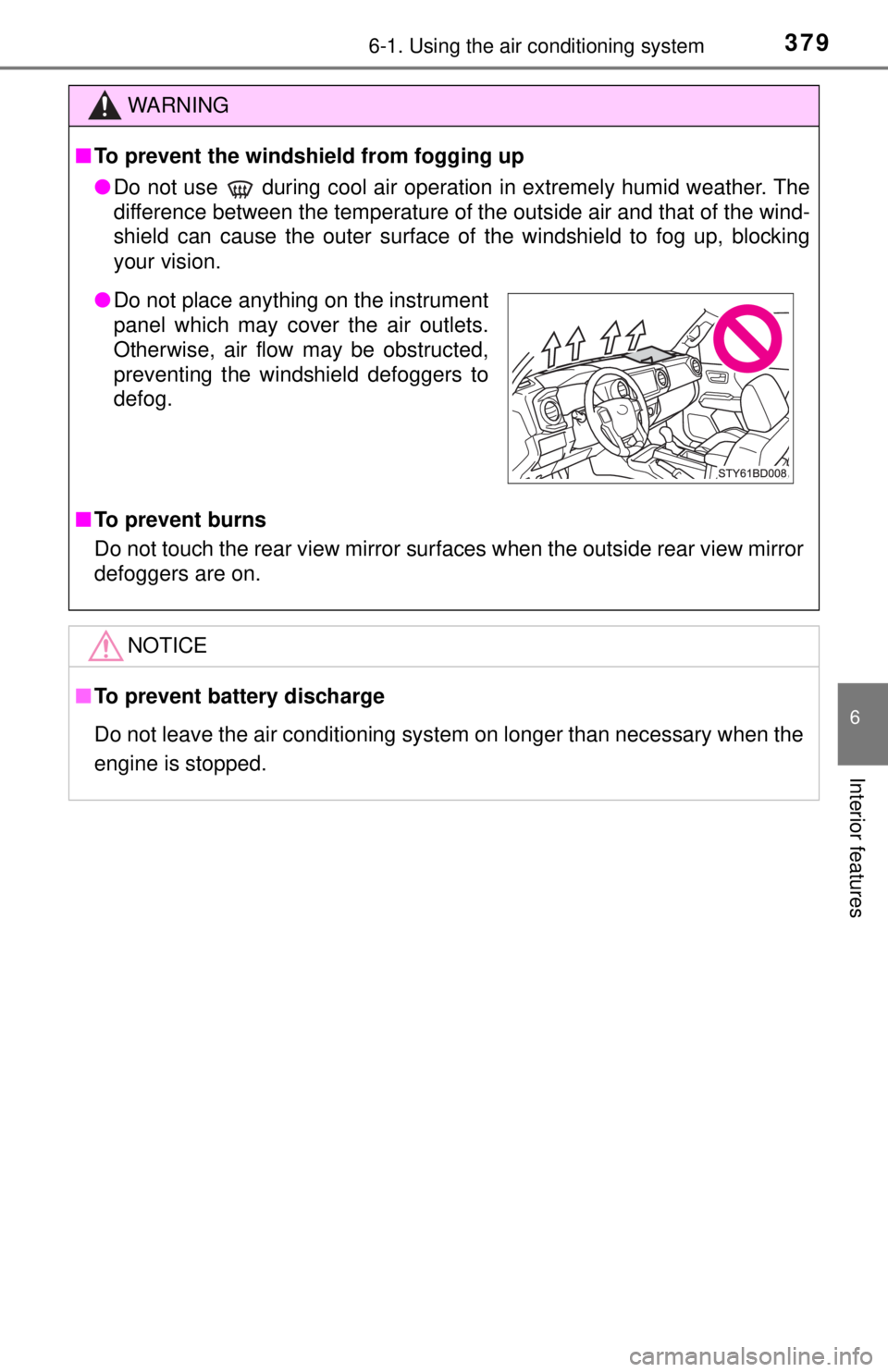
● Do not place anything on the instrument
panel which may cover the air outlets.
Otherwise, air flow may be obstructed,
preventing the windshield defoggers to
defog.
Page 381 of 640
3816-1. Using the air conditioning system
6
Interior features
■Fan speed setting
To adjust the fan speed, turn
the fan speed control dial clock-
wise (increase) or counterclock-
wise (decrease).
Press to turn the fan off.
■
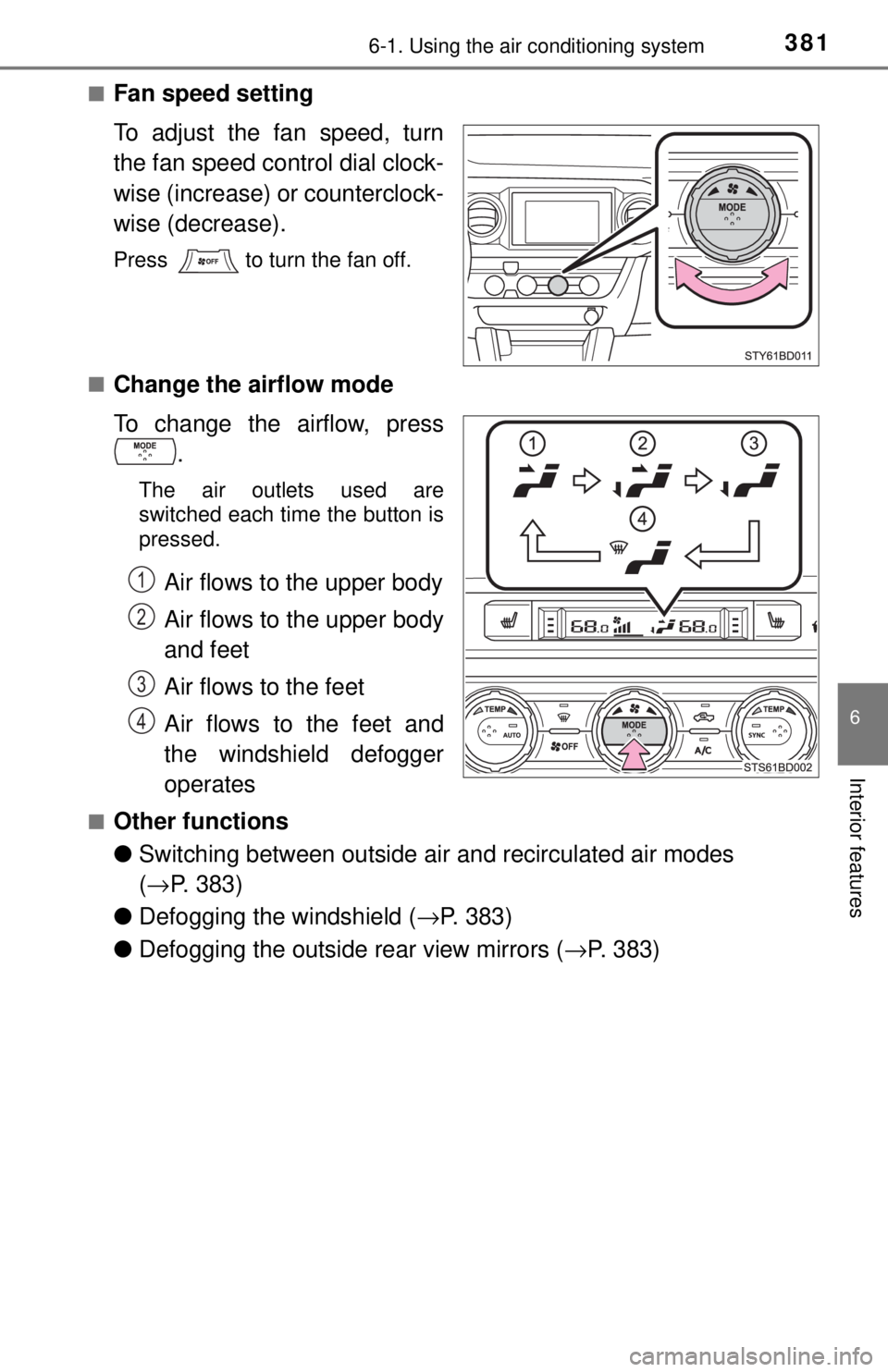
Change the airflow mode
To change the airflow, press .
The air outlets used are
switched each time the button is
pressed.
Air flows to the upper body
Air flows to the upper body
and feet
Air flows to the feet
Air flows to the feet and
the windshield defogger
operates
■Other functions
●Switching between outside ai r and recirculated air modes
( → P. 383)
● Defogging the windshield ( →P. 383)
● Defogging the outside rear view mirrors ( →P. 383)
1
2
3
4