Page 331 of 741
330
RAV4_OM_OM0R005U_(U)
5-1. Basic Operations
AUX port/USB port
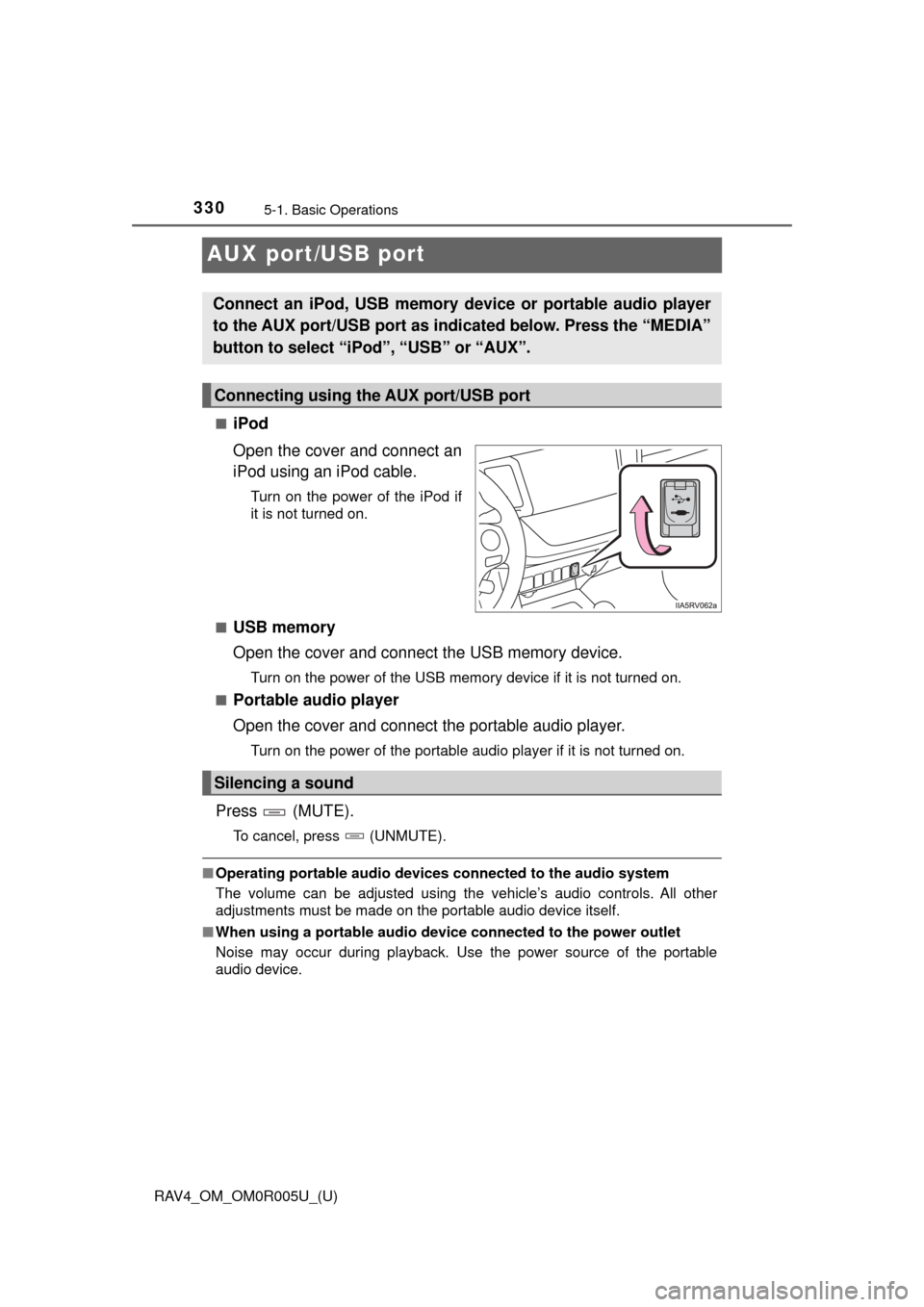
■iPod
Open the cover and connect an
iPod using an iPod cable.
Turn on the power of the iPod if
it is not turned on.
■
USB memory
Open the cover and connect the USB memory device.
Turn on the power of the USB memory device if it is not turned on.
■
Portable audio player
Open the cover and connect the portable audio player.
Turn on the power of the portable audio player if it is not turned on.
Press (MUTE).
To cancel, press (UNMUTE).
■ Operating portable audio devices connected to the audio system
The volume can be adjusted using the vehicle’s audio controls. All other
adjustments must be made on the portable audio device itself.
■ When using a portable audio devi ce connected to the power outlet
Noise may occur during playback. Use the power source of the portable
audio device.
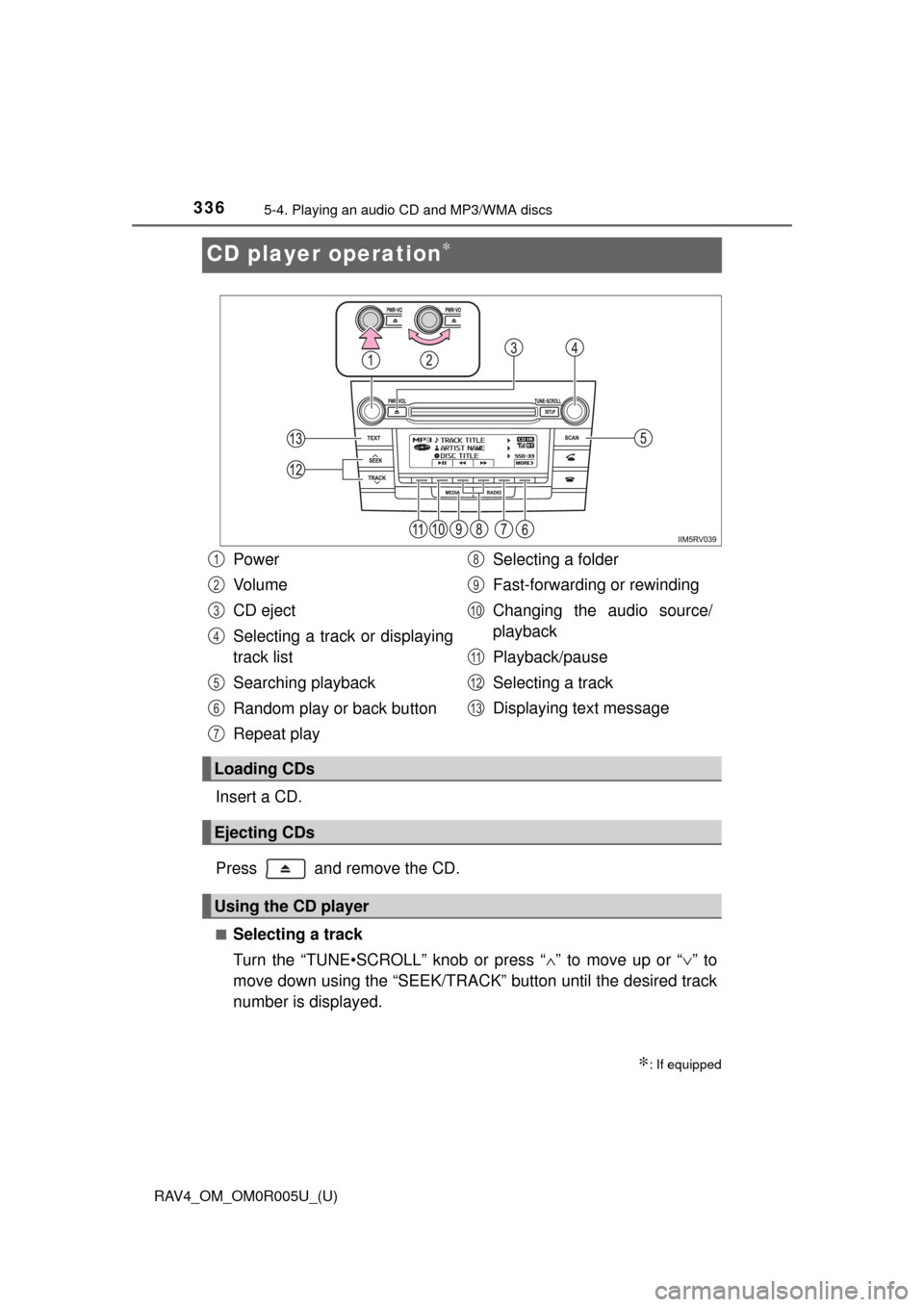
Connect an iPod, USB memory device or portable audio player
to the AUX port/USB port as indi cated below. Press the “MEDIA”
button to select “iPo d”, “USB” or “AUX”.
Connecting using the AUX port/USB port
Silencing a sound
Page 337 of 741
336
RAV4_OM_OM0R005U_(U)
5-4. Playing an audio CD and MP3/WMA discs
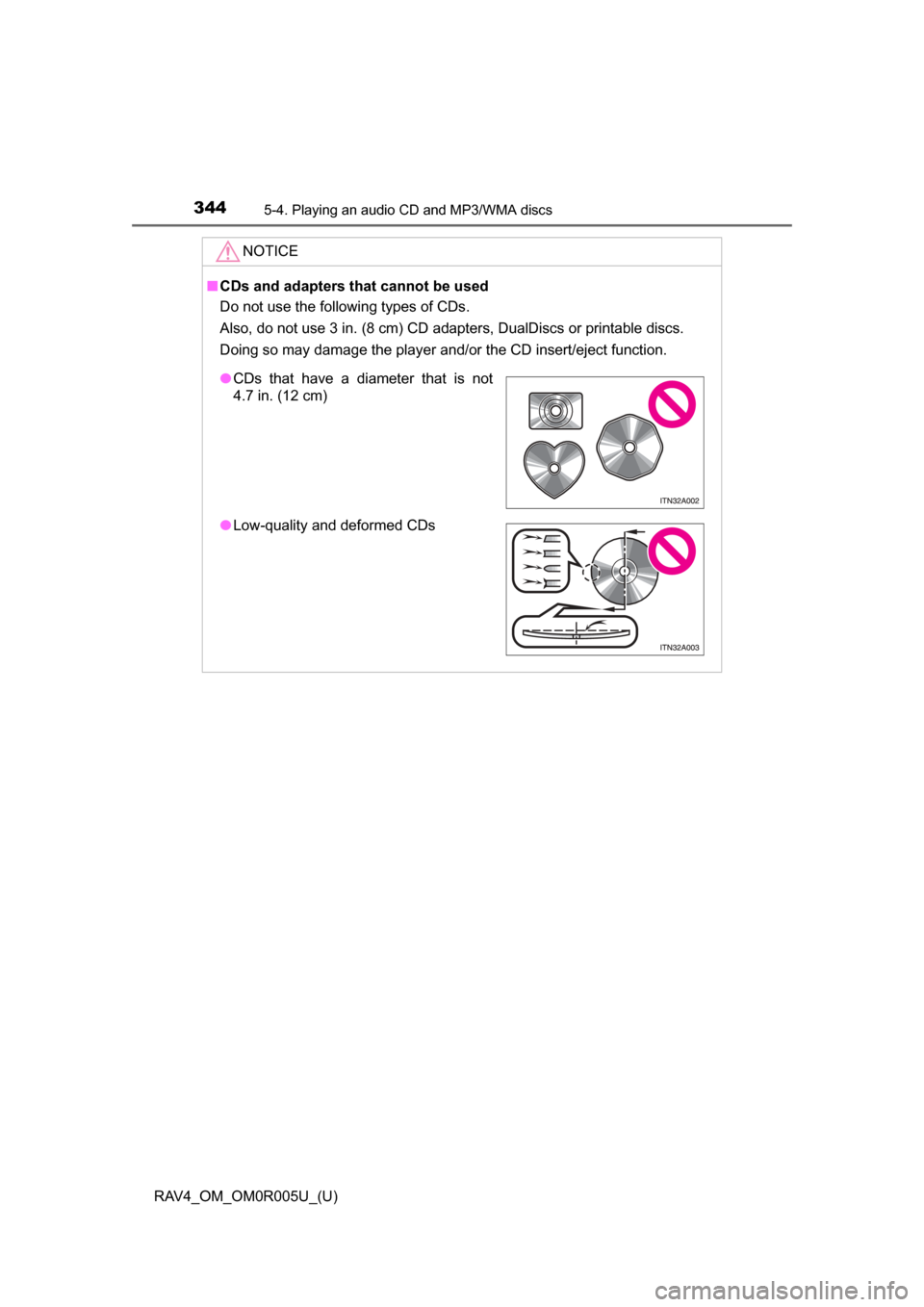
CD player operation∗
Insert a CD.
Press and remove the CD.
■Selecting a track
Turn the “TUNE•SCROLL” knob or press “∧” to move up or “ ∨” to
move down using the “SEEK/TRACK” button until the desired track
number is displayed.
∗: If equipped
Power
Vo l u m e
CD eject
Selecting a track or displaying
track list
Searching playback
Random play or back button
Repeat play Selecting a folder
Fast-forwarding or rewinding
Changing the audio source/
playback
Playback/pause
Selecting a track
Displaying text message
Loading CDs
Ejecting CDs
Using the CD player
1
2
3
4
5
6
7
8
9
10
11
12
13
Page 341 of 741
340
RAV4_OM_OM0R005U_(U)
5-4. Playing an audio CD and MP3/WMA discs
■Display
Depending on the contents recorded, the characters may not be displayed
properly or may not be displayed at all.
■ Error messages
If an error message is displayed, refer to the following table and take the
appropriate measures. If the problem is not rectified, take the vehicle to your
Toyota dealer.
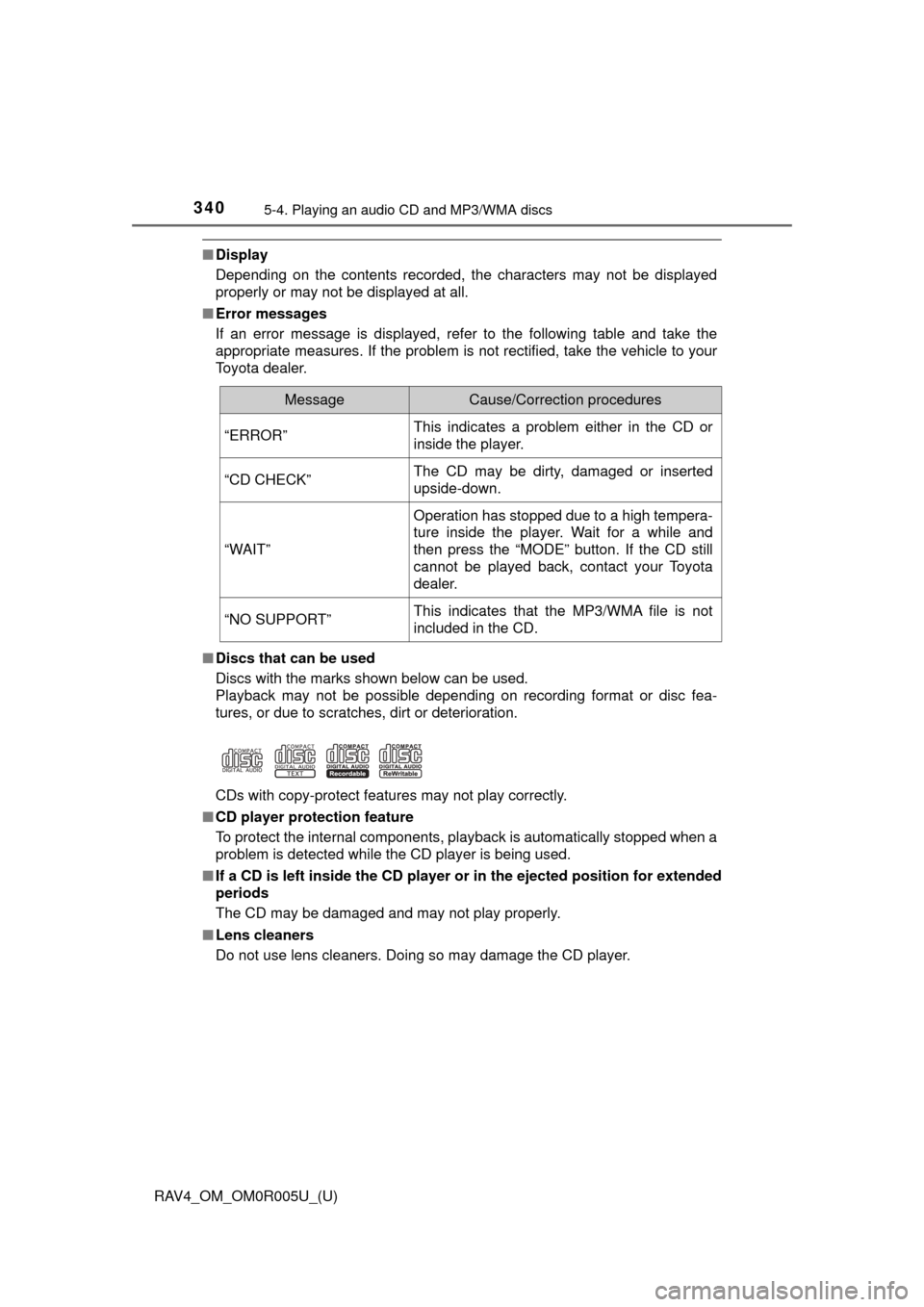
■ Discs that can be used
Discs with the marks shown below can be used.
Playback may not be possible depending on recording format or disc fea-
tures, or due to scratches, dirt or deterioration.
CDs with copy-protect features may not play correctly.
■ CD player protection feature
To protect the internal components, playback is automatically stopped when a
problem is detected while the CD player is being used.
■ If a CD is left inside the CD player or in the ejected position for extended
periods
The CD may be damaged and may not play properly.
■ Lens cleaners
Do not use lens cleaners. Doing so may damage the CD player.
MessageCause/Correction procedures
“ERROR”This indicates a problem either in the CD or
inside the player.
“CD CHECK”The CD may be dirty, damaged or inserted
upside-down.
“WAIT”
Operation has stopped due to a high tempera-
ture inside the player. Wait for a while and
then press the “MODE” button. If the CD still
cannot be played back, contact your Toyota
dealer.
“NO SUPPORT”This indicates that the MP3/WMA file is not
included in the CD.
Page 345 of 741
344
RAV4_OM_OM0R005U_(U)
5-4. Playing an audio CD and MP3/WMA discs
NOTICE
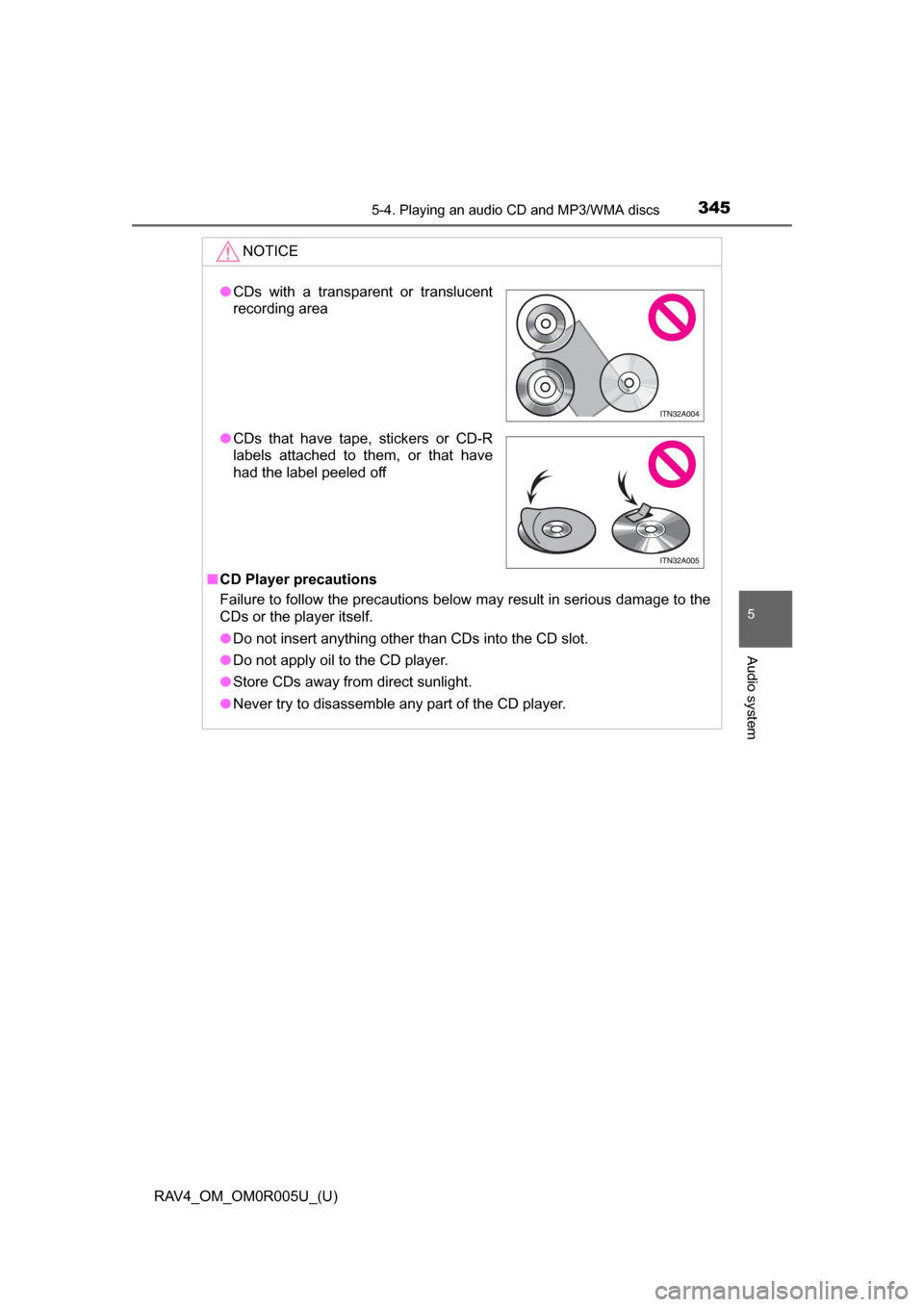
■CDs and adapters that cannot be used
Do not use the following types of CDs.
Also, do not use 3 in. (8 cm) CD adapters, DualDiscs or printable discs.
Doing so may damage the player and/or the CD insert/eject function.
● CDs that have a diameter that is not
4.7 in. (12 cm)
● Low-quality and deformed CDs
Page 346 of 741
RAV4_OM_OM0R005U_(U)
3455-4. Playing an audio CD and MP3/WMA discs
5
Audio system
NOTICE
■CD Player precautions
Failure to follow the precautions below may result in serious damage to the
CDs or the player itself.
● Do not insert anything other than CDs into the CD slot.
● Do not apply oil to the CD player.
● Store CDs away from direct sunlight.
● Never try to disassemble any part of the CD player.
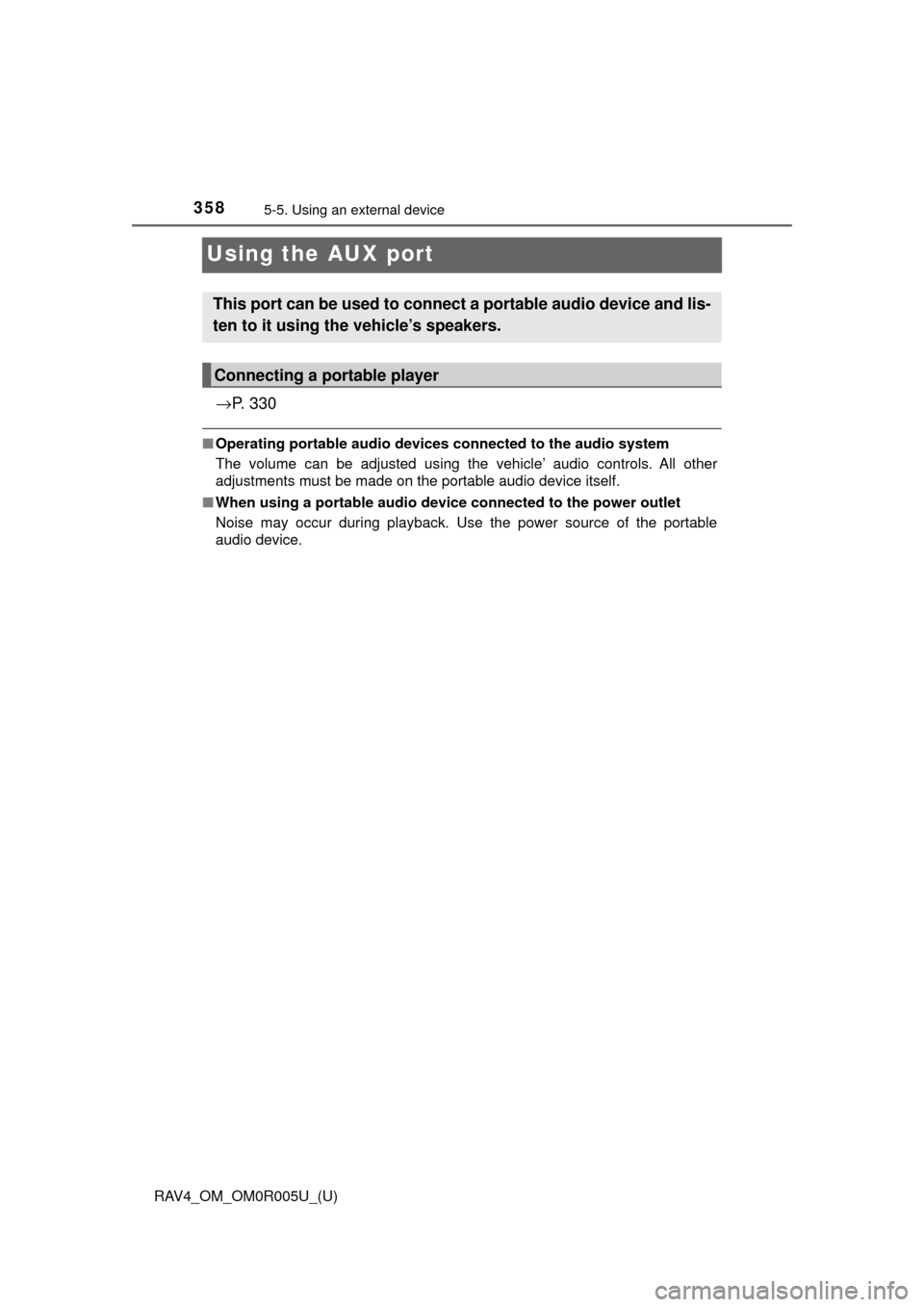
●CDs with a transparent or translucent
recording area
● CDs that have tape, stickers or CD-R
labels attached to them, or that have
had the label peeled off
Page 359 of 741
358
RAV4_OM_OM0R005U_(U)
5-5. Using an external device
Using the AUX port
→P. 3 3 0
■Operating portable audio devices connected to the audio system
The volume can be adjusted using the vehicle’ audio controls. All other
adjustments must be made on the portable audio device itself.
■ When using a portable audio devi ce connected to the power outlet
Noise may occur during playback. Use the power source of the portable
audio device.
This port can be used to connect a portable audio device and lis-
ten to it using the vehicle’s speakers.
Connecting a portable player
Page 360 of 741
359
RAV4_OM_OM0R005U_(U)
5-6. Using Bluetooth® devices
5
Audio system
Bluetooth® audio/phone∗
■Bluetooth® audio
The Bluetooth
® audio system enables you to enjoy music played on
a portable digital audio player (p ortable player) from the vehicle
speakers via wireless communication.
This audio system supports Bluetooth
®, a wireless data system
capable of playing port able audio music without cables. If your por-
table player does no t support Bluetooth
®, the Bluetooth® audio sys-
tem will not function.
■Bluetooth® phone (hands-free phone system)
This system supports Bluetooth
®, which allows you to make or
receive calls without using cables to connect a cellular phone and
the system, and without ope rating the cellular phone.
∗: If equipped
The following can be performed using Bluetooth® wireless com-
munication:
Page 363 of 741
362
RAV4_OM_OM0R005U_(U)
5-6. Using Bluetooth® devices
*: Bluetooth is a registered trademark of Bluetooth SIG, Inc.
Menu list of the Bluetooth® audio/phone
First menuSecond menuThird menuOperation details
“Bluetooth*”
“BT pairing”-Registering a
Bluetooth® device
“List phone”
-Listing the registered
cellular phones
“List audio”
-Listing the registered
portable players
“Passkey”
-Changing the pass-
key
“BT power”
-Setting automatic
connection of the
device on or off
“Bluetooth
* info” “Device name” “Device address”
Displaying the device
status
“Display setting” - Setting the auto-
matic connection
confirmation display
to on or off
“Initialize” - Initializing the set-
tings