Page 169 of 290

169
2. SETUP
PRIUS v_Navi_OM47B31U_(U)
16.03.03 17:47
PHONE
6
*: For PBAP compatible Bluetooth®
phones, this function is available when
“Automatic Transfer” is set to off.
(P.168)
■FOR PBAP COMPATIBLE
Bluetooth
® PHONES
1Select “Update Contacts from
Phone” .
Contacts are transferred automatically.
2Check that a confirmation screen is
displayed when the operation is com-
plete.
This operation may be unnecessary
depending on the type of cellular phone.
Depending on the type of cellular phone,
OBEX authentication may be required
when transferring contact data. Enter
“1234” into the Bluetooth
® phone.
If another Bluetooth
® device is connected
when transferring contact data, depending
on the phone, the connected Bluetooth
®
device may need to be disconnected.
Depending on the type of Bluetooth
®
phone being connected, it may be neces-
sary to perform additional steps on the
phone.
*Select to delete contacts
from the contact list.173
Select to reset all setup
items.
INFORMATION
●Depending on the type of phone, certain
functions may not be available.
● Contact data is managed independently
for every registered phone. When one
phone is connected, another phone’s
registered data cannot be read.
No.FunctionPageUPDATE CONTACTS FROM
PHONE
Operation methods differ between
PBAP compatible and PBAP incom-
patible/OPP compatible Bluetooth
®
phones.
If your cellular phone is neither PBAP
nor OPP compatible, the contacts can-
not be transferred.
Page 170 of 290

170
2. SETUP
PRIUS v_Navi_OM47B31U_(U)
16.03.03 17:47
■FOR PBAP INCOMPATIBLE BUT
OPP COMPATIBLE Bluetooth
®
PHONES
1Select “Update Contacts from
Phone” .
2Transfer the contact data to the system
using a Bluetooth
® phone.
This operation may be unnecessary
depending on the type of cellular phone.
Depending on the type of cellular phone,
OBEX authentication may be required
when transferring contact data. Enter
“1234” into the Bluetooth
® phone.
To cancel this function, select “Cancel”.
3Check that a confirmation screen is
displayed when the operation is com-
plete.
■UPDATING THE CONTACTS IN A
DIFFERENT WAY (FROM THE “Call
History” SCREEN)
1Display the phone top screen.
(P.151)
2Select the “Call History” tab and se-
lect a contact not yet registered in the
contact list.
3Select “Update Contact” .
4Select the desired contact.
5Select a phone type for the phone
number.
This operation cannot be performed
while driving.For only OPP compatible Bluetooth®
phones, this function is available when
“Automatic Transfer” is set to off.
(P.168)
Page 171 of 290
171
2. SETUP
PRIUS v_Navi_OM47B31U_(U)
16.03.03 17:47
PHONE
6
1Select “New Contact” .
2Enter the name and select “OK”.
3Enter the phone number and select
“OK”.
4Select the phone type for the phone
number.
5To add another number to this contact,
select “Yes”.
■REGISTERING A NEW CONTACT IN
A DIFFERENT WAY (FROM THE
“Call History” SCREEN)
1Display the phone top screen.
(P.151)
2Select the “Call History” tab and se-
lect a contact not yet registered in the
contact list.
3Select “Add to Contacts” .
4Follow the steps in “REGISTERING A
NEW CONTACT TO THE CONTACT
LIST” from “STEP 2”. ( P.171)
REGISTERING A NEW
CONTACT TO THE CONTACT
LIST
New contact data can be registered.
Up to 4 numbers per person can be
registered. For PBAP compatible
Bluetooth
® phones, this function is
available when “Automatic Transfer” is
set to off. ( P.168)
For only OPP compatible Bluetooth®
phones, this function is available when
“Automatic Transfer” is set to off.
(P.168)
Page 172 of 290
172
2. SETUP
PRIUS v_Navi_OM47B31U_(U)
16.03.03 17:47
1Select “Edit Contacts” .
2Select the desired contact.
3Select corresponding to the de-
sired name or number.
For editing the name
4Follow the steps in “REGISTERING A
NEW CONTACT TO THE CONTACT
LIST” from “STEP 2”. ( P.171)
For editing the number
4Follow the steps in “REGISTERING A
NEW CONTACT TO THE CONTACT
LIST” from “STEP 3”. ( P.171)
■EDITING THE CONTACT IN A DIF-
FERENT WAY (FROM THE “Contact
Details” SCREEN)
1Display the phone top screen.
(P.151)
2Select the “Contacts”, “Call History”
tab or the “Favorites” tab and select
the desired contact.
3Select “Edit Contact” .
“E-mail Addresses” : Select to display all
registered e-mail addresses for the con-
tact.
4Follow the steps in “EDITING THE
CONTACT DATA” from “STEP 4”.
(P.172)
EDITING THE CONTACT DATA
For PBAP compatible Bluetooth
®
phones, this function is available when
“Automatic Transfer” is set to off.
( P.168)
Page 173 of 290
173
2. SETUP
PRIUS v_Navi_OM47B31U_(U)
16.03.03 17:47
PHONE
6
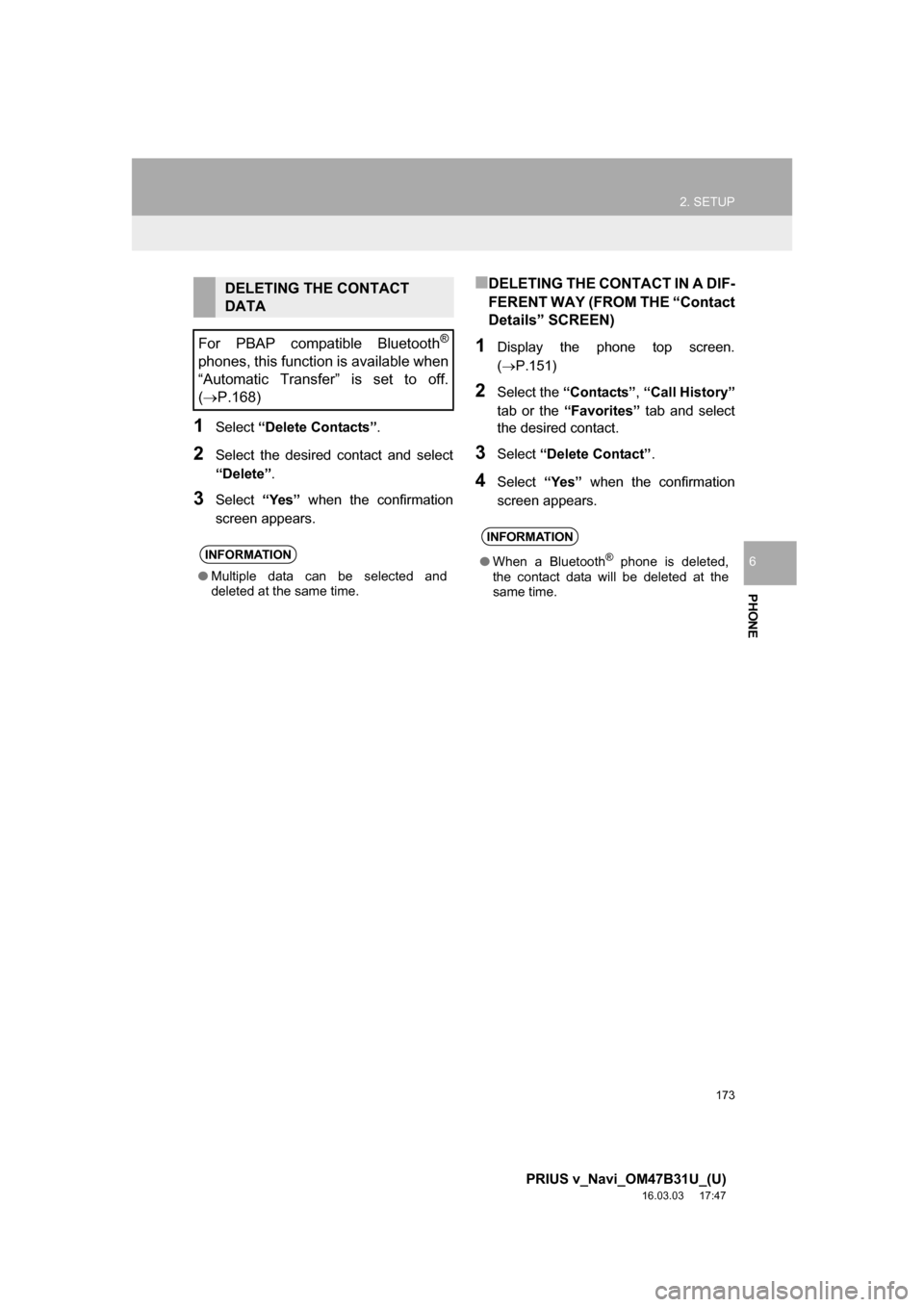
1Select “Delete Contacts”.
2Select the desired contact and select
“Delete” .
3Select “Yes” when the confirmation
screen appears.
■DELETING THE CONTACT IN A DIF-
FERENT WAY (FROM THE “Contact
Details” SCREEN)
1Display the phone top screen.
(P.151)
2Select the “Contacts” , “Call History”
tab or the “Favorites” tab and select
the desired contact.
3Select “Delete Contact” .
4Select “Yes” when the confirmation
screen appears.
DELETING THE CONTACT
DATA
For PBAP compatible Bluetooth
®
phones, this function is available when
“Automatic Transfer” is set to off.
( P.168)
INFORMATION
● Multiple data can be selected and
deleted at the same time.
INFORMATION
● When a Bluetooth® phone is deleted,
the contact data will be deleted at the
same time.
Page 179 of 290
179
PRIUS v_Navi_OM47B31U_(U)
16.03.03 17:47
PHONE
6
3. WHAT TO DO IF...
1. TROUBLESHOOTING
When using the hands-free system with a Bluetooth® device
If there is a problem with the hands-free system or a Bluetooth® device, first check
the table below.
SymptomLikely causeSolution
Page
Cellular
phoneThis
system
The hands-free sys-
tem or Bluetooth® de-
vice does not work.
The connected de-
vice may not be a
compatible
Bluetooth
® cellular
phone.
For a list of specific
devices which
operation has been
confirmed on this
system, check with
your Toyota dealer or
the following website:
http://www.toyota.com/
entune/
The Bluetooth® ver-
sion of the connect-
ed cellular phone
may be older than
the specified ver-
sion.Use a cellular phone
with Bluetooth® ver-
sion 2.0 or higher (rec-
ommended: Ver. 3.0
+EDR or higher).46
Page 180 of 290

180
3. WHAT TO DO IF...
PRIUS v_Navi_OM47B31U_(U)
16.03.03 17:47
When registering/connecting a cellular phone
SymptomLikely causeSolution
Page
Cellular
phoneThis
system
A cellular phone can-
not be registered.
An incorrect pass-
code was entered
on the cellular
phone.Enter the correct pass-
code on the cellular
phone.
The registration op-
eration has not been
completed on the
cellular phone side.Complete the registra-
tion operation on the
cellular phone (ap-
prove registration on
the phone).
Old registration in-
formation remains
on either this sys-
tem or the cellular
phone.
Delete the existing reg-
istration information
from both this system
and the cellular phone,
then register the cellu-
lar phone you wish to
connect to this system.
51
A Bluetooth® connec-
tion cannot be made.
Another Bluetooth®
device is already
connected.
Manually connect the
cellular phone you wish
to use to this system.
52
Bluetooth® function
is not enabled on
the cellular phone.Enable the Bluetooth®
function on the cellular
phone.
Automatic
Bluetooth® connec-
tion on this system
is set to off.
Set automatic
Bluetooth® connection
on this system to on
when the power switch
is in ACCESSORY or
ON mode.
56
Page 181 of 290
181
3. WHAT TO DO IF...
PRIUS v_Navi_OM47B31U_(U)
16.03.03 17:47
PHONE
6
When making/receiving a call
“Unable to dial.
Please check your
phone.”
Bluetooth® function
is not enabled on
the cellular phone.Enable the Bluetooth®
function on the cellular
phone.
Old registration in-
formation remains
on either this sys-
tem or the cellular
phone.Delete the existing reg-
istration information
from both this system
and the cellular phone,
then register the cellu-
lar phone you wish to
connect to this system.
51
SymptomLikely causeSolution
Page
Cellular phoneThis
system
A call cannot be
made/received.Your vehicle is in a
“No Service” area.Move to where “No
Service” no longer ap-
pears on the display.
SymptomLikely causeSolution
Page
Cellular phoneThis
system