2017 TOYOTA PRIUS PRIME remote control
[x] Cancel search: remote controlPage 282 of 784

282
PRIUS PRIME_OM_OM47A88U_(U)
4-2. Opening, closing and locking the doors
■Note for the entry function
●Even when the electronic key is within the effective range (detection areas),
the system may not operate properly in the following cases:
• The electronic key is too close to the window or outside door handle, near
the ground, or in a high place when the doors are locked or unlocked.
• The electronic key is on the instrument panel, floor, or in the door pockets
or glove box when the hybrid system is started or power switch modes
are changed.
● Do not leave the electronic key on top of the instrument panel or near t\
he
door pockets when exiting the vehicle. Depending on the radio wave recep-
tion conditions, it may be detected by the antenna outside the cabin and the
door will become lockable from the out side, possibly trapping the electronic
key inside the vehicle.
● As long as the electronic key is within the effective range, the doors may be
unlocked or locked by anyone.
● Even if the electronic key is not inside the vehicle, it may be possible to start
the hybrid system if the electronic key is near the window.
● The doors may unlock if a large amount of water splashes on the door han-
dle, such as in the rain or in a car wash when the electronic key is within the
effective range. (The door will automatically be locked after approximately
60 seconds if the doors are not opened and closed.)
● If the wireless remote control is used to lock the doors when the electronic
key is near the vehicle, there is a possibility that the door may not be
unlocked by the entry function. (Use the wireless remote control to unlock
the doors.)
● Touching the door lock sensor while wearing gloves may delay or prevent
lock operation. Remove the gloves and touch the lock sensor again.
● When the lock operation is performed using the lock sensor, recognition sig-
nals will be shown up to two consecutive times. After this, no recognition
signals will be given.
● If the door handle becomes wet while the electronic key is within the effec-
tive range, the door may lock and unlock repeatedly. In this case, follow the
following correction procedures to wash the vehicle.
• Place the electronic key in a location 6 ft. (2 m) or more away from the
vehicle. (Take care to ensure that the key is not stolen.)
• Set electronic key to battery-saving mode to disable the smart key sys-
tem. ( →P. 280)
● If the electronic key is inside the vehicle and a door handle becomes wet
during a car wash, a message may be shown on the multi-information dis-
play and a buzzer will sound outside the vehicle. To turn off the alarm, lock
all the doors.
Page 283 of 784

PRIUS PRIME_OM_OM47A88U_(U)
2834-2. Opening, closing and locking the doors
4
Operation of each component
●The lock sensor may not work properly if it comes into contact with ice,
snow, mud, etc. Clean the lock sensor and attempt to operate it again.
● A sudden approach to the effective range or door handle may prevent the
doors from being unlocked. In this case, return the door handle to the origi-
nal position and check that the doors unlock before pulling the door handle
again.
● If there is another electronic key in the detection area, it may take slightly
longer to unlock the doors after the door handle is gripped.
■ When the vehicle is not driven for extended periods
●To prevent theft of the vehicle, do not leave the electronic key within 6 ft.
(2 m) of the vehicle.
● The smart key system can be deactivated in advance. ( →P. 732)
■ To operate the system properly
Make sure to carry the electronic key when operating the system. Do not get
the electronic key too close to the vehicle when operating the system from the
outside of the vehicle.
Depending on the position and holding condition of the electronic key, the key
may not be detected correctly and the system may not operate properly. (The
alarm may go off accidentally, or the door lock prevention may not operate.)
■ If the smart key system do es not operate properly
● Locking and unlocking the doors: Use the mechanical key. ( →P. 690)
● Starting the hybrid system: →P. 691
■ Customization
Settings (e.g. smart key system) can be changed.
(Customizable features: →P. 732)
■ If the smart key system has been deactivated in a customized setting
●Unlocking and locking the doors:
Use the wireless remote control or mechanical key. ( →P. 268, 690)
● Unlocking the charging port lid: →P. 1 1 5
● Unlocking and locking the charging connector: →P. 1 1 9
● Starting the hybrid system and changing power switch modes: →P. 691
● Stopping the hybrid system: →P. 325
Page 302 of 784
302
PRIUS PRIME_OM_OM47A88U_(U)
4-5. Opening and closing the windows
■Door lock linked window operation
●The power windows can be opened and closed using the mechanical key.
*
(→P. 690)
● The power windows can be opened using the wireless remote control.
*
(→P. 268)
*: These settings must be customized at your Toyota dealer.
■ Power window open reminder function
The buzzer sounds and a message is shown on the multi-information display
in the instrument cluster when the power switch is turned off and the driver’s
door is opened with the power windows open.
■ Customization
Settings (e.g. linked door lock operation) can be changed.
(Customizable features: →P. 732)
WARNING
Observe the following precautions.
Failing to do so may result in death or serious injury.
■Closing the windows
● The driver is responsible for all the power window operations, including the
operation for the passengers. In order to prevent accidental operation,
especially by a child, do not let a child operate the power windows. It is
possible for children and other passengers to have body parts caught in
the power window. Also, when riding with a child, it is recommended to use
the window lock switch. ( →P. 300)
● When using the wireless remote control or mechanical key and operating
the power windows, operate the power window after checking to make
sure that there is no possibility of any passenger having any of their body
parts caught in the side window. Also do not let a child operate side win-
dow by the wireless remote control or mechanical key. It is possible for
children and other passengers to get caught in the power window.
● When exiting the vehicle, turn the power switch off, carry the key and exit
the vehicle along with the child. There may be accidental operation, due to
mischief, etc., that may possibly lead to an accident.
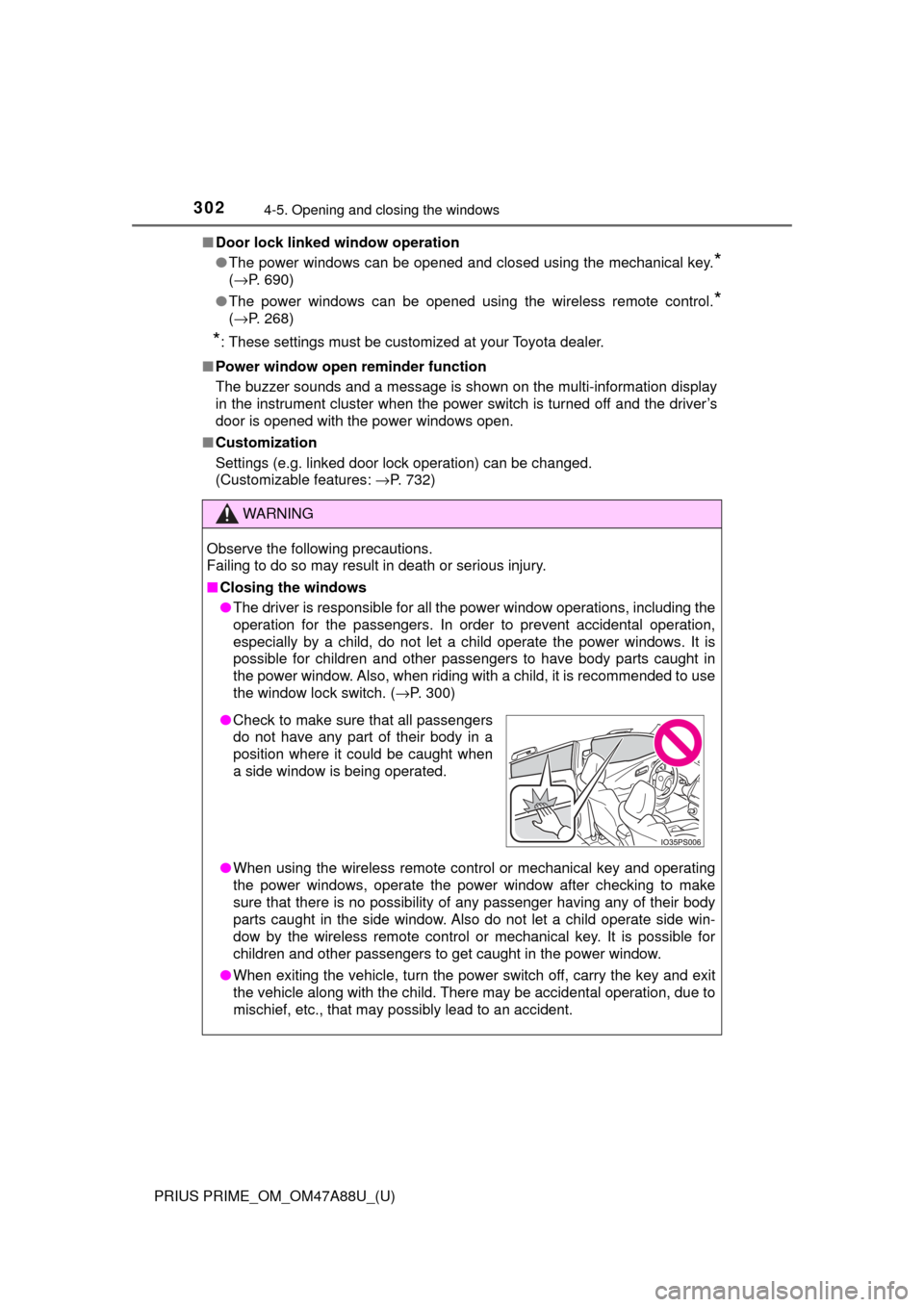
●Check to make sure that all passengers
do not have any part of their body in a
position where it could be caught when
a side window is being operated.
Page 493 of 784

PRIUS PRIME_OM_OM47A88U_(U)
4936-1. Using the air conditioning system and defogger
6
Interior features
■Heating
●In HV mode, the gasoline engine may operate in order to exhaust heat from
the engine coolant via the heater.
● In EV mode, heating is done by a heat pump system.
• When the outside temperature is low or it is snowing, compared to con-
ventional vehicles, heating may be less effective and warm air may not
come out.
• If frost has formed on the outside heat exchanger, the heating perfor- mance will decline. The frost can be removed from the outside heat
exchanger by operating the Remote Air Conditioning System before driv-
ing ( →P. 509). When frosted over, the heating operation of the Remote
Air Conditioning System starts after defrosting.
• When is turned on, the heating is controlled optimally. Therefore, the set heating performance may not be achieved even if the fan speed
setting is increased.
● In the following situations the gasoline engine may operate in order to
exhaust heat from the engine coolant via the heater even in EV mode.
• The outside temperature is approximately -10 °C or low
• is operating
■ Using automatic mode
Fan speed is adjusted automatically according to the temperature setting and
the ambient conditions.
Therefore, the fan may stop for a while until warm or cool air is ready to flow
immediately after is pressed.
■ Water droplets during air conditioning operation• When the outside heat exchanger is
frosted over, fan speed declines and it
may become harder to heat the inte-
rior. However, it is not a malfunction.
In this situation, the air temperature
from the outlets may not change even
though the set temperature is raised.
The outside heat exchanger, accumulator
and air conditioning piping may incur con-
densation or frost may form. During or
after the air conditioning operation, water
droplets may fall from the vehicle. How-
ever, it is not a malfunction.
Outside heat exchanger
Outside heat exchanger
Accumulator
Page 504 of 784

5046-1. Using the air conditioning system and defogger
PRIUS PRIME_OM_OM47A88U_(U)
■Heating
●In HV mode, the gasoline engine may operate in order to exhaust heat from
the engine coolant via the heater.
● In EV mode, heating is done by a heat pump system.
• When the outside temperature is low or it is snowing, compared to con-
ventional vehicles, heating may be less effective and warm air may not
come out.
• If frost has formed of the outside heat exchanger, the heating perfor- mance will decline. The frost can be removed from the outside heat
exchanger by operating the Remote Air Conditioning System before driv-
ing ( →P. 509). When frosted over, the heating operation of the Remote
Air Conditioning System starts after defrosting.
• When is turned on, the heating is controlled optimally. There- fore, the set heating performance may not be achieved even if the fan
speed setting is increased.
● In the following situations the gasoline engine may operate in order to
exhaust heat from the engine coolant via the heater even in EV mode.
• The outside temperature is extremely low
• is operating
■ Using automatic mode
Fan speed is adjusted automatically according to the temperature setting and
the ambient conditions.
Therefore, the fan may stop for a while until warm or cool air is ready to flow
immediately after is pressed.
■ Water droplets during air conditioning operation• When the outside heat exchanger is
frosted over, fan speed declines and it
may become harder to heat the inte-
rior. However, it is not a malfunction.
In this situation, the air temperature
from the outlets may not change even
though the set temperature is raised.
The outside heat exchanger, accumulator
and air conditioning piping may incur con-
densation or frost may form. During or
after the air conditioning operation, water
droplets may fall from the vehicle. How-
ever, it is not a malfunction.
Outside heat exchanger
Outside heat exchanger
Accumulator
Page 509 of 784
509
PRIUS PRIME_OM_OM47A88U_(U)
6-1. Using the air conditioning system and defogger
6
Interior features
Remote Air Conditioning System
If the Remote Air Conditioning Sy stem is used while the charging
cable is connected to the vehicle, the reduction of charge in the hybrid
battery (traction battery) will be s uppressed to allow you to use elec-
tricity from an external power source.
Charging will be conducted automatically after the Remote Air Condition-
ing System is stopped.
Check the temperature setting of the air conditioning system.
( → P. 488, 499)
The Remote Air Conditioning System will operate in accordance with the
temperature settings of the air conditioning system.
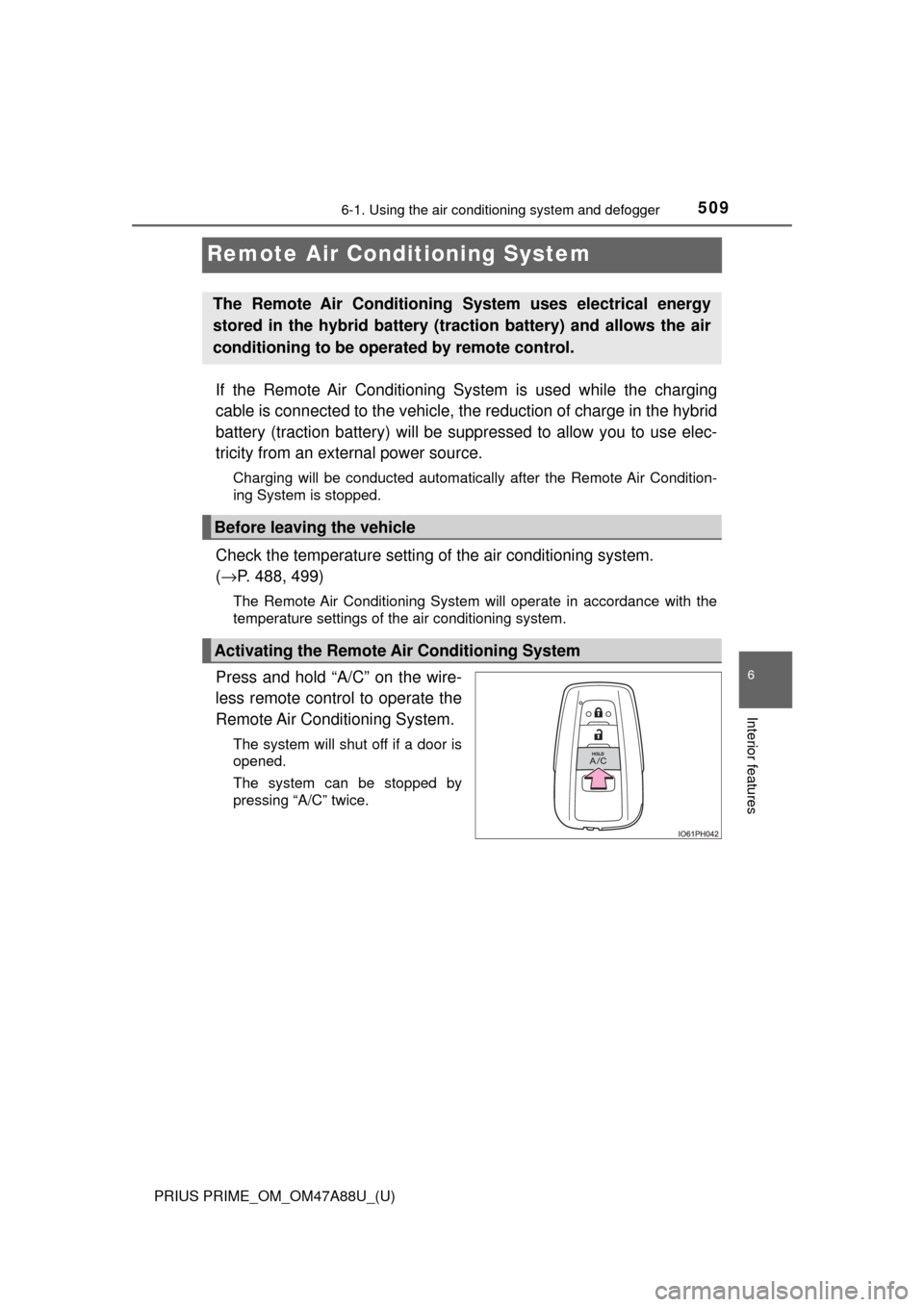
Press and hold “A/C” on the wire-
less remote control to operate the
Remote Air Conditioning System.
The system will shut off if a door is
opened.
The system can be stopped by
pressing “A/C” twice.
The Remote Air Conditioning System uses electrical energy
stored in the hybrid battery (traction battery) and allows the air
conditioning to be operat ed by remote control.
Before leaving the vehicle
Activating the Remote Air Conditioning System
Page 511 of 784
PRIUS PRIME_OM_OM47A88U_(U)
5116-1. Using the air conditioning system and defogger
6
Interior features
■Security feature
Any unlocked doors will be automatically locked when the system is operat-
ing. The buzzer sounds and the emergency flashers flash to indicate that the
doors have been locked or the system has been turned off.
(The doors locked: Once; The system turned off: Twice)
■ Conditions affecting operation
→P. 281
■ When using the Remote Air Conditioning System
A charging message will be displayed on the multi-information display. Differ-
ent messages will be displayed depending on when the Remote Air Condi-
tioning System was started (after charging or during charging).
■ While the Remote Air Conditioning System is operating
●Depending on the operating condition of the Remote Air Conditioning Sys-
tem, the electric fan may spin and an operating noise may be heard. How-
ever, this does not indicate a malfunction.
● The Remote Air Conditioning System may stop operating temporarily if
other features that use electricity (for example, the seat heater, lights, wind-
shield wipers) are in operation or if the charge level of the 12-volt battery
becomes low.
● The headlights, windshield wiper, combination meter, etc. will not operate
while the Remote Air Conditioning System is operating.
■ Electronic key battery depletion
→P. 264
■ When the electronic key battery is fully depleted
→P. 627
■ Customization
Setting (e.g. Operation using “A/C” on the wireless remote control) can be
changed. (Customizable features →P. 732)
■ Smartphone-linked op eration (vehicles with 11.6-inch display)
After applying to Entune, it is possible to use the smartphone application to
operate the Remote Air Conditioning System.
For details about Entune, refer to http://www.toyota.com/entune/.
Page 542 of 784

542
PRIUS PRIME_OM_OM47A88U_(U)
6-4. Using the other interior features
■Programming HomeLink®
Point the remote control
transmitter for the device 1 to
3 in. (25 to 75 mm) from the
HomeLink
® buttons.
Keep the HomeLink® indicator
light in view while programming.
Press and hold one of the
HomeLink® buttons and the
transmitter button. When the
HomeLink
® indicator light
changes from a slow to a
rapid flash, you can release
both buttons.
If the HomeLink® indicator light
comes on but does not flash, or
flashes rapidly for 2 seconds
and remains lit, the HomeLink
®
button is already programmed.
Use the other buttons or follow
the “Reprogramming a
HomeLink
® button” instructions.
( →P. 546)
1
2