2017 TOYOTA PRIUS PLUG-IN HYBRID cruise control
[x] Cancel search: cruise controlPage 226 of 744

2263. Instrument cluster
PRIUS PHV_OM_OM47A89E_(EE)■
Information display of EV driving
One of the following 2 information in the items of “HV System Indi-
cator” in “Meter Customize” settings can be selected to display in
the left upper corner of the Hybrid System Indicator. (P. 245)
“EV Distance”
The approximate distance that
can be driven using only the
electric motor (traction motor).
(P. 111 )
When the air conditioning sys-
tem is operating, the icon dis-
play changes to and the
driving range with the air condi-
tioning system on is displayed.
“EV Energy”
The percentage of the remain-
ing hybrid battery (traction bat-
tery) that can be used for EV
driving is displayed.
Becomes 100% when the hybrid
battery (traction battery) is fully
charged.
■When operation of each function stops
●The Hybrid System Indicator stops operating in the following situations.
• The “READY” indicator is not illuminated.
• The shift position is not D or B.
●The Eco score and “ECO Accelerator Guidance” stop operating in the fol-
lowing situations.
• The Hybrid System Indicator is not operating.
• Dynamic radar cruise control with full-speed range is being used.
• The speed limiter system is being used and the vehicle speed is approxi-
mately the limit speed or higher.
Page 241 of 744
2413. Instrument cluster
3
Instrument cluster
PRIUS PHV_OM_OM47A89E_(EE)
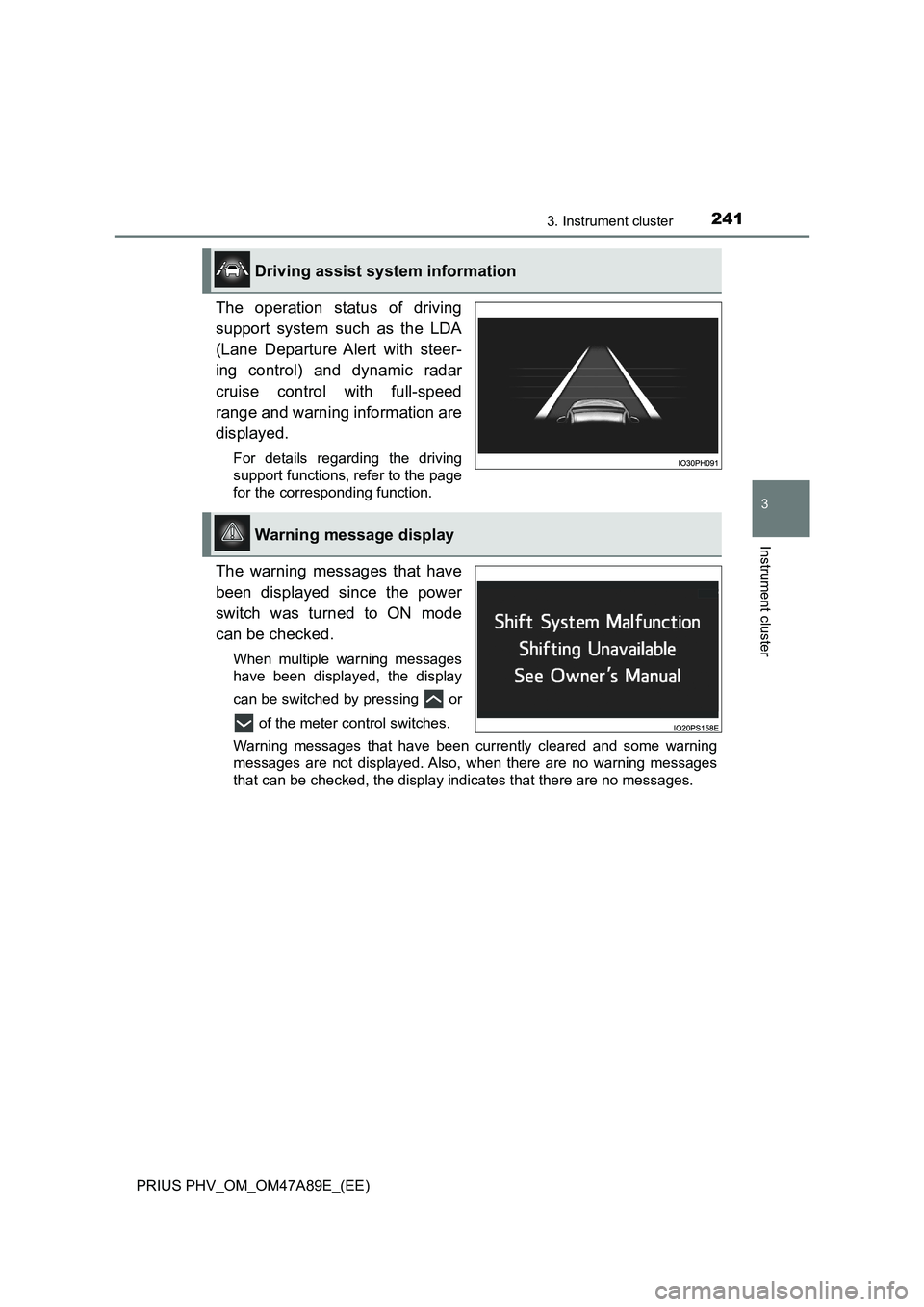
The operation status of driving
support system such as the LDA
(Lane Departure Alert with steer-
ing control) and dynamic radar
cruise control with full-speed
range and warning information are
displayed.
For details regarding the driving
support functions, refer to the page
for the corresponding function.
The warning messages that have
been displayed since the power
switch was turned to ON mode
can be checked.
When multiple warning messages
have been displayed, the display
can be switched by pressing or
of the meter control switches.
Warning messages that have been currently cleared and some warning
messages are not displayed. Also, when there are no warning messages
that can be checked, the display indicates that there are no messages.
Driving assist system information
Warning message display
Page 245 of 744

2453. Instrument cluster
3
Instrument cluster
PRIUS PHV_OM_OM47A89E_(EE)■
“Meter Customize” settings ( )
ItemSettingsSetting result
“Screen
OFF”
*1
“Yes”
Turns the multi-information dis-
play off.
“No”
“HV System
Indicator”
(P. 221)“ECO Acceler-
ator Guidance”“On”
Turns the “ECO Accelerator
Guidance” on and off.
“Off”
“EV Indicator
Light On/Off”“On”Turns the EV indicator on and
off.
“Off”
“EV Drive
Monitor”
“EV
Dis-
tance”
Switches the information dis-
play in the left upper corner of
the Hybrid System Indicator.
(P. 226)
“EV
Energy”
“Blank”
“Pop-up Display
On/Off”
“Instrument
Panel Light”
*2
“On”
Turns the pop-up display of the
selected item on the multi-
information display on and off.
“Off”
“Climate
settings”“On”
“Off”
“Cruise
Control
Operation
Display”“On”
“Off”
“HUD
Settings”
*3
“On”
“Off”
“Driving Mode
Select”“On”
“Off”
“Traction
Battery
Cooler”
*3
“On”
“Off”
Page 253 of 744

2533. Instrument cluster
3
Instrument cluster
PRIUS PHV_OM_OM47A89E_(EE)■
Insert displays of the driving support systems
Insert displays are linked with the operation of the following sys-
tems and used to show some of the information shown on the multi-
information display on the head-up display.
*: If equipped
■
Master warning light insert display
When the master warning light
(P. 645) is illuminated or
flashing, an insert display is
shown on the head-up display
to inform the driver.
When the master warning light
is illuminated or flashing, check
the message displayed on the
multi-information display and
perform the corresponding trou-
bleshooting procedure.
(P. 650)
Right-hand drive vehicles:
The master warning light display appears under the vehicle speed dis-
play.
Insert display
SystemDisplayed information
PCS (Pre-Crash Safety system)
(P. 368)Pre-crash warning
LDA (Lane Departure Alert with steering
control) (P. 382)
Lane departure alert function
display
Hands off steering wheel alert
Vehicle sway warning
Dynamic radar cruise control with full-
speed range (P. 397)Approach warning display
RSA (Road Sign Assist) (P. 392)Road signs, supplemental mark,
etc.
Intelligent Clearance Sonar* (P. 443)Operation display
(symbol display)
Page 311 of 744

311
5Driving
PRIUS PHV_OM_OM47A89E_(EE)5-1. Before driving
Driving the vehicle ............. 312
Cargo and luggage ............ 324
Trailer towing ..................... 326
5-2. Driving procedures
Power (ignition) switch ....... 327
Hybrid transmission ........... 333
Turn signal lever ................ 339
Parking brake .................... 340
5-3. Operating the lights
and wipers
Headlight switch ................ 341
AHS (Adaptive High-beam
System) ........................... 345
Fog light switch .................. 351
Windshield wipers and
washer ............................. 3525-4. Refueling
Opening the fuel tank
cap ................................... 355
5-5. Using the driving
support systems
Toyota Safety Sense ......... 359
PCS (Pre-Crash Safety
system) ............................ 368
LDA (Lane Departure Alert
with steering control) ....... 382
RSA (Road Sign Assist)..... 392
Dynamic radar cruise
control with full-speed
range ............................... 397
Driving mode select
switch............................... 412
Speed limiter ...................... 414
BSM
(Blind Spot Monitor) ......... 417
• The Blind Spot Monitor
function .......................... 423
• The Rear Crossing
Traffic Alert function ...... 427
Toyota parking
assist-sensor ................... 432
Intelligent Clearance
Sonar ............................... 443
S-IPA (Simple Intelligent
Parking Assist
System) ........................... 456
Driving assist systems ....... 491
5-6. Driving tips
Winter driving tips .............. 498
Page 314 of 744

3145-1. Before driving
PRIUS PHV_OM_OM47A89E_(EE)■Restraining hybrid system output (Brake Override System)
●When the accelerator and brake pedals are depressed at the same time, the
hybrid system output may be restrained.
●A warning message is displayed on the multi-information display while the
system is operating. If a warning message is shown on the multi-information
display, read the message and follow the instructions.
■“ECO Accelerator Guidance” (P. 224)
It is easier to drive in an Eco-friendly manner by driving while referring to the
“ECO Accelerator Guidance” display. Also, by using the “ECO Accelerator
Guidance”, it is easier to increase the Eco score evaluation.
●When starting off:
While staying within the “ECO Accelerator Guidance” range, gradually
depress the accelerator pedal and accelerate to the desired speed. If exces-
sive acceleration is avoided, the “Eco-Start” score will increase.
●When driving:
After accelerating to the desired speed, release the accelerator pedal and
drive at a stable speed within the “ECO Accelerator Guidance” range. By
keeping the vehicle within the “ECO Accelerator Guidance” range, the “Eco-
Cruise” score will increase.
●When stopping:
When stopping the vehicle, early releasing the accelerator pedal will cause
the “Eco-Stop” score to increase.
■Restraining sudden start (Drive-Start Control)
●When the following unusual operation is performed, the hybrid system out-
put may be restrained.
• When the shift position is shifted from R to D, D/B to R, N to R, P to D, P
to R with the accelerator pedal depressed, a warning message appears
on the multi-information display. If a warning message is shown on the
multi-information display, read the message and follow the instructions.
• When the accelerator pedal is depressed too much while the vehicle is in
reverse.
●While Drive-Start Control is being activated, your vehicle may have trou-
ble escaping from the mud or fresh snow. In such case, deactivate TRC
(P. 493) to cancel Drive Start Control so that the vehicle may become
able to escape from the mud or fresh snow.
Page 336 of 744

3365-2. Driving procedures
PRIUS PHV_OM_OM47A89E_(EE)■Reverse warning buzzer
When shifting into R, a buzzer will sound to inform the driver that the shift
position is in R.
■Restraining sudden start (Drive-Start Control)
When the following unusual operation is performed, the hybrid system output
may be restrained.
●When the shift position is shifted from R to D, D/B to R, N to R, P to D, P to
R with the accelerator pedal depressed, a warning message appears on the
multi-information display. If a warning message is shown on the multi-infor-
mation display, read the message and follow the instructions.
●When the accelerator pedal is depressed too much while the vehicle is in
reverse.
■Automatic P position selection function
●If the power switch is on and the shift position is not already P, completely
stopping the vehicle and pressing the power switch causes the shift position
to automatically switch to P and the power switch to turn off
*.
●The shift position may also automatically switch to P if one of the following
conditions is detected while the vehicle is stopped by dynamic radar cruise
control with full-speed range.
• Driver’s seat belt is not fastened
• Driver’s door is opened
• Approximately 3 minutes elapse after the vehicle stopped
*: If the power switch is pressed when driving at very low speeds (for exam-
ple, just before the vehicle stops), the shift position may automatically
switch to P. Press the power switch after completely stopping the vehicle to
prevent unexpected sudden stopping of the vehicle.
■If the shift position cannot be shifted from P
There is a possibility that the 12-volt battery is discharged. Check the 12-volt
battery in this situation. (P. 682)
■About engine braking
When shift position B is selected, releasing the accelerator pedal will apply
engine braking.
●When the vehicle is driven at high speeds, compared to ordinary gasoline-
fueled vehicles, the engine braking deceleration is felt less than that of other
vehicles.
●The vehicle can be accelerated even when shift position B is selected.
If the vehicle is driven continuously in the B position, fuel efficiency will
become low. Usually, select the D position.
■After recharging/reconnecting the 12-volt battery
P. 575
Page 359 of 744

3595-5. Using the driving support systems
PRIUS PHV_OM_OM47A89E_(EE)
5
Driving
Toyota Safety Sense
◆PCS (Pre-Crash Safety system)
P. 3 6 8
◆LDA (Lane Departure Alert with steering control)
P. 3 8 2
◆AHS (Adaptive High-beam System)
P. 3 4 5
◆RSA (Road Sign Assist)
P. 3 9 2
◆Dynamic radar cruise control with full-speed range
P. 3 9 7
The Toyota Safety Sense consists of the following drive assist
systems and contributes to a safe and comfortable driving expe-
rience:
WARNING
■ Toyota Safety Sense
The Toyota Safety Sense is designed to operate under the assumption that
the driver will drive safely, and is designed to help reduce the impact to the
occupants and the vehicle in the case of a collision or assist the driver in
normal driving conditions.
As there is a limit to the degree of recognition accuracy and control perfor-
mance that this system can provide, do not overly rely on this system. The
driver is always responsible for paying attention to the vehicle’s surround-
ings and driving safely.