Page 135 of 608
LC200_OM_OM60P24U_(U)
1353-3. Adjusting the seats
3
Operation of each component
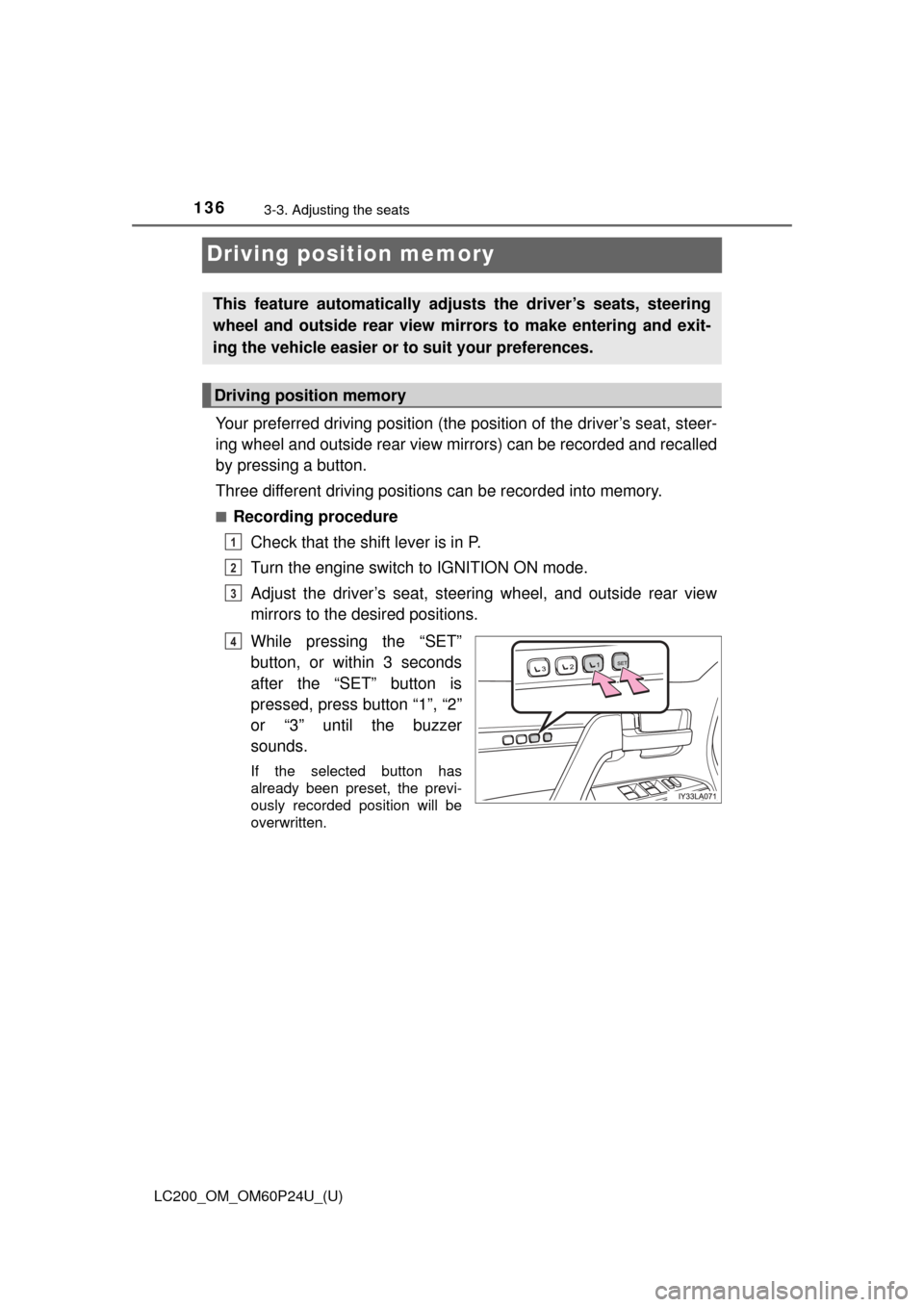
Raise the head restraints.5
WARNING
■ Seat adjustment
To reduce the risk of sliding under the lap belt during a collision, do not
recline the seat more than necessary.
If the seat is too reclined, the lap belt may slide past the hips and apply
restraint forces directly to the abdomen, or your neck may contact the
shoulder belt, increasing the risk of death or serious injury in the event of an
accident.
Adjustments should not be made while driving as the seat may unexpect-
edly move and cause the driver to lose control of the vehicle.
■ When the seatback is folded
● Do not sit on or place anything on the seatback while driving.
● Be sure to install the seat hook covers on the seat hooks, or you may get
burned when they become hot.
■ When returning the seatbacks to their original position
Observe the following precautions. Failure to do so may result in death or
serious injury.
● Be careful not to get your hands or feet pinched in the seat.
● Make sure the seats are securely locked. Failure to do so will prevent the
seat belt from operating properly.
● Check that the seat belts are not twisted or caught under the seat.
● Arrange the seat belts in the proper positions for ready use.
■ Avoiding damage to seat components
Do not hang or attach anything on the seatback striker.
NOTICE
■Before tumbling, folding up the seats
The seat belts and buckles must be stowed.
■ After returning the third seat
Make sure that the handle on the rear of the seatback has been secured.
Page 136 of 608
136
LC200_OM_OM60P24U_(U)
3-3. Adjusting the seats
Driving position memory
Your preferred driving position (the position of the driver’s seat, steer-
ing wheel and outside rear view mirrors) can be recorded and recalled
by pressing a button.
Three different driving positions can be recorded into memory.
■Recording procedureCheck that the shift lever is in P.
Turn the engine switch to IGNITION ON mode.
Adjust the driver’s seat, steering wheel, and outside rear view
mirrors to the desired positions.
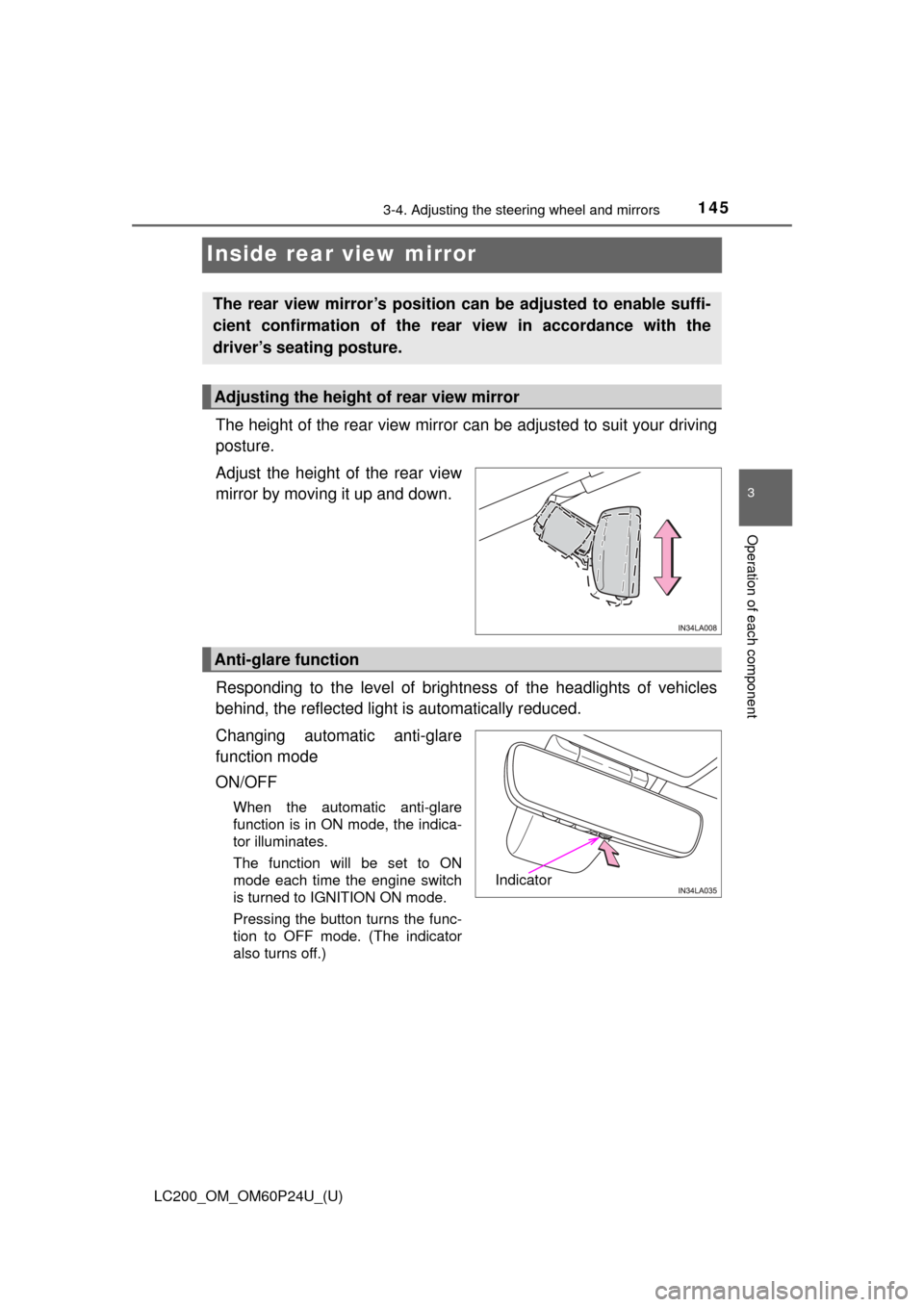
While pressing the “SET”
button, or within 3 seconds
after the “SET” button is
pressed, press button “1”, “2”
or “3” until the buzzer
sounds.
If the selected button has
already been preset, the previ-
ously recorded position will be
overwritten.
This feature automatically adjusts the driver’s seats, steering
wheel and outside rear view mirrors to make entering and exit-
ing the vehicle easier or to suit your preferences.
Driving position memory
1
2
3
4
Page 138 of 608
138
LC200_OM_OM60P24U_(U)
3-3. Adjusting the seats
Each electronic key can be registered to recall your preferred driving
position.
■Registering procedure
Record your driving position to button “1”, “2” or “3” before perform-
ing the following:
Carry only the key you want to register, and then close the driver’s
door.
If 2 or more keys are in the vehicle, the driving position cannot be
recorded properly.
Check that the shift lever is in P.
Turn the engine switch to IGNITION ON mode.
Recall the driving position that you want to record.
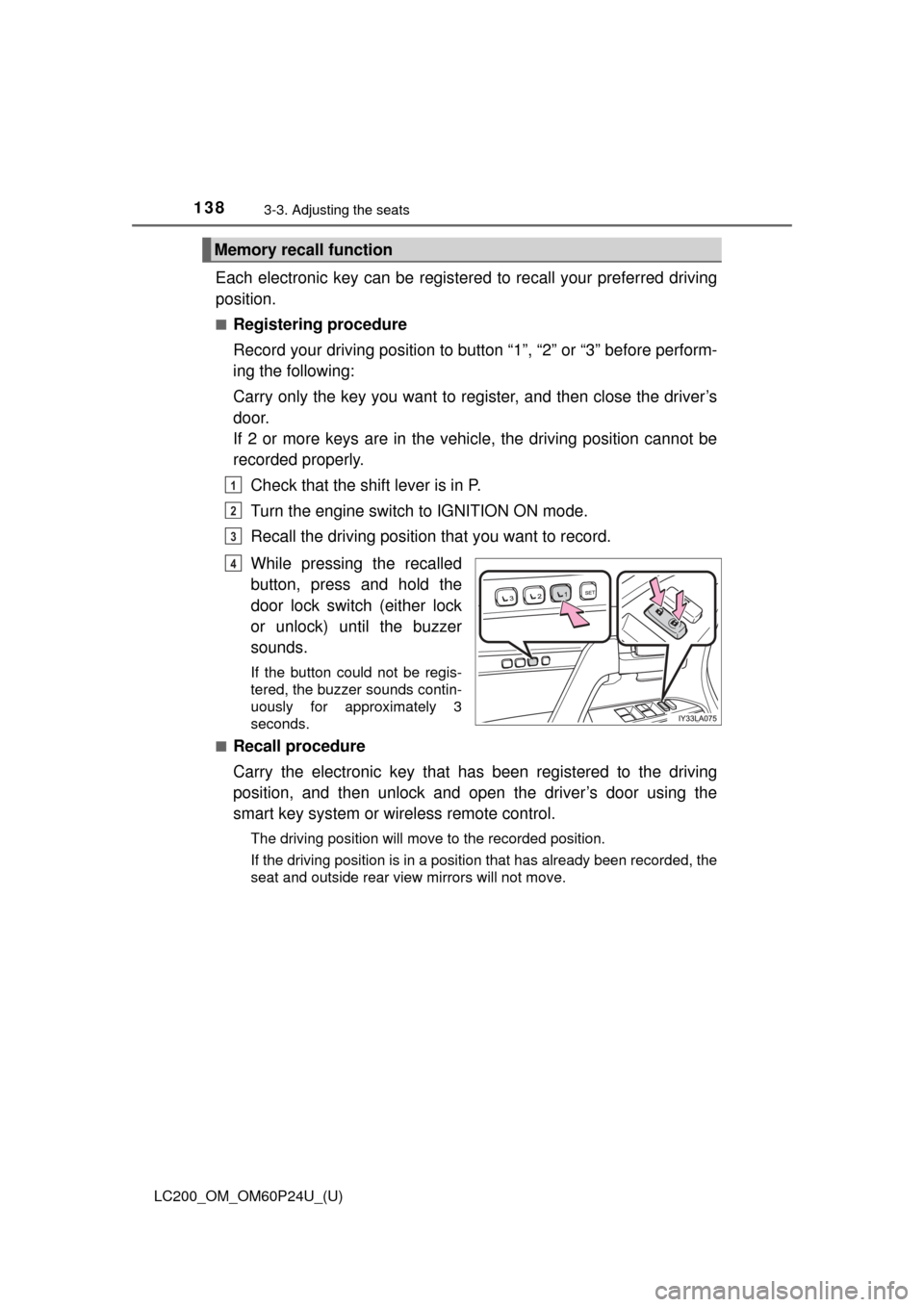
While pressing the recalled
button, press and hold the
door lock switch (either lock
or unlock) until the buzzer
sounds.
If the button could not be regis-
tered, the buzzer sounds contin-
uously for approximately 3
seconds.
■
Recall procedure
Carry the electronic key that has been registered to the driving
position, and then unlock and open the driver’s door using the
smart key system or wi reless remote control.
The driving position will move to the recorded position.
If the driving position is in a position that has already been recorded, the
seat and outside rear view mirrors will not move.
Memory recall function
1
2
3
4
Page 139 of 608
LC200_OM_OM60P24U_(U)
1393-3. Adjusting the seats
3
Operation of each component
■Cancelation procedure
Carry only the key you want to cancel and then close the driver’s
door.
If 2 or more keys are in the vehicle, the driving position cannot be
canceled properly.Turn the engine switch to IGNITION ON mode.
While pressing the “SET” button, press and hold the door lock
switch (either lock or unlock) until the buzzer sounds twice.
If the button could not be canceled, the buzzer sounds continuously for
approximately 3 seconds.
■Recalling the driving position us ing the memory recall function
● Different driving positions can be registered for each electronic key. There-
fore, the driving position that is recalled may be different depending on the
key being carried.
● If a door other than the driver’s door is unlocked with the smart key system,
the driving position cannot be recalled. In this case, press the driving posi-
tion button which has been set.
■ Customization
The unlock door settings of the memory recall function can be customized.
(Customizable features: →P. 574)
WARNING
■ Seat adjustment caution
Take care during seat adjustment so that the seat does not strike the rear
passenger or squeeze your body against the steering wheel.
1
2
Page 145 of 608
1453-4. Adjusting the steering wheel and mirrors
3
Operation of each component
LC200_OM_OM60P24U_(U)
Inside rear view mirror
The height of the rear view mirror can be adjusted to suit your driving
posture.
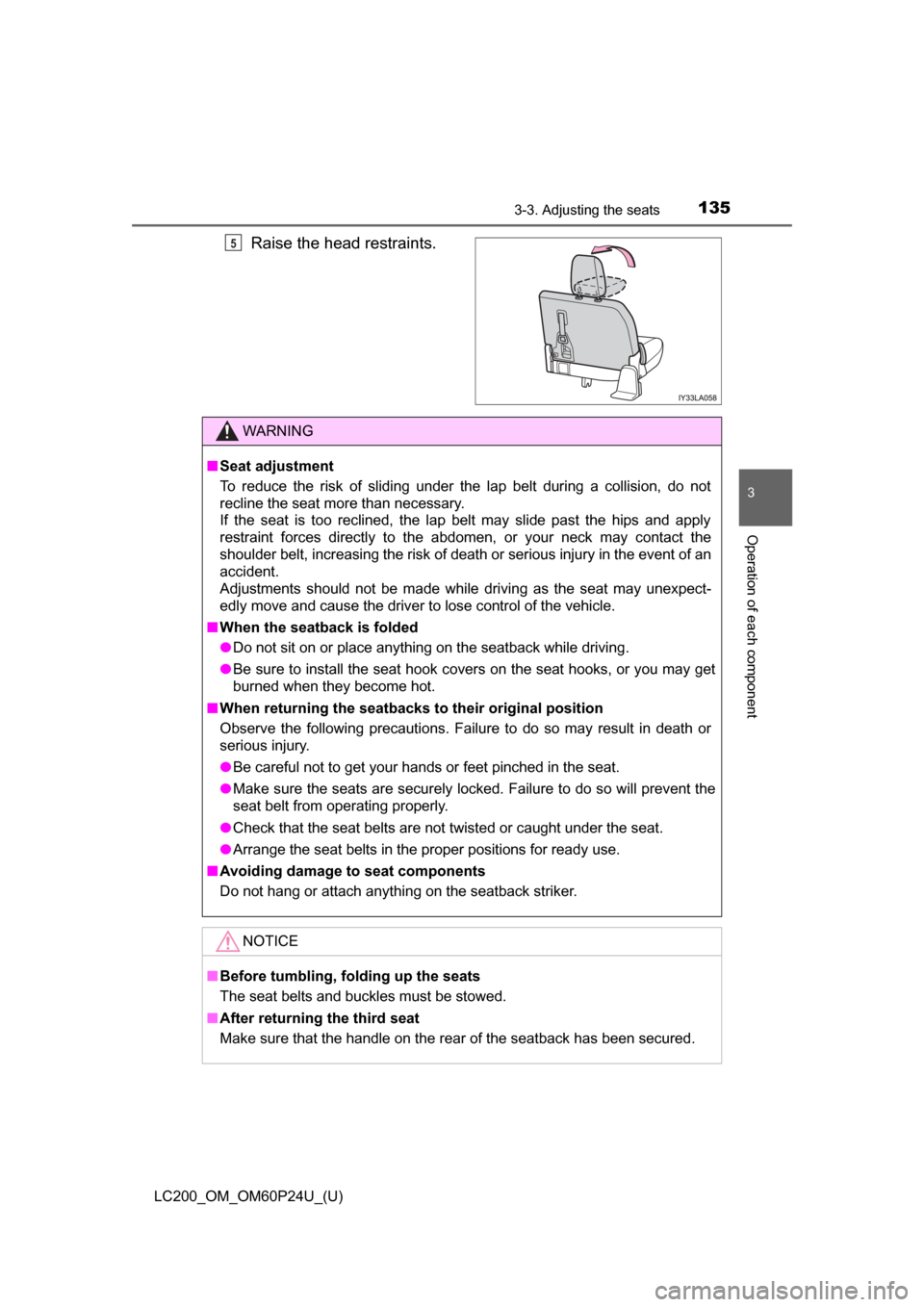
Adjust the height of the rear view
mirror by moving it up and down.
Responding to the level of brightne ss of the headlights of vehicles
behind, the reflected light is automatically reduced.
Changing automatic anti-glare
function mode
ON/OFF
When the automatic anti-glare
function is in ON mode, the indica-
tor illuminates.
The function will be set to ON
mode each time the engine switch
is turned to IGNITION ON mode.
Pressing the button turns the func-
tion to OFF mode. (The indicator
also turns off.)
The rear view mirror’s position can be adjusted to enable suffi-
cient confirmation of the rear view in accordance with the
driver’s seating posture.
Adjusting the height of rear view mirror
Anti-glare function
Indicator
Page 163 of 608
LC200_OM_OM60P24U_(U)
1634-1. Before driving
4
Driving
WARNING
Observe the following precautions.
Failure to do so may result in death or serious injury.
■When starting the vehicle
Always keep your foot on the brake pedal while stopped with the engine
running. This prevents the vehicle from creeping.
■ When driving the vehicle
● Do not drive if you are unfamiliar with the location of the brake and accel-
erator pedals to avoid depressing the wrong pedal.
• Accidentally depressing the accelerator pedal instead of the brake
pedal will result in sudden acceleration that may lead to an accident.
• When backing up, you may twist your body around, leading to a diffi- culty in operating the pedals. Make sure to operate the pedals properly.
• Make sure to keep a correct driving posture even when moving the vehicle only slightly. This allows you to depress the brake and accelera-
tor pedals properly.
• Depress the brake pedal using your right foot. Depressing the brake pedal using your left foot may delay response in an emergency, result-
ing in an accident.
● Do not drive the vehicle over or stop the vehicle near flammable materials.
The exhaust system and exhaust gases can be extremely hot. These hot
parts may cause a fire if there is any flammable material nearby.
● During normal driving, do not turn off the engine. Turning the engine off
while driving will not cause loss of steering or braking control, but the
power assist to these systems will be lost. This will make it more difficult to
steer and brake, so you should pull over and stop the vehicle as soon as it
is safe to do so.
However, in the event of an emergency, such as if it becomes impossible
to stop the vehicle in the normal way: →P. 501
● Use engine braking (downshift) to maintain a safe speed when driving
down a steep hill.
Using the brakes continuously may cause the brakes to overheat and lose
effectiveness. ( →P. 199)
● Do not adjust the positions of the steering wheel, the seat, or the inside or
outside rear view mirrors while driving.
Doing so may result in a loss of vehicle control.
● Always check that all passengers’ arms, heads or other parts of their body
are not outside the vehicle.
● Do not drive in excess of the speed limit. Even if the legal speed limit per-
mits it, do not drive over 85 mph (140 km/h) unless your vehicle has high-
speed capability tires. Driving over 85 mph (140 km/h) may result in tire
failure, loss of control and possible injury. Be sure to consult a tire dealer
to determine whether the tires on your vehicle are high-speed capability
tires or not before driving at such speeds.
Page 172 of 608

172
LC200_OM_OM60P24U_(U)
4-1. Before driving
WARNING
■Things that must not be carried in the luggage compartment
The following things may cause a fire if loaded in the luggage compart-
ment:
●Receptacles containing gasoline
●Aerosol cans
■Storage precautions
Observe the following precautions.
Failure to do so may prevent the pedals from being depressed properly,
may block the driver’s vision, or may result in items hitting the driver or
passengers, possibly causing an accident.
●Stow cargo and luggage in the luggage compartment whenever possi-
ble.
●Do not stack cargo and luggage in the luggage compartment higher
than the seatbacks.
●Do not place cargo or luggage in or on the following locations.
• At the feet of the driver
• On the front passenger or rear seats (when stacking items)
• On the instrument panel
• On the dashboard
• On auxiliary box or tray that has no lid
●Secure all items in the occupant compartment.
●When you fold down the rear seats, long items should not be placed
directly behind the front seats.
●Never allow anyone to ride in the luggage compartment. It is not
designed for passengers. They should ride in their seats with their seat
belts properly fastened. Otherwise, they are much more likely to suffer
death or serious bodily injury, in the event of sudden braking, sudden
swerving or an accident.
Page 175 of 608
175
LC200_OM_OM60P24U_(U)
4-1. Before driving
4
Driving
Vehicle load limits
◆Total load capacity (vehicle capacity weight): →P. 552
Total load capacity means the comb ined weight of occupants, cargo
and luggage.
◆Seating capacity: 8 occupants (Front 2, Rear 6)
Seating capacity means the maximum number of occupants whose
estimated average weight is 150 lb. (68 kg) per person.
◆TWR (Trailer Weight Rating): →P. 180, 552
TWR means the maximum gross trailer weight (trailer weight plus
its cargo weight) that your vehicle is able to tow.
◆Cargo capacity
Cargo capacity may increase or decrease depending on the weight
and the number of occupants.
■Total load capacity and seating capacity
These details are also described on the tire and loading information label.
(→P. 472)
Vehicle load limits include total load capacity, seating capacity,
TWR (Trailer Weight Rating) and cargo capacity.
WARNING
■ Overloading the vehicle
Do not overload the vehicle.
It may not only cause damage to the tires, but also degrade steering and
braking ability, resulting in an accident.