Page 142 of 716
1423-2. Opening, closing and locking the doors
HIGHLANDER_HV_U (OM48F12U)
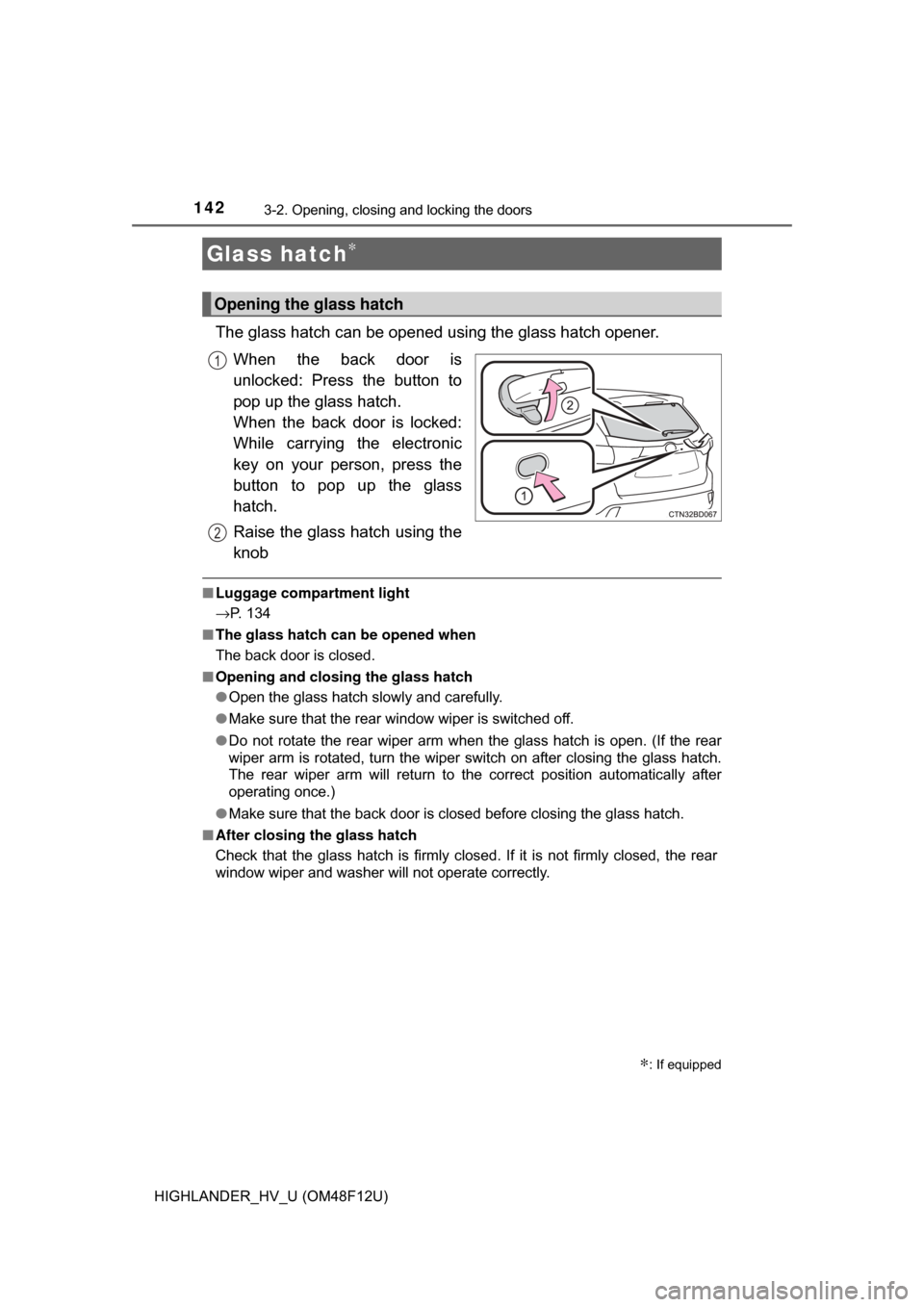
The glass hatch can be opened using the glass hatch opener.When the back door is
unlocked: Press the button to
pop up the glass hatch.
When the back door is locked:
While carrying the electronic
key on your person, press the
button to pop up the glass
hatch.
Raise the glass hatch using the
knob
■Luggage compartment light
→P. 134
■ The glass hatch can be opened when
The back door is closed.
■ Opening and closing the glass hatch
●Open the glass hatch slowly and carefully.
● Make sure that the rear window wiper is switched off.
● Do not rotate the rear wiper arm when the glass hatch is open. (If the rear
wiper arm is rotated, turn the wiper switch on after closing the glass hatch.
The rear wiper arm will return to the correct position automatically after
operating once.)
● Make sure that the back door is closed before closing the glass hatch.
■ After closing the glass hatch
Check that the glass hatch is firmly closed. If it is not firmly closed, the rear
window wiper and washer will not operate correctly.
Glass hatch∗
∗: If equipped
Opening the glass hatch
1
2
Page 144 of 716
1443-2. Opening, closing and locking the doors
HIGHLANDER_HV_U (OM48F12U)
WARNING
●Do not pull on the glass hatch damper stay to close the glass hatch, and
do not hang on the glass hatch damper stay.
Doing so may cause hands to be caught or the glass hatch damper stay to
break, causing an accident.
● Do not attach any accessories other than genuine Toyota parts to the
glass hatch. Such additional weight on the glass hatch may cause the
glass hatch to suddenly shut again after it is opened, resulting in death or
serious injury.
● Do not open the glass hatch while the rear wiper is switched on. (If the rear
wiper is switched on while the glass hatch is open, the wiper motor drive
disc will be rotating on the door panel.)
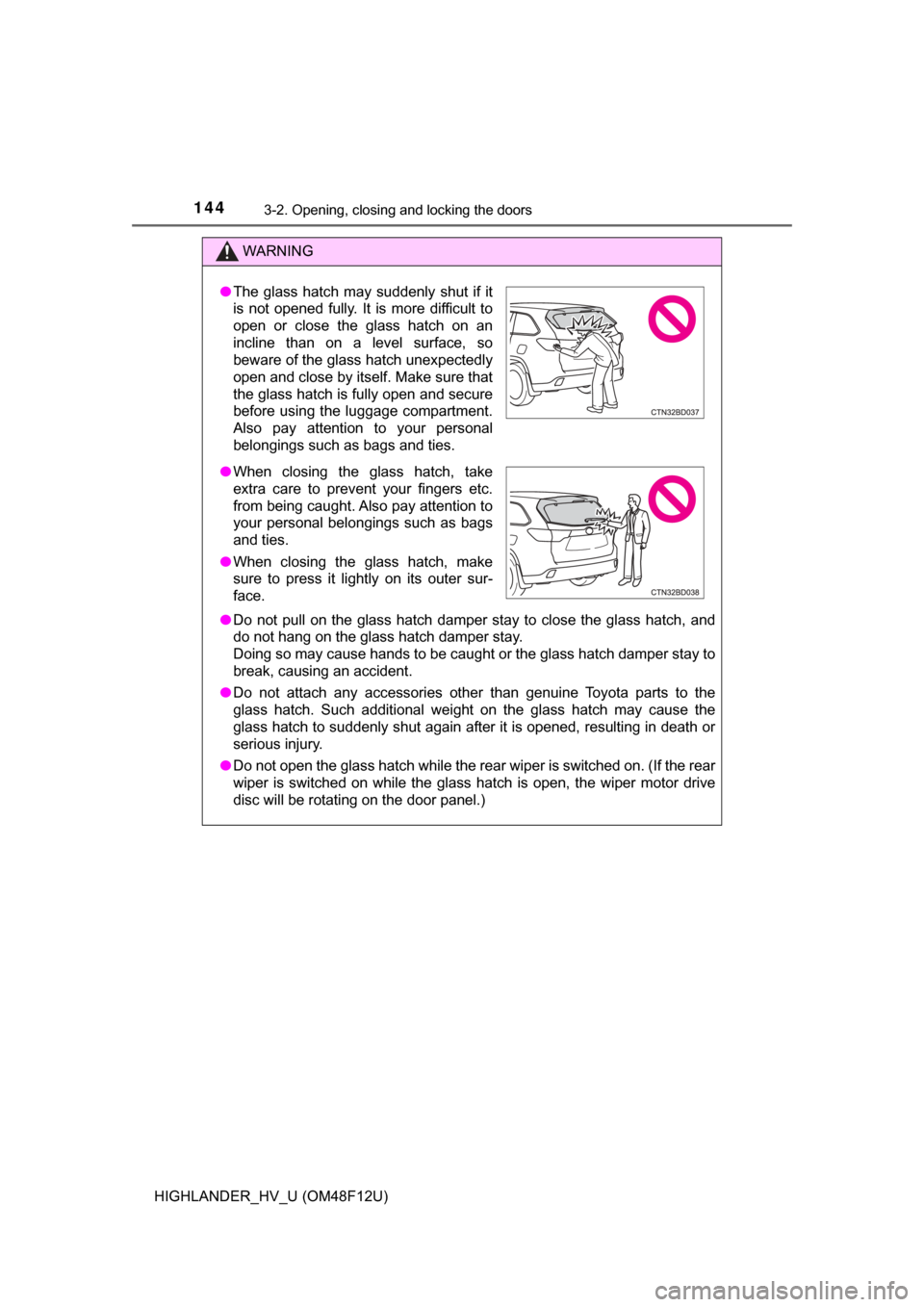
●The glass hatch may suddenly shut if it
is not opened fully. It is more difficult to
open or close the glass hatch on an
incline than on a level surface, so
beware of the glass hatch unexpectedly
open and close by itself. Make sure that
the glass hatch is fully open and secure
before using the luggage compartment.
Also pay attention to your personal
belongings such as bags and ties.
● When closing the glass hatch, take
extra care to prevent your fingers etc.
from being caught. Also pay attention to
your personal belongings such as bags
and ties.
● When closing the glass hatch, make
sure to press it lightly on its outer sur-
face.
Page 162 of 716

1623-3. Adjusting the seats
HIGHLANDER_HV_U (OM48F12U)
WARNING
■When folding the rear seatbacks down
Observe the following precautions. Failure to do so may result in death or
serious injury.
● Do not fold the seatbacks down while driving.
● Stop the vehicle on level ground, set the parking brake and shift the shift
lever to P.
● Do not allow anyone to sit on a folded seatback or in the luggage compart-
ment while driving.
● Do not allow children to enter the luggage compartment.
● Do not fold down a rear seatback when there are passengers sitting in the
rear seats or when there is luggage placed on the rear seats.
● Be careful not to catch your hand when folding the rear seatbacks.
■ Seat adjustment
● To reduce the risk of sliding under the lap belt during a collision, do not
recline the seat more than necessary.
If the seat is too reclined, the lap belt may slide past the hips and apply
restraint forces directly to the abdomen, or your neck may contact the
shoulder belt, increasing the risk of death or serious injury in the event of
an accident.
Adjustments should not be made while driving as the seat may unexpect-
edly move and cause the driver to lose control of the vehicle.
● Be careful that the seat does not hit passengers or luggage.
● Be careful not to get your hands or feet caught in the seat.
■ After adjusting or returning the seats
Observe the following precautions. Failure to do so may result in death or
serious injury.
● Make sure that the seat and seatback are securely locked in position by
lightly rocking them back and forth.
● Check that the seat belts are not twisted or caught in the seatback.
Page 164 of 716

1643-3. Adjusting the seats
HIGHLANDER_HV_U (OM48F12U)■
Recall procedure
Check that the shift lever is in P.
Turn the power switch to ON mode.
Press one of the buttons for
the driving position you want
to recall until the buzzer
sounds.
■To stop the position recall operation part-way through
Perform any of the following:
● Press the “SET” button.
● Press button “1” or “2”.
● Operate any of the seat adjustment switches (only cancels seat position
recall).
■ Seat positions that can be memorized ( →P. 154)
The seat position, with the exception of the portions adjusted by the seat
cushion length switch and lumbar support switch, can be recorded.
■ Operating the driving position memory after turning the power switch off
Recorded seat positions can be activated up to 180 seconds after the driver’s
door is opened and another 60 seconds after it is closed again.
■ In order to correctly use the dr iving position memory function
If a seat position is already in the furthest possible position and the seat is
operated in the same direction, the recorded position may be slightly different
when it is recalled.
1
2
3
Page 173 of 716
1733-4. Adjusting the steering wheel and mirrors
3
Operation of each component
HIGHLANDER_HV_U (OM48F12U)
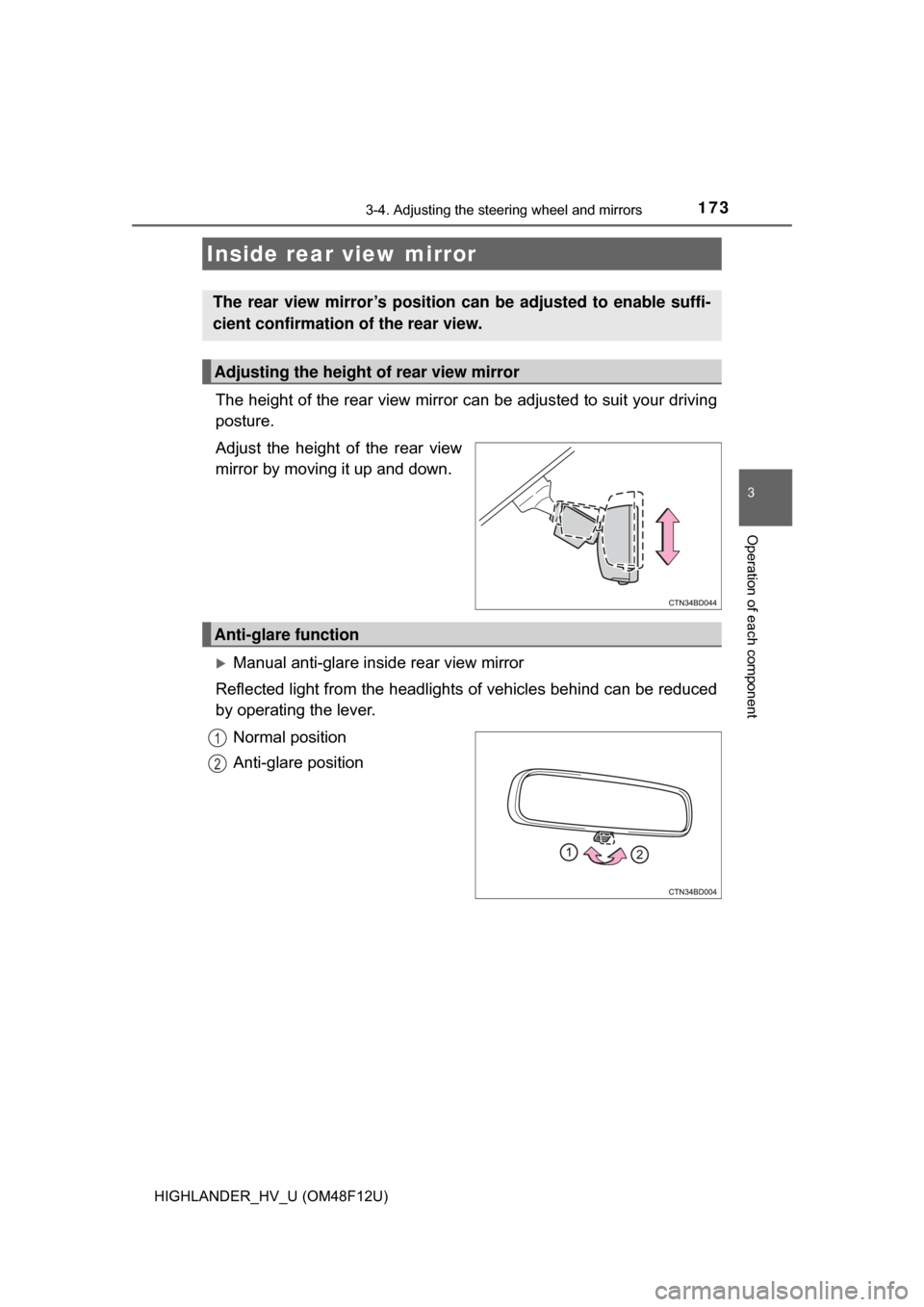
The height of the rear view mirror can be adjusted to suit your driving
posture.
Adjust the height of the rear view
mirror by moving it up and down.
Manual anti-glare inside rear view mirror
Reflected light from the headlights of vehicles behind can be reduced
by operating the lever.
Normal position
Anti-glare position
Inside rear view mirror
The rear view mirror’s position can be adjusted to enable suffi-
cient confirmation of the rear view.
Adjusting the height of rear view mirror
Anti-glare function
1
2
Page 174 of 716
1743-4. Adjusting the steering wheel and mirrors
HIGHLANDER_HV_U (OM48F12U)
Auto anti-glare inside rear view mirror
Responding to the level of brightne ss of the headlights of vehicles
behind, the reflected light is automatically reduced.
Changing automatic anti- glare function mode
ON/OFF
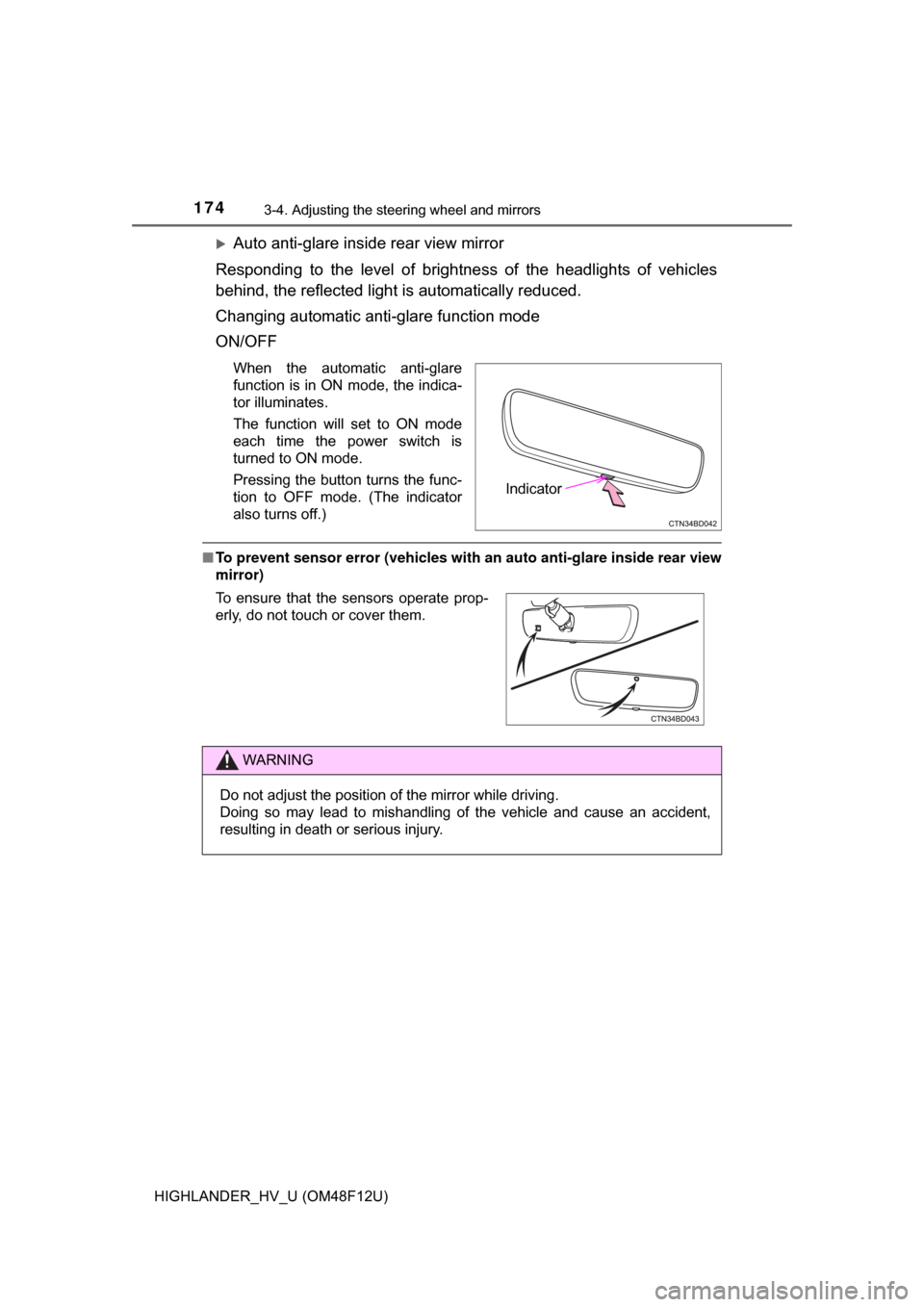
When the automatic anti-glare
function is in ON mode, the indica-
tor illuminates.
The function will set to ON mode
each time the power switch is
turned to ON mode.
Pressing the button turns the func-
tion to OFF mode. (The indicator
also turns off.)
■ To prevent sensor error (vehicles with an auto anti-glare inside rear view
mirror)
Indicator
To ensure that the sensors operate prop-
erly, do not touch or cover them.
WARNING
Do not adjust the position of the mirror while driving.
Doing so may lead to mishandling of the vehicle and cause an accident,
resulting in death or serious injury.
Page 178 of 716
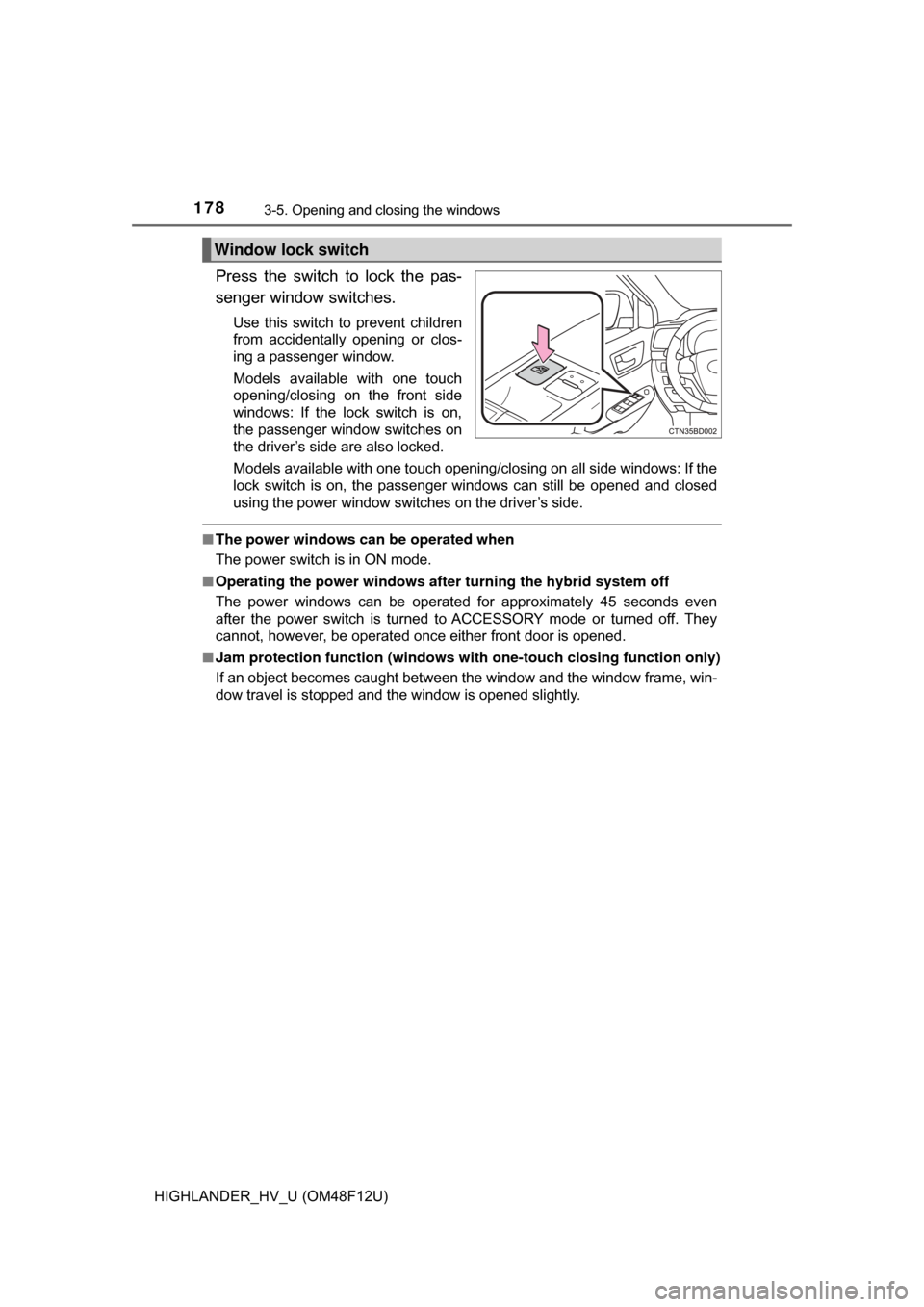
1783-5. Opening and closing the windows
HIGHLANDER_HV_U (OM48F12U)
Press the switch to lock the pas-
senger window switches.
Use this switch to prevent children
from accidentally opening or clos-
ing a passenger window.
Models available with one touch
opening/closing on the front side
windows: If the lock switch is on,
the passenger window switches on
the driver’s side are also locked.
Models available with one touch opening/closing on all side windows: If the
lock switch is on, the passenger windows can still be opened and closed
using the power window switches on the driver’s side.
■The power windows can be operated when
The power switch is in ON mode.
■ Operating the power windows afte r turning the hybrid system off
The power windows can be operated for approximately 45 seconds even
after the power switch is turned to ACCESSORY mode or turned off. They
cannot, however, be operated once either front door is opened.
■ Jam protection function (windows with one-touch closing function only)
If an object becomes caught between the window and the window frame, win-
dow travel is stopped and the window is opened slightly.
Window lock switch
Page 179 of 716

1793-5. Opening and closing the windows
3
Operation of each component
HIGHLANDER_HV_U (OM48F12U)■
When the power window does not close normally (windows with one-
touch closing function only)
If the jam protection function is operating abnormally and a window cannot be
closed, perform the following operations using the power window switch on
the relevant door.
● After stopping the vehicle, the window can be closed by holding the power
window switch in the one-touch closing position while the power switch is
turned to ON mode.
● If the window still cannot be closed even by carrying out the operation
explained above, initialize the function by performing the following proce-
dure.
Hold the power window switch in the one-touch closing position. Continue
holding the switch for a further 6 seconds after the window has closed.
Hold the power window switch in the one-touch opening position. Con-
tinue holding the switch for a further 2 seconds after the window has
opened completely.
Hold the power window switch in the one-touch closing position once
again. Continue holding the switch for a further 2 seconds after the win\
-
dow has closed.
If you release the switch while the window is moving, start again from t\
he
beginning.
If the window continues to close but then re-open slightly even after perform-
ing the above procedure correctly, have the vehicle inspected by your Toyota
dealer.
■ Door lock linked window operation (windows with one-touch closing
function only)
●The power windows can be opened and closed using the mechanical key.
*
( →P. 623)
● The power windows can be opened using the wireless remote control.
*
(→P. 125)
*: These settings must be customized at your Toyota dealer.
■ Customization
Settings (e.g. linked door lock operation) can be changed.
(Customizable features: →P. 666)
1
2
3