Page 286 of 612
2865-2. Setup
COROLLA_TMMMS_TMMC_U (OM02494U)
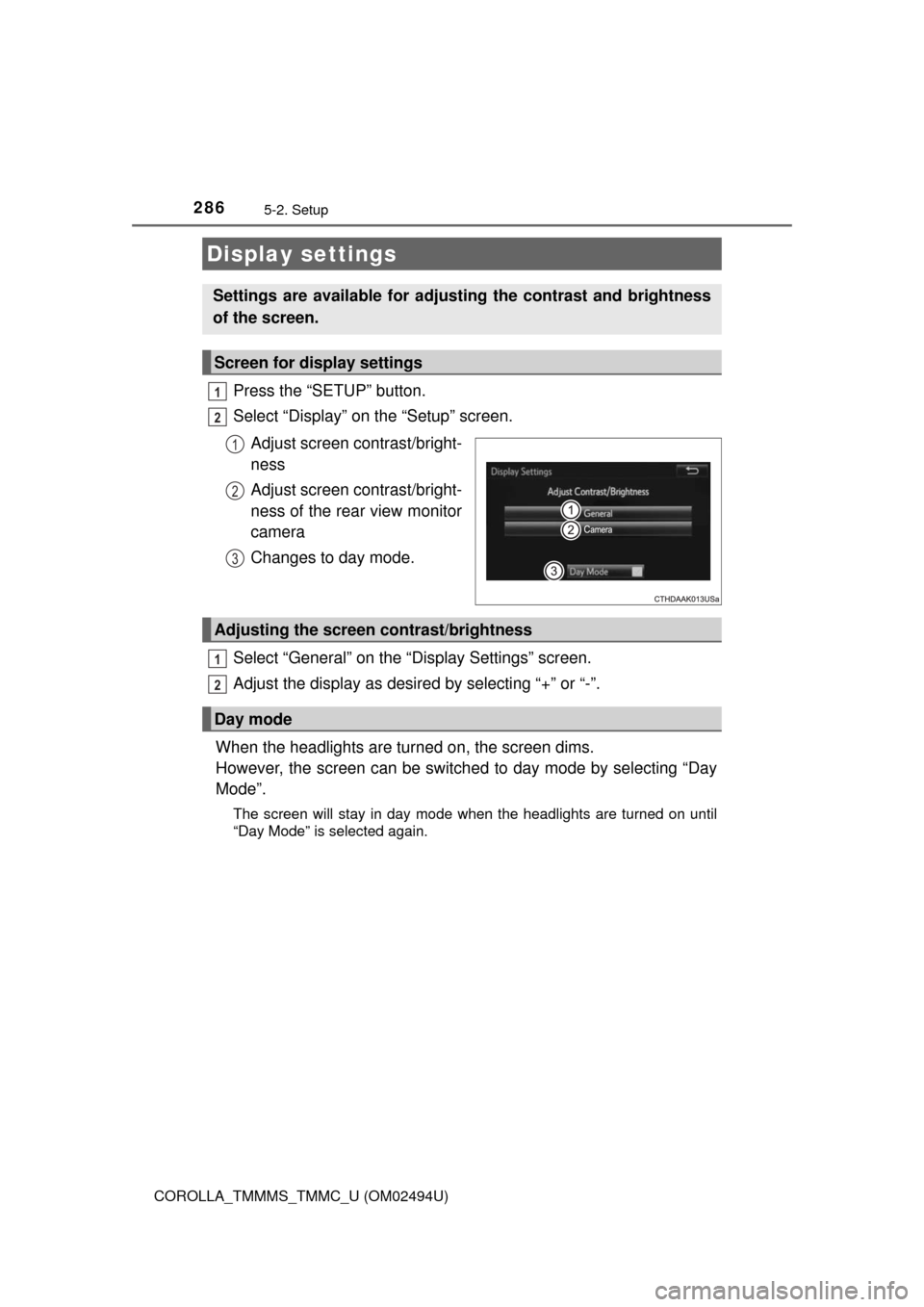
Press the “SETUP” button.
Select “Display” on the “Setup” screen.
Adjust screen contrast/bright-
ness
Adjust screen contrast/bright-
ness of the rear view monitor
camera
Changes to day mode.
Select “General” on the “Display Settings” screen.
Adjust the display as desired by selecting “+” or “-”.
When the headlights are turned on, the screen dims.
However, the screen can be switched to day mode by selecting “Day
Mode”.
The screen will stay in day mode when the headlights are turned on until
“Day Mode” is selected again.
Display settings
Settings are available for adjusting the contrast and brightness
of the screen.
Screen for display settings
1
2
1
2
3
Adjusting the screen contrast/brightness
Day mode
1
2
Page 472 of 612
4727-3. Do-it-yourself maintenance
COROLLA_TMMMS_TMMC_U (OM02494U)■
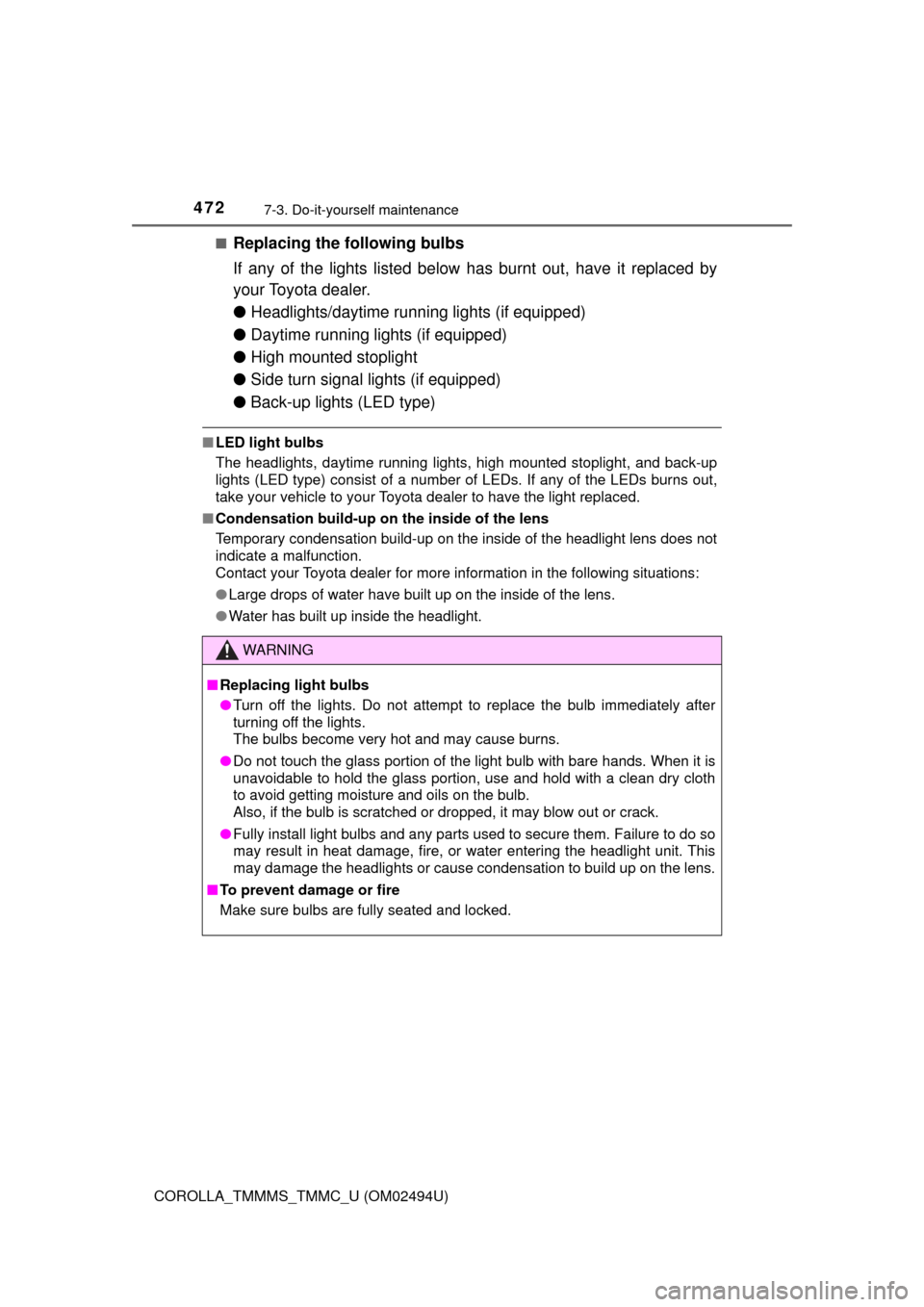
Replacing the following bulbs
If any of the lights listed below has burnt out, have it replaced by
your Toyota dealer.
●Headlights/daytime running lights (if equipped)
●Daytime running lights (if equipped)
●High mounted stoplight
●Side turn signal lights (if equipped)
●Back-up lights (LED type)
■LED light bulbs
The headlights, daytime running lights, high mounted stoplight, and
back-up
lights (LED type) consist of a number of LEDs. If any of the LEDs burns out,
take your vehicle to your Toyota dealer to have the light replaced.
■Condensation build-up on the inside of the lens
Temporary condensation build-up on the inside of the headlight lens does not
indicate a malfunction.
Contact your Toyota dealer for more information in the following situations:
●Large drops of water have built up on the inside of the lens.
●Water has built up inside the headlight.
WARNING
■Replacing light bulbs
●Turn off the lights. Do not attempt to replace the bulb immediately after
turning off the lights.
The bulbs become very hot and may cause burns.
●Do not touch the glass portion of the light bulb with bare hands. When it is
unavoidable to hold the glass portion, use and hold with a clean dry cloth
to avoid getting moisture and oils on the bulb.
Also, if the bulb is scratched or dropped, it may blow out or crack.
●Fully install light bulbs and any parts used to secure them. Failure to do so
may result in heat damage, fire, or water entering the headlight unit. This
may damage the headlights or cause condensation to build up on the lens.
■To prevent damage or fire
Make sure bulbs are fully seated and locked.
Page 533 of 612

5338-2. Steps to take in an emergency
8
When trouble arises
COROLLA_TMMMS_TMMC_U (OM02494U)
■Starting the engine when the battery is discharged
The engine cannot be started by push-starting.
■To prevent battery discharge
●Turn off the headlights and the audio system while the engine is off.
●Turn off any unnecessary electrical components when the vehicle is running
at a low speed for an extended period, such as in heavy traffic.
■Charging the battery
The electricity stored in the battery will discharge gradually even when the
vehicle is not in use, due to natural discharge and the draining effects of cer-
tain electrical appliances. If the vehicle is left for a long time, the battery may
discharge, and the engine may be unable to start. (The battery recharges
automatically during driving.)
■When recharging or replacing the battery
●Vehicles with a smart key system: In some cases, it may not be possible to
unlock the doors using the smart key system when the battery is dis-
charged. Use the wireless remote control or the mechanical key to lock or
unlock the doors.
●The engine may not start on the first attempt after the battery has recharged
but will start normally after the second attempt. This is not a malfunction.
●Vehicles with a smart key system: The engine switch mode is memorized by
the vehicle. When the battery is reconnected, the system will return to the
mode it was in before the battery was discharged. Before disconnecting the
battery, turn the engine switch off.
If you are unsure what mode the engine switch was in before the battery dis-
charged, be especially careful when reconnecting the battery.
Page 574 of 612

5749-2. Customization
COROLLA_TMMMS_TMMC_U (OM02494U)■
Turn signal lever (→P. 193)
*1: After flashing the turn signal lights when turning left or right while this func-
tion is off and the turn signal lever is moved to the first position in the direc-
tion of the flashing light, the turn signal lights can be selected to be flashing
or off.
*2: The turn signal lights will be off if the turn signal lever is moved to the first
position in the direction of flashing light.
■
Automatic light control system (→P. 195)
FunctionDefault settingCustomized set-
ting
The number of times the
turn signal lights flash
automatically when the
turn signal lever is
moved to the first posi-
tion during a lane
change
*1
3
5
——O7
Off*2
123
FunctionDefault settingCustomized set-
ting
Light sensor sensitivityLevel 3Level 1 to 5O—O
Sensitivity of the ambient
light sensor used for
dimming the indicator on
the air conditioning con-
trol buttons.Standard -2 to 2
——O
Sensitivity of the ambient
light sensor used for
brightening the indicator
on the air conditioning
control buttons.Standard -2 to 2
——O
Time elapsed before
headlights automatically
turn off after doors are
closed
30 seconds
Off
O—O60 seconds
90 seconds
123
Page 603 of 612
603Alphabetical index
COROLLA_TMMMS_TMMC_U (OM02494U)
Garage door opener ................ 400
Gauges ................................. 79, 88
Glove box ................................. 392
Hands-free system
(for cellular phone)
*............. 310
Head restraints ........................ 136
Headlights ................................ 195
Light switch ........................... 195
Wattage ................................ 551
Heaters
Heated steering wheel .......... 387
Outside rear view
mirrors ........................ 372, 380
Seat heaters ......................... 387
Hood ......................................... 429
Hooks
Retaining hooks (floor mat)..... 24
Horn .......................................... 139I/M test ...................................... 425
Identification ............................ 542
Engine .................................. 543
Vehicle .................................. 542
Ignition switch
(engine switch) .............. 173, 176
Illuminated entry system ........ 390
Immobilizer system ................... 67
Indicators ................................... 77
Initialization
Moon roof ............................. 151
Power windows..................... 147
Tire pressure
warning system .................. 445
Inside rear view mirror ............ 141
Instrument panel light
control ................................ 81, 90
Interior lights ........................... 388
G
H
I
*: For vehicles with Entune Premium Audio or Entune Audio Plus,
refer to the “NAVIGATION AND MULTIMEDIA SYSTEM
OWNER'S MANUAL”.
Page:
< prev 1-8 9-16 17-24