Page 404 of 612
4046-4. Other interior features
COROLLA_TMMMS_TMMC_U (OM02494U)■
Reprogramming a single HomeLink® button
When the following procedure is performed, buttons which already
have devices registered to them can be overwritten:
With one hand, press and hold the desired HomeLink
® button.
When the HomeLink
® indicator starts flashing orange, continue
to hold the HomeLink® button and perform “Programming Home-
Link®” (it takes 20 seconds for the HomeLink® indicator to
start flashing).
Press the appropriate HomeLink
® button. The HomeLink® indicator
light should turn on.
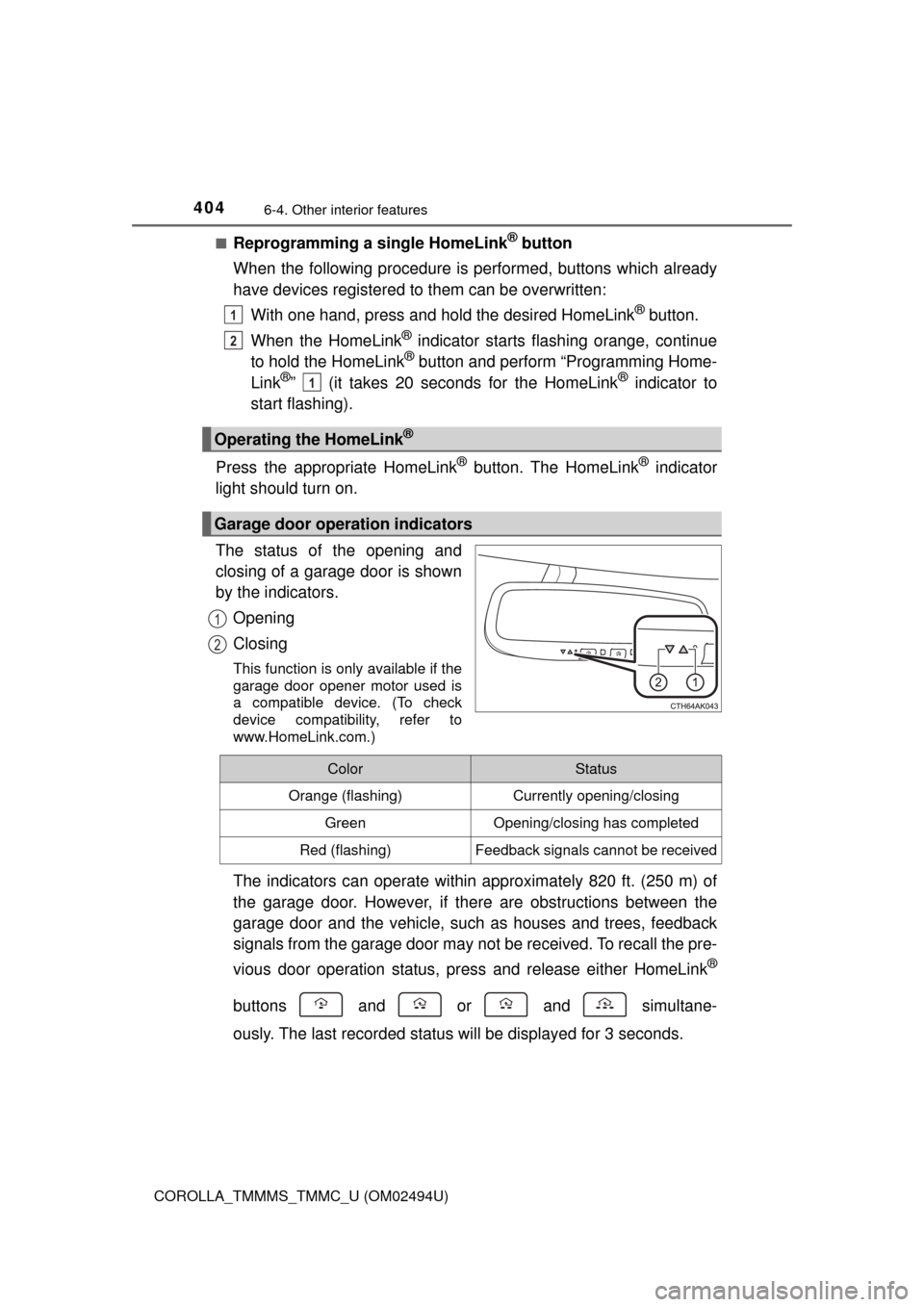
The status of the opening and
closing of a garage door is shown
by the indicators.
Opening
Closing
This function is only available if the
garage door opener motor used is
a compatible device. (To check
device compatibility, refer to
www.HomeLink.com.)
The indicators can operate within approximately 820 ft. (250 m) of
the garage door. However, if there are obstructions between the
garage door and the vehicle, such as houses and trees, feedback
signals from the garage door may not be received. To recall the pre-
vious door operation status, press and release either HomeLink
®
buttons and or and simultane-
ously. The last recorded status will be displayed for 3 seconds.
Operating the HomeLink®
Garage door operation indicators
1
2
1
1
2
ColorStatus
Orange (flashing)Currently opening/closing
GreenOpening/closing has completed
Red (flashing)Feedback signals cannot be received
Page 407 of 612
4076-4. Other interior features
6
Interior features
COROLLA_TMMMS_TMMC_U (OM02494U)
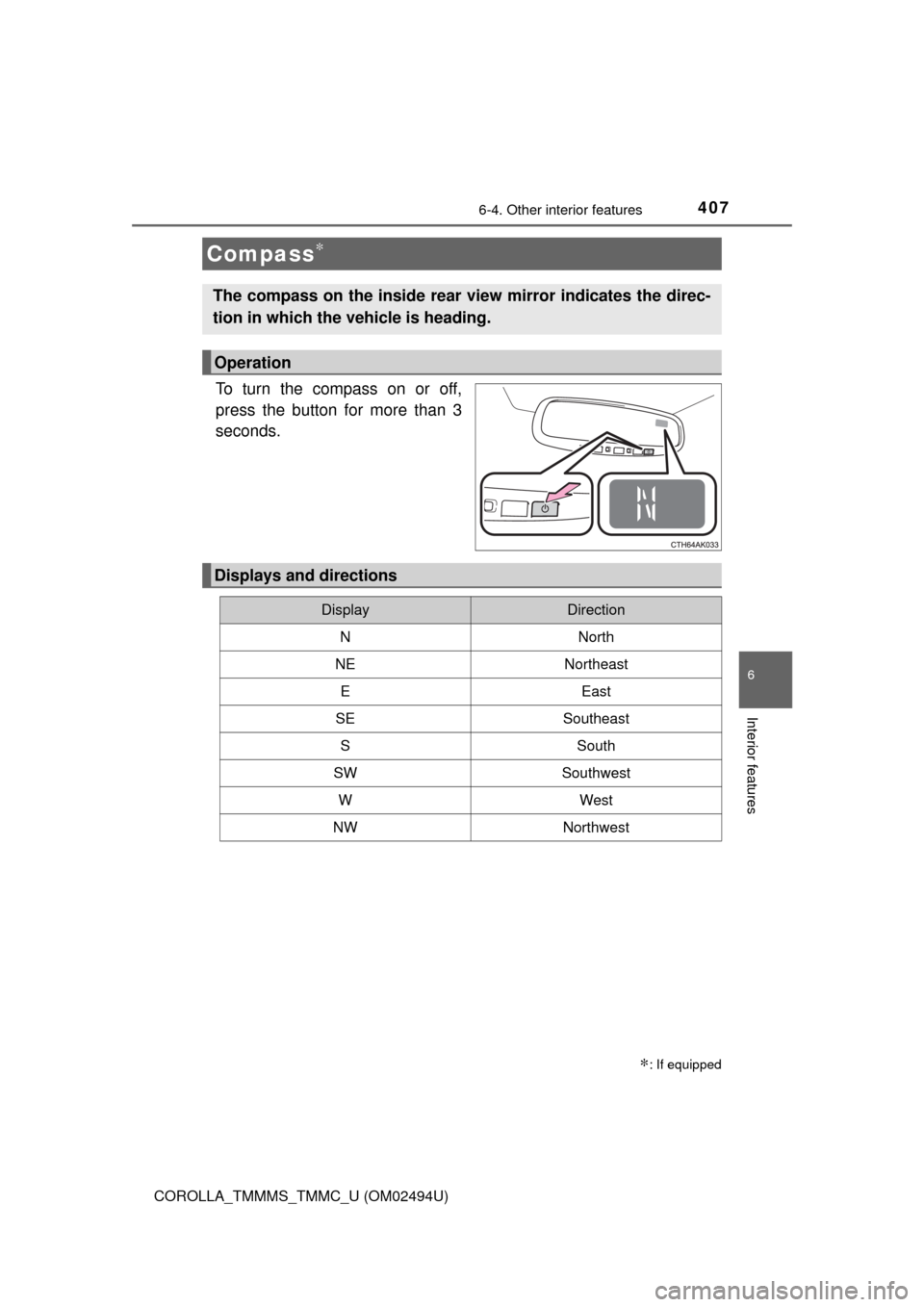
To turn the compass on or off,
press the button for more than 3
seconds.
Compass∗
∗: If equipped
The compass on the inside rear view mirror indicates the direc-
tion in which the vehicle is heading.
Operation
Displays and directions
DisplayDirection
NNorth
NENortheast
EEast
SESoutheast
SSouth
SWSouthwest
WWest
NWNorthwest
Page 408 of 612
4086-4. Other interior features
COROLLA_TMMMS_TMMC_U (OM02494U)
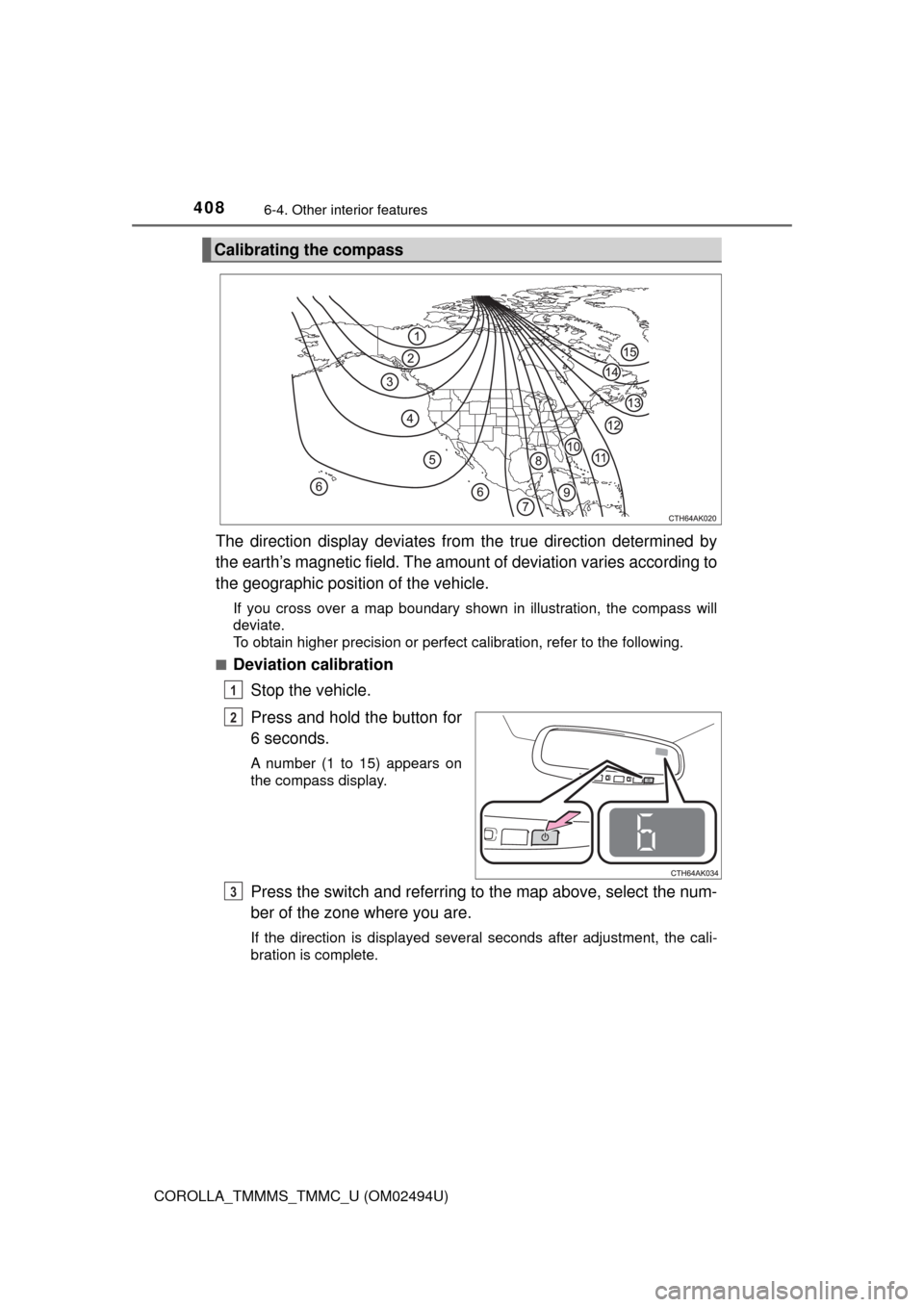
The direction display deviates from the true direction determined by
the earth’s magnetic field. The amount of deviation varies according to
the geographic position of the vehicle.
If you cross over a map boundary shown in illustration, the compass will
deviate.
To obtain higher precision or perfect calibration, refer to the following.
■
Deviation calibration
Stop the vehicle.
Press and hold the button for
6 seconds.
A number (1 to 15) appears on
the compass display.
Press the switch and referring to the map above, select the num-
ber of the zone where you are.
If the direction is displayed several seconds after adjustment, the cali-
bration is complete.
Calibrating the compass
1
2
3
Page 409 of 612
4096-4. Other interior features
6
Interior features
COROLLA_TMMMS_TMMC_U (OM02494U)■
Circling calibration
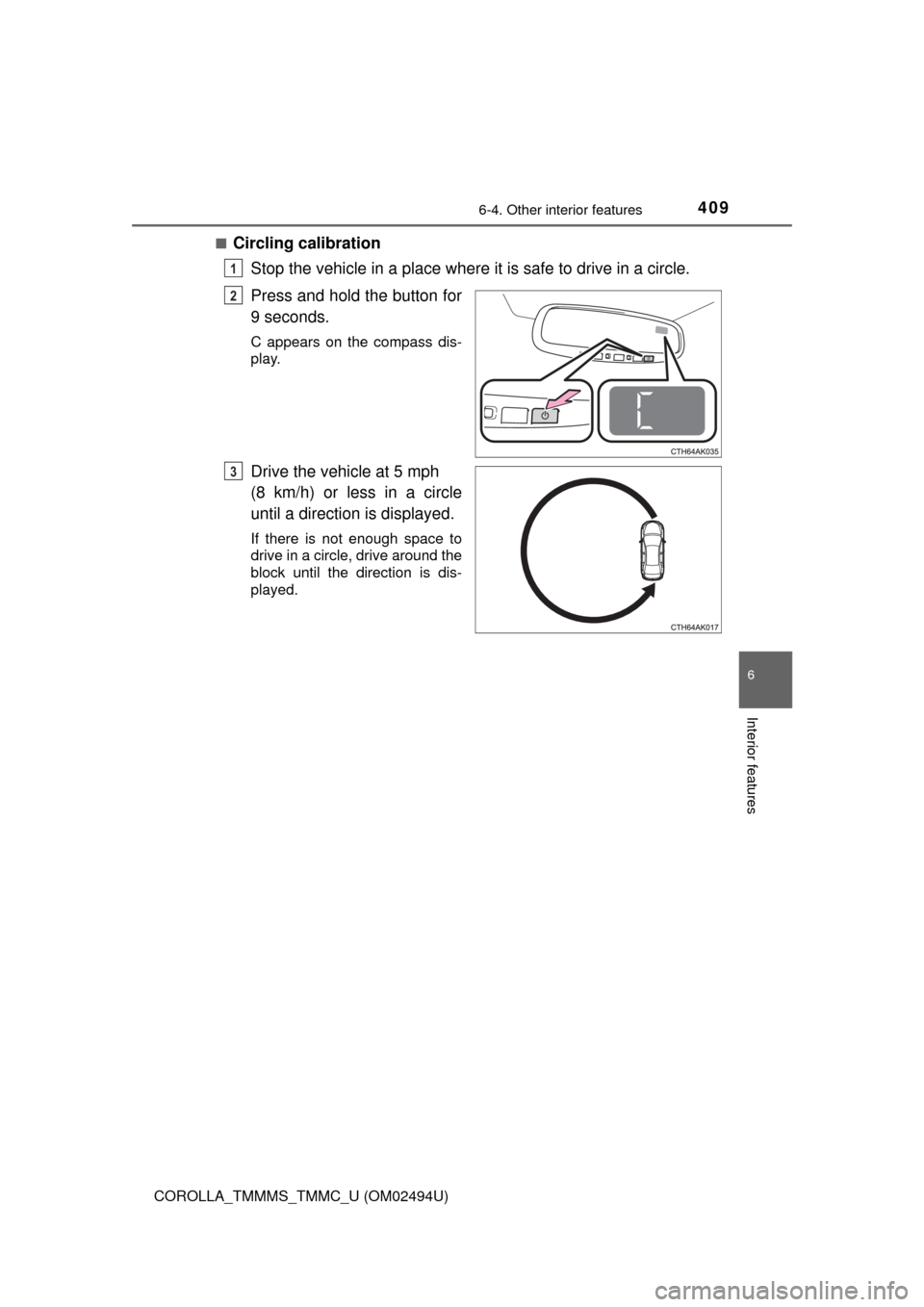
Stop the vehicle in a place where it is safe to drive in a circle.
Press and hold the button for
9 seconds.
C appears on the compass dis-
play.
Drive the vehicle at 5 mph
(8 km/h) or less in a circle
until a direction is displayed.
If there is not enough space to
drive in a circle, drive around the
block until the direction is dis-
played.
1
2
3
Page 410 of 612

4106-4. Other interior features
COROLLA_TMMMS_TMMC_U (OM02494U)
■Conditions unfavorable to correct operation
The compass may not show the correct direction in the following conditions:
●The vehicle is stopped immediately after turning.
●The vehicle is on an inclined surface.
●The vehicle is in a place where the earth's magnetic field is subject to inter-
ference by artificial magnetic fields (underground car park/parking lot, under
a steel tower, between buildings, roof car park/parking lot, near an intersec-
tion, near a large vehicle, etc.).
●The vehicle has become magnetized.
(There is a magnet or metal object near the inside rear view mirror.)
●The battery has been disconnected.
●A door is open.
WARNING
■While driving the vehicle
Do not adjust the display. Adjust the display only when the vehicle is
stopped.
■When doing the circling calibration
Secure a wide space, and watch out for people and vehicles in the neigh-
borhood. Do not violate any local traffic rules while performing circling cali-
bration.
NOTICE
■To avoid compass malfunctions
Do not place magnets or any metal objects near the inside rear view mirror.
Doing this may cause the compass sensor to malfunction.
■To ensure normal operation of the compass
●Do not perform circling calibration of the compass in a place where the
earth's magnetic field is subject to interference by artificial magnetic fields.
●During calibration, do not operate electric systems (moon roof, power win-
dows, etc.) as they may interfere with the calibration.
Page 419 of 612

4197-2. Maintenance
7
Maintenance and care
COROLLA_TMMMS_TMMC_U (OM02494U)
■Repair and replacement
It is recommended that genuine Toyota parts be used for repairs to ensure
performance of each system. If non-Toyota parts are used in replacement or if
a repair shop other than a Toyota dealer performs repairs, confirm the war-
ranty coverage.
■Resetting the message indicating maintenance is required (U.S.A. only)
After the required maintenance is performed according to the maintenance
schedule, please reset the message.
To reset the message, follow the procedure described below:
Vehicles with monochrome display
Vehicles without a smart key system: Turn the engine switch to the “LOCK”
position with the trip meter A reading shown. (→P. 79)
Vehicles with a smart key system: Turn the engine switch off with the trip
meter A reading shown. (→P. 79)
Vehicles without a smart key system:
While pressing the display change button (→P. 79), turn the engine switch
to the “ON” position (do not start the engine because reset mode will be
canceled).
Vehicles with a smart key system:
While pressing the display change button (→P. 79), turn the engine switch
to the IGNITION ON mode (do not start the engine because otherwise the
reset mode will be canceled).
Continue to press and hold the button until the trip meter displays “000000”.
Vehicles with color display
While the engine is running, switch the multi-information display to the “Set-
tings” screen. (→P. 95)
Select “Reset Scheduled Maint. Data” on the “Settings” screen.
Select “Yes” when “Reset Data?” is displayed on the multi-information dis-
play.
“The Data Has Been Reset” will be displayed when the reset procedure has
been completed.
■Allow inspection and repairs to be performed by a Toyota dealer
●Toyota technicians are well-trained specialists and are kept up to date with
the latest service information. They are well informed about the operations
of all systems on your vehicle.
●Keep a copy of the repair order. It proves that the maintenance that has
been performed is under warranty coverage. If any problem should arise
while your vehicle is under warranty, your Toyota dealer will promptly take
care of it.
1
2
3
1
2
3
Page 443 of 612
4437-3. Do-it-yourself maintenance
7
Maintenance and care
COROLLA_TMMMS_TMMC_U (OM02494U)
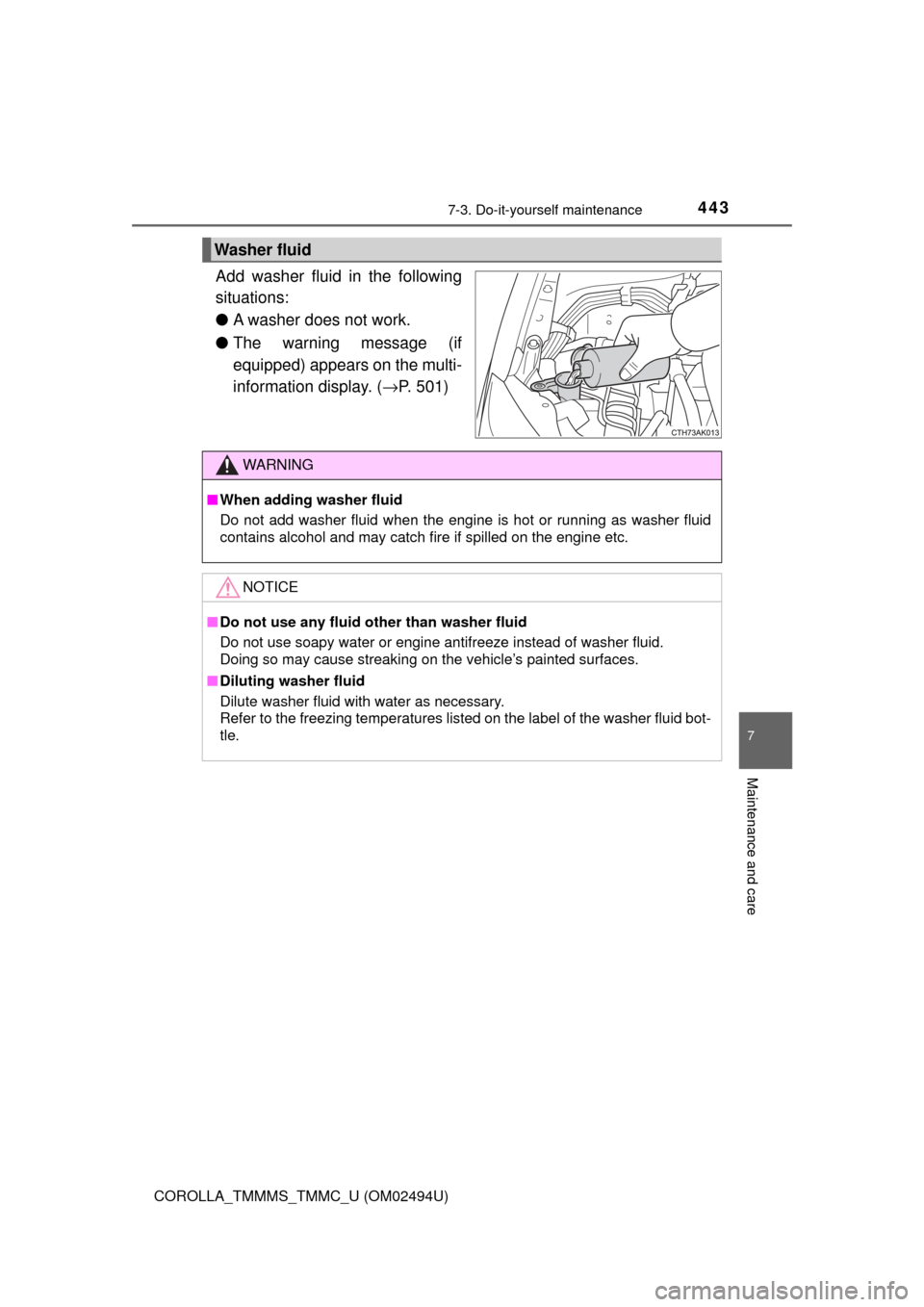
Add washer fluid in the following
situations:
●A washer does not work.
●The warning message (if
equipped) appears on the multi-
information display. (→P. 501)
Washer fluid
WARNING
■When adding washer fluid
Do not add washer fluid when the engine is hot or running as washer fluid
contains alcohol and may catch fire if spilled on the engine etc.
NOTICE
■Do not use any fluid other than washer fluid
Do not use soapy water or engine antifreeze instead of washer fluid.
Doing so may cause streaking on the vehicle’s painted surfaces.
■Diluting washer fluid
Dilute washer fluid with water as necessary.
Refer to the freezing temperatures listed on the label of the washer fluid bot-
tle.
Page 473 of 612
473
8When trouble arises
COROLLA_TMMMS_TMMC_U (OM02494U)8-1. Essential information
Emergency flashers .......... 474
If your vehicle has to be
stopped in an
emergency ...................... 475
8-2. Steps to take in an
emergency
If your vehicle needs to
be towed ......................... 477
If you think something is
wrong .............................. 482
Fuel pump shut off
system ............................ 483
If a warning light turns
on or a warning buzzer
sounds ............................ 484
If a warning message or
indicator is displayed ...... 493
If you have a flat tire.......... 513
If the engine will not
start ................................. 525
If the electronic key does
not operate properly........ 527
If the vehicle battery is
discharged ...................... 530
If your vehicle
overheats ........................ 535
If the vehicle becomes
stuck ............................... 539