Page 192 of 428

1922-4. Using other driving systems
■ When enabling the hill-start assist control
● If the hill-start assist control ON indicator does not illuminate or if an
incorrect operation is performed, turn the engine switch to the “LOCK”
position and then restart the enabling procedure from .
● If is pressed and held for approximately 30 seconds or more, the
VSC off indicator and “TRAC OFF” indicator will turn off and subsequent
operations of the switch will be rejected. In this case, the VSC system will
operate in normal mode. ( → P. 187) To enable , turn the engine
switch to the “ACC” or “LOCK” position and then restart the engine. Within 5 seconds after the indicator lights turn off, release
. Then, press the switch again within 2 seconds of
releasing it. The hill-start assist control ON indicator will illuminate and then
turn off.
Turn the engine switch to the “LOCK” position. Then, restart
the engine and check that the hill-start assist control ON
indicator is illuminated. Hill-start assist control is enabled when the indicator is illumi-
nated.
To disable hill-start assist control, perform the above
through again. STEP 5
STEP 6
STEP 1
STEP 6
STEP 4
Page 193 of 428

1932-4. Using other driving systems
2
When driving ■ Operating conditions of hill-start assist control
When the following conditions are met, the hill-start assist control will oper-
ate:
● Vehicles with an automatic transmission: The shift lever is in D or M
(when starting off forward on while facing uphill) or in R (when starting off
backward while facing downhill).
● Vehicles with a manual transmission: The shift lever is in a position other
than R (when starting off forward while facing uphill) or in R (when start-
ing off backward while facing downhill).
● The vehicle is stopped.
● The accelerator pedal is not depressed.
● The parking brake is not engaged.
■ Hill-start assist control will not operate when
Hill-start assist control will not operate when any of the following conditions
are met:
● Vehicles with an automatic transmission: The shift lever is in a position
other than D or M (when facing uphill) or in a position other than R (when
facing downhill).
● Vehicles with a manual transmission: The shift lever is in R (when facing
uphill) or in a position other than R (when facing downhill).
● Vehicles with an automatic transmission: The accelerator pedal is
depressed.
● The parking brake is applied.
● Vehicles with a manual transmission: The clutch is engaged.
● Approximately 2 seconds have elapsed since the brake pedal was
released.
● The hill-start assist control ON indicator is not illuminated.
● The engine switch is turned to the “ACC” or “LOCK” position.
Page 198 of 428

1982-5. Driving information
WARNING■
Storage precautions
Observe the following precautions.
Failure to do so may result in death or serious injury.●
Stow cargo and luggage in the trunk whenever possible.●
To prevent cargo and luggage from sliding forward during braking, do
not stack anything in the enlarged trunk. Keep cargo and luggage low,
as close to the floor as possible.●
When you fold down the rear seats, long items should not be placed
directly behind the front seats.●
Never allow anyone to ride in the enlarged trunk. It is not designed for
passengers. They should ride in t heir seats with their seat belts prop-
erly fastened. Otherwise, they are much more likely to suffer death or
serious bodily injury, in the event of sudden braking, sudden swerving
or an accident.
●
Do not place cargo or luggage in or on the following locations as the
item may get under the clutch, brake or accelerator pedal and prevent
the pedals from being depressed properly, block the driver’s vision, or
hit the driver or passengers, causing an accident:
• At the feet of the driver
• On the front passenger or rear seats (when stacking items)
• On the package tray
• On the instrument panel
• On the dashboard
●
Secure all items in the occupant compartment, as they may shift and
injure someone during sudden braking, sudden swerving or an acci-
dent.
■
Capacity and distribution
●
Do not exceed the maximum axle weight rating or the total vehicle
weight rating.
●
Even if the total load of occupant's weight and the cargo load is less
than the total load capacity, do not apply the load unevenly. Improper
loading may cause deterioration of steering or braking control which
may cause death or serious injury.
Page 201 of 428
2012-5. Driving information
2
When driving ● If a door is opened and closed wh en its side window is frozen,
the window safety device will operate and t he side window
open/close function linked to door operation may not operate
correctly. If this occurs, perform the following after the ice has
melted.
Open the side window until it is approximately halfway open
with the door closed.
Fully close the window by pullin g the switch up to the one-
touch closing position and conti nue holding the switch for 1
second or more after the window fully closes. The window position is reset and the safety device operations will
be released.
■ When driving the vehicle
Accelerate the vehicle slowly, keep a safe distance between you
and the vehicle ahead, and drive at a reduced speed suitable to
road conditions.
■ When parking the vehicle (in the winter time or in the cold
latitudes)
Park the vehicle and move the shift lever to P (automatic trans-
mission) or 1 or R (manual transmission) without setting the
parking brake. The parking brak e may freeze up, preventing it
from being released. If necessary , block the wheels to prevent
inadvertent sliding or creeping. STEP 1
STEP 2
Page 207 of 428
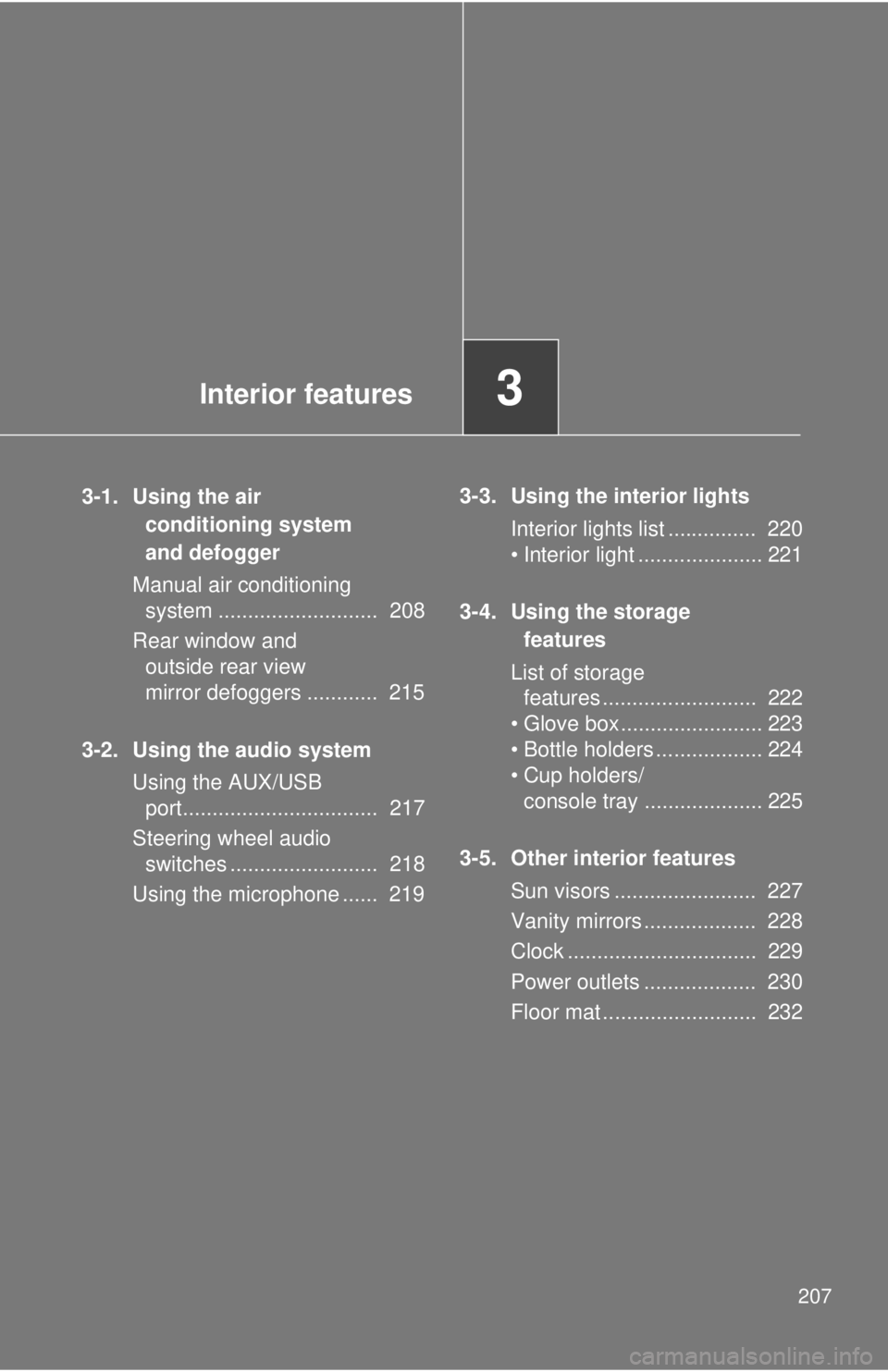
Interior features
3
2073-1. Using the air
conditioning system
and defogger
Manual air conditioning
system ........................... 208
Rear window and
outside rear view
mirror defoggers ............ 215
3-2. Using the audio system
Using the AUX/USB
port................................. 217
Steering wheel audio
switches ......................... 218
Using the microphone ...... 219 3-3. Using the interior lights
Interior lights list ............... 220
• Interior light ..................... 221
3-4. Using the storage
features
List of storage
features .......................... 222
• Glove box........................ 223
• Bottle holders .................. 224
• Cup holders/
console tray .................... 225
3-5. Other interior features
Sun visors ........................ 227
Vanity mirrors ................... 228
Clock ................................ 229
Power outlets ................... 230
Floor mat .......................... 232
Page 208 of 428
2083-1. Using the air conditioning system and defogger
Manual air conditioning system
Adjusting the settings
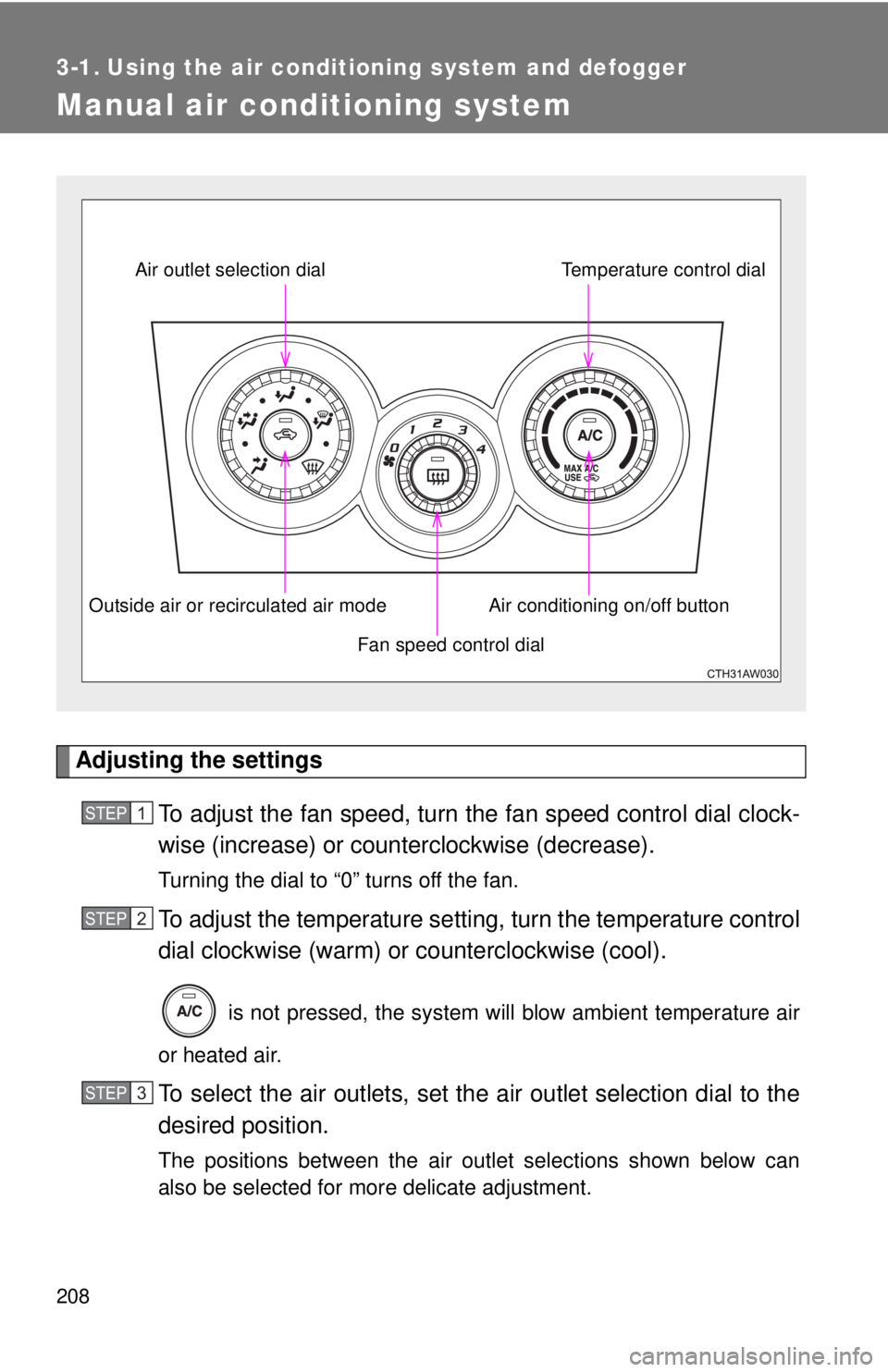
To adjust the fan speed, turn the fan speed cont rol dial clock-
wise (increase) or count erclockwise (decrease).Turning the dial to “0” turns off the fan.
To adjust the temperature setting, turn the temperature control
dial clockwise (warm) or counterclockwise (cool).
is not pressed, the system will blow ambient temperature air
or heated air.
To select the air outlets, set the air outlet selection dial to the
desired position.
The positions between the air outlet selections shown below can
also be selected for more delicate adjustment. Fan speed control dialAir outlet selection dial
Air conditioning on/off button Temperature control dial
Outside air or recirculated air mode
STEP 1
STEP 2
STEP 3
Page 214 of 428
2143-1. Using the air cond itioning system and defogger
WARNING■ To prevent the windshield from fogging up
Do not set the air outlet selection dial to during cool air operation in
extremely humid weather. The difference between the temperature of the
outside air and that of the windshield can cause the outer surface of the
windshield to fog up, blocking your vision.
NOTICE■ To prevent battery discharge
Do not leave the air conditioning system on longer than necessary when the
engine is stopped.
Page 221 of 428
2213-3. Using the interior lights
3
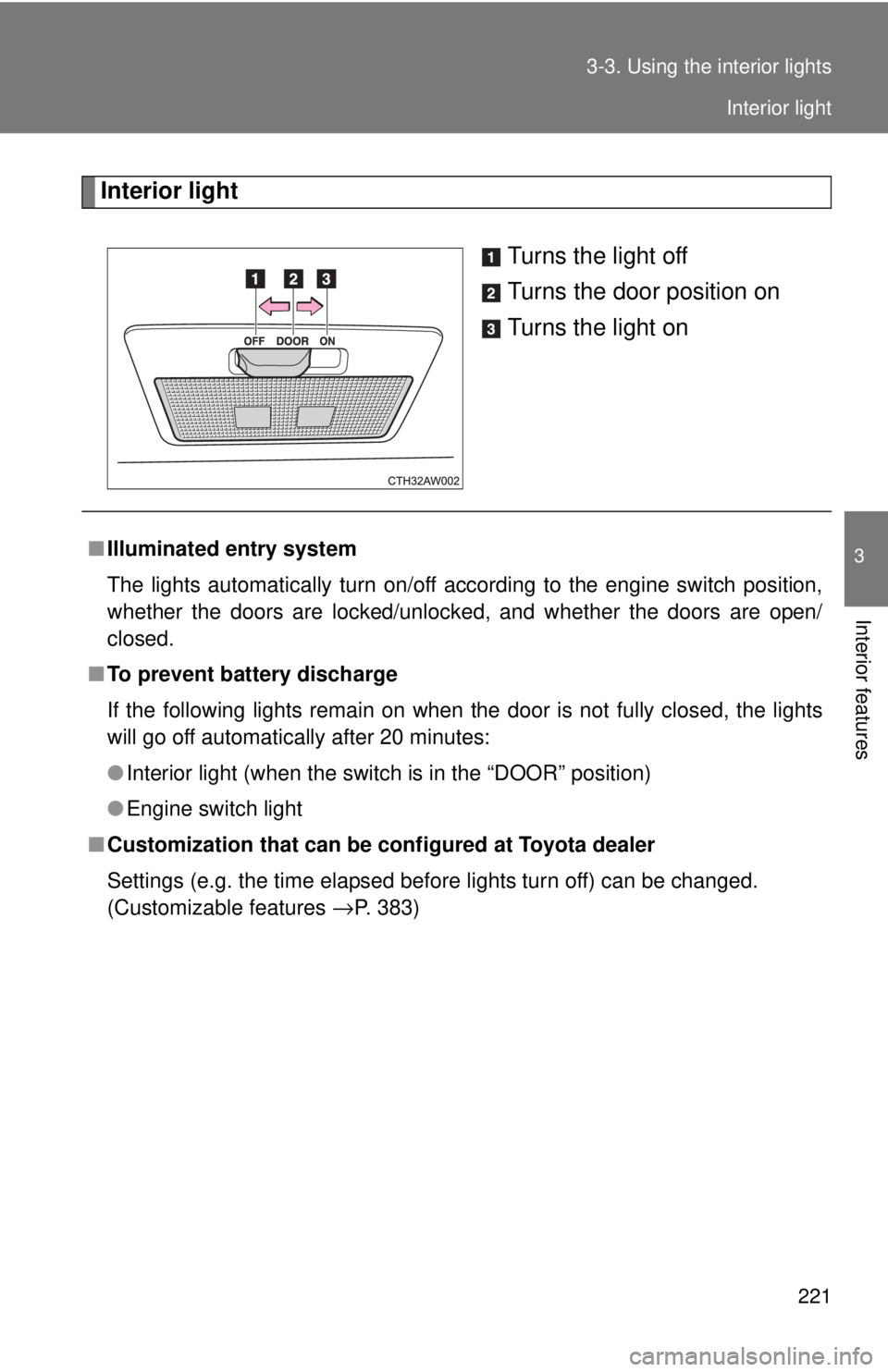
Interior features Interior light
Turns the light off
Turns the door position on
Turns the light on
■ Illuminated entry system
The lights automatically turn on/off according to the engine switch position,
whether the doors are locked/unlocked, and whether the doors are open/
closed.
■ To prevent battery discharge
If the following lights remain on when the door is not fully closed, the lights
will go off automatically after 20 minutes:
● Interior light (when the switch is in the “DOOR” position)
● Engine switch light
■ Customization that can be co nfigured at Toyota dealer
Settings (e.g. the time elapsed before lights turn off) can be changed.
(Customizable features
→ P. 383) Interior light