Page 209 of 540
207 2-2. Instrument cluster
2
When driving
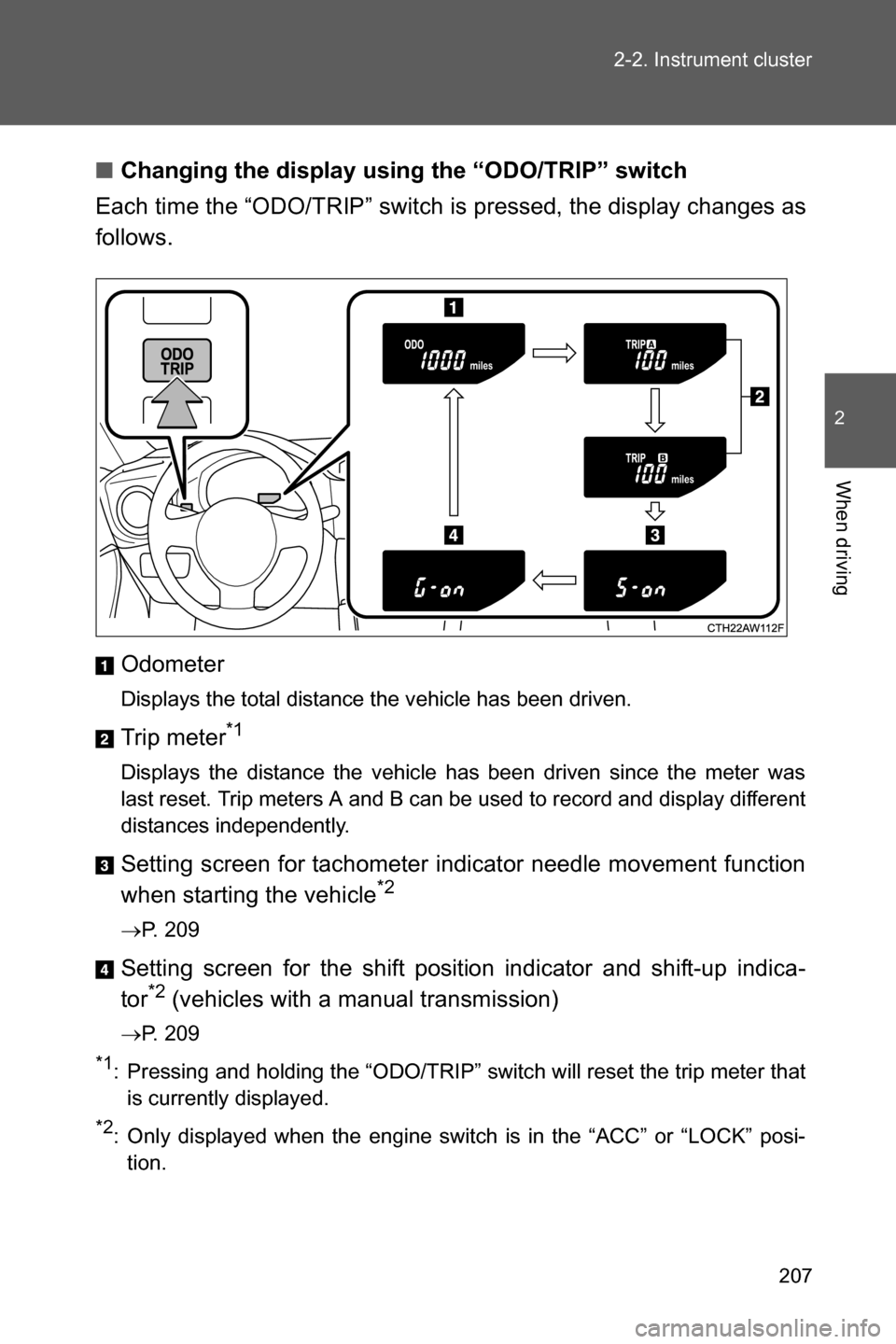
■Changing the display using the “ODO/TRIP” switch
Each time the “ODO/TRIP” switch is pressed, the display changes as
follows.
Odometer
Displays the total distance the vehicle has been driven.
Trip meter*1
Displays the distance the vehicle has been driven since the meter was
last reset. Trip meters A and B can be used to record and display different
distances independently.
Setting screen for tachometer indicator needle movement function
when starting the vehicle*2
oP. 209
Setting screen for the shift position indicator and shift-up indica-
tor*2 (vehicles with a manual transmission)
oP. 209
*1: Pressing and holding the “ODO/TRIP” switch will reset the trip meter that
is currently displayed.
*2: Only displayed when the engine switch is in the “ACC” or “LOCK” posi-
tion.
Page 211 of 540
209 2-2. Instrument cluster
2
When driving
Tachometer indicator needle movement function when starting
the vehicle
When the engine switch is turned to “ON” position, the tachometer
indicator needle points to the highest value once and then quickly
returns.
■Changing between activated/deactivated
Press the “ODO/TRIP” switch repeatedly until the setting
screen is displayed. (oP. 207)
Each time the switch is pressed and held, the function
changes between activated/deactivated.
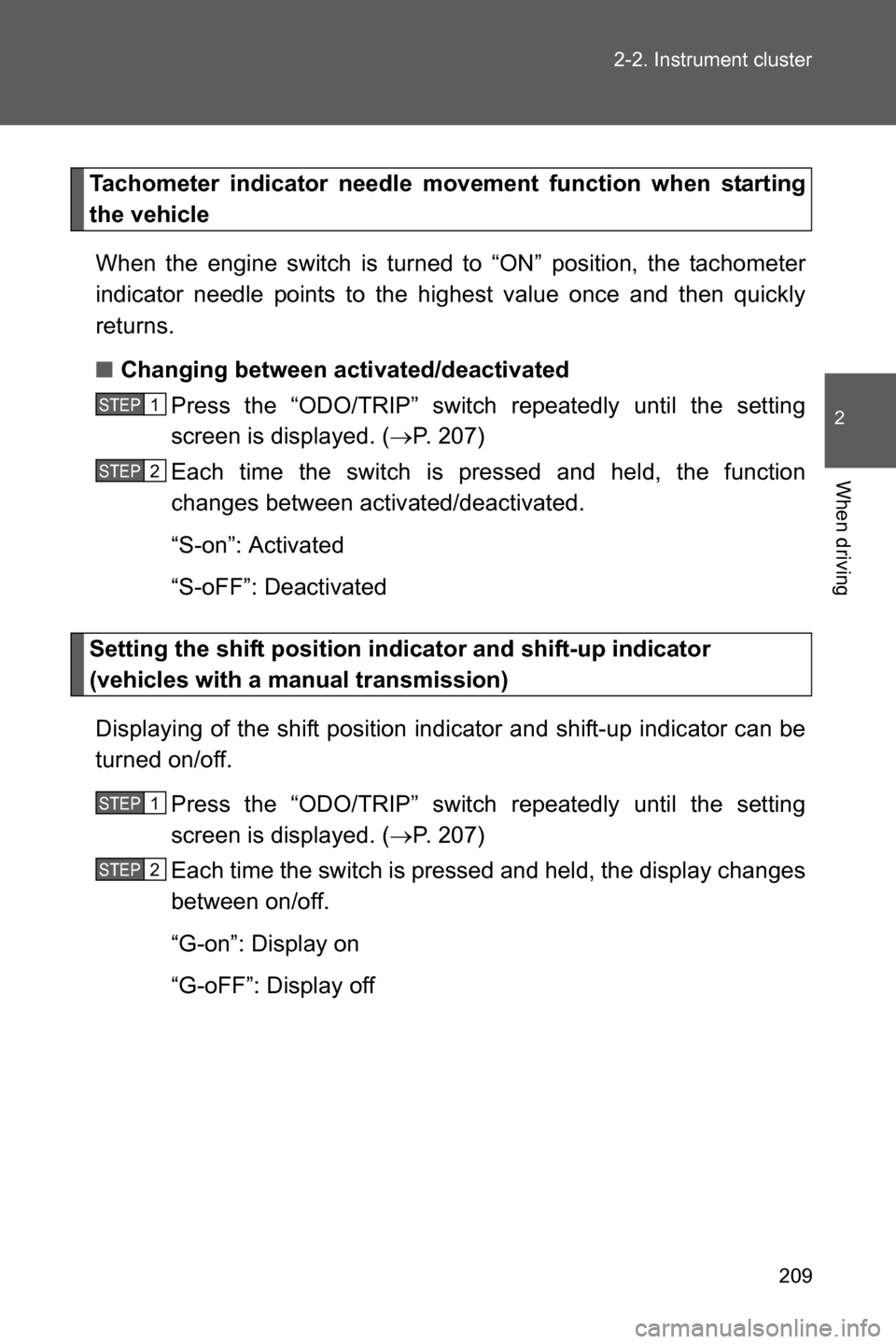
“S-on”: Activated
“S-oFF”: Deactivated
Setting the shift position indicator and shift-up indicator
(vehicles with a manual transmission)
Displaying of the shift position indicator and shift-up indicator can be
turned on/off.
Press the “ODO/TRIP” switch repeatedly until the setting
screen is displayed. (oP. 207)
Each time the switch is pressed and held, the display changes
between on/off.
“G-on”: Display on
“G-oFF”: Display off
STEP 1
STEP 2
STEP 1
STEP 2
Page 232 of 540

230 2-3. Operating the lights and windshield wipers
■Daytime running light system
●Vehicles with an automatic transmission: To make your vehicle more visi-
ble to other drivers during daytime driving, the daytime running lights turn
on automatically whenever the engine is started, the select lever is
shifted out of P and the parking brake is released with the headlight
switch off or in the “AUTO” position. (Illuminate brighter than the parking
lights.) Daytime running lights are not designed for use at night.
●Vehicles with a manual transmission: To make your vehicle more visible
to other drivers during daytime driving, the daytime running lights turn on
automatically whenever the engine is started and the parking brake is
released with the headlight switch off or in the “AUTO” position. (Illumi-
nate brighter than the parking lights.) Daytime running lights are not
designed for use at night.
●When the turn signal indicators are flashing, the daytime running light on
the side that the turn signals are flashing will turn off.
●When the hazard warning flashers are flashing, both daytime running
lights will turn off.
●Compared to turning on the headlights, the daytime running light system
offers greater durability and consumes less electricity, so it can help
improve fuel economy.
■Headlight control sensor
Headlight control sensor is located on the
passenger's side.
The sensor may not function properly if
an object is placed on the sensor, or any-
thing that blocks the sensor is affixed to
the windshield.
Doing so interferes with the sensor
detecting the level of ambient light and
may cause the automatic headlight sys-
tem to malfunction.
Page 241 of 540
239 2-4. Using other driving systems
2
When driving
■Cruise control can be set when
Vehicles with an automatic transmission
●The select lever is in D or M and the vehicle is in the 2
nd gear or higher.
●Vehicle speed is above approximately 25 mph (40 km/h).
Vehicles with a manual transmission
●The vehicle is in the 2
nd gear or higher.
●Vehicle speed is above approximately 25 mph (40 km/h).
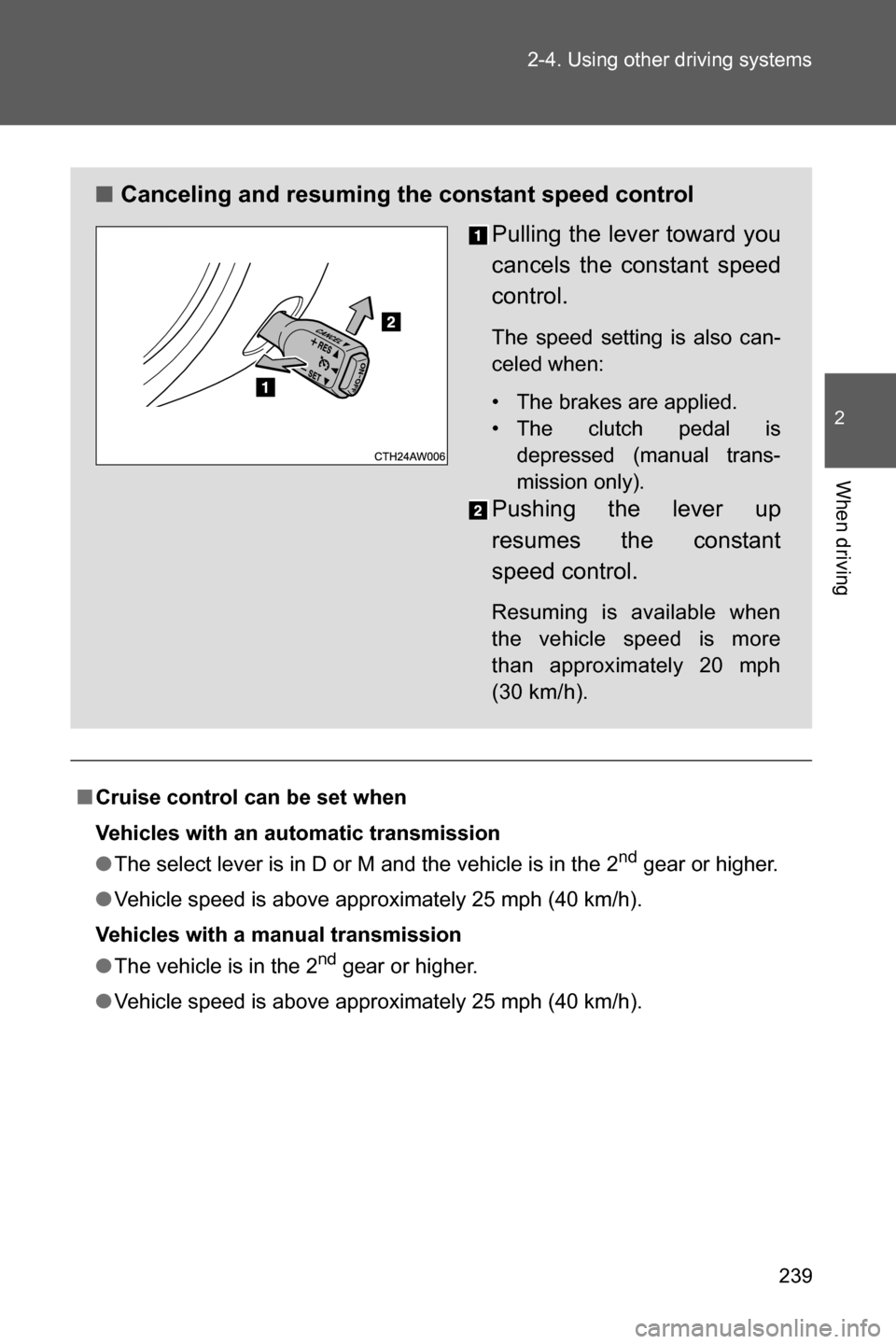
■Canceling and resuming the constant speed control
Pulling the lever toward you
cancels the constant speed
control.
The speed setting is also can-
celed when:
• The brakes are applied.
• The clutch pedal is
depressed (manual trans-
mission only).
Pushing the lever up
resumes the constant
speed control.
Resuming is available when
the vehicle speed is more
than approximately 20 mph
(30 km/h).
Page 243 of 540
241 2-4. Using other driving systems
2
When driving
WARNING
■Cruise control precaution (vehicles with an automatic transmission)
You can cancel the cruise control by shifting the select lever into the N posi-
tion. However, do not shift the lever into the N position while driving except in
case of emergency. If the select lever is shifted into the N position, the
engine brake will no longer work. This could result in an accident.
■To avoid operating the cruise control by mistake
Switch the cruise control off using the “ON-OFF” button when not in use.
■Situations unsuitable for cruise control
Do not use cruise control in any of the following situations.
Doing so may result in loss of control and could cause an accident resulting
in death or serious injury.
●In heavy traffic
●On roads with sharp bends
●On winding roads
●On slippery roads, such as those covered with rain, ice or snow
●On steep hills
Vehicle speed may exceed the set speed when driving down a steep hill.
●During emergency towing
Page 244 of 540
242
2-4. Using other driving systems
Rear view camera
The rear view camera is installed to the trunk lid and displays a rear
view image on the audio/navigation monitor when the engine switch
is in the “ON” position (vehicles without a keyless access with push
button start system) or the push-button ignition switch is in “ON”
mode (vehicles with a keyless access with push button start system)
and the select lever (vehicles with an automatic transmission) or
shift lever (vehicles with a manual transmission) is set to “R”.
Page 245 of 540
243 2-4. Using other driving systems
2
When driving
How to use the rear view camera
Perform the following to display a rear view image on the rear view
camera.
Turn the engine switch to the “ON” position (vehicles without a
keyless access with push button start system) or turn the
push-button ignition switch to “ON” mode (vehicles with a key-
less access with push button start system).
Shift the select lever (vehicles with an automatic transmis-
sion) or shift lever (vehicles with a manual transmission) to
“R”.
In the following situations, the screen will return to the image that
was displayed before the lever was shifted to “R”.
• Vehicles with an automatic transmission: When several seconds
have passed since the select lever was shifted to a position other
than “P” or “R” (off delay function).
• Vehicles with an automatic transmission: When the select lever is
shifted to “P”.
• Vehicles with a manual transmission: When several seconds have
passed since the shift lever was shifted to a position other than
“R” (off delay function).
• When the vehicle speed is 5 mph (8 km/h) or more.
STEP 1
STEP 2
Page 249 of 540

247 2-4. Using other driving systems
2
When driving
■Rear view camera display
●On vehicles with a genuine SUBARU navigation system, the rear view
camera display will be prioritized over other displays. To display another
display, shift the select lever (vehicles with an automatic transmission) or
shift lever (vehicles with a manual transmission) to a position other than
“R”.
●Images from the rear view camera will be displayed horizontally reversed
as is the case with the vehicle’s rear view mirror or a side view mirror.
●Images on the screen may look different depending on the number of
passengers and loading conditions.
●When the vehicle is on an incline or decline, distances displayed on the
screen may look different than the actual distance.
●When the vehicle is loaded, the distance on the screen will look farther
than the actual distance, as is the case when approaching an upward
incline.
●The color of objects on the screen may be different from the actual color
of the objects.
●Be sure to check your surroundings when “Check Surroundings Before
Backing Up” is displayed.
●If you shift to “R” shortly after turning the engine switch to the “ON” posi-
tion (vehicles without a keyless access with push button start system) or
the push-button ignition switch to “ON” mode (vehicles with a keyless
access with push button start system), “Check Surroundings Before
Backing Up” may not be displayed. Wait several seconds or more after
turning the engine switch to the “ON” position (vehicles without a keyless
access with push button start system) or the push-button ignition switch
to “ON” mode (vehicles with a keyless access with push button start sys-
tem) before shifting to the “R” range. The warning message can then be
displayed.