2017 Seat Alhambra wheel
[x] Cancel search: wheelPage 220 of 320

Operation
Parking perpendicular to the road
(mode 1) Fig. 216
Display: orientation lines for the
p ark
in
g space behind the vehicle Summary of the orientation points
M
e
anin
g of orientation lines displayed on the
screen ››› Fig. 216. All of the lengths of the
orientation lines use a vehicle located on a
horizontal surface as reference.
Red: safety distance, i.e. road area loca-
ted up to 40 cm behind the vehicle.
Green: prolongation of the rear of the ve-
hicle (somewhat enlarged). The area dis-
played green ends around 2 metres be-
hind the vehicle, on the road.
Yellow: prolongation of the rear of the ve-
hicle as the steering wheel turns. The
area displayed yellow ends around 3 me-
tres behind the vehicle, on the road.
1 2
3 Parking
●
Stop the vehicle in front of a space and se-
l ect
r
everse gear.
● Reverse slowly and turn the steering wheel
so that the
yellow orientation lines guide you
towards the space ››› Fig. 216 3 .
● Align the vehicle straight in the parking
p l
ac
e using the help of the green orientation
lines.
Parking parallel to the road (mode 2) Fig. 217
Display: orientation lines and surfa-
c e
s
for the space behind the vehicle After applying the turn signal, the lines and
s
ur
f
aces not required are deleted.
Summary of the orientation points
Meaning of orientation lines and surfaces
displayed on the screen ››› Fig. 217. All of the lengths of the orientation lines use a vehicle
located on a horiz
ontal surface as reference.
Safety distance: road area located up to
around 40 cm behind the vehicle.
Vehicle side limit.
Turning point when parking. When the
yellow line touches the curb or another
limit of the parking space, the point for
changing direction (magnifying glass)
will have been reached.
Free space required to parallel park the
vehicle. The surface displayed must com-
pletely fit in the space.
Possible vehicle parked next to the curb.
Parking ● Stop the vehicle 1 m away parallel to the
parkin
g space and select reverse gear.
● Switch on mode 2 on the navigation system
scr
een for parallel parking.
● Slowly reverse and turn the steering wheel
so that the s
urface displayed yellow on the
screen stops in front of any obstacles 5 (e.g. another vehicle).
●
Turn the steering wheel fully towards the
s p
ac
e and reverse slowly.
● When the yellow line 3 touches the side
limit of
the s
pace, e.g. the border or curb
(magnifying glass), turn the steering wheel
fully in the opposite direction. 1 2
3
4
5
218
Page 222 of 320

Operation
●
Never u se the C
CS when driving off-road or
on unpaved roads.
● Always adapt your speed and the distance
to the v
ehicles ahead in line with visibility,
weather conditions, the condition of the road
and the traffic situation.
● To avoid unexpected operation of the cruise
contro
l system, turn it off every time you fin-
ish using it.
● It is dangerous to use a set speed which is
too high for the pr
evailing road, traffic or
weather conditions.
● When travelling down hills, the CCS cannot
maintain a c
onstant speed. The vehicle tends
to accelerate under its own weight. Select a
lower gear or use the foot brake to slow the
vehicle. Lane Assist system*
Intr oduction WARNING
The intelligent technology in the lane assist
sys t
em cannot change the limits imposed by
the laws of physics and by the system itself.
Careless or uncontrolled use of the Lane As-
sist system may cause accidents and injury.
The system is not a replacement for driver
awareness. ●
Alw a
ys adapt your speed and the distance
to the vehicles ahead in line with visibility,
weather conditions, the condition of the road
and the traffic situation.
● Always keep your hands on the steering
wheel so y
ou can turn it at any time.
● The lane assist system does not detect all
roa
d markings. In some circumstances, the
poor state of the road, structures located on
it or certain objects may be mistakenly recog-
nised as road markings by the lane assist
system. In such situations, switch the lane
assist system off immediately.
● Pay attention to the instructions on the in-
strument p
anel display and act accordingly to
its requests.
● Always pay attention to the vehicle's sur-
roundin
gs. Note
The lane assist system has been exclusively
developed f or driv
ing on asphalted roads. Note
If the lane assist system does not work as de-
sc ribed in thi
s chapter, do not use it and con-
tact a specialised workshop. Note
If you observe any system malfunction, have
the sys t
em checked by a specialised work-
shop. Control lamps
Blinks or lights up yellow:
Lane assist sys-
tem connected
but inactive.The system cannot clearly detect the
lane. See
page 221, The lane assist
system is inactive (control lamp lit
in yellow) .
Blinks or lights up green:
Lane assist system connected and active.
Several warning and control lamps light up
f
or a f
ew sec
onds when the ignition is switch-
ed on, signalling that the function is being
verified. They will switch off after a few sec-
onds. WARNING
Observe the safety warnings ›››
in Control
and warnin g l
amps on page 105. 220
Page 223 of 320
Driver assistance systems
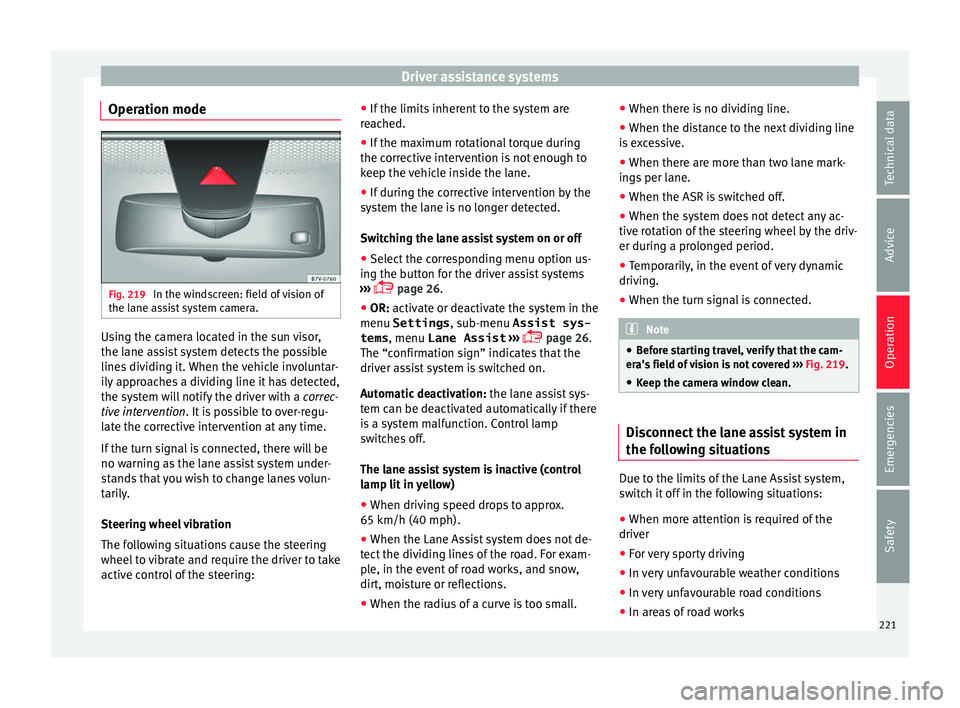
Operation mode Fig. 219
In the windscreen: field of vision of
the l ane a
s
sist system camera. Using the camera located in the sun visor,
the l
ane a
s
sist system detects the possible
lines dividing it. When the vehicle involuntar-
ily approaches a dividing line it has detected,
the system will notify the driver with a correc-
tive intervention. It is possible to over-regu-
late the corrective intervention at any time.
If the turn signal is connected, there will be
no warning as the lane assist system under-
stands that you wish to change lanes volun-
tarily.
Steering wheel vibration
The following situations cause the steering
wheel to vibrate and require the driver to take
active control of the steering: ●
If the limits inher
ent to the system are
reached.
● If the maximum rotational torque during
the correctiv
e intervention is not enough to
keep the vehicle inside the lane.
● If during the corrective intervention by the
syst
em the lane is no longer detected.
Switching the lane assist system on or off
● Select the corresponding menu option us-
ing the butt
on for the driver assist systems
››› page 26.
● OR: activate or deactivate the system in the
menu Settings , sub-menu Assist sys-
tems , menu
Lane Assist ›››
page 26.
The “confirmation sign” indicates that the
driver assist system is switched on.
Automatic deactivation: the lane assist sys-
tem can be deactivated automatically if there
is a system malfunction. Control lamp
switches off.
The lane assist system is inactive (control
lamp lit in yellow)
● When driving speed drops to approx.
65 km/h (40 mph).
● When the Lane Assist system does not de-
tect the div
iding lines of the road. For exam-
ple, in the event of road works, and snow,
dirt, moisture or reflections.
● When the radius of a curve is too small. ●
When there is
no dividing line.
● When the distance to the next dividing line
is e
xcessive.
● When there are more than two lane mark-
ings
per lane.
● When the ASR is switched off.
● When the system does not detect any ac-
tive rot
ation of the steering wheel by the driv-
er during a prolonged period.
● Temporarily, in the event of very dynamic
driving.
● When the t
urn signal is connected. Note
● Bef or
e starting travel, verify that the cam-
era's field of vision is not covered ››› Fig. 219.
● Keep the camera window clean. Disconnect the lane assist system in
the f
o
l
lowing situations Due to the limits of the Lane Assist system,
sw
it
c
h it off in the following situations:
● When more attention is required of the
driver
● For
very sporty driving
● In very unfavourable weather conditions
● In very unfavourable road conditions
● In areas of road works 221
Technical data
Advice
Operation
Emergencies
Safety
Page 224 of 320

Operation
Blind spot detector (BSD) with
r e
ar c
ross traffic alert (RTA)
Introduction
›› ›
table on page 2
The blind spot detector (BSD) helps detect
the traffic situation to the sides and behind
the vehicle.
The integrated rear cross traffic alert (RTA)
helps the driver when backing out of a per-
pendicular parking spot and in manoeuvring.
The blind spot detector has been developed
for driving on paved roads. WARNING
The smart technology incorporated into the
blind s pot
detector (BSD) with rear cross traf-
fic alert (RTA) included cannot overcome the
limits imposed by the laws of physics; it only
works within the limits of the system. Acci-
dents and severe injury may occur if the blind
spot detection system or the rear cross traffic
alert are used negligently or involuntarily.
The system is not a replacement for driver
awareness.
● Adapt your speed and safe distance to the
vehicl
e in front of you at all times to suit visi-
bility, weather, road and traffic conditions. ●
Keep y
our hands on the wheel at all times,
and be ready to intervene in the steering at
any time.
● Pay attention to the control lamps that may
come on in the ext
ernal rear view mirrors and
on the instrument panel, and follow any in-
structions they may give.
● The blind spot assistant may react in the
face of
any special constructions that may be
present on the sides of the vehicle: e.g., high
or irregular protective fences. This may cause
erroneous warnings.
● Never use the blind spot detector with rear
cro
ss traffic alert on unpaved roads. The blind
spot detector with rear cross traffic alert has
been designed for use on paved roads.
● Always pay attention to the vehicle's sur-
roundin
gs.
● Never use the blind spot detector with rear
cro
ss traffic alert if the radar sensors are
dirty, covered or damaged. The system may
work incorrectly in these cases. CAUTION
● The ra d
ar sensors on the rear bumper may
be damaged or shifted in the event of a colli-
sion, for example, when entering or exiting a
parking space. This may result in the system
disconnecting itself, or at least having its
functionality diminished.
● In order to ensure that the radar sensors
work pr
operly, keep the rear bumper free of
snow and ice and do not cover it. ●
The re ar b
umper should only be painted
with paint authorised by SEAT. The blind spot
detector's functions may be limited or work
incorrectly if other paints are used.
● The external rear view mirror control lamps
may
have their functionality limited in the
event of solar radiation. Note
If the blind spot detector with rear cross traf-
fic al
ert does not work as described in this
chapter, do not use it and have it checked by
a specialised workshop. Control lamps
Control lamp in external rear view mirrors:
Lights up
Lights up once briefly: the blind spot detector is activa-
ted and ready to operate.
Lights up: blind spot detector has detected a vehicle in
the blind spot.
Flashes
The blind spot detector has detected a vehicle in the
blind spot and the turn signal has been turned on in the
direction of the detected vehicle
›››
.
For vehicles that are also equipped with Lane Assist
››› page 220, a warning to switch lanes will also appear
even though the turn signal has not been engaged. 222
Page 231 of 320

Driver assistance systems
CAUTION
Failure to heed the control lamps and text
mes s
ages when they appear may result in ve-
hicle faults. Operation mode
Sign Assist does not work in all countries.
This
mu
st be taken into account when travel-
ling abroad.
Display of traffic signs
Speed limits or overtaking prohibitions to-
gether with the corresponding additional
signs are shown on the instrument panel dis-
play ›››
Fig. 225. Depending on the naviga-
tion system installed in the vehicle, traffic
signs will be shown as above and also in the
navigation system's map display.
When Sign Assist is connected, the vehicle
records the traffic signs with a camera in the
base of the interior rear vision mirror. After
checking and evaluating the information
from the camera, the navigation system and
the current vehicle data, up to three valid
traffic signs are displayed in conjunction with
the corresponding additional signs. The traf-
fic sign that is currently valid for the driver is
shown first, in the left side of the screen. A
traffic sign of only limited validity,
e.g. 90 km/h (56 mph) is shown second, to-
gether with the additional sign “if the road is wet”. If the vehicle's rain sensor detects rain
during tr
av
el, the traffic sign valid at this mo-
ment will move to the first position along the
additional sign “if the road is wet”.
The permanent display on the instrument
panel screen is shown as you pass the real
traffic signs. The signs for entering and leav-
ing towns activate the display of the usual
speed limits for that country on roads in
populated areas and national highways, even
if the speed is not limited by an actual traffic
sign.
The end of a prohibition or limitation is not
displayed. If you exceed the speed limits
shown, a warning will not appear. The system
does not detect areas with little traffic. The
current legal provisions apply.
Connection and disconnection
● Connect or disconnect the assist system in
the Settings menu in the SEA
T information
system ›››
page 26.
● OR: press the button for the driver assist
sys
tems on the main beam lever.
Trailer
Connect or disconnect the secondary display
for speed limits and overtaking bans that ap-
ply to trailers (trailer mode) in the Settings
menu in the SEAT information system
››› page 26. Tiredness detection (recom-
mendation to t
ake a break)
Introduction WARNING
Do not let the extra convenience afforded by
the tiredne s
s detection function tempt you
into taking any risks when driving. When
making long trips, conveniently long breaks
must be taken.
● The driver is responsible for determining
their capac
ity to drive.
● Never drive when tired.
● The system does not always detect the
tirednes
s of the driver. Please read the infor-
mation provided in the section ››› page 230,
Limited operation.
● In some situations the system may incor-
rectly int
erpret an intended manoeuvre as a
sign of tiredness of the driver.
● In the event of the an episode called “mi-
cro
sleep” at the wheel, a strong warning is
not in place!
● Observe the indications on the display of
the instrument
panel and act in accordance
with them. » 229
Technical data
Advice
Operation
Emergencies
Safety
Page 232 of 320

Operation
Note
● The tiredne s
s detection function has only
been designed for driving on motorways and
wide roads.
● If there is a fault in the system, refer to a
Speci
alised workshop to have the system in-
spected. Function and operation
Fig. 226
On the instrument panel display:
tir edne
s
s detection symbol The tiredness detection function registers the
beh
av
iour of
the driver at the wheel at the
beginning of a journey and, using this, evalu-
ates the tiredness. This is continually com-
pared with the current behaviour at the
wheel. If the system detects that the driver is
tired, an audible warning using a “gong” is
given and a symbol and complementary mes-
sage on the instrument panel display are shown
››› Fig. 226.
The on-screen message
on the dash panel is displayed for 5 seconds
and, where required, repeated again. The
system stores the last message displayed.
The message that appears on the instrument
panel display can be switched off by pressing
the OK button on the multifunction steering
wheel or on the w
indo
w wiper lever
››› page 28. Using the multifunction dis-
play ›››
page 28 the message on the in-
strument panel display can be shown.
Conditions of operation
Behaviour at the wheel is only evaluated at
speeds of above 65 km/h (40 mph).
Switching on and off
The system can be switched on or off in the
Assistants menu. If an assistance system
is switched on, this is indicated with a
“mark”.
Limited operation
The tiredness detection function is subject to
certain limitations. Therefore it is possible
that in some driving situations behaviour at
the wheel cannot be correctly interpreted.
E.g. in the following situations:
● at speeds lower than 65 km/h (40 mph),
● in sections with corners,
● on roads in poor condition, ●
in the event of
adverse weather conditions,
● when a sporty driving style is employed,
● in the event of a major distraction for the
driver,
The tir
edness detection function switches off
when the ignition is switched off or when the
driver unbuckles their seat belt and opens
the door. If driving for a long time under 65
km/h (40 mph), the system ceases to assess
tiredness automatically. If driving speed is
then increased, the behaviour at the wheel
will again be evaluated.
Dynamic Chassis control (DCC)*
Operation and contr
ol Fig. 227
In the centre console: button for set-
tin g the dy
n
amic chassis control.230
Page 233 of 320

Driver assistance systems
DCC continuously adapts the suspension to
the c ondition of
the r
oad and current driving
conditions, according to the pre-set pro-
gramme.
Steering is also adapted in the “Sport” pro-
gramme.
ProgrammeDriving recommendations
“COMFORT” C
Adjust it to the most comfortable set-
ting, for example, driving on surfaces
in poor condition, or making long
trips.
“NORMAL”Balanced setting, suitable, for exam-
ple, for day-to-day use.
“SPORT” SSport setting for sporty style driving Select a program
● Switch the ignition on.
● Press the C S butt
on r
epeatedly until the
desired programme is displayed.
The “NORMAL” programme is active when
neither the C nor S buttons are lit up. WARNING
Switching the dynamic chassis control sys-
tem on whi l
e the vehicle is in motion could
divert your attention from the traffic and
cause accidents. WARNING
Adjusting the suspension can change driving
proper tie
s. Dynamic chassis control must
never lead to any kinds of risk.
● Adapt your speed and driving style at all
times t
o suit visibility, weather, road and traf-
fic conditions. Note
If the dynamic chassis control does not oper-
ate a s
described in this chapter, go to an au-
thorised workshop and request it be checked. Note
In case of a fault in the dynamic chassis con-
tro l, the b
uttons C and S will so indicate. A
fault could the affect driving comfort. Have
the system checked by a specialised work-
shop. Tyre monitoring systems
Intr oduction The tyre monitor indicator monitors the tyre
pr
e
s
sure of each wheel during driving using
the ABS sensors. The ABS sensors monitor
the tyre tread perimeter and vibrations of
each tyre. The tyre monitor indicator warns
the driver if it detects a considerable drop in
tyre pressure of one or several tyres while driving. Loss of tyre pressure will be indica-
ted by
the indicator as well as an audible
warning and sometimes a text message on
the dash panel display. When you open the
driver door, you will find a label indicating
the tyre pressure recommended by the manu-
facturer for the maximum vehicle load for
each tyre approved for the vehicle in ques-
tion. By pressing the adjustment button on
the tyre monitoring indicator, you may
change the reference pressure for the tyres
so that the tyre pressure coincides with ac-
tual pressure ››› page 233.
Suitable use of the adjustment button
››› page 233. WARNING
Unsuitable handling of the wheels and tyres
ma y
lead to sudden tyre pressure losses, to
tread separation or even to a blow-out.
● Check tyre pressures regularly and ensure
they are m
aintained at the pressures indica-
ted. If the tyre pressure is too low, the tyres
could overheat, resulting in tread detachment
or even burst tyres.
● Tyre pressure should be that indicated on
the label when the ty
res are cold at all times
››› page 288.
● Regularly check the cold inflation pressure
of the tyr
es. If necessary, change the tyre
pressure of the vehicle tyres while they are
cold. » 231
Technical data
Advice
Operation
Emergencies
Safety
Page 234 of 320

Operation
●
Re gu
larly check your tyres for damage and
wear.
● Never exceed the maximum permitted
speed or loa
ds specified for the type of tyre
fitted on your vehicle. WARNING
Incorrect use of the tyre monitoring indicator
b utt on c
ould result in the indicator giving er-
roneous messages or prevented from indicat-
ing the danger caused by a defective tyre
››› page 233. CAUTION
● The tyr e
valves may be damaged if the cap
is not in place. Check that the caps are identi-
cal to the standard caps and have been cor-
rectly tightened. Do not use metal caps
››› page 233.
● Do not damage the valves when changing
the tyre
s ››› page 233. For the sake of the environment
Under-inflated tyres lead to increased fuel
con s
umption and tyre wear. Note
● Do not on ly
rely on the tyre monitoring sys-
tem. Regularly check your tyres to ensure
that the tyre pressure is correct and that the
tyres are not damaged due to puncture, cuts, tears and impacts/dents. Remove objects
from the ty
r
es only when the tyres have not
been pierced by these.
● The tyre monitoring system is set to the
tyre pr
essure recommended by the manufac-
turer and indicated on the label ››› Fig. 251. Elements of the tyre monitoring indi-
cat
or
Tyre monitoring indicator with button.
See ››› page 233.
Control lamp on the instrument panel.
SET button on the centre console.
Monitoring the tread of all tyres using ABS sensors
(indirect measurement).
Adjustable medium and full-load tyre pressures.
Button to update the system when the tyre pressure is
changed. Control lamp
Blinks or lights up
The tyre pres-
sure of a wheel
has dropped
considerably in
relation to the
pressure set by
the driver
››› page 233. Stop the vehicle!
Reduce your
speed immediately! Stop the vehicle
safely as soon as possible. Avoid
sudden manoeuvres and braking!
Check all tyres and pressures. Re-
place any damaged tyres.
System malfunc-
tion.
Consult a specialised workshop if
the tyre pressure is correct and the
lamp remains lit after switching the
ignition off and back on again. Have
the system checked there. Several warning and control lamps light up
f
or a f
ew sec
onds when the ignition is switch-
ed on, signalling that the function is being
verified. They will switch off after a few sec-
onds. WARNING
Observe the safety warnings ›››
in Control
and warnin g l
amps on page 105. WARNING
When the tyres are inflated at different pres-
sur e
s or at a pressure that is too low then a
tyre may be damaged resulting in a loss of
control of the vehicle and a serious or fatal
accident. 232