2017 Seat Alhambra trailer
[x] Cancel search: trailerPage 126 of 320

Operation
Closing the rear lid
● Press and hold the button on the vehi-
c l
e k
ey for approximately 1 second.
● OR: press and hold the button on the
c entr
e c
onsole for approximately 1 second
››› Fig. 6.
● OR: press the ››
›
Fig. 7 boot hatch but-
ton (arrow).
● Press the button on the open rear lid
› ›
›
Fig. 138 ››› .
● Manually push the rear lid down to close it.
The r e
ar lid w
ill move down to the closed po-
sition to close and lock itself automatically
using the power-close feature ››› .
In c a
se of
difficulty or obstruction, automatic
closing of the rear lid is interrupted and it will
open slightly.
Check why the rear lid could not close.
Attempt to close it once more.
Interrupting the opening and closing process
Rear lid opening and closing can be stopped
by pressing one of the buttons. Each time
one of the buttons is pressed, the rear lid
mo v
e
s to its initial position.
Then, it can be opened or closed by hand. To
do this, apply a little more force. Memorising the opening angle
The rear lid mu
st be at least half open to
memorise an opening angle.
● Stop automatic opening in the opening po-
sition requir
ed ››› page 124.
● Hold down the button ›››
Fig. 138 with the
rear lid open for at least three seconds. The
opening angle is memorised.
Memorisation is confirmed by blinking of the
hazard warning lights and an audible warn-
ing.
To fully open the boot hatch again, the open-
ing angle must be memorised once more.
● Release the rear lid and open it to the
memorised height.
● P
ush the rear lid all the way up. To do this,
apply
a little more force.
● Hold down the button ›››
Fig. 138 with the
rear lid open for at least three seconds.
● The opening angle is reset to the original
factor
y setting. WARNING
Unsuitable or careless closing and locking of
the re ar lid c
ould cause serious injuries.
● Never leave the vehicle unattended, or al-
low chi
ldren to play inside or around the vehi-
cle without supervision, especially if the rear
lid is open. Children could enter the luggage compartment, close the rear lid and become
trap
ped. A loc
ked vehicle can be subjected to
extremely high and low temperatures, de-
pending on the time of year, resulting in seri-
ous injuries/illness or even death. WARNING
It is possible that the rear lid does not open
c omp l
etely or, if it is open, closes alone if a
large amount of snow has built up on it or if a
luggage rack is fitted. In this case, the rear lid
must be supported. CAUTION
● When us in
g a trailer, ensure that there is
sufficient space to open and close the rear
lid.
● Before opening the rear lid, any kind of
equipment carrier shou
ld be removed, for ex-
ample a bicycle carrier. CAUTION
In case of repeated short-term use, the sys-
tem i s
turned off to avoid overheating.
● When it has cooled, it may be used once
again. Durin
g this time, the rear lid may be
manually opened or closed applying a little
more effort.
● If the vehicle battery is disconnected or the
fuse b
lows when the rear lid is open, the rear
lid system must be re-initialised. To do this,
close the rear lid. 124
Page 130 of 320
Operation
● If the p
anor
amic sliding sunroof still cannot
be closed, visit a specialised workshop. WARNING
Closing the panoramic sliding sunroof or sun
blind w ithout
the anti-trap function can cause
serious injuries.
● Always close the panoramic sliding sunroof
caref
ully.
● Nobody should be in the way of the panor-
amic slidin
g sunroof or sun blind, especially
when they are closed without the anti-trap
function.
● The anti-trap function does not prevent fin-
gers
or other parts of the body getting
pinched against the window frame and caus-
ing injury. Note
The anti-trap function is activated if the win-
dow s
and the panoramic sliding sunroof are
closed from the outside of the vehicle using
the ignition key for convenience closing
››› page 125. Lights and visibility
Light s
C ontr
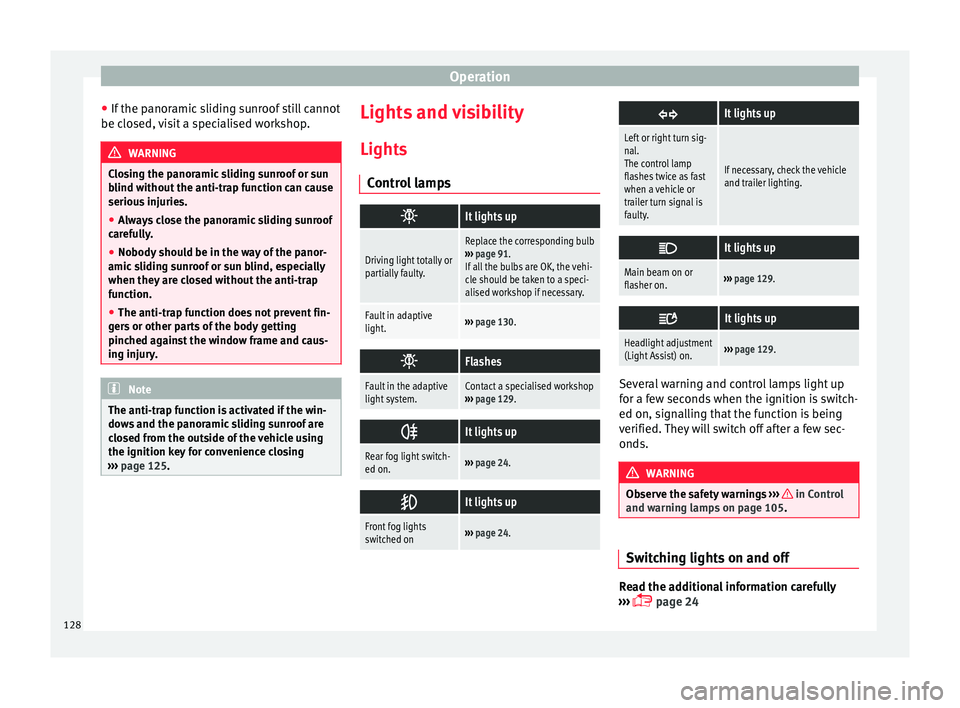
ol lamps
It lights up
Driving light totally or
partially faulty.
Replace the corresponding bulb
››› page 91.
If all the bulbs are OK, the vehi-
cle should be taken to a speci-
alised workshop if necessary.
Fault in adaptive
light.››› page 130.
Flashes
Fault in the adaptive
light system.Contact a specialised workshop
››› page 129.
It lights up
Rear fog light switch-
ed on.›››
page 24.
It lights up
Front fog lights
switched on›››
page 24.
It lights up
Left or right turn sig-
nal.
The control lamp
flashes twice as fast
when a vehicle or
trailer turn signal is
faulty.
If necessary, check the vehicle
and trailer lighting.
It lights up
Main beam on or
flasher on.›››
page 129.
It lights up
Headlight adjustment
(Light Assist) on.›››
page 129. Several warning and control lamps light up
f
or a f
ew sec
onds when the ignition is switch-
ed on, signalling that the function is being
verified. They will switch off after a few sec-
onds. WARNING
Observe the safety warnings ›››
in Control
and warnin g l
amps on page 105. Switching lights on and off
Read the additional information carefully
› ›
›
page 24
128
Page 131 of 320

Lights and visibility
The legal requirements regarding the use of
v ehic
l
e lights in each country must be ob-
served.
The driver is personally responsible for the
correct use and adjustment of the lights in all
situations.
In vehicles with tow hitch fitted as standard:
if the trailer is connected electrically and is
fitted with a rear fog light, the vehicle’s fog
light is automatically switched off.
Audible warnings to advise the driver that
the lights have not been switched off
If the key is not in the ignition and the driver
door is open, an audible warning signal is
heard in the following cases: this is a remind-
er to turn off the lights.
● When the parking light is on ›››
page 129.
● When the light switch is in position .WARNING
The side lights or daytime driving lights are
not bright enough t
o illuminate the road
ahead and to ensure that other road users are
able to see you.
● Always use your dipped beam head lights if
it is
raining or if visibility is poor. WARNING
If the headlights are set too high and the
main be am i
s not used correctly, there is a
risk of dazzling or distracting other road
users. This could result in a serious accident.
● Always make sure that the headlights are
correctly
adjusted.
● Never use the main beam or headlight
flasher when it
can dazzle others on the road. Turn signal and main beam lever
Read the additional information carefully
› ›
›
page 25
Convenience turn signals
For the convenience turn signals, move the
lever as far as possible upwards or down-
wards and release the lever. The turn signal
will flash three times.
The control turn signals are switched on and
off from the menu Lights & Visibility
on the instrument panel display
››› page 26. This function can be discon-
nected at a specialised workshop for those
vehicles which do not have the menu
Lights & Visibility . Note
● If the c on
venience turn signals are operat-
ing (three flashes) and the other convenience turn signals are switched on, the active part
st
op
s flashing and only flashes once in the
new part selected.
● The turn signal only works when the igni-
tion is sw
itched on. The hazard warning
lights also work when the ignition is switch-
ed off ››› page 82.
● If a turn signal on the vehicle or trailer is
faulty
, the warning lamp flashes twice as fast
as usual.
● The main beam headligh
ts can only be
switched on if the dipped beam headlights
are already on. Lights and visibility: functions
Parking light
When the p ark
in
g light is switched on, (right
or left turn signal), the front side light and
the rear light on the corresponding side of
the vehicle stay lit. The parking lights will on-
ly work with the ignition off.
Daytime running lights
The daytime running lights reduce the risk of
accidents by increasing the visibility of the
vehicle. These are independent lights that
are built into the headlights and come on
each time the ignition is turned on if the light
switch is in position or 0. »
129
Technical data
Advice
Operation
Emergencies
Safety
Page 135 of 320

Lights and visibility
Note
● The v ehic
le battery will discharge and run
down if the hazard warning lights remain on
for too long (even with the ignition turned
off).
● In some vehicles, the brake lights will flash
when brakin
g abruptly at speeds of approxi-
mately 80 km/h (50 mph) to warn vehicles
travelling behind. If braking continues, the
hazard warning lights system will automati-
cally be turned on at a speed of less than ap-
proximately 10 km/h (6 mph). The brake
lights remain lit. Upon accelerating, the haz-
ard warning lights will be automatically
turned off. Adhesive strips for headlights or ad-
ju
s
tin
g headlights In those countries where vehicles drive on
the other s
ide of
the r
oad to the home coun-
try, the asymmetric dipped beam may dazzle
drivers of oncoming vehicles. Therefore,
when driving abroad, adhesive strips should
be attached to the headlights or the head-
lights should be adjusted accordingly.
The direction of the headlights can be adjus-
ted from the instrument panel, in the Tou-
rist light submenu of the Configura-
tion menu ›››
page 30.
For those vehicles in which it is not possible
to adjust the headlights from the menu, ad- hesive strips are used to cover certain parts
of the hea
dlamp cover or the headlights may
be adjusted at a specialised workshop. For
further information, please refer to a special-
ised workshop. SEAT recommends visiting a
technical service. Note
Use of the Tourist light option and the
adhe s
ives on the headlights is only allowed if
they are to be used for a short period of time.
To modify the direction of the headlights per-
manently, please take the vehicle to a speci-
alised workshop. SEAT recommends visiting a
technical service centre. Headlight range control, lighting of
the in
s
trument
panel and controls Fig. 141
Next to the steering wheel: instru-
ment and sw it
ch lighting control 1 and
he a
dlight
range control 2 1
Instrument and switch lighting
When the he a
dlights
are switched on, the
brightness of the instruments and switch
lighting can be regulated by turning the
switch ››› Fig. 141 1 .
2 Headlight range control
The he a
dlight
range control ››› Fig. 141 2 is
modified ac c
or
ding to the value of the head-
light beam and the vehicle load status. This
offers the driver optimum visibility and the
headlights do not dazzle oncoming drivers
››› .
The he a
dlights
can only be adjusted when
the dipped beam is switched on.
To reset, turn switch ››› Fig. 141 2 :
ValueVehicle load status
a)
–Two front occupants, luggage compart-
ment empty
1All seats occupied, luggage compartment
empty
2All seats occupied, luggage compartment
full With trailer and minimum drawbar load
3Driver only, luggage compartment full With
trailer and maximum drawbar load
a)
If the vehicle load does not correspond to those shown in the
table, it is possible to select intermediary positions.»
133
Technical data
Advice
Operation
Emergencies
Safety
Page 199 of 320
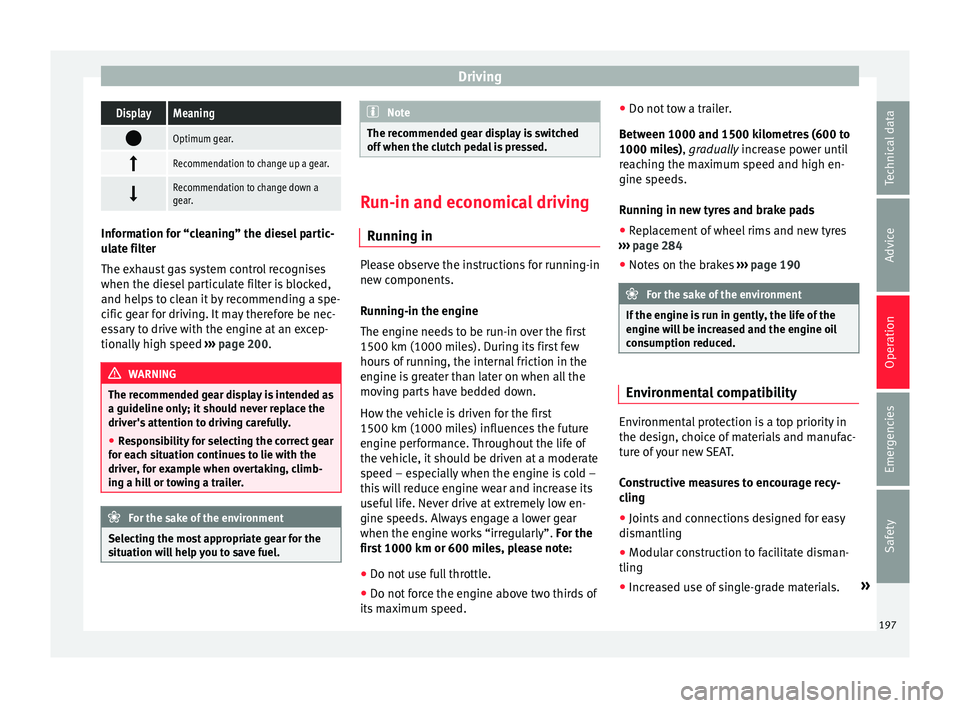
DrivingDisplayMeaning
Optimum gear.
Recommendation to change up a gear.
Recommendation to change down a
gear.
Information for “cleaning” the diesel partic-
ul
at
e filter
The exhaust gas system control recognises
when the diesel particulate filter is blocked,
and helps to clean it by recommending a spe-
cific gear for driving. It may therefore be nec-
essary to drive with the engine at an excep-
tionally high speed ›››
page 200. WARNING
The recommended gear display is intended as
a guideline only; it shou
ld never replace the
driver's attention to driving carefully.
● Responsibility for selecting the correct gear
for eac
h situation continues to lie with the
driver, for example when overtaking, climb-
ing a hill or towing a trailer. For the sake of the environment
Selecting the most appropriate gear for the
sit uation w
ill help you to save fuel. Note
The recommended gear display is switched
off when the c lut
ch pedal is pressed. Run-in and economical driving
Ru nnin
g in Please observe the instructions for running-in
new components.
R u
nning-in the engine
The engine needs to be run-in over the first
1500 km (1000 miles). During its first few
hours of running, the internal friction in the
engine is greater than later on when all the
moving parts have bedded down.
How the vehicle is driven for the first
1500 km (1000 miles) influences the future
engine performance. Throughout the life of
the vehicle, it should be driven at a moderate
speed – especially when the engine is cold –
this will reduce engine wear and increase its
useful life. Never drive at extremely low en-
gine speeds. Always engage a lower gear
when the engine works “irregularly”. For the
first 1000 km or 600 miles, please note:
● Do not use full throttle.
● Do not force the engine above two thirds of
its m ax
imum speed. ●
Do not to
w a trailer.
Between 1000 and 1500 kilometres (600 to
1000 miles), gradually increase power until
reaching the maximum speed and high en-
gine speeds.
Running in new tyres and brake pads ● Replacement of wheel rims and new tyres
›››
page 284
● Notes on the brakes ›››
page 190 For the sake of the environment
If the engine is run in gently, the life of the
engine w i
ll be increased and the engine oil
consumption reduced. Environmental compatibility
Environmental protection is a top priority in
the de
s
ign, c
hoice of materials and manufac-
ture of your new SEAT.
Constructive measures to encourage recy-
cling
● Joints and connections designed for easy
dismantlin
g
● Modular construction to facilitate disman-
tling
● Incr
eased use of single-grade materials. »
197
Technical data
Advice
Operation
Emergencies
Safety
Page 202 of 320

Operation
Remove optional equipment and unnecessa-
r y
ac
cessories
The more aerodynamic the vehicle, the lower
the fuel consumption. Optional equipment
and accessories (such as roof racks or bike
carriers) reduce the aerodynamic benefits of
the vehicle.
Therefore, we recommend you remove all op-
tional and unnecessary equipment and racks,
especially if you intend to drive at high
speeds.
Other factors which increase fuel consump-
tion (examples):
● Fault in engine management.
● Driving on hills.
● Trailer towing. WARNING
Always adapt your speed and the distance to
the v ehic
les ahead in line with visibility,
weather conditions, the condition of the road
and the traffic situation. Engine management and ex-
h
au
s
t gas purification system
Introduction WARNING
The components of the exhaust system reach
ver y
high temperatures. This could cause a
fire.
● Always park your vehicle so that no part of
the exhau
st system can come in contact with
flammable materials (such as dried grass).
● Do not apply additional underseal or anti-
corro
sion coatings to the exhaust pipes, cata-
lytic converter, heat shields or the diesel par-
ticulate filter. Control lamps
It lights up
fault in the petrol
engine manage-
ment.Take the vehicle to a specialised
workshop as soon as possible
and have the engine checked.
It lights up
Diesel engine glow
plug system.The engine glow plug system has
been activated. The engine can
be started straight away when
the lamp switches off.
Flashes
Fault in the diesel
engine manage-
ment.If the lamp flashes while you are
driving, have the engine checked
by a specialised workshop as
soon as possible.
It lights up
Fault in the emis-
sion control system.Reduce speed and drive carefully
to the nearest specialised work-
shop to have the engine
checked.
Flashes
Combustion fault
which could dam-
age the catalytic
converter.Reduce speed and drive carefully
to the nearest specialised work-
shop to have the engine
checked.
It lights up
Diesel particulate
filter blocked›››
page 201 Several warning and control lamps light up
f
or a f
ew sec
onds when the ignition is switch-
ed on, signalling that the function is being
verified. They will switch off after a few sec-
onds. WARNING
Observe traffic regulations when cleaning the
diesel p
articulate filter while driving.200
Page 205 of 320

Driver assistance systems
Driver assistance systems
Br ak
in
g and stability systems
Brake assist systems The brake assist systems ESC, ABS, BAS, ASR
and EDL on
ly
operate when the ignition is
switched on. They contribute significantly to
increasing active safety.
Electronic Stability Control (ESC)
ESC reduces the risk of skidding and increa-
ses the vehicle stability by braking individual
wheels under specific driving conditions. ESC
detects critical handling situations, such as
understeer, oversteer and wheelspin on the
driven wheels. The system stabilises the ve-
hicle by braking individual wheels or by re-
ducing the engine torque.
The ESC has limits. It is important to realise
that the ESC is also subject to the laws of
physics. ESC will not be able to deal with all
situations with which drivers may be faced.
For example, if the road surface changes sud-
denly then ESC will not be useful in all cases.
If the vehicle suddenly enters a section cov-
ered by water, mud or snow then ESC will not
provide assistance in the same way as on dry
ground. If the vehicle loses its grip on the
ground and moves on a film of water (“aqua-
planing”), the ESC will not be able to assist the driver to control the vehicle as the loss of
adher
enc
e with the road surface will prevent-
ing braking and steering. If the vehicle is
driven through series of bends at high
speed, the ESC will not always be as effec-
tive: the vehicle reaction to aggressive driv-
ing is not the same as at reduced speeds.
When driving with a trailer, ESC does not pro-
vide the same amount of vehicle control as
without a trailer.
Adjust your speed and driving style to road,
traffic and weather conditions. ESC cannot
push the limits of the laws of physics; im-
prove the transmission available or maintain
the vehicle on the road if a lack of driver at-
tention creates an inevitable situation. Other-
wise, ESC assists in maintaining vehicle con-
trol in extreme situations and uses the move-
ments of the steering made by the driver to
maintain the vehicle moving in the desired
direction. If the vehicle is driven at such a
speed that it will leave the road before ESC
can intervene then the system cannot pro-
vide assistance.
The ABS, BAS, ASR and EDL systems are in-
corporated into the ESC. The ESC is always
on. The ESC should only be turned off using
the ASR button ›››
Fig. 205 when traction is
insufficient. Always remember to turn on the
ASR once more when the vehicle has traction
again. Anti-lock system (ABS)
ABS can pr
event the wheels from locking dur-
ing braking until just before the vehicle stops
thus helping the driver to steer the vehicle
and maintain control. This means that, even
during full braking, the risk of skidding is re-
duced:
● Press and hold the brake pedal fully. Do not
remov
e your foot from the brake pedal or re-
duce braking force!
● Do not “pump” the brake pedal, or reduce
brakin
g force!
● Maintain vehicle direction when braking
ful
ly.
● When the brake pedal is released or when
the brake f
orce is reduced, ABS is turned off.
ABS control can be observed by vibration of
the brake pedal and noise. You should never
expect the ABS to reduce the braking dis-
tance under any circumstances. This distance
will increase when driving on gravel, recent
snow or on icy and slippery ground.
When driving on loose ground, the all-terrain
configuration of the ABS is automatically
turned on. When ABS is activated, the front
wheels may lock briefly. This shortens the
braking distance in off-road situations as the
wheels are prevented from digging into loose
surfaces. All-terrain ABS only intervenes
when driving in a straight line. When the »
203
Technical data
Advice
Operation
Emergencies
Safety
Page 209 of 320

Driver assistance systems
Auto Hold turns off automatically under the
f o
l
lowing conditions:
Manual gearboxAutomatic gearbox
1.If one of the conditions mentioned in table on
page 206 changes.
2.If the engine is “not running regularly” or if there is a malfunction.
3.When changing to idle
speed.If the selector lever is
placed in neutral (N).
4.If the engine is turned
off or stalls.If the engine is switch-
ed off.
5.If the driver accelerates
while pressing the
clutch in.If the vehicle is acceler-
ated.
6. When one of the wheels
has minimal contact
with the ground (e.g. on
uneven ground).WARNING
The Auto Hold technology is limited by the
la w
s of physics. The improved comfort provi-
ded by Auto Hold should never prompt you to
take risks.
● Never leave the vehicle running and with
the Auto Hol
d function switched on.
● Auto Hold cannot always stop the vehicle
uphill
and downhill (e.g. if the ground is slip-
pery or frozen). CAUTION
Before entering an automatic car wash, al-
wa y
s switch the Auto Hold function off, as it
could be damaged when the electronic park-
ing brake automatically engages. Start-Stop Function*
Fig. 207
Detailed view of the centre console:
St ar
t
-Stop function button With the Start-Stop system enabled, the en-
gine i
s
aut
omatically stopped when the vehi-
cle is at a standstill. The engine restarts auto-
matically when required.
The function is enabled automatically when-
ever the ignition is switched on. The instru-
ment panel displays information on the cur-
rent status. Vehicles with a manual gearbox
● When the vehicle is at a standstill, leave it
in neutral and t
ake your foot off the clutch.
The engine switches off.
● Simply depress the clutch pedal to move
off again.
V
ehicles with an automatic gearbox
● When the vehicle is at a standstill, depress
the brake or k
eep it pressed down. The en-
gine switches off.
● The engine will start again as soon as you
rele
ase the brake pedal.
● With the selector lever set to position P, the
engine wi
ll not start until a range of gears is
selected or the accelerator pedal is de-
pressed.
Important conditions for the engine to auto-
matically switch off
● The driver seat belt must be buckled.
● The driver door must be closed.
● The bonnet must be closed.
● The factory-fitted towing bracket must not
be electrical
ly connected to a trailer.
● A minimum engine temperature has been
reac
hed.
● The steering wheel must not be turned
more than 270 de
grees.
● The vehicle has moved since the last stop. »
207
Technical data
Advice
Operation
Emergencies
Safety