2017 PEUGEOT 5008 ESP
[x] Cancel search: ESPPage 46 of 404

44
"Driving functions" tab
FunctionComment
"Adjusting Speeds" Memorisation of speed settings for the speed limiter or programmable
cruise control.
"
Under-inflation initialisation" Reinitialisation of the under-inflation detection system.
"Lane departure warning system" Activation / deactivation of the function.
"Lane assist" Activation / deactivation of the function.
"Parking sensors" Activation / deactivation of the function.
"Park Assist" Activation / deactivation of the function.
"Automatic headlamp dip" Activation / deactivation of the function.
"Stop & Star t" Activation / deactivation of the function.
"Blind spot sensors" Activation / deactivation of the function.
"Panoramic visual aid" Activation of the Visiopark 2
function.
"Traction control" Activation / deactivation of the function.
For more information on one of these functions, refer to the corresponding section.
Dashboard instruments
Page 53 of 404

51
Deadlocking
F Within five seconds, press this button again to deadlock the
vehicle.
For versions without alarm, deadlocking is
confirmed by illumination of the direction
indicators for few seconds on the second press
of the locking button. Closing the windows and sunroof
Maintaining pressure on the locking
button allows the windows and,
depending on version, the sunroof to
be closed to the desired position.
This operation also closes the
sunroof blind.
Locating your vehicle
This function allows you to identify your vehicle
from a distance, particularly in poor light. Your
vehicle must be locked.
F
P
ress this button. This will switch on the courtesy lamps and door
mirror spot lamps and the direction indicators
will flash for around ten seconds.
Welcome lighting
Availability of this function depends on version.
F
M
ake a short press on this
remote control button.
Pressing again before the end of the timed
period switches off the lighting immediately. The sidelamps, dipped beam headlamps,
number plate lamps and door mirror spotlamps
come on for 30
seconds.
The automatic folding and unfolding of the
door mirrors with the remote control can
be deactivated by a PEUGEOT dealer or a
qualified workshop.
Deadlocking renders the interior door
controls inoperative.
It also deactivates the interior central
locking button on the dashboard.
Therefore, never leave anyone inside the
vehicle when it is deadlocked. Ensure that nothing could prevent the
correct closing of the windows and
sunroof.
If, on versions with alarm, you want to
leave the windows and/or sunroof partly
open, you must first deactivate the
volumetric alarm protection.
For more information on the Alarm
, refer
to the corresponding section.
2
Access
Page 54 of 404
52
Keyless Entry and
Starting
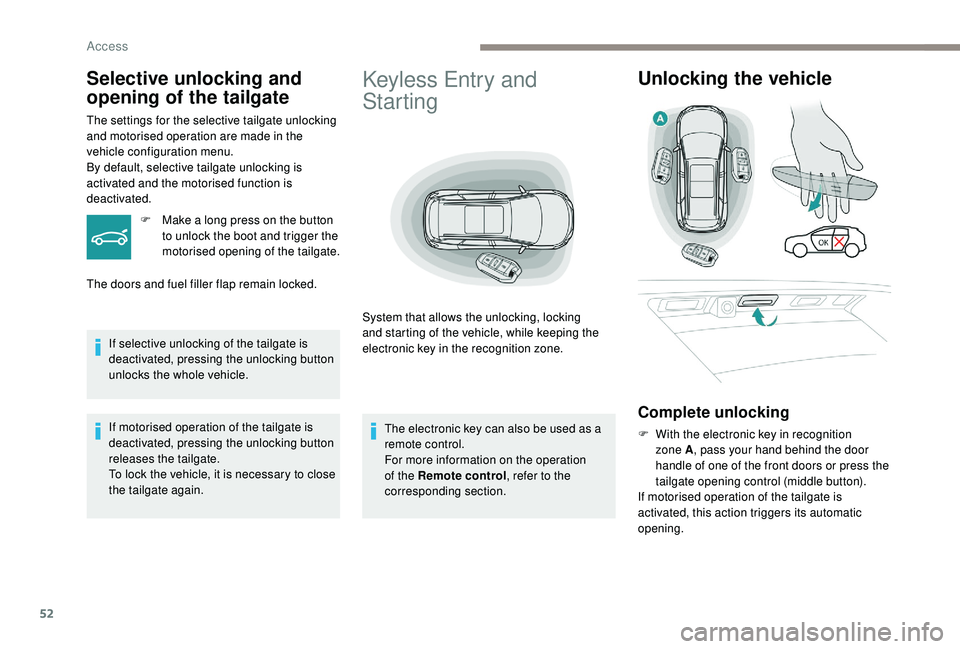
System that allows the unlocking, locking
and starting of the vehicle, while keeping the
electronic key in the recognition zone.
Unlocking the vehicle
Complete unlocking
F With the electronic key in recognition zone A , pass your hand behind the door
handle of one of the front doors or press the
tailgate opening control (middle button).
If motorised operation of the tailgate is
activated, this action triggers its automatic
opening.
Selective unlocking and
opening of the tailgate
The settings for the selective tailgate unlocking
and motorised operation are made in the
vehicle configuration menu.
By default, selective tailgate unlocking is
activated and the motorised function is
deactivated.
F
M
ake a long press on the button
to unlock the boot and trigger the
motorised opening of the tailgate.
The doors and fuel filler flap remain locked.
If selective unlocking of the tailgate is
deactivated, pressing the unlocking button
unlocks the whole vehicle.
If motorised operation of the tailgate is
deactivated, pressing the unlocking button
releases the tailgate.
To lock the vehicle, it is necessary to close
the tailgate again. The electronic key can also be used as a
remote control.
For more information on the operation
of the Remote control
, refer to the
corresponding section.
Access
Page 56 of 404
54
Locking the vehicle
Normal locking
Closing the windows and sunroof
Maintaining pressure on the door handle or
the tailgate control allows the windows and,
depending on version, the sunroof to be closed
to the desired position.
This operation also closes the sunroof blind.
Illumination of the direction indicators for a few
seconds signals:
-
l
ocking of the vehicle for versions without
alarm,
-
a
ctivation of the alarm for other versions.
Depending on version, the door mirrors fold.
F
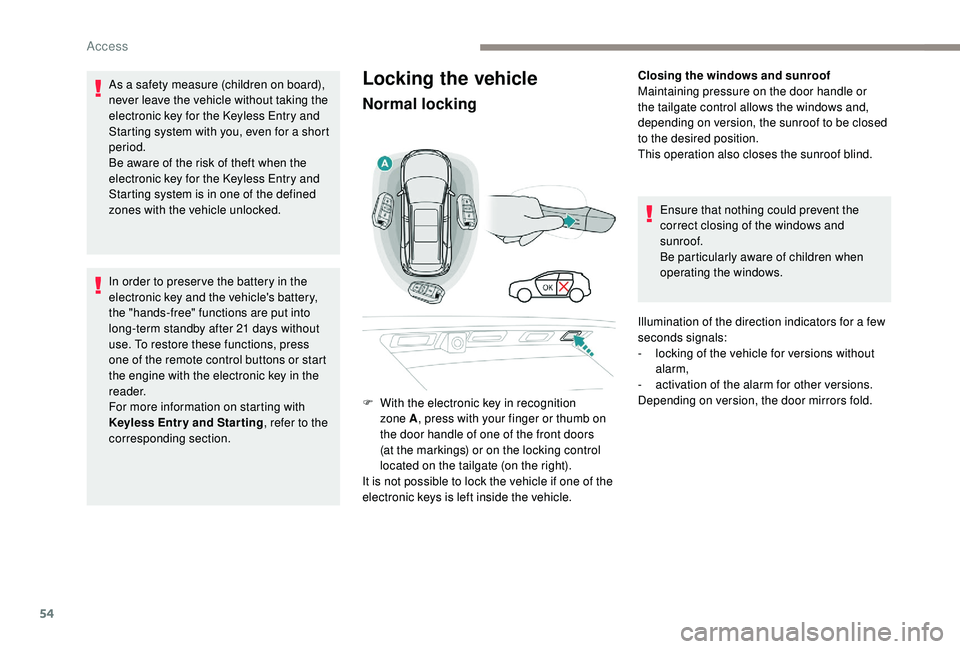
W
ith the electronic key in recognition
zone A , press with your finger or thumb on
the door handle of one of the front doors
(at the markings) or on the locking control
located on the tailgate (on the right).
It is not possible to lock the vehicle if one of the
electronic keys is left inside the vehicle.
As a safety measure (children on board),
never leave the vehicle without taking the
electronic key for the
K
eyless Entry and
Starting system with you, even for a short
period.
Be aware of the risk of theft when the
electronic key for the
K
eyless Entry and
Starting system is in one of the defined
zones with the vehicle unlocked.
In order to preser ve the battery in the
electronic key and the vehicle's battery,
the "hands-free" functions are put into
long-term standby after 21
days without
use. To restore these functions, press
one of the remote control buttons or start
the engine with the electronic key in the
reader.
For more information on starting with
K
eyless Entr y and Star ting , refer to the
corresponding section. Ensure that nothing could prevent the
correct closing of the windows and
sunroof.
Be particularly aware of children when
operating the windows.
Access
Page 59 of 404
57
Back-up procedures
Complete unlocking /
locking of the vehicle with
the key
These procedures should be used in the
following cases:
-
r
emote control cell battery flat,
-
r
emote control fault,
-
v
ehicle in an area subject to strong
electromagnetic interference.
In the first case, you can also replace the
remote control cell battery.
Refer to the corresponding section.
In the second case, you can also reinitialise the
remote control.
Refer to the corresponding section.
Unlocking
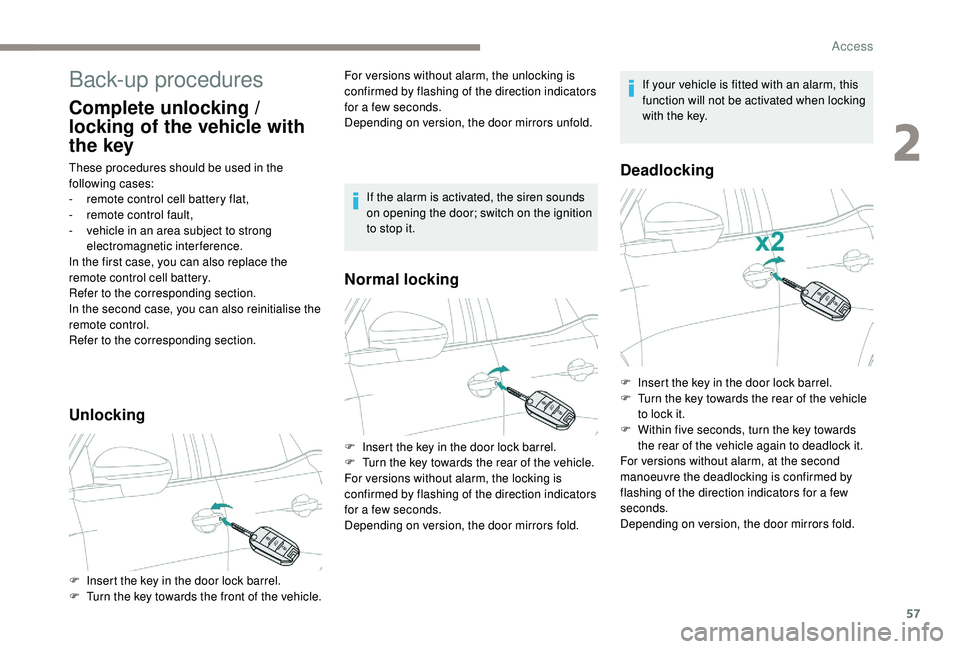
F Insert the key in the door lock barrel.
F T urn the key towards the front of the vehicle. For versions without alarm, the unlocking is
confirmed by flashing of the direction indicators
for a few seconds.
Depending on version, the door mirrors unfold.
Normal locking
Deadlocking
F Insert the key in the door lock barrel.
F
T urn the key towards the rear of the vehicle.
For versions without alarm, the locking is
confirmed by flashing of the direction indicators
for a few seconds.
Depending on version, the door mirrors fold. If the alarm is activated, the siren sounds
on opening the door; switch on the ignition
to stop it.
If your vehicle is fitted with an alarm, this
function will not be activated when locking
with the key.
F
I
nsert the key in the door lock barrel.
F
T
urn the key towards the rear of the vehicle
to lock it.
F
W
ithin five seconds, turn the key towards
the rear of the vehicle again to deadlock it.
For versions without alarm, at the second
manoeuvre the deadlocking is confirmed by
flashing of the direction indicators for a few
seconds.
Depending on version, the door mirrors fold.
2
Access
Page 60 of 404
58
Reinitialising the remote
control
Following replacement of the battery or in
the event of a remote control fault, it may be
necessary to reinitialise the remote control.
Without central locking
These procedures should be used in the
following cases:
-
c
entral locking fault,
-
b
attery disconnected or discharged.
Driver's door
F Turn the key towards the rear of the vehicle to lock it, or towards the front to unlock it.
Passenger doors
Unlocking a door
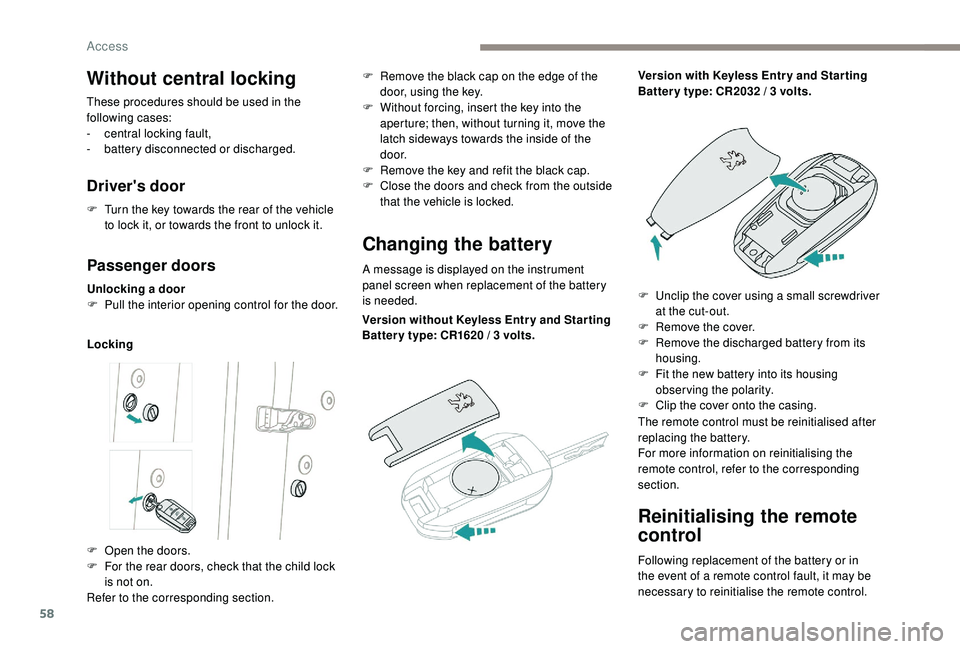
F P ull the interior opening control for the door.
Locking
Changing the battery
A message is displayed on the instrument
panel screen when replacement of the battery
is needed.
F
O
pen the doors.
F
F
or the rear doors, check that the child lock
is not on.
Refer to the corresponding section. F
R
emove the black cap on the edge of the
door, using the key.
F
W
ithout forcing, insert the key into the
aperture; then, without turning it, move the
latch sideways towards the inside of the
d o o r.
F
R
emove the key and refit the black cap.
F
C
lose the doors and check from the outside
that the vehicle is locked.
Version without
K
eyless Entr y and Star ting
Batter y type: CR1620
/ 3 volts.Version with
K
eyless Entr y and Star ting
Batter y type: CR2032 / 3 volts.
F
U
nclip the cover using a small screwdriver
at the cut-out.
F
R
emove the cover.
F
R
emove the discharged battery from its
housing.
F
F
it the new battery into its housing
observing the polarity.
F
C
lip the cover onto the casing.
The remote control must be reinitialised after
replacing the battery.
For more information on reinitialising the
remote control, refer to the corresponding
section.
Access
Page 62 of 404
60
Anti-intrusion security
Operation
If one of the doors or the boot is open, the
automatic central locking does not take place.This is signalled by the sound of
the locks rebounding, accompanied
by illumination of this symbol in the
instrument panel, an audible signal
and the display of an alert message.
Carrying long or voluminous objects
If you want to drive with the boot open, you
should press the central locking button
to lock the doors. Other wise, every time
the speed of the vehicle exceeds 6
mph
(10
km/h), the locks will rebound and the
alerts mentioned above will appear.
Pressing the central locking button
unlocks the vehicle.
Above 6
mph (10 km/h), this unlocking is
te m p o r a r y.
This system allows automatic simultaneous
locking of the doors and boot as soon as the
speed of the vehicle exceeds 6
mph (10 km/h).
Unlocking
Central locking
This function allows the doors and boot to be
locked or unlocked simultaneously from inside
the vehicle.
Manual mode
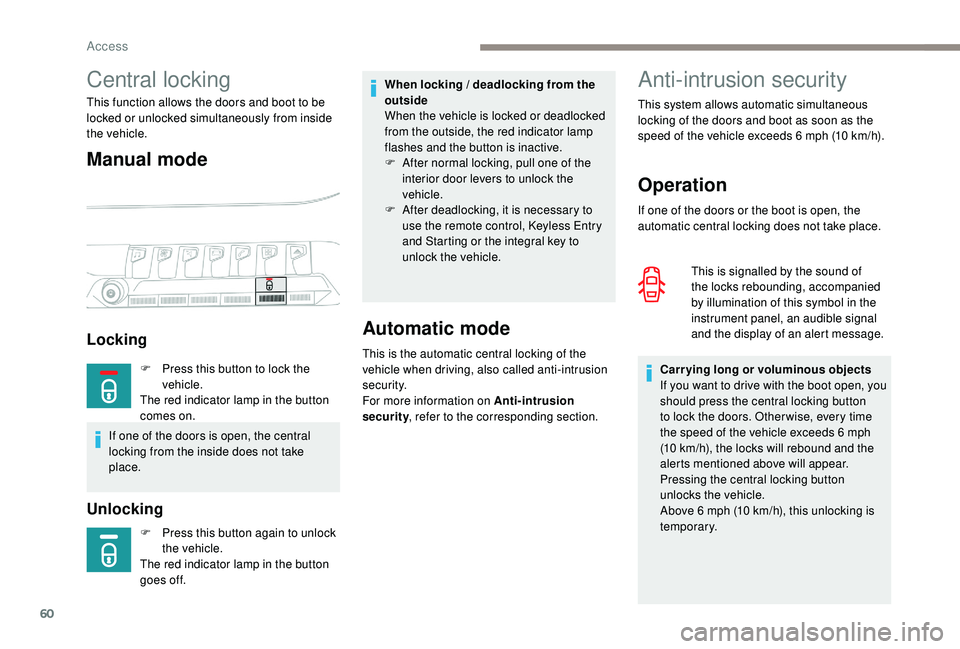
Locking
F Press this button again to unlock
the vehicle.
The red indicator lamp in the button
goes off.
Automatic mode
This is the automatic central locking of the
vehicle when driving, also called anti-intrusion
s e c u r i t y.
For more information on Anti-intrusion
security , refer to the corresponding section.
When locking / deadlocking from the
outside
When the vehicle is locked or deadlocked
from the outside, the red indicator lamp
flashes and the button is inactive.
F
A
fter normal locking, pull one of the
interior door levers to unlock the
vehicle.
F
A
fter deadlocking, it is necessary to
use the remote control,
K
eyless Entry
and Starting or the integral key to
unlock the vehicle.
F
P
ress this button to lock the
vehicle.
The red indicator lamp in the button
comes on.
If one of the doors is open, the central
locking from the inside does not take
place.
Access
Page 63 of 404
61
Activation / Deactivation
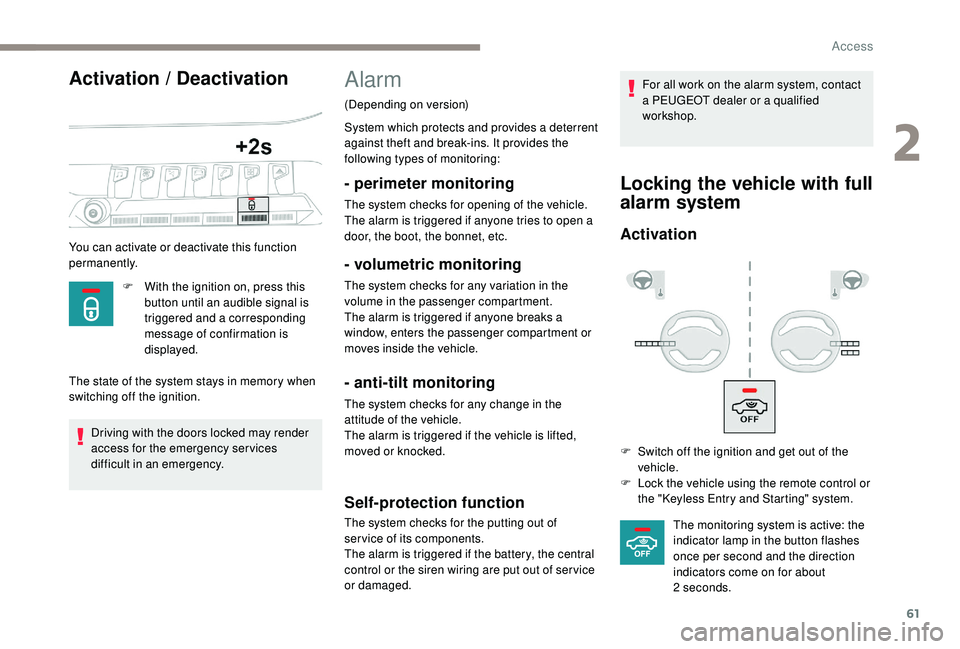
You can activate or deactivate this function
permanently.F
W
ith the ignition on, press this
button until an audible signal is
triggered and a corresponding
message of confirmation is
displayed.
The state of the system stays in memory when
switching off the ignition.
Driving with the doors locked may render
access for the emergency services
difficult in an emergency.
Alarm
(Depending on version)
System which protects and provides a deterrent
against theft and break-ins. It provides the
following types of monitoring:
- perimeter monitoring
The system checks for opening of the vehicle.
The alarm is triggered if anyone tries to open a
door, the boot, the bonnet, etc.
- volumetric monitoring
The system checks for any variation in the
volume in the passenger compartment.
The alarm is triggered if anyone breaks a
window, enters the passenger compartment or
moves inside the vehicle.
- anti-tilt monitoring
The system checks for any change in the
attitude of the vehicle.
The alarm is triggered if the vehicle is lifted,
moved or knocked.
Self-protection function
The system checks for the putting out of
ser vice of its components.
The alarm is triggered if the battery, the central
control or the siren wiring are put out of ser vice
or damaged. For all work on the alarm system, contact
a PEUGEOT dealer or a qualified
workshop.
Locking the vehicle with full
alarm system
Activation
F Switch off the ignition and get out of the
vehicle.
F
L
ock the vehicle using the remote control or
the "
K
eyless Entry and Starting" system.The monitoring system is active: the
indicator lamp in the button flashes
once per second and the direction
indicators come on for about
2
seconds.
2
Access