Page 122 of 392
120
308_en_Chap05_securite_ed01-2016
PEUGEOT Connect Assistance
If you purchased your vehicle outside
the PeugeOt dealer network, we
invite you to have a dealer check the
configuration of these services and, if
desired, modified to suit your wishes.
In a multi-lingual country, configuration
is possible in the official national
language of your choice.
For technical reasons and in particular
to improve the quality of "P
e
uge
Ot
CONN
eCt
services" services to
customers, the manufacturer reserves
the right to carry out updates to the
vehicle's on-board telematic system.
A fault with the system does not
prevent the vehicle being driven. Press this button for more than
2
seconds to request assistance
if the vehicle breaks down.
A voice message confirms that
the call has been made**.
Pressing this button again immediately cancels
the request.
th
e cancellation is confirmed by a voice
message.
th
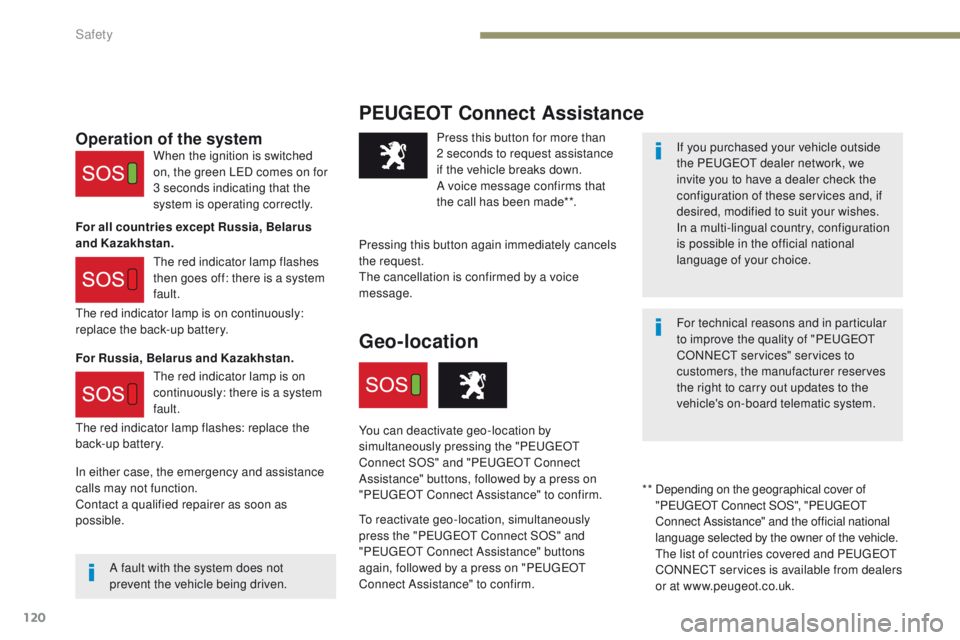
e red indicator lamp is on continuously:
replace the back-up battery.
th
e red indicator lamp flashes: replace the
back-up battery.Operation of the system
For all countries except Russia, Belarus
and Kazakhstan.
For Russia, Belarus and Kazakhstan. When the ignition is switched
on, the green L
eD c
omes on for
3 seconds indicating that the
system is operating correctly.
th
e red indicator lamp flashes
then goes off: there is a system
fault.
th
e red indicator lamp is on
continuously: there is a system
fault.
* *
D
epending on the geographical cover of
"P
e
uge
Ot
Connect SOS", "P
e
uge
Ot
C
onnect Assistance" and the official national
language selected by the owner of the vehicle.
th
e list of countries covered and P
e
uge
Ot
CONN
eCt
services is available from dealers
or at www.peugeot.co.uk.
Geo-location
You can deactivate geo-location by
simultaneously pressing the "Pe ugeOt
C
onnect SOS" and "P
e
uge
Ot
Connect
Assistance" buttons, followed by a press on
"P
e
uge
Ot
Connect Assistance" to confirm.
to
reactivate geo-location, simultaneously
press the "P
e
uge
Ot
Connect SOS" and
"P
e
uge
Ot
Connect Assistance" buttons
again, followed by a press on "P
e
uge
Ot
Connect Assistance" to confirm.
In either case, the emergency and assistance
calls may not function.
Contact a qualified repairer as soon as
possible.
Safety
Page 177 of 392
175
308_en_Chap06_conduite_ed01-2016
Switching on / Pause
F turn the thumbwheel 1 to the "LIMIT"
position: the speed limiter mode is selected
but is not switched on (Pause).
F
S
witch the speed limiter back on by
pressing button 4 , if the speed displayed
is suitable (by default, the last speed
programmed).
F
Y
ou can temporarily stop the speed limiter
by pressing button 4 again: the display
confirms that it has been stopped (Pause). You do not have to switch the speed limiter on
in order to set the speed.
Once the function is selected, you can modify
the speed setting by:
-
u
sing buttons 2 and 3, increasing or
decreasing the speed displayed:
F
b
y successive short presses, to modify
by + or - 1 mph (1 km/h),
F
b
y a maintained press, to modify in steps
of + or - 5 mph (5 km/h). -
p ressing button 5
:
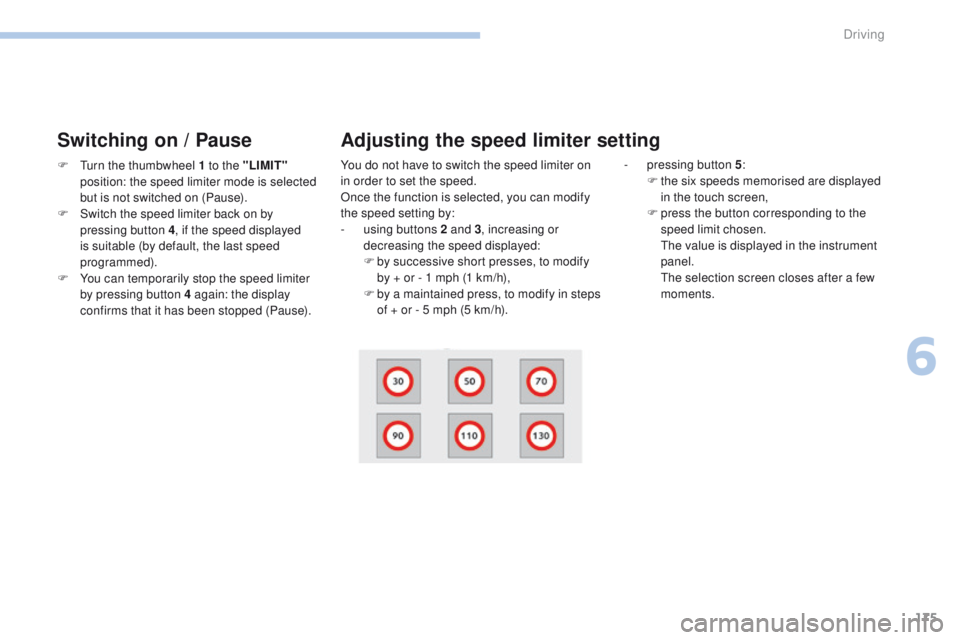
F t he six speeds memorised are displayed
in the touch screen,
F
p
ress the button corresponding to the
speed limit chosen.
t
h
e value is displayed in the instrument
panel.
t
h
e selection screen closes after a few
moments.
Adjusting the speed limiter setting
6
Driving
Page 180 of 392

178
308_en_Chap06_conduite_ed01-2016
Switching on / Pause
If the cruise control is switched on, you can then
modify the cruise speed in one of the following ways:
- using buttons 2 or 3:
F b y successive short presses, to modify
the speed by + or - 1 mph (km/h),
F
b
y a long press, to modify the speed in
steps of + or - 5 mph (km/h),
Exceeding the programmed
speed
F turn wheel 1 to the "CRUISE" position: the
cruise control mode is selected but is not
switched on (Pause).
F
P
ress button 2 or 3 : your vehicle's current
speed becomes the cruise speed.
th
e cruise control is activated (ON).
Modification of the cruise
speed setting
- pressing button 5 :
F t he six memorised speeds are displayed
in the the touch screen,
F
c
hoose a value: it is displayed in the
instrument panel.
t
h
e selection screen closes after a few
moments.
t
he
modification is then accepted. If the programmed speed is exceeded, the
displayed speed flashes.
Once the vehicle returns to the programmed
speed, the display becomes steady again.
Switching off
F turn wheel 1 to the "0"
position.
th e display of information related to the
cruise control disappears.
Once switched on, you can pause the cruise
control at any time by pressing button 4: the
screen confirms the pause.
Driving
Page 181 of 392
179
308_en_Chap06_conduite_ed01-2016
When the cruise control is switched on,
be careful if you maintain the pressure
on one of the programmed speed
changing buttons: this may result in a
very rapid change in the speed of your
vehicle.
Do not use the cruise control on
slippery roads or in heavy traffic.
On a steep descent, the cruise control
will not be able to prevent the vehicle
from exceeding the programmed speed.
On steep climbs or when towing, the
programmed speed may not be reached
or maintained.
th
e use of mats not approved by
P
e
uge
Ot
may inter fere with the
operation of the cruise control.
to a
void any risk of jamming of the
pedals:
-
e
nsure that the mat is secured
c o r r e c t l y,
-
n
ever fit one mat on top of another.
Flashing of the dashes indicates a fault with the
cruise control.
Have it checked by a P
e
uge
Ot
dealer or a
qualified workshop.Operating fault
6
Driving
Page 184 of 392

182
308_en_Chap06_conduite_ed01-2016
the dynamic cruise control must be selected in
the "Driving assistance " menu.
F
t
u
rn the wheel 1 to the " CRUISE" position:
cruise control mode is selected, but not
started (Pause).
F
P
ress one of the buttons 2 or 3 : the current
speed of your vehicle becomes the cruise
speed setting.
th
e cruise control is activated (ON).
By default, the inter-vehicle time is set at
2
seconds.
Otherwise, the last setting made will be used
when switching on the system.
Switching on
6. Indication of cruise control pause / resume.
7. Indication of selection of cruise control mode,
or
vehicle speed adjustment phase.
8. P rogrammed speed setting.
Displays in the instrument panelModification of the cruise
speed
Buttons 2 and 3
If the cruise control is on, you can modify the
speed:
F
b
y successive short presses, to modify in
steps of + or - 1 mph (km/h),
F
b
y a maintained press, to modify in steps
of
+ or - 5 mph (km/h).
As a precaution, it is recommended that you
select a cruise speed setting close to the
current speed of your vehicle.
Driving
Page 188 of 392

186
308_en_Chap06_conduite_ed01-2016
In the event of a fault with the dynamic cruise
control, you are alerted by an audible signal
and display of the message message "Driving
aid functions fault".
Have the system checked by a P
e
uge
Ot
dealer or a qualified workshop. When the cruise control is working, take
care if making a maintained press on
one of the cruise control programmed
speed modification buttons: this can
lead to a very quick change in the
speed of your vehicle.
Do not use the dynamic cruise control
on slippery sur faces or in heavy traffic.
When descending a steep hill, the
cruise control may not be able to
prevent the vehicle from exceeding the
programmed speed.
When ascending a steep hill or when
towing, it might not be possible to attain
or maintain the programmed speed.
Operating fault
the operation of the radar, located in
the front bumper, may be disturbed in
certain weather conditions, for example:
with accumulations of snow, ice,
mud,
...
Clean the front bumper, removing the
snow, mud,
...
th
e use of mats not approved by
P
e
uge
Ot
may inter fere with the
operation of the dynamic cruise control.to a void any risk of jamming the pedals:
-
e
nsure that mats are secured
c o r r e c t l y,
-
n
ever fit one mat on top of another.
Driving
Page 213 of 392
211
308_en_Chap06_conduite_ed01-2016
Reinitialisation of the system is done with the
ignition on and the vehicle stationary.
F
C
onfirm the instruction by pressing " Ye s",
an audible signal and a message confirm
the reinitialisation.
Touch screen
the new pressure settings registered
are considered to be reference values
by the system.
Screen C
F Press the MENU button for access to the
main menu.
F
P
ress the " 7" or " 8" buttons to select the
Personalisation-configuration menu,
then confirm by pressing the OK button.
F Select "Under-inflation
initialisation " in the "Driving
assistance " menu of the touch
screen.
F Press the " 5" or " 6" button to select the
Define the vehicle parameters menu,
then confirm by pressing the OK button.
F
P
ress the " 5" or " 6" button to select the
Driving assistance menu, then the Ty r e
pressures menu, then the Reinitialisation
menu, then confirming by pressing the OK
button.
A
n audible signal confirms the
reinitialisation.
6
Driving
Page 298 of 392
296
308_en_Chap10b_SMegplus_ed01-2016
First steps
use the buttons on either side of the touch
screen for access to the menus, then press the
virtual buttons in the touch screen.
ea
ch menu is displayed in one or two pages
(primary page and secondary page).
Secondary page
Primary page In very hot conditions, the system may
go into stand-by (screen and sound
completely off) for a minimum period
of
5 minutes.
Audio and telematics


