Page 231 of 406
Shift lock release
If the battery charge is low or discharged, the
shift lever may not be moved from the P (Park)
position even with the brake pedal depressed
and the shift lever button pressed.
It will be necessary to jump start or have your
battery charged, For additional information, refer
to “Jump starting” in the “In case of emergency”
section of this manual. It is recommended that
you visit a NISSAN dealer or a professional tow-
ing service.To move the shift lever, complete the following
procedure:
1. Push the ignition switch to the LOCK posi- tion.
2. Apply the parking brake.
3. Using a protective cloth on the tip of a small (1/8 inch or 3 mm) flat-head screwdriver,
remove the shift lock release cover.
● If available, a plastic trim tool can also be
used.
4. Insert the car key into the shift lock release slot and press straight down. A small screw-
driver or small trim tool may also be used.
● For additional information, refer to
“NISSAN Intelligent Key®” in the “Pre-
driving checks and adjustments” section
of this manual.
5. Move the shift lever to the N (Neutral) posi- tion while holding down the shift lock re-
lease.
6. Push the ignition switch to the ON position to unlock the steering wheel. Now the ve-
hicle may be moved to the desired location. If the shift lever cannot be moved out of P (Park) ,
have the transmissions checked as soon as pos-
sible. It is recommended that you visit a NISSAN
dealer for this service.
CAUTION
Make sure to take extra care during the
removal of the shift lock cap as this part is
easily damaged.
WARNING
If the shift lever cannot be moved from the
P (Park) position while the engine is run-
ning and the brake pedal is depressed, the
stop lights may not work. Malfunctioning
stop lights could cause an accident injur-
ing yourself and others.
Accelerator downshift
— in D (Drive) position and manual
shift mode
For passing or hill climbing, depress the accel-
erator pedal to the floor. This shifts the transmis-
sion down into lower range, depending on the
vehicle speed.
LSD2360
5-20Starting and driving
Page 233 of 406
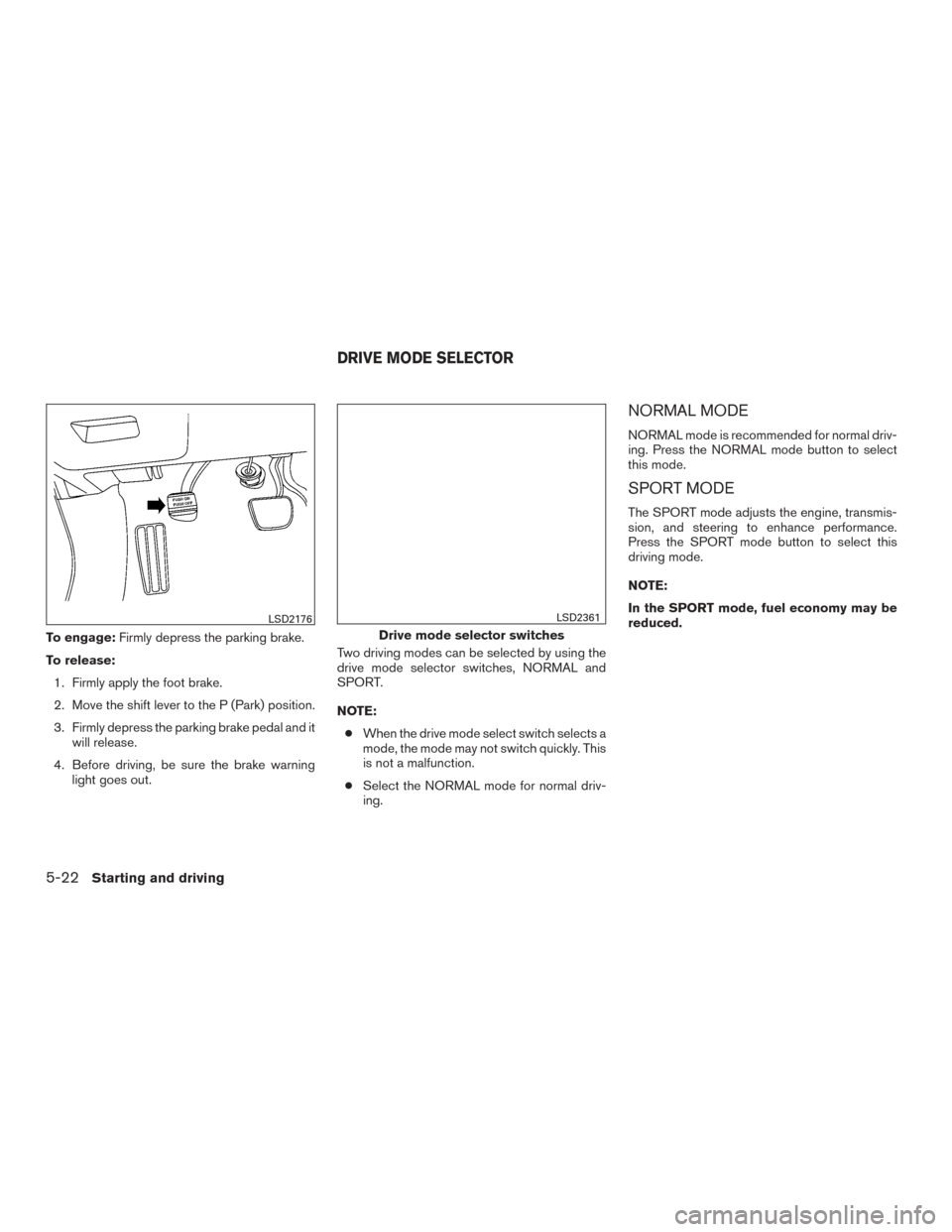
To engage:Firmly depress the parking brake.
To release: 1. Firmly apply the foot brake.
2. Move the shift lever to the P (Park) position.
3. Firmly depress the parking brake pedal and it will release.
4. Before driving, be sure the brake warning light goes out. Two driving modes can be selected by using the
drive mode selector switches, NORMAL and
SPORT.
NOTE:
● When the drive mode select switch selects a
mode, the mode may not switch quickly. This
is not a malfunction.
● Select the NORMAL mode for normal driv-
ing.
NORMAL MODE
NORMAL mode is recommended for normal driv-
ing. Press the NORMAL mode button to select
this mode.
SPORT MODE
The SPORT mode adjusts the engine, transmis-
sion, and steering to enhance performance.
Press the SPORT mode button to select this
driving mode.
NOTE:
In the SPORT mode, fuel economy may be
reduced.
LSD2176
Drive mode selector switches
LSD2361
DRIVE MODE SELECTOR
5-22Starting and driving
Page 256 of 406
THE ICC SWITCH
The system is operated by the
CRUISE
switch and four control switches,
all mounted on the steering wheel.
1. DISTANCE switch:
Changes the vehicle’s following distance:
● Long
● Middle
● Short 2.
RES+ switch:
Resumes set speed or increases speed in-
crementally.
3. CANCEL switch:
Deactivates the system without erasing the
set speed.
4. SET– switch:
Sets desired cruise speed or reduces speed
incrementally.
5. CRUISE
switch:
Master switch to activate the system.
The ICC system display and indicators
The display is located between the speedometer
and tachometer.
1. CRUISE
switch indicator:
● ICC system ON indicator (white): In-
dicates that the CRUISE
switch is
ON.
● ICC system SET indicator (green):
Indicates that the cruising speed is set.
● ICC system warning (orange): Indi-
cates that if there is a malfunction in the
ICC system.
LSD2433LSD2285
Starting and driving5-45
Page 261 of 406
Approach warning
If your vehicle comes closer to the vehicle ahead
due to rapid deceleration of that vehicle or if
another vehicle cuts in, the system warns the
driver with the chime and ICC system display.
Decelerate by depressing the brake pedal to
maintain a safe vehicle distance if:● The chime sounds.
● The vehicle ahead detection indicator blinks.
The warning chime may not sound in some cases
when there is a short distance between vehicles.
Some examples are: ● When the vehicles are traveling at the same
speed and the distance between vehicles is
not changing.
● When the vehicle ahead is traveling faster
and the distance between vehicles is in-
creasing.
● When a vehicle cuts in near your vehicle.
The warning chime will not sound when: ● The vehicle approaches other vehicles that
are parked or moving slowly.
● The accelerator pedal is depressed, overrid-
ing the system. NOTE:
The approach warning chime may sound
and the system display may blink when the
ICC sensor detects objects on the side of
the vehicle or on the side of the road. This
may cause the ICC system to decelerate or
accelerate the vehicle. The ICC sensor may
detect these objects when the vehicle is
driven on winding roads, narrow roads, hilly
roads, or when entering or exiting a curve.
In these cases you will have to manually
control the proper distance ahead of your
vehicle.
Also, the radar sensor sensitivity can be affected
by vehicle operation (steering maneuver or driv-
ing position in the lane) or traffic or vehicle con-
dition (for example, if a vehicle is being driven with
some damage) .
5-50Starting and driving
Page 264 of 406
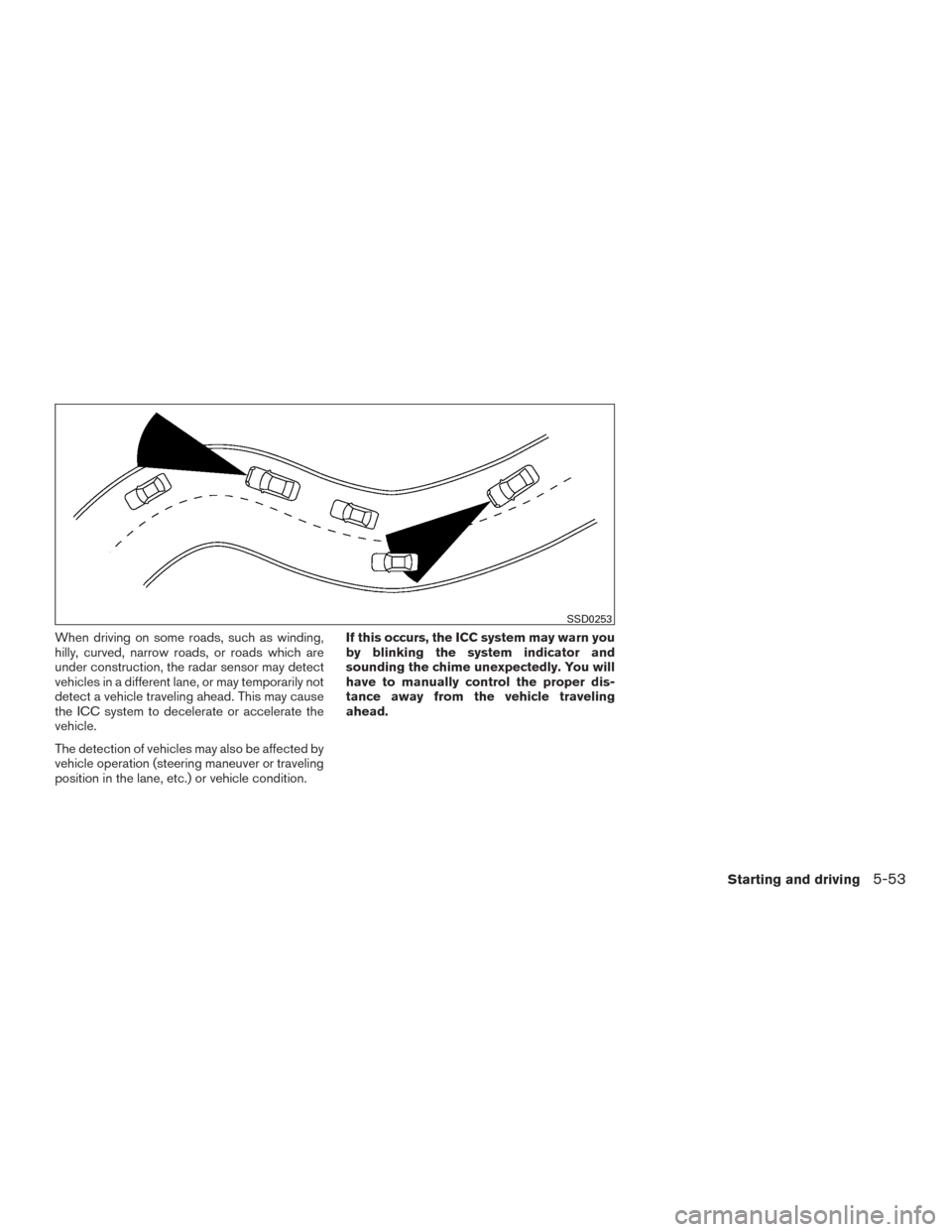
When driving on some roads, such as winding,
hilly, curved, narrow roads, or roads which are
under construction, the radar sensor may detect
vehicles in a different lane, or may temporarily not
detect a vehicle traveling ahead. This may cause
the ICC system to decelerate or accelerate the
vehicle.
The detection of vehicles may also be affected by
vehicle operation (steering maneuver or traveling
position in the lane, etc.) or vehicle condition.If this occurs, the ICC system may warn you
by blinking the system indicator and
sounding the chime unexpectedly. You will
have to manually control the proper dis-
tance away from the vehicle traveling
ahead.
SSD0253
Starting and driving5-53
Page 270 of 406
NOTE:
The vehicle’s brake lights come on when
braking is performed by the forward emer-
gency braking system.
Depending on vehicle speed and distance to the
vehicle ahead, as well as driving and roadway
conditions, the system may help the driver avoid a
forward collision or may help mitigate the conse-
quences of a collision, should one be unavoid-
able. If the driver is handling the steering wheel,
accelerating or braking, the FEB system will func-
tion later or will not function.
The automatic braking will cease under the fol-
lowing conditions:● When the steering wheel is turned as far as
necessary to avoid a collision.
● When the accelerator pedal is depressed.
● When there is no longer a vehicle detected
ahead.
If the FEB system has stopped the vehicle, the
vehicle will remain at a standstill for approximately
2 seconds before the brakes are released.
LSD2412
Starting and driving5-59
Page 284 of 406
The system monitors driving style and steering
behavior over a period of time, and it detects
changes from the normal pattern. If the system
detects that driver attention is decreasing over a
period of time, the system uses audible and visual
warnings to suggest that the driver take a break.
DRIVER ATTENTION ALERT SYSTEM
OPERATION
If the system detects driver fatigue or that driver
attention is decreasing, the message “Take a
break?” appears in the vehicle information display
and a chime sounds when the vehicle is driven at
speeds above 37 mph (60 km/h).
The system continuously monitors driver atten-
tion and can provide multiple warnings per trip.
The system resets and starts reassessing driving
style and steering behavior when the ignition
switch is cycled from on to off and back on.
LSD2379
Starting and driving5-73
Page 290 of 406
WARNING
●If the engine is not running or is turned
off while driving, the power assist for
the steering will not work. Steering will
be harder to operate.
● When the power steering warning light
illuminates with the engine running,
there will be no power assist for the
steering. You will still have control of
the vehicle but the steering will be
harder to operate. Have the power
steering system checked. It is recom-
mended that you visit a NISSAN dealer
for this service.
The power steering system is designed to pro-
vide power assist while driving to operate the
steering wheel with light force.
When the steering wheel is operated repeatedly
or continuously while parking or driving at a very
low speed, the power assist for the steering
wheel will be reduced. This is to prevent over-
heating of the power steering system and protect
it from getting damaged. While the power assist
is reduced, steering wheel operation will become
heavy. If the steering wheel operation is still per-
formed, the power steering may stop and the
power steering warning light will illuminate. In a
safe location, stop the engine and push the igni- tion switch to the OFF position. The temperature
of the power steering system will go down after a
period of time and the power assist level will
return to normal after starting the engine. The
power steering warning light will go off. Avoid
repeating such steering wheel operations that
could cause the power steering system to over-
heat.
You may hear a noise from the front of the vehicle
when the steering wheel is operated. This is a
normal operational noise and is not a malfunction.
If the electric power steering warning light illumi-
nates while the engine is running, it may indicate
the power steering system is not functioning
properly and may need servicing. Have the power
steering system checked. It is recommended that
you visit a NISSAN dealer for this service.
When the electric power steering warning light
illuminates with the engine running, there will be
no power assist for the steering but you will still
have control of the vehicle. At this time, greater
steering effort is required to operate the steering
wheel, especially in sharp turns and at low
speeds.
The brake system has two separate hydraulic
circuits. If one circuit malfunctions, you will still
have braking at two wheels.
BRAKE PRECAUTIONS
Vacuum assisted brakes
The brake booster aids braking by using engine
vacuum. If the engine stops, you can stop the
vehicle by depressing the brake pedal. However,
greater foot pressure on the brake pedal will be
required to stop the vehicle and stopping dis-
tance will be longer.
Using the brakes
Avoid resting your foot on the brake pedal while
driving. This will overheat the brakes, wear out the
brake pads faster, and reduce gas mileage.
To help reduce brake wear and to prevent the
brakes from overheating, reduce speed and
downshift to a lower gear before going down a
slope or long grade. Overheated brakes may
reduce braking performance and could result in
loss of vehicle control.
POWER STEERING
BRAKE SYSTEM
Starting and driving5-79