2017 NISSAN JUKE audio
[x] Cancel search: audioPage 2 of 28
2
3
14
5
9
16
13
1718
19
20
21
14
15
12
11
7
6
8
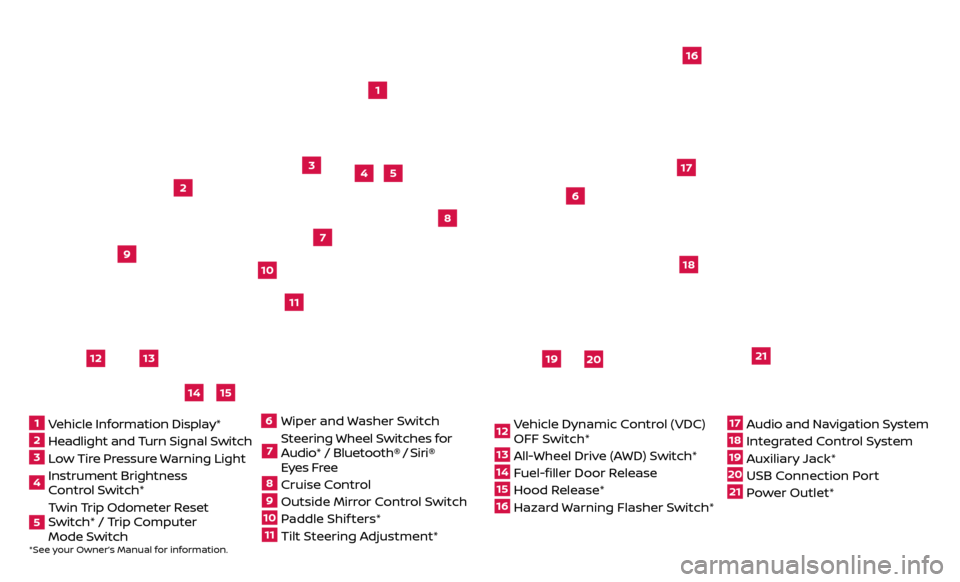
*See your Owner’s Manual for information.1 Vehicle Information Display*2 Headlight and Turn Signal Switch3 Low Tire Pressure Warning Light4 Instrument Brightness
Control Switch*5 Twin Trip Odometer Reset
Switch* / Trip Computer
Mode Switch
Wiper and
Washer Switch7 Steering Wheel Switches for
Audio* / Bluetooth®
/ Siri®
Eyes Free
8 Cruise Control9 Outside Mirr or Control Switch10 Paddle Shif ters*11 Tilt Steering Adjustment*
12 Vehicle Dynamic Control (VDC)
OFF Switch*13 All-Wheel Drive (AWD) Switch*14 Fuel-filler Door Release15 Hood Release*16 Hazard Warning Flasher Switch*
17 Audio and Navigation System18 Integrated Control System19 Auxiliary Jack*20 USB Connection Port21 Power Outlet*
610
Page 3 of 28
NEW SYSTEM FEATURESAround View® Monitor (AVM) with Moving Object Detection (MOD) (if so equipped)..2
SiriusXM Travel Link and SiriusXM Traffic (if so equipped) .............................4
Siri® E
yes Free
........................................................................\
..4
ESSENTIAL INFORMATIONFuel Efficient Driving ...................................................................5
Tir e Pressure Monitoring System (TPMS) ..............................................5
L
oose Fuel Cap
........................................................................\
.6
F
uel-filler Door .......................................................................\
..
6
T
owing Your Vehicle
....................................................................6
USB (Universal Serial Bus) Connection Port/Aux Jack and iPod® Interface
...........
7
Set
ting Display Brightness and Button Brightness
....................................7
Clock Set/A
djustment .................................................................
7
FIRST DRIVE FEATURESNissan Intelligent Key® System ........................................................9
Lif tgate Release.......................................................................10
He
ated Seats (if so equipped)
.........................................................10
Outside Mirr
or Control Switch .........................................................
11
S
tarting/Stopping the Engine .........................................................
11
He
adlight Control Switch .............................................................
12
Wiper and
Washer Switch
.............................................................13
He
ater and Air Conditioner (automatic) (with Integrated Control System)
(if so equipped)
........................................................................\
14
Driv
e Mode (with Integrated Control System) (if so equipped) .......................
15
FM/AM/SiriusXM® Satel
lite Radio with CD Player (if so equipped)
....................16
Cruise C
ontrol
........................................................................\
.17
Se
at Adjustments
.....................................................................17
SYSTEM GUIDE
Trip Computer .......................................................................\
.18
T ext Messaging .......................................................................\
18
NissanC
onnect
SM Mobile Apps (if so equipped).......................................19
Bluetooth® Hands-free Phone System ...............................................20
• S
ystem Operating Tips ...........................................................
20
Bluetooth® S
ystem without Navigation (if so equipped) .............................
20
Bluetooth® S
ystem with Navigation (if so equipped)
.................................22
Na
vigation System (if so equipped)
...................................................24
TABLE OF CONTENTS
Additional information about your vehicle is also available in your Owner’s Manual,
Navigation System Owner’s Manual and at www.NissanUSA.com.
Please see your Owner’s Manual for important safety information and system operation limitations.
• A c ellular telephone should not be used for any purpose while driving so full attention may be
given to vehicle operation.
•
A
lways wear your seat belt.
•
Supplemental air bags do not r
eplace proper seat belt usage.
•
Childr
en 12 and under should always ride in the rear seat properly secured in child restraints or
seat belts according to their age and weight.
•
Do not drink and driv
e.
F
or more information, refer to the “Safety — Seats, seat belts and supplemental restraint
system (section 1)”, the “Heater, air conditioner, audio and phone systems (section 4)” and the
“Starting and driving (section 5)” of your Owner’s Manual.
Page 5 of 28
3
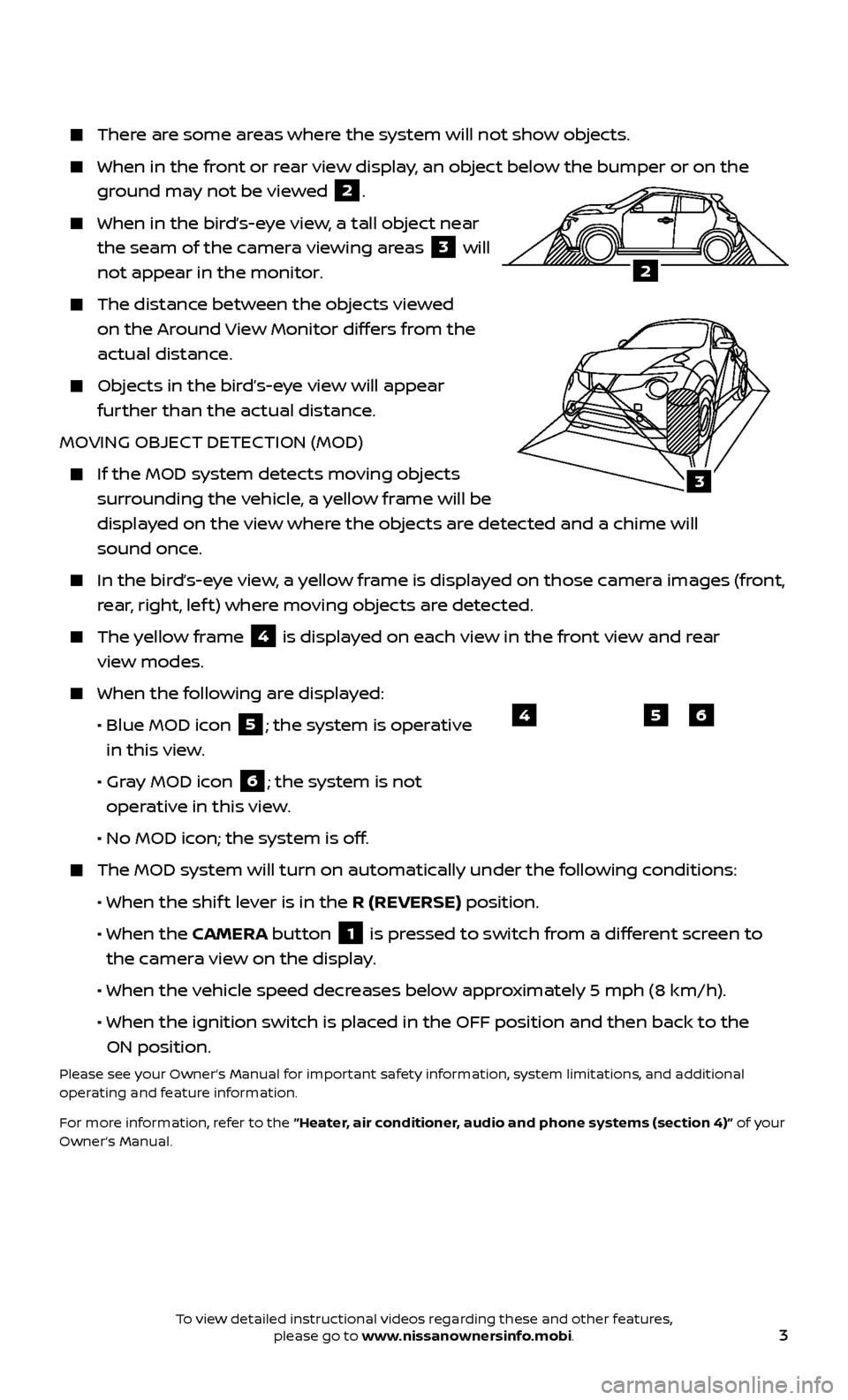
There are some areas where the system will not show objects.
When in the front or rear view display, an object below the bumper or on the
ground may not be viewed
2.
When in the bird’s-eye view, a tall object near
the seam of the camera viewing areas
3 will
not appear in the monitor.
The distanc e between the objects viewed
on the Around View Monitor differs from the
actual distance.
Objects in the bird’s-eye view will appear further than the actual distance.
MOVING OBJECT DETECTION (MOD)
If the MOD system detec ts moving objects
surrounding the vehicle, a yellow frame will be
displayed on the view where the objects are detected and a chime will
sound once.
In the bir d’s-eye view, a yellow frame is displayed on those camera images (front,
rear, right, lef t) where moving objects are detected.
The yellow frame 4 is displayed on each view in the front view and rear
view modes.
When the f ollowing are displayed:
•
Blue MOD ic
on
5; the system is operative
in this view.
•
Gr
ay MOD icon
6; the system is not
operative in this view.
•
No MOD ic
on; the system is off.
The MOD system wil l turn on automatically under the following conditions:
•
When the shif
t lever is in the R (REVERSE) position.
•
When the CAMERA button
1 is pressed to switch from a different screen to
the camera view on the display.
• When the v
ehicle speed decreases below approximately 5 mph (8 km/h).
• When the ignition switch is plac
ed in the OFF position and then back to the
ON position.
Please see your Owner’s Manual for important safety information, system limitations, and additional
operating and feature information.
For more information, refer to the “Heater, air conditioner, audio and phone systems (section 4)” of your
Owner’s Manual.
654
3
2
To view detailed instructional videos regarding these and other features, please go to www.nissanownersinfo.mobi.
Page 6 of 28
4
SiriusXM TRAVEL LINK AND SiriusXM
TRAFFIC (if so equipped)
Your vehicle’s Navigation System is equipped with SiriusXM Travel Link and SiriusXM
Traffic capabilities.
SiriusXM Travel Link provides access to real-
time weather information and forecasts,
nearby fuel prices, movie listings, sports
scores and stock quotes.
SiriusXM Traffic provides information that
may help to avoid delays due to traffic
incidents. Traffic jams, roadwork, road
closures around the current location, etc.,
are represented graphically on the map by
icons depicting the nature of the event. Incidents on the route are automatically
displayed as they are approached.
Please see your Owner’s Manual for important safety information, system limitations, and additional
operating and feature information.
For more information, refer to the “Navigation (section 4)” and the “General system information
(section 6)” of your Navigation System Owner’s Manual.
NEW SYSTEM FEATURES
SIRI® EYES FREE
If you have a compatible iPhone® with Siri®, you can link your iPhone® to the Siri® Eyes Free
function in your vehicle’s Bluetooth® System.
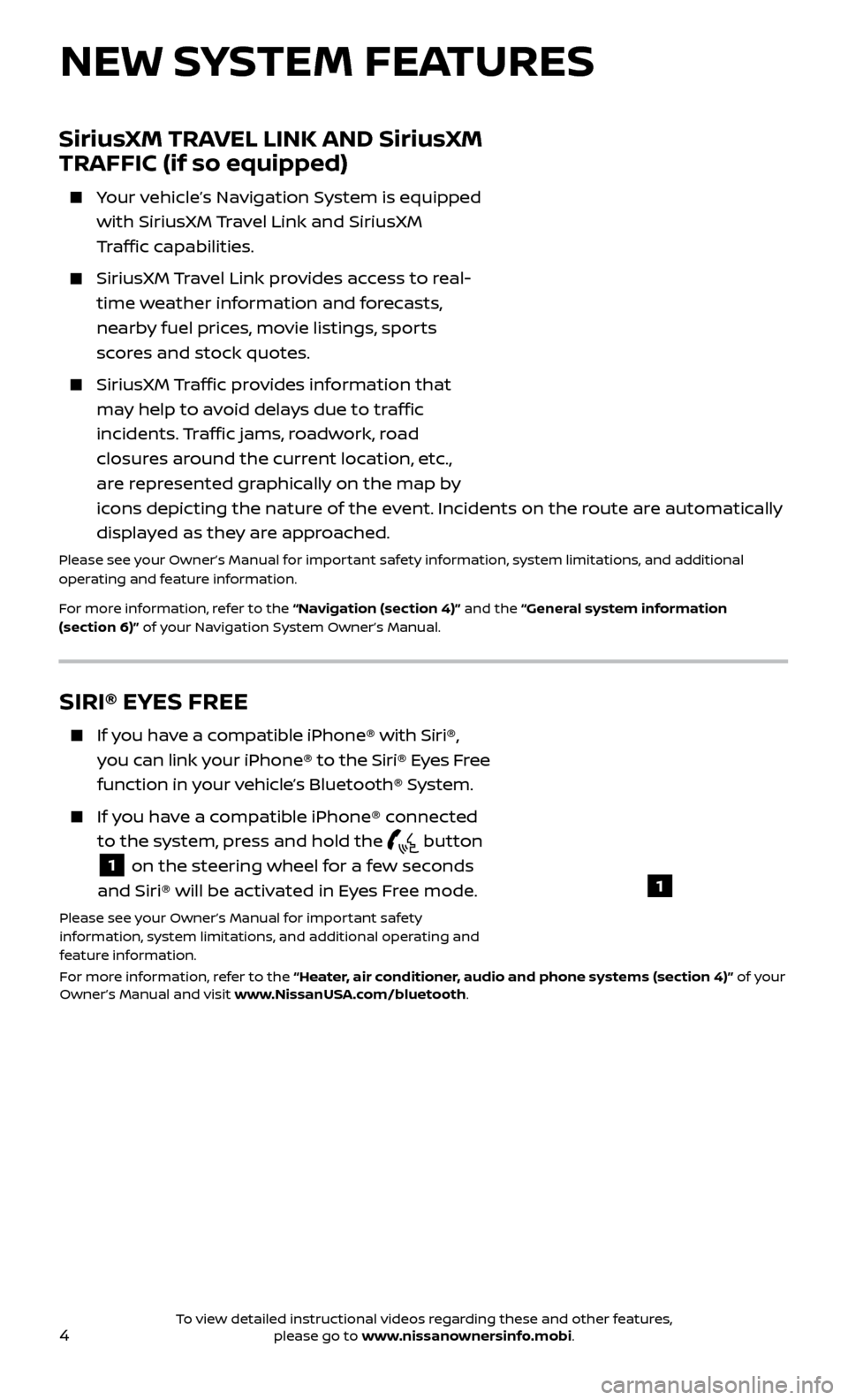
If you have a compatible iPhone® connected to the system, press and hold the
button
1 on the steering wheel for a few seconds
and Siri® will be activated in Eyes Free mode.
Please see your Owner’s Manual for important safety
information, system limitations, and additional operating and
feature information.
For more information, refer to the “Heater, air conditioner, audio and phone systems (section 4)” of your
Owner’s Manual and visit www.NissanUSA.com/bluetooth.
1
To view detailed instructional videos regarding these and other features, please go to www.nissanownersinfo.mobi.
Page 9 of 28
7
USB (Universal Serial Bus) CONNECTION PORT/AUX JACK AND
iPod® INTERFACE
The USB port/Aux jack 1 is located
underneath the climate controls.
When a c ompatible USB memory device, iPod®
or auxiliary device is plugged into
the USB port/Aux jack, compatible
audio files stored on the device can
be played through the vehicle’s
audio system.
Please see your Owner’s Manual for important safety information, system limitations, and additional
operating and feature information.
For more information, refer to the “Heater, air conditioner, audio and phone systems
(section 4)” of your Owner’s Manual.
1
CLOCK SET/ADJUSTMENT
FM/AM RADIO WITH COMPACT DISC (CD) PLAYER (if so equipped) AND FM/AM/SAT
RADIO WITH COMPACT DISC (CD) PLAYER (if so equipped)
1.
Pr
ess the ENTER/SETTING button
1 to
show the “Settings” screen on the display.
2.
Turn the TUNE/SCROLL knob
2 to
highlight “Clock Adjust”.
3.
Pr
ess the ENTER/SETTING button
1 to
highlight the hours or minutes and use the
TUNE/SCROLL knob
2 to adjust the value.
4.
Pr
ess the ENTER/SETTING button
1 to
set the value.
Press the BACK button 3 to return to the previous screen.
SETTING DISPLAY BRIGHTNESS AND BUTTON BRIGHTNESS
To adjust the Display Brightness and
Button Brightness:
1.
Press the D-MODE Select button.
2.
Press the SETUP button.
3.
T
urn the Selection dial to “ Display Brightness”
or “Button Brightness” then press the
ENTER button.
4.
T
urn the Selection dial to “+ ” to increase
brightness or to “- ” to decrease brightness
then press the ENTER button to apply
the selection.
Please see your Owner’s Manual for important safety
information, system limitations, and additional operating and feature information.
For more information, refer to the “Instruments and controls (section 2)” of your Owner’s Manual.
1
3
2
To view detailed instructional videos regarding these and other features, please go to www.nissanownersinfo.mobi.
Page 10 of 28
8
WITH NAVIGATION (if so equipped)
To adjust the time and the appearance of the clock on the display:
1.
Press the
button
4.
2.
Touch the “Settings” key.
3.
Touch the “System” key.
4.
Touch the “Clock” key.
The following settings can be adjusted:
• Time F
ormat: The clock can be set to 12 hours or 24 hours.
•
Date F
ormat: The date can be changed to one of five different formats.
•
Clock Mode:
From here, the clock mode options are:
·
Manual
: Allows for the option “Set Clock
Manually”. Touch this to begin setting the
clock manually using the “+” or “–” to
adjust the hours, minutes, day and month
up or down.
· Time Z
one: Touch the “Time Zone” key
5
to choose from the applicable time zone
list and/or touch “Daylight Savings Time”
to switch between ON and OFF.
·
A
uto: Automatically sets the clock to the vehicle’s current location.
Press the B ACK button 6 to return to the previous screen.
Please see your Owner’s Manual for important safety information, system limitations, and additional
operating and feature information.
For more information, refer to the “Heater, air conditioner, audio and phone systems (section 4)” of your
Owner’s Manual.
6
4
5
ESSENTIAL INFORMATION
To view detailed instructional videos regarding these and other features, please go to www.nissanownersinfo.mobi.
Page 17 of 28

15
2
1
3
4
DRIVE MODE (with Integrated Control System) (if so equipped)
1 DRIVE MODE SELECT BUTTON Press the
D-MODE button 1 to switch the display to the Drive mode. While
in the Drive mode, set-up functions, drive information and ECO information
can be displayed and adjusted.
Your vehicle’s Integrated Control System allows vehicle performance to be
adjusted by selecting from three drive modes: NORMAL, SPORT or ECO .
NORMAL
2 drive mode is recommended for normal, everyday driving.
SPORT
3 drive mode is recommended for an enhanced performance feel.
Fuel economy may be reduced.
ECO
4 drive mode is recommended for maximum fuel economy.
Performance may be reduced.
Please see your Owner’s Manual for important safety information, system limitations, and additional
operating and feature information.
For more information, refer to the “Instruments and controls (section 2)”, the “Heater, air conditioner,
audio and phone systems (section 4)” and the “Starting and driving (section 5)” of your Owner’s Manual.
7 AIR INT AKE BUTTON Press the air intake button to change the air circulation from the air
recirculation mode to the outside air circulation mode.
When the air r ecirculation indicator light illuminates, the flowing air is
recirculated inside the vehicle. This system is used to avoid outside odors and
to help adjust the inside vehicle temperature more effectively.
The air recirculation mode cannot be activated when the climate control system is in the front defroster mode or the front defroster and foot
outlet mode .
When the outside air cir culation indicator light
illuminates, the flowing
air is drawn from outside the vehicle.
8 A/C BUTTON Press the A/C button to manually turn the A/C on or off.
9 OFF BUTTON Press the OFF button to turn the climate control system off.
Please see your Owner’s Manual for important safety information, system limitations, and additional
operating and feature information.
For more information, refer to the “Instruments and controls (section 2)”, the “Heater, air conditioner,
audio and phone systems (section 4)” and the “Starting and driving (section 5)” of your Owner’s Manual.
To view detailed instructional videos regarding these and other features, please go to www.nissanownersinfo.mobi.
Page 18 of 28
16
21
56
3
FM/AM/SiriusXM® SATELLITE RADIO WITH CD PLAYER
(if so equipped)
1 ON•OFF BUTTON/VOL (volume) CONTROL KNOB
Press the ON•OFF button to turn the system on or off.
Turn the V OL (volume) control knob to the right or lef t to increase or decrease
the volume.
2 AUDIO BUTTON/TUNE KNOB
Press the AUDIO button to go to the audio settings screen.
To manually tune the radio, turn the TUNE knob lef t or right.
3 SEEK BUT TONS
To tune and stop at the previous or next broadcast station, press the seek
buttons
or .
For satellite radio to switch to the first channel of the previous or next category, press the seek buttons
or .
To change tracks on a CD, press the seek buttons or .
To rewind or fast forward a track on a CD, press and hold the seek buttons
or .
4 STATION SELECT BUTTONS
Twelve stations can be set for the FM band, six for the AM band and 18 for
satellite radio.
To store a station in a preset, you must first select a radio band by pressing the FM•AM button
5 or the SXM button 6 then tune to the desired FM, AM
or satellite radio station.
Now select and hold the desired station memory key (1-6) until the preset number is updated on the display and a beep is heard. Programing is
now complete.
To retrieve a previously set station, select the radio band where the preset was stored then select the corresponding station memory key (1-6).
Please see your Owner’s Manual for important safety information, system limitations, and additional
operating and feature information.
For more information, refer to the “Heater, air conditioner, audio and phone systems (section 4)” of your
Owner’s Manual.
4
FIRST DRIVE FEATURES
To view detailed instructional videos regarding these and other features, please go to www.nissanownersinfo.mobi.