Page 180 of 416

the lens, a malfunction, fire or an
electric shock.
. Do not strike the cameras. They are
precision instruments. Doing so
could cause a malfunction or cause
damage resulting in a fire or an
electric shock.
The following are operating limitations and do
not represent a system malfunction:
. The screen displayed on the Around View
Š
Monitor will automatically return to the
previous screen 3 minutes after the CAM-
ERA button has been pushed while the shift
lever is in a position other than the R
(Reverse) position.
. When the view is switched, the display
images on the screen may be displayed with
some delay.
. When the temperature is extremely high or
low, the screen may not display objects
clearly.
. When strong light is shining directly on the
camera, objects may not be displayed
clearly.
. The screen may flicker under fluorescent
light. .
The colors of objects on the Around View
Š
Monitor may differ somewhat from the actual
color of objects.
. Objects on the monitor may not be clear and
the color of the object may differ in a dark
environment.
. There may be differences in sharpness
between each camera view of the bird’s-
eye view.
. If dirt, rain or snow accumulates on the
camera, the Around View
ŠMonitor may not
display objects clearly. Clean the camera.
. Do not use wax on the camera lens. Wipe off
any wax with a clean cloth that has been
dampened with a mild detergent diluted with
water.
JVH1036X
There are some areas where the system will not
show objects and the system does not warn of
moving objects. When in the front or the rear
view display, an object below the bumper or on
the ground may not be viewed
*1. When in the
bird’s-eye view, a tall object near the seam
*3
of the camera viewing areas will not appear in
Heater, air conditioner, audio and phone systems4-21
Page 181 of 416
4-22Heater, air conditioner, audio and phone systems
the monitor*2.
JVH1053X
System temporarily unavailable
When the “” icon is displayed on the screen,
there will be abnormal conditions in the Around
View
ŠMonitor. This will not hinder normal
driving operation but the system should be
inspected. It is recommended you visit a
NISSAN dealer.
JVH1054X
When the “” icon is displayed on the
screen, the camera image may be receiving
temporary electronic disturbances from sur-
rounding devices. This will not hinder normal
driving operation but the system should be
inspected. It is recommended you visit a
NISSAN dealer.
Page 182 of 416
JVH1224X
SYSTEM MAINTENANCE
CAUTION
.Do not use alcohol, benzine or
thinner to clean the camera. This
will cause discoloration. To clean
the camera, wipe with a cloth dam-
pened with diluted mild cleaning
agent and then wipe with a dry
cloth.
. Do not damage the camera as the
monitor screen may be adversely
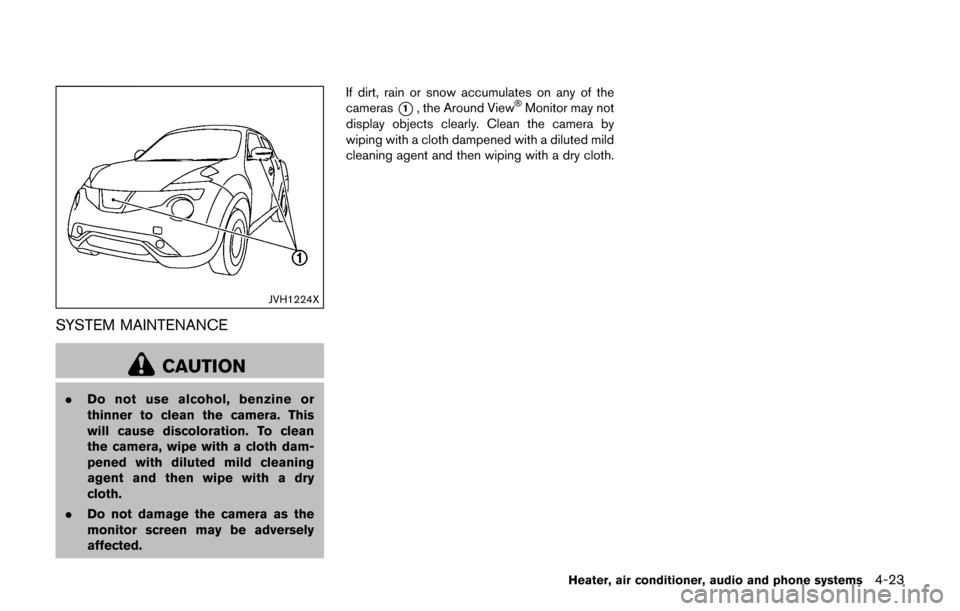
affected. If dirt, rain or snow accumulates on any of the
cameras
*1, the Around ViewŠMonitor may not
display objects clearly. Clean the camera by
wiping with a cloth dampened with a diluted mild
cleaning agent and then wiping with a dry cloth.
Heater, air conditioner, audio and phone systems4-23
Page 183 of 416
4-24Heater, air conditioner, audio and phone systems
JVH1223X
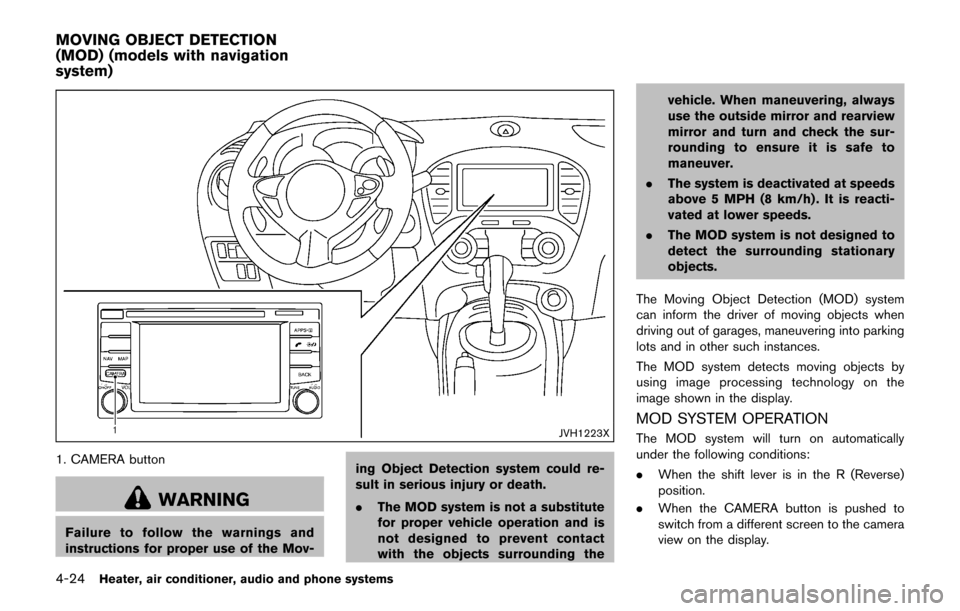
1. CAMERA button
WARNING
Failure to follow the warnings and
instructions for proper use of the Mov-ing Object Detection system could re-
sult in serious injury or death.
.
The MOD system is not a substitute
for proper vehicle operation and is
not designed to prevent contact
with the objects surrounding the vehicle. When maneuvering, always
use the outside mirror and rearview
mirror and turn and check the sur-
rounding to ensure it is safe to
maneuver.
. The system is deactivated at speeds
above 5 MPH (8 km/h) . It is reacti-
vated at lower speeds.
. The MOD system is not designed to
detect the surrounding stationary
objects.
The Moving Object Detection (MOD) system
can inform the driver of moving objects when
driving out of garages, maneuvering into parking
lots and in other such instances.
The MOD system detects moving objects by
using image processing technology on the
image shown in the display.
MOD SYSTEM OPERATION
The MOD system will turn on automatically
under the following conditions:
. When the shift lever is in the R (Reverse)
position.
. When the CAMERA button is pushed to
switch from a different screen to the camera
view on the display.
MOVING OBJECT DETECTION
(MOD) (models with navigation
system)
Page 184 of 416

.When vehicle speed decreases below
approximately 5 MPH (8 km/h) .
The MOD system operates in the following
conditions when the camera view is displayed:
. When the shift lever is in the P (Park) or N
(Neutral) position (CVT model) or the shift
lever is out of the R (Reverse) position (MT
model) and the vehicle is stopped, the MOD
system detects the moving objects in the
bird’s-eye view. The MOD system will not
operate if the outside mirrors are moving in
or out or if either door is opened.
. When the shift lever is in the D (Drive)
position (CVT model) or the shift lever is out
of the R (Reverse) position (MT model) , and
the vehicle speed is below approximately 5
MPH (8 km/h) , the MOD system detects
moving objects in the front view.
. When the shift lever is in the R (Reverse)
position and the vehicle speed is below
approximately 5 MPH (8 km/h) , the MOD
system detects moving objects in the rear
view. The MOD system will not operate if the
liftgate is open.
. When the ignition switch is placed in the
“OFF” position and then back to the “ON”
position.
The MOD system does not detect moving
objects in the front-side view. The MOD icon is not displayed on the screen when in this view.
When the MOD system detects a moving object
near the vehicle, the yellow frame will be
displayed on the view where the objects are
detected and a chime will sound once. While the
MOD system continues to detect moving
objects, the yellow frame continues to be
displayed.
JVH1256X
Front and bird’s-eye views
JVH0872XRear and bird’s-eye views
Heater, air conditioner, audio and phone systems4-25
Page 185 of 416
4-26Heater, air conditioner, audio and phone systems
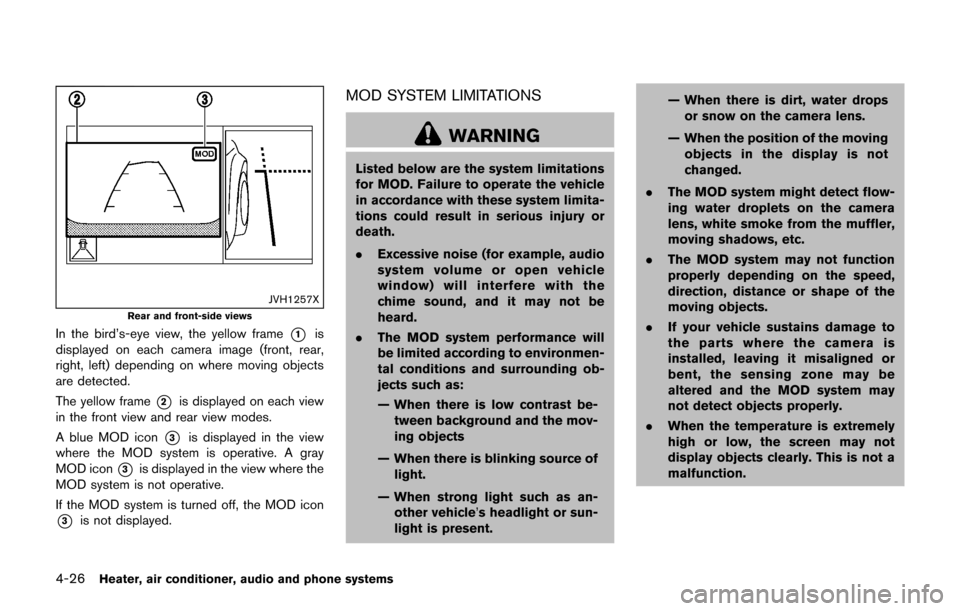
JVH1257X
Rear and front-side views
In the bird’s-eye view, the yellow frame*1is
displayed on each camera image (front, rear,
right, left) depending on where moving objects
are detected.
The yellow frame
*2is displayed on each view
in the front view and rear view modes.
A blue MOD icon
*3is displayed in the view
where the MOD system is operative. A gray
MOD icon
*3is displayed in the view where the
MOD system is not operative.
If the MOD system is turned off, the MOD icon
*3is not displayed.
MOD SYSTEM LIMITATIONS
WARNING
Listed below are the system limitations
for MOD. Failure to operate the vehicle
in accordance with these system limita-
tions could result in serious injury or
death.
. Excessive noise (for example, audio
system volume or open vehicle
window) will interfere with the
chime sound, and it may not be
heard.
. The MOD system performance will
be limited according to environmen-
tal conditions and surrounding ob-
jects such as:
— When there is low contrast be-
tween background and the mov-
ing objects
— When there is blinking source of light.
— When strong light such as an- other vehicle’s headlight or sun-
light is present. — When there is dirt, water drops
or snow on the camera lens.
— When the position of the moving objects in the display is not
changed.
. The MOD system might detect flow-
ing water droplets on the camera
lens, white smoke from the muffler,
moving shadows, etc.
. The MOD system may not function
properly depending on the speed,
direction, distance or shape of the
moving objects.
. If your vehicle sustains damage to
the parts where the camera is
installed, leaving it misaligned or
bent, the sensing zone may be
altered and the MOD system may
not detect objects properly.
. When the temperature is extremely
high or low, the screen may not
display objects clearly. This is not a
malfunction.
Page 186 of 416
JVH1224X
SYSTEM MAINTENANCE
CAUTION
.Do not use alcohol, benzine or
thinner to clean the camera. This
will cause discoloration. To clean
the camera, wipe with a cloth dam-
pened with diluted mild cleaning
agent and then wipe with a dry
cloth.
. Do not damage the camera as the
monitor screen may be adversely
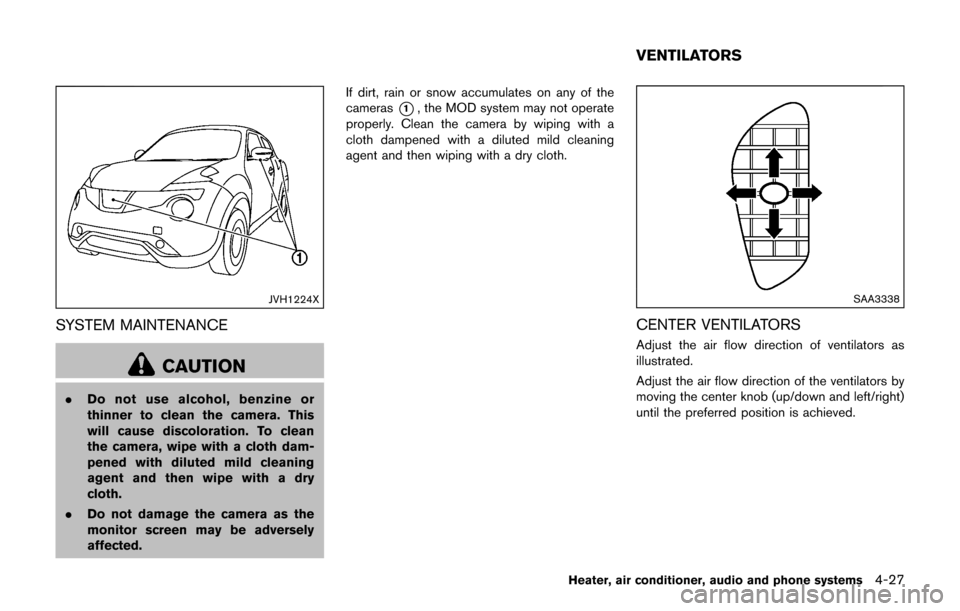
affected. If dirt, rain or snow accumulates on any of the
cameras
*1, the MOD system may not operate
properly. Clean the camera by wiping with a
cloth dampened with a diluted mild cleaning
agent and then wiping with a dry cloth.
SAA3338
CENTER VENTILATORS
Adjust the air flow direction of ventilators as
illustrated.
Adjust the air flow direction of the ventilators by
moving the center knob (up/down and left/right)
until the preferred position is achieved.
Heater, air conditioner, audio and phone systems4-27
VENTILATORS
Page 187 of 416
4-28Heater, air conditioner, audio and phone systems
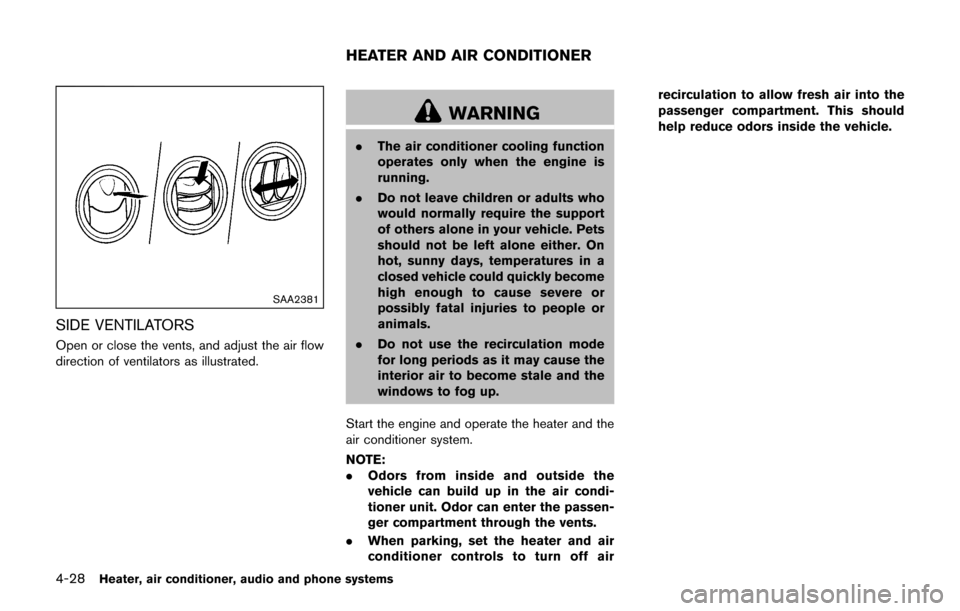
SAA2381
SIDE VENTILATORS
Open or close the vents, and adjust the air flow
direction of ventilators as illustrated.
WARNING
.The air conditioner cooling function
operates only when the engine is
running.
. Do not leave children or adults who
would normally require the support
of others alone in your vehicle. Pets
should not be left alone either. On
hot, sunny days, temperatures in a
closed vehicle could quickly become
high enough to cause severe or
possibly fatal injuries to people or
animals.
. Do not use the recirculation mode
for long periods as it may cause the
interior air to become stale and the
windows to fog up.
Start the engine and operate the heater and the
air conditioner system.
NOTE:
. Odors from inside and outside the
vehicle can build up in the air condi-
tioner unit. Odor can enter the passen-
ger compartment through the vents.
. When parking, set the heater and air
conditioner controls to turn off air recirculation to allow fresh air into the
passenger compartment. This should
help reduce odors inside the vehicle.
HEATER AND AIR CONDITIONER