2017 NISSAN ARMADA change wheel
[x] Cancel search: change wheelPage 83 of 614
1-64Safety — seats, seat belts and supplemental restraint system
.A child restraint or other object pressing
against the rear of the seatback.
. A rear passenger pushing or pulling on the
back of the front passenger seat.
. Forcing the front seat or seatback against an
object on the seat or floor behind it.
. An object placed under the front passenger
seat.
. An object placed between the seat cushion
and center console.
If the vehicle is moving, please come to a stop
when it is safe to do so. Check and correct any
of the above conditions. Restart the vehicle and
wait 1 minute.
NOTE:
A system check will be performed during
which the front passenger air bag status
light will remain lit for about 7 seconds
initially.
If the light is still OFF after this, the small adult,
child or child restraint should be repositioned in
the rear seat and it is recommended that the
vehicle be checked by a NISSAN dealer as soon
as possible.Other supplemental front-impact air bag
precautions
WARNING
. Do not place any objects on the
steering wheel pad or on the instru-
ment panel. Also, do not place any
objects between any occupant and
the steering wheel or instrument
panel. Such objects may become
dangerous projectiles and cause
injury if the front air bags inflate.
. Do not place objects with sharp
edges on the seat. Also, do not
place heavy objects on the seat that
will leave permanent impressions in
the seat. Such objects can damage
the seat or occupant classification
sensors (weight sensors) . This can
affect the operation of the air bag
system and result in serious perso-
nal injury.
. Do not use water or acidic cleaners
(hot steam cleaners) on the seat.
This can damage the seat or occu-
pant classification sensors. This can
also affect the operation of the air
bag system and result in serious personal injury.
. Immediately after inflation, several
front air bag system components
will be hot. Do not touch them; you
may severely burn yourself.
. No unauthorized changes should be
made to any components or wiring
of the supplemental air bag system.
This is to prevent accidental infla-
tion of the supplemental air bag or
damage to the supplemental air bag
system.
. Do not make unauthorized changes
to your vehicle’s electrical system,
suspension system or front end
structure. This could affect proper
operation of the front air bag sys-
tem.
. Tampering with the air bag system
may result in serious personal in-
jury. Tampering includes changes to
the steering wheel and the instru-
ment panel assembly by placing
material over the steering wheel
pad and above the instrument panel
or by installing additional trim ma-
terial around the air bag system.
Page 194 of 614
4. The outside mirror surfaces move down-ward.
When one of the following conditions has
occurred, the outside mirror surfaces will return
to their original positions.
. The shift lever is moved to any position other
than R (Reverse) .
. The outside mirror control switch is set to
the center position.
. The ignition switch is placed in the OFF
position.
Automatic anti-glare (if so equipped)
The outside rearview mirrors are designed so
that its automatically change reflection accord-
ing to the intensity of the headlights of the
vehicle following you.
The anti-glare system will be automatically
turned on when the ignition switch is placed in
the ON position.SIC4448
VANITY MIRROR
To use the front vanity mirror, pull down the sun
visor and pull up the cover.
JVP0247XSET/memory switches
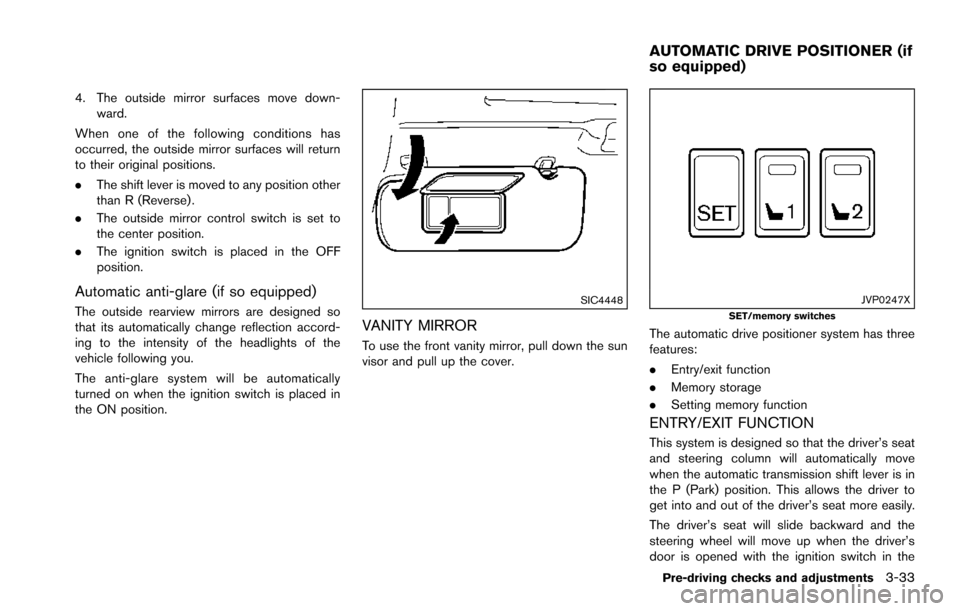
The automatic drive positioner system has three
features:
.Entry/exit function
. Memory storage
. Setting memory function
ENTRY/EXIT FUNCTION
This system is designed so that the driver’s seat
and steering column will automatically move
when the automatic transmission shift lever is in
the P (Park) position. This allows the driver to
get into and out of the driver’s seat more easily.
The driver’s seat will slide backward and the
steering wheel will move up when the driver’s
door is opened with the ignition switch in the
Pre-driving checks and adjustments3-33
AUTOMATIC DRIVE POSITIONER (if
so equipped)
Page 234 of 614
SAA1898
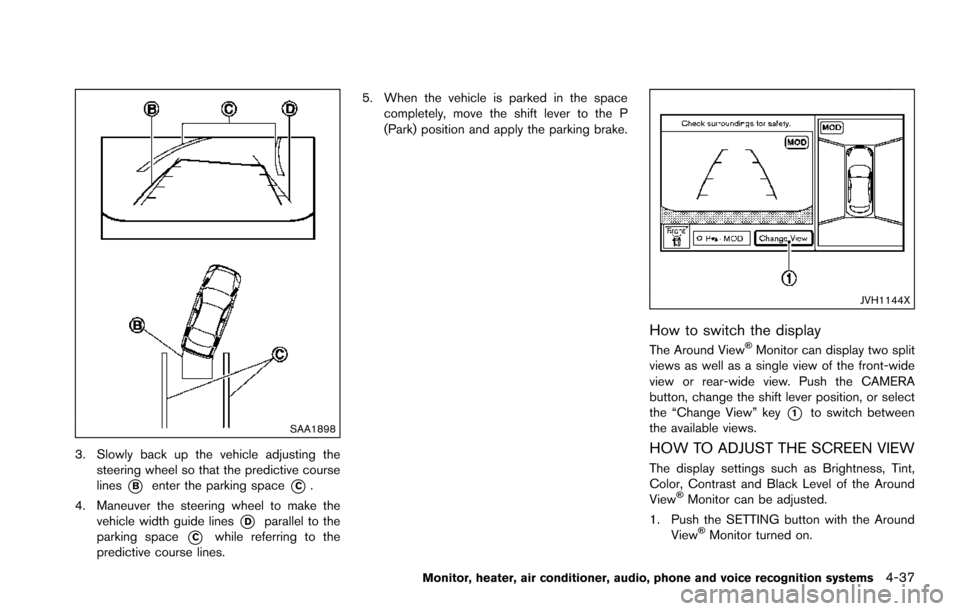
3. Slowly back up the vehicle adjusting thesteering wheel so that the predictive course
lines
*Benter the parking space*C.
4. Maneuver the steering wheel to make the vehicle width guide lines
*Dparallel to the
parking space
*Cwhile referring to the
predictive course lines. 5. When the vehicle is parked in the space
completely, move the shift lever to the P
(Park) position and apply the parking brake.
JVH1144X
How to switch the display
The Around ViewŠMonitor can display two split
views as well as a single view of the front-wide
view or rear-wide view. Push the CAMERA
button, change the shift lever position, or select
the “Change View” key
*1to switch between
the available views.
HOW TO ADJUST THE SCREEN VIEW
The display settings such as Brightness, Tint,
Color, Contrast and Black Level of the Around
View
ŠMonitor can be adjusted.
1. Push the SETTING button with the Around View
ŠMonitor turned on.
Monitor, heater, air conditioner, audio, phone and voice recognition systems4-37
Page 288 of 614
STEERING-WHEEL-MOUNTED CON-
TROLS FOR AUDIO
Menu control switch
While the display is showing a MAP, STATUS or
Audio screen, tilt the switch upward or down-
ward to select a station, track, CD or folder. For
most audio sources, tilting the switch up/down
for more than 1.5 seconds provides a different
function than tilting up/down for less than 1.5
seconds.
AM and FM radio:
.Tilting up/down for less than 1.5 seconds
will increase or decrease the preset station.
. Tilting up/down for more than 1.5 seconds
will seek up or down to the next station.
. Pushing the menu control switch will show
the list of preset stations.
SiriusXM Satellite Radio:
. Tilting up/down for less than 1.5 seconds
will increase or decrease the preset channel.
. Tilting up/down for more than 1.5 seconds
will go to the next or previous category.
. Pushing the menu control switch will show
the XM Menu.
iPod
Š:
. Tilting up/down for less than 1.5 seconds
will increase or decrease the track number. .
Tilting up/down for more than 1.5 seconds
will skip to the next or previous index.
. Pushing the menu control switch will show
the iPod Menu.
CD:
. Tilting up/down for less than 1.5 seconds
will increase or decrease the track number.
. Tilting up/down for more than 1.5 seconds
will increase/decrease the folder number (if
playing compressed audio files) .
. Pushing the menu control switch will show
the CD Menu.
DVD:
. Tilting up/down for less than 1.5 seconds
will increase or decrease the track number.
. Tilting up/down for more than 1.5 seconds
will increase or decrease the title number.
. Pushing the menu control switch will select
an item from the DVD display.
. When the transparent operation menu ap-
pears, the switch will control the menu.
USB:
. Tilting up/down for less than 1.5 seconds
will increase or decrease the track number.
. Tilting up/down for more than 1.5 seconds
will increase/decrease the folder number .
Pushing the menu control switch will show
the USB Menu.
Bluetooth
Šstreaming audio:
. Tilting up/down for less than 1.5 seconds
will increase or decrease the track number.
Back switch
Push this switch to go back to the previous
screen or cancel the selection if it is not
completed.
Volume control switches
Push the + or íside of the switch to increase or
decrease the volume.
SOURCE select switch
Push the SOURCE select switch to change the
mode to available audio source.
Monitor, heater, air conditioner, audio, phone and voice recognition systems4-91
Page 310 of 614
SAA2525
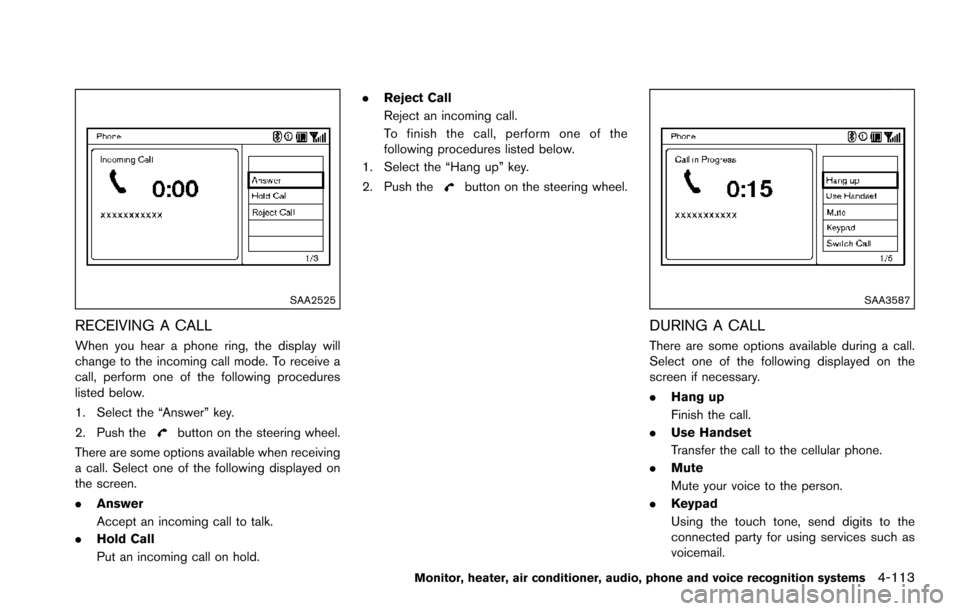
RECEIVING A CALL
When you hear a phone ring, the display will
change to the incoming call mode. To receive a
call, perform one of the following procedures
listed below.
1. Select the “Answer” key.
2. Push the
button on the steering wheel.
There are some options available when receiving
a call. Select one of the following displayed on
the screen.
. Answer
Accept an incoming call to talk.
. Hold Call
Put an incoming call on hold. .
Reject Call
Reject an incoming call.
To finish the call, perform one of the
following procedures listed below.
1. Select the “Hang up” key.
2. Push the
button on the steering wheel.
SAA3587
DURING A CALL
There are some options available during a call.
Select one of the following displayed on the
screen if necessary.
. Hang up
Finish the call.
. Use Handset
Transfer the call to the cellular phone.
. Mute
Mute your voice to the person.
. Keypad
Using the touch tone, send digits to the
connected party for using services such as
voicemail.
Monitor, heater, air conditioner, audio, phone and voice recognition systems4-113
Page 317 of 614
4-120Monitor, heater, air conditioner, audio, phone and voice recognition systems
USING THE SYSTEM
Initialization
When the ignition switch is pushed to the ON
position, NISSAN Voice Recognition is initia-
lized, which may take up to one minute. When
completed, the system is ready to accept voice
commands. If the TALK
switch is pushed
before the initialization completes, the display
will show the message: “System not ready.” or a
beep sounds.
Before starting
To get the best recognition performance from
NISSAN Voice Recognition, observe the follow-
ing:
. The interior of the vehicle should be as quiet
as possible. Close the windows to eliminate
the surrounding noises (traffic noise and
vibration sounds, etc.) , which may prevent
the system from correctly recognizing the
voice commands.
. Wait until the tone sounds before speaking a
command.
. Speak in a natural conversational voice
without pausing between words.
. If the air conditioner is set to “Auto”, the fan
speed is automatically lowered so that your
commands can be recognized more easily.JVH1253X
Giving voice commands
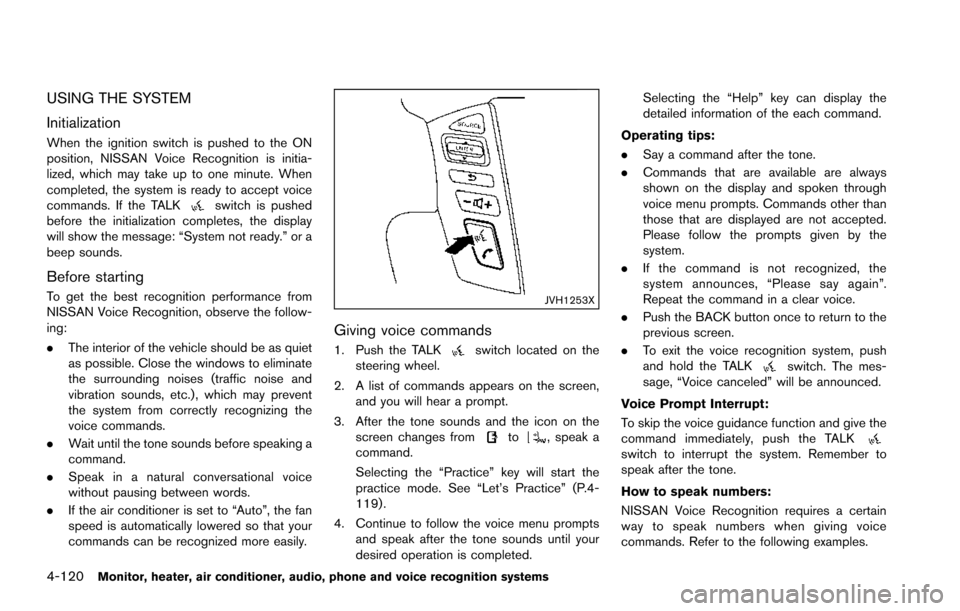
1. Push the TALKswitch located on the
steering wheel.
2. A list of commands appears on the screen, and you will hear a prompt.
3. After the tone sounds and the icon on the screen changes from
to, speak a
command.
Selecting the “Practice” key will start the
practice mode. See “Let’s Practice” (P.4-
119) .
4. Continue to follow the voice menu prompts and speak after the tone sounds until your
desired operation is completed. Selecting the “Help” key can display the
detailed information of the each command.
Operating tips:
. Say a command after the tone.
. Commands that are available are always
shown on the display and spoken through
voice menu prompts. Commands other than
those that are displayed are not accepted.
Please follow the prompts given by the
system.
. If the command is not recognized, the
system announces, “Please say again”.
Repeat the command in a clear voice.
. Push the BACK button once to return to the
previous screen.
. To exit the voice recognition system, push
and hold the TALK
switch. The mes-
sage, “Voice canceled” will be announced.
Voice Prompt Interrupt:
To skip the voice guidance function and give the
command immediately, push the TALK
switch to interrupt the system. Remember to
speak after the tone.
How to speak numbers:
NISSAN Voice Recognition requires a certain
way to speak numbers when giving voice
commands. Refer to the following examples.
Page 326 of 614
SAA2540
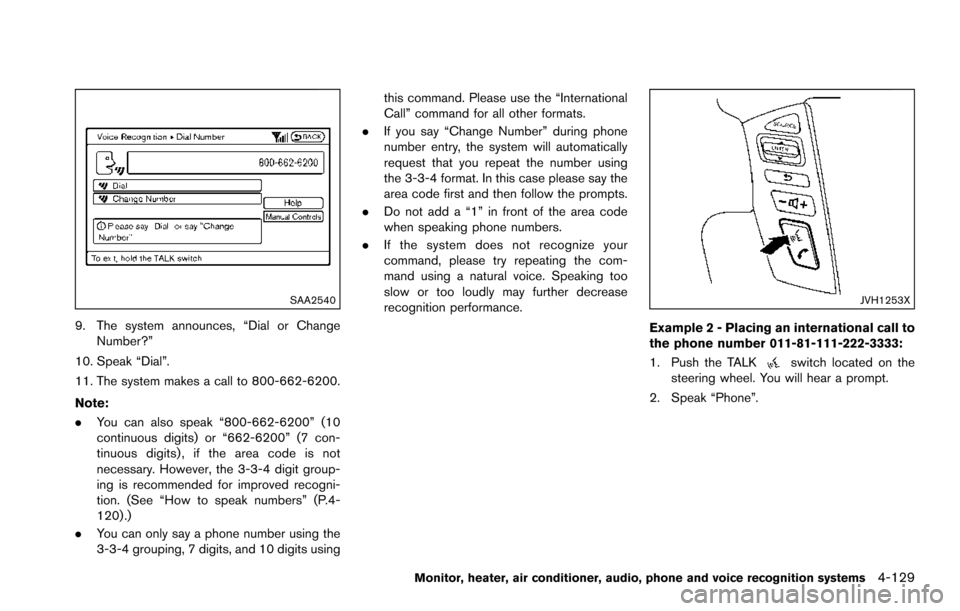
9. The system announces, “Dial or ChangeNumber?”
10. Speak “Dial”.
11. The system makes a call to 800-662-6200.
Note:
. You can also speak “800-662-6200” (10
continuous digits) or “662-6200” (7 con-
tinuous digits) , if the area code is not
necessary. However, the 3-3-4 digit group-
ing is recommended for improved recogni-
tion. (See “How to speak numbers” (P.4-
120) .)
. You can only say a phone number using the
3-3-4 grouping, 7 digits, and 10 digits using this command. Please use the “International
Call” command for all other formats.
. If you say “Change Number” during phone
number entry, the system will automatically
request that you repeat the number using
the 3-3-4 format. In this case please say the
area code first and then follow the prompts.
. Do not add a “1” in front of the area code
when speaking phone numbers.
. If the system does not recognize your
command, please try repeating the com-
mand using a natural voice. Speaking too
slow or too loudly may further decrease
recognition performance.
JVH1253X
Example 2 - Placing an international call to
the phone number 011-81-111-222-3333:
1. Push the TALK
switch located on the
steering wheel. You will hear a prompt.
2. Speak “Phone”.
Monitor, heater, air conditioner, audio, phone and voice recognition systems4-129
Page 336 of 614
.Speak in a natural voice without pausing
between words.
JVH1253X
Giving voice command
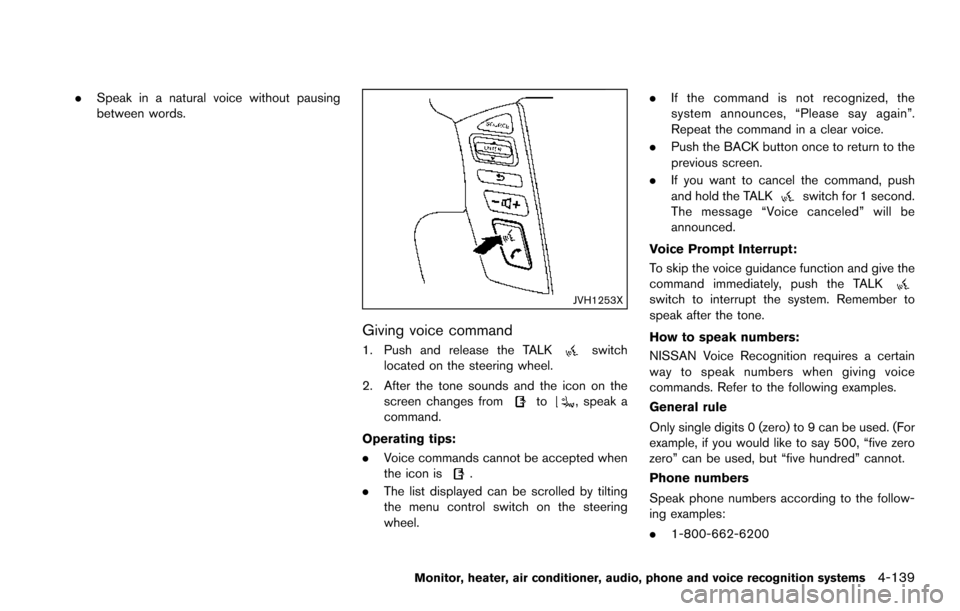
1. Push and release the TALKswitch
located on the steering wheel.
2. After the tone sounds and the icon on the screen changes from
to, speak a
command.
Operating tips:
. Voice commands cannot be accepted when
the icon is
.
. The list displayed can be scrolled by tilting
the menu control switch on the steering
wheel. .
If the command is not recognized, the
system announces, “Please say again”.
Repeat the command in a clear voice.
. Push the BACK button once to return to the
previous screen.
. If you want to cancel the command, push
and hold the TALK
switch for 1 second.
The message “Voice canceled” will be
announced.
Voice Prompt Interrupt:
To skip the voice guidance function and give the
command immediately, push the TALK
switch to interrupt the system. Remember to
speak after the tone.
How to speak numbers:
NISSAN Voice Recognition requires a certain
way to speak numbers when giving voice
commands. Refer to the following examples.
General rule
Only single digits 0 (zero) to 9 can be used. (For
example, if you would like to say 500, “five zero
zero” can be used, but “five hundred” cannot.
Phone numbers
Speak phone numbers according to the follow-
ing examples:
. 1-800-662-6200
Monitor, heater, air conditioner, audio, phone and voice recognition systems4-139