2017 MITSUBISHI OUTLANDER SPORT door lock
[x] Cancel search: door lockPage 99 of 399
Theft-alarm system 5-36 Features and controls
5
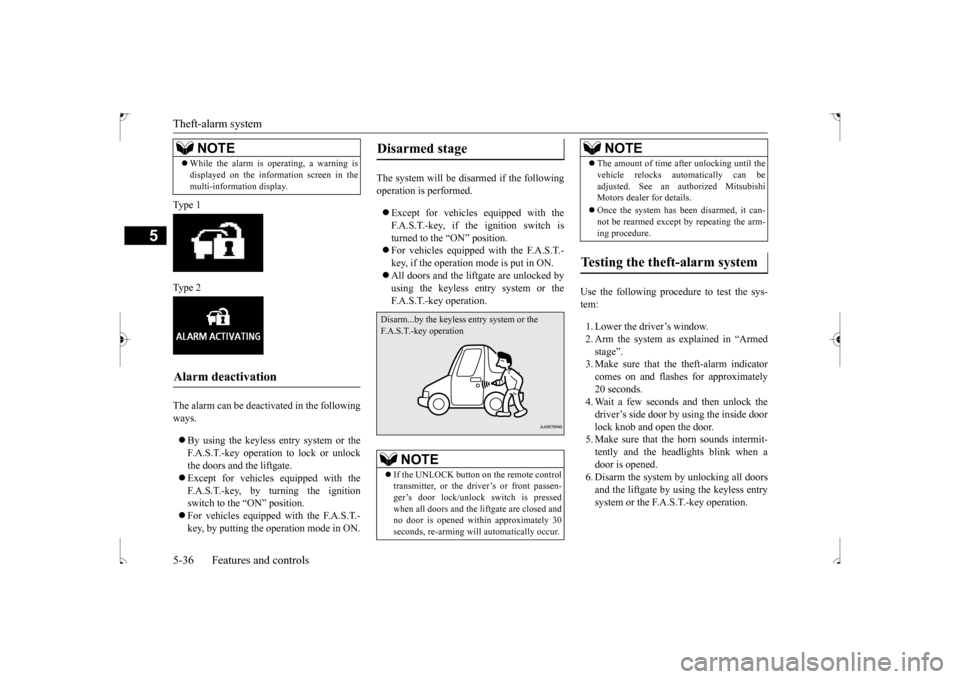
Ty p e 1 Ty p e 2 The alarm can be deactivated in the following ways. By using the keyless entry system or the F.A.S.T.-key operation to lock or unlockthe doors and the liftgate. Except for vehicles equipped with the F.A.S.T.-key, by turning the ignitionswitch to the “ON” position. For vehicles equipped with the F.A.S.T.- key, by putting the operation mode in ON.
The system will be disarmed if the following operation is performed. Except for vehicles equipped with the F.A.S.T.-key, if the ignition switch is turned to the “ON” position. For vehicles equipped with the F.A.S.T.- key, if the operation mode is put in ON. All doors and the liftgate are unlocked by using the keyless entry system or the F.A.S.T.-key operation.
Use the following procedure to test the sys- tem: 1. Lower the driver’s window. 2. Arm the system as explained in “Armed stage”. 3. Make sure that the theft-alarm indicatorcomes on and flashes for approximately 20 seconds. 4. Wait a few seconds and then unlock thedriver’s side door by using the inside door lock knob and open the door. 5. Make sure that the horn sounds intermit-tently and the headlights blink when a door is opened. 6. Disarm the system by unlocking all doorsand the liftgate by using the keyless entry system or the F.A.S.T.-key operation.
While the alarm is operating, a warning is displayed on the information screen in the multi-information display.
Alarm deactivation
NOTE
Disarmed stage
NOTE
If the UNLOCK button on the remote control transmitter, or the driver’s or front passen-ger’s door lock/unlock switch is pressed when all doors and the liftgate are closed and no door is opened within approximately 30seconds, re-arming will automatically occur.
Disarm...by the keyless entry system or the F.A.S.T.-key operation
The amount of time after unlocking until the vehicle relocks automatically can be adjusted. See an authorized Mitsubishi Motors dealer for details. Once the system has been disarmed, it can- not be rearmed except by repeating the arm- ing procedure.
Testing the theft-alarm system
NOTE
BK0239500US.bo
ok 36 ページ 2016年5月13日 金曜日 午前8時53分
Page 100 of 399
Power window control
Features and controls 5-37
5
N00510800370
N00548700097
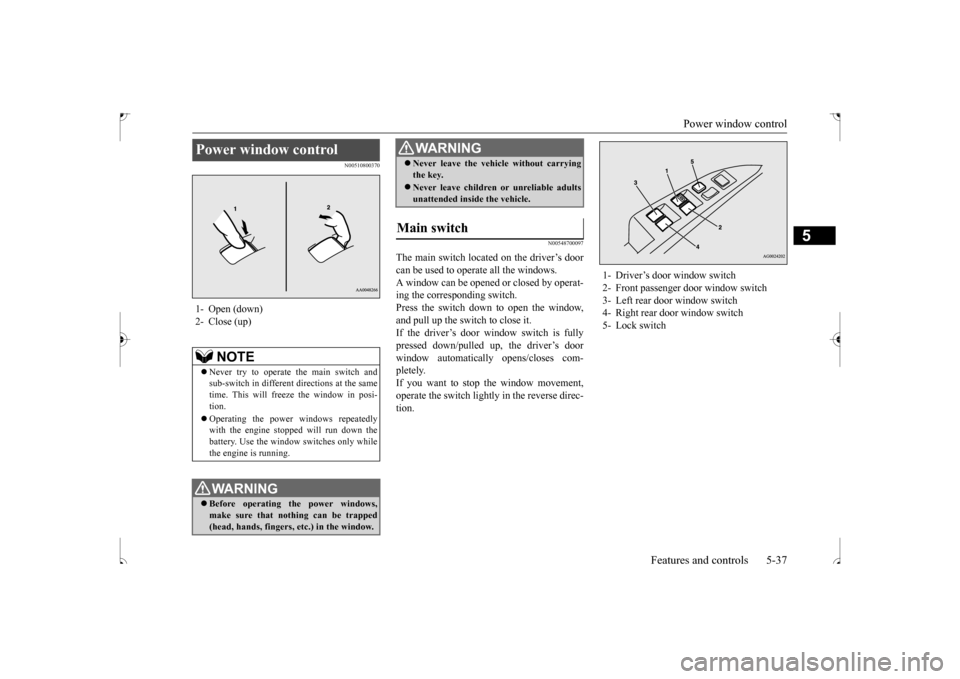
The main switch located on the driver’s door can be used to operate all the windows.A window can be opened or closed by operat- ing the corresponding switch. Press the switch down to open the window,and pull up the switch to close it. If the driver’s door window switch is fully pressed down/pulled up, the driver’s doorwindow automatically opens/closes com- pletely. If you want to stop the window movement,operate the switch lightly in the reverse direc- tion.
Power window control 1- Open (down)2- Close (up)
NOTE
Never try to operate the main switch and sub-switch in different directions at the sametime. This will freeze the window in posi- tion. Operating the power windows repeatedly with the engine stopped will run down the battery. Use the window switches only whilethe engine is running.WA R N I N G Before operating the power windows, make sure that nothing can be trapped(head, hands, fingers, etc.) in the window.
Never leave the vehicle without carrying the key. Never leave children or unreliable adults unattended inside the vehicle.
Main switch
WA R N I N G
1- Driver’s door window switch 2- Front passenger door window switch3- Left rear door window switch 4- Right rear door window switch 5- Lock switch
BK0239500US.bo
ok 37 ページ 2016年5月13日 金曜日 午前8時53分
Page 101 of 399
Power window control 5-38 Features and controls
5
N00548800098
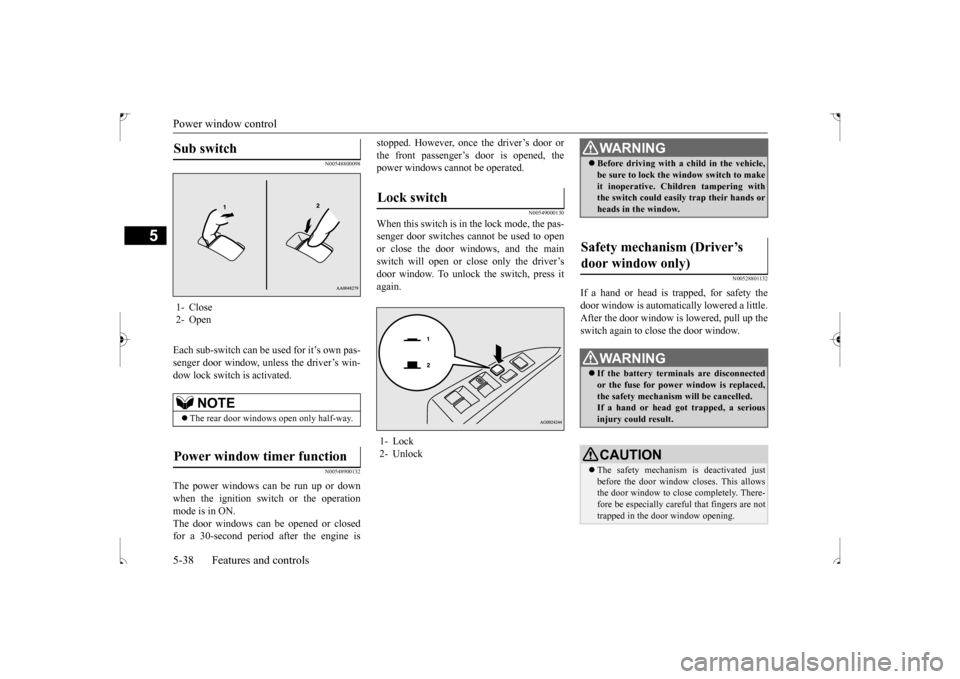
Each sub-switch can be used for it’s own pas- senger door window, unless the driver’s win- dow lock switch is activated.
N00548900132
The power windows can be run up or down when the ignition switch or the operation mode is in ON.The door windows can be opened or closed for a 30-second period after the engine is
stopped. However, once the driver’s door or the front passenger’s door is opened, the power windows cannot be operated.
N00549000130
When this switch is in the lock mode, the pas-senger door switches cannot be used to open or close the door windows, and the mainswitch will open or close only the driver’sdoor window. To unlock
the switch, press it
again.
N00528801132
If a hand or head is trapped, for safety thedoor window is automatically lowered a little. After the door window is lowered, pull up theswitch again to close the door window.
Sub switch 1- Close 2- Open
NOTE
The rear door windows open only half-way.
Power window timer function
Lock switch 1- Lock 2- Unlock
WA R N I N G Before driving with a child in the vehicle, be sure to lock the window switch to make it inoperative. Children tampering with the switch could easily trap their hands or heads in the window.
Safety mechanism (Driver’s door window only)
WA R N I N G If the battery terminals are disconnected or the fuse for power window is replaced, the safety mechanism will be cancelled. If a hand or head got trapped, a seriousinjury could result.CAUTION The safety mechanism is deactivated just before the door window closes. This allows the door window to close completely. There- fore be especially careful that fingers are nottrapped in the door window opening.
BK0239500US.bo
ok 38 ページ 2016年5月13日 金曜日 午前8時53分
Page 109 of 399
Ignition switch 5-46 Features and controls
5
On vehicles equipped with the F.A.S.T.-key, the mirrors automatically retract or extendwhen the doors are locked or unlocked using the remote control transmitter buttons or the F. A . S . T- k e y.Refer to “Keyless entry system” on page 5-25or “To operate using the F.A.S.T.-key” on page 5-14.
N00549300191
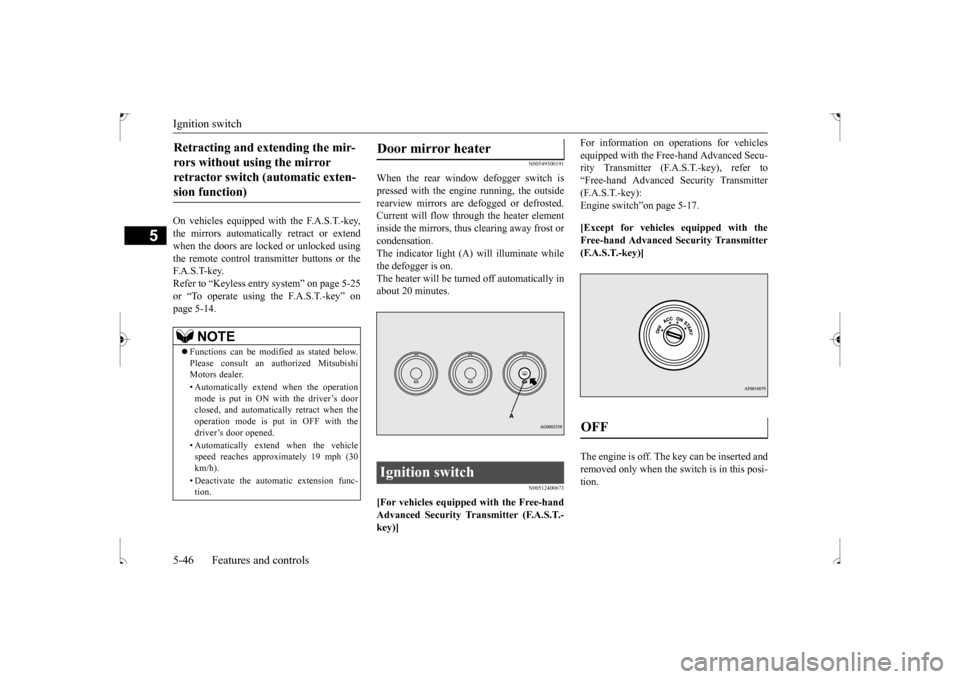
When the rear window defogger switch is pressed with the engine running, the outsiderearview mirrors are defogged or defrosted. Current will flow through the heater element inside the mirrors, thus clearing away frost orcondensation. The indicator light (A) will illuminate while the defogger is on.The heater will be turned off automatically inabout 20 minutes.
N00512400673
[For vehicles equipped with the Free-handAdvanced Security Transmitter (F.A.S.T.- key)]
For information on operations for vehicles equipped with the Free-hand Advanced Secu- rity Transmitter (F.A.S.T.-key), refer to “Free-hand Advanced Security Transmitter(F.A.S.T.-key): Engine switch”on page 5-17. [Except for vehicles equipped with the Free-hand Advanced Security Transmitter(F.A.S.T.-key)] The engine is off. The key can be inserted and removed only when the switch is in this posi-tion.
Retracting and extending the mir- rors without using the mirror retractor switch (automatic exten- sion function)
NOTE
Functions can be modified as stated below. Please consult an authorized MitsubishiMotors dealer. • Automatically extend when the operation mode is put in ON with the driver’s door closed, and automatically retract when the operation mode is put in OFF with thedriver’s door opened. • Automatically extend when the vehicle speed reaches approximately 19 mph (30 km/h). • Deactivate the automatic extension func- tion.
Door mirror heater Ignition switch
OFF
BK0239500US.bo
ok 46 ページ 2016年5月13日 金曜日 午前8時53分
Page 190 of 399
![MITSUBISHI OUTLANDER SPORT 2017 3.G Owners Manual Combination headlights and dimmer switch
Features and controls 5-127
5
[When using the F.A.S.T.-key to start the engine] If the driver’s door is opened with the opera- tion mode is put in OFF or AC](/manual-img/19/7550/w960_7550-189.png "MITSUBISHI OUTLANDER SPORT 2017 3.G Owners Manual Combination headlights and dimmer switch
Features and controls 5-127
5
[When using the F.A.S.T.-key to start the engine] If the driver’s door is opened with the opera- tion mode is put in OFF or AC")
Combination headlights and dimmer switch
Features and controls 5-127
5
[When using the F.A.S.T.-key to start the engine] If the driver’s door is opened with the opera- tion mode is put in OFF or ACC, or if theoperation mode is changed to OFF while the lights are on, the tone will sound to remind you to turn off the lights. In either case, the lights will turn off automat- ically and so will the tone. Or you can turnthe light switch to the
“OFF” position to stop
the tone.
N00549900142
To change the headlights from high beam to low beam and vice versa, pull the turn signal lever to (1). Switch the headlights to lowbeam as a courtesy whenever there are oncoming vehicles, or when there is traffic moving ahead of you. An illuminated bluelight in the instrument cluster indicates when the headlights are on high beam.
N00550000185
You can flash the high beams by pulling the lever gently toward you (2). The lights willgo back to normal when you let go. While the high beam is on, you will see a blue light on the instrument panel.
N00563201247
This function turns on the front side-markerand parking lights for about 30 seconds afterthe UNLOCK button (A) on the remote con- trol transmitter is pressed when the combina- tion headlights and dimmer switch is in the“OFF” or “AUTO” position (for vehicles equipped with the automatic light control). On vehicles equipped with the automatic lightcontrol, the welcome light function will oper-ate only when it is dark outside the vehicle.
Dimmer (high/low beam change)
Headlight flasher
NOTE
You can flash the high beams by pulling the lever toward you, even if the light switch isoff. If you turn the lights off with the head lights set to high-beam illumination, the headlights are automatically returned to their low-beam setting when the light switch is next turned to the “ ” position.
Welcome light
NOTE
While the welcome light function is operat- ing, perform one of the following operationsto cancel the function.
BK0239500US.book
127 ページ 2016年5月13日 金曜日 午前8時53分
Page 199 of 399
Electric rear window defogger switch 5-136 Features and controls
5
N00523700373
The rear window defogger can be used when the engine is running.
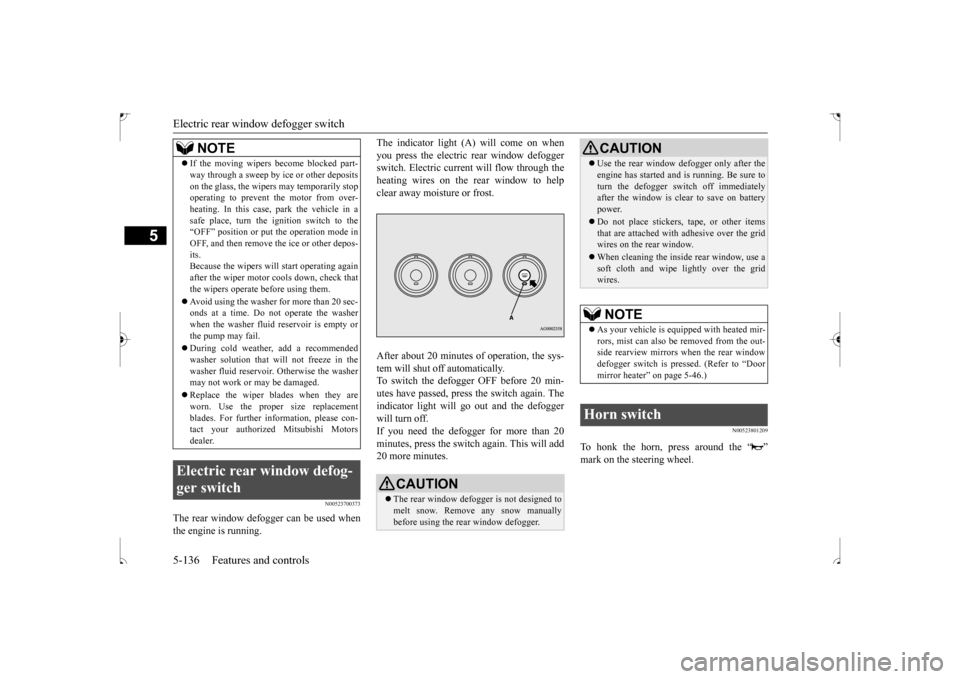
The indicator light (A) will come on when you press the electric rear window defogger switch. Electric current will flow through the heating wires on the rear window to helpclear away moisture or frost. After about 20 minutes of operation, the sys- tem will shut off automatically.To switch the defogger OFF before 20 min-utes have passed, press the switch again. The indicator light will go out and the defogger will turn off.If you need the defogger for more than 20 minutes, press the switch again. This will add 20 more minutes.
N00523801209
To honk the horn, press around the “ ”mark on the steering wheel.
If the moving wipers become blocked part- way through a sweep by ice or other deposits on the glass, the wipers may temporarily stop operating to prevent the motor from over- heating. In this case, park the vehicle in asafe place, turn the ignition switch to the “OFF” position or put the operation mode in OFF, and then remove the ice or other depos-its. Because the wipers will start operating again after the wiper motor cools down, check thatthe wipers operate before using them. Avoid using the washer for more than 20 sec- onds at a time. Do not operate the washer when the washer fluid reservoir is empty or the pump may fail. During cold weather, add a recommended washer solution that will not freeze in thewasher fluid reservoir. Otherwise the washer may not work or may be damaged. Replace the wiper blades when they are worn. Use the proper size replacement blades. For further information, please con-tact your authorized Mitsubishi Motors dealer.
Electric rear window defog- ger switch
NOTE
CAUTION The rear window defogger is not designed to melt snow. Remove any snow manually before using the rear window defogger.
Use the rear window defogger only after the engine has started and is running. Be sure to turn the defogger switch off immediately after the window is clear to save on battery power. Do not place stickers, tape, or other items that are attached with adhesive over the gridwires on the rear window. When cleaning the inside rear window, use a soft cloth and wipe lightly over the grid wires.NOTE
As your vehicle is equipped with heated mir- rors, mist can also be removed from the out-side rearview mirrors when the rear window defogger switch is pressed. (Refer to “Door mirror heater” on page 5-46.)
Horn switch
CAUTION
BK0239500US.book
136 ページ 2016年5月13日 金曜日 午前8時53分
Page 228 of 399
HomeLink® Wireless Control System (if so equipped)
Features and controls 5-165
5
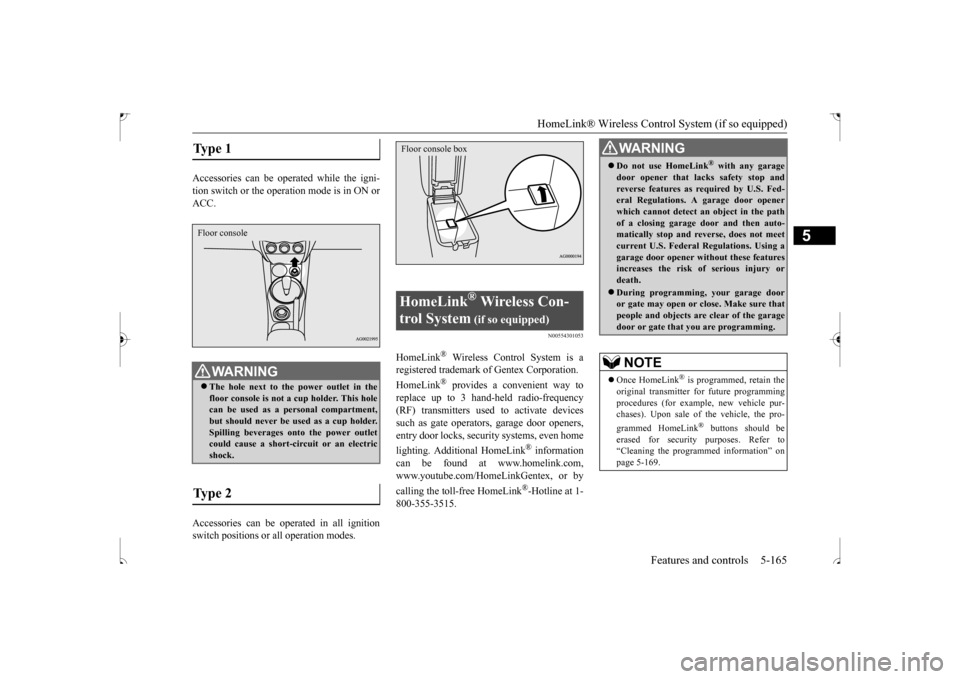
Accessories can be operated while the igni- tion switch or the operat
ion mode is in ON or
ACC. Accessories can be operated in all ignition switch positions or all operation modes.
N00554301053
HomeLink
® Wireless Control System is a
registered trademark of Gentex Corporation. HomeLink
® provides a convenient way to
replace up to 3 hand-held radio-frequency(RF) transmitters used to activate devicessuch as gate operators, garage door openers, entry door locks, security systems, even home lighting. Additional HomeLink
® information
can be found at www.homelink.com, www.youtube.com/HomeLinkGentex, or by calling the toll-free HomeLink
®-Hotline at 1-
800-355-3515.
Type 1
WA R N I N G The hole next to the power outlet in the floor console is not a cup holder. This hole can be used as a personal compartment, but should never be used as a cup holder.Spilling beverages onto the power outlet could cause a short-circuit or an electric shock.
Type 2 Floor console
HomeLink
® Wireless Con-
trol System
(if so equipped)
Floor console box
WA R N I N G Do not use HomeLink
® with any garage
door opener that lacks safety stop andreverse features as required by U.S. Fed- eral Regulations. A garage door opener which cannot detect an object in the pathof a closing garage door and then auto- matically stop and reverse, does not meet current U.S. Federal Regulations. Using agarage door opener without these features increases the risk of serious injury or death. During programming, your garage door or gate may open or close. Make sure thatpeople and objects are clear of the garage door or gate that you are programming.NOTE
Once HomeLink
® is programmed, retain the
original transmitter for future programming procedures (for example, new vehicle pur-chases). Upon sale of the vehicle, the pro- grammed HomeLink
® buttons should be
erased for security purposes. Refer to“Cleaning the programmed information” on page 5-169.
BK0239500US.book
165 ページ 2016年5月13日 金曜日 午前8時53分
Page 232 of 399
HomeLink® Wireless Control System (if so equipped)
Features and controls 5-169
5
3. Once the door has stopped, press and release the “Learn” or “Smart” button on the garage door opener (refer to your garage door opener owner’s manual forthe location of the “Learn” button). Both the HomeLink
® garage door operation
indicators will flash rapidly green uponsuccessful synchronization with the door opener (within 5 seconds).
N00585000033
To operate, simply press and release the pro- grammed HomeLink
® button. Activation will
now occur for the trained device (i.e. garage door opener, gate operator, security system,entry door lock, home/office lighting, etc.). For convenience, the hand-held transmitter of the device may also be used at any time.
N00585200035
The HomeLink
® has the capability of receiv-
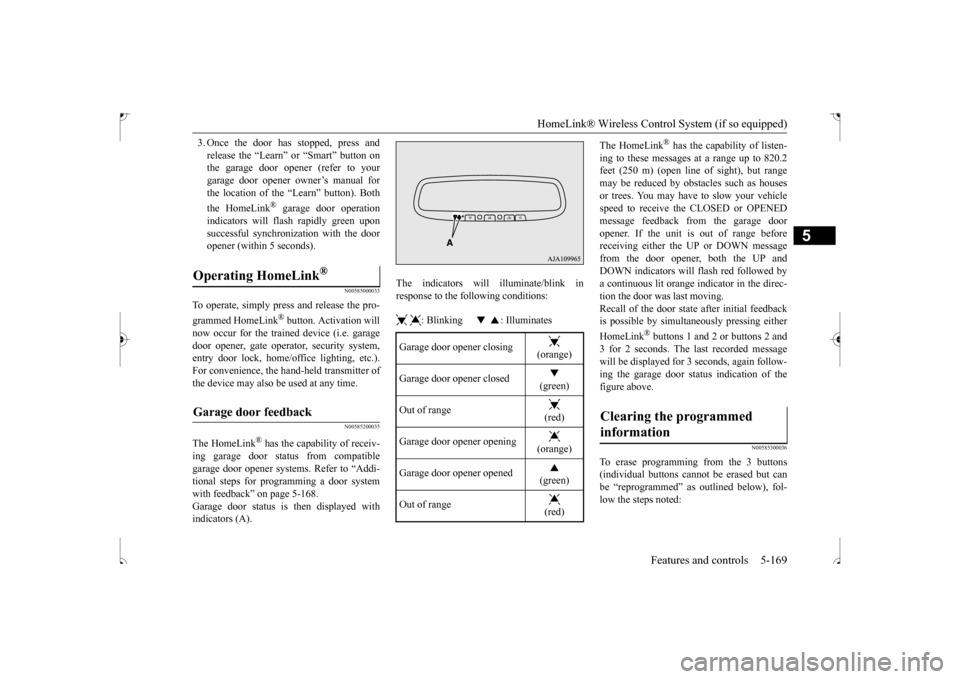
ing garage door status from compatiblegarage door opener systems. Refer to “Addi- tional steps for programming a door system with feedback” on page 5-168.Garage door status is then displayed with indicators (A).
The indicators will illuminate/blink in response to the following conditions: : Blinking : Illuminates
The HomeLink
® has the capability of listen-
ing to these messages at a range up to 820.2 feet (250 m) (open line
of sight), but range
may be reduced by obstacles such as housesor trees. You may have to slow your vehicle speed to receive the CLOSED or OPENED message feedback from the garage dooropener. If the unit is out of range before receiving either the UP or DOWN message from the door opener, both the UP andDOWN indicators will flash red followed bya continuous lit orange indicator in the direc- tion the door was last moving. Recall of the door state after initial feedbackis possible by simultaneously pressing either HomeLink
® buttons 1 and 2 or buttons 2 and
3 for 2 seconds. The last recorded messagewill be displayed for 3 seconds, again follow- ing the garage door status indication of the figure above.
N00585300036
To erase programming from the 3 buttons(individual buttons cannot be erased but can be “reprogrammed” as outlined below), fol- low the steps noted:
Operating HomeLink
®
Garage door feedback
Garage door opener closing
(orange)
Garage door opener closed
(green)
Out of range
(red)
Garage door opener opening
(orange)
Garage door opener opened
(green)
Out of range
(red)
Clearing the programmed information
BK0239500US.book
169 ページ 2016年5月13日 金曜日 午前8時53分