2017 MITSUBISHI OUTLANDER ESP
[x] Cancel search: ESPPage 379 of 521
Trailer towing 6-14 Driving safety
6
Trailer lights and equipment must comply with federal, state,
and local regulations.
Check with your loca
l recreational vehicle
dealer for the requirements in your area, and use only equipment designed for your vehi- cle. Since lighting and wiring
vary by trailer type
and brand, you should have a qualified tech- nician install a suitable connector between thevehicle and the trailer.
Improper equipment or
installation can cause da
mage to your vehi-
cle’s electrical system
and affect your vehicle
warranty. Many states and Canadi
an provinces require
special outside mirrors when towing a trailer. Even if not required,
you should install spe-
cial mirrors if you ca
nnot clearly see behind
you, or if the trailer
creates a blind spot.
Ask your trailer sales or
rental agency if any
other items are recomm
ended or required for
your towing situation.
Towing a trailer requires a certain amount of experience. Before setting out for the open road, you’ll want to get to know your trailer. Acquaint
yourself with the feel of handling and braking with the added weight of the trailer. Alwayskeep in mind that the vehicle you are driving is now a good deal longer and not nearly as responsive as your vehicl
e is without a trailer.
Before you start, check the trailer hitch, safety chains, tires
and mirror adjustment.
Be sure your vehicle’s ti
res are inflated to the
cold inflation pressure listed in the manual. You’ll find these numbe
rs on the tire and
loading information placard at the sill of thedriver’s door. Refer to “Tire inflati
on pressures” on page
9-18. Stay at least twice as far behind the vehicle ahead as you would when driving your vehi- cle without a trailer.
This can help you avoid
situations that require
heavy braking and sud-
den turns.
Trailer lights Additional trailer equipment
Operating hints
WA R N I N G If you have a rear window open and you tow a trailer with
your vehicle, carbon
monoxide gas which
you cannot see or
smell could come into your vehicle. It can cause unconsciousness or death. Refer to“Exhaust system” on page 9-24. To maximize your safe
ty when towing a
trailer: Have your exhaust system inspected for leaks, and make necessary repairs beforestarting on your trip. Keep the rear windows closed.If exhaust does come into your vehicle through a window or
another opening,
drive with your front, main heating or cooling system on an
d with the blower on
any speed. This will
bring fresh, outside
air into your vehicle. Do not use recircula- tion because it only recirculates the air inside your vehicle. Refer to “Air selectionswitch” on page 7-9.
Driver preparation
Vehicle preparation Tire Following distance
BK0239700US.book 14 ページ 2016年6月16日 木曜日 午前10時58分
Page 398 of 521
AM/FM radio/CD player (if so equipped)
Comfort controls 7-15
7
N00715000021
This product supports audio playback from iPod/iPhone devi
ces, however dif-
fering versions mean
that playback cannot
be guaranteed. Please be aware that depending on the iPod/iPhone model or
version, operation
may differ.
N00715200023
If the product becomes dirty, wipe with a soft cloth. If very dirty, use a
soft cloth dipped in
neutral detergent diluted in water, andthen wrung out. Do not use benzene, thin- ners, or other chemic
al wipes. This may
harm the surface.
N00715300112
Product names and other proper names are the trademarks or registered trade-marks of their respective owners.
Furthermore, even if there is no specific denotation of trademarks or registeredtrademarks, these are to be observed in their entirety. “Made for iPod”, “Made for iPhone” mean that an electronic accessory hasbeen designed to connect specifically to iPod or iPhone, respec
tively, and has been
certified by the devel
oper to meet Apple
performance standards. iPhone, iPod, iPod clas
sic, iPod nano, and
iPod touch are trademarks of Apple Inc.,registered in the U.S. and other countries. Apple is not responsib
le for the operation
of this device or its compliance withsafety and regulatory standards.
Important Points on Usage
iPod/iPhone Playback Function
(if
so equipped)How to Clean
Trademarks
NOTE
iPod and iTunes licensi
ng allows individual
users to privately reproduce and play back non- copyrighted
material as we
ll as material
that may be legally
copied and reproduced.
Infringement of copyright is prohibited.
The types of devices
that can be connected
may vary.[For vehicles sold in U.S.A.]For details, access the Mitsubishi Motors North America website. [For vehicles sold in Canada and Mexico]For details, access the Mitsubishi Motors website. Please read and agree to the “Warn- ing about Links to th
e Web Sites of Other
Companies”. The webs
ites mentioned above
may connect you to websites other than the Mitsubishi Motors website.http://www.mitsubishi-motors.com/en/prod- ucts/index.htmlNOTE
BK0239700US.book 15 ページ 2016年6月16日 木曜日 午前10時58分
Page 420 of 521
To play iPod/USB memory de
vice tracks via voice operation
Comfort controls 7-37
7
This plays the selected file (track).
N00772001070
When connected to the USB input terminal desired tracks on the iPod/USB memory device can be selected
and played via voice
operation.For information concerning the voice recog- nition function or spea
ker registration func-
tion, refer to “Bluetooth
® 2.0 interface” on
page 5-240.The following explains how to prepare for voice operation and play the tracks.
N00772101039
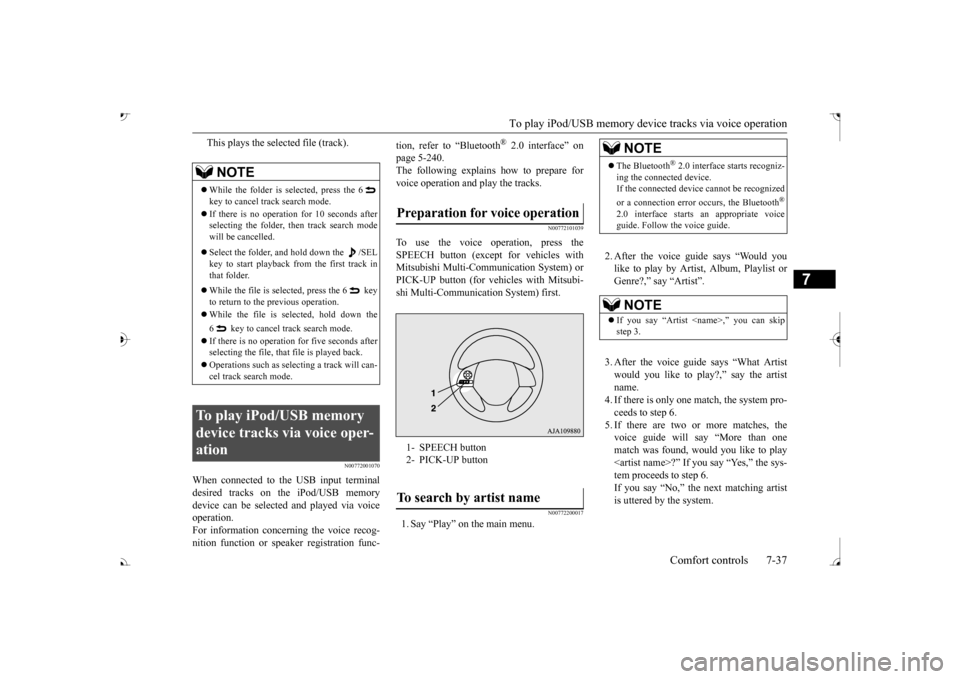
To use the voice operation, press theSPEECH button (excep
t for vehicles with
Mitsubishi Multi-Comm
unication System) or
PICK-UP button (for vehi
cles with Mitsubi-
shi Multi-Communication System) first.
N00772200017
1. Say “Play” on the main menu.
2. After the voice guide says “Would you like to play by Artist, Album, Playlist orGenre?,” say “Artist”. 3. After the voice guide says “What Artist would you like to play?,” say the artist name.4. If there is only one match, the system pro- ceeds to step 6. 5. If there are two or more matches, thevoice guide will say “More than one match was found, would you like to play
NOTE
While the folder is selected, press the 6 key to cancel track search mode. If there is no operation for 10 seconds after selecting the folder, then track search mode will be cancelled. Select the folder, and hold down the /SEL key to start playback from the first track inthat folder. While the file is selected, press the 6 key to return to the previous operation. While the file is selected, hold down the 6 key to cancel tr
ack search mode.
If there is no operation
for five seconds after
selecting the file, that file is played back. Operations such as sele
cting a trac
k will can-
cel track search mode.
To play iPod/USB memory device tracks via voice oper-ation
Preparation for voice operation 1- SPEECH button 2- PICK-UP buttonTo search by artist name
NOTE
The Bluetooth
® 2.0 interface
starts recogniz-
ing the connected device. If the connected device
cannot be recognized
or a connection error
occurs, the Bluetooth
®
2.0 interface starts an appropriate voice guide. Follow th
e voice guide.
NOTE
If you say “Artist
BK0239700US.book 37 ページ 2016年6月16日 木曜日 午前10時58分
Page 431 of 521

Troubleshooting 7-48 Comfort controls
7
Mode
Message
Cause
Response
CD CHECK DISC The disc is inserted upsid
e down. Insert with the label side up.
The disc has condensati
on on it. Wait a while be
fore inserting again.
DISC ERROR The disc is damaged. Cl
ean the read surface of the disc.
The disc is dirty.
INTERNAL E The drive has malfunctione
d for some reason. Check that there is no problem with the disc, and
insert the disc again. If the problem persists, con- sult an authorized Mitsubi
shi Motors dealer or a
repair facility
of your choice.
HEAT ERROR The temperature inside
the product is high. Remove the disc,
and wait for the internal tempera-
ture to return to normal.
USB FILE ERROR Files that cannot be played are selected. Select files that can be played.
Page 432 of 521
Clock (if so equipped)
Comfort controls 7-49
7
Here is a list of symptoms, causes and respons
es if you think something
is not working properly.
N00755001150
The time is displayed when the ignition switch or the operation mode is in ON or ACC.If You Think Something Is Not Working Properly...
Symptoms
Cause
Response
There is no sound or quiet sound.
The volume is turned to its minimum. Adjust the volume.
Page 434 of 521
General information about your radio
Comfort controls 7-51
7
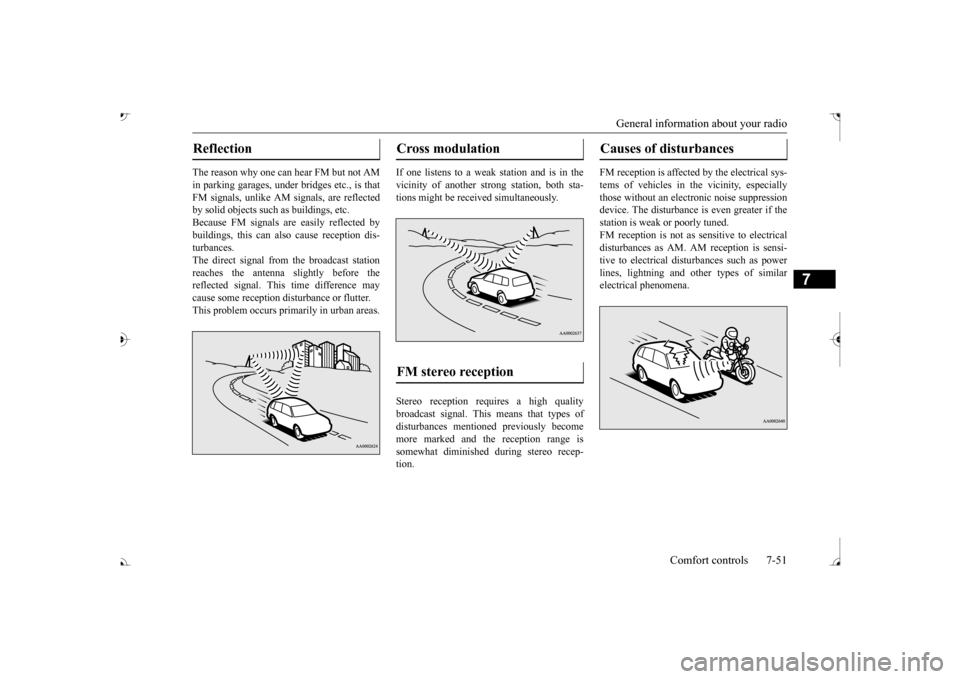
The reason why one can hear FM but not AM in parking garages, under
bridges etc., is that
FM signals, unlike AM
signals, are reflected
by solid objects such
as buildings, etc.
Because FM signals ar
e easily reflected by
buildings, this can also cause reception dis- turbances.The direct signal from
the broadcast station
reaches the antenna slightly before the reflected signal. This time difference may cause some reception disturbance or flutter. This problem occurs primarily in urban areas.
If one listens to a weak
station and is in the
vicinity of another st
rong station, both sta-
tions might be receiv
ed simultaneously.
Stereo reception requires a high quality broadcast signal. This means that types ofdisturbances mentioned previously become more marked and the reception range is somewhat diminished during stereo recep-tion.
FM reception is affected by the electrical sys- tems of vehicles in
the vicinity, especially
those without an elec
tronic noise suppression
device. The disturbance is even greater if thestation is weak or poorly tuned. FM reception is not as
sensitive to electrical
disturbances as AM. AM
reception is sensi-
tive to electrical dist
urbances such as power
lines, lightning and ot
her types of similar
electrical phenomena.
Reflection
Cross modulation FM stereo reception
Causes of disturbances
BK0239700US.book 51 ページ 2016年6月16日 木曜日 午前10時58分
Page 451 of 521

Fuel Pump Shut-off System 8-16 For emergencies
8
When driving on a road covered with snow or ice, use s
now tires. Tire chains
cannot be used on your vehicle. There may be state or local regulations aboutusing snow tires. Al
ways check the regu-
lations in your local area before using them. Refer to “Snow tires” on page 9-21and “Tire chains” on page 9-21. Drive slowly. Do not make sudden starts or stops, sharp turns, or slam on the brakes. Allow extra distance
between your vehi-
cle and the vehicle in front of you, and avoid sudden braking. If a skid occurs when the accelerator pedal is depressed, take your foot off the pedal. Steer gently in the direction of the skid. Your vehicle is equipped with an anti-lock braking system (ABS). Hold the brake pedal down firmly and keep it depressed.Do not pump the brake pedal which will result in reduced braking performance. After parking on snowy or icy roads, it may be difficult to move your vehicle due to the brake being frozen. Depress the accelerator pedal little by little to movethe vehicle when safe to do so.
Drive as slow as pos
sible when driving on
bumpy, rutted roads or over potholes.
N00860600031
In the event of a collision causing frontal air-bag deployment, the fuel pump shut-off sys-tem will activate to st
op fuel supply to the
engine.
On snowy or icy roads
CAUTION Do not depress the acce
lerator pedal rapidly.
The vehicle could start moving when itbreaks free from the
ice, possibly resulting in
an accident.
On a bumpy or rutted road
CAUTION Driving on bumpy, rutted roads or over pot- holes can damage th
e tires and wheels.
Wheels with low-profiles tires or under-inflated tires are especially at risk for dam- age.
Fuel Pump Shut-off System
WA R N I N G Before attempting to restart the engine after a collision, alw
ays inspect the ground
under the vehicle for leaking fuel. If a fuelleak is found or a fuel
odor is detected, do
not restart the engine. Mitsubishi Motors recommends that your vehicle be inspected by
an author
ized Mit-
subishi Motors dealer
after any collision.
BK0239700US.book 16 ページ 2016年6月16日 木曜日 午前10時58分
Page 455 of 521

Service precautions 9-2 Vehicle care and maintenance
9
N00937301498
Taking regular care of your vehicle will pre- serve its value and appe
arance as long as pos-
sible. You can do some of the maintenance work yourself, and the rest should only be per- formed by an authorized Mitsubishi Motors dealer or a repair facility of your choice.If you discover a malfunction or other prob- lem, have it corrected by an authorized Mit- subishi Motors dealer or a repair facility of your choice. This section descri
bes the maintenance
inspections that you can do yourself, if you so desire. Follow the instructions and precau- tions for each procedure.
Have you purchased the Mitsubishi Motors Diamond Care Protection Plan? The Plansupplements your new
vehicle warranties.
See your authorized Mitsubishi Motors dealer for details.
N00937401473
The catalytic converter requires you to useunleaded fuel only. Leaded gasoline willdestroy the emission-control effectiveness of the converter.
Service precautions A- Cooling fans B- Caution label *: Front of the vehicle
WA R N I N G When checking or servicing the inside of the engine compartment, be sure theengine is stopped and has had a chance tocool down. If you need to work
in the engine compart-
ment with the engine running, be espe- cially careful that your clothing, hair, etc. does not get caught in the cooling fans,drive belts, or other moving parts. After performing the maintenance work, make sure that no tools or cloths are left behind in the engine compartment. If they are left behind, a fire or damage tothe vehicle may occur. The cooling fans can turn on automati- cally even if the engine is not running. Turn the ignition switch to the “LOCK” position to be safe while you work in theengine compartment. Do not smoke or allow open flames around fuel or the battery. The fumes are flamma- ble. Be extremely careful when working around the battery. It
contains poisonous
and corrosive sulfuric acid. Do not get under your ve
hicle while it is on
a jack.Always use properly rated automotive jack stands.
Handling your vehicle’s parts and materi- als in the wrong way can injure you. Askan authorized Mitsub
ishi Motors dealer
or a repair facility of your choice if you have questions.
Catalytic converter
WA R N I N G
BK0239700US.book 2 ページ 2016年6月16日 木曜日 午前10時58分