2017 MITSUBISHI OUTLANDER light
[x] Cancel search: lightPage 311 of 521
Turn signal lever 5-230 Features and controls
5
N00522601529
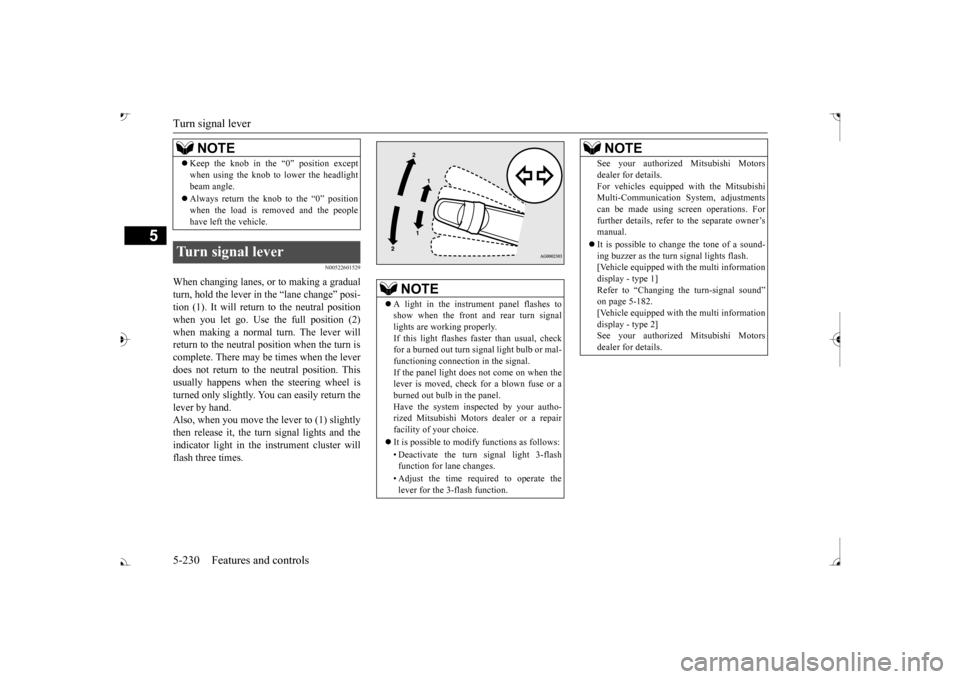
When changing lanes, or to making a gradual turn, hold the lever in the “lane change” posi-tion (1). It will return
to the neutral position
when you let go. Use the full position (2) when making a normal turn. The lever willreturn to the neutral position when the turn is complete. There may be times when the lever does not return to the neutral position. Thisusually happens when the steering wheel is turned only slightly. You can easily return the lever by hand.Also, when you move the lever to (1) slightly then release it, the turn signal lights and the indicator light in the instrument cluster willflash three times. Keep the knob in the “0” position except when using the knob to lower the headlightbeam angle. Always return the knob to the “0” position when the load is removed and the peoplehave left the vehicle.
Turn signal lever
NOTE
NOTE
A light in the instrument panel flashes to show when the front and rear turn signallights are working properly. If this light flashes fa
ster than usual, check
for a burned out turn signal light bulb or mal-functioning connect
ion in the signal.
If the panel light does not come on when the lever is moved, check for a blown fuse or aburned out bulb in the panel. Have the system inspected by your autho- rized Mitsubishi Motors dealer or a repairfacility of your choice. It is possible to modify functions as follows: • Deactivate the turn signal light 3-flash function for lane changes. • Adjust the time required to operate the lever for the 3-flash function.
See your authorized Mitsubishi Motorsdealer for details.For vehicles equipped
with the Mitsubishi
Multi-Communication System, adjustments can be made using sc
reen operations. For
further details, refer to the separate owner’smanual. It is possible to cha
nge the tone of a sound-
ing buzzer as the turn signal lights flash. [Vehicle equipped with the multi information display - type 1]Refer to “Changing the turn-signal sound” on page 5-182. [Vehicle equipped with the multi informationdisplay - type 2] See your authorized Mitsubishi Motors dealer for details.NOTE
BK0239700US.book 230 ページ 2016年6月16日 木曜日 午前10時58分
Page 312 of 521
Hazard warning flasher switch Features and controls 5-231
5
N00522701328
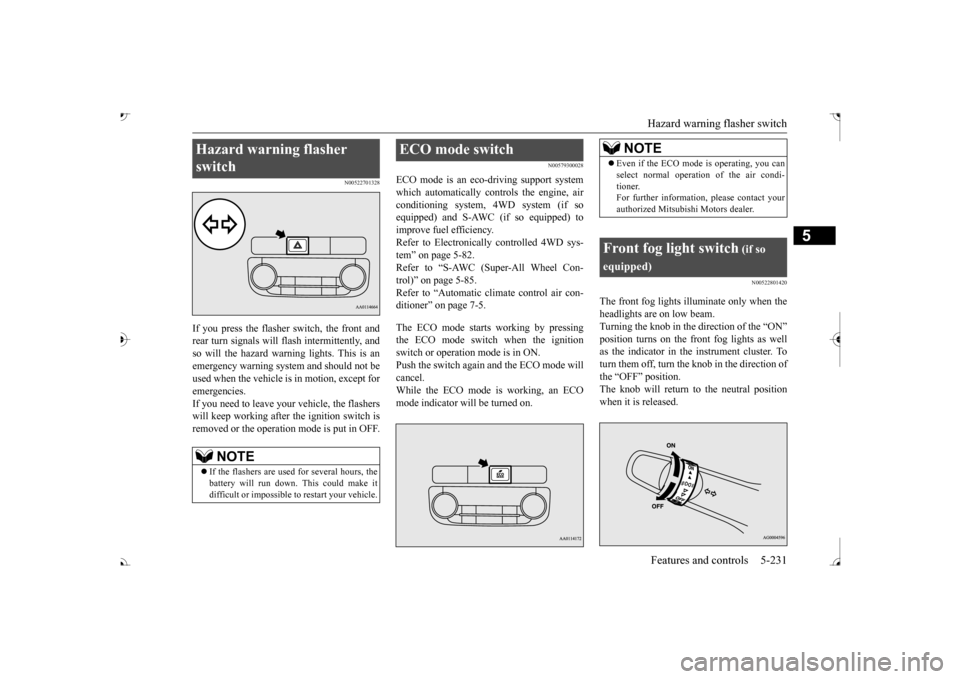
If you press the flasher switch, the front and rear turn signals will flash intermittently, and so will the hazard warning lights. This is an emergency warning system and should not beused when the vehicle is in motion, except for emergencies. If you need to leave your
vehicle, the flashers
will keep working after the ignition switch is removed or the operation mode is put in OFF.
N00579300028
ECO mode is an eco-driving support systemwhich automatically controls the engine, air conditioning system,
4WD system (if so
equipped) and S-AWC (if so equipped) to improve fuel efficiency. Refer to Electronically controlled 4WD sys-tem” on page 5-82. Refer to “S-AWC (Super-All Wheel Con- trol)” on page 5-85. Refer to “Automatic climate control air con- ditioner” on page 7-5. The ECO mode starts working by pressing the ECO mode switch when the ignition switch or operation mode is in ON. Push the switch again
and the ECO mode will
cancel. While the ECO mode is working, an ECO mode indicator will be turned on.
N00522801420
The front fog lights illuminate only when theheadlights are on low beam. Turning the knob in the direction of the “ON”as the indicator in the instrument cluster. To turn them off, turn the knob in the direction of the “OFF” position.The knob will return to the neutral position when it is released.
Hazard warning flasher switch
NOTE
If the flashers are used for several hours, the battery will run down.
This could make it
difficult or impossible
to restart your vehicle.
ECO mode switch
NOTE
Even if the ECO mode is operating, you can select normal operati
on of the air condi-
tioner.For further informati
on, please contact your
authorized Mitsubish
i Motors dealer.
Front fog light switch
(if so
equipped)
BK0239700US.book 231 ページ 2016年6月16日 木曜日 午前10時58分
Page 313 of 521

Wiper and washer switch 5-232 Features and controls
5
N00523001751
The windshield wiper and washer can be operated with the ignition switch or the oper- ation mode is in ON or ACC. If the blades are frozen to the windshield, donot operate the wipers
until the ice has melted
and the blades are freed, otherwise the wiper motor may be damaged.
NOTE
If the headlights are switched to high beam, the front fog lights will
go out; they will illu-
minate again when the headlights areswitched back to low beam. If the light switch is rotated to the “OFF” or “ ” position while the front fog lights are illuminated, they will automatically turn off. They can be turned back on again by rotatingthe combination he
adlights and dimmer
switch back to “ ” position, and turning the knob in the direction of the “ON” posi- tion. Do not use fog lights except in conditions of fog, otherwise excessi
ve light glare may
temporarily blind oncom
ing vehicle drivers.
Wiper and washer switch
CAUTIONIf the washer is used in cold weather, the washer fluid sprayed against the glass may freeze, which may hi
nder visibility. Warm
the glass with the defro
ster before using the
washer.
Windshield wipers
NOTE
To ensure a clear rearward view, the rear window wiper will automatically performseveral continuous opera
tions if the selector
lever is put in the “R” position while the windshield wipers
are operating.
Refer to “Rear window wiper and washer” on page 5-236.
Except for vehicle with rain sensor MIST- Misting function
The wipers will operate once.
OFF- OffINT- Intermittent
(Speed sensitive)
LO- Slow HI- Fast
BK0239700US.book 232 ページ 2016年6月16日 木曜日 午前10時58分
Page 318 of 521

Wiper deicer switch (if so equipped)
Features and controls 5-237
5
N00523501277
N00584400027
The electric rear window
defogger switch can
be operated when the engine is running.When the front wipers have frozen to the windshield at the parked
positions, turning on
this switch will heat the windshield to makethe wipers operable. Press the electric rear window defogger switch and the deicer will operate.
N00523701468
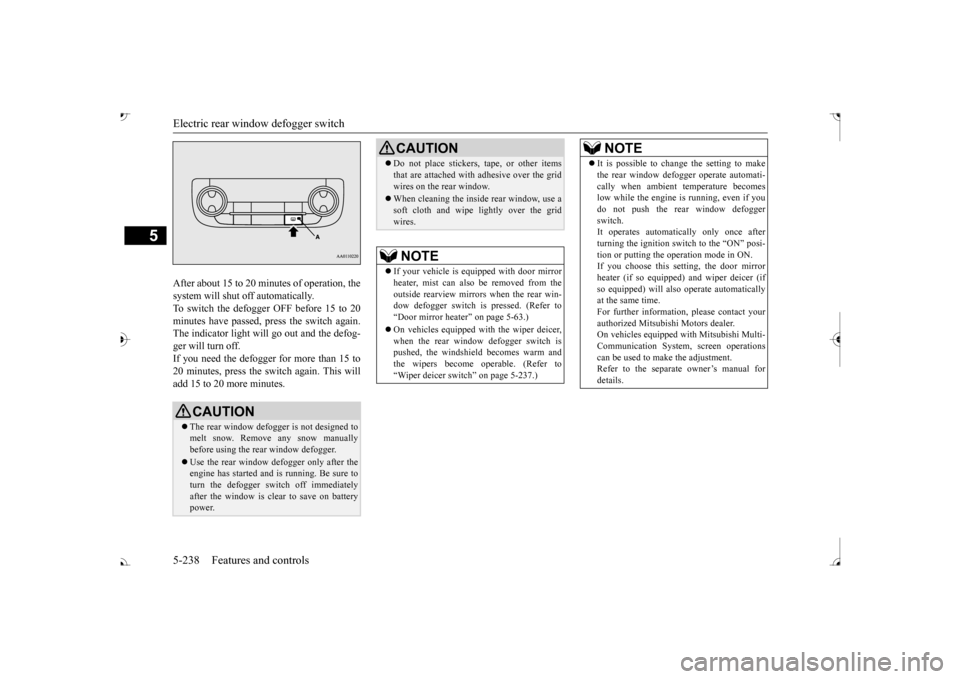
The rear window defogger can be used when the engine is running. The indicator light (A) will come on whenyou press the electric rear window defogger switch. Electric current will flow through the heating wires on the rear window to helpclear away moisture or frost.
If the knob is in the “OFF” position, turn the knob to the “INT” position twice quickly tooperate the rear window
wiper continuously.
(continuous operation mode) Turn the knob to the “OFF” position to stop the rear window wipe
r continuous operation.
The wiper intermittent
operation time can be
adjusted.See your authorized Mitsubishi Motors dealer for details. For vehicles equipped
with the Mitsubishi
Multi-Communication System, adjustments can be made using screen operations. For further details, refer to the separate owner’smanual. The washer fluid reservoir is located in the engine compartment. Check the fluid level re
gularly and refill if
necessary. (Refer to
“Washer fluid” on page
9-12.)
Precautions to observe when using wipers and washers
CAUTION If the washer is used
in cold weather, the
washer fluid sprayed onto the glass might freeze, blocking your vi
ew. Heat the glass
with the defroster befo
re using the washer.
NOTE
NOTE
Do not use the wipers when the windshield is dry. This could scratch the glass and wear thewiper blades prematurely. Before using the wipe
rs in cold weather,
check to be sure that the wiper blades are notfrozen to the windshield or rear window. Using the wipers while the blades are frozen could cause the wiper motor to burn out. If the moving wipers be
come blocked part-
way through a sweep by ic
e or other deposits
on the glass, the wipers may temporarily stop operating to prevent the motor from over- heating. In this case, park the vehicle in asafe place, turn the ignition switch to the “OFF” position or put
the operation mode in
OFF, and then remove
the ice or other depos-
its. Because the wipers will
start operating again
after the wiper motor cools down, check thatthe wipers operate
before using them.
Avoid using the washer for more than 20 sec- onds at a time. Do not operate the washer when the washer fluid reservoir is empty or the pump may fail. During cold weather, add a recommended washer solution that will not freeze in thewasher fluid reservoir. Otherwise the washer may not work or may be damaged. Replace the wiper blades when they are worn. Use the proper size replacement blades. For further info
rmation, please con-
tact your authorized
Mitsubishi Motors
dealer.
Wiper deicer switch
(if so
equipped)
NOTE
The wiper deicer is
activated/de
activated,
depending on the operation of the rear win- dow defogger. Refer to
“Electric rear win-
dow defogger switch
” on page 5-237.
Electric rear window defog- ger switch
BK0239700US.book 237 ページ 2016年6月16日 木曜日 午前10時58分
Page 319 of 521
Electric rear window defogger switch 5-238 Features and controls
5
After about 15 to 20 minutes of operation, the system will shut off automatically.To switch the defogger OFF before 15 to 20 minutes have passed,
press the switch again.
The indicator light will
go out and the defog-
ger will turn off. If you need the defogger for more than 15 to 20 minutes, press the switch again. This willadd 15 to 20 more minutes.
CAUTION The rear window defogge
r is not designed to
melt snow. Remove any snow manually before using the rear window defogger. Use the rear window defogger only after the engine has started and
is running. Be sure to
turn the defogger switch off immediatelyafter the window is clea
r to save on battery
power.
Do not place stickers,
tape, or other items
that are attached with adhesive over the gridwires on the rear window. When cleaning the inside
rear window, use a
soft cloth and wipe lightly over the gridwires.NOTE
If your vehicle is e
quipped with door mirror
heater, mist can also be removed from the outside rearview mirror
s when the rear win-
dow defogger switch is
pressed. (Refer to
Page 320 of 521
Heated steering wheel switch (if so equipped)
Features and controls 5-239
5
N00589100032
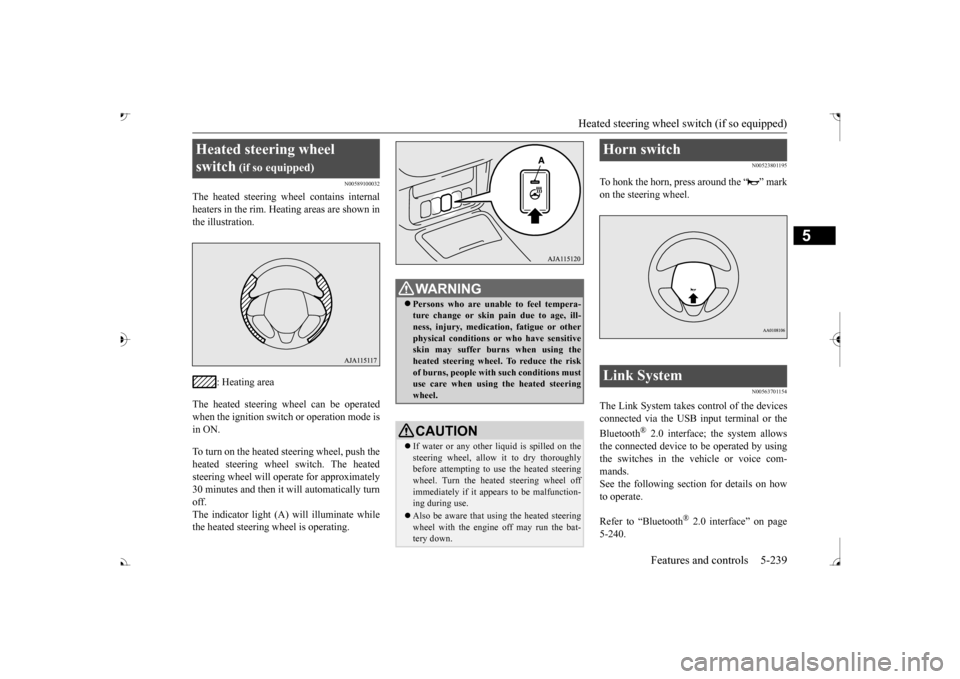
The heated steering wh
eel contains internal
heaters in the rim. Heating areas are shown in the illustration.
: Heating area
The heated steering wheel can be operated when the ignition switch or operation mode is in ON. To turn on the heated steering wheel, push the heated steering wheel switch. The heated steering wheel will ope
rate for approximately
30 minutes and then it
will automatically turn
off. The indicator light (A) will illuminate while the heated steering wheel is operating.
N00523801195
To honk the horn, press around the “ ” markon the steering wheel.
N00563701154
The Link System takes control of the devicesconnected via the USB input terminal or the Bluetooth
® 2.0 interface; the system allows
the connected device to be operated by using the switches in the vehicle or voice com-mands. See the following section for details on how to operate. Refer to “Bluetooth
® 2.0 interface” on page
5-240.
Heated steering wheel switch
(if so equipped)
Persons who are unable
to feel tempera-
ture change or skin
pain due to age, ill-
ness, injury, medicati
on, fatigue or other
physical conditions or
who have sensitive
skin may suffer burns when using theheated steering wheel. To reduce the risk of burns, people with such conditions must use care when using the heated steeringwheel.CAUTION If water or any other li
quid is spilled on the
steering wheel, allow it to dry thoroughly before attempting to use the heated steering wheel. Turn the heated steering wheel offimmediately if it appe
ars to be malfunction-
ing during use. Also be aware that us
ing the heated steering
wheel with the engine off may run the bat- tery down.
Horn switch Link System
BK0239700US.book 239 ページ 2016年6月16日 木曜日 午前10時58分
Page 347 of 521
Sun visors 5-266 Features and controls
5
N00524601363
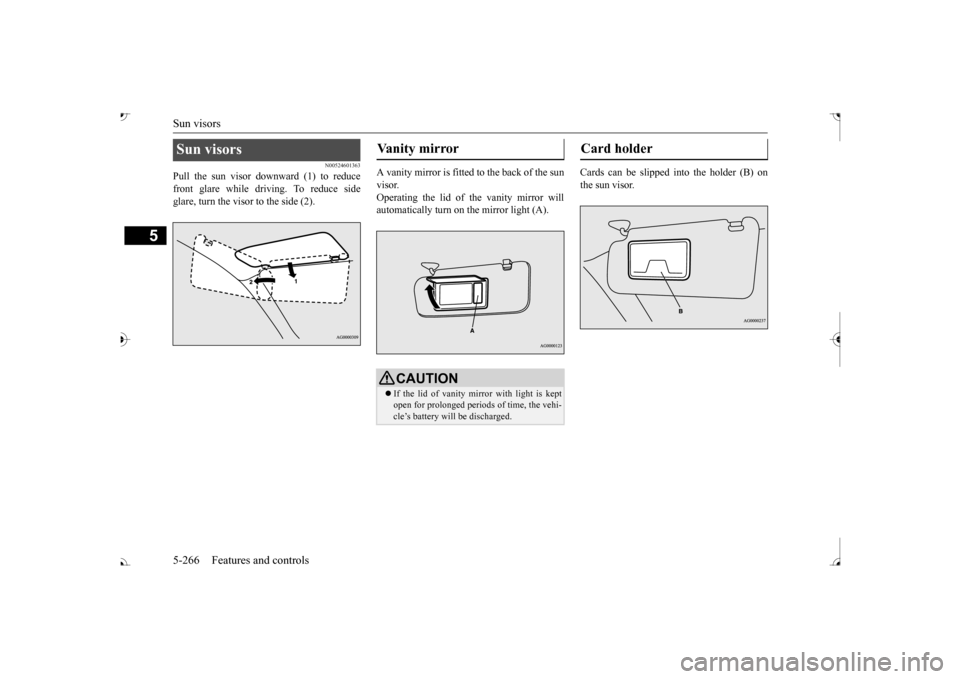
Pull the sun visor downward (1) to reduce front glare while driving. To reduce side glare, turn the visor to the side (2).
A vanity mirror is fitted to the back of the sun visor. Operating the lid of the vanity mirror will automatically turn on the mirror light (A).
Cards can be slipped into the holder (B) on the sun visor.
Sun visors
Vanity mirror
CAUTION If the lid of vanity mirror with light is kept open for prolonged periods of time, the vehi- cle’s battery will be discharged.
Card holder
BK0239700US.book 266 ページ 2016年6月16日 木曜日 午前10時58分
Page 349 of 521
HomeLink® Wireless Control System (if so equipped) 5-268 Features and controls
5
N00554301040
HomeLink
® Wireless Contro
l System is a
registered trademark of Gentex Corporation. HomeLink
® provides a convenient way to
replace up to 3 hand-held radio-frequency (RF) transmitters used to activate devicessuch as gate operators
, garage door openers,
entry door locks, security systems, even home lighting. Additional HomeLink
® information
can be found at www.homelink.com, www.youtube.com/HomeLinkGentex, or by calling the toll-free HomeLink
®-Hotline at 1-
800-355-3515.
N00584600029
Some garage door openers manufactured after 1995 have “rolli
ng code protection”.
To program a garage door openerequipped with “rolli
ng code protection”; cess the garage door
opener motor to press the motor’s “Learn”
For convenience, use
a ladder and another pe
rson to assist you.
It is recommended that a new battery be placed in the hand-held
transmitter of the
device being progr
ammed to HomeLink
®
for quicker training and accurate trans- mission of the radio-frequency signal.
HomeLink
® Wireless Con-
trol System
(if so equipped)
WA R N I N G Do not use HomeLink
® with any garage
door opener that la
cks safety stop and
reverse features as required by U.S. Fed- eral Regulations.
A garage door opener
which cannot detect an object in the path of a closing garage d
oor and then auto-
matically stop and reverse, does not meetcurrent U.S. Federal
Regulations. Using a
garage door opener wi
thout these features
increases the risk of serious injury ordeath.
During programming, your garage door or gate may open or close. Make sure thatpeople and objects are clear of the garagedoor or gate that
you are programming.
NOTE
Once HomeLink
® is programmed, retain the
original transmitter for future programming procedures (for example, new vehicle pur-chases). Upon sale of the vehicle, the pro- grammed HomeLink
® buttons should be
erased for security purposes. Refer to “Cleaning the progra
mmed information” on
page 5-272. You can program a ma
ximum of 3 devices.
To change or replace any of the 3 devicesafter it has been in
itially programmed, you
must first erase the current settings. See “Cleaning the programmed information”on page 5-272 or “Reprogramming a single HomeLink
® button” on page 5-272.
WA R N I N G
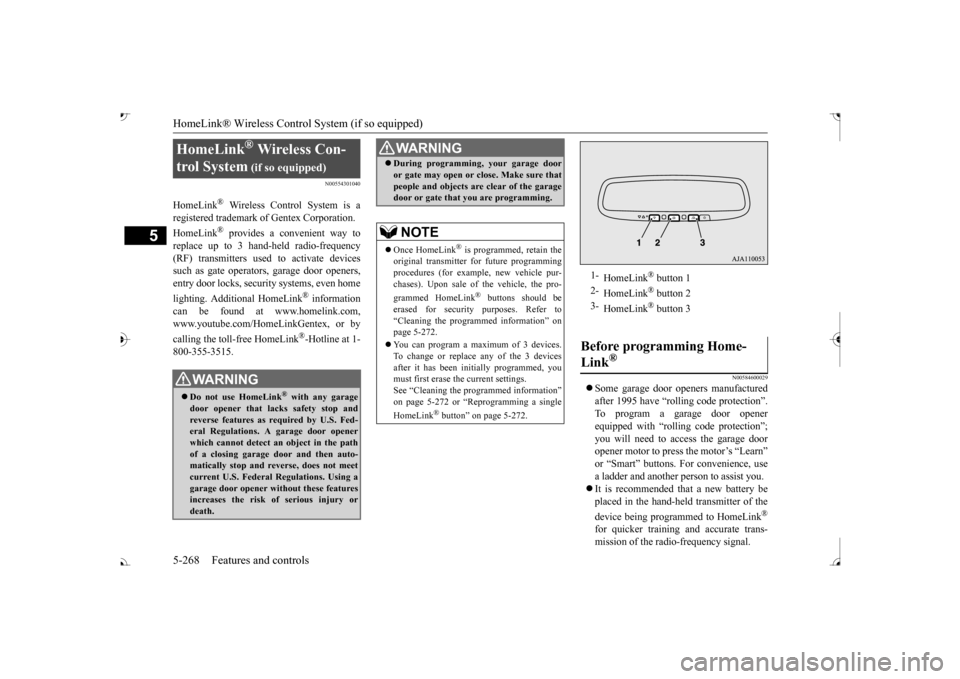
1-
HomeLink
® button 1
2-
HomeLink
® button 2
3-
HomeLink
® button 3
Before programming Home- Link
®
BK0239700US.book 268 ページ 2016年6月16日 木曜日 午前10時58分