2017 MITSUBISHI iMiEV USB
[x] Cancel search: USBPage 222 of 296
To play iPod/USB memory device tracks via voice op
eration (vehicles with
Bluetooth® 2.0 interface)
7-20 Comfort controls
7
N00772001025
Desired tracks can be
selected and played
from your iPod or USB memory device by “Artist”, “Album”, “Playlist” and “Genre” For information concerning the voice recog- nition function or speak
er registration func-
tion, refer to “Bluetooth
® 2.0 interface” on
page 5-53.The following explains how to prepare for voice operation and play the tracks.
N00772101026
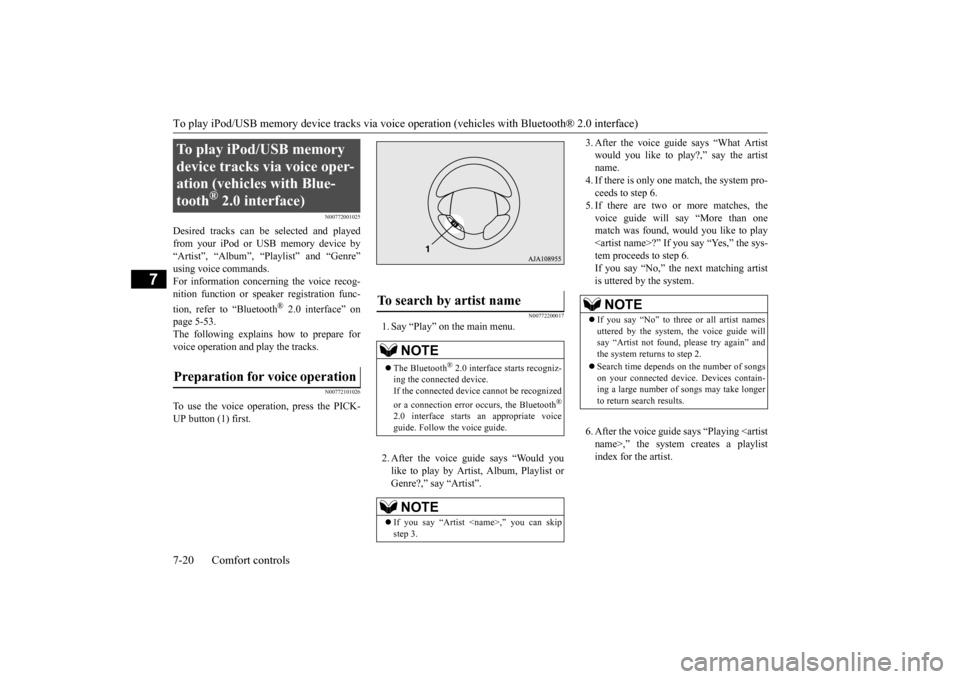
To use the voice operation, press the PICK-UP button (1) first.
N00772200017
1. Say “Play” on the main menu. 2. After the voice guide says “Would you like to play by Artist, Album, Playlist orGenre?,” say “Artist”.
3. After the voice guide
says “What Artist
would you like to play?,” say the artistname. 4. If there is only one ma
tch, the system pro-
ceeds to step 6.5. If there are two or more matches, the voice guide will say “More than one match was found, would you like to play
say “Yes,” the sys-
tem proceeds to step 6. If you say “No,” the next matching artist is uttered by the system. 6. After the voice guide
says “Playing
To play iPod/USB memory device tracks via voice oper-ation (vehicles with Blue-tooth
® 2.0 interface)
Preparation for voice operation
To search by artist name
NOTE
The Bluetooth
® 2.0 interface
starts recogniz-
ing the connected device. If the connected device
cannot be recognized
or a connection error
occurs, the Bluetooth
®
2.0 interface starts an appropriate voice guide. Follow the voice guide.NOTE
If you say “Artist
NOTE
If you say “No” to three or all artist names uttered by the system, the voice guide will say “Artist not found, please try again” and the system returns to step 2. Search time depends
on the number of songs
on your connected devi
ce. Devices contain-
ing a large number of songs may take longer to return search results.
BK0220401US.book 20 ページ 2015年6月3日 水曜日 午前7時42分
Page 223 of 296

To play iPod/USB memory device tr
acks via voice operation (vehicles with Bluetooth® 2.0 interface)
Comfort controls 7-21
7
7. The system exits
the voice recognition
mode and starts playback.
N00772300018
1. Say “Play” on the main menu. 2. After the voice guide says “Would you like to play by Artist, Album, Playlist or Genre?,” say “Album”.
3. After the voice gui
de says “What Album
would you like to play?” say the albumtitle. 4. If there is only one match, the system pro- ceeds to step 6.5. If there are two or more matches, the voice guide will say “More than one match was found, would you like to play
u say “Yes,” the sys-
tem proceeds to step 6. If you say “No,” the name of the next matching album is uttered by the system. 6. After the voice gui
de says “Playing
7. The system exits the voice recognition mode and starts playback.
N00772400019
1. Say “Play” on the main menu. 2. After the voice guide says “Would you like to play by Artist, Album, Playlist or Genre?,” say
“Playlist”.
3. After the voice guide says “What Playlist would you like to play?,” say the playlist name. 4. If there is only one match, the system pro-ceeds to step 6.
NOTE
If the confirmation f
unction is active, the
voice guide confirms if
the artist name is
correct. If the artist name is correct, say“Yes”. If not, say “No”. After the voice guide says “Artist not found, please try again,” the system returns to step 2.
To search by album title
NOTE
The Bluetooth
® 2.0 interface
starts recogniz-
ing the connected device. If the connected device
cannot be recognized
or a connection error
occurs, the Bluetooth
®
2.0 interface starts an appropriate voice guide. Follow th
e voice guide.
NOTE
If you say “Album <
title>,” you can skip
step 3.
NOTE
If you say “No” to three or all album titles uttered by the system, the voice guide will say “Album not found, please try again” and the system returns to step 2.NOTE
If the confirmation function is active, the voice guide confirms if
the album title is cor-
rect. If the album title is correct, say “Yes”.
the voice guide says
“Album not found, please try again,” the sys- tem returns to step 2.
To search by playlist
NOTE
The Bluetooth
® 2.0 interface
starts recogniz-
ing the connected device. If the connected device
cannot be recognized
or a connection error
occurs, the Bluetooth
®
2.0 interface starts an appropriate voice guide. Follow th
e voice guide.
NOTE
If you say “Playlist
step 3. If the device has no playlist, the voice guidewill say “There are no
playlists stored on
device” and the system returns to step 2.
BK0220401US.book 21 ページ 2015年6月3日 水曜日 午前7時42分
Page 225 of 296

Steering wheel audio remote control switch (if so equipped)
Comfort controls 7-23
7
It can be used when the electric motor switch is in the “ON” or “ACC” position. Press the power switch to turn on the power. When the power is turned on, the last mode
used before turning off is displayed. To turn off the power, press and hold down the powerswitch for about 2 seconds until you hear a beep. While the button is pressed, the volume will continue to increase. While the button is pressed, the volume will continue to decrease. Press the mode selector button to select the desired mode.The mode changes in the following order. AM
FM1
FM2
CD
USB or iPod
*
Bluetooth
®* AM
* : If you connect these devices.
Press the mode selector button and select AM or FM mode. After pressing one of
these buttons, a receiv-
able station will be automatically selected and reception of the st
ation will begin.
Press the mode selector
button and select CD
mode. To fast forward or fast
reverse the disc, press
the fast-forward button or the fast-reverse button. You can fast forward the disc by holding down the fast-forward button. While the but-
1- Volume up button 2- Volume down button 3- Power switch/Mode selector button4- Seek up/Track up/File up/Fast-forward
button
5- Seek down/Track down/File
down/Fast-reverse buttonNOTE
Do not press multiple buttons at the same time when using the steering wheel audioremote control switch.
To turn on the power
Vo l u m e c o n t r o l
Volume up button
Volume down button
Mode selection
To listen to the radio
Automatic tuning
Seek up button/Seek down buttonTo listen to a CD
To fast forward/reverse the disc (music CDs only)
Fast forward
BK0220401US.book 23 ページ 2015年6月3日 水曜日 午前7時42分
Page 226 of 296
Error codes 7-24 Comfort controls
7
ton is kept pressed, th
e disc will be fast-for-
warded. You can fast reverse the disc by holding down the fast-reverse button. While the button is kept pressed, the disc
will be fast-reversed.
You can select your desired track by using the track up button or the track down button.
Press the mode select
or button and select
iPod mode. Press the button repeatedly until the desired track number appears on the display. Press the button repeatedly until the desired track number appears on the display.
Press the mode select
or button and select
USB mode. Press the button repeated
ly until the desired
track number appears on the display. Press the button repeated
ly until the desired
track number appears on the display.
N00736100777
If an error code appears in the display, take action in accordance with the table below. Fast reverse
NOTE
With an MP3 CD, you can fast forward and fast reverse tracks in the same folder.
To select a desired track
NOTE
Pressing the track down button once during the song will cause the system to restart playing from the beginning of the song.
To listen to an iPod
To select a desired track
Track up button
NOTE
The track number continues to increase while the button is pressed.
Track down button
NOTE
The track number cont
inues to decrease
while the button is pressed.
To listen to a USB memory device
To select a desired file
File up button
NOTE
The track number continues to increase while the button is pressed.
File down button
NOTE
The track number cont
inues to decrease
while the button is pressed.
Error codes BK0220401US.book 24 ページ 2015年6月3日 水曜日 午前7時42分
Page 295 of 296

Alphabetical index
12-5
12
Bulb capacity
.................................
9-22
Replacement
..................................
9-25
Storage spaces
....................................
5-79
Sun visors
..........................................
5-76
Supplemental Re
straint System
............
4-20
How the Supplement Restraint System works
..........................................
4-23
Servicing
.......................................
4-34
Warning light
.................................
4-26
T
Tail lights
Bulb capacity
.................................
9-22
Replacement
..................................
9-25
Theft-alarm system
.............................
5-12
Tire
Quality grading
...............................
10-2
Tire pressure monitoring system
...........
5-30
Tire repair kit
.......................................
8-5
Tires
..................................................
9-10
Inflation pressure
............................
9-13
Maintenance
...................................
9-15
Replacing tires and wheels
...............
9-14
Rotation
.........................................
9-15
Size (tire and wheel)
.......................
11-6
Snow tires
......................................
9-15
Tire and loading information placard
.6-7
,
11-3 Tire chains
.....................................
9-16
Tread wear indicators
.....................
9-15
Towing
..............................................
8-11
Traction control function
.....................
5-29
Trailer towing
....................................
6-10
Trip odometer
............................
5-37
, 5-38
Turn signal lights
Indicators
......................................
5-44
Lever
............................................
5-49
U
USB input terminal
.............................
5-73
How to connect a USB memory device
....
5-73 How to connect an iPod
..................
5-74
V
Vanity mirror
.....................................
5-76
Vehicle care precautions
.....................
9-28
Vehicle dimensions
............................
11-4
Vehicle labeling
.................................
11-2
Vehicle preparation before driving
.........
6-3
Vehicle weights
..................................
11-4
Vents
..................................................
7-2
W
Warning lights
...................................
5-44
Washer
Fluid
.......................................
9-7
, 11-7
Rear window washer
.......................
5-51
Switch
...........................................
5-51
Windshield washer
..........................
5-51
Waxing
..............................................
9-31
Weights
.............................................
11-4
Wheel
Specification
..................................
11-6
Wiper
Rear window wiper
.........................
5-51
Windshield
.....................................
5-50
Wiper blades
..................................
9-16
BK0220401US.book 5 ページ 2015年6月3日 水曜日 午前7時42分