2017 MERCEDES-BENZ S-Class MAYBACH seat adjustment
[x] Cancel search: seat adjustmentPage 55 of 230

The panel heating function warms the surfaces
with which the vehicle occupants frequently
come into contact. Activation of the panel heat-
ing via the multimedia system as described
below only works if seat heating is activated (see
the vehicle Operator's Manual).
XCall upVehicle Settings(Ypage 51).
XTo select PanelHeating: turn and press the
controller.
XTo change the setting: turn the controller.
Activating/deactivating the acoustic
locking verification signal
You can also set an audible signal to confirm
that the vehicle has been locked.
XCall up Vehicle Settings(Ypage 51).
XTo select Acoustic Lock Feedback: turn
and press the controller.
The function switches on or off, depending on
the previous setting.
You can find further information on the locking
feature in the vehicle Operator's Manual.
Switching the seat belt adjustment
on/off
The seat-belt adjustment function adjusts the
driver's and front-passenger seat belt to the
upper body of the occupants.
XCall up Vehicle Settings(Ypage 51).
XTo select Belt Adjustment: turn and press
the controller.
The function switches on or off, depending on
the previous setting.
You can find further information in the vehicle
Operator's Manual.
Switching the automatic mirror fold-
ing function on/off
When the Automatic Mirror Foldingfunc-
tion is activated, the outside mirrors fold in auto-
matically as soon as you lock the vehicle from
the outside. The outside mirrors fold out auto-
matically again as soon as you unlock the vehi-
cle.
XCall up Vehicle Settings(Ypage 51).
XTo select Automatic Mirror Folding: turn
and press the controller.
The function switches on or off, depending on
the previous setting.
You can find further information in the vehicle
Operator's Manual.
Switching locator lighting on/off
If you switch on the Locator Lightingfunc-
tion, the exterior lighting is switched on for a
short time when it is dark. The light switch must
be set to Ã.
The exterior lighting remains on for 40 seconds
after the vehicle is unlocked. When you start the
engine, the locator lighting is switched off and
the automatic driving lights are activated.
Vehicle settings53
Vehicle functions
Z
Page 58 of 230
If the volume of a background media source
exceeds a threshold, the speech amplification is
stopped. The threshold is designed for relaxed
conversation with background music. If the
threshold value is not exceeded, the voice
amplification is continued with a slight time
delay.
Voice amplification is paused during active tele-
phone calls or when using the Voice Control
System. A message will appear in the display.
You can assign these functions to the favorites
button (
Ypage 46).
Requirements
RYour vehicle is equipped with the Burmester®
surround sound system or the Burmester®
high-end 3D surround sound system.
RThe ignition is switched on.
RDoors, side windows and the panorama roof
with power tilt/sliding panel are closed.
iIf these conditions are not met, a corre-
sponding message will appear in the display.
Closing the side windows (see the vehicle Oper-
ator's Manual).
Closing the panorama roof with power tilt/slid-
ing panel (see the vehicle Operator's Manual).
Activating/deactivating voice amplifi-
cation
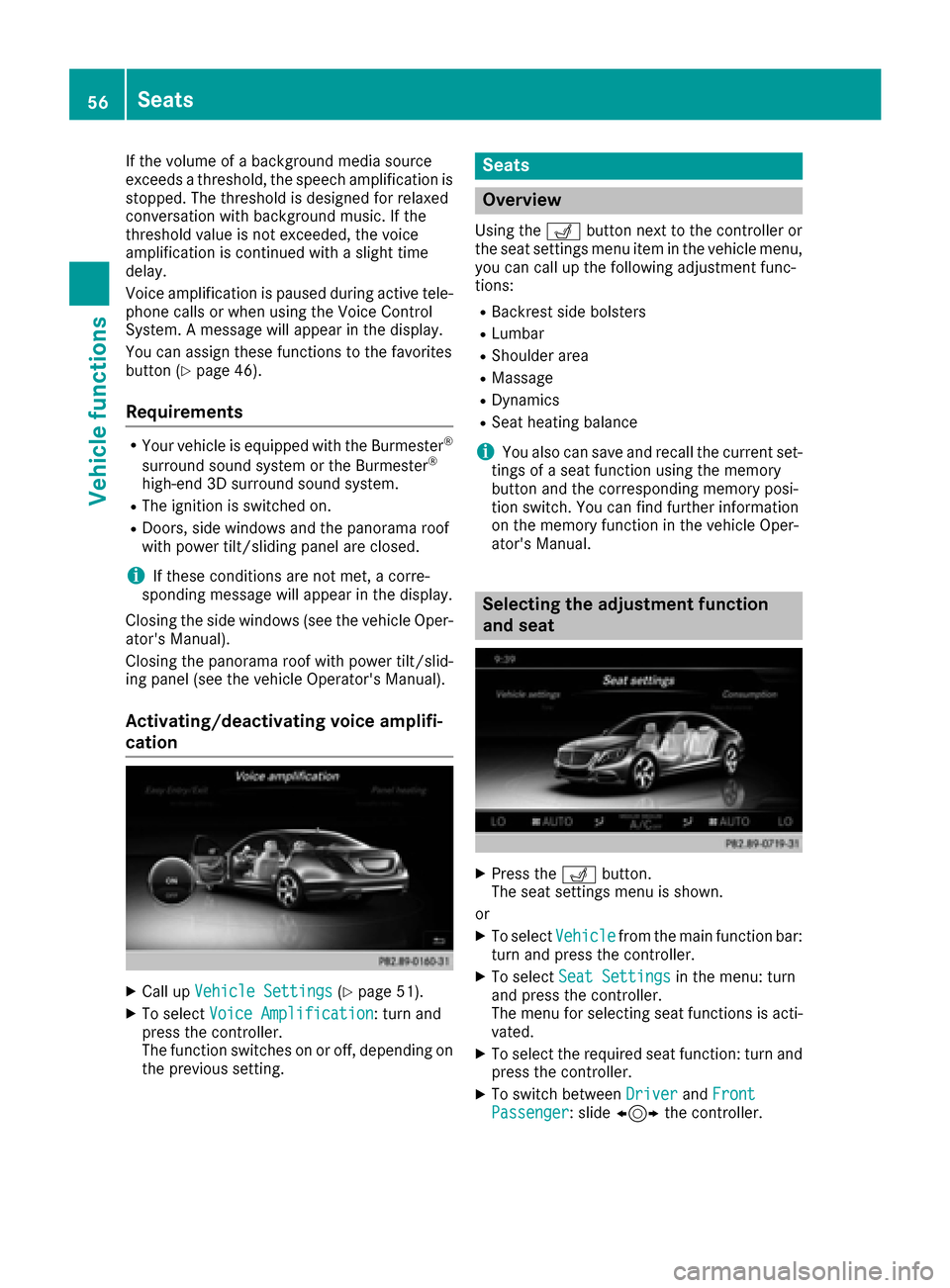
XCall up Vehicle Settings(Ypage 51).
XTo select Voice Amplification: turn and
press the controller.
The function switches on or off, depending on
the previous setting.
Seats
Overview
Using the Tbutton next to the controller or
the seat settings menu item in the vehicle menu,
you can call up the following adjustment func-
tions:
RBackrest side bolsters
RLumbar
RShoulder area
RMassage
RDynamics
RSeat heating balance
iYou also can save and recall the current set-
tings of a seat function using the memory
button and the corresponding memory posi-
tion switch. You can find further information
on the memory function in the vehicle Oper-
ator's Manual.
Selecting the adjustment function
and seat
XPress the Tbutton.
The seat settings menu is shown.
or
XTo select Vehiclefrom the main function bar:
turn and press the controller.
XTo select Seat Settingsin the menu: turn
and press the controller.
The menu for selecting seat functions is acti-
vated.
XTo select the required seat function: turn and
press the controller.
XTo switch between DriverandFrontPassenger: slide 1 the controller.
56Seats
Vehicle functions
Page 59 of 230

Adjustment functions
Adjusting the backrest side bolsters
XCall up the seat function s(Ypage 56).
XTo selectBackrest Sides: turnand press
th econtroller.
XTo select a seat: slide 1thecontroller.
XTo change thesetting : turnthecontroller.
You will see the changes you have made in the setting s display.
XTo exit th emenu: press th e% button.
Adjusting the seat contour in the lum-
bar region of the seat backrest
This function allows you to adjust the air cush-
ions in the lumbar region of the backrest (4-way
lumbar support).
XCall up the seat function s(Ypage 56).
XTo selectLumbar: turnand press th econtrol -
ler.
XTo select a seat: slide 1thecontroller.
XTo activate the setting element: press the
controller.
XTo change thesetting : slide4or1
th econtroller.
The change will be visible in the setting ele-
ment.
XTo exit th emenu: press th e% button.
Adjusting the shoulder area
XCall up the seat function s(Ypage 56).
XTo selectShoulders: turnand press th econ-
troller.
XTo select a seat: slide 1thecontroller.
XTo change thesetting : turnthecontroller.
You will see the changes you have made in the
setting s display.
XTo exit th emenu: press th e% button.
Adjusting the driving dynamics
XCall up the seat function s(Ypage 56).
XTo select a seat: slide1thecontroller.
XTo select DynamicMulticontour Sea t:
turn and press th econtroller.
You can select:
R0: Of f
R1: Level 1 (weak)
R2: Level 2 (strong)
Seats57
Vehicle functions
Z
Page 61 of 230

XCall up the seat functions (Ypage 56).
XTo selectMassage: turn and press the con-
troller.
XTo select a seat: slide 1the controller.
XTo select massage programs: turn and press
the controller.
The massage program runs for approximately
15 to 25 minutes, depending on the setting.
XTo change the massage intensity: turn the
controller to :and press to confirm.
The intensity changes between gentle and
vigorous each time the controller is pressed.
XTo exit the menu: press the%button.
Resetting all adjustments
XCall up the seat functions (Ypage 56).
XSelect a seat (Ypage 56).
XTo select Reset: turn and press the controller.
XTo select a seat: slide 1the controller.
XTo reset: press the controller.
A prompt appears.
XTo select YesorNo: turn and press the con-
troller.
If you select No
the process is canceled.
After selecting Yes
all seat adjustments are
reset to the default values (factory setting).
Climate control settings
Overview
You have the following options for adjusting cli-
mate control settings:
Rusing the climate control bar
Rusing the clim ate control menu
You can set the most impo rtantclimate control
functions such as temperature, airflow and air distribution using the climate control bar. The
climate control bar is visible in most displays.
You can find all the climate control functions in
the climate control menu. You can use the cli-
mate control bar (
Ypage 59) to switch to the
clim ate control menu.
Settings in the climate control bar
Overview
You can set the most important clim ate control
functions directly in theclimate control bar and
change them inthe climate control menu.
:Adjusts temperature, airflow and air distri-
bution, left, as well as displaying the current
setting
;Calls up the climate control menu, displays
the current co oling and climate mode set-
ting
=Adjusts air distribution, airflow and temper-
ature on the right and displays the current
settings
Swit ching to the climate control bar:
XPress the Øbutton.
or
XPress Vehiclein the main function bar.
The vehicle menu is displayed.
XSlide 6, release, then slide 6again, turn
and press the controller.
A menu appears.
Calling up the climate control bar
XPress the Øbutton.
or
XPress Vehiclein the main function bar.
The vehicle menu is displayed.
XSlide 6the controller repeatedly until the
climate control bar is activated.
Climate control settings59
Vehicle functions
Z
Page 191 of 230

Switching on DVD full-screen mode
It is possible to switch from the DVD basic dis-
play to full screen mode as follows:
XSlide5the controller.
The main function bar and menu bar are hid-
den. A full-screen symbol will be shown.
XPress the controller.
The full-screen mode appears.
Selecting menu options
XTo select Options: slide6the controller
when in full-screen mode
The video menu appears.
XPress the controller.
The DVD basic display appears.
XTo switch to the menu bar: slide 6the con-
troller.
XTo select Options: turn and press the con-
troller.
A menu appears.
Skip to time
XTo select Skip to Time: turn and press the
controller.
A menu appears.
XTo set the time: turn the controller.
or
Set the desired time using the number key-
pad.
XTo hide the menu: press the %button.
Displaying the DVD functions
XTo select DVDFunctions: turn and press the
controller.
A menu appears (
Ypage 190).
Starting an application at a different seat
XTo select Start Application at OtherSeat: turn and press the controller.
The menu appears: (Ypage 166).
iActivating the parental control screen:
(Ypage 63).
Selecting video settings
XSelect Video Settings.
A menu appears.
Video settings
Dynamic image enhancement
The dynamic image enhancement function auto-
matically matches brightness, contrast and
color to the film being played.
XSelect Video Settings(Ypage 189).
XSwitch DynamicImageEnhancementonO
or off ª.
Manual image enhancement
In order to manually adjust the brightness, con-
trast and color, the dynamic image enhance-
ment function and the automatic daylight
adjustment feature must be switched off.
XSelect Video Settings(Ypage 189).
XTo select Brightness,Contrastor
Color: turn and press the controller.
A sliding menu appears.
XTo select the required value: turn the control-
ler.
XTo exit the sliding menu: slide 8the con-
troller.
Video DVD mode189
Media
Z
Page 196 of 230

XTo activate the menu for balance and fader:
press the controller.
XTo adjust the balance focus: slide8or
9 the controller.
XTo adjust the fader focus: slide 6or5 the
controller.
An image shows the sound focus set.
XTo exit the menu: press the %button.
Changing loudspeaker source
Select Sound Sourcespecifies which seat-
based media source shall be output on the
speaker system.
Example: a media source is being listened to
using headphones in the left-hand rear seat.
Rear
Leftmust be selected in SelectSoundSourceif the same media source is to be lis-
tened to using the sound system.
If the loudspeaker source is set to a seat where
no playback is activated, nothing can be heard
on the vehicle loudspeaker.
XCall up the sound menu (Ypage 193).
XTurn the controller until Select SoundSourceis brought to the front.
XTo activate the rotary menu for the speaker
source: slide6the controller.
XTo set the desired speaker source: turn the
controller.
The segment, text and image show the selec-
ted setting.
XTo return to the menu: slide 5the control-
ler.
XTo return to the basic menu: press the %
button briefly.
Burmester®surround sound system
General notes
The Burmester®surround sound system is avail-
able for all functions in the radio and media
modes.
The Burmester
®surround sound system has a
total output of 590 watts and is equipped with
13 loudspeakers.
For the best sound, we recommend that the
Automatic Volume Adjustment
function is
deactivated (Ypage 46). For further information
on automatic volume adjustment, see
(
Ypage 46).
If using Bluetooth®audio mode, we recommend
you select the Boostsetting (Ypage 181).
Calling up the sound menu
You can select different sound settings in radio
mode and other media modes. It is possible to
set more bass for radio mode than for audio CD
mode, for example. The respective sound menu
can be called up from the menu bar of the
desired mode.
XSwitch to radio mode (Ypage 154).
or
XSwitch to media mode (Ypage 164).
XTo switch to the menu bar: slide 6the con-
troller.
XTo select à: turn and press the controller.
The menu appears with the last setting
accessed, e.g. Balance/Fader
.
Overview of Burmester
®surround sound sys-
tem
FunctionOptions
EqualizerSets treble, mid-
range and bass
Balance/faderMoves the sound
focus: right/left and
front/rear
Changing loud-
speaker sourceOutputs a seat-based
media source on to
the entire sound sys-
tem
SurroundOptimizes sound
playback for all seats
194Burmester®surround sound system
Sound
Page 198 of 230

Setting surround sound
The setting optimizes the sound playback for the
selected seat position.
Switching on/off
XCall up the sound menu (Ypage 194).
XTurn the controller untilSurroundis in the
center.
XSlide 6the controller.
The left-hand rotary menu to switch surround
sound on and off is activated.
XTo switch on Surround: turn the controller.
Setting the focus
XSlide 9the controller.
The right-hand rotary menu is activated.
XTo set Front,Rearor All Seats: turn the
controller.
The menu symbol, text and image show the
selected setting.
iThe focus can be set regardless of whether
or not surround sound is activated.
XTo exit the menu: press the %button.
Burmester®high-end 3D surround
sound system
General notes
The Burmester®high-end 3D surround sound
system is available for all functions in the radio
and media modes.
For the best sound, we recommend that the
Automatic Volume Adjustment
function is
deactivated (Ypage 46). For further information
on automatic volume adjustment, see
(
Ypage 46).
If using Bluetooth®audio mode, we recommend
you select the Boostsetting (Ypage 181).
Calling up the sound menu
You can select different sound settings in radio
mode and other media modes. It is possible to
set more bass for radio mode than for audio CD
mode, for example. The respective sound menu
can be called up from the menu bar of the
desired mode.
XSwitch to radio mode (Ypage 154).
or
XSwitch to media mode (Ypage 164).
XTo switch to the menu bar: slide 6the con-
troller.
XTo select à: turn and press the controller.
The menu appears with the last setting
accessed, e.g. Sound Profile
.
Overview of Burmester
®high-end 3D surround
sound system
FunctionOptions
EqualizerSets treble, mid-
range and bass
Balance/faderMoves the sound
focus: left/right and
front/rear
Changing loud-
speaker sourceOutputs a seat-based
media source on to
the entire sound sys-
tem
VIP & BAL selectionOptimizes sound
playback for individ-
ual seats
Sound profileFive defined sound
settings: Pure/
Easy Listening/
Live/Sur‐round/3D-Sound
196Burmester®high-end 3D surround sound system
Sound
Page 220 of 230

Adjusting the brightness, contrast and
color
XSwitc h on video DVD mod e(Ypage 223).
XTo showthemenu: press th e9 button on
th e remote control.
XSelectòusing the=;buttons and
press the 9to confirm.
A menu appears.
XSelect Optionsusing the :=;
buttons and press the 9button.
XSelect Video Settingsusing the :
=;buttons and press the 9button.
XSelect Brightness,Contrastor Colorusing the 9: buttons and press the 9
button to confirm.
An adjustment scale appears.
XSelect the setting using the 9:but-
tons and press the 9button to confirm.
Changing the picture format
XSwitch on video DVD mode (Ypage 223).
XTo show the menu: press the9button on
the remote control.
XSelect òusing the =;buttons and
press the 9to confirm.
A menu appears.
XSelect Optionsusing the :=;
buttons and press the 9button.
XSelect Video Settingsusing the :
=;buttons and press the 9button.
The dot in front of the 16:9
or4:3entry indi-
cates the currently selected format.
XSelect the format using the 9:but-
tons and press the 9button to confirm.
Vehicle settings
You can change the vehicle settings from the
rear compartment.
You can make the following changes:
RExtend seat heating to switch the arm rest
panel heating in the rear compartment on/off
RSeat settings
XTo set vehicle settings: selectVehiclewith
the 9=; buttons on the remote
control and press the 9button to confirm.
You will see a menu with the available vehicle
functions.
XSelect Vehicle SettingsorSeat Set‐tingswith the =; buttons.
XPress the9button on the remote control.
Further information on seat settings
(
Ypage 56).
Further information on panel heating
(
Ypage 52).
iThe panel heating in the rear compartment
is available if the SmartKey in the ignition lock
is in position 1or 2.
Climate control settings via the Rear
Seat Entertainment System
General notes
You can adjust the rear-compartment air condi-
tioning from the rear compartment. To do this,
please use the remote control (
Ypage 210).
Settings in the climate control bar
Overview
You can set the most important climate control
functions such as temperature, airflow, air dis-
tribution and cooling using the climate control
bar. The climate control bar is visible in most
displays.
218Climate control settings via the Rear Seat Entertainment System
Rear Seat Entertainment System