2017 MERCEDES-BENZ GLS tow
[x] Cancel search: towPage 171 of 390
R
LOW RANGE offroad gear (vehicles with the
Offroad Engineering package) ( Y
page 219)R
Differential lock (vehicles with the Off-Road
Engineering package) ( Y
page 218)R
Off-road ABS ( Y
page 64)R
Off-road 4ETS ( Y
page 67)R
Off-road ESP ®
( Y
page 68)R
AIRMATIC package (vehicle level)
( Y
page 186) R
DSR (Downhill Speed Regulation)
( Y
page 216)
Observe the following notes: R
Stop the vehicle before starting to drive along
an off-road route. If necessary, select the off-
road program ( Y
page 218) or shift to the
LOW RANGE off-road gear ( Y
page 219).R
Select a vehicle level that is suitable for the
terrain. To avoid damaging the vehicle, make
sure there is always sufficient ground clear-
ance. R
Check that items of luggage and loads are
stowed safely and are well secured
( Y
page 299). R
Always keep the engine running and in gear
when driving on a downhill gradient. Activate
DSR ( Y
page 216).R
Always keep the engine running and in gear
when driving on a slope. R
Adapt your speed to the terrain. The rougher,
steeper or more ruts on the terrain, the slower
your speed should be. R
Do not jump with the vehicle as this will inter-
rupt the vehicle's propulsion. R
Drive with extreme care on unfamiliar off-road
routes where visibility is poor. For safety rea-
sons, get out of the vehicle first and survey
the off-road route. R
Look out for obstacles, such as rocks, holes,
tree stumps and furrows. R
Always keep the doors, the tailgate, the side
windows and the sliding sunroof closed while
the vehicle is in motion. R
Do not shift the automatic transmission to
transmission position N .R
Observe the notes on off-road fording
( Y
page 167).
i Do not use the HOLD function when driving
off-road, on steep uphill or downhill gradients
or on slippery or loose surfaces. The HOLD function cannot hold the vehicle on such sur-
faces.
Checklist before driving off-road
! If the engine oil warning lamp lights up while
the vehicle is in motion, stop the vehicle in a
safe place as soon as possible. Check the
engine oil level. The engine oil warning lamp
warning must not be ignored. Continuing the
journey while the symbol is displayed could
lead to engine damage. X
Engine oil level: check the engine oil level
and add oil if necessary.
When driving on steep gradients, the engine
oil level must be sufficiently high to ensure a
correct oil supply in the vehicle. X
DEF tank (BlueTEC vehicles): check the
level and add if necessary ( Y
page 156).X
Tire-changing tool kit: check that the jack is
working and make sure you have the lug
wrench, a robust tow cable and a folding
spade in the vehicle. X
Wheels and tires: check the tire tread depth
and tire pressure. X
Check for damage and remove any foreign
objects, e.g. small stones, from the wheels/
tires. X
Replace any missing valve caps. X
Replace dented or damaged wheels. X
Rims: dented or bent rims can result in a loss
of tire pressure and damage the tire bead.
Before driving off-road, check the wheels and
replace them if necessary.
Checklist after driving off-road
! If you detect damage to the vehicle after
driving off-road, have the vehicle checked
immediately at a qualified specialist work-
shop.
Driving over rough terrain places greater
demands on your vehicle than driving on normal
roads. After driving off-road, check the vehicle.
This allows you to detect damage promptly and
reduce the risk of an accident to yourself and
other road users. X
If the Offroad or Offroad Plus drive program
is selected: select the Individual , Sport ,Driving tips 169
Driving and parking Z
Page 174 of 390
Drivin g downhil lR
Drive slowly. R
Do no t drive at an angle down steep inclines.
Steer into th e lin e of fal l and drive wit h th e
fron t wheels aligned straight . Otherwise , th e
vehicle could slip sideways , ti p and rollover.R
Shift to a lowe r gear usin g th e left-han d pad-
dle shifter befor e tacklin g steep downhill gra-
dients .R
Activat e DSR. If this is no t sufficient, brake
gently. Whe n doin g so, mak e sur e that th e
vehicle is facin g in th e direction of th e lin e of
fall .R
Chec k that th e brake s are working normally
after a lon g downhill stretch .
i The special off-road AB S setting enable s a
precise, brief and repeated locking of th e
fron t wheels. Thi s causes them to dig into
loose earth . Be awar e that th e fron t wheels
easily skid across th e groun d surfac e if com-
pletely brake d and therefore los e their ability
to steer .
Drivin g systems
Intelligent Drive Mercedes-Ben z Intelligen t Drive stand s fo r inno -
vative driver assistanc e and safet y systems
whic h enhance comfor t and suppor t th e driver in
critical situations. Wit h these intelligen t co-ordi -
nated systems Mercedes-Ben z has set a mile-
ston e on th e pat h toward s autonomous driving.
Mercedes-Ben z Intelligen t Drive embraces all
elements of active and passive safet y in on e well
though t out syste m – fo r th e safet y of th e vehi-
cl e occupant s and that of other road users.
Further information on drivin g safet y systems
( Y
page 63).
Cruis e contro l
General notes
Cruise contro l maintain s a constant road speed
fo r you. It brake s automatically in order to avoid
exceedin g th e set speed. You mus t selec t a
lowe r gear in goo d time on lon g and steep down -
hill gradients, especially if th e vehicle is lade n or
towin g a trailer . By doin g so, you will mak e use of
th e braking effect of th e engine. Thi s relieves th e load on th e brake system and prevents th e
brake s from overheatin g and wearin g to o
quickly.
Use cruise contro l only if road and traffic con-
dition s mak e it appropriat e to maintain a steady
speed fo r a prolonged period. You can stor e any
road speed abov e 20 mph (30 km/ h) .
i Cruise control should not be activated when
driving off-road.
Important safety notes If you fail to adapt your driving style, cruise con-
trol can neither reduce the risk of an accident
nor override the laws of physics. Cruise control
cannot take into account the road, traff ic and
weather conditions. Cruise control is only an
aid. You are responsible for the distance to the
vehicle in front, for vehicle spee d, for braking in
good time and for staying in your lane.
Do not use cruise control: R
in road and traffic conditions whic h do not
allow you to maintain a constant spee d, e.g. in
heavy traffic or on winding roads R
on slippery road surfaces. Braking or accel-
erating could cause the drive wheels to lose
traction and the vehicle could then skid R
when there is poor visibility, e.g. due to fog,
heavy rain or snow
If there is a change of drivers, advise the new
driv er of the speed store d.
Cruise control lever
C
Activates or increases speed
D
Activates or reduces speed
Page 176 of 390
R
you activat e th e Offroad Plus progra m (vehi-
cle s wit h th e Off-Road Engineerin g package)R
you shift th e transmission to position N while
drivin g
If cruise control is deactivated, you will hear a
warnin g tone . You will see th e Cruise Con ‐
tro l Off message in th e multifunction display
for approximately fiv e seconds.
i Whe n you switch off th e engine, th e last
speed store d is cleared .
Distance Pilot DISTRONIC
Gene ra l notesDistanc e Pilo t DISTRONI C regulates th e speed
and automatically help s you maintai n th e dis-
tance to th e vehicl e detecte d in front. Vehicles
are detecte d wit h th e aid of th e rada r sensor
system. Distanc e Pilo t DISTRONI C brakes auto-
matically so that th e set speed is no t exceeded .
You mus t select a lower gear in goo d time on
lon g and steep downhill gradients , especially if
th e vehicl e is laden or towin g a trailer . By doin g
so, you will mak e use of th e brakin g effec t of th e
engine. This relieves th e load on th e brak e sys-
te m and prevents th e brakes from overheating
and wearin g to o quickly.
If Distanc e Pilo t DISTRONI C detects that there is
a ris k of a collision , you will be warned visually
and acoustically. Without your intervention , Dis-
tance Pilo t DISTRONI C canno t preven t a colli-
sion . An intermittent warnin g tone will then
soun d and th e distanc e warnin g lamp will ligh t
up in th e instrumen t cluster. Brake immediately
in order to increase th e distanc e to th e vehicl e in
fron t or tak e evasive action provided it is saf e to
do so.
Fo r Distanc e Pilo t DISTRONI C to assist you
when driving, th e rada r sensor system mus t be
operational.
Dis tanc e P
ilo t DISTRONI C operate s in th e range
between 0 mph (0 km/h) and 12 0 mph
(20 0 km/h).
Do no t use Distanc e Pilo t DISTRONI C while driv-
in g on roads wit h steep gradients .
Since Distanc e Pilo t DISTRONI C transmit s rada r
waves, it can resemble th e rada r detectors of
th e responsibl e authorities. You can refer to th e
relevan t chapter in th e Operator' s Manual if
question s are asked about this. i US A only:
This device has been approve d by th e FCC as
a "Vehicular Radar System". The rada r sensor
is intended for use in an automotive rada r
system only. Removing, tamperin g with, or
altering th e device will voi d any warranties,
and is no t permitte d by th e FCC. Do no t tam -
per with, alter, or use in any non-approve d
way.
An y unauthorize d modification to this device
could voi d th e user’s authorit y to operate th e
equipment.
i Canada only: This device complies wit h
RSS-210 of Industry Canada. Operation is
subjec t to th e followin g tw o conditions:
1. This device may no t caus e harmful inter-
ference , and
2. This device mus t accept any interferenc e
received, includin g interferenc e that may
caus e undesired operation of th e device .
Removal, tampering, or altering of th e d evice
w
ill voi d any warranties, and is no t permitted.
Do no t tamper with, alter, or use in any non-
approve d way.
An y unauthorize d modification to this device
could voi d th e user's authorit y to operate th e
equipment.
Imp or tant safety notes
G WARNIN G
Distanc e Pilo t DISTRONI C does no t reac t to :R
people or animals R
stationary objects on th e road, e.g. stoppe d
or parked vehicles R
oncomin g vehicles and crossin g traffic
As a result , Distanc e Pilo t DISTRONI C may
neither giv e warnings no r interven e in suc h
situations. There is a ris k of an accident.
Always pay careful attention to th e traffic sit -
uation and be read y to brake.
G WARNIN G
Distanc e Pilo t DISTRONI C canno t always
clearly identify other roa d user s and complex
traffic situations.174
Driving systems
Driving and parking
Page 177 of 390

In such cases, Distance Pilot DISTRONIC may: R
give an unnecessary warning and then
brake the vehicle R
neither give a warning nor intervene R
accelerate or brake unexpectedly
There is a risk of an accident.
Continue to drive carefully and be ready to
brake, especially if Distance Pilot DISTRONIC
warns you.
G WARNING
Distance Pilot DISTRONIC brakes your vehicle
with up to 50% of the maximum possible
deceleration. If this deceleration is not suffi-
cient, Distance Pilot DISTRONIC alerts you
with a visual and acoustic warning. There is a
risk of an accident.
Apply the brakes yourself in these situations
and try to take evasive action.
! When Distance Pilot DISTRONIC or the
HOLD function is activated, the vehicle
brakes automatically in certain situations.
To avoid damage to the vehicle, deactivate
DISTRONIC PLUS and the HOLD function in
the following or similar situations: R
when towing the vehicle R
in the car wash
If you fail to adapt your driving style, Distance
Pilot DISTRONIC can neither reduce the risk of
an accident nor override the laws of physics.
Distance Pilot DISTRONIC cannot take into
account road, weather or traffic conditions. Dis-
tance Pilot DISTRONIC is only an aid. You are
responsible for the distance to the vehicle in
front, for vehicle speed, for braking in good time
and for staying in your lane.
Do not use Distance Pilot DISTRONIC: R
in road and traffic conditions which do not
allow you to maintain a constant speed, e.g. in
heavy traffic or on winding roads R
on slippery road surfaces. Braking or accel-
erating could cause the drive wheels to lose
traction and the vehicle could then skid R
when there is poor visibility, e.g. due to fog,
heavy rain or snow Distance Pilot DISTRONIC may not detect nar-
row vehicles driving in front, e.g. motorcycles, or
vehicles driving on a different line.
In particular, the detection of obstacles can be
impaired if: R
there is dirt on the sensors or anything else
covering the sensors R
there is snow or heavy rain R
there is interference by other radar sources R
there are strong radar reflections, for exam-
ple, in parking garages
If Distance Pilot DISTRONIC no longer detects a
vehicle in front, it may unexpectedly accelerate
to the speed stored.
This speed may: R
be too high if you are driving in a filter lane or
an exit lane R
be so high when driving in the right-hand lane
that you overtake vehicles in the left-hand
lane R
be so high when driving in the left-hand lane
that you overtake vehicles in the right-hand
lane
If there is a change of drivers, advise the new
driver of the speed stored.
Cruise control lever
C
Activates or increases speed
D
Activates or reduces speed
Page 178 of 390
Activating Distance Pilot DISTRONIC Acti va tion conditionsTo activat e Distanc e Pilo t DISTRONIC, th e fol -
lowin g condition s mus t be fulfilled :R
th e engin e mus t be started. It may tak e up to
two minute s of drivin g before Distanc e Pilo t
DISTRONI C is read y for use.R
th e electric parking brak e mus t be released.R
ES P ®
mus t be active , but no t intervening .R
th e transmission mus t be in position D .R
th e driver's door mus t be closed when you
shif t from P to D or your seat belt mus t be
fastened. R
th e front-passenger door and rear door s mus t
be closed. R
th e Offroad Plus drive program mus t be deac -
tivated (vehicles wit h th e Off-Road Engineer -
ing package). R
DS R mus t be deactivated.R
th e vehicl e mus t no t skid.
Acti va tingX
Briefly pull th e cruise control lever toward s
you
Page 182 of 390
Tips for driving with Distance Pilot
DISTRONIC General notes Pay particular attention in the following traffic
situations: R
Cornering, entering and exiting a bend: the
ability of Distance Pilot DISTRONIC to detect
vehicles during cornering is limited. Your vehi-
cle may brake unexpectedly or late. R
Driving on a different line: Distance Pilot
DISTRONIC may not detect vehicles which are
not driving in the middle of their lane. The dis-
tance to the vehicle in front will be too short. R
Other vehicles changing lanes: Distance Pilot
DISTRONIC has not detected the vehicle cut-
ting in yet. The distance to this vehicle will be
too short. R
Narrow vehicles: Distance Pilot DISTRONIC
has not yet detected the vehicle in front on
the edge of the road because of its narrow
width. The distance to the vehicle in front will
be too short. R
Obstacles and stationary vehicles: Distance
Pilot DISTRONIC does not brake for obstacles
or stationary vehicles. If, for example, the
detected vehicle turns a corner and an obsta-
cle or stationary vehicle is then revealed, Dis-
tance Pilot DISTRONIC will not brake for
them. R
Crossing traffic: Distance Pilot DISTRONIC
may mistakenly detect vehicles that are
crossing your lane. Activating Distance Pil ot
DIST
RONIC at, for example, a traffic light with
crossing traffic, could cause your vehicle to
pull away at the wrong time.
In such situations, brake if necessary. Distance
Pilot DISTRONIC will then be deactivated. Distance Pilot DISTRONIC with Steering
Pilot General notes
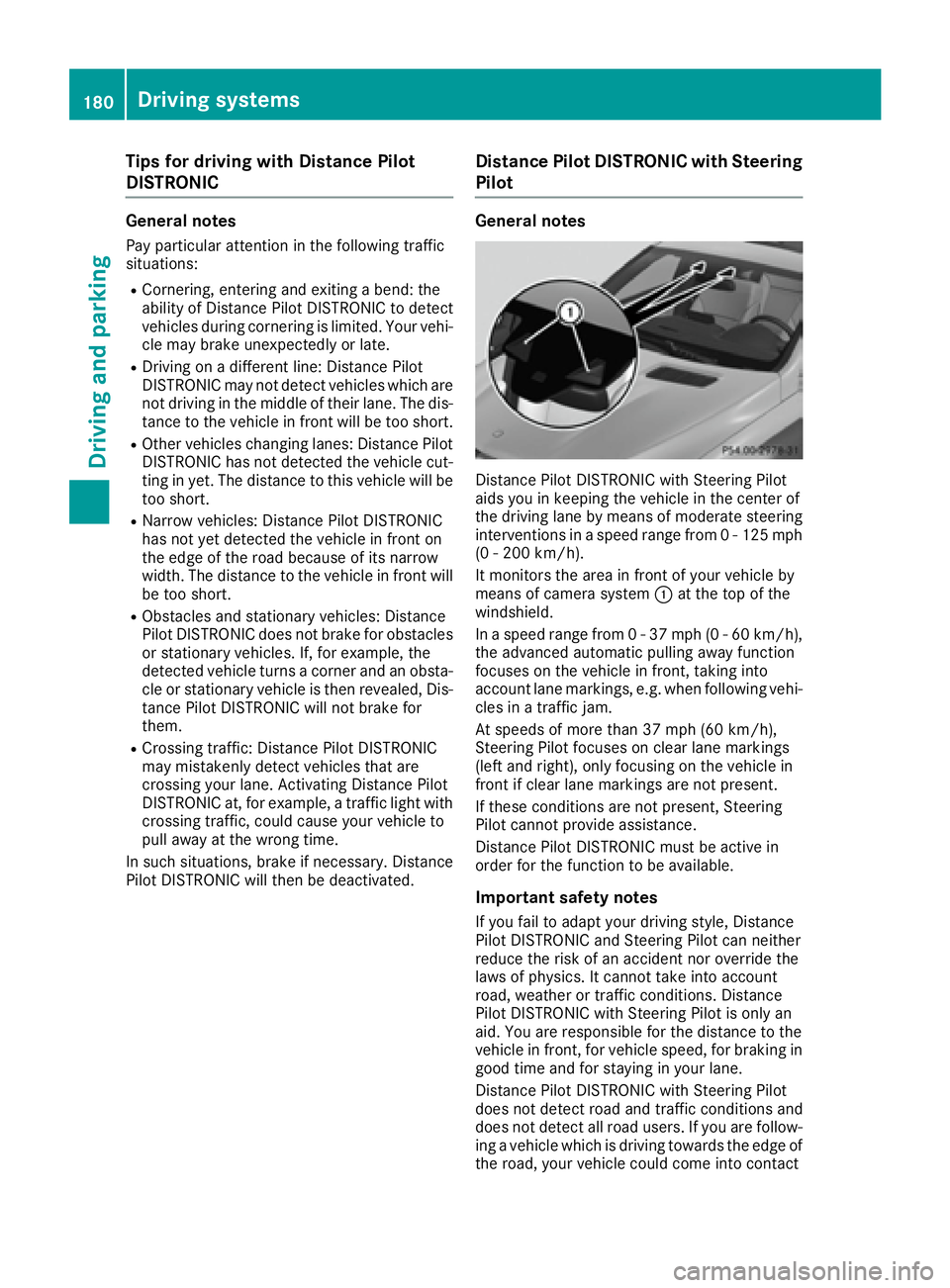
Distance Pilot DISTRONIC with Steering Pilot
aids you in keeping the vehicle in the center of
the driving lane by means of moderate steering
interventions in a speed range from 0 - 125 mph
(0 - 200 km/h).
It monitors the area in front of your vehicle by
means of camera system C at the top of the
windshield.
In a speed range from 0 - 37 mph (0 - 60 km/h),
the advanced automatic pulling away function
focuses on the vehicle in front, taking into
account lane markings, e.g. when following vehi-
cles in a traffic jam.
At speeds of more than 37 mph (60 km/h),
Steering Pilot focuses on clear lane markings
(left and right), only focusing on the vehicle in
front if clear lane markings are not present.
If these conditions are not present, Steering
Pilot cannot provide assistance.
Distance Pilot DISTRONIC must be active in
order for the function to be available.
Important safety notes
If you fail to adapt your driving style, Distance
Pilot DISTRONIC and Steering Pilot can neither
reduce the risk of an accident nor override the
laws of physics. It cannot take into account
road, weather or traffic conditions. Distance
Pilot DISTRONIC with Steering Pilot is only an
aid . You are responsible for the distance to the
ve
hicle in front, for vehicle speed, for braking in
good time and for staying in your lane.
Distance Pilot DISTRONIC with Steering Pilot
does not detect road and traffic conditions and
does not detect all road users. If you are follow-
ing a vehicle which is driving towards the edge of
the road, your vehicle could come into contact180
Driving system s
Dr ivi ng an d parking
Page 183 of 390
with the curb or other road boundaries. Be par-
ticularly aware of other road users, e.g. cyclists,
that are directly next to your vehicle.
Obstacles such as traffic pylons on the lane or
projecting out into the lane are not detected.
An inappropriate steering intervention, e.g. after
intentionally driving over a lane marking, can be
corrected at any time if you steer slightly in the
opposite direction.
DISTRONIC PLUS with Steering Pilot cannot
continuously keep your vehicle in lane. In some
cases, the steering intervention is not sufficient
to bring the vehicle back to the lane. In such
cases, you must steer the vehicle yourself to
ensure that it does not leave the lane.
The support provided by the system can be
impaired if: R
there is poor visibility, e.g. due to insufficient
illumination of the road, or due to snow, rain,
fog or spray R
there is glare, e.g. from oncoming traffic, the
sun or reflections (e.g. when the road surface
is wet) R
the windshield is dirty, fogged up, damaged or
covered, for instance by a sticker, in the vicin-
ity of the camera R
there are no, several or unclear lane markings
for a lane, e.g. in areas with road construction
work R
the lane markings are worn away, dark or cov-
ered up, e.g. by dirt or snow R
the distance to the vehicle in front is too small
and the lane markings thus cannot be detec-
ted R
the lane markings change quickly, e.g. lanes
branch off, cross on e another or mergeR
the road is narrow and winding R
there are strong shadows cast on the road
The system is switched to passive and no longer
assists you by performing steering interventions
if: R
you actively change lane R
you switch on the turn signal R
take your hands off the steering wheel or do
not steer for a prolonged period of time
i After you have finished changing lanes,
Steering Pilot is automatically active once
more. Steering Pilot cannot provide assistance: R
on very sharp corners R
when towing a trailer R
when a loss of tire pressure or a defective tire
has been detected and displayed
Observe the important safety notes on Distance
Pilot DISTRONIC ( Y
page 174).
The steering interventions are carried out with a
limited steering moment. The system requires
the driver to keep his hands on the steering
wheel and to steer himself.
If you do not steer yourself or if you take your
hands off the steering wheel for a prolonged
period of time, the system will first alert you with
a visual warning. A steering wheel symbol
appears in the multifunction display. If you have
still not started to steer and have not taken hold
of the steering wheel after five seconds at the
latest, a warning tone also sounds to remind you
to take control of the vehicle. Steering Pilot is
then switched to passive. Distance Pilot
DISTRONIC remains active.
Activating Steering Pilot X
Activate Distance Pilot DISTRONIC with
Steering Pilot using the on-board computer
( Y
page 237).
The Steering Pilot On message appears in
the multifunction display. Steering Pilot is
activated.
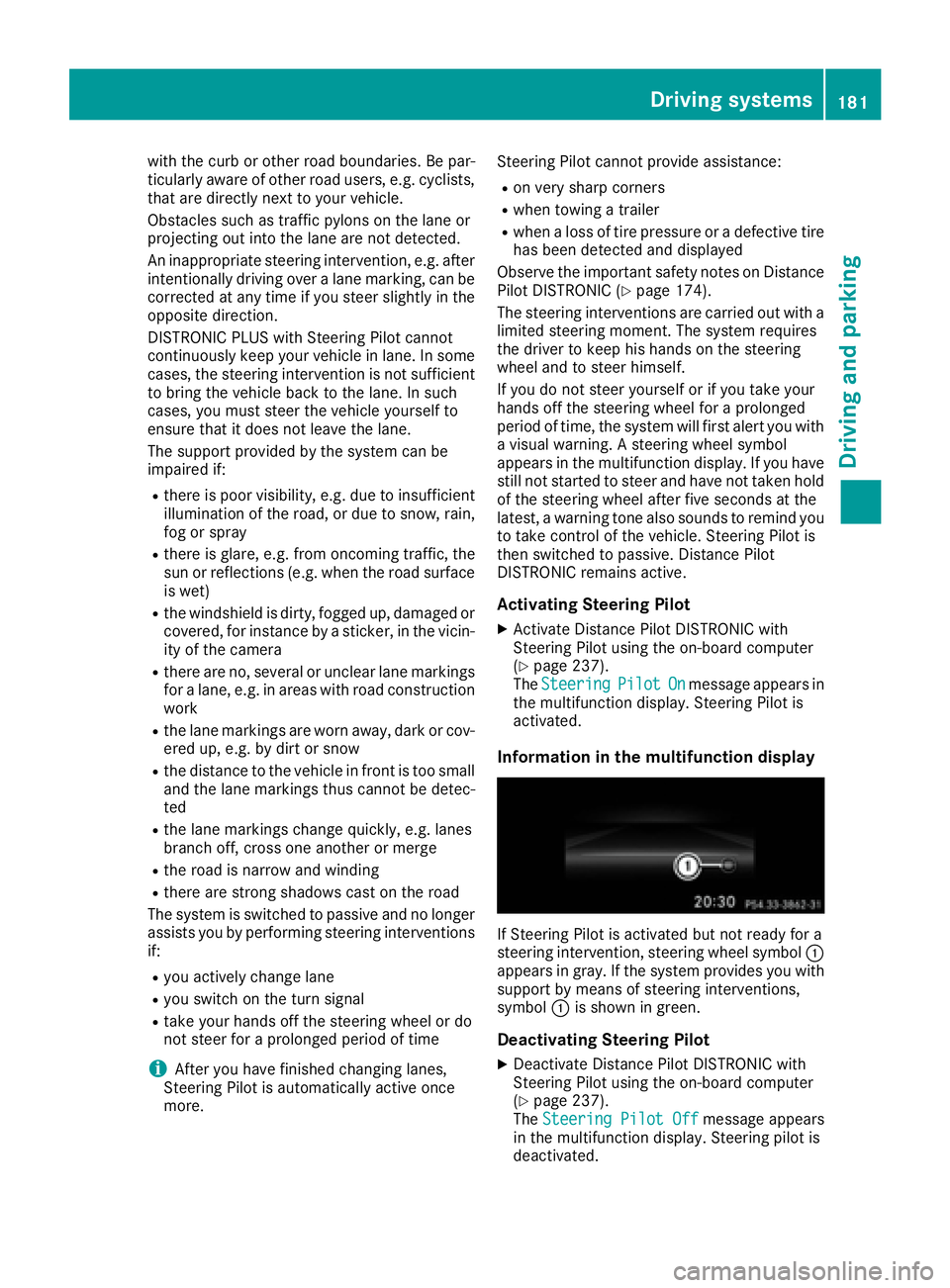
Information in the multifunction display
If Steering Pilot is activated but not ready for a
steering intervention, steering wheel symbol C
appears in gray. If the system provides you with
support by means of steering interventions,
symbol C is shown in green.
Deactivating Steering Pilot X
Deactivate Distance Pilot DISTRONIC with
Steering Pilot using the on-board computer
( Y
page 237).
The Steering Pilot Off message appears
in the multifunction display. Steering pilot is
deactivated.Driving systems 181
Driving and parking Z
Page 187 of 390
HOLD function
General notes The HOLD function can assist the driver in the
following situations: R
when pulling away, especially on steep slopes R
when maneuvering on steep slopes R
when waiting in traffic
The vehicle is kept stationary without the driver
having to depress the brake pedal.
The braking effect is canceled and the HOLD
function deactivated when you depress the
accelerator pedal to pull away.
i Do not use the HOLD function when driving
off-road, on steep uphill or downhill gradients
or on slippery or loose surfaces. The HOLD
function cannot hold the vehicle on such sur-
faces.
Important safety notes
G WARNING
When leaving the vehicle, it can still roll away
despite being braked by the HOLD function if: R
there is a malfunction in the system or in
the voltage supply. R
the HOLD function has been deactivated by
pressing the accelerator pedal or the brake
pedal, e.g. by a vehicle occupant. R
the electrical system in the engine com-
partment, the battery or the fuses have
been tampered with. R
the battery is disconnected
There is a risk of an accident.
If you wish to exit the vehicle, always turn off
the HOLD function and secure the vehicle
against rolling away.
! When DISTRONIC PLUS or the HOLD func-
tion is activated, the vehicle brakes automat-
ically in certain situations.
To avoid damage to the vehicle, deactivate
DISTRONIC PLUS and the HOLD function in
the following or similar situations: R
when towing the vehicle R
in the car wash
Deactivating the HOLD function ( Y
page 185). Activation conditions You can activate the HOLD function if: R
the vehicle is stationary R
the engine is running or if it has been auto-
matically switched off by the ECO start/stop
function R
the driver's door is closed or your seat belt is
fastened R
the electric parking brake is released R
the transmission is in position D , R or NR
Distance Pilot DISTRONIC is deactivated
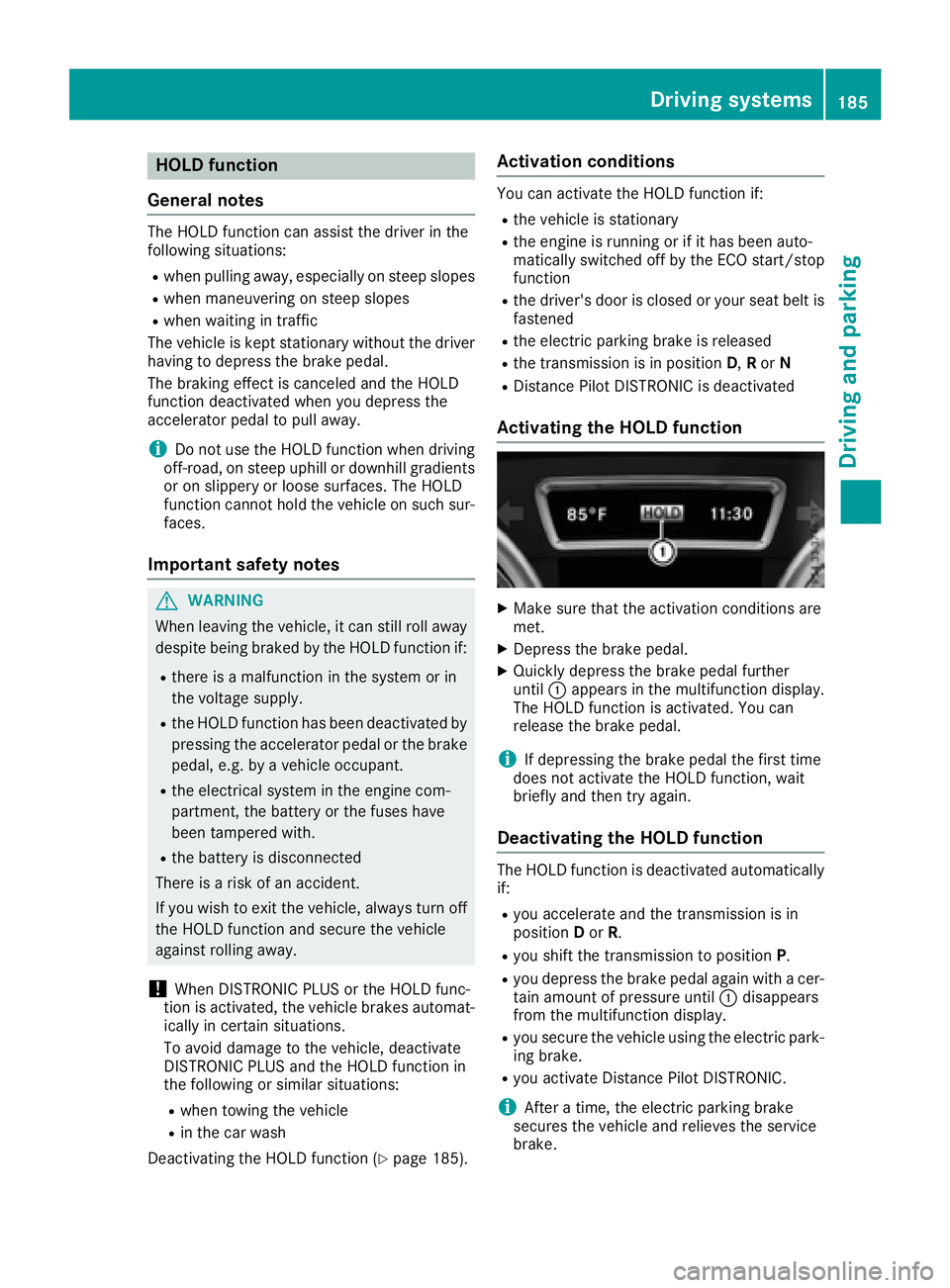
Activating the HOLD function X
Make sure that the activation conditions are
met. X
Depress the brake pedal. X
Quickly depress the brake pedal further
until C appears in the multifunction display.
The HOLD function is activated. You can
release the brake pedal.
i If depressing the brake pedal the first time
does not activate the HOLD function, wait
briefly and then try again.
Deactivating the HOLD function The HOLD function is deactivated automatically
if: R
you accelerate and the transmission is in
position D or R . R
you shift the transmission to position P .R
you depress the brake pedal again with a cer-
tain amount of pressure until C disappears
from the multifunction display. R
you secure the vehicle using the electric park-
ing brake. R
you activate Distance Pilot DISTRONIC.
i After a time, the electric parking brake
secures the vehicle and relieves the service
brake.Driving systems 185
Driving and parking Z