2017 MERCEDES-BENZ GLS tow
[x] Cancel search: towPage 18 of 390
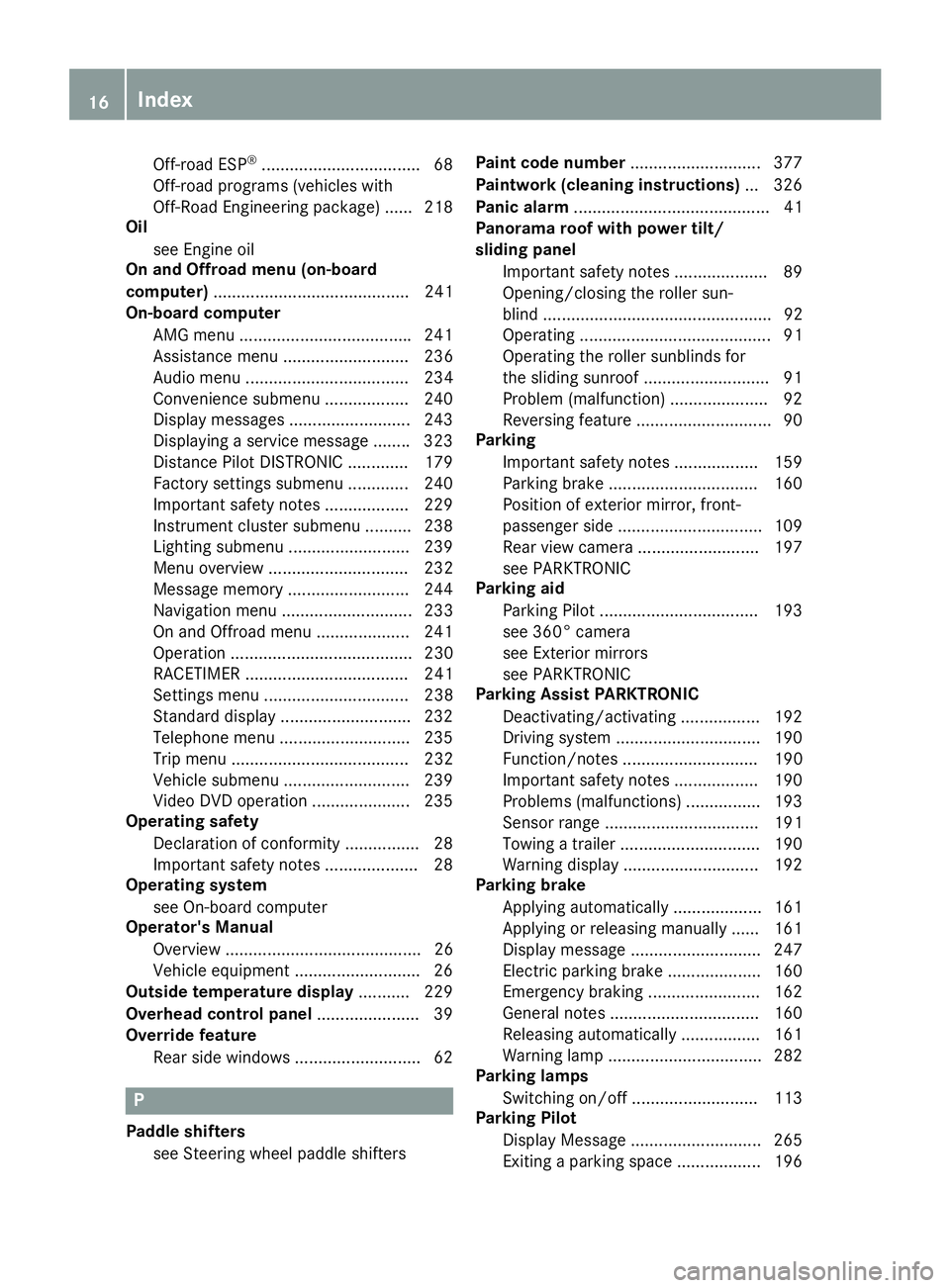
Off-road ESP ®
................................. .6 8
Off-road programs (vehicles with
Off-Road Engineering package) ...... 218
Oil
see Engine oil
On and Offroad menu (on-board
computer) .......................................... 241
On-board computer
AMG menu .................................... .2 41
Assistance menu ........................... 236
Audio menu ................................... 234
Convenience submenu .................. 240
Display messages .......................... 243
Displaying a service message ....... .3 23
Distance Pilot DISTRONIC ............. 179
Factory settings submenu ............. 240
Important safety notes .................. 229
Instrument cluster submenu .......... 238
Lighting submenu .......................... 239
Menu overview .............................. 232
Message memory .......................... 244
Navigation menu ............................ 233
On and Offroad menu .................... 241
Operation ....................................... 230
RACETIMER ................................... 241
Settings menu ............................... 238
Standard display ............................ 232
Telephone menu ............................ 235
Trip menu ...................................... 232
Vehicle submenu ........................... 239
Video DVD operation ..................... 235
Operating safety
Declaration of conformity ................ 28
Important safety notes .................... 28
Operating system
see On-board computer
Operator's Manual
Overview .......................................... 26
Vehicle equipment ........................... 26
Outside temperature display ........... 229
Overhead control panel ...................... 39
Override feature
Rear side windows ........................... 62
P
Paddle shifters
see Steering wheel paddle shifters Paint code number ............................ 377
Paintwork (cleaning instructions) ... 326
Panic alarm .......................................... 41
Panorama roof with power tilt/
sliding panel
Important safety notes .................... 89
Opening/closing the roller sun-
blind ................................................. 92
Operating ......................................... 91
Operating the roller sunblinds for
the sliding sunroof ........................... 91
Problem (malfunction) ..................... 92
Reversing feature ............................. 90
Parking
Important safety notes .................. 159
Parking brake ................................ 160
Position of exterior mirror, front-
passenger side ............................... 109
Rear view camera .......................... 197
see PARKTRONIC
Parking aid
Parking Pilot .................................. 193
see 360° camera
see Exterior mirrors
see PARKTRONIC
Parking Assist PARKTRONIC
Deactivating/activating ................. 192
Driving system ............................... 190
Function/notes ............................. 190
Important safety notes .................. 190
Problems (malfunctions) ................ 193
Sensor range ................................. 191
Towing a trailer .............................. 190
Warning display ............................. 192
Parking brake
Applying automatically ................... 161
Applying or releasing manually ...... 161
Display message ............................ 247
Electric parking brake .................... 160
Emergency braking ........................ 162
General notes ................................ 160
Releasing automatically ................. 161
Warning lamp ................................. 282
Parking lamps
Switching on/off ........................... 113
Parking Pilot
Display Message ............................ 265
Exiting a parking space .................. 19616
Index
Page 22 of 390
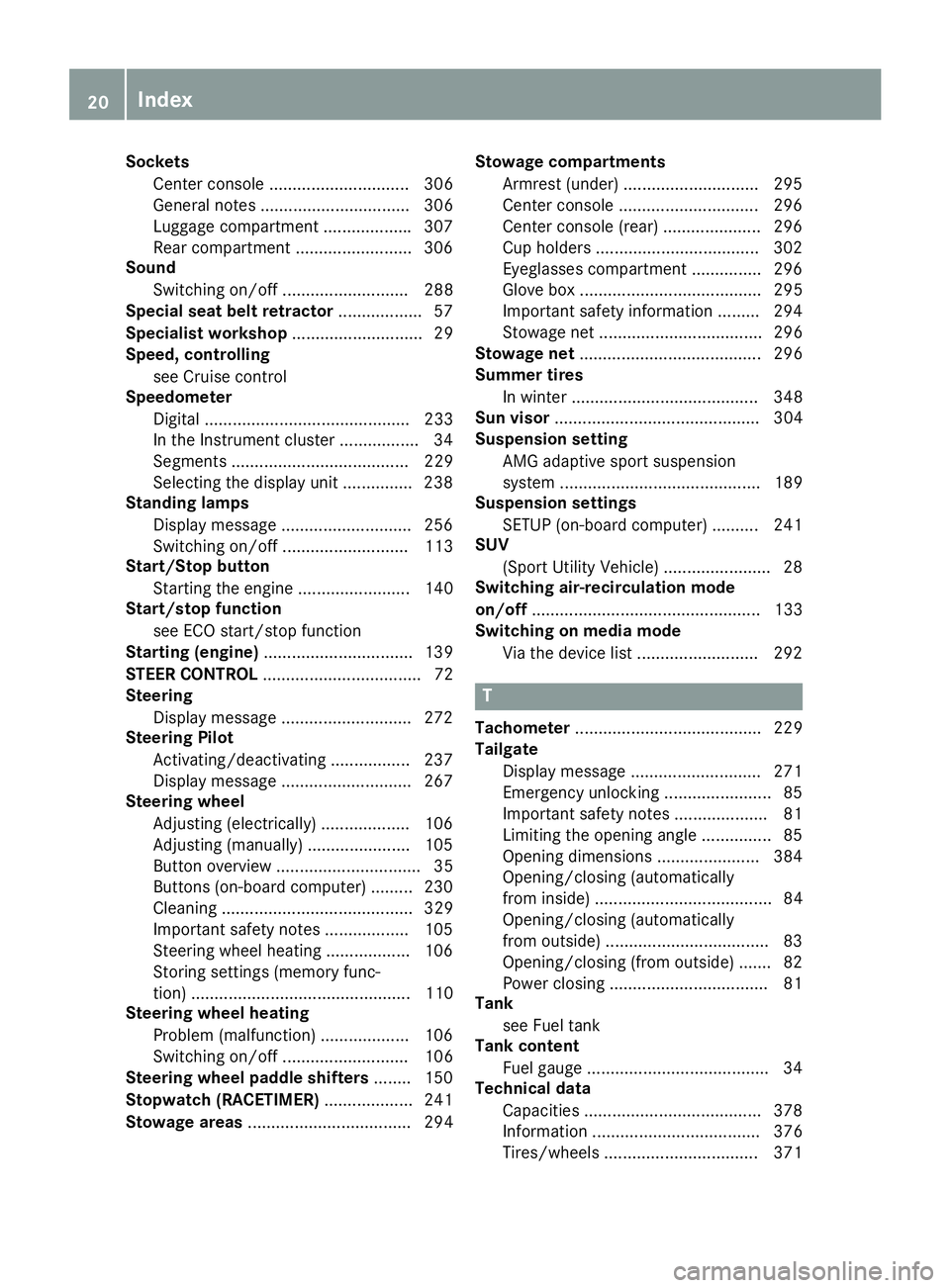
Sockets
Center console .............................. 306
General notes ................................ 306
Luggage compartment .................. .3 07
Rear compartment ......................... 306
Sound
Switching on/off ........................... 288
Special seat belt retractor .................. 57
Specialist workshop ............................ 29
Speed, controlling
see Cruise control
Speedometer
Digital ............................................ 233
In the Instrument cluster ................. 34
Segments ...................................... 229
Selecting the display unit .............. .2 38
Standing lamps
Display message ............................ 256
Switching on/off ........................... 113
Start/Stop button
Starting the engine ........................ 140
Start/stop function
see ECO start/stop function
Starting (engine) ................................ 139
STEER CONTROL .................................. 72
Steering
Display message ............................ 272
Steering Pilot
Activating/deactivating ................. 237
Display message ............................ 267
Steering wheel
Adjusting (electrically) ................... 106
Adjusting (manually) ...................... 105
Button overview ............................... 35
Buttons (on-board computer) ......... 230
Cleaning ......................................... 329
Important safety notes .................. 105
Steering wheel heating .................. 106
Storing settings (memory func-
tion) ............................................... 110
Steering wheel heating
Problem (malfunction) ................... 106
Switching on/off ........................... 106
Steering wheel paddle shifters ........ 150
Stopwatch (RACETIMER) ................... 241
Stowage areas ................................... 294 Stowage compartments
Armrest (under) ............................. 295
Center console .............................. 296
Center console (rear) ..................... 296
Cup holders ................................... 302
Eyeglasses compartment ............... 296
Glove box ....................................... 295
Important safety information ......... 294
Stowage net ................................... 296
Stowage ne t ....................................... 296
Summe r tires
In winter ........................................ 348
Sun visor ............................................ 304
Suspension setting
AMG adaptive sport suspension
system ........................................... 189
Suspension settings
SETUP (on-board computer) .......... 241
SUV
(Sport Utility Vehicle) ....................... 28
Switching air-recirculation mode
on/off ................................................. 133
Switching on media mode
Via the device list .......................... 292
T
Tachometer ........................................ 229
Tailgate
Display message ............................ 271
Emergency unlocking ....................... 85
Important safety notes .................... 81
Limiting the opening angle ............... 85
Opening dimensions ...................... 384
Opening/closing (automatically
from inside) ...................................... 84
Opening/closing (automatically
from outside) ................................... 83
Opening/closing (from outside) ....... 82
Power closing .................................. 81
Tank
see Fuel tank
Tank content
Fuel gauge ....................................... 34
Technical data
Capacities ...................................... 378
Information .................................... 376
Tires/wheels ................................. 37120
Index
Page 24 of 390
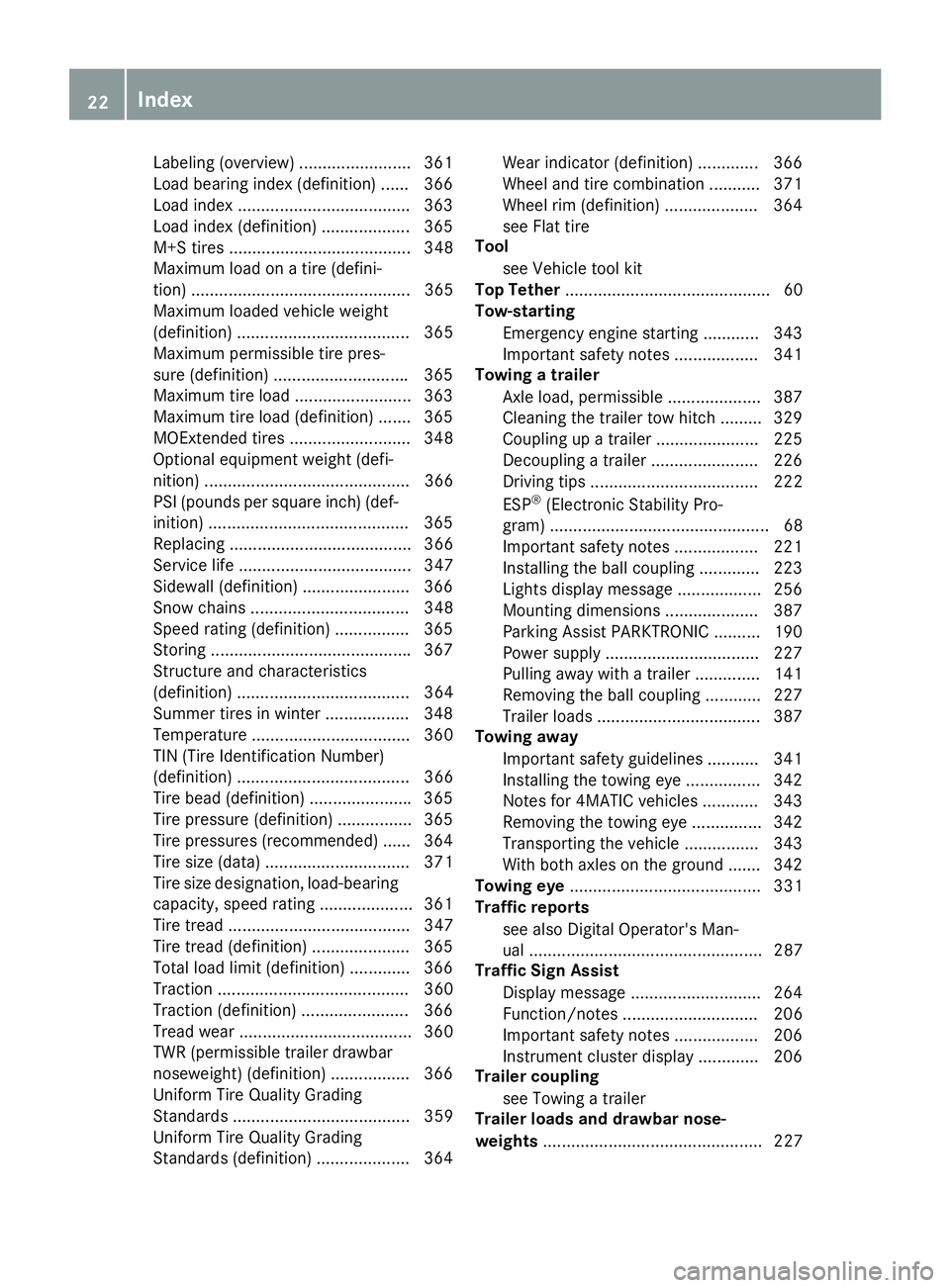
Labeling (overview) ........................ 361
Load bearing index (definition) ...... 366
Load index .................................... .3 63
Load index (definition) ................... 365
M+S tires ....................................... 348
Maximum load on a tire (defini-
tion) ............................................... 365
Maximum loaded vehicle weight
(definition) ..................................... 365
Maximum permissible tire pres-
sure (definition) ............................ .3 65
Maximum tire load ......................... 363
Maximum tire load (definition) ....... 365
MOExtended tires .......................... 348
Optional equipment weight (defi-
nition) ............................................ 366
PSI (pounds per square inch) (def-
inition) .......................................... .3 65
Replacing ....................................... 366
Service life ..................................... 347
Sidewall (definition) ....................... 366
Snow chains .................................. 348
Speed rating (definition) ................ 365
Storing .......................................... .3 67
Structure and characteristics
(definition) ..................................... 364
Summer tires in winter .................. 348
Temperature .................................. 360
TIN (Tire Identification Number)
(definition) ..................................... 366
Tire bead (definition) ..................... .3 65
Tire pressure (definition) ................ 365
Tire pressures (recommended) ...... 364
Tire size (data) ............................... 371
Tire size designation, load-bearing
capacity, speed rating .................... 361
Tire tread ....................................... 347
Tire tread (definition) ..................... 365
Total load limit (definition) ............. 366
Traction ......................................... 360
Traction (definition) ....................... 366
Tread wear ..................................... 360
TWR (permissible trailer drawbar
noseweig ht) ( definition) ................. 366
Uni
form Tire Quality Grading
Standards ...................................... 359
Uniform Tire Quality Grading
Standards (definition) .................... 364 Wear indicator (definition) ............. 366
Wheel and tire combination ........... 371
Wheel rim (definition) .................... 364
see Flat tire
Tool
see Vehicle tool kit
Top Tether ............................................ 60
Tow-starting
Emergency engine starting ............ 343
Important safety notes .................. 341
Towing a trailer
Axle load, permissible .................... 387
Cleaning the trailer tow hitch ......... 329
Coupling up a trailer ...................... 225
Decoupling a trailer ....................... 226
Driving tips .................................... 222
ESP ®
(Electronic Stability Pro-
gram) ............................................... 68
Important safety notes .................. 221
Installing the ball coupling ............. 223
Lights display message .................. 256
Mounting dimensions .................... 387
Parking Assist PARKTRONIC .......... 190
Power supply ................................. 227
Pulling away with a trailer .............. 141
Removing the ball coupling ............ 227
Trailer loads ................................... 387
Towing away
Important safety guidelines ........... 341
Installing the towing eye ................ 342
Notes for 4MATIC vehicles ............ 343
Removing the towing eye ............... 342
Transporting the vehicle ................ 343
With both axles on the ground ....... 342
Towing eye ......................................... 331
Traffic reports
see also Digital Operator's Man-
ual .................................................. 287
Traffic Sign Assist
Display message ............................ 264
Function/notes ............................. 206
Important safety notes .................. 206
Instrument cluster display ............. 206
Trailer coupling
see Towing a traile r
Trai l er loads and drawbar nose-
weights ............................................... 22722
Index
Page 25 of 390
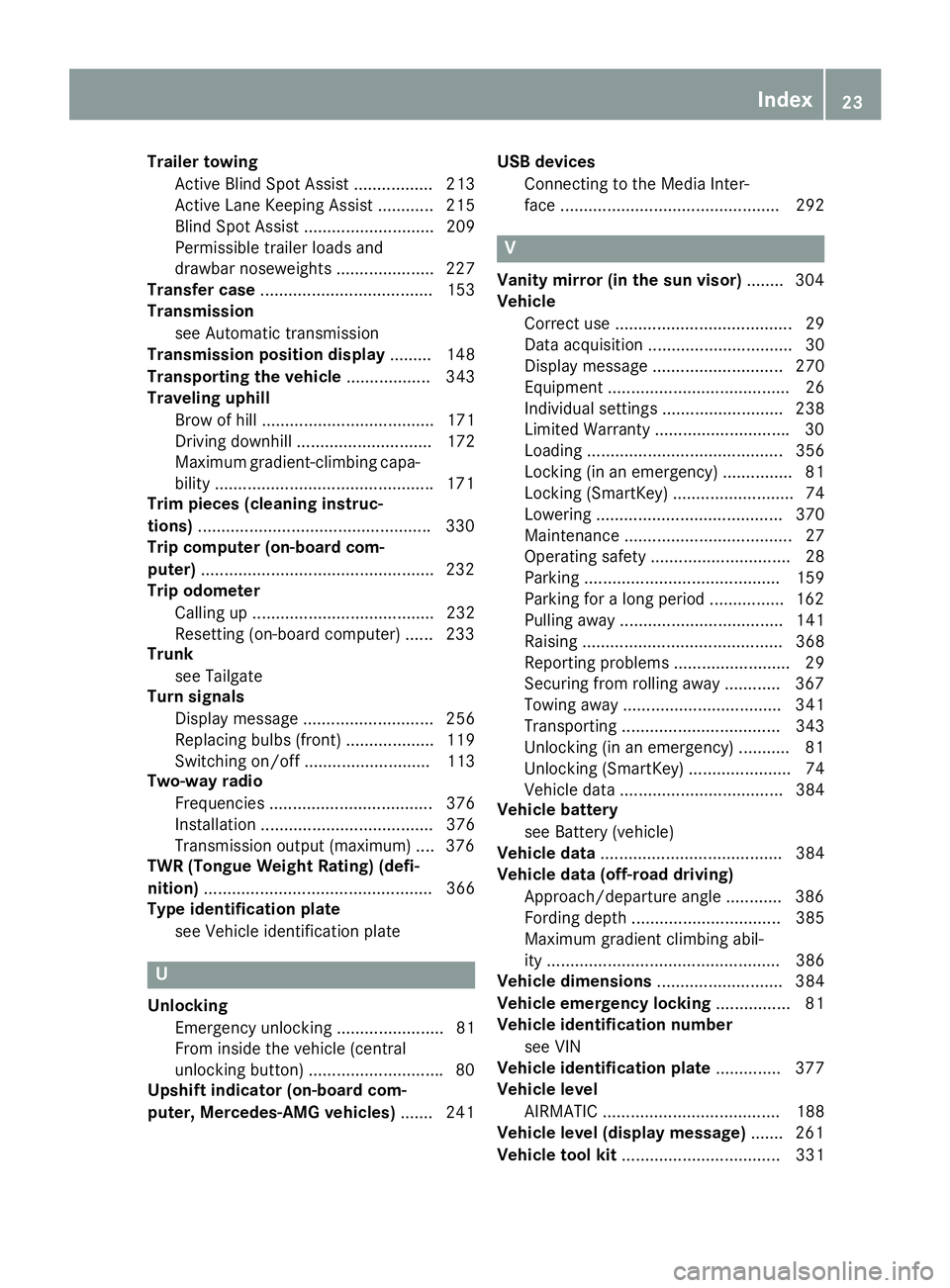
Trailer towing
Active Blind Spot Assist ................. 213
Active Lane Keeping Assist ............ 215
Blind Spot Assist ............................ 209
Permissible trailer loads and
drawbar noseweights ..................... 227
Transfer case ..................................... 153
Transmission
see Automatic transmission
Transmission position display ......... 148
Transporting the vehicle .................. 343
Traveling uphill
Brow of hill ..................................... 171
Driving downhill ............................. 172
Maximum gradient-climbing capa-
bility .............................................. .1 71
Trim pieces (cleaning instruc-
tions) ................................................. .3 30
Trip computer (on-board com-
puter) ................................................. .2 32
Trip odometer
Calling up ....................................... 232
Resetting (on-board computer) ...... 233
Trunk
see Tailgate
Turn signals
Display message ............................ 256
Replacing bulbs (front) ................... 119
Switching on/off ........................... 113
Two-way radio
Frequencies ................................... 376
Installation ..................................... 376
Transmission output (maximum) .... 376
TWR (Tongue Weight Rating) (defi-
nition) ................................................. 366
Type identification plate
see Vehicle identification plate
U
Unlocking
Emergency unlocking ....................... 81
From inside the vehicle (central
unlocking button) ............................ .8 0
Upshift indicator (on-board com-
puter, Mercedes-AMG vehicles) ...... .2 41 USB devices
Connecting to the Media Inter-
face ............................................... 292
V Vanity mirror (in the sun visor) ....... .3 04
Vehicle
Correct use ...................................... 29
Data acquisition ............................... 30
Display message ............................ 270
Equipment ....................................... 26
Individual settings .......................... 238
Limited Warranty ............................ .3 0
Loading .......................................... 356
Locking (in an emergency) ............... 81
Locking (SmartKey) .......................... 74
Lowering ........................................ 370
Maintenance .................................... 27
Operating safety .............................. 28
Parking .......................................... 159
Parking for a long period ................ 162
Pulling away ................................... 141
Raising ........................................... 368
Reporting problems ......................... 29
Securing from rolling away ............ 367
Towing away .................................. 341
Transporting .................................. 343
Unlocking (in an emergency) ........... 81
Unlocking (SmartKey) ...................... 74
Vehicle data ................................... 384
Vehicle battery
see Battery (vehicle)
Vehicle data ....................................... 384
Vehicle data (off-road driving)
Approach/departure angle ............ 386
Fording depth ................................ 385
Maximum gradient climbing abil-
ity .................................................. 386
Vehicle dimensions ........................... 384
Vehicle emergency locking ................ 81
Vehicle identification number
see VIN
Vehicle identification plate .............. 377
Vehicle level
AIRMATIC ...................................... 188
Vehicle level (display message) ....... 261
Vehicle tool kit .................................. 331Index 23
Page 31 of 390
These devices may not cause harmful interfer-
ence, and 2) These devices must accept any
interference received, including interference
that may cause undesired operation. Changes
or modifications not expressly approved by the
party responsible for compliance could void the
user’s authority to operate the equipment."
Canada: "The wireless devices of this vehicle
comply with Industry Canada license-exempt
RSS standard(s). Operation is subject to the fol-
lowing two conditions: (1) These devices may
not cause interference, and (2) These devices
must accept any interference, including inter-
ference that may cause undesired operation of
the device."
Diagnostics connection The diagnostics connection is only intended for
the connection of diagnostic equipment at a
qualified specialist workshop.
G WARNING
If you connect equipment to a diagnostics
connection in the vehicle, it may affect the
operation of vehicle systems. As a result, the
operating safety of the vehicle could be affec-
ted. There is a risk of an accident.
Only connect equipment to a diagnostics con-
nection in the vehicle, which is approved for
your vehicle by Mercedes-Benz.
G WARNING
Objects in the driver's footwell can restrict the
pedal travel or obstruct a depressed pedal.
The operating and road safety of the vehicle is
jeopardized. There is a risk of an accident.
Make sure that all objects in the vehicle are
stowed correctly, and that they cannot enter
the driver's footwell. Install the floormats
securely and as specified in order to ensure
sufficient clearance for the pedals. Do not use
loose floormats and do not place floormats on
top of one another.
! If the engine is switched off and equipment
on the diagnostics connection is used, the
starter battery may discharge.
Connecting equipment to the diagnostics con-
nection can lead to emissions monitoring infor- mation being reset, for example. This may lead
to the vehicle failing to meet the requirements of
the next emissions test during the main inspec-
tion.
Qualified specialist workshop An authorized Mercedes-Benz Center is a quali-
fied specialist workshop. It has the necessary
specialist knowledge, tools and qualifications to
correctly carry out the work required on your
vehicle. This is especially the case for work rel-
evant to safety.
Observe the notes in the Maintenance Booklet.
Always have the following work carried out at an
authorized Mercedes-Benz Center: R
work relevant to safety R
service and maintenance work R
repair work R
alterations, installation work and modifica-
tions R
work on electronic components
Correct use If you remove any warning stickers, you or oth-
ers could fail to recognize certain dangers.
Leave warning stickers in position.
Observe the following information when driving
your vehicle: R
the safety notes in this manual R
the vehicle technical data R
traffic rules and regulations R
laws and safety standards pertaining to motor
vehicles
Problems with your vehicle If you should experience a problem with your
vehicle, particularly one that you believe may
affect its safe operation, we urge you to contact
an authorized Mercedes-Benz Center immedi-
ately to have the problem diagnosed and recti-
fied. If the problem is not resolved to your sat-
isfaction, please discuss the problem again with
the Mercedes-Benz Center or, if necessary, con-
tact us at one of the following addresses.
In the USA
Customer Assistance Center Introduction 29
Z
Page 39 of 390
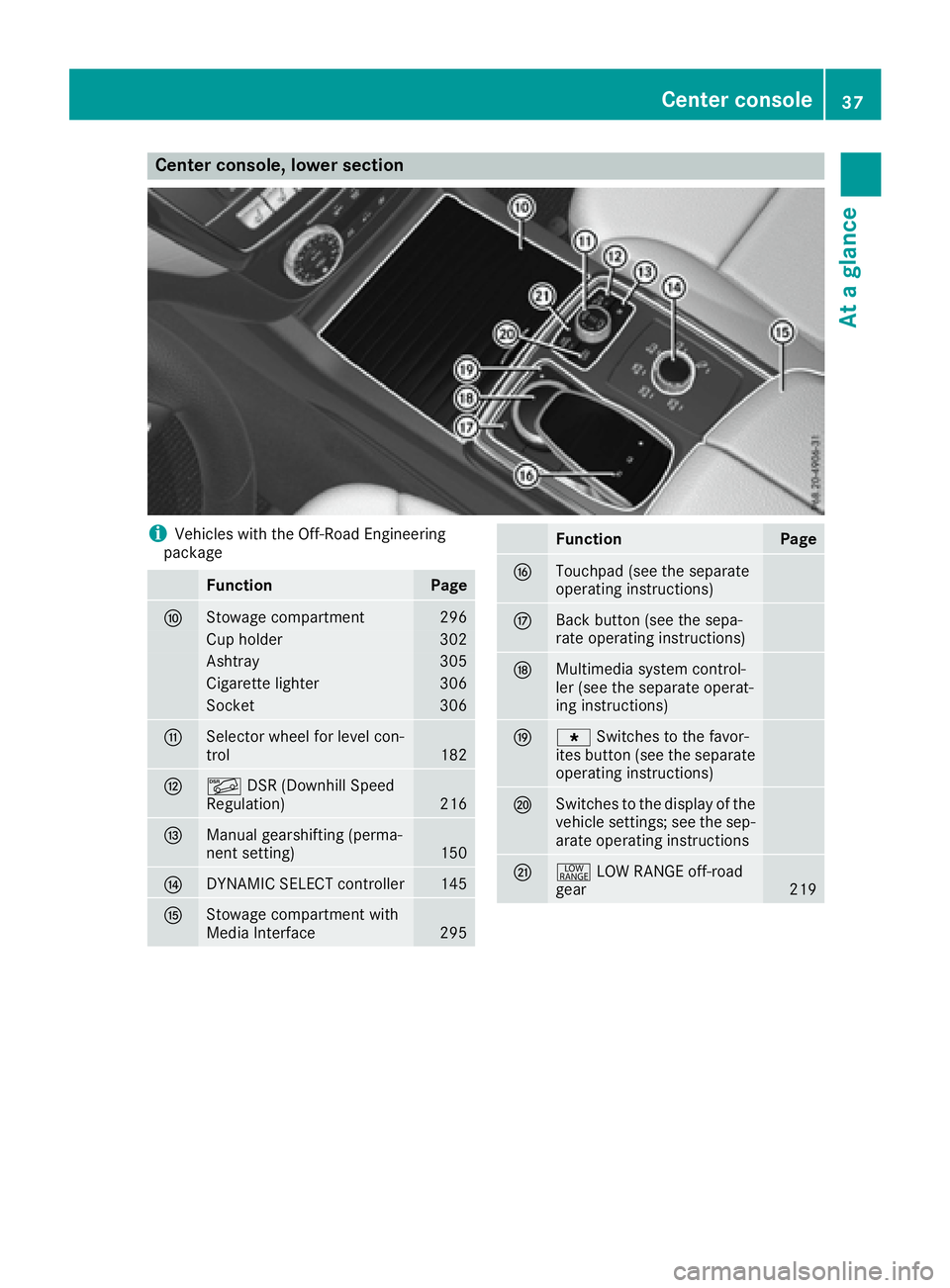
Center console, lower section
i Vehicles with the Off-Road Engineering
package
Function Page
n
Stowage compartment 296
Cup holder 302
Ashtray 305
Cigarette lighter 306
Socket 306
o
Selector wheel for level con-
trol 182
p
Page 40 of 390
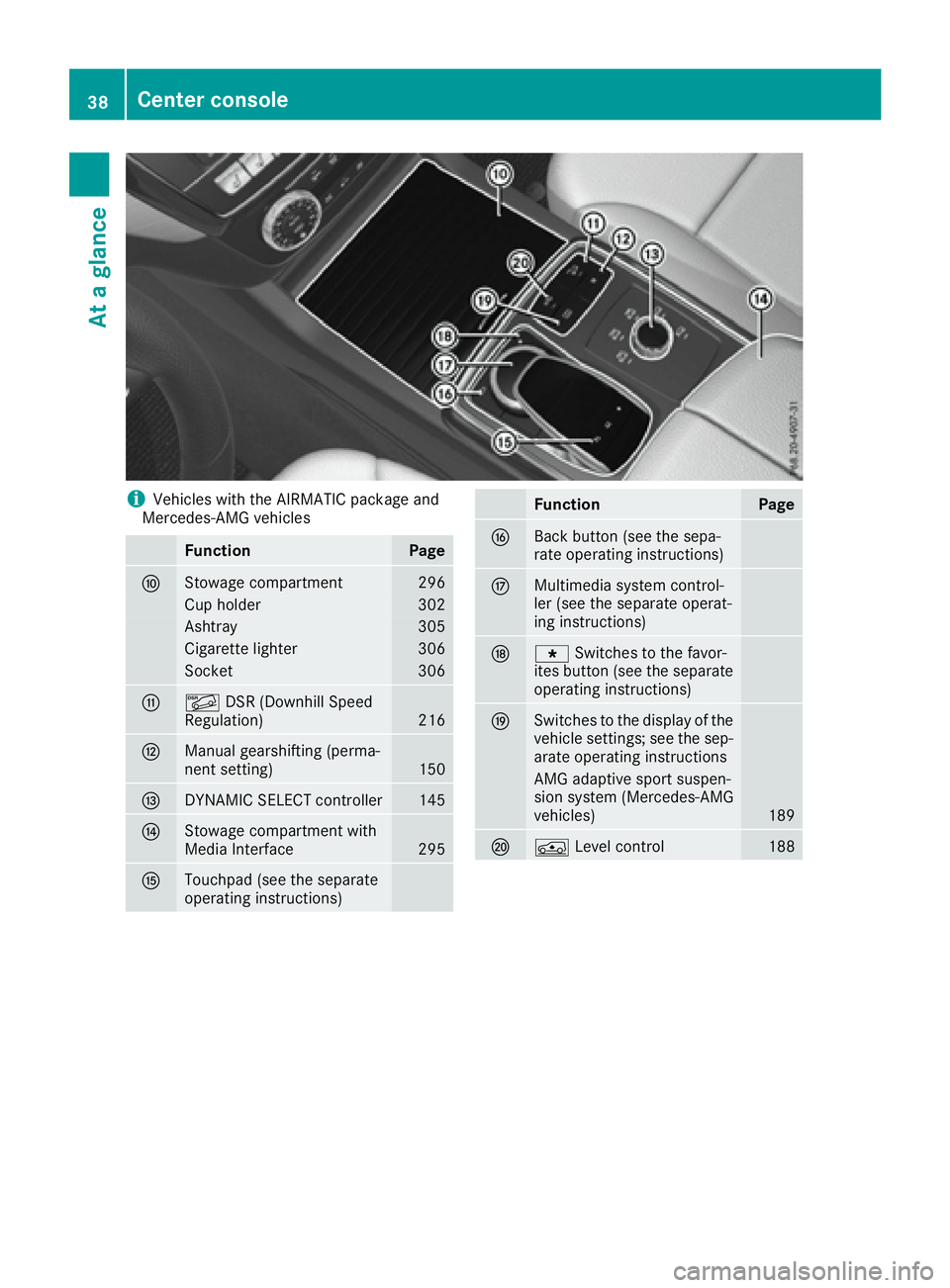
i Vehicles with the AIRMATIC package and
Mercedes-AMG vehicles
Function Page
n
Stowage compartment 296
Cup holder 302
Ashtray 305
Cigarette lighter 306
Socket 306
o
Page 55 of 390
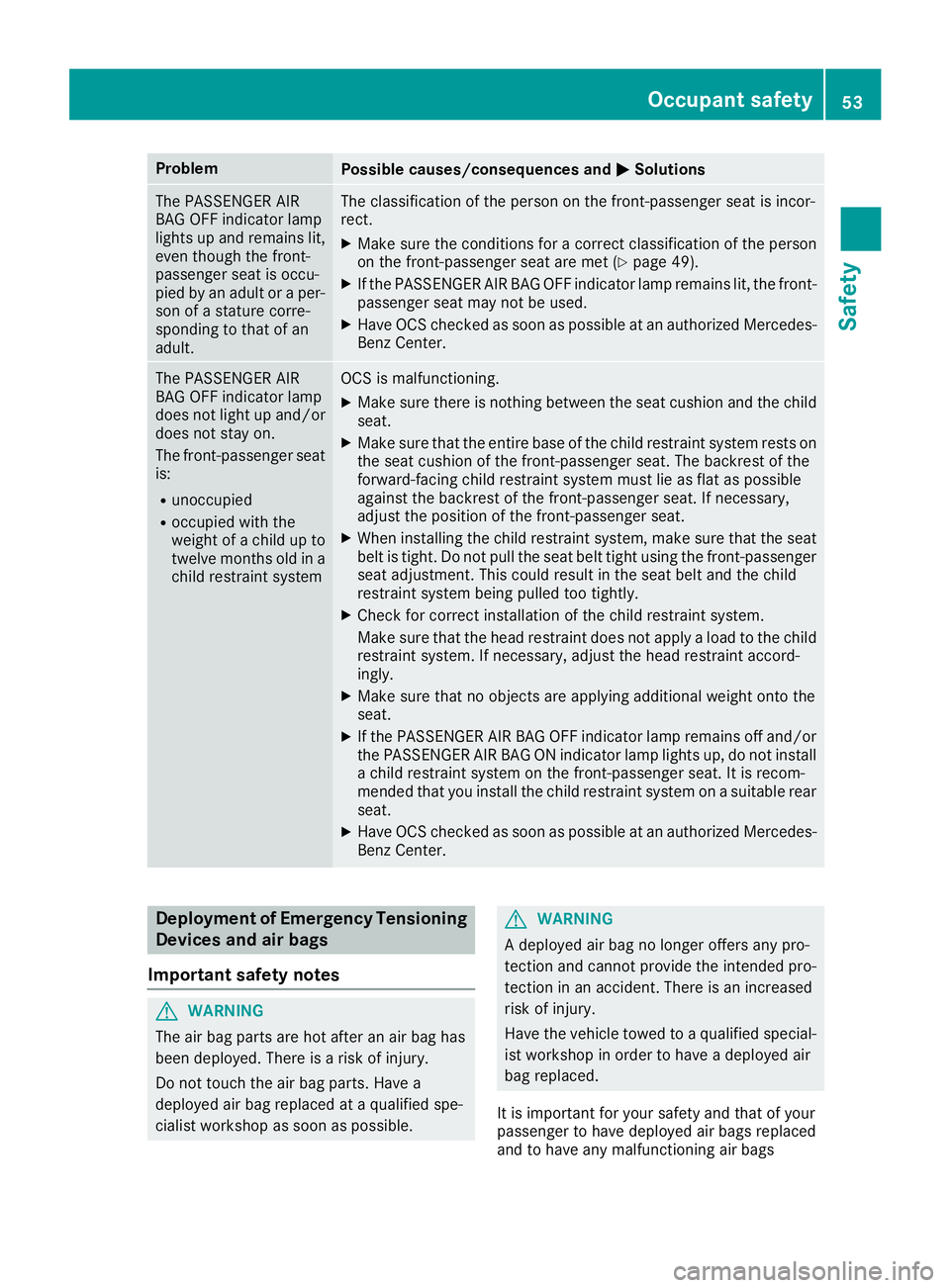
Problem
Possible causes/consequences and P Solutions
The PASSENGER AIR
BAG OFF indicator lamp
lights up and remains lit,
even though the front-
passenger seat is occu-
pied by an adult or a per-
son of a stature corre-
sponding to that of an
adult. The classification of the person on the front-passenger seat is incor-
rect. X
Make sure the conditions for a correct classification of the person
on the front-passenger seat are met ( Y
page 49).X
If the PASSENGER AIR BAG OFF indicator lamp remains lit, the front-
passenger seat may not be used. X
Have OCS checked as soon as possible at an authorized Mercedes-
Benz Center.
The PASSENGER AIR
BAG OFF indicator lamp
does not light up and/or
does not stay on.
The front-passenger seat
is: R
unoccupied R
occupied with the
weight of a child up to
twelve months old in a
child restraint system OCS is malfunctioning. X
Make sure there is nothing between the seat cushion and the child
seat. X
Make sure that the entire base of the child restraint system rests on
the seat cushion of the front-passenger seat. The backrest of the
forward-facing child restraint system must lie as flat as possible
against the backrest of the front-passenger seat. If necessary,
adjust the position of the front-passenger seat. X
When installing the child restraint system, make sure that the seat
belt is tight. Do not pull the seat belt tight using the front-passenger
seat adjustment. This could result in the seat belt and the child
restraint system being pulled too tightly. X
Check for correct installation of the child restraint system.
Make sure that the head restraint does not apply a load to the child
restraint system. If necessary, adjust the head restraint accord-
ingly. X
Make sure that no objects are applying additional weight onto the
seat. X
If the PASSENGER AIR BAG OFF indicator lamp remains off and/or
the PASSENGER AIR BAG ON indicator lamp lights up, do not install
a child restraint system on the front-passenger seat. It is recom-
mended that you install the child restraint system on a suitable rear
seat. X
Have OCS checked as soon as possible at an authorized Mercedes-
Benz Center.
Deployment of Emergency Tensioning
Devices and air bags
Important safety notes
G WARNING
The air bag parts are hot after an air bag has
been deployed. There is a risk of injury.
Do not touch the air bag parts. Have a
deployed air bag replaced at a qualified spe-
cialist workshop as soon as possible. G WARNING
A deployed air bag no longer offers any pro-
tection and cannot provide the intended pro-
tection in an accident. There is an increased
risk of injury.
Have the vehicle towed to a qualified special-
ist workshop in order to have a deployed air
bag replaced.
It is important for your safety and that of your
passenger to have deployed air bags replaced
and to have any malfunctioning air bagsOccupant safety 53
Safety Z